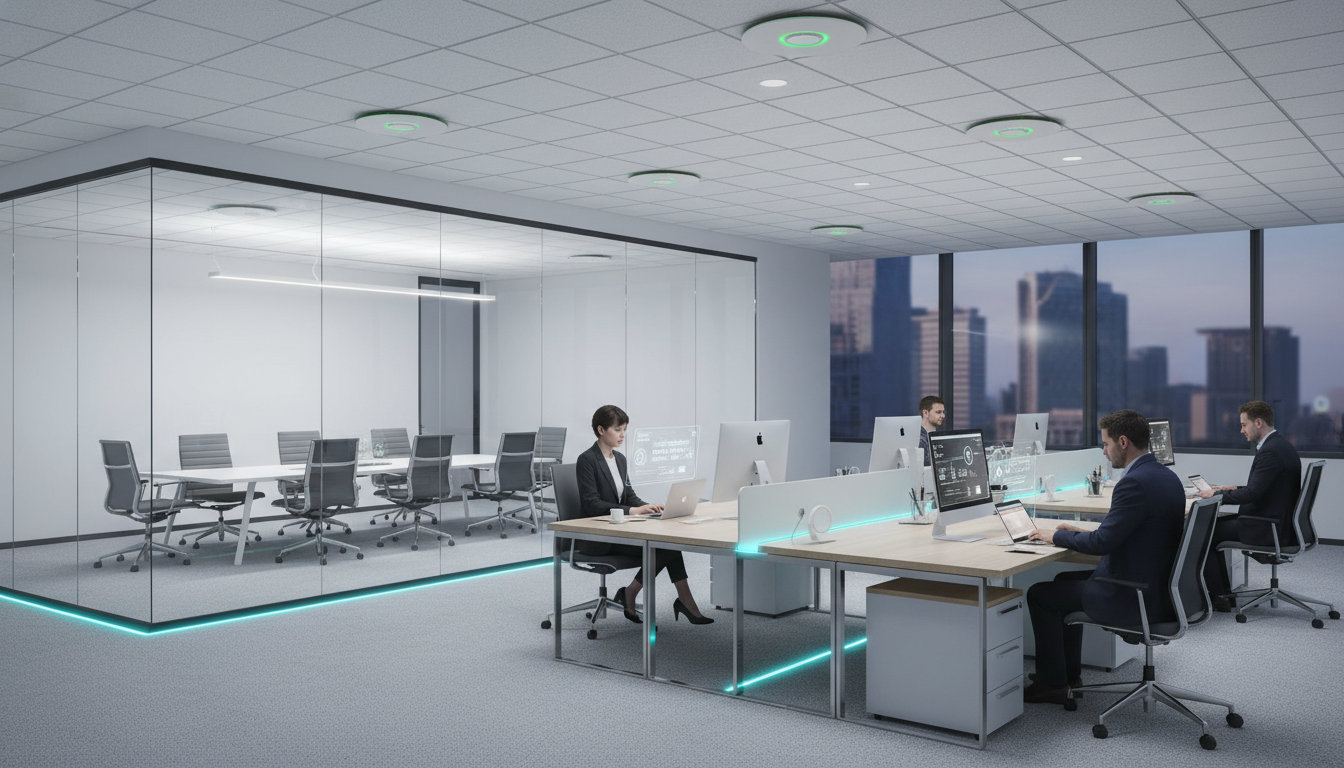
Business Wi-Fi demands have skyrocketed. With the influx of mobiles, tablets, laptops, and IoT devices, unreliable Wi-Fi is now one of the biggest drains on productivity for UK businesses. Research from Cisco shows that employees lose an average of 40 minutes per week to connectivity issues alone - costing a 50-person company over £86,000 annually in lost productivity.
Cisco Meraki offers a cloud-managed networking solution that has fundamentally transformed how businesses handle their Wi-Fi infrastructure. At Cloudswitched, we have deployed Meraki across hundreds of business sites throughout London and the South East. Here is a comprehensive look at why it makes such a dramatic difference - and how your business can benefit.
The Business Wi-Fi Problem in 2025
The average UK office now has 4-6 connected devices per employee. Laptops, smartphones, tablets, IP phones, and IoT devices like smart printers and video conferencing units all compete for bandwidth. Traditional consumer-grade or legacy enterprise access points simply were not built for this density.
Common symptoms of an underperforming Wi-Fi network include:
- Dropped video calls during Teams or Zoom meetings, costing client confidence
- Slow file transfers that turn a 2-minute task into a 20-minute wait
- Dead zones in meeting rooms, kitchens, or corners of open-plan spaces
- Connection bottlenecks at peak times (9am login rush, post-lunch)
- Security vulnerabilities from outdated firmware that never gets patched
- Guest network headaches with no isolation from the corporate network
These are not minor inconveniences - they directly impact your bottom line. A single dropped video call with a prospective client could cost your business thousands of pounds in lost revenue.
Meraki vs Traditional Access Points
Before diving into the four key advantages, here is how Meraki stacks up against a traditional Wi-Fi setup across every critical dimension:
| Feature | Traditional Wi-Fi | Cisco Meraki |
|---|---|---|
| Management | On-site controller required | Cloud dashboard, manage from anywhere |
| Visibility | Limited, manual checks | Real-time analytics per device |
| Scalability | Hardware upgrades needed | Add APs instantly via cloud |
| Dual-Band | Often single-band only | Simultaneous 2.4GHz + 5GHz + 6GHz |
| Security | Basic WPA2 | Enterprise WPA3, auto threat detection |
| Firmware Updates | Manual, often neglected | Automatic, zero-downtime |
| Guest Access | Shared password, no isolation | Captive portal, full VLAN isolation |
| Troubleshooting | On-site visit required | Remote diagnostics in seconds |
| Reporting | None or basic logs | Detailed usage analytics & trends |
| RF Optimisation | Static channel assignment | Dynamic auto-RF with machine learning |
1. Dual-Band & Tri-Band Bandwidth Compatibility
Many older access points only support either 2.4GHz or 5GHz. Cisco Meraki access points support both simultaneously - and the latest models add a third 6GHz band for ultra-fast, interference-free connectivity. The network automatically assigns devices to the optimal frequency band for their specific needs.
Understanding the Three Bands
| Band | Range | Speed | Congestion | Best For |
|---|---|---|---|---|
| 2.4GHz | Excellent (35m+) | Moderate | High (crowded spectrum) | IoT devices, basic browsing |
| 5GHz | Good (15-25m) | Fast | Medium | Video calls, file transfers |
| 6GHz (Wi-Fi 6E) | Moderate (10-15m) | Ultra-fast | Very Low | Bandwidth-heavy applications |
How Band Steering Works
Meraki's intelligent band steering automatically moves capable devices to the least congested band. Older devices that only support 2.4GHz remain on that band, while modern laptops and phones are steered to 5GHz or 6GHz. This happens transparently - users never need to select a network manually.
Band steering alone typically improves average network speeds by 30-40% in dense office environments. Combined with client balancing (distributing devices across multiple APs), the improvement can exceed 60%.
2. Unmatched Network Visibility
The Meraki dashboard provides real-time analytics on every connected device, application usage, and bandwidth consumption. You can see exactly who is using your network, what they are accessing, and how much bandwidth they are consuming - all from a single browser window.
What You Can See at a Glance
Application-Level Visibility
Meraki uses deep packet inspection to categorise traffic by application. This reveals insights that traditional networks simply cannot provide:
Many businesses discover that streaming services consume 20-30% of their office bandwidth during working hours. Meraki lets you create traffic shaping policies that prioritise business applications without blocking personal use entirely.
Traffic Shaping & QoS
Once you can see what is consuming your bandwidth, Meraki gives you granular control. You can set traffic shaping rules that ensure video conferencing always gets priority bandwidth, while streaming and social media are throttled during business hours. This is configured in minutes through the dashboard - no command-line knowledge required.
| Traffic Category | Priority Level | Bandwidth Limit | Business Impact |
|---|---|---|---|
| Voice & Video | Highest | Unlimited | Crystal-clear calls |
| Business Apps | High | Unlimited | Fast application response |
| Web Browsing | Normal | No limit | Standard experience |
| Streaming | Low | 2 Mbps per user | Prevents bandwidth hogging |
| P2P/Downloads | Lowest | 1 Mbps per user | Protects core services |
3. Effortless Cloud Management
Unlike traditional Wi-Fi systems that require on-site controllers, Meraki is managed entirely through a cloud-based dashboard. This means you can monitor, configure, and troubleshoot your entire network from any device, anywhere in the world. No VPN required, no command-line interface, no specialist training.
Dashboard Capabilities
Zero-Touch Provisioning
When you add a new Meraki access point to your network, setup takes minutes rather than hours. Simply plug the AP into power and an ethernet port, and it automatically:
- Connects to the Meraki cloud and downloads its configuration
- Applies your network policies including SSIDs, VLANs, and security settings
- Optimises its radio settings based on the RF environment
- Starts serving clients within minutes of being powered on
This is revolutionary for businesses with multiple sites. Roll out a new office and your IT team can ship pre-configured access points - the local team just plugs them in.
Manage all your office locations from one dashboard. A London head office, a Manchester branch, and a Birmingham warehouse can all be monitored and configured from a single screen. Changes propagate instantly across all sites.
Automated Firmware Updates
One of the biggest security risks with traditional Wi-Fi equipment is outdated firmware. Most businesses never update their access point firmware because the process is manual, risky, and disruptive. Meraki handles firmware updates automatically during off-peak hours with zero downtime - ensuring your network always has the latest security patches and performance improvements.
4. Access Points Built for Performance
Meraki access points feature high-powered radios, enhanced receive sensitivity, and up to 8x8 MU-MIMO antenna arrays. Technologies like OFDMA maximise capacity without sacrificing range, making them ideal for high-density environments like open-plan offices, event spaces, and co-working areas.
Meraki AP Range Comparison
| Model | Wi-Fi Standard | Max Speed | Concurrent Users | Best For | Price Range |
|---|---|---|---|---|---|
| MR28 | Wi-Fi 6 | 1.7 Gbps | 50+ | Small offices | £400-500 |
| MR36 | Wi-Fi 6 | 3.5 Gbps | 100+ | Medium offices | £600-800 |
| MR46 | Wi-Fi 6 | 5.9 Gbps | 200+ | High-density spaces | £900-1,200 |
| MR56 | Wi-Fi 6 | 5.9 Gbps | 300+ | Enterprise & events | £1,200-1,600 |
| MR57 | Wi-Fi 6E | 9.2 Gbps | 500+ | Future-proof premium | £1,800-2,500 |
Key Technologies Explained
Cisco Meraki APs
Consumer-Grade APs
Security Features That Protect Your Business
Network security is no longer optional. With cyber attacks targeting SMEs at record rates, your Wi-Fi infrastructure needs enterprise-grade protection. Meraki delivers this as standard.
Built-in Security Stack
| Security Feature | What It Does | Business Benefit |
|---|---|---|
| WPA3 Enterprise | Latest encryption standard with individual user keys | Prevents eavesdropping on wireless traffic |
| Air Marshal | Detects rogue access points and wireless threats | Prevents man-in-the-middle attacks |
| Content Filtering | Blocks malicious and inappropriate websites | Reduces malware risk, ensures compliance |
| VLAN Segmentation | Isolates guest, corporate, and IoT traffic | Prevents lateral network movement |
| 802.1X RADIUS | Individual user authentication per device | No shared passwords, full audit trail |
| Geo-IP Blocking | Blocks traffic from high-risk countries | Reduces attack surface |
If your business still uses a single shared Wi-Fi password for all employees and guests, your network is at serious risk. Anyone who has ever connected can return and access your network - including former employees, visitors, and contractors. Meraki's 802.1X authentication eliminates this vulnerability entirely.
Network Security Scores
Real-World Deployment: What to Expect
Understanding the deployment process helps set expectations. Here is a typical timeline for a Meraki Wi-Fi project with Cloudswitched:
Deployment Timeline
| Phase | Duration | What Happens |
|---|---|---|
| Site Survey | 1-2 days | RF analysis, heat mapping, AP placement planning |
| Design & Quote | 2-3 days | Network design, AP count, cabling requirements, cost proposal |
| Hardware Order | 3-5 days | AP procurement and licensing |
| Installation | 1-3 days | AP mounting, cabling, power-over-ethernet setup |
| Configuration | 1 day | SSIDs, VLANs, security policies, traffic shaping |
| Testing | 1 day | Coverage validation, speed testing, client connectivity |
| Handover | Half day | Dashboard training, documentation, support setup |
For most SMEs with a single office location, the entire project takes 2-3 weeks from initial survey to full deployment. Multi-site rollouts are phased but benefit from the cloud management - each new site is faster than the last.
Cost Breakdown: What Does Meraki Actually Cost?
One of the most common questions we receive is about cost. Meraki requires both hardware and a cloud licence. Here is a transparent breakdown:
Typical SME Deployment (20-50 Users)
Total Cost of Ownership: Meraki vs Traditional (3-Year)
Cisco Meraki (Cloud-Managed)
Traditional Enterprise Wi-Fi
Common Wi-Fi Myths Debunked
Myth 1: "More access points = better Wi-Fi"
Reality: Too many APs create co-channel interference, actually degrading performance. Meraki's auto-RF feature dynamically adjusts power and channels to prevent this. A properly surveyed network with fewer, well-placed APs outperforms a cluttered one every time.
Myth 2: "Our internet speed is the problem"
Reality: In most cases, the bottleneck is the internal Wi-Fi network, not the internet connection. You could have a 1Gbps fibre line, but if your access points can only handle 300Mbps throughput, you will never see those speeds wirelessly.
Myth 3: "Enterprise Wi-Fi is overkill for small businesses"
Reality: With 4-6 devices per employee, even a 10-person office has 40-60 connected devices competing for bandwidth. Consumer-grade equipment was designed for 10-15 devices. Enterprise solutions like Meraki are designed for this exact density.
Myth 4: "Wi-Fi 6 is just a marketing gimmick"
Reality: Wi-Fi 6 delivers up to 4x more capacity in dense environments through technologies like OFDMA and MU-MIMO. The real benefit is not raw speed - it is handling many devices simultaneously without degradation.
Guest Wi-Fi Done Right
Providing guest Wi-Fi is expected in modern business, but doing it incorrectly exposes your corporate network. Meraki provides enterprise-grade guest access:
- Captive Portal: Branded splash page for guest login - add your company logo and terms of use
- VLAN Isolation: Guest traffic is completely separated from corporate data
- Bandwidth Limits: Set per-user bandwidth caps to prevent guests consuming business bandwidth
- Time Limits: Auto-disconnect guests after a set period
- Usage Logging: Full audit trail of guest activity for compliance
Meraki's splash page can include GDPR-compliant terms of use and data collection consent. This is essential for any UK business offering guest Wi-Fi - failure to comply can result in significant fines.
Frequently Asked Questions
How many access points does my office need?
As a general rule, one AP per 1,500-2,000 sq ft for standard office environments. High-density spaces (conference rooms, event areas) may need one per 800-1,000 sq ft. A proper site survey with RF analysis gives the definitive answer - and Cloudswitched provides these free of charge.
What happens if the Meraki cloud goes down?
Your network continues to function normally. APs cache their configuration locally and continue serving clients even without cloud connectivity. You temporarily lose dashboard access and new configuration changes, but the network itself remains fully operational.
Can Meraki work with our existing switches?
Yes. Meraki APs work with any managed switch that supports Power-over-Ethernet (PoE). However, for the best experience and unified management, pairing with Meraki switches gives you end-to-end visibility from switch port to wireless client.
How long do Meraki licences last?
Licences are available in 1, 3, 5, 7, and 10-year terms. Longer terms offer significant per-year savings. We recommend 3 or 5-year licences for most businesses - this aligns with typical hardware refresh cycles.
Is Meraki suitable for outdoor areas?
Yes. Meraki offers outdoor-rated access points (MR86 series) that are weatherproof and designed for car parks, terraces, construction sites, and outdoor event spaces. These are managed through the same dashboard as indoor APs.
Getting Started with Meraki
"Since switching to Meraki, our Wi-Fi complaints have dropped to nearly zero. The dashboard alone saves our IT team hours every week." - Cloudswitched client, Central London
Cloudswitched is a Cisco-certified partner with over 50 successful Meraki deployments in the past year alone. We provide a complete end-to-end solution - from site survey and design through to installation, configuration, and ongoing support.
Our Process
Ready to Get Started?
Transform your business Wi-Fi with Cisco Meraki cloud-managed networking. Cloudswitched provides end-to-end deployment, from site survey to ongoing support.
Explore Cloud Networking SolutionsVisit our Cloud Networking page to learn more about our Meraki solutions, or contact us for a free Wi-Fi assessment of your business premises. We will survey your space, identify problem areas, and provide a no-obligation proposal tailored to your specific needs.

CloudSwitched
London-based managed IT services provider offering support, cloud solutions and cybersecurity for SMEs.


