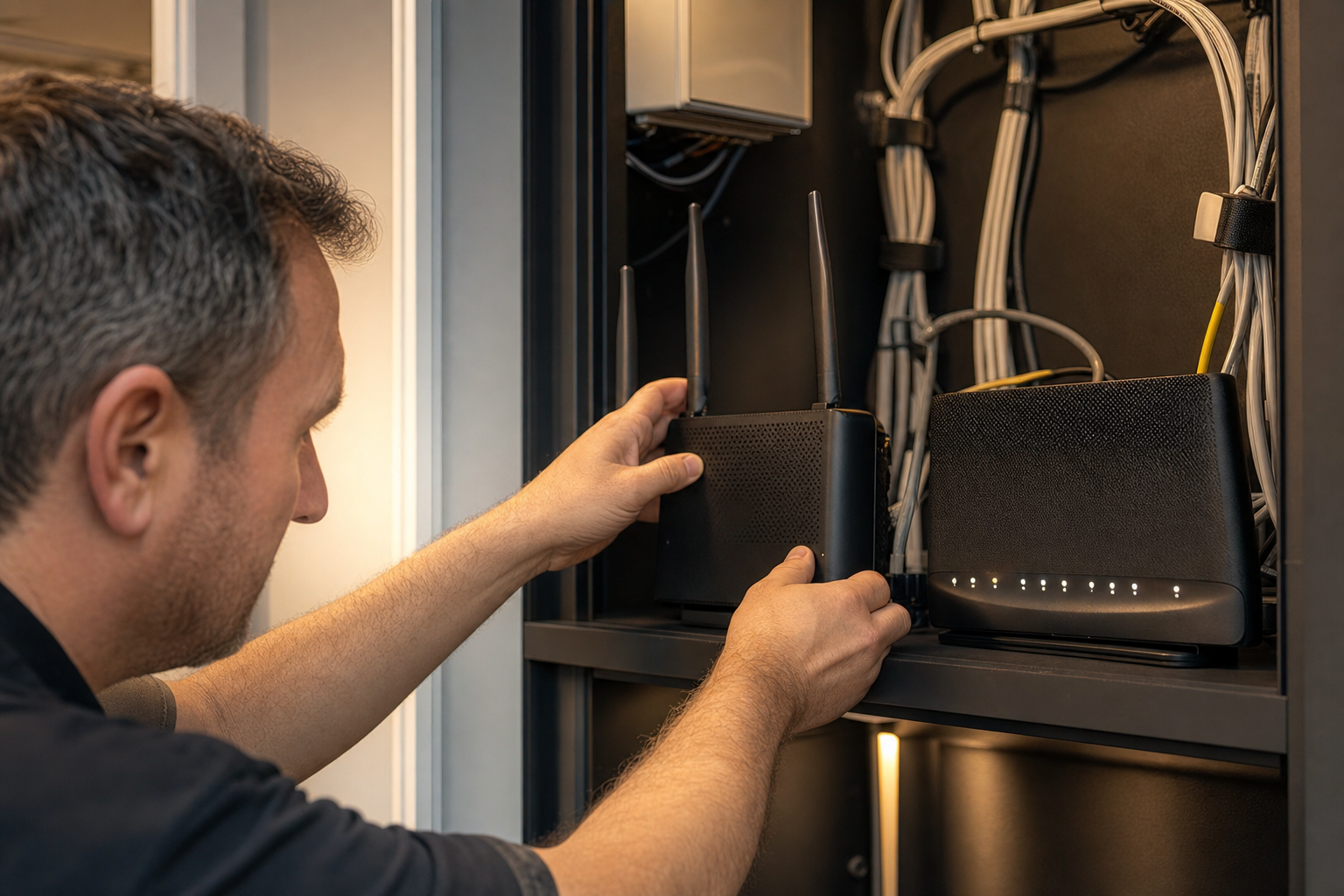
Internet failover for business is the difference between a broadband fault being a twenty-second blip that nobody outside the IT inbox notices, and a four-hour outage that stops orders, silences the phones and sends thirty people home early. For most UK SMEs the internet connection is now the single most load-bearing piece of infrastructure in the building - Microsoft 365, hosted voice, card payments, the CRM, the accounts package, remote desktop, CCTV upload and the site backup all run across it. Yet the overwhelming majority of those businesses still run that entire dependency across one circuit, from one provider, over one physical route, into one router with one power supply. That is a single point of failure wearing a business-critical hat.
This guide starts with the part that actually drives the decision: what connectivity downtime really costs a British SME per hour, and why the number is almost always higher than the finance director assumes. From there it works through the practical engineering - how dual-WAN setup works, what genuinely counts as diverse broadband redundancy versus what only looks diverse on paper, where 4G/5G backup connectivity earns its place, how automatic failover is actually configured and tested, and what happens to your VoIP calls and VPN tunnels at the moment of switchover. It closes with a framework for matching the level of resilience to the size and risk profile of the business, because a six-person design studio and a forty-person distribution operation with an overnight picking schedule do not need the same answer, and paying for the wrong one is its own kind of waste.
What internet failover actually means - and what it does not
Internet failover is the automatic transfer of your outbound and inbound network traffic from a primary connection to a secondary one when the primary stops working, without a human being having to notice, decide and act. The important word is automatic. A spare 4G dongle in a drawer, a mobile hotspot policy, or a written instruction to “plug the backup router in if the internet goes down” is contingency planning, not failover. It depends on someone being on site, being available, knowing the procedure and executing it correctly, and in practice it delivers a recovery time measured in tens of minutes rather than seconds - if it works at all on the day.
True broadband redundancy has three components that all have to be present. First, a second physical path to the internet that does not share a failure mode with the first. Second, a device - a dual-WAN router, firewall or SD-WAN appliance - that continuously monitors the health of the primary path and can move traffic to the secondary within seconds. Third, a set of design decisions about what happens to sessions, IP addresses, DNS records and inbound services during and after the switch, so that the failover does not solve the connectivity problem while quietly creating an application problem. Most SME failover setups that disappoint in production have the first two and never addressed the third.
It is equally important to be clear about what failover does not do. It does not protect you from a power cut - if the comms cabinet loses power, both circuits die together unless the router, switch and any ONT or modem are on a UPS. It does not protect you from a misconfigured firewall rule, an expired certificate, a DNS provider outage or a cloud platform incident at the far end. It does not make a slow connection fast. And it does not remove the need for the primary circuit to be appropriate for the business; failover is a resilience layer over a suitable primary service, not a way to make an unsuitable one survivable. Resilience is a chain of dependencies, and connectivity is only one link in it - the same logic that drives a properly zoned internal network, as our guide to network segmentation for UK SMEs sets out in detail.
Before you price a single backup circuit, write down the five business processes that stop when the internet stops, and the hour of the day at which each one is most expensive to lose. That list - not the router datasheet - is what determines whether you need a sixty-second 4G failover or a sub-second dual-circuit design with the same IP address on both.
Why business internet connections actually fail
Understanding the failure distribution matters, because different causes are defeated by different forms of redundancy. A second circuit from the same provider over the same duct into the same building protects you from perhaps a third of realistic failure modes. A second circuit on a genuinely different medium and a different physical route protects you from most of them. The chart below reflects the pattern Cloudswitched sees across UK SME sites when connectivity incidents are categorised after the fact - the proportion of business connectivity incidents attributable to each broad cause.
Two things stand out. The first is that roughly half of all incidents - the last-mile faults and the physical damage - are geographically local. A digger through a duct on the industrial estate, a flooded joint box, a stolen length of copper, a damaged drop cable at the pole. These are exactly the failures that a second circuit over the same physical route will not save you from, and exactly the failures that a mobile connection over an entirely different medium defeats completely. The second is that the categories nearest the bottom - equipment failure, power, human error - account for close to a third between them and are entirely within your own four walls. Redundant circuits do nothing for any of them unless the on-premises design is addressed at the same time.
The “degraded but up” category deserves special attention despite its small share, because it is the one most likely to defeat a naive failover configuration. A circuit that is technically live but running at ten per cent of its normal throughput, or dropping thirty per cent of packets, will happily answer a basic ping test and keep the failover device convinced that everything is fine. Meanwhile every voice call is unusable and every cloud application has timed out. Failover health-checking that only tests reachability, not quality, will sit there passing its own test while the business grinds to a halt.
The real cost of connectivity downtime for a UK SME
Downtime cost is usually presented as a single headline figure, which is why it is usually ignored. It is far more persuasive when broken into the components a finance director recognises: idle salaried time, lost or deferred revenue, recovery and overtime cost, and the harder-to-quantify customer impact. The four figures below are representative planning numbers for a typical UK SME of thirty to fifty people running a cloud-first estate - they are a starting point for your own calculation, not a substitute for it.
The arithmetic that follows from those four numbers is what makes the business case, and it is almost embarrassingly simple. Take a forty-person business where thirty-two of those people cannot do meaningful work without internet access, at a fully loaded cost of roughly £35 per hour each. That is a little over £1,100 an hour in idle salaried time alone, before a single order is lost. A standard business broadband fault with no enhanced care level is quoted in working days, not hours; even a good outcome tends to land somewhere between six and twenty-four hours, and a fault raised at four on a Friday afternoon can comfortably run into Monday. One such incident, at eight recovered hours, is roughly £8,800 of idle time.
Against that, a 4G or 5G backup circuit with a business-grade data allowance runs somewhere between £35 and £90 a month, and the router capable of using it properly is a one-off in the low hundreds. The entire annual cost of the resilience layer is typically less than the idle-time cost of a single unmitigated outage. This is one of the few areas of IT spend where the payback calculation does not require optimistic assumptions or a three-year horizon - it needs one bad afternoon, which most businesses have already had.
There is a second-order cost that rarely makes the spreadsheet and often matters more. When the connection drops, the phones drop with it if you are on hosted voice, which means inbound sales calls hit dead air rather than a queue. Card payments fail at the counter. Customer emails go unanswered with no auto-response explaining why, because the mail service is unreachable. The reputational component is genuinely hard to quantify, but it is not zero, and it compounds: the third outage in a quarter is considerably more damaging to a customer relationship than the first.
Redundancy tiers - where UK businesses actually sit today
Not every business needs the same answer, and the most common planning error is treating resilience as a binary. In practice there are four recognisable tiers, and most UK SMEs sit somewhere in the first two while believing they are in the third. The grid below scores each tier against the criteria that matter operationally: how long the business is down, how much of the failure space is covered, what it costs to run, and how much ongoing attention it demands.
The jump that delivers the most resilience per pound is unquestionably Tier 1 to Tier 2. It converts a multi-hour outage into a sub-minute interruption for a marginal monthly cost, and it defeats the single largest category of failure - the local last-mile fault - because the mobile network is an entirely separate physical medium reaching the building by an entirely different path. The jump from Tier 2 to Tier 3 is a much steeper cost curve for a much narrower improvement: it mainly buys you full-bandwidth operation during the outage rather than reduced-capacity operation, and it buys session survival for long-lived connections such as voice calls. Those are real benefits, but they are worth the money only where the business genuinely cannot operate at reduced capacity for a few hours.
The honest assessment most SMEs need to make is not “can we afford Tier 3”, it is “have we actually implemented Tier 2, or do we merely own the equipment for it”. A dual-WAN firewall with an unconfigured second port and a SIM that expired eighteen months ago is Tier 1 with extra hardware. Deciding where the line sits between what you run yourself and what you hand to a partner is a related judgement call, and our comparison of in-house versus outsourced IT support for UK SMEs covers how that tends to play out for infrastructure of exactly this kind.
Single connection versus dual-WAN - the honest comparison
Comparisons of this kind are often written to make the recommended option look flawless, which helps nobody make a decision. A dual-WAN setup is genuinely better on the axes that matter most, but it is not free, not zero-effort and not without its own failure modes. The two cards below put a single-circuit site and a dual-WAN site side by side on the lines a UK business actually feels in operation.
Single connection
One circuit, one provider, one route
Dual-WAN with automatic failover
Primary fixed line + diverse secondary path
The trade being made is explicit: you accept a modest recurring cost and a genuine ongoing testing obligation in exchange for converting your worst-case connectivity outcome from “closed for the day” to “running at reduced bandwidth for a few hours”. That testing obligation is not a footnote. An untested failover path is the most expensive kind of infrastructure, because it costs money every month and provides confidence rather than resilience - and confidence is precisely what fails you at the worst moment. A failover design you test every quarter is worth several times one you installed and forgot.
It is also worth being clear about what “reduced capacity” means in practice, because expectations set badly here cause more complaints than the outage itself. A 5G backup path in a decent coverage area will often deliver a hundred megabits or more, which is genuinely comparable to many primary services. A 4G path in a marginal signal area, in a steel-framed building, with an internal antenna, at four in the afternoon when the local cell is busy, may deliver eight megabits shared between forty people. Both are enormously better than nothing. Only one of them lets you carry on as if nothing happened, and knowing which one you have - before the outage, from a real test - is what lets you set the right expectation with the business.
What a resilient connectivity rollout actually looks like
The most common way these projects go wrong is the single-visit install: an engineer arrives, fits a dual-WAN router, plugs in a SIM, confirms the LED is green and leaves. Six months later the primary fails and the backup does not take over, because nothing was ever validated under real conditions. A phased rollout costs very little extra and produces a design you can actually rely on. The timeline below is a realistic three-week plan for a single-site SME, and it scales predictably across a multi-site estate.
Notice how much of that plan is design and validation rather than installation. The physical work - mounting a router, connecting two cables, inserting a SIM - is a couple of hours. The value sits in the dependency mapping at the start and the destructive testing at the end, and those are exactly the two stages that get compressed when a project is run to a fixed price against the lowest quote. The same discipline that makes an office move survivable applies here almost line for line; our zero-downtime office relocation IT checklist covers the connectivity lead times and provisioning traps that catch businesses out when the circuit itself is the thing being moved.
What connectivity redundancy costs in the UK in 2026
Connectivity pricing is unusually opaque because the same product is sold under a dozen names at wildly different prices depending on the channel. The table below sets out realistic monthly cost bands for a single UK site, with the resilience each option actually delivers. Prices exclude VAT and assume a thirty-six month term; shorter terms typically carry a premium and installation charges vary enormously with the physical work required.
| Option | Typical monthly cost | Typical install | Restores service in | What it actually protects against |
|---|---|---|---|---|
| 4G/5G backup SIM in a dual-WAN router | £35–£90 | £0–£450 incl. router | 15–60 seconds | Last-mile faults, cable damage, provider access issues - the largest single category of outage |
| Second FTTP circuit, different provider | £45–£110 | £0–£600 | 5–30 seconds | Provider core incidents and equipment faults - but often shares the same physical duct and cabinet |
| FTTP primary + 5G backup + UPS | £95–£220 | £400–£1,200 | 15–60 seconds | The realistic sweet spot: last-mile, provider, equipment power and short mains interruptions |
| Leased line with enhanced care SLA | £250–£600 | £0–£3,000+ | Contracted fix, typically 5–6 hrs | Nothing automatically - it shortens the outage rather than preventing it, but adds symmetric bandwidth and accountability |
| Dual diverse leased lines, separate entries | £600–£1,400+ | £1,500–£15,000 | Sub-second to 10 seconds | Essentially every external failure mode, at a cost only revenue-critical or regulated sites can justify |
The row that surprises people is the fourth. A leased line is frequently sold as the resilience answer, and it is a genuinely excellent primary service - symmetric, uncontended, with a contractual fix time typically in the five to six hour range rather than the multi-day window that applies to standard business broadband. But a single leased line is still a single circuit. When the fibre is cut, the enhanced SLA governs how quickly it is repaired and what compensation applies; it does not keep you online in the meantime. A leased line plus a mobile backup path costs a fraction more than the leased line alone and is a materially more resilient design than a leased line by itself.
The second row carries the most common design error in the entire subject. Buying a second FTTP circuit from a different provider feels like diversity, and the branding certainly suggests it. In much of the UK both services will be delivered over the same Openreach access network, through the same street cabinet or splitter, along the same duct, into the same building entry point. The digger that severs one severs both. That does not make the second circuit worthless - it still protects against provider core incidents and equipment faults, and it doubles usable bandwidth day to day - but it must be bought with a clear understanding of what it does and does not cover.
One further cost that belongs on the sheet and rarely appears there: the data allowance on the backup path. A forty-person office running on 4G for a full working day can comfortably move fifty to a hundred gigabytes once cloud file synchronisation, video calls, software updates and normal browsing are added together. A backup SIM with a modest allowance will either stop or throttle partway through the second day of an extended outage. Size the allowance for a realistic multi-day fault, and apply traffic policy on the router so that the expensive path is not consumed by background synchronisation.
How many UK SMEs have genuinely automatic failover?
There is a persistent gap between how many businesses believe they have a resilient connection and how many have a design that would actually survive a Tuesday morning fibre break. Owning a dual-WAN capable firewall is common; having it configured, health-checked, tested and monitored is considerably less so. The figure below reflects the proportion of UK SME sites Cloudswitched assesses that have a secondary internet path configured to switch over automatically, without human intervention, at the point of assessment.
The more revealing number sits behind that one. Of the sites that do have automatic failover configured, a substantial minority have never tested it under real conditions since the day it was installed, and a meaningful proportion of those fail the first test they are given - usually because a SIM has expired, a health-check target no longer resolves, a firewall policy was written to reference the primary interface explicitly, or a firmware update reset the WAN failover configuration to defaults. Failover is not a state you achieve once; it is a state you maintain.
The practical implication is that the audit question worth asking is never “do we have a backup connection”. It is “when did we last unplug the primary during business hours and watch what happened”. If the answer is anything other than a date within the last quarter, the honest position is that you have a backup connection of unknown status, which for planning purposes should be treated as no backup connection at all.
How automatic failover actually works under the bonnet
Understanding the mechanism matters, because almost every disappointing failover experience traces back to one of three configuration decisions that are invisible unless you know to look for them. A dual-WAN device continuously runs a health check against the primary path. When the health check fails a defined number of consecutive times, the device withdraws the primary route and installs the secondary. When the health check starts passing again for a defined period, it fails back. Three settings govern the whole behaviour: what the health check tests, how sensitive the trigger is, and how long the hold-down periods are.
What the health check tests is the setting that separates a design that works from one that looks like it works. The weakest configuration pings the ISP gateway - the device at the far end of your own access circuit. That gateway will happily answer while the provider’s onward backhaul is broken, so the router remains convinced the internet is fine while nothing beyond the exchange is reachable. A better configuration pings two or three well-distributed public addresses on different networks. The strongest configuration adds an application-layer check - an HTTPS request to a known endpoint, or a DNS resolution - because it detects transparent captive portals, DNS failures and the degraded-but-up condition that ICMP alone cannot see.
Trigger sensitivity is a genuine trade-off rather than a setting with a correct answer. Too sensitive and a brief packet-loss spike, which is normal on any connection, flips the whole site onto a metered mobile path several times a day. Too insensitive and the business sits in a broken state for two minutes before anything happens. A common working baseline is three consecutive failed checks at five-second intervals, giving roughly a fifteen-second detection window, tuned upward on connections with known micro-instability. Latency and loss thresholds should be set alongside reachability so that a circuit delivering four hundred milliseconds of latency and fifteen per cent loss is treated as failed even though packets are technically arriving.
Hold-down and failback timers prevent the worst outcome of all, which is a connection oscillating between paths. A circuit recovering from a fault frequently comes back unstable, and a device configured to fail back the instant the primary answers will flap between paths for an hour, breaking every session repeatedly - a far worse user experience than sitting on the backup. Requiring the primary to pass health checks continuously for five to fifteen minutes before failback, and considering manual failback for critical sites, removes the problem entirely.
There is also a choice between failover and load-balancing that is worth making deliberately. Load-balancing across both paths uses the bandwidth you are paying for every day and makes it immediately obvious if one path has quietly died. It also spreads sessions across two different public IP addresses, which breaks any service that expects a consistent source address, and it means a metered mobile path is consuming data continuously rather than only during a fault. For most SMEs with a fixed primary and a mobile backup, active-standby failover is the correct choice. Where both paths are fixed and unmetered, load-balancing with policy-based routing - voice and business applications pinned to the better circuit - is usually the better use of the money.
Connectivity resilience benchmarks and KPIs worth tracking
Resilience is measurable, and the businesses that stay online are the ones that treat it as an operational metric rather than a one-off purchase. The benchmark scores below reflect where a typical UK SME estate sits across the components of a complete connectivity resilience posture - the gap between the top rows and the bottom rows is where nearly all real-world failures live.
Average UK SME connectivity resilience maturity
Read that list from the bottom up and the pattern is unmistakable. The expensive, visible parts of resilience - buying a good circuit, buying a capable router - are widely adopted. The cheap, invisible parts that determine whether any of it works on the day - correct health-check targets, a UPS, alerting, a quarterly test, confirmed route diversity - are adopted by a small minority. None of the bottom five items costs meaningful money. All five are the difference between a resilience investment that pays out and one that does not.
If you want a single metric to report to the board, make it the date of the last successful failover test and the measured switchover time and backup bandwidth recorded on that date. It is concrete, it is honest, it degrades visibly if neglected, and it cannot be satisfied by buying something. Businesses that report that metric monthly tend to fix the other nine rows without being asked.
What happens to voice, VPN and inbound services at switchover
This is the design area that separates a failover that the business barely notices from one that leaves people confused and calling the helpdesk. When the router moves traffic to the secondary path, your public IP address changes. Everything that depended on the old address is affected, and the effects are not all obvious.
Hosted voice is usually the most visible. SIP handsets and softphones are registered to the voice platform from your public address. At switchover, existing calls in progress will drop - the media stream is anchored to an address that no longer exists on your side. The handsets then re-register from the new address, typically within thirty to ninety seconds depending on the re-registration interval configured on the platform. Shortening that interval on the phone system is a five-minute change that materially shortens the outage window for voice. Where the platform supports it, allow-listing both public addresses in advance avoids a failed registration on the backup path, which is a common and entirely preventable surprise. The related decision about how voice is delivered in the first place has knock-on effects here, and businesses reviewing both at once generally end up with a better design than those treating them separately.
Site-to-site VPN tunnels behave similarly. A tunnel configured with a static peer address on the far side will not re-establish from a new source address unless the far end is configured to accept it. The fixes are well understood - use dynamic peer identification, configure both source addresses on the remote firewall, or move to a cloud-brokered overlay that does not depend on fixed endpoints - but they must be done before the fault, not during it. A business that fails over successfully and then discovers its branch tunnel and its cloud server connection are both down has solved half the problem.
Inbound services are the quietest failure. Anything published from your site - a web application, a mail relay, a remote access gateway, a VPN concentrator, a camera system - is reachable at the primary address. On the backup path it is not, unless DNS is updated. Two preparations make this manageable: keep the time-to-live on the relevant DNS records short, in the sixty to three hundred second range rather than the day-long defaults, and use a DNS provider with health-checked failover records so the change is automatic. Note also that many mobile networks place business SIMs behind carrier-grade NAT by default, which means inbound connections are impossible on the backup path regardless of DNS. If you publish anything inbound, you need a SIM with a routable public address, which is a specific product option that must be requested and usually costs a little more.
Third-party allow-lists are the trap that catches the most careful teams. Banking portals, payment gateways, client VPNs, supplier systems and some regulated platforms restrict access by source IP address. Every one of those needs your backup address registered in advance. Build the list during the design phase, submit the additions while everything is working, and re-check it annually - because the one time you discover the payment gateway does not recognise your backup address will be during an outage, when the provider’s change process takes two working days.
Matching redundancy to the risk profile of the business
The right level of resilience is a function of what stops when the connection stops, not of headcount or turnover. Two businesses of identical size can sit three tiers apart quite legitimately. The readiness benchmark below reflects the score a typical UK SME achieves against a complete connectivity resilience assessment covering path diversity, automatic failover, edge power protection, continuity design, monitoring and testing discipline.
A score in the high fifties is the norm and it has a consistent shape: strong on the primary circuit, adequate on hardware capability, weak on validation and continuity design. That is encouraging, because it means the remaining work is mostly configuration and process rather than capital expenditure. The businesses that score in the eighties are rarely the ones spending the most; they are the ones that mapped their dependencies properly, chose a genuinely diverse second path, put the edge on a UPS and test it every quarter.
To place your own business, work through four questions honestly. First, what is the longest period you can operate with no internet at all before the day is materially lost - ten minutes, two hours, or a full day? Second, can you function at reduced bandwidth, or do your core applications need full capacity to be usable? Third, do you take payments, calls or orders that arrive at unpredictable times and cannot be recovered later? Fourth, is there a contractual, regulatory or client obligation - a service level agreement, a Cyber Essentials scope decision, an ICO-relevant availability commitment - that puts a floor under your answer?
If the honest answer to the first question is a full day and to the third is no, Tier 1 with a good primary and a documented manual contingency may be entirely rational, and spending on Tier 3 is money that would do more good elsewhere. If you cannot lose more than a few minutes, or you take unrecoverable inbound revenue, the mobile backup path is not a nice-to-have and the conversation moves to whether Tier 2 is sufficient or whether the bandwidth and session continuity of dual fixed circuits are genuinely required. This is precisely the kind of proportionality judgement a virtual CIO engagement exists to make, and our guide on when a UK SME needs a virtual CIO covers how that decision framework is applied across the wider IT estate.
Diversity that is real versus diversity that is only on the invoice
The single most expensive mistake in connectivity resilience is paying for a second circuit that shares a failure mode with the first. It is expensive twice over: once in the monthly cost, and once in the false confidence that stops the business looking for the gap. Genuine diversity has to be verified at four distinct layers, and a second circuit can share any one of them while looking completely independent on paper.
Layer one is the building entry. Two circuits entering through the same duct, the same wall penetration and the same riser will both be severed by the same contractor with the same drill. Separate entries on different elevations of the building are the ideal; where that is not achievable, at minimum know that it is not, and let the backup path be a medium that does not use the duct at all.
Layer two is the local access network. Two fixed services delivered over the same Openreach infrastructure share the street cabinet, the splitter, the joint boxes and the duct back to the exchange. This is the layer that catches most businesses out, because two different retail providers really do feel like two different suppliers. Ask the supplier explicitly whether the second circuit uses an alternative network - a cable operator, an altnet fibre builder, a fixed wireless provider - or the same access network under a different badge. The answer changes what you are actually buying.
Layer three is backhaul and core. Even genuinely different access networks can hand off to the same transit provider or traverse the same regional aggregation. This is less common as a cause of SME outages and harder to verify, but for sites where resilience is genuinely critical it is a reasonable question to put to both suppliers in writing.
Layer four is your own premises. Two diverse circuits terminating in the same router, on the same power strip, in the same comms cupboard, sharing one unprotected mains feed, are one power supply failure from a total outage. This is the layer entirely within your control and the one most frequently neglected. A modest UPS sized for the router, the switch and the ONT, tested annually, addresses a meaningful share of the outage categories identified earlier and costs less than two months of a backup circuit.
Mobile backup is popular precisely because it is diverse at layers one and two by construction. The signal does not come through your duct, does not touch the street cabinet, and is unaffected by the digger on the industrial estate. Its weakness is capacity and signal quality rather than diversity, which is the opposite weakness to a second fixed line - and that complementarity is exactly why the fixed-primary plus mobile-backup pattern has become the default recommendation for the majority of UK SME sites.
SD-WAN, multi-site estates and when the complexity is justified
Once a business has more than two or three sites, managing failover as a set of independently configured routers becomes the bottleneck. Software-defined WAN moves the policy into a central controller: every site gets the same design, applied consistently, with per-application routing decisions and a single view of which sites are currently running on which path. For a five-site estate that is a genuine operational improvement rather than a fashionable acronym.
What SD-WAN adds beyond basic dual-WAN failover is worth stating precisely, because it is often oversold. It measures path quality continuously and can move individual application flows - voice on one path, file synchronisation on another - rather than switching everything at once. It can use both paths simultaneously for a single session, so a voice call can survive a circuit failure rather than dropping. It applies policy centrally so a change is made once rather than five times. And it gives you honest per-site, per-path visibility, which is the thing most multi-site estates lack entirely.
What it does not do is create diversity that is not physically there, reduce your circuit costs by itself, or remove the need to test. A three-site business with one circuit per site and an SD-WAN overlay has excellent visibility of three single points of failure. The overlay is a control layer; the resilience still comes from the second path underneath it.
The rough threshold at which SD-WAN starts to pay for itself is around four or more sites, or two or more sites with genuinely business-critical connectivity and a mixed circuit estate. Below that, a well-configured dual-WAN firewall at each site with consistent configuration and central monitoring achieves most of the benefit at a fraction of the cost and complexity. Above it, the per-site management saving and the application-aware routing generally justify the licensing. Cloud networking platforms have narrowed this gap considerably in recent years by putting central management and health visibility into mainstream SME-priced hardware.
Regional realities - connectivity resilience outside the major cities
Advice written for a business in central Manchester or the City of London does not transfer cleanly to a site on a rural business park in Powys or a converted mill in the Yorkshire Dales, and pretending otherwise leads to plans that cannot be delivered. Three regional factors change the design meaningfully.
Fixed alternatives may not exist. In many urban areas an SME can choose between Openreach FTTP, a cable operator and one or more independent fibre builders, which makes real layer-two diversity straightforward. In rural areas there may be exactly one fixed access network, which means the only genuinely diverse fixed option is a fixed wireless access provider - a point-to-point radio link to a nearby mast - or a satellite service. Both are viable backup paths, and both need a line-of-sight or sky-view survey before they can be committed to.
Mobile coverage varies far more than the maps suggest. Coverage checkers model outdoor signal at a postcode centroid. Your router sits indoors, possibly in a basement comms room, in a building with a steel frame or foil-backed insulation. Indoor signal can be two or three orders of magnitude weaker than the predicted outdoor figure. The remedy is straightforward - an external roof or wall-mounted antenna with a short, good-quality cable run - but it needs to be budgeted and surveyed rather than discovered on install day. Testing each operator individually matters too, because the network with the best coverage at a given rural postcode is frequently not the one with the best national reputation.
Engineer attendance times are longer. A fault requiring a site visit in a remote area is simply going to take longer to resolve than the same fault in a dense urban area, whatever the headline SLA says about response versus fix. This shifts the calculation in favour of a stronger backup path: if your realistic worst-case fix time is two working days rather than one, the backup path needs to be capable of carrying the business properly rather than merely keeping email alive. That means a larger data allowance, a better antenna and traffic policy that protects the applications that matter.
The counter-intuitive conclusion is that rural and semi-rural SMEs generally need more connectivity resilience than their urban equivalents, not less, and they are the businesses least likely to have it. Where the urban business can reasonably expect a fault to be fixed within the working day, the rural one cannot, and the gap between those two expectations is exactly the risk the backup path is there to absorb.
Common internet failover mistakes to avoid
Failover projects rarely fail on the concept. They fail on a handful of specific execution details that are invisible until the day the primary circuit goes down. These are the ones Cloudswitched encounters most often when assessing SME sites that already believe they are covered.
- Health-checking the ISP gateway instead of the internet. The single most common misconfiguration. Your provider’s edge device answers happily while their onward network is broken, so the router never fails over. Health checks should target at least two well-distributed public addresses on different networks, plus an application-layer check such as a DNS lookup or HTTPS request.
- A backup path that shares the primary’s physical route. A second fixed circuit through the same duct, cabinet and building entry protects against provider faults but not against the digger, the flood or the cable theft that cause roughly half of real outages. Verify diversity at the access-network layer, in writing, before signing.
- Never testing it. An untested failover path is a monthly cost that buys confidence rather than resilience. Unplug the primary during business hours, once a quarter, and record the switchover time and the measured backup bandwidth.
- Leaving the edge equipment off a UPS. A short mains interruption takes down the router, the switch and the ONT together. Both circuits are irrelevant if the device that chooses between them has no power. This is the cheapest gap on the list and one of the most frequently left open.
- An undersized or expired data allowance. A full working day on 4G for a busy office can consume fifty to a hundred gigabytes. A backup SIM that throttles halfway through day two of an extended fault fails at exactly the point it was needed most. Size the allowance for a multi-day outage and check the SIM is still active as part of the quarterly test.
- Silent failover with no alerting. If nobody knows the site has moved to backup, the business runs on its last remaining path indefinitely, one fault from a full outage, while the primary sits unrepaired because no ticket was ever raised. A failover event should generate an alert immediately.
- Ignoring what happens to inbound services and allow-lists. Long DNS time-to-live values, carrier-grade NAT on the backup SIM, static VPN peer addresses and third-party IP allow-lists all break silently at switchover. Every one of them is trivial to fix in advance and painful to fix during an incident.
- Failback that flaps. A recovering circuit is often unstable. A device configured to return to the primary the moment it answers will oscillate between paths, breaking sessions repeatedly - a worse experience than staying on the backup. Require a sustained period of clean health checks before failback.
The most dangerous of these is the silent one. A site that failed over three weeks ago, that nobody noticed, is running with no redundancy at all and is paying for a primary circuit that has been faulty the entire time. Alerting on failover events is a fifteen-minute configuration task that turns an invisible risk into a ticket.
Real-world example - a Leeds distribution business, eleven hours down
A forty-two-person distribution company on a Leeds industrial estate ran a single FTTP circuit into a consumer-grade router. The estate had a full-fibre service, the connection was fast and stable, and there had never been a serious problem in four years, which is precisely why nobody had revisited the design. On a Wednesday morning in the autumn, a contractor laying a new power feed on the estate access road put a machine through the duct carrying the fibre for the whole terrace of units.
The business lost everything at once: the warehouse management system, which was cloud-hosted; hosted voice, so inbound orders reached silence rather than a queue; card payments at trade counter; Microsoft 365 for the office team; and the overnight replication to their backup platform. Staff used personal phone hotspots to keep a handful of critical email threads alive, but the picking operation could not run without the warehouse system and the trade counter could not take card payments. The fault was a physical repair affecting multiple units and was restored eleven hours later, into the following morning. Two days of picking schedule were compressed into one, overtime was paid to recover it, and an unknown number of inbound trade calls simply went unanswered.
The redesign that followed was deliberately modest. A dual-WAN firewall replaced the consumer router. A 5G backup SIM with a hundred-gigabyte monthly allowance was added, with an external antenna mounted on the warehouse roof after an indoor survey showed the comms room signal was unusable. The firewall, switch and ONT went onto a small UPS. Health checks were configured against three public targets rather than the provider gateway, DNS time-to-live values were reduced, the payment provider added the backup address to its allow-list, and traffic policy was written so that the warehouse system, voice and card payments took priority on the backup path while cloud file synchronisation and software updates were held back. The whole change added a little under £70 a month plus a one-off equipment and installation cost, and a quarterly failover test went into the maintenance calendar.
Seven months later a provider-side fault took the primary circuit down for roughly three hours during a working afternoon. The site moved onto the backup path in under forty seconds. Handsets re-registered within a minute and a half, card payments continued, the warehouse system stayed usable, and the alert generated a ticket before the first user had noticed anything.
We had assumed that because the connection had never failed, it never would. What we actually had was four years of good luck and no plan. The thing that changed my mind was not the eleven hours - it was working out afterwards that the fix would have cost us less per year than that one morning did.
The detail worth taking from this is the sequence. The business did not buy a second leased line or rebuild its network. It mapped what actually stopped, chose a backup path that was diverse by construction, fixed the on-premises single points of failure, addressed the continuity details that break quietly, and then tested it. That is the whole method, and it is available to almost any UK SME for a cost that sits comfortably inside a normal IT budget.
The internet failover checklist - the 12-point essentials
Work through this list in order. Items one to four are design decisions, five to nine are implementation, and ten to twelve are the operational discipline that keeps the design honest. A site that can answer all twelve affirmatively has genuine business continuity connectivity rather than a backup circuit of unknown status.
- Map the dependencies. List every service that crosses the internet connection, the business impact of losing each one, and the minimum bandwidth each needs to remain usable. This document drives every subsequent decision.
- Set an explicit recovery time objective for connectivity. Decide, and write down, how long the business can be offline before the day is materially lost. Ten minutes, two hours and one day imply three different designs.
- Verify diversity at the access-network layer. Ask the supplier in writing whether the secondary path uses a different access network, duct and building entry. If it does not, choose a different medium.
- Size the backup path for real use, not for email. Calculate a full working day of business traffic and buy a data allowance and bandwidth that supports it, including a multi-day fault.
- Survey the radio environment before committing. Test each mobile operator at the actual router location, indoors, and budget for an external antenna if the indoor signal is marginal.
- Configure health checks that test the internet. At least two well-distributed public targets on different networks, plus an application-layer check, with latency and loss thresholds as well as reachability.
- Set sensible trigger and hold-down timers. Roughly fifteen seconds to detect a failure; five to fifteen minutes of sustained clean checks before failing back, to prevent flapping on a recovering circuit.
- Apply traffic policy on the backup path. Prioritise voice, payments and line-of-business applications; hold back cloud file synchronisation, software updates and backup replication while running on the metered path.
- Protect the edge with a UPS. Router, switch, ONT or modem and antenna power supply, sized for a realistic short interruption and tested annually.
- Fix the continuity details in advance. Short DNS time-to-live values, a routable public address on the backup SIM if you publish anything inbound, dynamic VPN peer configuration, shortened SIP re-registration intervals, and every third-party allow-list updated with the backup address.
- Alert on failover events. A switchover must raise a ticket immediately so the primary fault is chased and the business is not left silently running without redundancy.
- Test destructively every quarter. Unplug the primary during business hours. Time the switchover, make a call, take a payment, open a cloud file, connect the VPN, then time the failback. Record the results and the date.
If you only implement three items from this list, make them numbers three, nine and twelve - verified diversity, edge power protection and a quarterly destructive test. Those three account for the majority of failover designs that disappoint in production, and none of them requires significant spend.
At a glance - internet failover for UK businesses in 2026
| Question | Short answer |
|---|---|
| What is internet failover? | The automatic transfer of traffic from a failed primary connection to a secondary path, without human intervention, typically within 15–60 seconds. |
| Biggest single cause of outages | Local access network and physical damage faults - around half of all incidents, and the category a same-route second circuit does not cover. |
| Cheapest effective backup path | A 4G/5G SIM in a dual-WAN router: typically £35–£90 per month, diverse by construction at the access-network layer. |
| Typical idle cost of an outage | Around £1,100 per hour for a 40-person cloud-first SME, before lost revenue, overtime and customer impact. |
| Standard business broadband fix window | 6–48 hours with no enhanced care level; a Friday afternoon fault can run into Monday. |
| Leased line fix window | Typically a contracted 5–6 hour fix - shorter, but still an outage, not a prevention. |
| Does a second FTTP line give diversity? | Often only partially. Two retail providers frequently share the same access network, duct and cabinet. Verify in writing. |
| Realistic switchover time | 15–60 seconds to a mobile path; sub-second to 10 seconds on dual fixed circuits with a same-IP design. |
| What happens to calls in progress? | They drop. Handsets re-register on the backup path in roughly 30–90 seconds; shorten the re-registration interval to reduce this. |
| What breaks silently at switchover? | Inbound services behind long DNS TTLs, static VPN peers, carrier-grade NAT on the backup SIM, and third-party IP allow-lists. |
| Most neglected component | A UPS on the router, switch and ONT - present on roughly a quarter of assessed sites. |
| How often should failover be tested? | Quarterly, destructively, during business hours, plus after any circuit, firewall or provider change. |
| When is SD-WAN justified? | Around four or more sites, or a mixed circuit estate where central policy and per-application routing outweigh the licensing cost. |
| Who needs the most resilience? | Businesses taking unrecoverable inbound revenue, and rural sites where realistic fix times run to multiple working days. |
| The one metric to report | The date of the last successful failover test, with the measured switchover time and backup bandwidth recorded on that date. |
How Cloudswitched approaches connectivity resilience
Cloudswitched designs, installs and maintains resilient connectivity for UK SMEs across single sites and multi-site estates. That work starts with the dependency map rather than the product catalogue - understanding what actually stops when the connection stops, and what the business can genuinely tolerate - and it ends with a destructive test that proves the design does what it was bought to do. In between sits the unglamorous detail that determines whether failover works on the day: verified access-network diversity, health checks that test the internet rather than the provider gateway, edge power protection, traffic policy on the metered path, DNS and allow-list preparation, and alerting so a silent failover becomes a ticket.
The same team supports the surrounding estate - firewalls, cloud networking, hosted voice and the internal network design that connectivity resilience sits on top of - so the failover design is built with an understanding of what it needs to keep alive rather than in isolation from it.
Reviewing your connectivity resilience?
Cloudswitched assesses UK SME sites for genuine path diversity, automatic failover, edge power protection and continuity design, then implements and tests what the assessment finds.
Talk to a Connectivity SpecialistFrequently Asked Questions
What is internet failover for business, in plain terms?
Internet failover is the automatic transfer of your network traffic from a failed primary connection to a working secondary one, without anyone having to notice the problem and act. A dual-WAN router or firewall continuously health-checks the primary path; when those checks fail consistently, it withdraws the primary route and sends traffic over the backup instead, typically within fifteen to sixty seconds. The key word is automatic. Keeping a spare 4G router in a cupboard with instructions to plug it in is contingency planning rather than failover, and in practice it delivers a recovery time measured in tens of minutes at best, assuming the right person is on site and available on the day.
Is a second broadband line from a different provider enough for broadband redundancy?
Sometimes, but far less often than people assume. In much of the UK, two services from two different retail providers are delivered over the same underlying access network - the same street cabinet, the same duct, the same building entry point. That configuration protects you against provider core incidents and equipment faults, and it doubles your usable bandwidth day to day, but it does not protect you against the physical damage and last-mile faults that cause roughly half of all outages. Ask the supplier in writing whether the second circuit uses a genuinely different access network. If the answer is no, use a different medium such as mobile or fixed wireless for the backup path.
How much does 4G/5G backup connectivity cost for a UK business?
A business-grade backup SIM with a data allowance sized for real use typically runs between £35 and £90 per month, excluding VAT. A dual-WAN router or firewall capable of using it properly is a one-off cost usually in the low hundreds, and an external antenna where indoor signal is marginal adds a modest amount more plus a short installation. Against an idle-time cost of roughly £1,100 per hour for a forty-person cloud-first business, the annual cost of the resilience layer is generally less than the cost of one unmitigated outage. It is one of the few IT investments where the payback case does not need optimistic assumptions.
How fast does a dual-WAN setup actually switch over?
With sensible timers, a dual-WAN router detects a failed primary in around fifteen seconds and installs the backup route almost immediately, so users typically see an interruption of fifteen to sixty seconds. Dual fixed circuits with a same-IP design can move traffic in under a second. What varies more than the routing change is how quickly individual applications recover: web sessions usually resume on the next request, cloud file synchronisation retries within a minute or two, VPN tunnels re-establish once the far end accepts the new source address, and hosted voice handsets re-register in roughly thirty to ninety seconds depending on the platform configuration.
Will phone calls survive a failover?
Calls already in progress will drop in most SME designs, because the media stream is anchored to a public IP address that ceases to exist on your side at switchover. Service returns as soon as the handsets re-register from the new address, typically within thirty to ninety seconds. Two preparations shorten that window materially: reduce the SIP re-registration interval on the phone system, and ask the voice provider to allow-list both public addresses in advance so the registration from the backup path is not rejected. Full session survival - where the call itself continues uninterrupted - generally requires dual fixed circuits with a same-IP design or an SD-WAN overlay capable of using both paths for a single session.
Do I need a UPS as well as a backup connection?
Yes, and it is one of the most neglected parts of the design. Power interruptions at the premises account for roughly one in nine connectivity incidents, and if the router, switch and ONT lose power then both circuits are irrelevant - the device that chooses between them is off. A modest UPS sized for the edge equipment costs less than two months of a backup circuit and closes a failure mode that redundant circuits cannot touch. Include it in the design from the start, and test it annually rather than assuming a battery bought four years ago still holds charge.
How big should the data allowance be on a backup SIM?
Size it for a realistic full working day of business traffic, then multiply for a multi-day fault. A busy forty-person office can move fifty to a hundred gigabytes in a day once cloud file synchronisation, video calls, software updates and normal browsing are combined. A small allowance will throttle or stop partway through the second day, which is precisely when an extended fault is hurting most. Pair the allowance with traffic policy on the router so that voice, payments and line-of-business applications take priority while background synchronisation and software updates are held back until the primary returns.
What is the difference between a leased line and internet failover?
They solve different problems and are frequently confused. A leased line is a primary service - symmetric, uncontended, with a contractual fix time typically in the five to six hour range rather than the multi-day window that applies to standard business broadband. It shortens outages and adds accountability, but a single leased line is still a single circuit, and when the fibre is cut the SLA governs the repair rather than keeping you online. Failover is a resilience layer that keeps the business working during the fault. A leased line with a mobile backup path costs a fraction more than the leased line alone and is a materially more resilient design.
How often should failover be tested, and how?
Quarterly, destructively, during business hours, with the business informed in advance - plus after any change to the circuit, firewall, provider or firmware. Unplug the primary and time the switchover. Then use the business as normal on the backup: make and receive a call, take a card payment, open and save a cloud file, connect the VPN, reach any third-party portal that restricts access by IP address. Restore the primary and time the failback. Record the switchover time and measured backup bandwidth against the date. A test that only confirms the router changed its default route has verified the least likely thing to fail.
Does business continuity connectivity affect Cyber Essentials or GDPR obligations?
Indirectly, and it is worth understanding how. Cyber Essentials focuses on technical controls rather than availability, so failover is not itself a certification requirement - but the firewall and router that deliver it are in scope, and a backup path introduces a second internet-facing boundary that must meet the same standards as the primary. On the data protection side, UK GDPR requires appropriate measures to ensure the availability and resilience of systems processing personal data, and the ICO expects that to be proportionate to the risk. For a business whose personal-data processing genuinely stops without connectivity, a documented and tested resilience design is a reasonable part of demonstrating that. Our step-by-step guide to Cyber Essentials certification covers how the boundary devices are assessed.
Is SD-WAN worth it for a small business?
Usually not below about four sites. A single-site SME gets the great majority of the benefit from a well-configured dual-WAN firewall with sensible health checks, traffic policy and monitoring, at a fraction of the cost and complexity. SD-WAN earns its licensing at four or more sites, or at two or three sites with a mixed circuit estate and genuinely business-critical connectivity, because it applies policy centrally, routes individual applications by measured path quality, can keep a single session alive across a circuit failure, and gives honest per-site visibility of which path each location is currently using. What it does not do is create physical diversity that is not there.
What should I do first if I have no backup connection at all today?
Map the dependencies before buying anything - list what stops when the connection stops and how long each one can be down. Then get a dual-WAN capable router or firewall if you do not already have one, add a mobile backup SIM sized for real use, survey the signal at the actual router location before committing to an operator, put the edge equipment on a UPS, configure health checks against public targets rather than your provider gateway, and test it destructively before you tell anyone it works. That sequence takes a couple of weeks of elapsed time, costs less per year than most single outages, and covers the largest categories of failure.
Related reading
Connectivity resilience sits inside a wider picture of infrastructure, security and IT decision-making. These related guides go deeper on the systems that a failover design exists to keep alive.
- Network segmentation: a UK SME guide to VLANs, zero trust and containment
- The zero-downtime office relocation IT checklist for UK businesses
- In-house vs outsourced IT support: a UK SME decision guide
- When does a UK SME actually need a virtual CIO?
- Cyber Essentials certification: a step-by-step guide for UK businesses
Turn a single point of failure into a resilient connection
Cloudswitched designs, installs, monitors and tests dual-WAN and 4G/5G failover for UK SMEs - verified diversity, correct health checks, protected edge power and a quarterly test that proves it works.
Talk to a Connectivity Specialist
Cloudswitched
London-based managed IT services provider offering support, cloud solutions and cybersecurity for SMEs.


