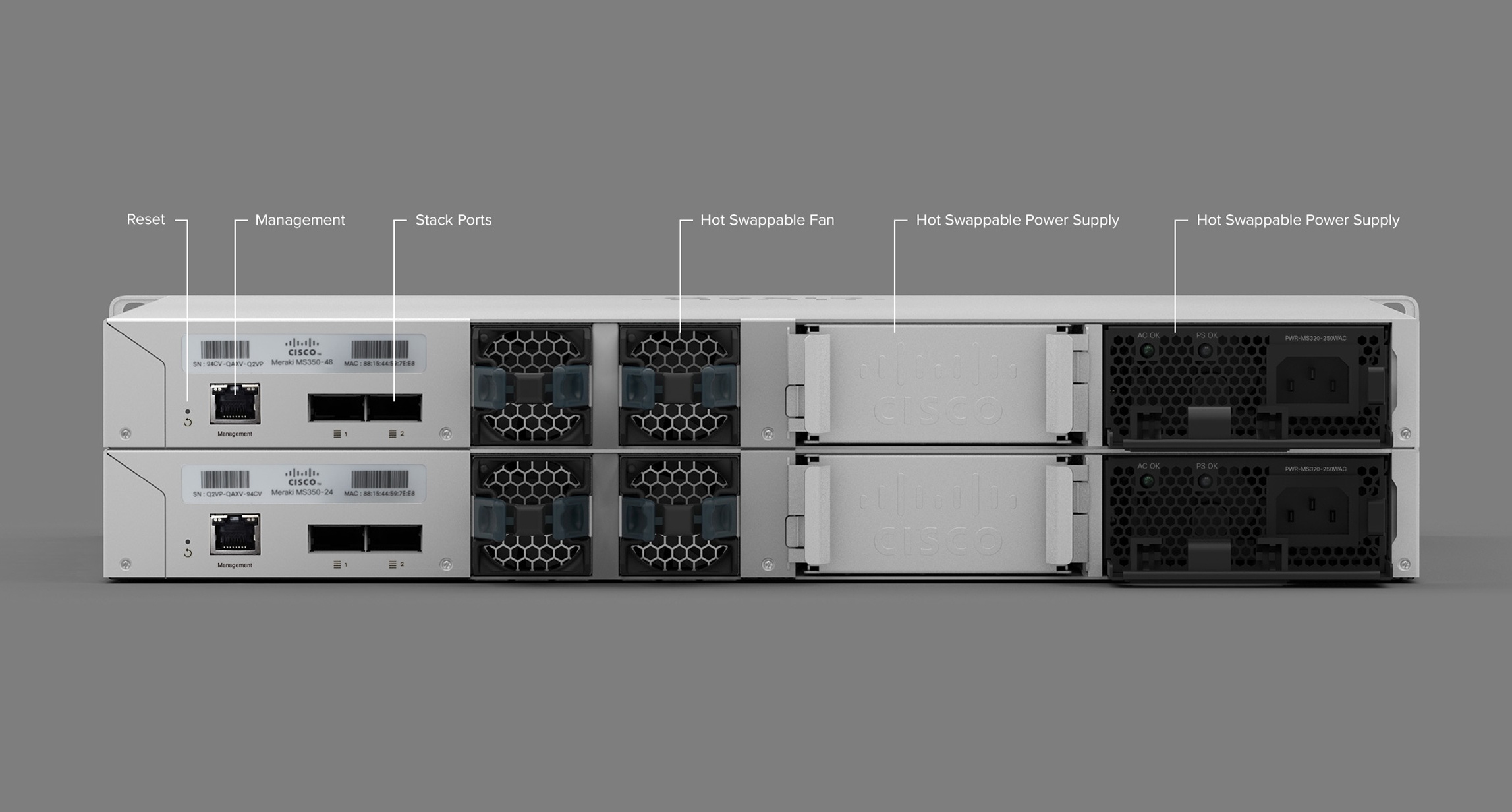
Office WiFi Setup for UK Businesses That Actually Covers the Whole Site

Professional office WiFi setup using Cisco Meraki, with a proper site survey, secure guest access and ongoing monitoring included.

Proper Site Surveys

We map your building before recommending a single access point, so coverage is designed around your walls and floors, not guesswork.

Cloud-Managed Networking

Built on Cisco Meraki, managed centrally from the cloud, so we can monitor, update and troubleshoot your network remotely.

Ongoing Support

Once installed, we monitor performance continuously and handle firmware updates, guest access and security settings for you.

Office WiFi setup that actually covers your whole office

Cloudswitched delivers office wifi setup for UK SMEs who are tired of dead spots, dropped video calls and a router that was never meant to cover more than a single room. We start with a proper site survey — not a guess based on square footage — and design a wireless layout using Cisco Meraki that gives every desk, meeting room and warehouse aisle consistent, secure coverage. Because Meraki is cloud-managed, we can monitor and adjust your network remotely, pushing firmware updates and security policy changes without needing to visit site for routine maintenance.

Whether you're kitting out a brand new office, replacing a network that was clearly never designed for today's device count, or adding coverage to a warehouse or retail floor, we scope the deployment around how the space is actually used, not a generic access-point-per-room formula. A single consumer router simply isn't built to serve dozens of devices across an open-plan office, let alone a warehouse or multi-floor building, and as teams add laptops, phones, VoIP handsets and IoT devices, weak WiFi becomes a daily source of frustration.

Office wifi setup uk businesses often get wrong is treating it as a box-drop exercise — one access point per floor, regardless of building materials, layout or device density. We survey signal strength room by room, account for walls, floors and interference sources, and place access points to genuinely cover the space, not just tick a box that WiFi exists. Beyond raw coverage, day-to-day reliability is what most offices actually notice — devices reconnecting instantly when moving between rooms, consistent performance at busy times of day, and a network that doesn't need rebooting to fix itself.

Why proper office WiFi setup matters

Video calls that freeze, printers that won't connect, and staff working from their mobile data because the office WiFi can't be trusted are all signs of a network that was never properly designed for how the space is actually used. Office wifi setup done properly starts with understanding the building itself — wall materials, floor count, and how device density varies across the day — rather than a box-drop exercise that treats every room the same.

Why Cisco Meraki Specifically

Cisco Meraki access points are managed through a single cloud dashboard, giving us visibility across every access point on your network — client counts, interference, firmware status — from one place. That means faster troubleshooting and fewer surprise outages compared with unmanaged consumer-grade access points bought off the shelf.

Guest Access and Network Segmentation

A proper office wifi setup also lets us segment your network — separate, secure guest WiFi that never touches your internal systems, and separate VLANs for VoIP, staff devices and any shop-floor equipment that needs isolating.

Planning for Growth, Not Just Today

A network sized exactly for today's headcount is usually undersized within a year or two. We factor in reasonable headroom for growth, additional devices and future floor plan changes, so an office wifi setup doesn't need a full redesign the moment the business adds a handful more staff.

Our approach to office WiFi setup

Site Survey Before Design

We physically survey your building, checking signal strength and interference room by room, before recommending a single access point or configuration.

Designed for Your Device Density

Access point placement and capacity are designed around how many devices actually need to connect in each area, not a flat one-per-room assumption.

Cloud Management & Ongoing Support

Once live, we manage your network centrally — firmware, security policy, guest access — and monitor performance continuously from our support desk.

Ready for WiFi that actually covers your office?

How it works

From site survey to ongoing management — here's how we deliver office WiFi setup.

1

Site Survey

We walk your building, measure signal and interference, and map where access points genuinely need to sit.

2

Design

We design your network — access point count, placement, VLANs and guest access — around your actual usage.

3

Installation

We install and configure every access point, test coverage across the building, and hand over a working, secure network.

4

Cloud Management & Support

We monitor and manage your network from the cloud, handling updates, security and troubleshooting on an ongoing basis.

UK businesses need office WiFi setup when

Certain parts of the office have consistent dead spots or dropped connections
Video calls freeze or lag whenever more than a few people are on WiFi at once
They need separate, secure guest WiFi that doesn't touch internal systems
They're moving into a new office and need WiFi designed for the space from day one
Nobody currently has visibility into what's actually connected to the network
Consumer-grade routers keep needing to be reset or replaced
They're rolling out VoIP phones or IoT devices that need a properly segmented network
They have multiple sites and want consistent WiFi management across all of them
Their current network was installed years ago and was never designed for today's device count

Why choose Cloudswitched for office WiFi setup?

We survey every site properly before recommending anything, so your office wifi setup is designed for your actual building and device density, not a generic template.

Cisco Meraki's cloud dashboard gives us full visibility across every access point, so most issues are spotted and resolved before your team even reports a problem.

We configure guest access, VLANs and security policy properly from day one, rather than leaving your network flat and unsegmented.

Because networking sits alongside our broader IT support and connectivity services, your WiFi, internet connection and security are managed as one system, not separate projects.

You get a dedicated account manager and ongoing monitoring, not a one-off installation with no support afterwards.

And because we handle the survey, installation and ongoing management ourselves, there's no gap between the people who designed the network and the people who support it once it's live. If your business grows or changes floor plan, expanding coverage is straightforward rather than starting from scratch, because we document exactly what was installed, where, and how it's configured from day one.

Office WiFi setup for UK offices

What our office WiFi setup service includes

01

Wireless Site Survey

A proper walk-through survey of your building, measuring signal strength and interference room by room before any hardware is recommended.

02

Access Point Installation

Professional installation and configuration of Cisco Meraki access points, designed for full, consistent coverage across your site.

03

Guest & Network Segmentation

Secure, separate guest WiFi and VLAN segmentation for VoIP, staff devices and shop-floor equipment.

04

Cloud Management & Monitoring

Ongoing monitoring and central cloud management of your network, including firmware updates and security policy changes.

05

Multi-Site Networking

Consistent WiFi deployment and management across multiple offices or sites, managed from a single dashboard.

What a good site survey actually checks

A proper wireless site survey goes well beyond walking round with a laptop. We check building materials and wall thickness, floor-to-floor signal leakage, existing sources of interference such as microwaves and other wireless equipment, and how device density varies across the day — a meeting room that's empty most of the time but full of laptops during an all-hands looks very different from a quiet back office. That detail is what turns office wifi setup from an educated guess into a design that actually works.

Managed WiFi vs consumer routers

The right choice depends on the size of your office and how much your business relies on reliable WiFi.

Consumer Router

Fine for a handful of devices in a small space, but not designed for dozens of concurrent users, guest segmentation or central management across multiple access points.

Unmanaged Business Access Point

A step up in coverage and capacity, but each unit is typically configured and monitored individually, with no central dashboard or automatic firmware management.

Cisco Meraki Office WiFi Setup

Cloud-managed from a single dashboard, with automatic firmware updates, guest access, VLAN segmentation and remote troubleshooting built in — the right fit once WiFi genuinely matters to the business.

Why Cloudswitched for office WiFi setup?

We don't just install access points — we make sure they actually cover your building.

Proper site surveys, every time

We never recommend access point counts based on square footage alone — every deployment starts with a physical walk-through survey.

Cloud-based visibility

Meraki's dashboard lets us monitor every access point remotely, spotting problems before your team notices them.

Dedicated account manager

You get a named point of contact who understands your network, not a different engineer every visit.

Properly segmented networks

Guest WiFi, staff devices and VoIP are separated onto their own VLANs from day one, not left flat and exposed.

Multi-site experience

We manage WiFi deployments consistently across multiple offices, from one dashboard, not a different setup at each location.

Bundled with connectivity

Your WiFi is configured alongside your broadband or leased line, so the whole connection is optimised.

Ongoing firmware & security management

We keep firmware and security policy up to date automatically, rather than leaving your network on outdated settings.

Bundled with IT support

Networking sits alongside our wider IT support plans, so security, monitoring and connectivity are managed by one accountable team.

Transparent, itemised quoting

You get a clear breakdown of hardware, installation and any ongoing management fee before committing to anything.

Office WiFi for Buildings of Every Size

From a single-floor office to a warehouse or multi-site retail estate, reliable office wifi setup underpins everything from VoIP calls to stock-taking devices and everyday cloud application use. The right access point layout depends on your building's construction, device density and how critical uninterrupted WiFi is to daily operations — which is why we start every project with a genuine site survey rather than a desk-based estimate. An open-plan office with plasterboard walls behaves very differently to a warehouse with steel racking and concrete, even at similar floor areas, and the right access point count and placement reflect that. A retail unit with metal shelving and a busy till area has different demands again, since device density spikes at specific times of day rather than staying constant, and coverage needs to hold up through both quiet mornings and a packed Saturday afternoon.

Office WiFi setup across the UK

Cloudswitched is based in the City of London and delivers office wifi setup UK-wide, with our engineers travelling to site for surveys and installation wherever your office is based, and ongoing management handled remotely through the cloud dashboard.

How we work: A physical site survey and installation happen on-site, while day-to-day monitoring, firmware updates and configuration changes are handled remotely, keeping ongoing costs sensible.

Who we help: Offices, warehouses, retail units and multi-site businesses all come to us for the same reason — WiFi that covers the whole space reliably, managed by one accountable team.

Getting started: Tell us about your building and how your team uses it, and we'll arrange a site survey to scope out exactly what a proper deployment looks like before you commit to anything.

What a survey costs: the initial site survey is provided free as part of scoping your project, so you get a clear picture of what a proper office wifi setup would actually involve before spending anything.

Coverage

UK-Wide Installation & Support

Office WiFi surveyed, installed and managed for UK offices, from a team based in the City of London.

Compliance We Support
GDPRCyber EssentialsPSTI Act (Product Security)UK Electronic Commerce Regulations
Service

Office WiFi Setup

office wifi setup

A full office wifi setup covers the survey, placement, configuration and testing needed to deliver consistent WiFi coverage across a building.

Hardware

Cisco Meraki Access Point

cisco meraki access point

A Meraki access point is a Cisco wireless device managed entirely through a cloud dashboard, giving central visibility and control over configuration, security and performance.

Frequently Asked Questions

Got questions about office WiFi setup? We've answered the most common ones below. If you need more detail, get in touch.

How many access points does my office need?

It depends on building materials, layout, floor count and how many devices need to connect in each area — not simply square footage. A proper site survey tells us exactly how many access points you need and where they should sit, rather than applying a flat per-square-metre rule that ignores your actual walls and usage patterns.

Why choose Cisco Meraki over a cheaper access point?

Cisco Meraki's cloud dashboard gives centralised visibility, automatic firmware updates and remote troubleshooting across every access point on your network — capability that cheaper, unmanaged hardware simply doesn't offer once you have more than one or two units.

How long does office WiFi setup take?

A single-floor office typically takes a day for survey and installation combined; larger sites or multi-floor buildings can take several days. We'll give you a realistic timeline after the initial survey.

Can you set up separate guest WiFi?

Yes — guest WiFi is configured on its own segmented network by default in any deployment we design, so guest devices never have visibility of your internal systems.

Do you support multi-site businesses?

Yes — cloud management makes it straightforward to deploy and manage access points consistently across multiple offices from a single dashboard.

What happens if an access point fails?

Our monitoring typically flags a failed or underperforming access point immediately, and because the network is cloud-managed, most configuration issues can be diagnosed and fixed remotely before a site visit is even needed.

Can you replace our existing consumer routers?

Yes — we regularly replace ageing consumer or unmanaged business routers with a properly surveyed office wifi setup, migrating existing devices with minimal disruption.

Do you provide ongoing support after installation?

Yes — ongoing cloud monitoring, firmware management and support are included, so your network keeps performing properly long after the initial installation.

Technology Stack

Powered by industry-leading technologies including SolarWinds, Cloudflare, BitDefender, AWS, Microsoft Azure, and Cisco Meraki to deliver secure, scalable, and reliable IT solutions.

SolarWinds
Cloudflare
BitDefender
AWS
Hono
Opus
Office 365
Microsoft
Cisco Meraki
Microsoft Azure

Latest Articles

24
  • Database Reporting

From Spreadsheets to Dashboards: A UK Business Guide to Automating Reports With Database-Driven BI in 2026

24 Aug, 2026

Almost every UK business runs on spreadsheets somewhere, and for most of them database reporting automation is the single change that would give the leadership...

Read more
23
  • AI

AI Code Review: A UK Development Team's Guide to Using AI Without Introducing Technical Debt in 2026

23 Aug, 2026

AI code review has moved from novelty to default in UK development teams inside about eighteen months. Pull requests now arrive pre-annotated by a model,...

Read more
22
  • Google Ads & PPC

Google Ads Budget Waste: A UK Business Guide to Cutting Wasted PPC Spend in 2026

22 Aug, 2026

Google Ads wasted spend is the single most recoverable line item in most UK SME marketing budgets. It is not a strategy problem and it is rarely a creative...

Read more

Enquiry Received!

Thank you for getting in touch. A member of our team will review your enquiry and get back to you within 24 hours.