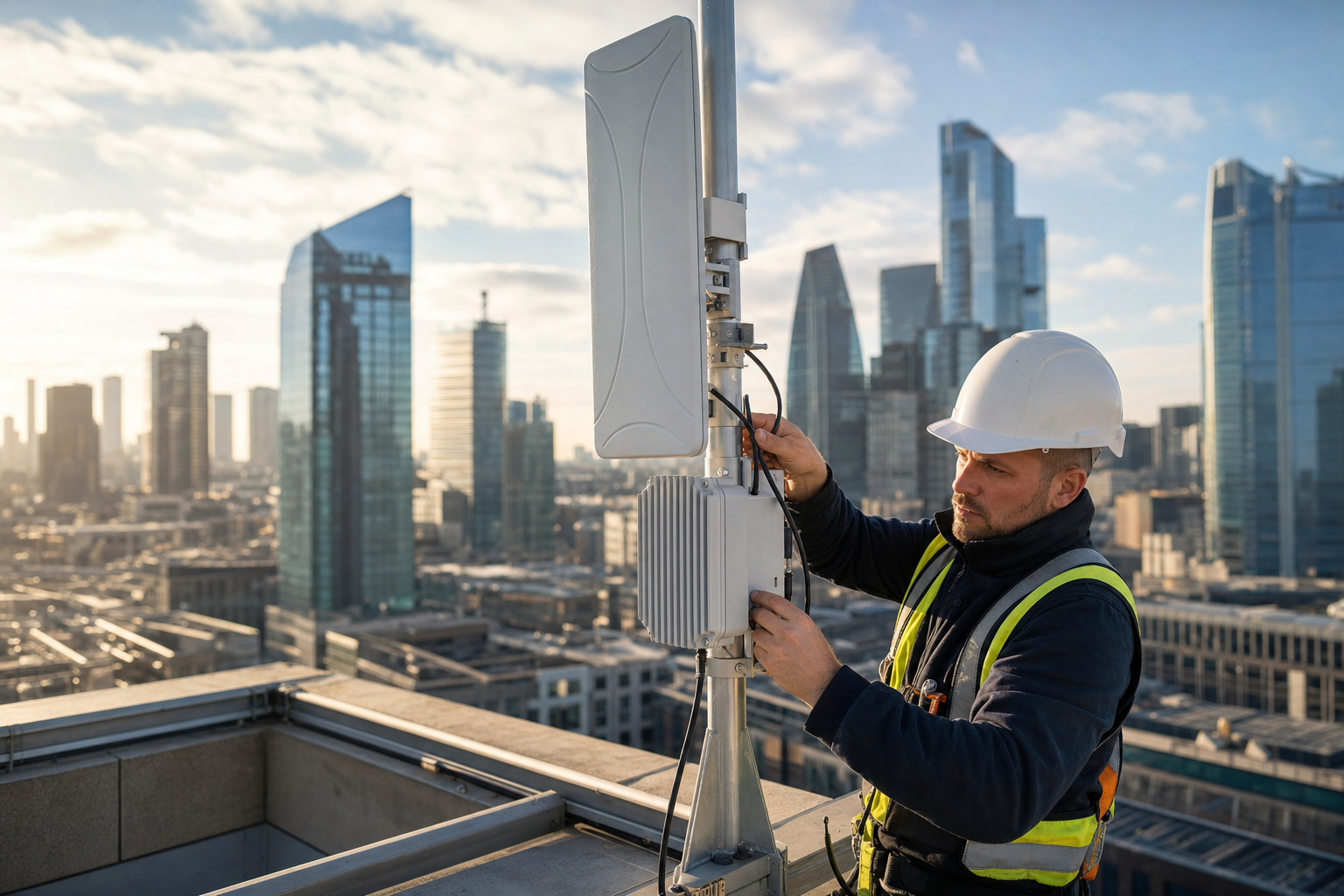
Fixed wireless access delivers business internet over radio rather than a cable into the building, and for many UK businesses it is a genuine primary connection rather than just a backup. Most firms only think about wireless when fibre lets them down: a leased line quoted at six months, excess construction charges running into thousands, a landlord who will not grant a wayleave, or a new site that needs to open next month. Even then, wireless is often treated as a stopgap, a 4G router in a cupboard until the “real” connection arrives.
That view is out of date. A well-designed point-to-point microwave link can deliver symmetric, uncontended capacity with latency comparable to fibre, installed in days or weeks rather than months. 5G fixed wireless access with a properly mounted external antenna can provide solid performance in areas with good coverage, at a fraction of the cost and lead time of a new circuit. Neither is right for every site, and both have limitations that matter, but in the right circumstances wireless rivals fibre on performance and beats it comfortably on speed of delivery.
This guide starts with when wireless genuinely rivals fibre, then covers realistic throughput and latency expectations for 5G and microwave, line of sight and weather sensitivity, installation speed as the main advantage, costs, and a decision framework for when fixed wireless should be the primary line and when it should be the failover. It is written for business owners, office managers and IT leads choosing connectivity for a new or existing site.
What fixed wireless access means
“Fixed wireless” covers several different technologies that share one idea: a radio link to a fixed antenna at your premises, rather than a cable or a mobile device. The differences between them matter more than the shared name.
- 4G and 5G fixed wireless access. A router or outdoor antenna at your site connects to a mobile operator’s network, just as a phone does, but with a fixed, optimised installation. Performance depends on mobile coverage, the distance and line to the mast, and how busy the cell is. Capacity is shared with other users.
- Point-to-multipoint fixed wireless. A wireless provider operates base stations that serve many customers in an area, each with an antenna pointed at the base station. Common in rural areas and some business parks, with performance depending on the provider’s network design and contention.
- Point-to-point microwave and millimetre wave. A dedicated radio link between two fixed antennas — one at your premises, one at the provider’s point of presence, often a nearby tall building or mast connected to fibre. The link is yours alone, uncontended and usually symmetric, and can carry anything from hundreds of megabits to several gigabits per second depending on the equipment and frequency.
When this guide talks about wireless rivalling fibre, it mostly means point-to-point links and well-engineered 5G installations in strong coverage. A consumer-style mobile router on a windowsill is a different proposition, useful as an emergency backup but rarely suitable as a business’s main connection.
Online coverage checkers and line-of-sight tools are useful first filters, but they cannot tell you how a link will perform at your building. A site survey — checking actual signal from your roof for 5G, or confirming clear line of sight to a point of presence for microwave — is usually inexpensive or free with an order, and it is the only reliable basis for choosing wireless as a primary connection.
When wireless genuinely rivals fibre
Wireless is not a universal substitute for fibre. But there are clear situations where it competes on performance and wins on other factors.
Point-to-point microwave with clear line of sight
A licensed point-to-point link to a nearby fibre-connected point of presence can deliver dedicated, symmetric bandwidth with low latency and availability targets that, in good conditions and with proper engineering, approach those of a leased line. For many businesses the difference in day-to-day performance is negligible.
Strong 5G coverage with an external antenna
Where 5G signal at the building is strong and the cell is not heavily loaded, a business-grade router with a roof or wall-mounted antenna can provide download speeds that rival many fibre broadband services, with respectable latency. Performance is more variable than fibre and upload is usually lower, but for many office workloads it is entirely adequate.
When fibre is slow, expensive or unavailable
Wireless becomes compelling when the alternative is a long wait, high construction charges or no fibre at all. A link delivered in two weeks for a modest installation fee is a very different proposition from a leased line delivered in six months after thousands of pounds of excess construction charges.
Temporary and fast-changing sites
Construction sites, pop-up premises, events, short leases and rapidly expanding businesses all benefit from connectivity that can be installed quickly and moved or removed without new civil works.
Genuine diversity
A wireless link shares no cables, ducts or exchanges with a fibre circuit, so it offers real physical diversity as a second connection. That is often harder to achieve with two fibre services, which may share the same route into the building.
Scoring three connection types
The score grid compares 5G fixed wireless, point-to-point microwave and a fibre leased line across the dimensions that usually decide the choice. A high badge means strong performance on that dimension.
Point-to-point microwave sits remarkably close to a leased line on performance, and well ahead on installation speed; its service levels depend on the provider and the engineering of the link. 5G fixed wireless is quick and affordable but less consistent, with weaker service commitments because it shares a public mobile network. A leased line remains the benchmark for consistency and contractual assurance, at the cost of lead time. Our guide to leased line costs covers what a fibre circuit typically involves.
Fixed wireless in UK business — the numbers
The figures below are indicative, drawn from connectivity projects and site assessments we carry out for UK businesses. They are not a formal survey.
The gap between the last two figures is the point of this guide. Wireless is frequently viable and rarely considered, mostly because businesses assume it is a lesser technology suitable only for backup. The first two figures show what that assumption can cost: months of waiting, often on temporary connectivity, for a circuit that a wireless link could have matched in performance.
Wireless as backup only versus wireless as a planned primary
Most businesses treat wireless in the way described on the left. The right-hand approach evaluates it on its merits.
Wireless as backup only
A mobile router kept for emergencies
Wireless as a planned primary where it fits
Surveyed, engineered and chosen on evidence
The difference is less about technology than about approach. A surveyed, professionally installed wireless link chosen deliberately can carry a business; an unplanned router in a cupboard usually cannot. Even where fibre is the eventual primary, a well-engineered wireless link makes a far better failover than an afterthought. Our guide to 4G and 5G business broadband covers cellular options in more depth.
Why UK businesses choose wireless as primary
The chart shows the main reasons cited by UK businesses that chose fixed wireless as their primary connection, across the projects we support. Many cited more than one, so figures add up to more than 100%.
Time is the dominant factor. Most businesses that choose wireless as primary do so because fibre could not be delivered in time for a move, an opening or a contract start. Cost and availability follow. Interestingly, very few choose wireless because they believe it outperforms fibre; they choose it because it performs well enough, sooner and for less. Once installed and proven, many keep it as primary even after fibre becomes available, adding the fibre as a diverse second connection.
Realistic throughput and latency expectations
Marketing figures for wireless connectivity are often peak theoretical speeds. Planning needs realistic expectations, which differ sharply between 5G fixed wireless and point-to-point links.
5G fixed wireless access
5G business broadband speeds depend on the signal at your building, the frequency bands available, how far you are from the mast and how many others are using the same cell. In strong coverage with an external antenna, download speeds of one to several hundred megabits per second are achievable, though performance can vary through the day as network load changes. Upload speeds are typically much lower than download, often a fraction of it, which matters for video calls, cloud backups and large file uploads. Latency on 5G is commonly in the range of a few tens of milliseconds in good conditions, higher on 4G or when cells are busy.
The key point is variability. A 5G connection that tests well at ten in the morning may be noticeably slower at five in the afternoon when local demand peaks. Business plans with priority access or dedicated capacity, and newer standalone 5G networks, aim to reduce this variability, but availability differs by operator and location, so check what is actually offered at your site.
Point-to-point microwave
Microwave link connectivity behaves much more like a fibre circuit. Capacity is set by the radio equipment, the frequency band and the channel width, and commonly ranges from a few hundred megabits to multiple gigabits per second, symmetric in both directions. Because the link is dedicated to you, it is not affected by other users. The radio link itself adds very little latency, typically well under a millisecond per hop, so overall latency is dominated by the provider’s network beyond the point of presence, much as with a leased line.
What a microwave link is sensitive to is the path between the antennas: obstructions, alignment and, at higher frequencies, heavy rain. These are covered below. In good conditions on a well-engineered link, the user experience is effectively indistinguishable from fibre.
Matching expectations to workloads
For general office work — email, cloud applications, web browsing, video calls for a modest number of people — a good 5G connection is often sufficient. For heavier, more consistent demands — many simultaneous video calls, large uploads, hosted voice for a large team, latency-sensitive applications or site-to-site traffic — point-to-point microwave or fibre is more appropriate. Measuring your current usage, particularly upload and peak demand, is the best guide.
Measuring what your business actually needs
Choosing between wireless and fibre is much easier with real numbers. Many businesses buy connectivity on headline download speed, when the figures that determine whether a connection feels good are upload capacity, peak demand and consistency.
- Peak download and upload. Your router, firewall or current provider can usually show traffic over time. Look at the busiest periods, not averages, and pay particular attention to upload, which video calls, cloud backups, file sharing and remote access all depend on.
- Simultaneous video calls. Count how many people are typically on video at once at peak. Each call needs reliable upload as well as download, and video is sensitive to variation.
- Latency-sensitive services. Hosted telephony, remote desktops, real-time collaboration and some industry applications suffer more from delay and jitter than from limited bandwidth.
- Large transfers. Regular uploads of large files, such as drawings, video or backups, can saturate a connection with limited upload for long periods.
- Growth. Plan for headcount and usage over the contract term, not just today.
With these figures, the choice often becomes clear. A business with modest, download-heavy needs may be well served by 5G. One with heavy symmetric demands and many simultaneous calls will need point-to-point microwave or fibre.
How often line of sight is available
The single biggest question for a point-to-point microwave link is whether there is clear line of sight from your building to a suitable point of presence. Across the urban and suburban business sites we survey, the proportion with a viable line of sight to at least one provider point of presence is higher than most businesses expect.
The figure is indicative rather than a formal survey, and it varies considerably by area. City centres with many tall buildings often have several points of presence within range, though dense surrounding buildings can also block paths. Business parks and edge-of-town sites frequently have good sightlines to masts. Low-rise sites surrounded by taller buildings, heavy tree cover or hills are harder. Where a direct path is not available, a relay via an intermediate building can sometimes solve the problem, at extra cost and with an extra point of failure.
From enquiry to live: a typical wireless installation
The timeline shows a typical sequence for a point-to-point microwave link to a business premises. 5G fixed wireless follows a similar but shorter path, often without the licensing step.
The longest step is usually permissions, not engineering. Landlords who respond quickly, or a business that owns its building, can see a link live within a week or so of survey. Compare that with a leased line requiring new fibre construction, where three to six months is common and wayleaves can extend it further. For a business moving premises, that difference can determine whether it opens on time.
Line of sight and weather sensitivity
Point-to-point microwave is reliable when engineered properly, but its physics impose constraints that need to be understood before relying on it.
Line of sight means more than seeing the mast
Radio links need a clear path between antennas, and not just a straight visual line. The signal travels in a zone around the direct line, known as the Fresnel zone, which needs to be largely clear of obstructions such as buildings, trees and terrain. A link that looks clear to the eye can still be degraded if the edge of a roof or a tree canopy intrudes into that zone. Surveys account for this.
Paths change over time
Trees grow and come into leaf; new buildings and cranes appear. A path that is clear in winter may be partly blocked in summer, and a new development can block it entirely. Providers design margins to allow for some change, and good contracts address what happens if a path becomes obstructed, such as re-routing via another point of presence.
Rain and frequency
Higher frequencies offer more capacity but are more affected by heavy rain, which absorbs and scatters the signal, a phenomenon known as rain fade. Links in the higher millimetre wave bands therefore tend to be designed for shorter distances, while lower microwave frequencies can span longer distances with less weather sensitivity but less capacity. Well-designed links use adaptive modulation, reducing speed temporarily during very heavy rain rather than dropping entirely, and are engineered to meet an availability target for the local climate. Fog, snow and wind have smaller effects, though strong wind can affect poorly mounted antennas.
Licensed versus unlicensed spectrum
Links can use licensed frequencies, coordinated through Ofcom so that nobody else transmits on the same channel in the same area, or licence-exempt frequencies shared with other users. Licensed links are generally preferred for business primary connections because they are protected from interference. Licence-exempt links can be cheaper and quicker but are more exposed to interference as more users share the band. Your provider normally handles licensing; ask which type you are getting.
Mounting and power
The antenna needs a secure, rigid mount, protection from accidental knocks, and a cable route to the comms room. The radio and router need power, ideally protected by an uninterruptible power supply, since a link that goes down in a short power cut is no better than any other connection.
Rural and hard-to-reach sites
Fixed wireless has long been important outside towns and cities, where fibre rollout can lag and construction costs for new circuits are highest. Farms, rural business parks, converted barns, estates, quarries and remote depots frequently find that wireless is not just an alternative to fibre but the only practical option at a reasonable cost.
In rural areas, the options look different. Point-to-multipoint wireless providers often operate local networks with base stations on masts, hills or tall buildings, serving businesses and homes across a wide area. Point-to-point links can span long distances where terrain allows, sometimes via a relay on high ground. 5G coverage is less dense than in towns, but a well-sited external antenna pointed at a distant mast can still deliver usable performance where an indoor router cannot. Satellite fills the gaps where none of these reach.
Practical considerations matter more in rural settings. Mounting positions may need to be higher, on a pole or chimney, to clear trees and terrain. Power can be less reliable, making UPS protection more important. Fault response times may be longer, so understanding the provider’s support arrangements is essential. And because alternatives are fewer, a second, diverse connection is often worth more to a rural business than to one in a city, where recovery options are more plentiful.
Wireless suitability — where a typical UK business site sits
Combining coverage or line of sight, mounting options, permissions, bandwidth needs and tolerance for variability gives an indication of how suitable a site is for a wireless primary connection. The gauge reflects a typical UK SME office site.
A score in the mid-fifties reflects a site that could plausibly use wireless as primary, but where the answer depends on specifics: whether there is line of sight or strong 5G from the roof, whether the landlord will permit equipment, and whether the business’s bandwidth and consistency needs fit. Some sites score far higher — owner-occupied buildings with clear sightlines and moderate needs — and some far lower, such as basement offices surrounded by tall buildings with heavy, latency-sensitive workloads.
The practical message is that wireless suitability is worth assessing for almost any site, because it is often better than assumed, and a survey settles the question quickly and cheaply.
What wireless and fibre options cost
The table compares indicative costs and lead times for common connection types for a UK business site. Figures are broad ranges and vary considerably by location, bandwidth, provider and contract term; they are a guide to proportion, not a quotation.
| Connection | Typical installation cost | Typical monthly cost | Typical lead time |
|---|---|---|---|
| 5G fixed wireless with external antenna | £0 to £500 | £40 to £250 depending on data and priority | Days |
| Point-to-multipoint fixed wireless | £200 to £1,500 | £80 to £400 | One to three weeks |
| Point-to-point microwave, licensed | £1,000 to £5,000 or more | £300 to £1,200 depending on bandwidth | One to four weeks after survey |
| Fibre leased line, fibre already present | Often included or low | £250 to £800 depending on bandwidth | Weeks to a few months |
| Fibre leased line, new construction | £2,000 to £20,000 or more in excess charges | £250 to £800 depending on bandwidth | Three to six months or longer |
The table shows why wireless is so often attractive where fibre requires new construction. A point-to-point link can cost a similar amount per month to a leased line, with lower upfront charges and a fraction of the lead time. Where fibre is already in the building, leased lines become more competitive, and the choice turns more on consistency, service levels and long-term plans. 5G sits at the low-cost end, with the trade-off in consistency and upload described above.
Installation speed: the main advantage
If one factor explains why businesses choose wireless as primary, it is speed. Fibre’s lead times are driven by physical work: surveying routes, digging, laying duct, obtaining wayleaves from landowners and coordinating access. Wireless avoids almost all of it. Once a survey confirms the path or signal and the landlord agrees to the equipment, installation is typically a day’s work.
That speed changes business decisions in several ways.
- Office moves happen on time. A business that discovers late in a move that its new leased line will take months can open on a wireless link and add fibre later, rather than delaying the move or running on inadequate temporary connectivity. Our guide to broadband failover and redundancy covers how the two can then work together.
- New sites open sooner. Retail units, branch offices, clinics and depots can be connected in time for opening.
- Temporary sites become practical. Construction sites, event venues and short leases can have business-grade connectivity without the cost and delay of permanent cabling.
- Negotiating position improves. A business with a credible wireless alternative is not forced to accept whatever lead time or construction charge a fibre provider quotes.
- Resilience can be added quickly. A diverse second connection can be in place within weeks, rather than waiting for a second fibre route that may never be truly diverse.
Speed does not remove the need for planning. A survey is still essential, landlord consent can still take time, and the equipment still needs power and a route to the comms room. But the gap between “we need connectivity” and “we have it” shrinks from months to weeks or days.
Checks completed before choosing wireless
The progress bars show how often each check had been completed before a wireless service was ordered, across UK businesses whose connectivity we review. Figures are indicative, and the gaps explain many of the disappointing wireless experiences businesses report.
Pre-order checks completed for wireless services
Most businesses check coverage maps and price, and far fewer check the things that determine whether wireless will work as a primary connection: a survey from the actual mounting position, upload needs, busy-hour performance, service levels and what happens if the path or coverage changes. Closing these gaps before ordering is what separates a successful wireless primary from a frustrating one.
Testing a wireless connection before you commit
Because wireless performance depends on the specific site, testing before committing to a long contract is worthwhile, especially for 5G.
Ask for a trial or survey-backed commitment. Some providers offer a trial period for 5G services, or will commit to minimum performance figures based on the survey. For point-to-point links, the survey and link design should state expected capacity, availability and fade margin.
Test from the real position. A test with a phone in the car park says little about performance from a roof-mounted antenna, and vice versa. Test with equipment as close as possible to the final installation.
Test at the times that matter. For 5G, measure at the busiest periods of the working day and early evening, not just mid-morning. Run tests over several days rather than once.
Measure what you use. Speed tests show peak throughput, but also check latency, jitter and packet loss, and run a few real video calls and large uploads. These reveal problems that a single speed test hides.
Keep records. Noting results gives you a baseline for later comparison and evidence if performance falls short of what was agreed.
Once installed, ongoing monitoring of signal margins, throughput and availability helps spot gradual changes, such as a growing tree or a misaligned antenna, before they become outages.
A decision framework: primary line or failover?
The right role for fixed wireless depends on the site, the business’s needs and what else is available. The questions below form a practical framework.
Step 1: What does the business need?
Establish realistic bandwidth requirements, particularly upload and peak demand, latency sensitivity (hosted voice, video, remote desktops, trading or control systems), how consistent performance must be, and how costly an outage would be. Requirements drive everything else.
Step 2: What is available, and when?
Find out what fibre is available at the site, the lead time and any construction charges. In parallel, survey for 5G signal and microwave line of sight. Compare options on performance, cost and time to live.
Step 3: Apply the framework
- Wireless as primary, fibre as failover or later addition — when fibre is unavailable, slow or very expensive; a point-to-point link or strong 5G meets requirements; and the business values speed of delivery.
- Fibre as primary, wireless as failover — when fibre is readily available at reasonable cost and lead time, and the business needs the consistency and service levels of a leased line, with wireless providing genuinely diverse backup.
- Wireless as interim primary, fibre as eventual primary — when fibre is coming but late, and the business needs to operate properly in the meantime. Keep the wireless link afterwards as failover.
- Two diverse paths, either way round — when outages are very costly. A point-to-point link and a leased line give real diversity; 5G adds a third layer for the most critical sites.
- Wireless not suitable as primary — when there is no viable line of sight or strong coverage, when requirements exceed what wireless can consistently deliver, or when the landlord will not permit equipment. Wireless may still serve as backup.
Step 4: Plan the transition and resilience
Whatever the choice, plan how the connections will work together: automatic failover, how voice and remote access behave during switchover, and how the arrangement will evolve as the business grows.
Designing failover around a wireless primary
When wireless is the primary connection, failover design deserves the same care as for fibre, with a few specific considerations.
Choose genuinely different paths. A point-to-point microwave primary pairs well with fibre where available, or with 5G on an operator whose mast is in a different direction. A 5G primary pairs well with fibre broadband or a point-to-point link. Avoid failover that shares the primary’s dependency, such as the same mast, the same path or the same power supply.
Automate switchover. A router or firewall that monitors both connections and switches automatically, ideally within seconds, means staff may not notice a failure at all. Test it regularly by deliberately disconnecting the primary.
Plan for degraded rather than failed links. Wireless links can slow rather than drop, during heavy rain or busy periods. Failover that only triggers on complete loss of connection may leave you on a poor link. Some equipment can switch based on latency or packet loss as well as availability.
Consider what each connection carries. With two connections available, critical traffic such as voice can be prioritised on the more consistent link, while bulk transfers use the other. SD-WAN equipment can make this kind of policy-based routing straightforward for businesses that need it.
Protect the power. Both connections, the router and the switches they depend on should be on an uninterruptible power supply. Many “connection failures” are really short power cuts.
Contracts, service levels and support
Wireless services vary widely in their contractual terms, and those terms matter as much as the technology when wireless is the primary connection.
- Service levels. Point-to-point business links often come with availability targets and fault response commitments, sometimes comparable to leased lines. Mobile 5G services usually offer more limited commitments, because they share a public network. Read what is actually committed and what remedies apply.
- Fault response. Ask how faults are detected, how quickly an engineer can attend, and whether spare equipment is held locally. A primary connection needs a provider that can respond quickly.
- Data allowances and fair use. Some 5G plans have data caps or fair use policies that can throttle speeds after heavy use. Check that the allowance fits your business, including backups and updates.
- Path protection. For microwave, ask what happens if the path becomes obstructed, for example by a new building. Can the provider re-route via another point of presence, and at whose cost?
- Contract length and exit. Point-to-point installations involve upfront costs, so contracts may be longer. Make sure terms allow for a move, a change of premises or adding fibre later.
- Security. Business wireless links are typically encrypted at the radio and network level, and traffic beyond the link should be protected in the same way as on any connection: firewall, encryption for sensitive traffic and secure management of equipment.
For general guidance on comparing providers and contract terms, see our guide to choosing a business ISP.
Voice and video over a wireless connection
Hosted telephony and video conferencing are where differences between connection types become most noticeable, because they are sensitive to latency, jitter and packet loss as well as bandwidth.
On a well-engineered point-to-point microwave link, voice and video generally perform as well as on fibre, because the link is dedicated, symmetric and low latency. On 5G, performance is usually good in strong coverage, but variability at busy times can occasionally cause choppy audio or frozen video, particularly when upload is constrained. A few measures help: prioritise voice traffic on the router or firewall so it is not crowded out by downloads or backups; make sure upload capacity comfortably exceeds the needs of simultaneous calls at peak; and consider placing voice on the more consistent of two connections where both are available.
If voice quality is critical to the business — a contact centre, a sales team on the phone all day, or a practice handling client calls — test call quality on the proposed connection at busy times before committing, and design failover so calls continue if the primary degrades.
Common fixed wireless mistakes
The mistakes below account for most of the disappointing wireless experiences we see.
- Relying on coverage maps. Maps estimate outdoor coverage; your building may differ significantly.
- Mounting equipment indoors. Walls, glazing and floors reduce signal; external antennas usually perform far better.
- Ignoring upload capacity. 5G upload is often much lower than download, affecting video calls and cloud backups.
- Testing only at quiet times. 5G performance varies with network load; test at busy periods.
- Skipping landlord permission. Equipment installed without consent may have to be removed.
- Not planning for path changes. Trees, cranes and new buildings can obstruct microwave links.
- Choosing licence-exempt links for critical primary use without understanding the trade-off. Shared spectrum is more exposed to interference.
- Forgetting power protection. Radio equipment without an uninterruptible power supply fails in short power cuts.
- Consumer data plans for business use. Caps and fair use policies can throttle a business connection.
- Treating wireless as only a stopgap. A well-engineered link may serve better long term than the fibre being waited for.
When wireless is the primary connection, the failover should not depend on the same thing. A 5G primary backed up by another 5G service on the same mast, or a microwave link backed up by a second radio on the same path, offers little protection. Choose a failover with genuinely different characteristics: fibre, a different operator’s network, or a different wireless path.
The 12-point fixed wireless checklist
The checklist covers the essentials before relying on fixed wireless as a business connection.
- Define requirements. Bandwidth, upload, latency sensitivity, consistency and outage tolerance.
- Check fibre options in parallel. Availability, lead time and construction charges.
- Commission a survey. Signal or line of sight from the actual mounting position.
- Choose the right technology. 5G, point-to-multipoint or point-to-point, matched to requirements.
- Prefer licensed spectrum for critical point-to-point links. Or understand the trade-off if not.
- Secure landlord permission. For roof access, mounting and cable routes.
- Plan mounting and power. Rigid external mounting, cable route and UPS protection.
- Test at busy times. Especially for 5G, before committing as primary.
- Read the service terms. Availability targets, fault response, data allowances and path protection.
- Plan failover. A second connection with genuinely different characteristics.
- Configure monitoring. Signal margins, throughput and availability tracked over time.
- Review annually. Capacity, path conditions, new fibre options and contract terms.
Ordering a wireless link does not mean giving up on fibre, and ordering fibre does not mean waiting for it. Many businesses order both at the same time: wireless to be live within weeks, fibre to arrive when it can. When the fibre arrives, they decide which should be primary based on real performance data, and keep the other as failover.
Case study: opening on time without waiting for fibre
A UK architectural practice with around 45 staff signed a lease on a converted warehouse on the edge of a city centre, with a move date eleven weeks away. Its work involved large drawing files, cloud-based design collaboration and frequent video calls with clients, so it needed strong upload as well as download capacity.
The leased line order came back with a lead time of around five months and substantial excess construction charges, because business fibre did not reach the building. The practice faced delaying the move, paying rent on two premises, or operating for months on a connection that could not handle its file sizes.
Its connectivity partner surveyed the building and found clear line of sight from the warehouse roof to a provider point of presence on a tall building about two kilometres away. A licensed point-to-point microwave link was designed with symmetric capacity well above the practice’s needs. The landlord agreed to roof mounting within a week, and the link was installed and tested ten days before the move. A 5G service with an external antenna, on a different operator’s network, was added as failover. The practice kept its fibre order in place, negotiating the construction charges down with evidence that it had a working alternative.
The move went ahead on time. Over the following year the microwave link performed consistently, with brief reductions in speed during a handful of very heavy downpours but no loss of service. When the fibre eventually arrived, the practice compared the two and chose to keep the microwave link as primary, given its strong performance, and to use the fibre as a diverse second connection.
“We assumed wireless meant compromise. In practice it was the fastest, most capable connection we have had, and it was there when we needed it rather than five months later. The fibre is now our backup, which is not what we expected at all.” — Practice Manager, UK architectural practice
The lesson is not that wireless always beats fibre. It is that a surveyed, engineered wireless link deserves to be evaluated as a primary option on its merits, particularly when time matters.
Where satellite fits alongside fixed wireless
Low earth orbit satellite services have become another option for sites without good fibre, and businesses comparing wireless often ask how they relate. Satellite needs a clear view of the sky rather than line of sight to a particular mast, which makes it useful in remote locations where neither fibre nor terrestrial wireless reaches. Latency is generally higher and more variable than point-to-point microwave or fibre, though much lower than older geostationary satellite services, and performance is shared with other users in the area.
As a rough guide, point-to-point microwave suits sites within range of a point of presence with clear line of sight and demanding requirements; 5G suits sites with strong mobile coverage and moderate needs; satellite suits remote sites beyond the reach of either, and serves well as a diverse backup with no shared terrestrial infrastructure. Our comparison of Starlink and leased lines covers satellite in more depth.
Linking buildings and sites with microwave
Fixed wireless is not only for internet access. Point-to-point links are also widely used to connect a business’s own buildings: two offices across a road, a main building and a warehouse on the same estate, a campus of several blocks, or a site office on a construction project. Where laying a private fibre or leasing a circuit between buildings would mean digging across land you do not own, crossing a public road or waiting months, a wireless link between rooftops can provide high-capacity private connectivity in days.
The same principles apply: survey for line of sight, prefer licensed spectrum or carefully chosen licence-exempt bands for critical links, mount equipment rigidly and protect its power. Because these links carry internal traffic, they should be secured and managed as part of the internal network, with encryption and access controls appropriate to the data crossing them. For short distances between buildings, links using high frequencies can carry very large capacities, which makes them suitable for shared servers, voice systems and security cameras as well as everyday traffic.
At a glance: fixed wireless for UK business
| Factor | 5G fixed wireless | Point-to-point microwave | Fibre leased line |
|---|---|---|---|
| Lead time | Days | One to four weeks after survey | Weeks to six months or more |
| Capacity | Variable; strong download, weaker upload | Hundreds of Mbps to multiple Gbps, symmetric | Chosen bandwidth, symmetric |
| Consistency | Varies with network load | High on a well-engineered link | High |
| Latency | Tens of milliseconds, variable | Very low link latency | Low |
| Contention | Shared with other mobile users | Dedicated | Dedicated |
| Key dependency | Signal strength and cell load | Clear line of sight and path | Physical fibre route |
| Weather sensitivity | Low | Heavy rain at higher frequencies | None |
| Service levels | Usually limited | Often available; varies by provider | Typically strong |
| Installation cost | Low | Moderate | Low to very high, depending on construction |
| Permissions | Landlord consent for external antenna | Landlord consent; spectrum handled by provider | Wayleaves may be needed |
| Best role | Moderate-need primary or failover | Demanding primary or diverse second line | Primary where available in time |
How Cloudswitched approaches fixed wireless connectivity
We assess wireless and fibre side by side for every site, rather than treating wireless as a last resort. That starts with understanding what the business actually needs — bandwidth, upload, latency, consistency and outage tolerance — and checking fibre availability, lead time and construction charges in parallel with a wireless survey.
Where wireless fits, we arrange surveys from the actual mounting position, design point-to-point microwave links on licensed spectrum where the connection is critical, or specify business 5G with external antennas where coverage and requirements suit. We handle landlord liaison, mounting, power protection and integration with your network, and we design failover so that the backup does not share the primary’s weaknesses. Where fibre is coming but late, we use wireless to get you live on time and then help you decide which connection should be primary once both are in place.
No connection is immune to faults, but choosing on evidence rather than assumption, and designing for resilience from the start, gives your business connectivity that arrives when you need it and keeps working.
Need business connectivity sooner than fibre allows?
Talk to us about a site survey for 5G or point-to-point microwave, and how wireless and fibre can work together for your premises.
Talk to a Connectivity SpecialistFrequently Asked Questions
What is fixed wireless access?
Internet connectivity delivered by radio to a fixed antenna at your premises, rather than through a cable. It includes 4G and 5G services with fixed installations, point-to-multipoint wireless networks and dedicated point-to-point microwave links.
Can fixed wireless replace fibre as a primary connection?
Often, yes. A well-engineered point-to-point microwave link can perform comparably to a leased line, and strong 5G with an external antenna can suit moderate requirements. Suitability depends on line of sight or coverage, requirements and permissions, confirmed by a survey.
How fast is 5G business broadband?
It varies with signal, frequency bands and network load. In strong coverage with an external antenna, one to several hundred megabits per second download is achievable, with lower upload and some variation through the day.
How fast is a microwave link?
Commonly from a few hundred megabits to several gigabits per second, symmetric and dedicated, depending on equipment, frequency and distance.
Does rain affect microwave links?
Heavy rain can reduce signal, particularly at higher frequencies. Well-designed links account for local climate, reduce speed temporarily rather than dropping, and are engineered to meet an availability target.
What does line of sight mean for a microwave link?
A clear radio path between your antenna and the provider’s, including a zone around the direct line that must be largely free of buildings, trees and terrain. A site survey confirms it.
How long does fixed wireless take to install?
5G can often be live within days. A point-to-point microwave link typically takes one to four weeks after survey, with landlord permission usually the longest step.
Do I need planning permission for a wireless antenna?
Small antennas often do not require planning permission, but rules vary, and listed buildings or conservation areas may differ. You will usually need landlord consent. Your provider can advise for your site.
Is licensed or licence-exempt spectrum better?
Licensed spectrum, coordinated through Ofcom, is protected from interference and generally preferred for critical business links. Licence-exempt links can be cheaper and quicker but are more exposed to interference.
Should wireless be my primary connection or my backup?
It depends on fibre availability and lead time, your requirements and the wireless options at your site. Wireless is a strong primary where fibre is slow, expensive or unavailable and a survey confirms performance, and an excellent diverse backup where fibre is primary.
Is fixed wireless secure?
Business wireless links are typically encrypted at the radio level. Beyond the link, traffic should be protected as on any connection, with a firewall, encryption for sensitive traffic and secure management of equipment.
What happens if a new building blocks my microwave link?
Providers design margins and may be able to re-route via another point of presence. Check your contract for how path obstruction is handled and who bears any cost.
Related reading
More guidance for UK businesses from the Cloudswitched blog:
Connectivity in weeks, not months
Cloudswitched surveys, designs and installs 5G and point-to-point microwave connections for UK businesses, as primary lines or diverse failover alongside fibre.
Talk to a Connectivity Specialist
Cloudswitched
London-based managed IT services provider offering support, cloud solutions and cybersecurity for SMEs.


