Backup for Hybrid Cloud Environments: A Comprehensive UK Guide
As organisations across the United Kingdom continue to adopt hybrid cloud architectures, the challenge of protecting data that spans both on-premises infrastructure and public cloud platforms has become one of the most pressing concerns in modern IT. A hybrid cloud backup strategy must account for multiple storage locations, varying network conditions, strict compliance requirements, and the need for rapid recovery when disaster strikes. This guide explores every critical dimension of backing up hybrid cloud environments, from foundational concepts to advanced orchestration and cost optimisation.
What Hybrid Cloud Backup Actually Means
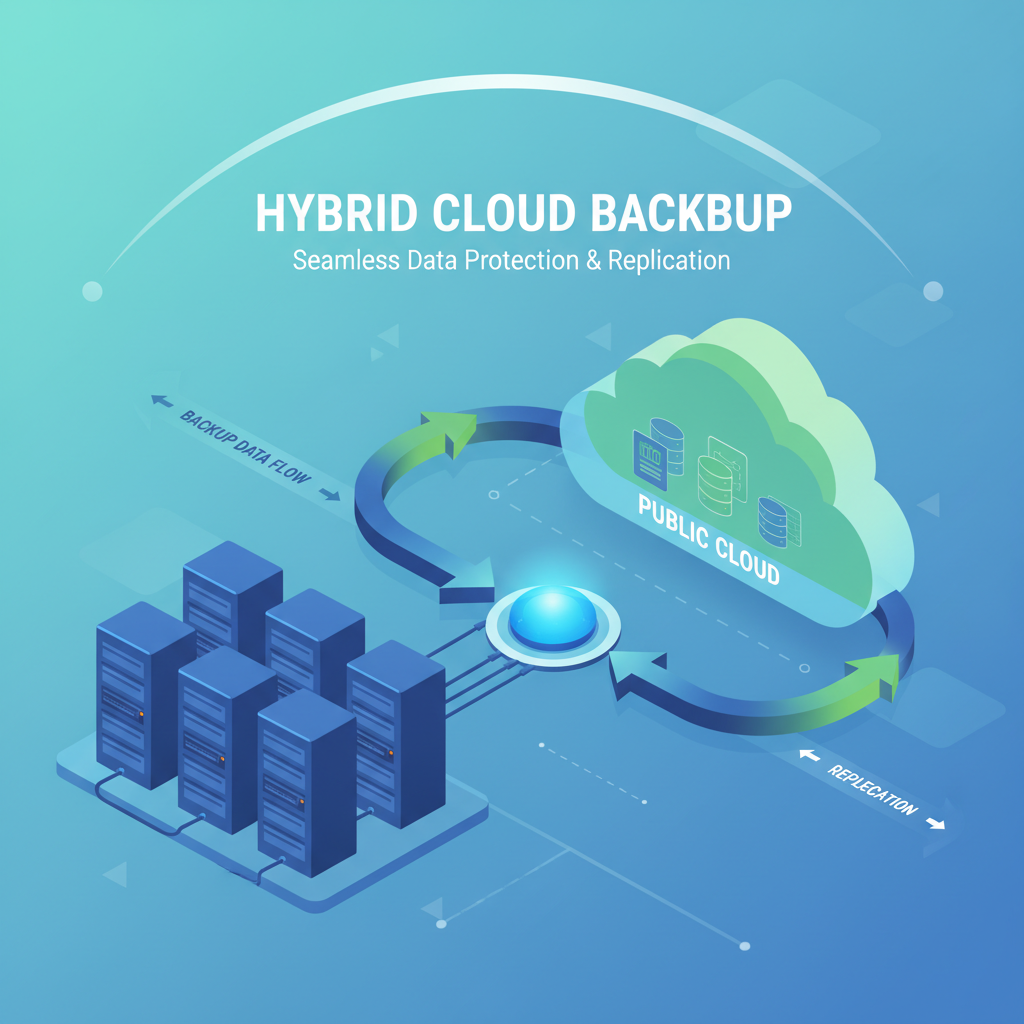
Hybrid cloud backup refers to the practice of protecting data and workloads that reside across a combination of on-premises data centres, private cloud infrastructure, and one or more public cloud platforms such as Microsoft Azure or Amazon Web Services. Unlike traditional backup, which typically involves copying data from local servers to a single backup target, hybrid cloud backup must orchestrate protection across fundamentally different environments with different APIs, storage models, and security boundaries.
The core principle is straightforward: every piece of data, regardless of where it lives, must be recoverable within defined time and data-loss thresholds. In practice, achieving this requires a unified backup platform or a carefully integrated set of tools that can discover workloads automatically, apply consistent policies, and move data efficiently between locations.
A truly effective hybrid cloud backup strategy treats all environments - on-premises, private cloud, and public cloud - as a single unified data estate. The goal is consistent protection regardless of where workloads run.
For UK organisations, this also means ensuring that backup copies comply with data residency regulations. The UK General Data Protection Regulation (UK GDPR) and the Data Protection Act 2018 impose strict requirements on where personal data can be stored and processed, which directly affects where backup copies may reside.
The Core Challenges of Hybrid Cloud Backup
Backing up across hybrid environments introduces a set of challenges that simply do not exist in purely on-premises or purely cloud-native setups. Understanding these challenges is the first step toward addressing them effectively.
Data Fragmentation and Visibility
When workloads are spread across multiple environments, it becomes difficult to maintain a single, authoritative view of what data exists and where it resides. Shadow IT, developer-provisioned cloud resources, and rapid scaling can all create data that falls outside the backup policy’s scope. Without comprehensive discovery and inventory tools, organisations risk leaving critical data unprotected.
Network Bandwidth Constraints
Moving large volumes of data between on-premises data centres and cloud platforms requires significant network bandwidth. Initial full backups can take days or even weeks over standard internet connections, and ongoing incremental backups must compete with production traffic for available bandwidth. Wide-area network (WAN) optimisation, compression, and deduplication become essential rather than optional.
Inconsistent APIs and Management Interfaces
Each cloud provider offers its own backup and snapshot mechanisms with different capabilities, retention models, and pricing structures. On-premises backup solutions may use entirely different protocols. Achieving a consistent backup policy across all environments requires either a unified management layer or significant integration effort.
Security and Encryption Complexity
Data in transit between on-premises and cloud environments must be encrypted, and data at rest in backup repositories must also be protected. Managing encryption keys across multiple environments, ensuring that backup data cannot be accessed by unauthorised parties, and maintaining audit trails all add layers of complexity.
Unified Backup Strategies for Hybrid Environments
The most effective approach to hybrid cloud backup is to implement a unified strategy that applies consistent policies across all environments. This involves selecting a backup platform or combination of tools that can manage on-premises, private cloud, and public cloud workloads from a single control plane.
Policy-Based Backup Management
Rather than configuring backups individually for each workload, a policy-based approach defines protection levels (such as “Gold”, “Silver”, and “Bronze”) that specify backup frequency, retention periods, replication targets, and encryption requirements. Workloads are then assigned to the appropriate policy based on their criticality and compliance requirements.
The 3-2-1-1 Rule for Hybrid Cloud
The traditional 3-2-1 backup rule - three copies of data, on two different media types, with one copy offsite - has evolved for hybrid cloud. The modern 3-2-1-1 rule adds an additional requirement: one copy must be immutable or air-gapped. In a hybrid context, this might mean maintaining on-premises backups, cloud-based replicas, and an immutable copy in a separate cloud region or on isolated storage that cannot be modified or deleted by ransomware.
Modern ransomware specifically targets backup systems. Without an immutable or air-gapped backup copy, a successful ransomware attack can encrypt both production data and all backup copies simultaneously. Hybrid environments must include at least one backup tier that is completely isolated from production credentials.
Application-Consistent vs. Crash-Consistent Backups
For database workloads, file servers, and business applications, crash-consistent backups (which capture a point-in-time snapshot of storage) may not be sufficient. Application-consistent backups coordinate with the application to flush caches, complete transactions, and create a clean recovery point. In hybrid environments, ensuring application consistency requires backup agents or integration with application APIs across all platforms.
Azure Backup and AWS Backup Integration
The two dominant public cloud platforms in the UK market each offer native backup services that play an important role in hybrid cloud backup strategies.
Microsoft Azure Backup
Azure Backup provides a comprehensive set of backup capabilities for Azure-native workloads, including virtual machines, Azure SQL databases, Azure Files, and Azure Blob Storage. For hybrid scenarios, Azure Backup extends protection to on-premises servers and workloads through the Microsoft Azure Recovery Services (MARS) agent and Azure Backup Server.
Key features for hybrid backup include Recovery Services vaults that store backup data in Azure with configurable geo-redundancy, support for backing up on-premises Hyper-V and VMware virtual machines to Azure, integration with Azure Site Recovery for disaster recovery orchestration, and role-based access control with multi-factor authentication for backup management.
Amazon Web Services Backup
AWS Backup offers a centralised backup service that covers a broad range of AWS resources, including EC2 instances, EBS volumes, RDS databases, DynamoDB tables, and EFS file systems. For hybrid environments, AWS Backup integrates with AWS Storage Gateway to protect on-premises data and with VMware workloads running in on-premises data centres.
AWS Backup’s vault lock feature provides immutability for backup copies, which is essential for compliance and ransomware protection. Cross-region and cross-account backup capabilities enable robust disaster recovery architectures.
- Native integration with Microsoft ecosystem
- Recovery Services vaults with geo-redundancy
- MARS agent for on-premises Windows servers
- Azure Site Recovery for DR orchestration
- Strong Active Directory integration
- Pay-as-you-go pricing per protected instance
- UK South and UK West data centre regions
- Broad AWS service coverage
- Vault Lock for immutable backups
- Storage Gateway for on-premises integration
- Cross-region and cross-account copy
- Audit Manager integration for compliance
- Tiered storage with lifecycle policies
- London (eu-west-2) data centre region
Bandwidth Optimisation and Deduplication
Efficient data transfer is perhaps the single most important technical consideration in hybrid cloud backup. Without proper optimisation, backup windows can overrun, recovery times can be unacceptable, and network costs can spiral out of control.
Source-Side Deduplication
Source-side deduplication analyses data before it leaves the production environment, identifying and eliminating duplicate blocks. Only unique data blocks are transmitted to the backup target, which can reduce the volume of data transferred by 60% to 95% depending on the workload. This is particularly valuable for hybrid cloud backup, where every byte transferred over the WAN has a cost and latency impact.
WAN Acceleration
Purpose-built WAN acceleration appliances and software can significantly improve data transfer speeds between on-premises and cloud environments. These solutions typically combine protocol optimisation, compression, and caching to make the most of available bandwidth. Some backup vendors include WAN acceleration as a built-in feature of their cloud backup connectors.
Changed Block Tracking
For virtual machine backups, changed block tracking (CBT) enables incremental backups that capture only the storage blocks that have been modified since the last backup. This dramatically reduces both the time required for backups and the volume of data transferred. Both VMware and Hyper-V support CBT natively, and cloud platforms offer equivalent mechanisms for their virtual machine services.
RPO and RTO for Hybrid Environments
Recovery Point Objective (RPO) and Recovery Time Objective (RTO) are the two fundamental metrics that define backup and recovery requirements. In hybrid environments, achieving consistent RPO and RTO targets across all platforms requires careful planning and regular testing.
Defining RPO Across Environments
RPO specifies the maximum acceptable amount of data loss, measured in time. An RPO of one hour means that the organisation can tolerate losing up to one hour of data. In hybrid environments, RPO targets may vary by workload criticality, but the backup infrastructure must support the most aggressive RPO required. For critical databases, this may mean continuous data protection (CDP) or log-based replication, while less critical file shares might tolerate daily backups.
Achieving RTO in Hybrid Recovery
RTO specifies the maximum acceptable time to restore a workload to operational status. In hybrid environments, RTO is complicated by network bandwidth limitations when recovering data from cloud to on-premises or vice versa. Strategies to minimise RTO include maintaining local backup copies for fast on-premises recovery, pre-provisioning cloud recovery infrastructure, and using cloud-based disaster recovery to spin up workloads rapidly in the cloud.
| Workload Tier | RPO Target | RTO Target | Backup Frequency | Estimated Annual Cost (per TB) |
|---|---|---|---|---|
| Mission-Critical (Tier 1) | 15 minutes | 1 hour | Continuous / Every 15 min | £2,400 – £3,600 |
| Business-Important (Tier 2) | 1 hour | 4 hours | Hourly | £1,200 – £1,800 |
| Standard (Tier 3) | 4 hours | 8 hours | Every 4 hours | £600 – £1,000 |
| Archive (Tier 4) | 24 hours | 24–48 hours | Daily | £120 – £360 |
Compliance and Data Residency in the UK
For UK organisations, compliance considerations are a critical driver of hybrid cloud backup architecture decisions. The regulatory landscape imposes specific requirements on how and where data - particularly personal data - can be stored, processed, and transferred.
UK GDPR and the Data Protection Act 2018
Under UK GDPR, personal data must be processed lawfully, fairly, and transparently. Backup copies of personal data are subject to the same regulations as the original data, including data subject access requests, the right to erasure, and breach notification requirements. Organisations must be able to identify and manage personal data within backup repositories, which can be technically challenging with traditional backup approaches.
Data Residency Requirements
While UK GDPR does not strictly require data to remain within the UK, transfers of personal data to countries without an adequacy decision require additional safeguards such as Standard Contractual Clauses. For many UK organisations, particularly those in regulated sectors such as financial services and healthcare, maintaining backup copies within the UK is a practical requirement. Both Azure and AWS operate data centre regions in the UK (Azure UK South and UK West; AWS London eu-west-2) that enable UK-resident backup storage.
Sector-Specific Regulations
Financial services organisations must comply with Financial Conduct Authority (FCA) and Prudential Regulation Authority (PRA) requirements for operational resilience, which include specific expectations around backup and recovery capabilities. NHS and healthcare organisations must adhere to the Data Security and Protection Toolkit (DSPT) standards. Legal firms must consider Solicitors Regulation Authority (SRA) requirements for data protection.
When configuring hybrid cloud backup, ensure that backup repositories in Azure or AWS are explicitly pinned to UK regions. Review replication settings carefully - some default configurations may replicate data to non-UK regions for geo-redundancy, which could create compliance issues.
Backup Orchestration Tools: Veeam, Commvault, and Acronis
While native cloud backup services cover cloud-resident workloads effectively, most hybrid environments benefit from a dedicated backup orchestration platform that provides a unified management layer across all environments.
Veeam Backup and Replication
Veeam is one of the most widely deployed backup platforms in UK enterprises. Its hybrid cloud capabilities include native integration with both Azure and AWS, support for on-premises VMware and Hyper-V virtual machines, physical server backup, and NAS backup. Veeam’s Scale-out Backup Repository can tier data automatically between on-premises storage and cloud object storage, providing cost-effective long-term retention.
Veeam’s Backup for Microsoft 365 and Backup for Azure/AWS products extend protection to SaaS and IaaS workloads respectively. The platform’s instant recovery feature enables rapid RTO achievement by running workloads directly from backup files while full recovery proceeds in the background.
Commvault
Commvault offers a comprehensive data protection platform with strong hybrid cloud capabilities. Its Command Center provides centralised management of backup policies, SLA monitoring, and compliance reporting across on-premises and cloud environments. Commvault’s HyperScale X appliances provide a turnkey on-premises backup infrastructure that integrates seamlessly with cloud storage tiers.
Commvault’s strengths in hybrid environments include its broad workload support (covering over 500 different data sources), advanced analytics and reporting, and robust API for automation and integration with existing IT service management platforms.
Acronis Cyber Protect
Acronis combines backup with cybersecurity features, including anti-malware scanning of backup data, vulnerability assessments, and patch management. This integrated approach is particularly valuable in hybrid environments where the attack surface spans multiple platforms. Acronis’s cloud-based management console provides unified control over on-premises and cloud backup agents.
- Market leader in virtualisation backup
- Instant recovery from backup files
- Scale-out Backup Repository with cloud tiering
- Strong Microsoft 365 protection
- Extensive API and automation support
- Starting from approximately £1,200 per socket licence
- Broadest workload coverage (500+ sources)
- Advanced analytics and SLA reporting
- HyperScale X turnkey appliances
- Strong governance and compliance tools
- Enterprise-grade API integration
- Custom pricing based on data volume
- Integrated backup and cybersecurity
- Anti-malware scanning of backup data
- Cloud-native management console
- Vulnerability assessment built in
- Simplified licensing model
- Starting from approximately £70 per workload annually
Cost Optimisation with Tiered Storage
Backup storage costs can escalate rapidly in hybrid cloud environments, particularly when large volumes of data are retained for extended periods. Tiered storage strategies enable organisations to balance performance, accessibility, and cost by placing backup data on the most appropriate storage tier based on its age and likelihood of being needed for recovery.
Hot, Cool, and Archive Tiers
Cloud providers offer multiple storage tiers with different performance characteristics and pricing. Azure Blob Storage provides Hot, Cool, Cold, and Archive tiers, while AWS S3 offers Standard, Intelligent-Tiering, Standard-IA (Infrequent Access), Glacier Instant Retrieval, Glacier Flexible Retrieval, and Glacier Deep Archive. Recent backups that may need to be accessed quickly for operational recovery should reside on hot or standard tiers. Older backups retained for compliance purposes can be moved to archive tiers at significantly lower cost.
Lifecycle Policies
Both Azure and AWS support automated lifecycle policies that move backup data between storage tiers based on age. A typical policy might keep backups on hot storage for 30 days, move them to cool or infrequent access storage for 90 days, and then transition them to archive storage for long-term retention. These policies should align with the organisation’s RPO and RTO requirements for different recovery scenarios.
| Storage Tier | Azure Cost (per GB/month) | AWS Cost (per GB/month) | Retrieval Time | Best For |
|---|---|---|---|---|
| Hot / Standard | £0.0152 | £0.0184 | Immediate | Recent backups (0–30 days) |
| Cool / Standard-IA | £0.0076 | £0.0100 | Immediate | Medium-term retention (30–90 days) |
| Cold / Glacier Instant | £0.0030 | £0.0032 | Milliseconds to minutes | Quarterly retention (90–365 days) |
| Archive / Glacier Deep | £0.0015 | £0.0013 | Hours (up to 12h) | Long-term compliance (1–7 years) |
Combining source-side deduplication with automated storage tiering can reduce hybrid cloud backup costs by 60–80% compared to storing all backups on standard-tier cloud storage. Ensure your backup platform supports both features natively.
Egress Cost Awareness
One often-overlooked cost in hybrid cloud backup is data egress charges. Both Azure and AWS charge for data transferred out of their platforms. When recovering large volumes of data from cloud backup to on-premises infrastructure, egress costs can be substantial. Organisations should factor egress costs into their total cost of ownership calculations and consider strategies such as maintaining local backup copies for the most likely recovery scenarios.
Disaster Recovery in Hybrid Setups
Disaster recovery (DR) and backup are closely related but distinct disciplines. While backup focuses on protecting data, disaster recovery focuses on restoring entire workloads and business processes. Hybrid cloud environments offer unique advantages for DR, as they enable organisations to leverage cloud infrastructure for recovery even when on-premises facilities are unavailable.
Cloud as a DR Target
One of the most compelling use cases for hybrid cloud is using a public cloud platform as a disaster recovery target for on-premises workloads. Tools such as Azure Site Recovery and AWS Elastic Disaster Recovery can continuously replicate on-premises virtual machines to the cloud, enabling rapid failover if the primary site becomes unavailable. This approach eliminates the need for a dedicated secondary data centre, significantly reducing DR infrastructure costs.
Failover and Failback Procedures
Effective DR in hybrid environments requires well-documented and regularly tested failover and failback procedures. Failover is the process of switching production workloads to the recovery environment, while failback is the process of returning to the primary environment once it has been restored. Both processes must be tested regularly to ensure they work as expected and to train operations staff on the procedures.
DR Runbook Automation
Manual DR processes are error-prone and slow. Modern hybrid DR solutions support automated runbooks that define the sequence of steps required to fail over and recover workloads. These runbooks can include pre-checks, network reconfiguration, DNS updates, application startup sequences, and post-recovery validation. Automation reduces recovery time and eliminates the risk of human error during high-pressure recovery scenarios.
Testing Backup Integrity
A backup that cannot be restored is not a backup at all. Regular testing of backup integrity is essential to ensure that recovery is possible when needed. In hybrid environments, testing must cover all platforms and workload types.
Automated Restore Testing
Leading backup platforms support automated restore testing, where backups are periodically restored to an isolated environment and validated. Veeam’s SureBackup feature, for example, can automatically boot virtual machines from backup files, verify that the operating system starts successfully, run custom validation scripts, and generate a compliance report. This process can be scheduled to run nightly or weekly without manual intervention.
Checksum Verification
At the storage level, backup data should be verified using checksums to detect corruption. Both on-premises backup repositories and cloud storage provide mechanisms for integrity verification. Regular checksum verification ensures that backup data has not been corrupted by storage media degradation, software bugs, or malicious activity.
Recovery Drills
Beyond automated testing, organisations should conduct full-scale recovery drills at least annually. These drills simulate realistic disaster scenarios and exercise the complete recovery process, including communication procedures, decision-making processes, and technical recovery steps. Recovery drills often reveal gaps in documentation, dependencies that were not accounted for, and areas where staff training is needed.
Industry surveys consistently show that over 30% of backup restores fail when actually attempted. Regular testing is not optional - it is the only way to have confidence that your backup strategy will work when you need it most. Schedule automated restore tests weekly and full recovery drills at least twice per year.
Monitoring and Alerting
Comprehensive monitoring and alerting is the operational foundation of any reliable hybrid cloud backup system. Without visibility into backup job status, storage consumption, and potential issues, problems can go undetected until a recovery attempt fails.
Backup Job Monitoring
Every backup job across all environments should be monitored for successful completion, duration, data volume, and any warnings or errors. Failed or missed backups must trigger immediate alerts to the operations team. Most backup platforms provide built-in dashboards and alerting, but in hybrid environments, consolidating monitoring data into a single platform - such as a SIEM or IT service management tool - provides better visibility.
Storage Capacity Planning
Backup storage consumption should be tracked and projected forward to avoid running out of capacity. In cloud environments, this translates directly to cost management, as storage charges increase with consumption. Automated reports showing storage growth trends, deduplication ratios, and projected costs help organisations plan budgets and optimise storage allocation.
SLA Compliance Reporting
For organisations with defined RPO and RTO targets, regular SLA compliance reporting is essential. These reports should show whether backup and recovery targets are being met across all environments and workload tiers. Non-compliance events should be investigated, root causes identified, and corrective actions implemented.
| Monitoring Metric | Alert Threshold | Check Frequency | Response Priority |
|---|---|---|---|
| Backup job failure | Any failure | Real-time | Critical - immediate investigation |
| Backup job duration | Exceeds 150% of baseline | Per job completion | High - investigate within 4 hours |
| Storage utilisation | Above 80% capacity | Daily | Medium - plan expansion within 1 week |
| Deduplication ratio decline | Drops below 2:1 | Weekly | Medium - investigate data change patterns |
| Restore test failure | Any failure | Per test cycle | Critical - immediate investigation |
| RPO breach | Any breach | Real-time | Critical - escalate to management |
Building Your Hybrid Cloud Backup Roadmap
Implementing a comprehensive hybrid cloud backup strategy is not a single project but an ongoing programme that evolves with the organisation’s infrastructure and requirements. The following roadmap provides a structured approach to building and maturing hybrid cloud backup capabilities.
Phase 1: Assessment and Planning (Weeks 1–4)
Begin with a thorough assessment of all data assets, workloads, and their locations. Classify data by criticality and compliance requirements. Define RPO and RTO targets for each workload tier. Evaluate existing backup tools and identify gaps in hybrid coverage. Assess network bandwidth between on-premises and cloud environments.
Phase 2: Platform Selection and Architecture (Weeks 5–8)
Select backup orchestration tools based on workload coverage, hybrid capabilities, and integration requirements. Design the backup architecture, including repository locations, replication topology, and storage tiering policies. Plan network optimisation measures such as WAN acceleration and dedicated backup circuits if required.
Phase 3: Implementation and Migration (Weeks 9–16)
Deploy backup infrastructure across all environments. Configure backup policies and assign workloads. Migrate from existing backup solutions if applicable. Implement monitoring and alerting. Conduct initial backup runs and validate data integrity.
Phase 4: Testing and Optimisation (Weeks 17–20)
Perform comprehensive restore testing across all workload types and recovery scenarios. Optimise backup windows, deduplication settings, and storage tiering policies based on observed performance. Fine-tune monitoring thresholds and alerting rules. Document all procedures and train operations staff.
Phase 5: Ongoing Operations and Improvement
Conduct regular recovery drills (at least twice annually). Review and update backup policies as workloads change. Monitor storage costs and optimise tiering. Stay current with backup platform updates and new capabilities. Review compliance requirements periodically and adjust backup architecture as needed.
If your organisation is early in its hybrid cloud journey, start with the workloads that represent the highest business risk. Protecting your most critical systems first ensures that the most important data is safe while you build out comprehensive coverage across the entire hybrid estate.
Summary
Hybrid cloud backup is a complex but essential discipline for modern UK organisations. The combination of on-premises and cloud infrastructure creates unique challenges around data visibility, bandwidth optimisation, compliance, and cost management. By adopting a unified backup strategy, leveraging purpose-built orchestration tools such as Veeam, Commvault, or Acronis, implementing tiered storage, and rigorously testing recovery capabilities, organisations can achieve robust data protection across their entire hybrid estate.
The key to success is treating backup as a continuous programme rather than a one-time implementation. Regular testing, monitoring, and optimisation ensure that backup capabilities keep pace with evolving infrastructure and business requirements. With the right strategy and tools in place, hybrid cloud backup becomes a competitive advantage - enabling organisations to innovate with confidence, knowing that their data is protected regardless of where it resides.
Need Help With Hybrid Cloud Backup?
Our cloud specialists can design a unified backup strategy that protects your data across on-premises and cloud environments. Get in touch for a free consultation.
Contact Us Today
CloudSwitched
London-based managed IT services provider offering support, cloud solutions and cybersecurity for SMEs.


