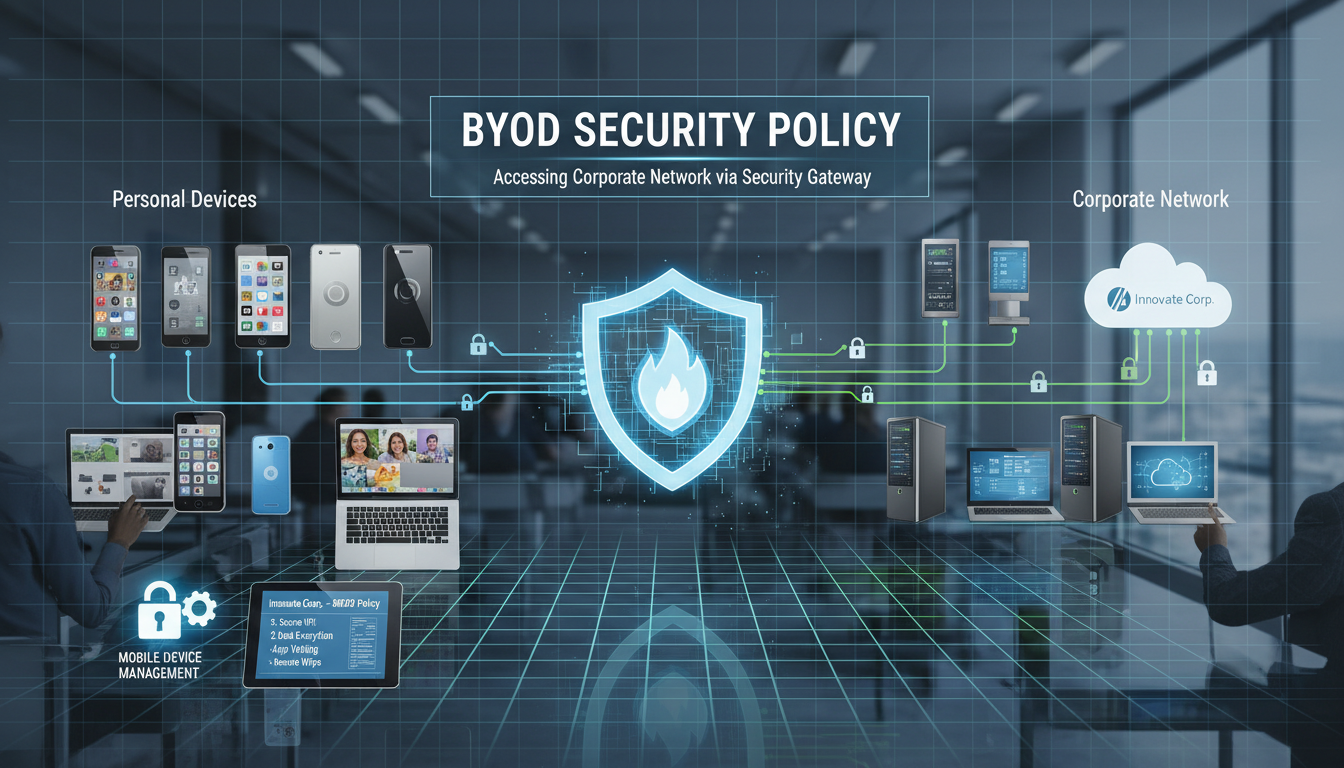
Bring Your Own Device - BYOD - has become a defining feature of the modern UK workplace. Employees increasingly expect to use their personal smartphones, tablets, and laptops for work purposes, and many businesses actively encourage this practice because it reduces hardware procurement costs, improves employee satisfaction, and enables flexible working arrangements. But BYOD also introduces significant security risks that, if left unmanaged, can expose your organisation to data breaches, regulatory penalties, and reputational damage.
The challenge is not whether to allow BYOD - for most UK businesses, the question is already settled by employee behaviour and commercial reality. The challenge is how to manage BYOD in a way that balances security with usability, privacy with control, and organisational risk with employee convenience. The answer lies in a well-crafted BYOD security policy: a clear, comprehensive document that defines the rules, responsibilities, and technical requirements for using personal devices to access business data and systems.
This guide walks you through the process of creating an effective BYOD security policy for your UK business, covering the key elements every policy should include, the technical controls that enforce it, the legal considerations specific to the United Kingdom, and the practical challenges of implementation. Whether you are creating your first BYOD policy or updating an existing one, this guide provides the framework you need.
Why Your Business Needs a BYOD Policy
Without a formal BYOD policy, your organisation faces a range of risks that grow more acute with every personal device that connects to your systems. These risks span security, compliance, legal liability, and operational continuity.
Security Risks
Personal devices are inherently less secure than corporately managed devices. They may run outdated operating systems, lack encryption, have no screen lock configured, contain malicious applications downloaded from untrusted sources, or connect to unsecured public Wi-Fi networks. When these devices access your business email, files, and applications, they become potential vectors for data theft, malware introduction, and unauthorised access.
The risks are not theoretical. A single compromised personal device can serve as a gateway into your entire corporate environment. Phishing attacks targeting personal email accounts can harvest credentials that employees have reused for business applications. Malware contracted through personal app downloads can intercept business communications or exfiltrate sensitive data silently in the background. Children using a parent's work-enabled tablet can inadvertently delete files, send emails, or install applications that compromise security. Public Wi-Fi networks in coffee shops, hotels, and airports create opportunities for man-in-the-middle attacks that intercept data transmitted between the personal device and your cloud services. Each of these scenarios has occurred in real UK businesses, and each could have been prevented or significantly mitigated by appropriate BYOD controls and a clear, enforced security policy.
Compliance Risks
Under GDPR, your organisation is responsible for protecting personal data regardless of which device it resides on. If an employee's personal phone - containing client email conversations, contact details, or business documents - is lost, stolen, or compromised, your organisation has experienced a potential data breach that may be reportable to the Information Commissioner's Office within 72 hours. Without a BYOD policy and supporting technical controls, you may have no way to remotely wipe the business data from that device, no audit trail of what data was present, and no evidence that you took reasonable measures to protect it.
Legal Risks
The intersection of BYOD and UK employment law creates nuanced legal challenges. Monitoring software installed on personal devices must comply with the Regulation of Investigatory Powers Act 2000 and the Investigatory Powers Act 2016. Remote wiping a personal device that contains both business and personal data raises questions about property rights and the potential destruction of personal photographs, messages, and files. Employment tribunals have heard cases where employees claimed constructive dismissal based on employer interference with personal devices. A clear BYOD policy, agreed to by all participants, mitigates these legal risks by establishing expectations and consent in advance.
There is also the question of intellectual property and confidential information. When employees store business documents, client lists, proprietary data, or trade secrets on personal devices, the boundary between corporate and personal information becomes blurred. In the event of a dispute - whether a disciplinary matter, a departure to a competitor, or a contractual disagreement - the presence of business-critical information on a personal device creates complex legal challenges around evidence preservation, discovery obligations, and the enforceability of restrictive covenants. A robust BYOD policy addresses these scenarios explicitly, defining what business data may and may not reside on personal devices, how it must be stored and protected, and what happens to it when the employment relationship ends or when a device is replaced.
Article 32 of the GDPR requires organisations to implement appropriate technical and organisational measures to ensure a level of security appropriate to the risk of processing personal data. The ICO has specifically stated that where personal data is accessed or stored on devices not directly under the organisation's control, the organisation must take steps to ensure the data remains protected. This includes implementing mobile device management, encryption requirements, access controls, and remote wipe capabilities. Failure to do so could constitute a breach of Article 32, attracting enforcement action and fines of up to £17.5 million.
Key Elements of an Effective BYOD Policy
A comprehensive BYOD policy should address each of the following areas clearly and specifically. Vague policies create confusion and are difficult to enforce; specific policies set clear expectations and provide a defensible framework for managing incidents.
Scope and Eligibility
Define exactly which employees are eligible for BYOD (all staff, or only certain roles), which device types are permitted (smartphones, tablets, laptops, or all three), which operating systems and minimum versions are supported, and which business systems and data can be accessed from personal devices. Be specific - "employees may access Microsoft 365 email and SharePoint from personal iOS devices running iOS 16 or later" is far more useful than "employees may use personal devices for work."
Security Requirements
Specify the minimum security configuration required for any personal device accessing business systems. At minimum, this should include device encryption enabled, screen lock with a minimum 6-digit PIN or biometric authentication, automatic screen lock after 5 minutes of inactivity, current operating system (within two major versions of the latest release), no jailbroken or rooted devices, and installation of your organisation's mobile device management agent.
Acceptable Use and Data Handling
Your policy should clearly define what employees may and may not do with business data on their personal devices. This includes whether business documents may be saved locally on the device or must remain within managed cloud applications, whether business email may be accessed through the device's native email client or only through a managed application such as Microsoft Outlook, whether screen captures of business data are permitted, and whether business data may be shared via personal messaging applications or social media. These rules should be practical and enforceable - overly restrictive policies that employees cannot reasonably follow in their daily work will simply be ignored, creating a false sense of security that is arguably worse than having no policy at all.
Incident Reporting and Response
Every BYOD policy must include clear incident reporting procedures. Employees need to know exactly what to do and whom to contact if their device is lost, stolen, or suspected of being compromised. The reporting process should be simple and accessible - a single phone number or email address that is available outside business hours, because devices are lost and stolen at all hours, not just during the working day. Emphasise that prompt reporting is essential and that there will be no punitive consequences for reporting an incident honestly and quickly. If employees fear disciplinary action for losing a device, they will delay reporting, and every hour of delay increases the window during which business data is exposed to unauthorised access.
Policy Must Include
- Clear scope defining eligible employees and devices
- Minimum security requirements for all devices
- MDM enrolment requirement and process
- Acceptable use guidelines for business data
- Incident reporting procedures for lost or stolen devices
- Remote wipe consent and process
- Employee privacy protections and boundaries
- Consequences of policy violation
Common Policy Gaps
- No minimum OS version requirement
- No encryption mandate
- No MDM or MAM requirement
- Vague acceptable use language
- No procedure for employee departure
- No remote wipe consent obtained
- No clarity on monitoring boundaries
- No regular compliance verification
Technical Controls: Enforcing Your Policy
A policy without enforcement is merely a suggestion. Technical controls transform your BYOD policy from a document that employees may or may not follow into a framework that is actively enforced at the technology level.
Mobile Device Management (MDM)
MDM platforms - such as Microsoft Intune, which is included in Microsoft 365 Business Premium - provide centralised management and enforcement of security policies on enrolled devices. MDM can verify that devices meet your security requirements before granting access to business data, enforce encryption and screen lock policies, remotely wipe business data from lost or stolen devices (without affecting personal data, using selective wipe capabilities), detect jailbroken or rooted devices and block their access, and distribute and manage business applications.
When evaluating MDM platforms, consider the breadth of device support across iOS, Android, Windows, and macOS, the granularity of policy enforcement, the quality of reporting and compliance dashboards, and the ease of enrolment for end users. Microsoft Intune is the natural choice for organisations already using Microsoft 365 Business Premium, as it is included in the licence at no additional cost and integrates seamlessly with Azure Active Directory, Exchange Online, and SharePoint. For organisations with more complex requirements - such as managing very large device fleets or integrating with non-Microsoft platforms - solutions such as VMware Workspace ONE or Jamf for Apple-only environments offer more advanced capabilities. Regardless of the platform chosen, ensure your IT team or provider has the expertise to configure it correctly; an improperly configured MDM platform can be as problematic as having no MDM at all.
Mobile Application Management (MAM)
For organisations that prefer a lighter touch, Mobile Application Management focuses on managing business applications rather than the entire device. MAM policies - also available through Microsoft Intune - can require a PIN to open business applications, prevent copy-paste between business and personal applications, encrypt business data within managed applications, and wipe business application data without affecting the rest of the device. MAM is particularly suitable for organisations where employees are reluctant to enrol their personal devices in full MDM.
Conditional Access Policies
Azure Active Directory Conditional Access enables you to define conditions that must be met before access to business resources is granted. You can require that devices are enrolled in MDM, that they meet compliance policies, that multi-factor authentication is completed, that access originates from an approved location, and that the user's risk level is acceptable. Conditional access policies provide a powerful, flexible mechanism for enforcing BYOD security requirements without relying solely on user compliance.
| Control | What It Manages | User Impact | Recommended For |
|---|---|---|---|
| Full MDM | Entire device | Higher (device enrolment required) | Company-owned devices, high-security roles |
| MAM Only | Business apps and data only | Lower (no device enrolment) | BYOD smartphones and tablets |
| Conditional Access | Access decisions based on conditions | Minimal (transparent enforcement) | All devices and users |
| DLP Policies | Sensitive data in apps and email | Minimal (background enforcement) | All devices handling sensitive data |
Privacy Considerations Under UK Law
BYOD creates a tension between an organisation's legitimate need to protect its data and an employee's right to privacy on their personal device. UK law - including the Data Protection Act 2018, the Human Rights Act 1998, and various employment regulations - places significant constraints on how far an employer can go in monitoring and controlling personal devices.
Your BYOD policy must be transparent about what data your organisation collects from personal devices, what monitoring capabilities are in place, what the legal basis is for processing any personal data collected through MDM or monitoring tools, and how employees can exercise their data subject rights. The Information Commissioner's Employment Practices Code provides detailed guidance on monitoring in the workplace, and your BYOD policy should align with its recommendations.
In practice, the safest approach is to use selective wipe capabilities (which affect only business data and applications) rather than full device wipe, to implement MAM rather than full MDM where possible, to be explicit about what your MDM platform can and cannot see on personal devices, and to obtain informed consent from employees before enrolment. Transparency builds trust and reduces the risk of legal challenges.
It is also worth considering the practical implications of employee monitoring from a workplace culture perspective. Even where monitoring is legally permissible, overly intrusive surveillance of personal devices can erode trust, reduce morale, and create an adversarial relationship between employer and employee. The most effective BYOD programmes take a proportionate approach: implementing the minimum level of technical control necessary to protect business data, being completely transparent about what those controls can and cannot observe, and framing the policy as a mutual benefit rather than a unilateral restriction. Regular communication about why security measures exist - and how they protect the employee as much as the organisation - helps maintain a positive, cooperative relationship with BYOD participants.
Where disputes arise, having a documented, transparent policy with evidence of informed consent provides the strongest possible legal defence. Consider including a specific clause in your BYOD agreement that addresses the limited circumstances under which a full device wipe might be necessary - typically only where a selective wipe is technically impossible and the data risk is severe - and the support the organisation will provide in such cases. This level of specificity demonstrates good faith and significantly reduces the likelihood of successful legal challenge.
Employee Departure: The Forgotten Risk
One of the most critical - and most frequently overlooked - aspects of BYOD management is what happens when an employee leaves the organisation. When an employee who has been accessing business email, files, and applications on their personal device departs, you need a clear, reliable process for removing all business data from their device.
Your BYOD policy should specify that employees must present their device for business data removal as part of the exit process. With MDM or MAM in place, this can be accomplished quickly through a selective wipe that removes all business applications, accounts, and data whilst leaving personal content untouched. Without these tools, you are reliant on the departing employee's good faith - a reliance that is particularly precarious in cases of involuntary departure.
Establish a clear procedure that integrates with your existing employee offboarding process: HR notifies IT of the departure, IT initiates the selective wipe, IT confirms removal is complete, and the device is unenrolled from MDM. This process should be documented, tested, and followed consistently for every departure, whether voluntary or involuntary.
Beyond the immediate data removal, consider the broader security implications of employee departure for your BYOD programme. Review whether the departing employee had access to any shared credentials, VPN configurations, or Wi-Fi passwords that should be rotated. Check whether their personal device was used to authenticate any third-party services via single sign-on. Ensure that their Azure Active Directory account is disabled promptly, which will automatically revoke access tokens and prevent further synchronisation of business data to their device. For employees in sensitive roles - finance, HR, or those with access to trade secrets or client data - consider implementing an enhanced departure protocol that includes a more thorough review of data access logs and verification that no business data has been transferred to personal storage services during the notice period.
Contractors, Temporary Workers, and Third Parties
Your BYOD policy must extend beyond permanent employees to cover contractors, temporary staff, agency workers, and any third parties who access your systems from personal devices. These individuals present additional risk because their relationship with your organisation is typically shorter, they may simultaneously work with other organisations including competitors, and the legal framework governing their engagement differs from that of permanent employees. Ensure your BYOD policy is incorporated into contractor agreements and that temporary workers are enrolled in your MDM system from the first day they access business systems, not as an afterthought weeks into their engagement. Apply the principle of least privilege with particular rigour: grant only the minimum access required for the individual to perform their specific function, and revoke it promptly and completely when the engagement concludes.
Implementation: Making It Work in Practice
The most perfectly drafted BYOD policy will fail if the implementation is poor. Success depends on clear communication, adequate training, genuine executive support, and a willingness to balance security with usability.
Communicate the policy to all staff before it takes effect, explaining not just the rules but the reasons behind them. People are far more likely to comply with security measures they understand than with rules that seem arbitrary. Provide step-by-step guides for enrolling devices, installing required applications, and configuring security settings. Offer drop-in sessions where staff can get hands-on help with the technical aspects.
Monitor compliance through your MDM platform and follow up promptly when devices fall out of compliance - whether because an operating system update has not been applied, a security configuration has been changed, or a device has not connected recently. Consistent, even-handed enforcement is essential; a policy that is enforced for junior staff but ignored for senior management rapidly loses credibility and compliance.
Training is not a one-off exercise conducted at policy launch and then forgotten. New employees need BYOD orientation as part of their induction, and existing staff need periodic refreshers - particularly when the policy is updated, when new threats emerge, or when new technical controls are introduced. Annual security awareness training that includes BYOD-specific scenarios is an effective way to keep the policy front of mind without creating training fatigue. Practical exercises, such as simulated phishing tests delivered to personal devices, provide valuable data about your organisation's real-world vulnerability and highlight areas where additional training is needed.
Reviewing and Updating Your Policy
A BYOD policy is a living document that must evolve alongside the threat landscape, the regulatory environment, and your organisation's own technology estate. Schedule a formal review at least annually, and conduct ad-hoc reviews whenever a significant change occurs - such as the introduction of a new business application, a change in regulatory requirements, a security incident involving a personal device, or a major operating system release that affects your supported device list.
Each review should assess whether the policy's technical requirements remain appropriate (for example, minimum OS versions should be updated annually), whether the list of approved devices and platforms needs to be expanded or reduced, whether any policy provisions have proven impractical or unenforceable in practice, whether new threats or attack vectors need to be addressed, and whether the organisation's risk appetite has changed since the last review. Document the outcome of each review and communicate any changes to all BYOD participants with sufficient notice to achieve compliance before new requirements take effect.
Need Help Implementing a BYOD Security Policy?
Cloudswitched helps UK businesses create, implement, and manage comprehensive BYOD security policies. From policy drafting and legal alignment to Microsoft Intune deployment and Conditional Access configuration, we ensure your organisation can embrace BYOD safely and confidently. Our approach balances security with usability, ensuring employees can work flexibly without exposing your business to unnecessary risk. Get in touch to discuss your BYOD requirements.
Explore Cyber Essentials Certification GET IN TOUCH
CloudSwitched
London-based managed IT services provider offering support, cloud solutions and cybersecurity for SMEs.


