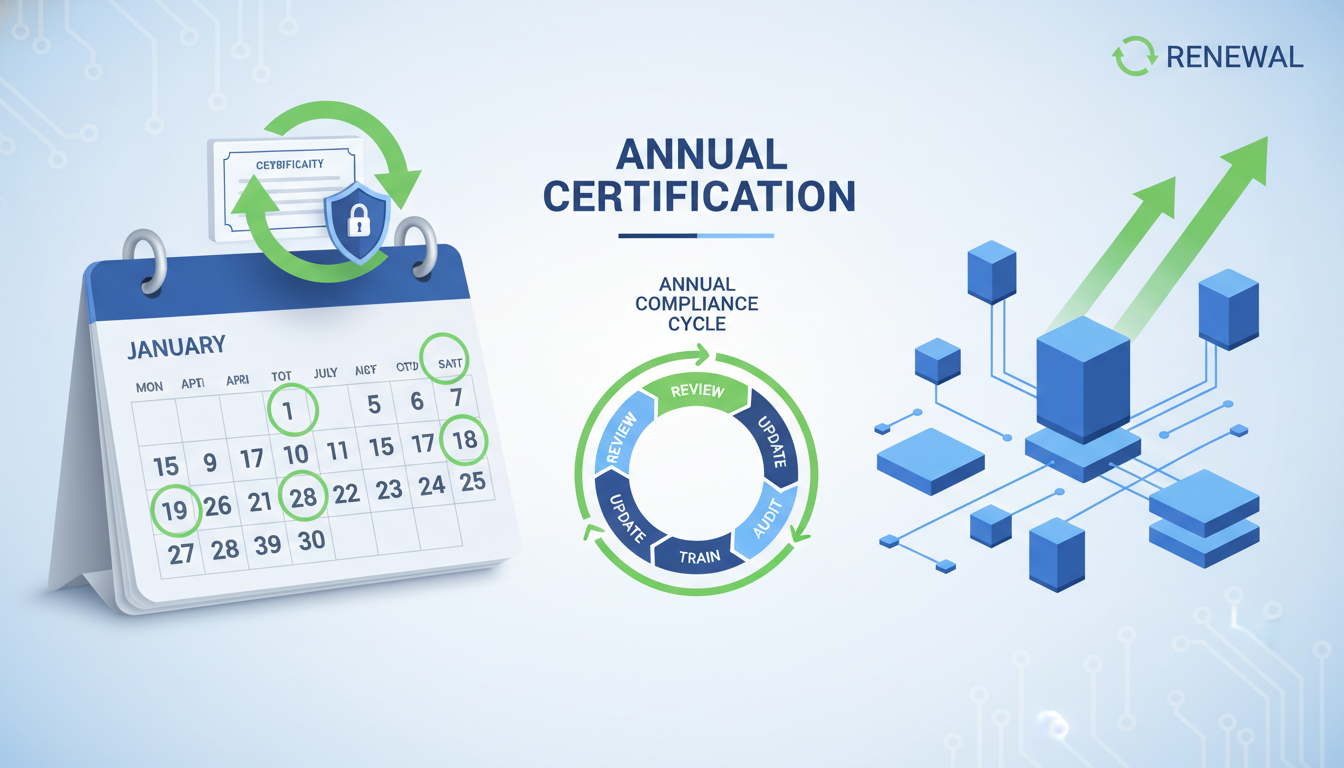
Why Your Annual Cyber Essentials Plus Renewal Matters More Than Ever
For UK businesses holding a Cyber Essentials Plus certification, the annual renewal cycle is far more than a tick-box exercise. It represents a critical checkpoint in your organisation's cybersecurity posture, a moment to reassess vulnerabilities, update controls, and demonstrate to clients, partners, and regulators that you take data protection seriously. With the threat landscape evolving at an unprecedented pace, letting your certification lapse - even briefly - can expose your business to significant risk.
The National Cyber Security Centre (NCSC) designed Cyber Essentials Plus as a hands-on, technically verified standard. Unlike the self-assessment route of basic Cyber Essentials, the Plus certification requires an independent assessor to conduct vulnerability scans, test your configurations, and verify that your defences hold up against real-world attack vectors. Each renewal is a fresh audit, not a rubber stamp, and the requirements tighten year on year as the NCSC updates the technical controls to address emerging threats.
Understanding the Renewal Timeline and Process
Your Cyber Essentials Plus certificate is valid for exactly twelve months from the date of issue. There is no automatic grace period - once it expires, you are no longer certified, and any contractual obligations that depend on your certification status may be immediately affected. Government contracts governed by the Ministry of Defence or other Crown Commercial Service frameworks routinely require an active, in-date certification, so a lapse could jeopardise your revenue pipeline.
Best practice is to begin your renewal preparation at least eight to ten weeks before the expiry date. This gives you adequate time to address any gaps that have emerged over the previous year, update your asset inventory, ensure all devices are running supported operating systems, and schedule the external assessment without rushing. Many organisations leave it until the final fortnight and then scramble when the assessor identifies a non-compliance issue that requires remediation and retesting.
Key Milestones in the Renewal Cycle
A structured approach to renewal ensures nothing falls through the cracks. The following timeline represents the ideal cadence for organisations that want to pass their assessment first time, every time:
- 10 weeks before expiry: Conduct an internal pre-audit. Review your device inventory, patch status, firewall rules, and user access controls against the current Cyber Essentials Plus requirements.
- 8 weeks before expiry: Remediate any identified gaps. This might involve deploying outstanding patches, removing unsupported software, reconfiguring firewalls, or tightening multi-factor authentication policies.
- 6 weeks before expiry: Engage your certification body and schedule the external assessment. Popular assessors book up quickly, so do not delay this step.
- 4 weeks before expiry: Run internal vulnerability scans to simulate what the assessor will find. Tools such as Nessus, Qualys, or OpenVAS can help you identify issues before the formal test.
- 2 weeks before expiry: Final review and sign-off. Ensure all documentation is current, including your network diagram, asset register, and security policies.
- Assessment day: The assessor conducts external vulnerability scans, tests a representative sample of devices, verifies malware protection, and checks access controls.
If your certificate expires before the new one is issued, you will have a gap in certification. Some government frameworks treat this as non-compliance, potentially disqualifying your bids until the new certificate is in hand. Plan ahead to avoid this costly interruption.
What Changes Year on Year
The NCSC periodically updates the Cyber Essentials technical requirements to reflect the current threat environment. Recent changes have included stricter rules around thin clients and cloud services, explicit requirements for multi-factor authentication on all cloud-based and internet-facing services, and tighter definitions of what constitutes a supported operating system or application. Each renewal is therefore an opportunity - and an obligation - to ensure your controls meet the latest standard.
In the most recent updates, the NCSC placed particular emphasis on the following areas:
Technical Control Requirements at a Glance
The Cyber Essentials Plus assessment covers five core technical control themes. Understanding what each theme requires and how the assessor tests compliance is essential for a smooth renewal. The table below summarises the key requirements, testing methods, and typical failure points for each control area, giving you a single reference document to guide your preparation efforts throughout the renewal cycle.
| Control Theme | Key Requirements | Assessment Method | Common Failure Points |
|---|---|---|---|
| Firewalls | Default-deny inbound, no unnecessary open ports, host firewalls enabled on every device | External vulnerability scan of all internet-facing IP addresses | Legacy rules left open, default-allow policies on host firewalls |
| Secure Configuration | Default passwords changed, unnecessary services disabled, auto-run features turned off | Device sampling and manual configuration review by assessor | Printers and IoT devices retaining factory default credentials |
| User Access Control | Least privilege enforced, MFA on all cloud services, admin accounts separated from daily use | Account audit, MFA verification, and administrative privilege review | Shared admin accounts, MFA gaps on ancillary cloud services |
| Malware Protection | Anti-malware active on all devices, automatic updates enabled, real-time scanning configured | Verification of protection status on sampled endpoint devices | Disabled Windows Defender, outdated or expired third-party AV licences |
| Patch Management | All software on supported versions, critical and high patches applied within 14 days of release | Vulnerability scan identifying missing patches across the estate | Legacy Java installations, unsupported Windows editions, unpatched firmware |
Common Pitfalls That Cause Renewal Failures
Even organisations that passed their initial certification without issue can stumble at renewal. The most common reasons for failure are not dramatic security breaches but rather quiet drift - small changes that accumulate over twelve months and push your environment out of compliance.
1. Unpatched Software and Operating Systems
This remains the single most frequent cause of failure. The requirement is clear: all software within scope must be running a vendor-supported version and have critical or high-severity patches applied within fourteen days of release. Yet in practice, organisations often have a handful of machines running outdated software - perhaps a legacy application that only works on an older version of Java, or a department that has resisted upgrading from Windows 10 to Windows 11 before end-of-support dates. Each of these becomes a failure point during the external scan.
2. Incomplete Asset Inventories
You cannot secure what you do not know about. Over the course of a year, devices are added, moved, repurposed, and retired. If your asset register does not accurately reflect your current estate, the assessor may discover devices that are unpatched, misconfigured, or entirely unmanaged. This is especially common in organisations with significant remote or hybrid workforces, where personal devices may have drifted out of compliance without anyone noticing.
3. Misconfigured Firewalls and Access Controls
Firewall rules tend to accumulate over time as temporary exceptions are granted and never revoked. By the time your renewal comes around, you may have dozens of unnecessary open ports, overly permissive rules, or default-allow configurations that were intended to be temporary. A thorough review of your firewall ruleset should be part of every renewal preparation.
4. Inconsistent Multi-Factor Authentication
The NCSC now requires MFA on all cloud services and administrative accounts. Many organisations have deployed MFA on their primary platforms - Microsoft 365, for example - but overlook ancillary services such as accounting software, CRM systems, or bespoke web applications. The assessor will check, and a single non-compliant service can result in a failure.
Create a shared spreadsheet or use your IT service management tool to maintain a live register of every cloud service your organisation uses, along with its MFA status. Review this quarterly rather than just at renewal time, and you will avoid last-minute surprises.
It is also worth noting that the scope definition for Cyber Essentials Plus has become more nuanced in recent years. Cloud-hosted infrastructure, software-as-a-service platforms, and remote working setups are now explicitly within scope, meaning that organisations must account for a far broader range of assets and configurations than was the case even three or four years ago. The shift to hybrid and remote working models accelerated during the pandemic has permanently expanded the attack surface that most businesses must defend, and the Cyber Essentials Plus framework has evolved accordingly. Renewal is therefore not simply a matter of re-verifying the same controls as last year; it requires a fresh assessment of your entire digital estate, including any new cloud services, remote access solutions, or bring-your-own-device policies introduced since your previous certification.
The Business Case for Staying Certified
Beyond the technical controls themselves, maintaining your Cyber Essentials Plus certification delivers tangible business benefits that extend across your commercial, legal, and operational functions.
Commercial Advantage
An increasing number of procurement frameworks - both public and private sector - require suppliers to hold a current Cyber Essentials Plus certificate. The UK Government mandates it for contracts involving the handling of certain sensitive and personal information, and major private-sector organisations are following suit. Losing your certification means losing access to these opportunities, often with immediate effect.
Insurance and Liability
Many cyber insurance policies now reference Cyber Essentials as a baseline requirement. Some insurers offer premium discounts for certified organisations, while others may decline claims if it emerges that the insured entity allowed their certification to lapse. In the event of a breach, demonstrating that you held an active Cyber Essentials Plus certificate at the time of the incident is powerful evidence of due diligence.
Customer and Partner Confidence
In a market where data breaches regularly make headlines, your certification serves as a visible, independently verified signal that your organisation takes cybersecurity seriously. It is a differentiator in competitive tenders and a reassurance during due diligence processes. Conversely, being unable to produce a current certificate when asked can raise serious questions about your security posture.
Lapsed Certification
Active Certification
How to Prepare Your Technical Environment
Preparation is the single greatest determinant of whether your renewal assessment goes smoothly. The following detailed guidance covers each of the five technical control themes that the assessor will examine.
Firewalls and Internet Gateways
Review every firewall rule currently in place, both on your perimeter devices and on individual host-based firewalls. Remove any rules that are no longer needed, ensure that default-deny is configured for inbound traffic, and verify that administrative interfaces are not exposed to the internet. If you use a cloud firewall (such as AWS Security Groups or Azure Network Security Groups), these are equally in scope and must be reviewed with the same rigour.
Secure Configuration
Every device in scope must be configured securely. This means removing unnecessary software, disabling unused services and ports, changing default passwords, and ensuring that only authorised accounts have administrative access. Pay particular attention to network equipment, printers, and IoT devices, which are often overlooked but remain in scope if they connect to your network.
User Access Control
Verify that the principle of least privilege is enforced across your environment. Administrative accounts should be used only for administrative tasks and should never be used for day-to-day activities such as email or web browsing. Review user accounts to ensure that leavers have been promptly deactivated and that shared or generic accounts have been eliminated wherever possible.
Malware Protection
All devices in scope must have malware protection that is active, up to date, and configured to scan automatically. This applies to Windows, macOS, and Linux devices. If you rely on built-in protections such as Windows Defender, ensure that it has not been disabled or overridden by third-party software that is itself out of date.
Patch Management
This is the control that catches most organisations out. You must be able to demonstrate that all software - operating systems, applications, firmware - is running a supported version and that critical and high-severity patches have been applied within fourteen days of release. Automate patching wherever possible using tools like Microsoft Intune, WSUS, or third-party patch management solutions. For any software that cannot be patched promptly, document your compensating controls and risk acceptance.
Organisations that adopt a continuous compliance approach rather than a once-a-year effort report significantly smoother renewal experiences. This means conducting quarterly internal audits against the five control themes, maintaining a living asset register that is updated whenever devices are procured or decommissioned, and running monthly vulnerability scans to catch issues before they escalate into assessment failures. By embedding these practices into your standard operational cadence, the formal renewal assessment becomes a confirmation of ongoing good practice rather than a frantic sprint to close gaps. Many forward-thinking IT leaders now assign a dedicated compliance owner who is responsible for monitoring adherence to Cyber Essentials Plus requirements throughout the year, ensuring that nothing slips through the cracks between annual assessments and that any emerging risks are addressed promptly.
Working with a Managed Service Provider for Renewal
Many UK businesses, particularly small and medium-sized enterprises, do not have the in-house expertise or resource to manage the renewal process entirely on their own. Engaging a managed service provider (MSP) that specialises in Cyber Essentials Plus can dramatically reduce the burden and increase the likelihood of a first-time pass.
A competent MSP will conduct a pre-assessment audit, identify and remediate gaps in your environment, manage the relationship with the certification body, and provide ongoing support to maintain compliance throughout the year - not just at renewal time. This continuous approach transforms Cyber Essentials from a once-a-year scramble into an embedded part of your security operations.
When choosing an MSP, look for one that is itself Cyber Essentials Plus certified, has a track record of successful renewals across organisations of your size and sector, and offers transparent pricing without hidden fees for remediation work. The right partner will treat the renewal as an opportunity to strengthen your security rather than merely a compliance obligation.
Organisations that use a managed service provider for their Cyber Essentials Plus renewal are 3.2 times more likely to pass the assessment on the first attempt compared to those managing the process entirely in-house, according to recent industry surveys.
UK Business Cyber Readiness Benchmarks
Based on aggregated data from certification bodies and managed service providers across the United Kingdom, the following benchmarks represent typical readiness scores among SMEs approaching their Cyber Essentials Plus renewal. These scores indicate the percentage of organisations that meet each requirement without remediation at the start of their renewal preparation process.
These figures reveal that malware protection is typically the strongest area for most organisations, while asset inventory completeness and patch management remain the most challenging. If your organisation falls below these benchmarks in any area, prioritise remediation well in advance of your assessment date to avoid delays and retesting fees that can add both cost and calendar pressure to the renewal process.
Beyond Compliance: Building a Culture of Cybersecurity
While Cyber Essentials Plus provides an excellent baseline, the most resilient organisations treat it as a starting point rather than a destination. The annual renewal cycle creates a natural rhythm for security improvement - each year, you should aim not merely to meet the minimum requirements but to exceed them.
Consider supplementing your Cyber Essentials Plus certification with regular staff security awareness training, periodic penetration testing that goes beyond the scope of the Plus assessment, and a formalised incident response plan that is tested through tabletop exercises. These measures will not only make your next renewal smoother but will significantly reduce your overall risk of a successful cyber attack.
The UK's cybersecurity landscape is becoming more regulated, more scrutinised, and more demanding. Organisations that embed security into their operations - rather than bolting it on once a year - will be best positioned to win contracts, retain customers, and withstand the inevitable attacks that come with operating in a connected world.
Simplify Your Cyber Essentials Plus Renewal
Cloudswitched provides end-to-end Cyber Essentials Plus renewal services for UK businesses. From pre-assessment audits and remediation to managing the certification process, our experts ensure you pass first time, every time. Let us take the stress out of your annual renewal.
TALK TO AN EXPERT
CloudSwitched
London-based managed IT services provider offering support, cloud solutions and cybersecurity for SMEs.


