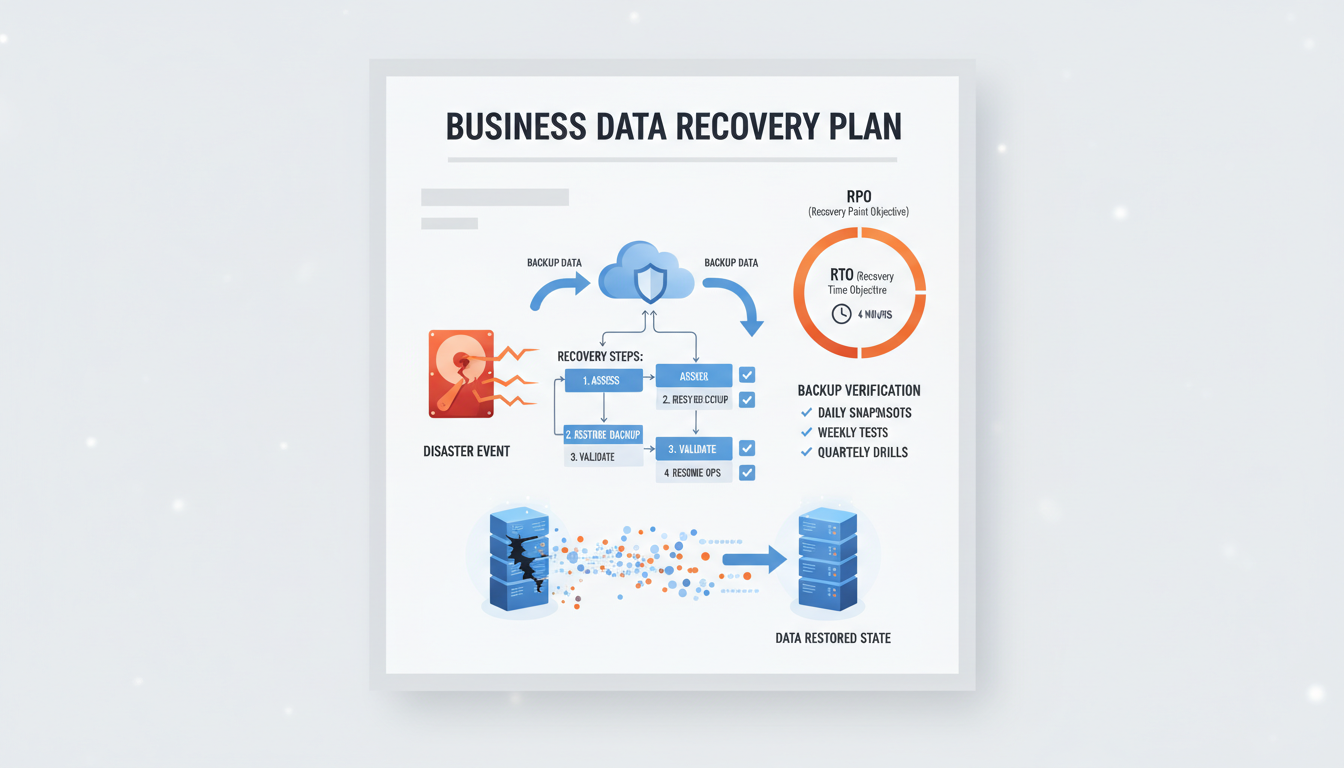
Data is the lifeblood of every modern business. Customer records, financial transactions, contracts, emails, project files, and operational databases form the foundation upon which UK organisations operate every single day. Yet despite this critical dependence, a worrying number of businesses have no formal plan for recovering their data in the event of a disaster. They back up their systems - or at least they think they do - but they have never documented, tested, or rehearsed the process of actually restoring that data when it matters most.
A data recovery plan is a structured document that defines exactly how your organisation will restore its data and systems following a disruptive event - whether that event is a ransomware attack, a hardware failure, an accidental deletion, a fire, a flood, or any other scenario that causes data loss or system unavailability. It is not the same as having backups, although backups are a critical component. A data recovery plan goes further, defining who is responsible, what gets recovered first, how long recovery should take, and how the business operates during the recovery period.
This guide walks you through the process of creating a comprehensive data recovery plan for your UK business, covering everything from risk assessment and backup strategy to testing, documentation, and ongoing maintenance.
Why You Need a Data Recovery Plan
Having backups without a recovery plan is like having a fire extinguisher but no idea how to use it. When disaster strikes, time is critical. Every hour of downtime costs money, damages client relationships, and erodes staff confidence. A well-documented recovery plan eliminates the panic and confusion that typically accompanies a data loss event, replacing it with a clear, rehearsed sequence of actions that gets the business back on its feet as quickly as possible.
The Regulatory Dimension
UK GDPR requires organisations to implement appropriate technical and organisational measures to protect personal data, including the ability to restore data availability in a timely manner following an incident. Article 32 specifically mentions the ability to restore the availability and access to personal data in a timely manner. The Information Commissioner's Office (ICO) considers an organisation's disaster recovery capabilities when assessing GDPR compliance, and inadequate recovery provisions can be a factor in enforcement decisions.
The Business Case for Recovery Planning
Beyond regulatory compliance, there is a compelling commercial case for investing in a data recovery plan. The Ponemon Institute estimates that the average cost of IT downtime for small to medium businesses is approximately 4,200 pounds per hour. For a business experiencing a significant data loss event without a recovery plan, downtime can extend to days or even weeks whilst data is recovered through ad hoc, untested processes. With a well-documented and rehearsed recovery plan, the same event might result in hours rather than days of disruption.
Insurance is another important consideration. Cyber insurance providers are increasingly requiring evidence of documented disaster recovery plans as a condition of coverage. Businesses that cannot demonstrate adequate recovery provisions may find themselves unable to obtain cyber insurance at reasonable premiums, or may discover that their existing policies contain exclusions for losses that could have been prevented by proper recovery planning. A documented, tested recovery plan strengthens your position both in obtaining coverage and in making claims following an incident.
The Human Factor in Data Loss
Whilst ransomware and hardware failures capture the headlines, the most frequent cause of data loss in UK businesses is human error. Accidental deletion of files and folders, overwriting of critical documents, misconfiguration of systems during routine maintenance, and errors during data migration projects account for a substantial proportion of all data loss incidents. These mundane scenarios rarely feature in disaster planning discussions, yet they occur far more frequently than dramatic cyber attacks or natural disasters. According to research conducted by the UK Cyber Security Breaches Survey, internal mistakes and misconfigurations remain a persistent source of disruption that organisations must plan for alongside external threats.
A robust data recovery plan addresses these everyday scenarios just as thoroughly as it addresses catastrophic events. The plan should define procedures for recovering individual files, restoring accidentally deleted mailboxes, rolling back database changes, and reversing configuration errors. These granular recovery procedures are likely to be exercised far more often than full disaster recovery, making them arguably the most practically valuable component of the entire plan. Organisations that focus exclusively on worst-case scenarios often find themselves poorly prepared for the routine data loss events that actually disrupt their operations on a regular basis. By including specific runbooks for common human-error scenarios, you ensure that frontline IT staff can respond quickly and confidently without needing to escalate every incident to senior engineers.
Backup is the process of copying data to a secondary location. Recovery is the process of restoring that data to a usable state when the original is lost or corrupted. Many UK businesses focus heavily on the backup side - ensuring data is copied regularly - but give little thought to the recovery side. They have never tested whether their backups actually work, how long a full restoration takes, or whether the restored data is complete and consistent. A data recovery plan bridges this gap, ensuring that your backups are not just a safety net in theory but a tested, reliable mechanism for business continuity in practice.
Step 1: Conduct a Data Audit
The first step in creating a data recovery plan is understanding what data your business holds, where it is stored, and how critical it is. This audit should cover every data repository in your organisation - servers, cloud services, databases, email systems, file shares, application data, and even data held on individual workstations and mobile devices.
For each data source, document the type of data, its location, its approximate size, its criticality to business operations, and any regulatory requirements that apply (such as GDPR for personal data, or FCA requirements for financial data). This audit forms the foundation for every subsequent decision in your recovery plan - you cannot plan to recover data if you do not know what data you have.
Prioritising Your Data Assets
Not all data is equally critical to your business operations. The purpose of the data audit is not just to catalogue what exists, but to classify data by its importance to the business. A practical classification scheme uses three tiers: Tier 1 (mission-critical) includes data without which the business cannot operate - financial records, customer databases, active project files, and email. Tier 2 (important) includes data that supports business operations but where short-term loss is manageable - historical records, marketing materials, and archived projects. Tier 3 (non-essential) includes data that is convenient to have but whose loss would not materially impact operations.
This classification directly drives your recovery priorities and investment decisions. Tier 1 data requires the most frequent backups, the shortest recovery time objectives, and the most robust protection - including off-site and immutable copies. Tier 2 data can tolerate longer recovery times and less frequent backups. Tier 3 data may need only basic backup protection. By aligning your backup investment with data criticality, you avoid the common mistake of applying the same (often inadequate) protection to all data regardless of its importance.
Identifying Hidden Data Repositories
One of the most common gaps in data recovery planning is failing to account for all the places where business data resides. Beyond your primary file server and cloud services, data often exists in locations that are easy to overlook: individual employee laptops and desktops, USB drives and external hard drives, mobile devices, SaaS applications (such as project management tools, CRM systems, and accounting software), and even personal cloud storage accounts where employees may have saved work files. A thorough audit should identify all of these repositories and determine which ones contain data that needs to be included in your recovery plan.
Shadow IT - technology solutions adopted by employees without the knowledge or approval of the IT department - presents a particular challenge for data recovery planning. Employees may be using unauthorised file sharing services, project management tools, or communication platforms that contain valuable business data but are completely outside the scope of your backup and recovery processes. The data audit should include conversations with department heads about the tools their teams actually use, not just the tools that IT has officially sanctioned.
Mapping Data Dependencies
Understanding where your data resides is only half the picture. Equally important is understanding how data flows between systems and which applications depend on data from other sources. Your customer relationship management system may pull contact data from your email platform, your invoicing software may feed into your accounting system, and your reporting dashboards may aggregate data from multiple operational databases. These interdependencies determine the order in which systems must be recovered - restoring an application that depends on a database is pointless if the database has not been restored first.
Document these dependencies as part of your data audit, ideally as a visual diagram showing which systems feed into which others. This dependency map becomes invaluable during an actual recovery event, guiding the recovery team through the correct sequence of restoration steps and preventing wasted effort on systems that cannot function until their upstream dependencies are operational. Without this mapping, recovery teams frequently discover mid-process that they have been restoring systems in the wrong order, adding hours of unnecessary delay to an already stressful situation. For complex environments with dozens of interconnected applications, a well-maintained dependency map can be the difference between a recovery that takes hours and one that takes days.
Step 2: Define Recovery Objectives
Two critical metrics underpin every data recovery plan: the Recovery Time Objective (RTO) and the Recovery Point Objective (RPO). These must be defined for each system and data source, based on the business impact of downtime and data loss.
Recovery Time Objective (RTO)
- Maximum acceptable downtime for each system
- Email: typically 1-4 hours
- ERP/CRM: typically 2-8 hours
- File servers: typically 4-12 hours
- Development systems: typically 24-48 hours
- Drives backup infrastructure investment
- Should be agreed with business stakeholders
- Must be tested and verified regularly
Recovery Point Objective (RPO)
- Maximum acceptable data loss (time since last backup)
- Financial systems: typically 1 hour or less
- Email: typically 1-4 hours
- File servers: typically 4-24 hours
- Development systems: typically 24 hours
- Determines backup frequency
- Lower RPO requires more frequent backups
- Directly impacts backup storage costs
Aligning Objectives with Business Stakeholders
Setting recovery objectives is not purely a technical exercise - it requires close collaboration between IT and business stakeholders. Department heads and senior management must be involved in defining RTOs and RPOs because these metrics directly reflect business tolerance for disruption and data loss. A sales director may insist that the CRM system must be available within two hours, whilst the marketing team may accept twenty-four hours of downtime for the content management platform. These conversations surface important priorities that technical staff alone cannot determine, and they ensure that recovery investment is directed where it matters most to the business.
It is equally important to be realistic about what your current infrastructure and budget can achieve. Setting an RTO of one hour for every system is meaningless if your backup infrastructure cannot actually deliver that speed of recovery. Recovery objectives should be ambitious but achievable - and the gap between your desired objectives and your current capability becomes the business case for investment in improved backup and recovery infrastructure. Document both the target objectives and the current realistic capability, so that stakeholders understand the residual risk and can make informed decisions about whether to invest in closing the gap. This transparency builds trust between IT and the wider business and prevents the dangerous assumption that all systems can be recovered instantly simply because backups exist.
Step 3: Design Your Backup Strategy
Your backup strategy must support the RTO and RPO targets defined in the previous step. The industry-standard approach is the 3-2-1 rule: maintain at least three copies of your data, on at least two different types of media, with at least one copy stored off-site. For UK businesses, this typically translates to local backups on a dedicated backup appliance, replicated backups to a cloud storage service in a UK data centre, and periodic archival copies for long-term retention.
Modern backup solutions from providers such as Veeam, Datto, and Acronis offer incremental backup capabilities that capture only the changes since the last backup, significantly reducing the storage and bandwidth requirements compared to full backups. For critical systems with low RPO requirements, continuous data protection (CDP) can capture changes in near-real-time, reducing the potential data loss to minutes rather than hours.
Cloud Backup Considerations for UK Businesses
Cloud backup has become the preferred off-site backup approach for most UK businesses, replacing the inconvenience and unreliability of tape rotation and physical off-site storage. When selecting a cloud backup provider, UK businesses must consider data sovereignty - ensure that your backup data is stored in UK-based data centres to comply with GDPR data residency preferences and any sector-specific regulations that restrict cross-border data transfers. Major cloud providers including Microsoft Azure, Amazon Web Services, and Google Cloud all offer UK-based regions, as do specialist backup providers such as Veeam Cloud Connect partners and Datto.
Bandwidth is a practical constraint that many businesses underestimate when planning cloud backup deployments. The initial seed backup of a large dataset can take days or even weeks over a standard business internet connection. Plan for this initial replication period and consider whether a physical seed shipment - sending an encrypted hard drive to the cloud provider - would be more practical for large environments. Ongoing incremental backups are significantly smaller, but you should still verify that your internet connection can handle the daily backup volume within the backup window. If your data change rate exceeds your available bandwidth, backups will fall behind and your actual RPO will exceed your target, leaving the business exposed to greater data loss than stakeholders have agreed to accept.
Encryption is non-negotiable for cloud backups. Data should be encrypted both in transit and at rest, using encryption keys that your organisation controls rather than keys managed solely by the cloud provider. This ensures that even if the cloud provider suffers a breach, your backup data remains protected. It also satisfies the encryption requirements of GDPR and gives your organisation the ability to perform a cryptographic wipe of backup data at the end of its retention period by simply destroying the encryption keys.
Step 4: Document the Recovery Procedures
The recovery plan document itself should be detailed enough that a competent IT professional who has never seen your environment before could follow it and restore your systems. This level of detail is important because the person who normally manages your backups might not be available during a disaster - they could be on holiday, sick, or the disaster might affect their ability to work.
For each system, document the exact recovery procedure step by step: where the backup is stored, how to access it, what credentials are needed, the sequence of restoration steps, how to verify the recovery was successful, and who to notify at each stage. Include contact details for your backup provider's support line, your internet service provider, your cloud platform support, and any other third parties whose assistance might be needed during a recovery.
Communication and Escalation Procedures
A data recovery plan is not solely a technical document - it must also define the communication and escalation procedures that coordinate the human response to a data loss event. Who is the first point of contact when data loss is discovered? How are the recovery team members notified and assembled? Who communicates with affected staff, clients, and suppliers during the recovery period? Who makes the decision to declare a disaster and activate the full recovery plan versus handling the situation as a routine incident? These questions must be answered in advance, not improvised under pressure.
Define clear escalation thresholds - for example, an individual file recovery might be handled by the IT helpdesk without escalation, a single-server failure might escalate to the IT manager, and a multi-system outage or ransomware attack might escalate to the managing director and trigger the full recovery plan. Each escalation level should have a defined communication template, a contact list, and a set of immediate actions. During a crisis, people need clarity and structure. Providing pre-written communication templates eliminates the need to compose messages under pressure and ensures that critical information - the nature of the incident, the expected recovery time, and any actions required from staff - is communicated accurately and promptly to everyone who needs to know.
External communication deserves particular attention. If the data loss event involves personal data, you may have a legal obligation under GDPR to notify the ICO within seventy-two hours and to inform affected individuals without undue delay. Your recovery plan should include a specific section on data breach notification procedures, including template notifications, the contact details for your Data Protection Officer, and the process for assessing whether the breach meets the ICO notification threshold. Having these procedures documented in advance can mean the difference between a compliant, controlled response and a chaotic scramble that compounds the original incident with regulatory failures.
Step 5: Test Your Recovery Plan
An untested recovery plan is not a plan - it is a hope. Regular testing is non-negotiable. At minimum, you should conduct quarterly test restores of critical systems and annual full disaster recovery simulations. Test restores should verify not just that data can be recovered, but that recovered systems actually work - applications launch correctly, databases are consistent, and users can access what they need.
Document the results of every test, including any issues encountered and the actual recovery time achieved versus the RTO target. If testing reveals that recovery takes longer than the target allows, you have a gap that needs to be addressed - perhaps through faster backup hardware, better recovery procedures, or more frequent backups to reduce the volume of data that needs to be restored.
| Test Type | Frequency | What It Verifies | Typical Duration |
|---|---|---|---|
| Individual file restore | Monthly | Backup integrity, basic recoverability | 15-30 minutes |
| Full system restore (non-production) | Quarterly | Complete system recovery, application functionality | 2-4 hours |
| Disaster recovery simulation | Annually | Full environment recovery, team coordination, RTO | 4-8 hours |
| Ransomware recovery drill | Bi-annually | Recovery from encrypted state, immutable backup access | 4-6 hours |
| Cloud failover test | Annually | Cloud-based recovery environment activation | 2-4 hours |
Building a Culture of Recovery Readiness
Testing your recovery plan is essential, but the benefits diminish if recovery knowledge is concentrated in one or two individuals. A truly resilient organisation builds a culture of recovery readiness where multiple team members are trained and confident in executing the recovery procedures. Cross-training ensures that the organisation can recover its data regardless of which specific staff members are available - a critical consideration given that data loss events do not politely wait for the most experienced engineer to return from annual leave.
Consider incorporating recovery procedures into your new starter onboarding process for IT staff, and include data recovery scenarios in your regular team training sessions. Some organisations go further, running unannounced recovery drills where a team member who does not normally handle backups is asked to perform a test restore using only the documented procedures. These exercises reveal gaps in documentation, identify assumptions that have not been written down, and build genuine confidence across the team. The goal is an organisation where data recovery is a practised capability, not a theoretical procedure that exists only on paper and in the memory of one person who may or may not be available when disaster strikes.
Senior leadership engagement is equally important. When the board and senior management understand the importance of recovery readiness and visibly support testing activities - including accepting the temporary disruption that realistic drills can cause - the entire organisation takes recovery planning more seriously. Recovery drills should be reported to the board alongside other operational resilience metrics, reinforcing that data protection is a business priority rather than a purely technical concern buried within the IT department.
Ransomware-Specific Recovery Considerations
Ransomware is now the most significant data recovery threat facing UK businesses. The NCSC has issued multiple warnings about the increasing sophistication and frequency of ransomware attacks targeting organisations of all sizes. A modern data recovery plan must specifically address ransomware scenarios, because ransomware attackers deliberately target backup systems to prevent recovery.
Immutable backups - backup copies that cannot be modified or deleted once written, even by an administrator - are essential protection against ransomware. If an attacker gains access to your backup system and can delete or encrypt your backup copies, your recovery plan fails entirely. Immutable storage ensures that at least one copy of your data is protected from tampering, regardless of the level of access the attacker achieves.
Air-gapped backups - copies stored completely offline, disconnected from any network - provide the ultimate protection against ransomware. While more operationally complex to manage, air-gapped backups are the last line of defence when all network-connected systems have been compromised.
Protect Your Business Data
Cloudswitched provides comprehensive backup and disaster recovery services for businesses across the United Kingdom. From backup design and implementation to recovery plan documentation and regular testing, we ensure your data is protected and recoverable when it matters most. Contact us to discuss your data protection needs.

CloudSwitched
London-based managed IT services provider offering support, cloud solutions and cybersecurity for SMEs.


