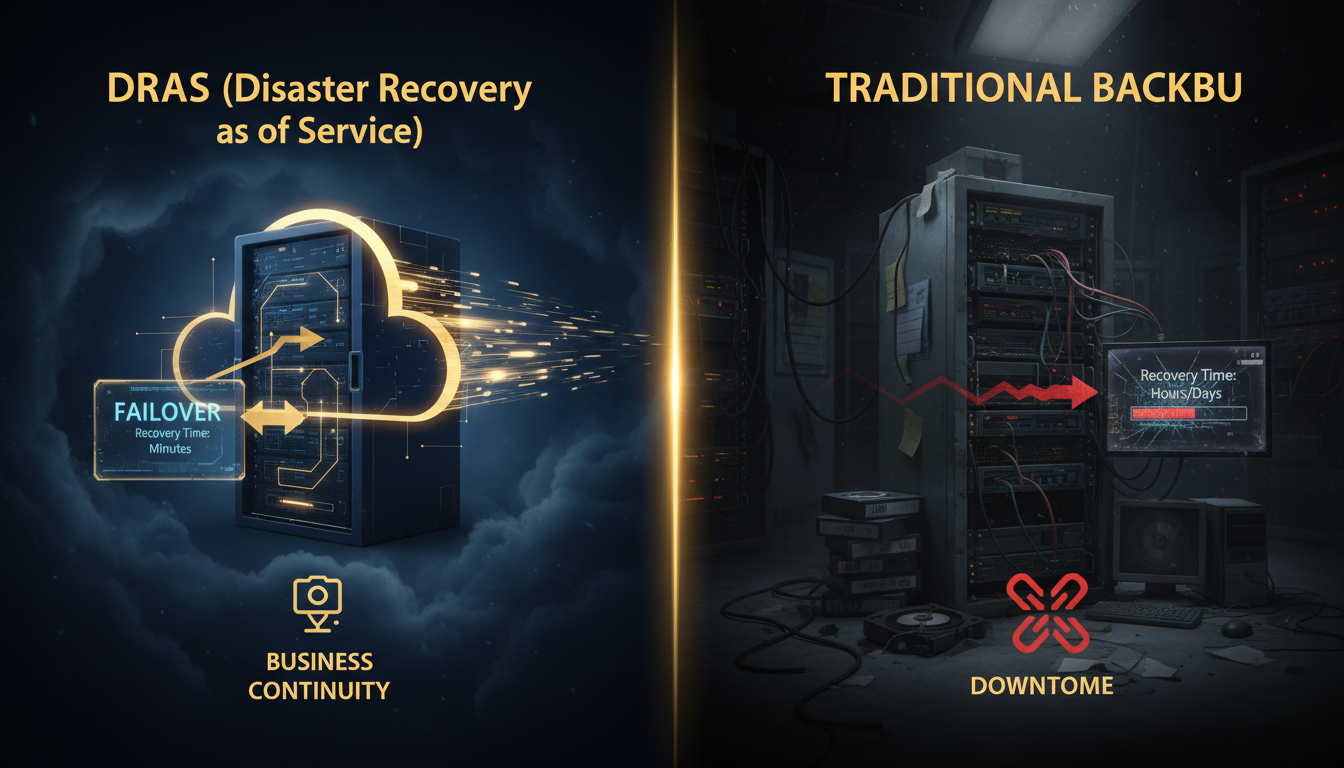
Every UK business depends on data. Customer records, financial transactions, email archives, application databases, intellectual property - these digital assets underpin daily operations, regulatory compliance, and long-term growth. When that data becomes unavailable, whether through ransomware, hardware failure, human error, or natural disaster, the consequences range from costly disruption to existential crisis. The question facing every IT leader and business owner is not whether to protect against data loss, but how. And increasingly, the answer to that question hinges on a critical distinction: the difference between traditional backup and Disaster Recovery as a Service - commonly known as DRaaS.
For decades, traditional backup was the default approach to data protection. Copy your data to tape, disk, or cloud storage on a regular schedule, store it safely, and hope you never need it. When disaster struck, you would retrieve the backup media, rebuild your servers, restore the data, test everything, and gradually bring systems back online. For many organisations, this process took days or even weeks. In an era when businesses could tolerate extended downtime - when customers would wait, regulators were lenient, and competitors moved slowly - this approach was adequate. That era is over.
Today, UK businesses operate in a landscape where downtime is measured in pounds per minute, where customers switch providers after a single poor experience, where regulators impose significant fines for data protection failures, and where cyber threats can cripple an unprepared organisation in hours. DRaaS emerged as a response to these realities - a fundamentally different approach that goes beyond simply backing up data to providing near-instant recovery of entire IT environments. But does every business need DRaaS? Is traditional backup truly obsolete? Or is the optimal answer somewhere in between? This comprehensive guide examines both approaches in detail, comparing their architectures, capabilities, costs, and suitability for different UK business scenarios, helping you make the right decision for your organisation.
Understanding Traditional Backup: The Foundation of Data Protection
Before comparing DRaaS with traditional backup, it is essential to understand what traditional backup actually entails, how it works, and what it was designed to accomplish. Traditional backup - whether implemented on tape, disk, NAS, SAN, or cloud storage - is fundamentally a data protection mechanism. Its primary purpose is to create copies of your data at regular intervals so that if the original data is lost, corrupted, or destroyed, you can restore it from the backup copy.
How Traditional Backup Works
In a traditional backup architecture, backup software runs on a schedule - typically nightly for full or differential backups, with more frequent incremental backups throughout the day for critical systems. The backup agent on each protected server identifies changed data, compresses and deduplicates it, encrypts it, and writes it to the backup target. That target might be a local backup appliance, a network-attached storage device, a tape library, or increasingly, a cloud storage repository. The backup data sits in the repository, retained according to your defined retention policy (for example, 30 daily backups, 12 monthly backups, and 7 yearly backups), waiting to be called upon if disaster strikes.
When you need to recover, the process is essentially the reverse: identify what needs to be restored, locate the appropriate backup set, transfer the data from the backup repository back to the target system, and verify the restoration. For individual file recoveries - an accidentally deleted spreadsheet, a corrupted database record - this process is relatively straightforward and fast. But for large-scale recoveries - rebuilding an entire server, restoring a complete database, or recovering multiple systems after a ransomware attack - the time required can be substantial, often measured in hours or days depending on the volume of data and the speed of the recovery path.
Strengths of Traditional Backup
Traditional backup has endured for decades because it does several things exceptionally well. It provides reliable, cost-effective data protection for large volumes of data. It supports granular recovery - restoring individual files, folders, mailboxes, or database records to specific points in time. It satisfies regulatory retention requirements, maintaining historical copies of data for compliance purposes. And modern cloud-based backup solutions have eliminated many of the traditional weaknesses - off-site protection is automatic, scalability is on-demand, and immutable storage options provide ransomware resilience. For many UK businesses, particularly those with moderate RTO requirements and well-defined recovery procedures, traditional backup remains an entirely appropriate and cost-effective data protection strategy.
Limitations of Traditional Backup
The fundamental limitation of traditional backup is that it protects data, not systems. When you restore from a traditional backup, you are recovering files, databases, and application data - but you still need somewhere to put them. If your server hardware fails, you need replacement hardware. If your virtual infrastructure is destroyed, you need to rebuild it. If ransomware encrypts your entire environment, you need clean systems on which to perform the restoration. This gap between "data recovered" and "systems operational" is where traditional backup struggles - and where DRaaS excels.
Traditional backup is not obsolete - it remains essential for data retention, compliance, and granular recovery. The question is whether backup alone provides sufficient protection for your business-critical systems, or whether you need the faster, more comprehensive recovery capabilities that DRaaS provides. Most UK businesses benefit from both: traditional backup for long-term data protection and DRaaS for rapid system recovery.
Understanding DRaaS: Beyond Backup to Full Recovery
Disaster Recovery as a Service (DRaaS) represents a fundamentally different approach to business continuity. Rather than simply backing up data and hoping you can reconstruct your environment when needed, DRaaS continuously replicates your entire IT environment - servers, operating systems, applications, configurations, network settings, and data - to a cloud-based recovery platform. When disaster strikes, instead of rebuilding from scratch and restoring data, you fail over to the replicated environment, which spins up pre-configured virtual machines in the cloud that mirror your production systems. Your users connect to the recovery environment and continue working, often within minutes rather than hours or days.
How DRaaS Works: The Failover Model
The architecture of a DRaaS solution is built around continuous or near-continuous replication. Lightweight agents installed on your production servers capture changes at the block level - every disk write, every database transaction, every configuration change - and replicate them in near-real-time to the DRaaS provider's cloud platform. The provider maintains a continuously updated replica of your environment, including not just the data but the complete system state: operating system images, application installations, service configurations, network topology, and security policies.
When a disaster event occurs - whether it is a ransomware attack, a catastrophic hardware failure, a data centre outage, or any other incident that renders your production environment unavailable - the DRaaS platform activates the recovery process. This typically involves three phases: failover (switching operations to the cloud-based recovery environment), operation (running your business on the recovery environment whilst the primary is repaired), and failback (migrating operations back to your restored primary environment once it is ready). The most sophisticated DRaaS providers UK automate much of this process, with orchestrated failover runbooks that can bring up an entire multi-server environment in a predetermined sequence, respecting application dependencies and network configurations.
Types of DRaaS Architectures
Not all DRaaS solutions are identical. The market offers several distinct architectural approaches, each with different cost, complexity, and recovery speed profiles. Understanding these differences is essential when evaluating DRaaS providers UK for your organisation.
Hot standby (active-passive) maintains a fully provisioned, continuously synchronised replica environment that can be activated within minutes. This provides the fastest possible recovery - RTOs of 15 minutes or less - but is the most expensive option, as you are effectively paying for a complete duplicate infrastructure running in the cloud at all times. Hot standby is typically reserved for the most mission-critical systems where even brief downtime has severe financial or operational consequences.
Warm standby (pilot light) maintains core infrastructure components (network configurations, directory services, database replicas) in a running state, with application servers pre-configured but powered down. When failover is triggered, the application servers are started and connected to the already-running core services. This approach typically delivers RTOs of 1-4 hours at a significantly lower cost than hot standby, making it the most popular choice among UK mid-market businesses implementing disaster recovery as a service UK.
Cold standby stores replicated data and system images in the cloud but does not maintain any running infrastructure. When failover is triggered, virtual machines must be provisioned, booted, and configured from the stored images before operations can resume. This is the most cost-effective DRaaS option, with RTOs typically ranging from 4-24 hours, and is suitable for non-critical systems where extended downtime is tolerable.
Relative recovery speed ratings across different DR and backup approaches (industry benchmarks, 2025-2026)
DRaaS vs Traditional Backup: The Core Differences
Whilst DRaaS and traditional backup are both data protection strategies, they differ fundamentally in scope, architecture, recovery speed, and cost. Understanding these differences is critical for making the right investment decision. The following comparison examines the key dimensions that UK businesses should evaluate when choosing between DRaaS and traditional backup - or, as is increasingly common, when determining the optimal combination of both.
Failover vs Restore: The Fundamental Distinction
This is the single most important difference between DRaaS and traditional backup, and it underpins every other comparison. Traditional backup requires you to restore data to a working system. DRaaS allows you to fail over to a pre-prepared recovery environment. The restore model assumes that you have functioning infrastructure on which to perform the restoration - replacement hardware has been procured, operating systems have been installed, applications have been configured, and network connectivity has been established. Only then can the actual data restoration begin. The failover model eliminates these prerequisites entirely: the recovery environment already exists, fully configured and ready to activate.
In practical terms, this distinction manifests most dramatically during large-scale disaster events. If your primary data centre suffers a catastrophic failure - a fire, a flood, a total power loss, or a devastating ransomware attack - traditional backup gives you the data to rebuild, but rebuilding takes time. Procuring replacement hardware (which may have lead times of weeks in the current supply-chain environment), installing and configuring operating systems, reinstalling applications, restoring data, testing, and validating can easily consume 5-10 business days even with a well-documented recovery plan. DRaaS compresses this timeline to hours or even minutes, because the "rebuilding" has already been done - the cloud-based replica is continuously maintained and ready to serve.
Recovery Time Objective (RTO) Comparison
RTO - the maximum acceptable downtime before a system must be operational again - is where DRaaS delivers its most compelling advantage. Traditional backup RTOs are fundamentally constrained by the physics of data transfer: restoring terabytes of data from cloud storage over a standard UK business internet connection takes time, regardless of how well your recovery plan is executed. A typical full-environment restoration from cloud backup might take 24-72 hours for a mid-sized UK business, depending on data volumes, bandwidth, and complexity. DRaaS providers UK typically deliver RTOs of 15 minutes to 4 hours, depending on the architecture (hot, warm, or cold standby), because the data is already in place - the recovery process involves activating pre-configured virtual machines, not transferring and restoring data.
Recovery Point Objective (RPO) Comparison
RPO - the maximum amount of data loss your business can tolerate - is more nuanced. Traditional backup RPO is determined by backup frequency: if you run hourly incremental backups, your worst-case RPO is one hour. If you run nightly backups, your RPO is 24 hours. DRaaS solutions using continuous replication can achieve RPOs of seconds to minutes, capturing every change in near-real-time. However, it is important to note that traditional backup solutions with Continuous Data Protection (CDP) can also achieve near-zero RPOs for specific systems. The RPO advantage of DRaaS is most significant for organisations that need near-zero RPO across their entire environment, not just selected critical systems.
| Dimension | Traditional Backup | DRaaS |
|---|---|---|
| Recovery model | Restore data to rebuilt systems | Failover to pre-prepared cloud environment |
| Typical RTO | 24-72 hours | 15 minutes to 4 hours |
| Typical RPO | 1-24 hours (schedule-dependent) | Seconds to minutes (continuous replication) |
| What is protected | Data (files, databases, application data) | Entire systems (OS, apps, config, data) |
| Infrastructure required | Target hardware needed for restore | Cloud infrastructure pre-provisioned |
| Failover automation | Manual process, runbook-dependent | Automated orchestration with runbooks |
| Testing complexity | Restore tests require target systems | Non-disruptive failover testing in cloud |
| Ransomware recovery | Restore clean data to rebuilt systems | Failover to clean replica from pre-attack point |
| Monthly cost (50-user UK business) | £500-£1,500 | £1,500-£5,000 |
| Best suited for | Data retention, compliance, granular recovery | Business continuity, rapid failover, minimal downtime |
DRaaS (Disaster Recovery as a Service)
Traditional Backup
Cost Analysis: DRaaS vs Traditional Backup for UK Businesses
Cost is invariably one of the most significant factors in the DRaaS vs traditional backup decision, and it is the area where the comparison is most nuanced. A simplistic view might suggest that DRaaS is "more expensive" than traditional backup - and on a pure per-terabyte, monthly-subscription basis, this is generally true. But this comparison misses the point entirely. The real cost question is not "how much does protection cost?" but "how much does downtime cost?" - and when you factor in the financial impact of extended outages, the economics of DRaaS often look very different.
Direct Cost Comparison
Traditional cloud backup for a typical UK SMB (50 users, 5-10 servers, 2-5 TB of protected data) typically costs between £500 and £1,500 per month, depending on the provider, the backup frequency, retention requirements, and additional features like immutable storage. The equivalent managed DRaaS UK service for the same environment typically costs between £1,500 and £5,000 per month, reflecting the additional infrastructure and replication technology required to maintain a continuously updated recovery environment. For larger mid-market businesses with more complex environments, these figures scale accordingly - but the ratio typically remains similar, with DRaaS costing 2-4 times more than backup alone.
The Cost of Downtime
Where the economics shift is in the cost of downtime. Research from multiple industry sources consistently indicates that the average cost of IT downtime for UK businesses ranges from £2,000 to £10,000 per hour for SMBs and £50,000 to £300,000 per hour for larger enterprises, depending on the sector and the systems affected. If traditional backup results in 48 hours of downtime following a major incident (a realistic figure for a full-environment restoration), the cost of that downtime for a typical UK mid-market business could easily exceed £100,000 - far more than the annual premium of a DRaaS subscription that would have reduced that downtime to hours rather than days.
The calculation is straightforward: if your DRaaS subscription costs an additional £2,000 per month over traditional backup (£24,000 per year), but it prevents even one 48-hour outage that would cost your business £100,000 or more, the return on investment is overwhelming. The key variables are your organisation's specific downtime cost (which varies enormously by industry, size, and operational model) and the probability of a disaster event occurring in any given year. For businesses in regulated sectors, e-commerce, financial services, healthcare, and other downtime-sensitive industries, the case for DRaaS is typically compelling. For businesses with lower downtime sensitivity and tighter budgets, traditional backup may provide adequate protection at a more appropriate price point.
Hidden Costs to Consider
Beyond the headline subscription prices, several hidden costs affect the total cost of ownership for both approaches. Traditional backup often incurs costs that are not immediately obvious: the internal IT staff time required to manage, monitor, and test backup jobs; the cost of failed restores (which studies suggest affect 30-40 per cent of backup restoration attempts when testing is inadequate); the cost of hardware refresh cycles for on-premises backup infrastructure; and the cost of bandwidth for large-scale cloud restores when disaster strikes. Managed DRaaS UK providers typically include management, monitoring, and testing in their subscription - reducing the internal overhead - but may charge additional fees for actual failover events, extended operation in recovery mode, or failback to restored primary infrastructure.
UK businesses should also consider the insurance implications. Some cyber insurance providers offer premium reductions for organisations with tested DRaaS solutions in place, recognising the reduced risk of extended outages and data loss. These reductions can offset a meaningful portion of the DRaaS premium. Conversely, organisations that cannot demonstrate adequate disaster recovery capability may find it increasingly difficult to obtain cyber insurance at reasonable rates - or at all - as insurers tighten their underwriting requirements in response to escalating claims.
Evaluating DRaaS Providers UK: What to Look For
Selecting the right DRaaS providers UK is as important as the decision to adopt DRaaS in the first place. The UK market includes dozens of providers ranging from global hyperscalers offering self-service DRaaS platforms to specialist managed DRaaS UK providers that deliver fully managed, white-glove disaster recovery services. The following criteria should guide your evaluation process.
UK Data Residency and Sovereignty
For UK businesses subject to GDPR, FCA regulations, NHS data protection requirements, or other sector-specific compliance frameworks, data residency is non-negotiable. Your DRaaS provider must store replicated data and operate recovery environments within UK-based data centres - or at minimum within jurisdictions that the UK government recognises as providing adequate data protection. Ask specifically where your data will reside, where recovery environments will run, and whether the provider can guarantee that your data will not leave UK jurisdiction at any point during replication, storage, or recovery operations.
RTO and RPO Guarantees
Claims about recovery speed are only meaningful if they are backed by contractual guarantees. Reputable DRaaS providers UK will commit to specific RTO and RPO targets in their service level agreements (SLAs), with financial penalties (service credits or rebates) if those targets are missed during an actual disaster event. Be cautious of providers that quote "typical" or "expected" recovery times without contractual commitments - these figures may reflect best-case scenarios rather than realistic performance under stress. Request documentation of actual recovery times achieved during real customer failovers, not just lab-test benchmarks.
Testing Capabilities
A DRaaS solution that cannot be regularly tested is a liability, not an asset. Leading DRaaS providers UK offer non-disruptive testing capabilities that allow you to perform full failover tests - verifying that your recovery environment activates correctly, applications start in the right sequence, data is current, and users can connect - without affecting your production environment. These tests should be conducted at minimum quarterly, and ideally monthly for critical systems. Ask potential providers about their testing methodology, whether tests can be automated and scheduled, what reporting and validation they provide after each test, and whether there are additional charges for test failovers.
Managed vs Self-Service
The distinction between managed DRaaS UK and self-service DRaaS platforms is significant, particularly for UK SMBs and mid-market businesses that may lack dedicated disaster recovery expertise. Self-service platforms (typically offered by hyperscalers and larger vendors) provide the tools and infrastructure but require your internal team to configure replication, design recovery runbooks, execute failovers, and manage the recovery process. Managed DRaaS UK providers handle everything: initial setup, ongoing replication monitoring, regular testing, failover execution during actual disasters, and communication throughout the recovery process. For businesses without deep DR expertise, the managed model significantly reduces risk - the provider's DR specialists manage the recovery, leaving your team free to focus on business operations and user communication.
Importance ratings for key evaluation criteria when selecting DRaaS providers UK (based on UK mid-market IT decision-maker surveys)
Vendor Lock-In and Portability
One risk that UK businesses should evaluate carefully is vendor lock-in. Some DRaaS platforms use proprietary formats for replicated data and recovery images, making it difficult to switch providers or bring disaster recovery in-house if your requirements change. Prefer providers that use industry-standard virtualisation formats (VMware, Hyper-V, or open formats like OVA/VMDK), support export of recovery configurations, and provide documented migration paths. The ability to move your DR capability between providers ensures that you retain negotiating power and are not commercially trapped by a provider whose service or pricing deteriorates over time.
Integration with Existing Infrastructure
Your DRaaS solution must integrate seamlessly with your existing infrastructure. This means supporting the hypervisors you use (VMware vSphere, Microsoft Hyper-V, or both), the operating systems your servers run (Windows Server, various Linux distributions), your key applications (Microsoft 365, SQL Server, Oracle, SAP, bespoke line-of-business applications), your network architecture (VPNs, VLANs, static IPs, DNS), and your identity infrastructure (Active Directory, Azure AD). Leading DRaaS providers UK offer pre-built integrations and templates for common UK business configurations, reducing setup time and complexity. Ask about specific integration capabilities during evaluation, and insist on a proof of concept or pilot deployment that tests integration with your actual environment before committing.
The Hybrid Approach: Combining DRaaS and Traditional Backup
For the majority of UK businesses, the optimal disaster recovery services UK strategy is neither pure DRaaS nor pure traditional backup - it is a carefully designed hybrid that applies each approach where it delivers the greatest value. This tiered model recognises that different systems within your organisation have different criticality levels, different RTO/RPO requirements, and different cost profiles, and that a one-size-fits-all approach either over-protects low-value systems (wasting money on DRaaS for systems that could tolerate longer recovery times) or under-protects high-value systems (relying on traditional backup for systems that need rapid failover).
Tiered Recovery Architecture
The hybrid approach begins with classifying your systems into tiers based on business criticality, and then applying the appropriate protection level to each tier.
Tier 1 - Mission-critical systems (DRaaS with hot or warm standby): These are the systems that must be recovered in minutes to hours - your ERP system, financial database, e-commerce platform, patient management system, or whatever systems your business absolutely cannot function without. Tier 1 systems receive full DRaaS protection with continuous replication, automated failover, and RTOs measured in minutes. For a typical UK mid-market business, Tier 1 comprises 2-5 systems representing perhaps 20-30 per cent of the total environment by server count but 80+ per cent of business value.
Tier 2 - Important systems (DRaaS with cold standby or enhanced backup): These are systems that are important to operations but where 4-12 hours of downtime, whilst painful, would not be catastrophic. Email servers, file servers, internal collaboration platforms, secondary databases, and departmental applications typically fall into this tier. Tier 2 systems might receive cold standby DRaaS (replicated but not running, activated on demand) or enhanced cloud backup with pre-scripted, partially automated recovery procedures.
Tier 3 - Standard systems (traditional cloud backup): Development environments, test servers, archival systems, and other non-critical infrastructure receive traditional cloud backup with standard retention and manual recovery procedures. These systems can tolerate 24-72 hours of downtime and do not justify the additional cost of DRaaS replication.
| Tier | System Examples | Protection Level | Target RTO | Target RPO | Typical UK Monthly Cost |
|---|---|---|---|---|---|
| Tier 1 | ERP, financial DB, e-commerce, CRM | DRaaS (hot/warm standby) | 15 min - 2 hours | Seconds - 15 minutes | £800-£2,000 per server |
| Tier 2 | Email, file servers, departmental apps | DRaaS (cold) or enhanced backup | 4-12 hours | 1-4 hours | £200-£600 per server |
| Tier 3 | Dev/test, archives, internal tools | Traditional cloud backup | 24-72 hours | 4-24 hours | £50-£200 per server |
When classifying your systems into tiers, do not rely solely on IT's assessment of criticality. Conduct a formal Business Impact Analysis (BIA) involving department heads, the finance team, and senior leadership. Systems that IT considers "secondary" may turn out to be business-critical when their downstream impact on revenue, customer service, or regulatory compliance is fully understood. The BIA should quantify the financial impact of each system's unavailability per hour, which directly informs the RTO target and the appropriate protection tier.
Why Backup Still Matters Even With DRaaS
A common misconception is that adopting DRaaS eliminates the need for traditional backup. This is incorrect, and UK businesses should maintain both capabilities. DRaaS excels at rapid system recovery - getting your environment operational quickly after a disaster - but it is not designed for long-term data retention, granular file-level recovery, or compliance-driven archival. You still need traditional backup to restore that accidentally deleted file from three months ago, to meet regulatory data retention requirements (some regulations require 7+ years of data retention), to recover individual mailbox items, and to provide an independent copy of your data that is distinct from the DRaaS replica. Think of DRaaS as your "get back to work fast" capability and backup as your "recover anything from any point in time" capability. Together, they provide comprehensive protection.
Testing Procedures: Validating Your DR Capability
An untested disaster recovery plan is not a plan - it is a hope. Research consistently shows that organisations with regularly tested DR procedures recover significantly faster and with fewer complications than those relying on untested plans. For UK businesses investing in either DRaaS or traditional backup, a rigorous testing programme is essential to validate that your protection actually works when you need it.
Types of DR Tests
Tabletop exercises are the simplest form of DR testing. Key stakeholders gather (physically or virtually) and walk through a disaster scenario on paper, discussing the steps they would take, the decisions they would need to make, and the resources they would require. Tabletop exercises do not actually test the technical recovery process, but they validate the human elements - communication chains, decision-making authority, vendor contact information, and procedural clarity. They are quick (2-3 hours), inexpensive, and should be conducted at least twice per year.
Partial failover tests test the technical recovery of specific systems without activating the entire recovery environment. For example, you might fail over your email server to the DRaaS environment, verify that users can send and receive email, and then fail back to production. Partial tests validate the replication integrity, failover process, and application functionality for individual systems, and they can typically be conducted without impacting other production systems. Monthly partial tests of your Tier 1 systems provide ongoing confidence in your DR capability.
Full failover tests simulate a complete disaster event by activating the entire recovery environment and verifying that all systems start correctly, applications function as expected, interdependencies are maintained, and users can work normally. Full tests are the gold standard of DR validation, but they are more complex to plan and execute, and they carry a small risk of impacting production if not managed carefully. Most UK businesses conduct full failover tests annually or semi-annually, with more frequent partial tests in between.
Phase 1: Plan and Prepare (Weeks 1-2)
Define the test scope, objectives, and success criteria. Identify participating systems, notify stakeholders, schedule the test window, and prepare rollback procedures in case of complications. Document the expected recovery sequence and timing for each system.
Phase 2: Pre-Test Validation (Day Before)
Verify replication status for all protected systems. Confirm that recovery environment resources are available and correctly configured. Review the test runbook with all participants. Ensure monitoring and communication channels are ready.
Phase 3: Execute Failover (Test Day)
Initiate the failover process according to the runbook. Monitor each system as it activates in the recovery environment. Record actual recovery times for comparison against RTO targets. Document any errors, delays, or unexpected behaviours.
Phase 4: Validation and User Testing (Test Day)
Verify that all applications are functional in the recovery environment. Conduct user acceptance testing - can staff access their applications, files, and data? Test critical business processes end-to-end. Validate data integrity by comparing recovery-environment data against production.
Phase 5: Failback to Production (Test Day + 1)
Execute the failback process, returning operations to the primary production environment. Verify that all systems resume normal operation and that any data created during the test period in the recovery environment is correctly synchronised back to production.
Phase 6: Post-Test Review (Week After)
Conduct a formal post-test review with all stakeholders. Compare actual recovery times against targets. Document lessons learned, issues encountered, and corrective actions required. Update the DR plan and runbooks based on findings. Schedule the next test.
Common Testing Pitfalls
UK businesses should be aware of several common pitfalls that undermine DR testing programmes. Testing in isolation - testing individual systems without testing their interdependencies - can give false confidence. Your CRM might fail over perfectly in isolation, but if it depends on a database server or directory service that does not fail over correctly, it will not function in a real disaster. Testing only the "happy path" - running tests during quiet periods with ideal conditions - does not reflect real disaster scenarios, which tend to occur at the worst possible time. Insufficient documentation - conducting tests without detailed recording of timings, issues, and outcomes - means you cannot track improvement over time or demonstrate compliance to auditors. And lack of remediation - identifying issues during testing but failing to fix them before the next test - is the most dangerous pitfall of all, creating a false sense of progress whilst known vulnerabilities persist.
When evaluating DRaaS providers UK, ask specifically about their testing capabilities and track record. How many customer failover tests did they conduct in the past 12 months? What was the average recovery time achieved? What percentage of tests met the contracted RTO? Can they provide references from UK customers who have experienced actual failover events (not just tests)? A provider's willingness to share this data - and the quality of the data itself - tells you more about their capability than any marketing material.
Compliance Requirements: GDPR, FCA, and UK Sector Regulations
UK businesses do not operate in a regulatory vacuum, and both DRaaS and traditional backup strategies must be designed with compliance in mind. The regulatory landscape for data protection, business continuity, and disaster recovery services UK has become increasingly prescriptive, with regulators across multiple sectors setting explicit expectations for how organisations protect and recover their data and systems.
GDPR and UK Data Protection Act 2018
The UK GDPR (retained in UK law following Brexit) and the Data Protection Act 2018 impose specific obligations on organisations processing personal data. Article 32 requires organisations to implement "appropriate technical and organisational measures" to ensure the security of personal data, including "the ability to restore the availability and access to personal data in a timely manner in the event of a physical or technical incident." This is a direct regulatory mandate for disaster recovery capability. The ICO has the power to impose fines of up to £17.5 million or 4 per cent of global annual turnover (whichever is higher) for GDPR violations, and failure to maintain adequate backup and recovery capability for personal data is a clear compliance failure.
Both DRaaS and traditional backup can satisfy GDPR requirements, but the key phrase is "timely manner." If your recovery from traditional backup takes 72 hours, you need to demonstrate that this is "timely" for the nature and sensitivity of the data involved. For sensitive personal data - health records, financial data, children's data - regulators are likely to expect faster recovery capabilities, which may necessitate DRaaS for the systems that process such data. Additionally, GDPR requires that personal data in backups and replicas is subject to the same protection standards as production data - encryption, access controls, retention limits, and the ability to honour data subject rights (including the right to erasure) across all copies of the data, including backups.
Financial Conduct Authority (FCA)
UK financial services firms regulated by the FCA face additional requirements under the FCA's operational resilience framework, which came into full effect in March 2025. This framework requires firms to identify their "important business services," set impact tolerances for disruption to those services, and demonstrate that they can remain within those impact tolerances during severe-but-plausible scenarios. For most financial services firms, this effectively mandates DRaaS or equivalent rapid-recovery capability for systems supporting important business services, as the impact tolerances (typically measured in hours, not days) are unlikely to be achievable with traditional backup alone. The Prudential Regulation Authority (PRA) has issued complementary requirements for banks, insurers, and major investment firms, reinforcing the expectation of robust, tested disaster recovery capability.
NHS and Healthcare
Healthcare organisations within the NHS ecosystem must comply with the Data Security and Protection Toolkit (DSPT), which includes specific requirements for data backup, business continuity, and disaster recovery. Standard 9 (IT protection) requires organisations to "ensure continuity of care by having IT disaster recovery plans that are tested regularly." For NHS Trusts, GP practices, clinical commissioning groups, and NHS-contracted service providers, this means maintaining tested recovery capability for clinical systems, patient records, and operational infrastructure. Given the life-safety implications of clinical system downtime, many NHS organisations are moving to DRaaS for their critical clinical systems whilst maintaining traditional backup for administrative and archival data.
ISO 27001 and Cyber Essentials
ISO 27001 (the international standard for information security management) requires organisations to "establish and implement procedures for timely restoration of business operations and availability of information" as part of their business continuity management. Annex A control A.17 specifically addresses information security aspects of business continuity management, including requirements for DR planning, testing, and validation. Cyber Essentials, the UK government-backed certification scheme, does not explicitly mandate disaster recovery, but the more comprehensive Cyber Essentials Plus includes assessment of backup and recovery procedures, and many UK organisations pursuing CE+ include DRaaS or tested backup as part of their compliance evidence.
| Regulation / Framework | DR Requirement | Testing Requirement | DRaaS Recommended? |
|---|---|---|---|
| UK GDPR / DPA 2018 | Timely restoration of personal data availability | Implied (demonstrate effectiveness) | For sensitive personal data systems |
| FCA Operational Resilience | Stay within impact tolerances for important business services | Annual scenario testing required | Strongly recommended for IBS |
| PRA Requirements | Complementary to FCA; emphasis on third-party resilience | Regular self-assessment and testing | Effectively mandatory for Tier 1 |
| NHS DSPT | IT disaster recovery plans in place | Regular testing of DR plans | For clinical and patient-facing systems |
| ISO 27001 | Procedures for timely restoration of operations | Regular testing and validation | Depends on risk assessment |
| Cyber Essentials Plus | Backup procedures assessed | Part of CE+ assessment | Enhances compliance posture |
Ransomware Recovery: Where DRaaS Excels
Ransomware is the threat that has done more to accelerate DRaaS adoption than any other factor. The reason is simple: ransomware attacks specifically target the gap between "having backed-up data" and "having operational systems," which is precisely where traditional backup is weakest and DRaaS is strongest.
The Ransomware Recovery Challenge
Modern ransomware attacks are sophisticated, multi-stage operations. Attackers typically spend weeks or months inside a network before triggering the encryption - using that dwell time to map the environment, escalate privileges, identify backup infrastructure, and exfiltrate sensitive data for double-extortion leverage. When the encryption is finally triggered, it targets not just production systems but also backup repositories, shadow copies, and any other recovery mechanisms the attackers have identified. The result is often a total loss of both production and backup infrastructure - leaving the victim with no recovery option other than paying the ransom, rebuilding from scratch, or invoking a properly isolated recovery capability.
Traditional backup can survive a ransomware attack if it incorporates immutability (preventing backup data from being encrypted or deleted even by an administrator-level account), air-gapping (physically or logically isolating backup repositories from the network), and multi-factor authentication on all backup management interfaces. However, even with these protections in place, recovering from traditional backup after a ransomware attack is a slow, complex process. Every server must be rebuilt from clean media, applications must be reinstalled and configured, data must be restored, and everything must be verified as free from persistent malware before reconnecting to the network. For a typical UK mid-market business, this process takes 5-15 business days.
DRaaS Ransomware Recovery Advantage
DRaaS transforms ransomware recovery by maintaining a point-in-time replica of your environment that can be activated from before the attack began. Leading DRaaS providers UK retain multiple recovery points - often hourly or more frequent - allowing you to select a clean recovery point from before the ransomware was triggered (and ideally before the attackers gained initial access). The failover process activates clean virtual machines in an isolated recovery environment, and your business can resume operations within hours rather than weeks. Critically, the recovery environment is separate from your compromised production network, providing a clean foundation from which to operate whilst your primary environment is forensically investigated, cleaned, and rebuilt.
This capability is particularly valuable for UK businesses facing double-extortion ransomware, where attackers threaten to publish stolen data unless a ransom is paid. Whilst DRaaS cannot prevent data exfiltration (that requires pre-breach security measures), it removes the attacker's leverage over operational disruption. If you can failover to a clean environment in hours, the operational pressure to pay the ransom is dramatically reduced, allowing your organisation to make a considered decision about the exfiltration threat without the panic of extended business-critical downtime.
Typical ransomware recovery timelines for UK businesses by protection approach (NCSC and industry data, 2025-2026)
Making the Decision: Which Approach Is Right for Your Business?
The DRaaS vs traditional backup decision is not binary - it is a spectrum, and the right answer depends on your organisation's specific circumstances. The following decision framework helps UK businesses evaluate their requirements and determine the optimal approach.
You Likely Need DRaaS If:
Your organisation should seriously consider DRaaS - either as a standalone solution for critical systems or as part of a hybrid approach - if any of the following apply:
Your downtime costs exceed £5,000 per hour. If the financial impact of system unavailability is significant - through lost revenue, contractual penalties, regulatory fines, or operational disruption - the faster recovery that DRaaS provides is likely to justify the additional cost. Calculate your hourly downtime cost, multiply by the difference between your current backup-based RTO and a DRaaS-based RTO, and compare the result against the annual DRaaS premium. For most downtime-sensitive UK businesses, the maths favours DRaaS.
You are in a regulated sector. FCA-regulated financial services firms, NHS organisations, and businesses processing sensitive personal data face explicit regulatory expectations for rapid recovery capability. DRaaS provides the documented, tested, SLA-backed recovery capability that regulators expect - and that is difficult to demonstrate with traditional backup alone.
You lack internal DR expertise. Executing a successful disaster recovery from traditional backup requires significant technical expertise: rebuilding servers, reconfiguring networks, restoring databases, validating application functionality. If your IT team is small or lacks deep DR experience, managed DRaaS UK transfers this complexity to a specialist provider, dramatically reducing the risk of a failed or prolonged recovery.
Ransomware is a primary concern. If ransomware represents a significant threat to your organisation - and for virtually all UK businesses, it does - the rapid, clean-environment failover that DRaaS provides is the most effective defence against the operational impact of a successful attack.
Traditional Backup May Be Sufficient If:
Traditional cloud backup without DRaaS may be adequate for your organisation if all of the following apply:
Your RTO tolerance is 24+ hours. If your business can genuinely tolerate 24-72 hours of downtime for its most critical systems - because operations can continue manually, customers can wait, or contractual obligations allow for extended disruption - then the faster recovery of DRaaS may not justify its additional cost.
Your budget is constrained. For small UK businesses with tight IT budgets, the 2-4x cost premium of DRaaS over traditional backup may be difficult to justify, particularly if the probability of a major disaster event is perceived as low. In these cases, investing in robust, tested cloud backup with immutable storage provides meaningful protection at a more accessible price point.
Your environment is simple. Organisations with a small number of servers and straightforward application stacks can often recover from traditional backup relatively quickly, because the rebuild process is less complex. The DRaaS advantage is most pronounced in complex, multi-server environments with intricate application dependencies.
Data retention is the primary requirement. If your primary need is long-term data retention for compliance, archival, or legal hold purposes - rather than rapid operational recovery - traditional backup is the more appropriate and cost-effective solution.
Implementation Roadmap: From Assessment to Operational DR
Whether you choose DRaaS, enhanced traditional backup, or a hybrid approach, the implementation process follows a structured path. Rushing to deploy technology without adequate planning is a recipe for failure - the most common cause of DR failure is not technology but poor planning, incomplete documentation, and inadequate testing. The following roadmap outlines the key phases of a successful disaster recovery services UK implementation.
Phase 1: Business Impact Analysis and Risk Assessment
Before selecting any technology, conduct a thorough Business Impact Analysis (BIA) and risk assessment. The BIA identifies your critical business processes, the IT systems that support them, the financial impact of each system's unavailability (per hour and per day), and the maximum acceptable downtime (RTO) and data loss (RPO) for each system. The risk assessment identifies the threats most likely to cause disruption - ransomware, hardware failure, natural disaster, supply chain failure, human error - and evaluates your current vulnerability to each. Together, the BIA and risk assessment provide the evidence base for your DR investment decision and the specifications for your DR architecture.
Phase 2: Solution Design and Provider Selection
With BIA and risk assessment data in hand, design your DR architecture (tiered, with appropriate protection levels for each system classification) and evaluate providers against your specific requirements. For DRaaS providers UK, focus on the criteria discussed earlier: UK data residency, contractual RTO/RPO SLAs, testing capabilities, managed vs self-service model, integration with your infrastructure, and total cost of ownership. Request formal proposals from 3-4 providers, conduct reference checks with UK customers of similar size and complexity, and insist on a proof of concept or pilot deployment for your most critical systems before committing.
Phase 3: Deployment and Configuration
Deploy replication agents on protected systems, configure replication schedules and retention policies, set up the recovery environment (network configuration, firewall rules, DNS settings), create failover runbooks documenting the step-by-step recovery process for each system, and configure monitoring and alerting. For managed DRaaS UK engagements, the provider handles most of this work, but your internal team must be involved to validate configurations and ensure that the recovery environment accurately mirrors your production setup.
Phase 4: Testing and Validation
Conduct an initial full failover test within 30 days of deployment to validate the entire solution. Document results, identify issues, and remediate. Establish an ongoing testing programme: monthly partial tests of Tier 1 systems, quarterly partial tests of Tier 2 systems, and annual full failover tests of the entire environment. Each test should produce a formal report documenting recovery times achieved, issues encountered, and corrective actions taken.
Phase 5: Ongoing Management and Optimisation
DR is not a set-and-forget investment. Your environment changes constantly - new servers are deployed, applications are upgraded, network configurations evolve, data volumes grow - and your DR capability must keep pace. Establish processes for adding new systems to DR protection as they are deployed, reviewing and updating runbooks when infrastructure changes, validating that replication is healthy and current (daily automated checks), and conducting periodic re-assessment of BIA/RTO/RPO targets as business requirements evolve. Managed DRaaS UK providers typically handle ongoing management as part of their service, but ultimate responsibility for ensuring that your DR capability remains aligned with your business requirements rests with your organisation.
Weeks 1-3: Business Impact Analysis
Classify all systems by criticality. Quantify hourly downtime costs. Define RTO and RPO targets for each tier. Conduct risk assessment covering ransomware, hardware failure, natural disaster, and human error scenarios.
Weeks 4-6: Solution Design and Provider Evaluation
Design tiered DR architecture. Evaluate 3-4 DRaaS providers UK against your requirements. Conduct reference checks. Request and compare formal proposals and SLAs.
Weeks 7-8: Proof of Concept
Deploy pilot DRaaS protection for 2-3 critical systems. Validate replication performance, recovery speed, and application functionality in the recovery environment. Confirm integration with existing infrastructure.
Weeks 9-12: Full Deployment
Roll out protection to all classified systems across all tiers. Configure recovery runbooks, monitoring, and alerting. Train internal team on failover procedures and provider communication protocols.
Week 13: Initial Full Failover Test
Conduct comprehensive failover test covering all Tier 1 and Tier 2 systems. Validate recovery times against targets. Document results and remediate any issues identified.
Ongoing: Test, Review, Optimise
Monthly partial tests, quarterly reviews, annual full failover tests. Continuously update runbooks as infrastructure evolves. Review BIA and RTO/RPO targets annually. Report DR status to board/senior leadership.
Common Mistakes UK Businesses Make with Disaster Recovery
Having worked with hundreds of UK organisations on their disaster recovery services UK strategies, we consistently see the same mistakes repeated. Avoiding these pitfalls can save your organisation significant cost, risk, and frustration.
Mistake 1: Confusing Backup with Disaster Recovery
This is the most fundamental and most common mistake. Backup and disaster recovery are complementary but distinct capabilities. Backup protects data. Disaster recovery protects operations. Having a reliable backup does not mean you have a disaster recovery plan - and having DRaaS does not eliminate the need for traditional backup. UK businesses need both, applied appropriately to their system classifications and recovery requirements.
Mistake 2: Never Testing Recovery
A shocking proportion of UK businesses have never tested their backup restoration or DR failover. They assume it works because backup jobs complete successfully - but a successful backup job does not guarantee a successful restoration. Data corruption, configuration errors, missing dependencies, and application incompatibilities can all prevent a backup from being usable, and these issues are only discovered through testing. If you have not tested your recovery capability in the past 12 months, you do not know whether it works.
Mistake 3: Underestimating Ransomware Risk
Many UK organisations have backup solutions that would not survive a sophisticated ransomware attack. If your backup repository is network-accessible from the same network as your production systems, if your backup management console uses the same Active Directory credentials as your servers, or if your backup data lacks immutability protections, a ransomware attacker can and will destroy your backups along with your production data. Every UK business should assume that their backup infrastructure is a target and design accordingly - with immutability, air-gapping, separate authentication, and regular verification.
Mistake 4: Ignoring the Human Element
Technology is only one component of disaster recovery. Equally important are the human processes: who declares a disaster? Who authorises failover? Who communicates with customers, regulators, and the media? Who coordinates with the DRaaS provider? Where do staff go if the primary office is unavailable? How do remote workers connect to the recovery environment? These procedural elements must be documented, distributed, and practised just as rigorously as the technical recovery process. A technically perfect DRaaS solution will fail if the people responsible for activating it do not know what to do, or cannot be reached, when disaster strikes.
Mistake 5: Treating DR as a One-Time Project
Disaster recovery is an ongoing programme, not a project with a completion date. Your IT environment changes constantly - new applications, new servers, infrastructure upgrades, network changes, staff turnover. If your DR capability is not updated to reflect these changes, it will drift out of alignment with your production environment, and when you need to fail over, the recovery environment will be outdated, incomplete, or incompatible. Budget for ongoing DR management, not just initial implementation.
The Role of Managed Service Providers in UK Disaster Recovery
For many UK businesses - particularly SMBs and mid-market organisations without large, specialist IT teams - partnering with a managed service provider (MSP) for disaster recovery services UK is the most practical and effective approach. An MSP with deep DR expertise can design, implement, test, and manage your entire DRaaS and backup strategy, providing a level of capability that would be prohibitively expensive and difficult to build in-house.
What an MSP Brings to DR
A specialist MSP provides several capabilities that most UK businesses cannot replicate internally. Design expertise: experienced DR architects who have designed and implemented recovery solutions for dozens or hundreds of UK organisations, and who understand the practical nuances of different vendors, technologies, and architectures. 24/7 monitoring: round-the-clock surveillance of replication health, backup job status, and recovery readiness, with immediate alerting and response if issues are detected. Testing discipline: structured, regular testing programmes with formal documentation and remediation tracking - the kind of rigorous, consistent testing that internal IT teams, stretched across multiple priorities, often struggle to maintain. Failover execution: experienced engineers who manage the actual failover process during a disaster, coordinating with the DRaaS provider, executing runbooks, troubleshooting issues in real-time, and communicating progress to your leadership team. And compliance support: documentation, reporting, and evidence collection to satisfy GDPR, FCA, NHS DSPT, ISO 27001, and other regulatory requirements related to data protection and business continuity.
Selecting the Right MSP
When evaluating MSPs for disaster recovery services UK, look for the following indicators of genuine capability: a track record of managing DR for UK businesses in your sector and size range; direct relationships with leading DRaaS providers UK (Zerto, Veeam, VMware Site Recovery, Commvault, Datto, and others); documented testing programmes with measurable outcomes; certifications including ISO 27001, Cyber Essentials Plus, and vendor-specific DR certifications; and UK-based support teams available 24/7. Be cautious of MSPs that treat DR as an afterthought or an add-on to their core managed services - disaster recovery requires specialist knowledge and dedicated focus, and a provider that bundles it casually alongside desktop support and network management may lack the depth of expertise your business needs when disaster actually strikes.
MSP-managed vs in-house managed disaster recovery performance benchmarks (UK industry data, 2025-2026)
Future Trends: Where DRaaS and Backup Are Heading
The disaster recovery as a service UK market is evolving rapidly, driven by technological advances, changing threat landscapes, and shifting regulatory expectations. Understanding these trends helps UK businesses make forward-looking investment decisions that remain relevant as the market develops.
AI-Driven Recovery Orchestration
Artificial intelligence and machine learning are beginning to transform disaster recovery operations. AI-driven DR platforms can automatically detect anomalies that suggest a disaster event is unfolding (such as mass file encryption patterns indicative of ransomware), intelligently select the optimal recovery point based on analysis of replication data and known attack indicators, and automate complex, multi-system failover sequences that would take human operators hours to execute manually. Several leading DRaaS providers UK are already incorporating AI capabilities into their platforms, and this trend will accelerate significantly over the next 2-3 years, particularly for ransomware detection and response.
Cyber Recovery Vaults
The concept of the "cyber recovery vault" - a highly isolated, air-gapped, immutable repository specifically designed to survive even the most sophisticated cyber attacks - is gaining traction as a complement to both DRaaS and traditional backup. Unlike standard backup repositories, cyber recovery vaults operate with absolute isolation: no network connectivity to the production environment, separate authentication infrastructure, physical or logical air-gapping, and regular automated integrity verification. For UK businesses in high-risk sectors, a cyber recovery vault provides the ultimate last-resort recovery option - the "break glass in case of emergency" capability that survives even when everything else has been compromised.
Multi-Cloud and Edge DR
As UK businesses increasingly adopt multi-cloud strategies (using services from multiple cloud providers rather than concentrating on a single vendor), DR architectures are evolving to match. Multi-cloud DRaaS solutions can replicate workloads across different cloud platforms - for example, recovering an Azure-hosted production environment on AWS infrastructure, or vice versa - providing resilience against cloud-provider-level outages. Edge computing is introducing additional complexity, with data and processing distributed across numerous small sites rather than concentrated in a central data centre. DR solutions for edge environments must protect and recover distributed infrastructure efficiently, which is driving innovation in lightweight replication agents and decentralised recovery orchestration.
DR-as-Code and Infrastructure Automation
The "infrastructure as code" movement is reaching disaster recovery, with leading platforms enabling DR configurations, runbooks, and failover procedures to be defined and managed as code - version-controlled, peer-reviewed, and automatically deployed. This approach brings software engineering discipline to DR management: changes to the DR configuration are tracked, tested, and auditable, reducing the risk of configuration drift and human error that plague manually managed DR environments. For UK businesses with DevOps-mature IT teams, DR-as-code represents a significant improvement in DR reliability and governance.
When planning your DRaaS investment, think 3-5 years ahead. The technology landscape is moving fast - AI-driven automation, cyber recovery vaults, and multi-cloud DR are moving from emerging to mainstream. Choose DRaaS providers UK that are actively investing in these capabilities, not just delivering today's requirements. Ask potential providers about their product roadmap, R&D investment, and plans for AI integration, cyber recovery vaults, and multi-cloud support. A provider that is innovating today will serve you better over the life of your contract.
Why Cloudswitched for Disaster Recovery Services UK
At Cloudswitched, we understand that disaster recovery is not a product - it is a programme that must be designed, implemented, tested, and continuously managed to deliver reliable protection. As a London-based IT managed service provider specialising in disaster recovery services UK, we bring deep expertise in both DRaaS and traditional backup, helping UK businesses design and implement the optimal hybrid strategy for their specific requirements.
Our approach begins with understanding your business - your critical systems, your downtime tolerance, your regulatory obligations, your budget constraints, and your risk profile. We conduct formal Business Impact Analyses and risk assessments, design tiered recovery architectures that apply the right level of protection to each system classification, deploy and configure the chosen solutions, and establish rigorous ongoing testing programmes that validate your DR capability every month. Whether you need managed DRaaS UK for your mission-critical systems, enhanced cloud backup for your broader environment, or a comprehensive hybrid strategy that combines both, Cloudswitched delivers the expertise, technology, and ongoing management to ensure that when disaster strikes, your business recovers - quickly, completely, and with confidence.
We work with leading DRaaS providers UK and backup technology vendors, selecting the best platforms for each client's requirements rather than pushing a single-vendor solution. Our UK-based support team is available 24/7, providing round-the-clock monitoring, immediate incident response, and expert failover management when you need it most. And our documented testing programme, with formal reports and remediation tracking, provides the evidence your board, your auditors, and your regulators need to see that your disaster recovery services UK capability is genuine, tested, and current.
Conclusion: Building a Resilient Recovery Strategy
The DRaaS vs traditional backup debate is not about choosing one over the other - it is about understanding the distinct role each plays in a comprehensive data protection and business continuity strategy, and applying each where it delivers the greatest value for your organisation. Traditional backup remains essential for data protection, granular recovery, compliance-driven retention, and cost-effective protection of non-critical systems. DRaaS provides the rapid, automated, full-system recovery capability that modern UK businesses need to survive serious disruptions - ransomware attacks, data centre failures, and other events that demand minutes-to-hours recovery, not days-to-weeks.
For most UK businesses, the optimal strategy is a tiered hybrid approach: DRaaS with warm or hot standby for Tier 1 mission-critical systems, cold standby DRaaS or enhanced backup for Tier 2 important systems, and traditional cloud backup for Tier 3 standard systems. This approach optimises protection against cost, ensuring that your most valuable systems receive the fastest recovery capability whilst your broader environment maintains appropriate, tested data protection.
Whatever approach you choose, the critical success factors remain the same: conduct a thorough Business Impact Analysis to understand what you are protecting and why; select DRaaS providers UK and backup solutions based on evidence and contractual commitments, not marketing claims; implement a rigorous, ongoing testing programme that validates your recovery capability regularly; keep your DR documentation current as your environment evolves; and consider partnering with a specialist MSP that brings the expertise, discipline, and 24/7 capability that most internal IT teams cannot sustain alone. Your data is irreplaceable. Your operations are your livelihood. Protect both with the right combination of DRaaS and backup - designed for your business, tested for your confidence, and managed for your peace of mind.
Protect Your Business with Expert Disaster Recovery Services
Cloudswitched designs, deploys, and manages DRaaS and cloud backup solutions for UK businesses - from Business Impact Analysis through to ongoing testing and 24/7 failover support. Whether you need managed DRaaS for mission-critical systems, enhanced cloud backup, or a comprehensive hybrid strategy, our London-based team delivers the expertise and round-the-clock management your business depends on.

CloudSwitched
London-based managed IT services provider offering support, cloud solutions and cybersecurity for SMEs.


