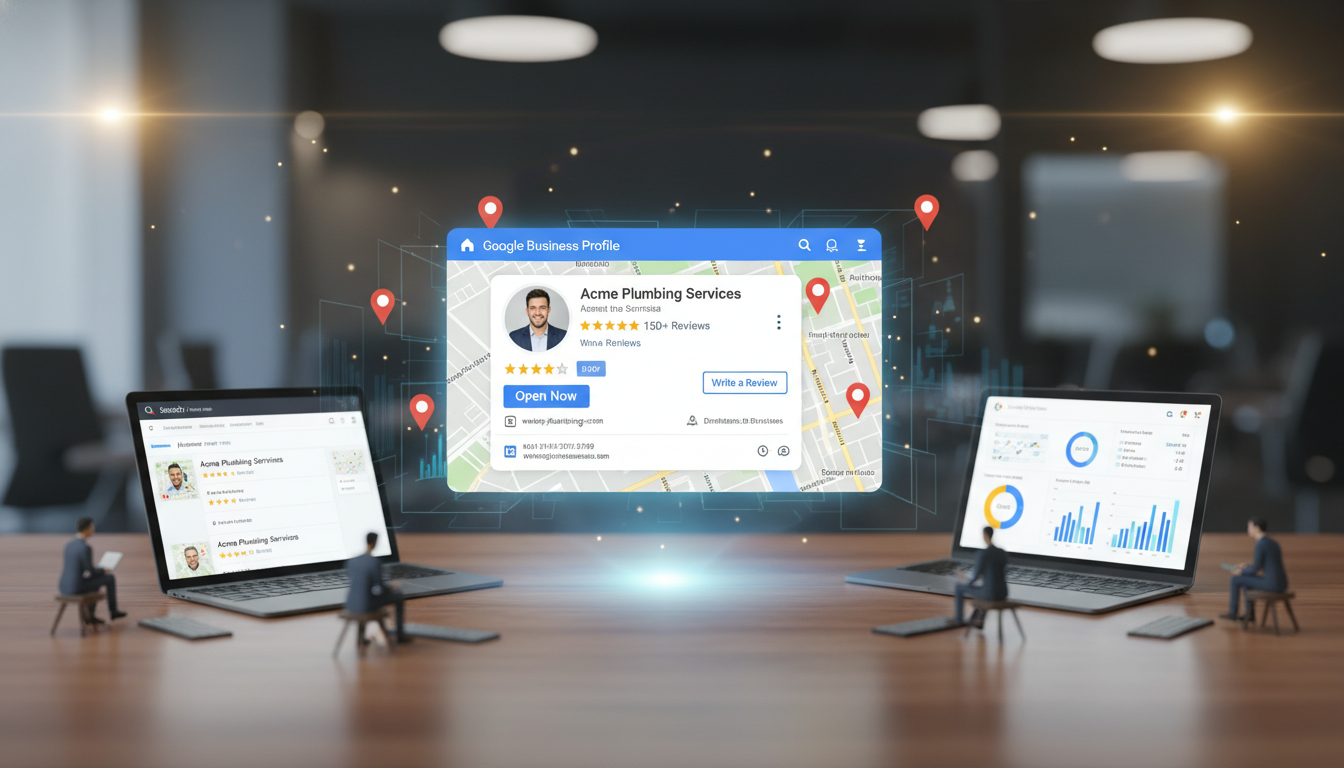
For UK businesses that serve local customers - whether you are an IT support company in Manchester, an accountancy practice in Bristol, a dental surgery in Leeds, or a restaurant in Edinburgh - your Google Business Profile is arguably the single most important piece of your online presence. When potential customers in your area search for the services you offer, Google's local results - the map pack that appears prominently at the top of search results - draw directly from Google Business Profile data. If your profile is incomplete, inaccurate, or poorly optimised, you are effectively invisible to the customers who are actively searching for exactly what you provide.
Google Business Profile (formerly Google My Business) is a free tool provided by Google that allows businesses to manage how they appear across Google Search and Google Maps. A well-optimised profile can drive significant foot traffic, phone calls, website visits, and enquiries without spending a single penny on advertising. Yet despite its transformative potential, many UK businesses either have not claimed their profile at all, have claimed it but left it incomplete, or set it up once years ago and have not touched it since.
This comprehensive guide walks you through every aspect of setting up and optimising your Google Business Profile for maximum local SEO impact, from initial claiming and verification through to ongoing optimisation strategies that keep your business prominently visible in local search results across the UK.
Claiming and Verifying Your Profile
The first step is claiming your Google Business Profile. Navigate to business.google.com and sign in with the Google account you want to manage the profile. Search for your business name - Google may already have a listing for your business based on publicly available data, even if you have never created one yourself. If a listing exists, claim it. If not, create a new one by entering your business name, category, and address details.
Google will then require you to verify that you are the legitimate owner of the business. Verification methods vary but commonly include receiving a postcard at your business address with a verification code (takes 5-14 days in the UK), a phone call to your business phone number, a text message, email verification, or in some cases instant verification if you have already verified your business through Google Search Console. For businesses with multiple locations across the UK, bulk verification is available for chains with ten or more sites.
Verification is non-negotiable - until your profile is verified, you cannot respond to reviews, publish posts, or access insights data. Complete the verification process as promptly as possible, as your profile will have limited visibility until verification is confirmed.
If your business operates from multiple locations across the UK - for example, offices in London, Birmingham, and Manchester - you should create a separate Google Business Profile for each physical location. Each profile should have its own unique address, phone number, and location-specific content. Google's bulk management tools allow you to manage multiple locations from a single dashboard, making administration straightforward even for businesses with dozens of UK locations.
Completing Your Profile Information
A complete profile is dramatically more effective than a partial one. Google's own data shows that complete profiles are five times more likely to be considered by potential customers and receive significantly more clicks, calls, and direction requests than incomplete profiles. Every field Google provides should be filled with accurate, detailed information.
Write a compelling, detailed business description that clearly communicates what your business does, who you serve, and what geographic areas you cover. You have 750 characters, so use them wisely. A description like "We are an IT company" wastes an enormous opportunity. Instead, something like "Cloudswitched provides managed IT support, cyber security, cloud solutions, and networking services for businesses across Manchester, Leeds, Liverpool, and the wider North West of England. Our team of certified engineers delivers proactive IT management, Microsoft 365 administration, and 24/7 security monitoring for organisations with 10 to 250 employees" tells both Google and potential customers exactly what you do and where you do it, naturally incorporating relevant search terms without resorting to keyword stuffing.
Your business name must match your real-world trading name exactly. Do not stuff keywords into your business name - practices like naming your profile "Smith Plumbing - Best Emergency Plumber London 24/7" when your actual business name is "Smith Plumbing Ltd" violate Google's guidelines and can result in your profile being suspended. Use your legal or commonly known trading name and nothing more.
Select the most specific primary category that accurately describes your business. Google offers hundreds of categories, and choosing the right one is crucial for appearing in relevant searches. You can also add secondary categories for additional services - for example, an IT support company might use "IT Support" as the primary category and add "Computer Security Service," "Network Security," and "Cloud Computing" as secondary categories. Research your competitors' category selections to ensure you are not missing relevant options.
Optimising for Local Search Rankings
Google determines local search rankings based on three primary factors: relevance, distance, and prominence. Your optimisation efforts should address all three factors comprehensively to maximise your visibility in the local map pack results.
Relevance refers to how well your profile matches what the searcher is looking for. Improve relevance by providing detailed, keyword-rich business descriptions that naturally incorporate the services you offer and the areas you serve. Write a compelling business description that explains what you do, who you serve, and what makes you different - all within Google's 750-character limit. Use your services section to list every service you provide with detailed descriptions for each one.
Distance is how far your business is from the searcher's location. You cannot control this factor directly, but you can ensure that your address and service area are accurately configured. For businesses that serve customers at their premises - such as plumbers, electricians, and IT support companies who visit client sites - set up a service area rather than displaying a physical address, defining the geographic regions you cover by city, county, or postcode area.
Prominence reflects how well-known and trusted your business is. Google measures prominence through review quantity and quality, citation consistency across the web, website authority, and the overall online reputation of your brand. Building prominence is a long-term effort that requires consistent attention to reviews, local directory listings, and content creation.
Managing Reviews Effectively
Reviews are the most influential factor in local SEO after basic profile completion. Businesses with more reviews and higher ratings rank more prominently, receive more clicks, and convert more searchers into customers. Developing a systematic approach to generating and managing reviews should be a core part of your local SEO strategy.
Actively ask satisfied customers to leave reviews. The most effective approaches include sending a follow-up email after a positive interaction with a direct link to your review page, including a review request in your post-service follow-up process, training front-line staff to ask happy customers if they would mind leaving a review, and adding review links to your email signature, invoices, and receipts. Google provides a short URL format for each business that links directly to the review form, making it easy for customers to leave feedback.
Never incentivise reviews with discounts, freebies, or other rewards - this violates Google's review policies and can result in reviews being removed or your profile being penalised. Similarly, never purchase fake reviews from review farms or services - Google's algorithms are increasingly sophisticated at detecting inauthentic reviews, and the penalties for getting caught include complete review removal and potential profile suspension. Focus instead on delivering excellent service and making it easy and natural for genuinely satisfied customers to share their positive experience. A steady stream of authentic five-star reviews from real customers is infinitely more valuable than a burst of suspicious-looking generic reviews.
Respond to every review - both positive and negative - within 24 to 48 hours. Thank positive reviewers personally and specifically. For negative reviews, respond professionally and constructively, acknowledge the customer's experience, offer to resolve the issue offline, and demonstrate to future readers that you take customer feedback seriously. Never respond defensively or argumentatively to negative reviews, as potential customers read your responses as carefully as they read the reviews themselves.
Building Local Citations and Directory Consistency
Beyond your Google Business Profile itself, local SEO performance is heavily influenced by the consistency of your business information across the wider web. A local citation is any online mention of your business name, address, and phone number (NAP) - whether on a directory listing, a social media profile, a Chamber of Commerce website, or a local newspaper article. Google uses citation consistency as a trust signal: if your business details are identical across dozens of reputable sources, Google gains confidence that your information is accurate and rewards you with better local rankings.
Start by claiming and optimising your listings on the major UK business directories: Yell.com, Thomson Local, Bing Places, Apple Maps Connect, Yelp UK, Cylex, and FreeIndex. Ensure that your business name, address, and phone number are exactly the same across every listing - even minor inconsistencies such as using "Street" in one listing and "St" in another, or including a suite number in some but not all, can dilute the trust signal. Use your website URL consistently and ensure it points to the correct page for each location if you have multiple branches.
Beyond the major directories, do not overlook local community and regional business directories that carry significant weight for geographically targeted searches. Chamber of Commerce member directories, local council business listings, regional business awards websites, and area-specific directories like Manchester Confidential or Edinburgh Business Forum provide highly relevant local citations that strengthen your geographic relevance signals.
Industry-specific directories are equally important. An IT support company should be listed on Clutch.co, TechRadar's B2B directory, and relevant industry association directories. A restaurant should appear on TripAdvisor, OpenTable, and local food guides. A solicitor should be listed with the Law Society, SRA, and local legal directories. These niche citations carry particular weight for local search rankings because they demonstrate genuine industry relevance beyond generic directory presence.
Monitor your citations regularly using tools like BrightLocal, Moz Local, or Whitespark to identify inconsistencies, duplicate listings, and outdated information. When you move premises, change your phone number, or update your business name, ensure that all citations are updated promptly - stale or conflicting information across the web can actively harm your local search visibility and confuse potential customers who encounter different details on different platforms.
Measuring Local Search Performance
Tracking the right metrics is essential for understanding whether your Google Business Profile optimisation efforts are delivering tangible results for your business. Many UK businesses make the mistake of focusing solely on search rankings without measuring the downstream actions that actually generate revenue - phone calls, direction requests, website visits, and booking conversions. A comprehensive measurement approach ensures that your optimisation time is directed toward the activities that have the greatest commercial impact on your bottom line.
Research across UK small and medium-sized businesses reveals significant variation in how different profile elements contribute to overall local search visibility. Understanding these weightings helps business owners and marketing teams prioritise their optimisation efforts and allocate limited time and resources to the activities that deliver the greatest return on investment in competitive local markets across the country.
The chart above shows the relative influence of each profile element on local search visibility, based on analysis of UK businesses across multiple sectors. Review quality and velocity emerge as the dominant factor, reinforcing the importance of a systematic review generation strategy that encourages satisfied customers to share their experiences. Profile completeness follows closely - businesses that fill every available field, including services, attributes, and detailed opening hours, consistently outperform those with partial profiles in local map pack rankings and attract significantly more customer engagement.
Photos, Posts, and Ongoing Optimisation
Google Business Profile supports photo uploads, regular posts, and a questions and answers section - all of which contribute to your local search visibility and help potential customers choose your business over competitors.
Upload high-quality photos regularly. Include exterior shots of your premises from different angles, interior photos showing your work environment, team photos introducing your staff, and images of your work, products, or services in action. Businesses with photos receive 42 per cent more requests for driving directions and 35 per cent more clicks to their website than those without photos, according to Google's own research.
Leverage Google Business Profile Insights to understand how customers find and interact with your listing. Insights data reveals how many people viewed your profile, what search queries triggered your listing to appear, how many people requested driving directions, clicked through to your website, or called your phone number directly from the listing. This data is invaluable for refining your local SEO strategy - if you discover that certain search terms drive significant profile views but few conversions, you might need to improve your business description or services section to better address those search queries. If direction requests are high but website clicks are low, your profile may be effectively reaching local searchers but your website might need improvement to capture the online audience.
Pay particular attention to the "Searches" section in Insights, which shows the actual queries people used to find your business. This data is gold for understanding how potential customers think about your services and what language they use when searching. If you discover that people frequently find your business through a search term you have not explicitly mentioned in your profile, add that terminology to your business description or services section to strengthen the relevance signal. Conversely, if you expect to rank for certain terms but they do not appear in your search queries, your profile may need optimisation to better target those keywords.
Track these metrics monthly and look for trends over time. Seasonal patterns, the impact of review velocity on search visibility, and the correlation between posting frequency and profile engagement all become visible through consistent tracking. Combine Google Business Profile Insights with your Google Analytics website data and Google Search Console search performance data for a comprehensive view of how your local online presence is performing across all touchpoints.
Use Google Posts to share updates, offers, events, and informative content directly on your profile. Posts appear in your business listing and provide an opportunity to communicate with potential customers before they even visit your website. Post at least weekly to maintain an active, engaged presence. Each post can include an image, text, and a call-to-action button linking to your website, a booking page, or a specific offer.
| Optimisation Activity | Recommended Frequency | Impact on Local Rankings |
|---|---|---|
| Respond to Customer Reviews | Within 24-48 hours | High |
| Publish Google Posts | Weekly minimum | Medium |
| Upload New Photos | Weekly or bi-weekly | Medium |
| Update Business Information | Whenever changes occur | High |
| Monitor and Answer Q&A | Check daily | Medium |
| Review Insights Analytics | Monthly | Informs strategy improvements |
Optimised Google Business Profile
- Complete profile with all fields populated accurately
- Active review generation with consistent responses
- Regular photo uploads showing the business in action
- Weekly posts keeping the profile fresh and visible
- Consistent NAP citations across UK directories
- Service descriptions with natural keyword integration
Neglected Google Business Profile
- Incomplete profile missing key business information
- Few or no reviews with no response strategy
- No photos or outdated images from years ago
- No posts leaving the profile looking inactive
- Inconsistent business details across the web
- Generic descriptions that do not differentiate
Boost Your Local SEO with Expert Help
Cloudswitched provides web development and local SEO services for UK businesses. We help you set up, optimise, and maintain your Google Business Profile alongside a comprehensive local search strategy that drives more customers to your door. Contact us for a free local SEO review and discover how visible your business really is.
Get a Free Local SEO Review
CloudSwitched
London-based managed IT services provider offering support, cloud solutions and cybersecurity for SMEs.


