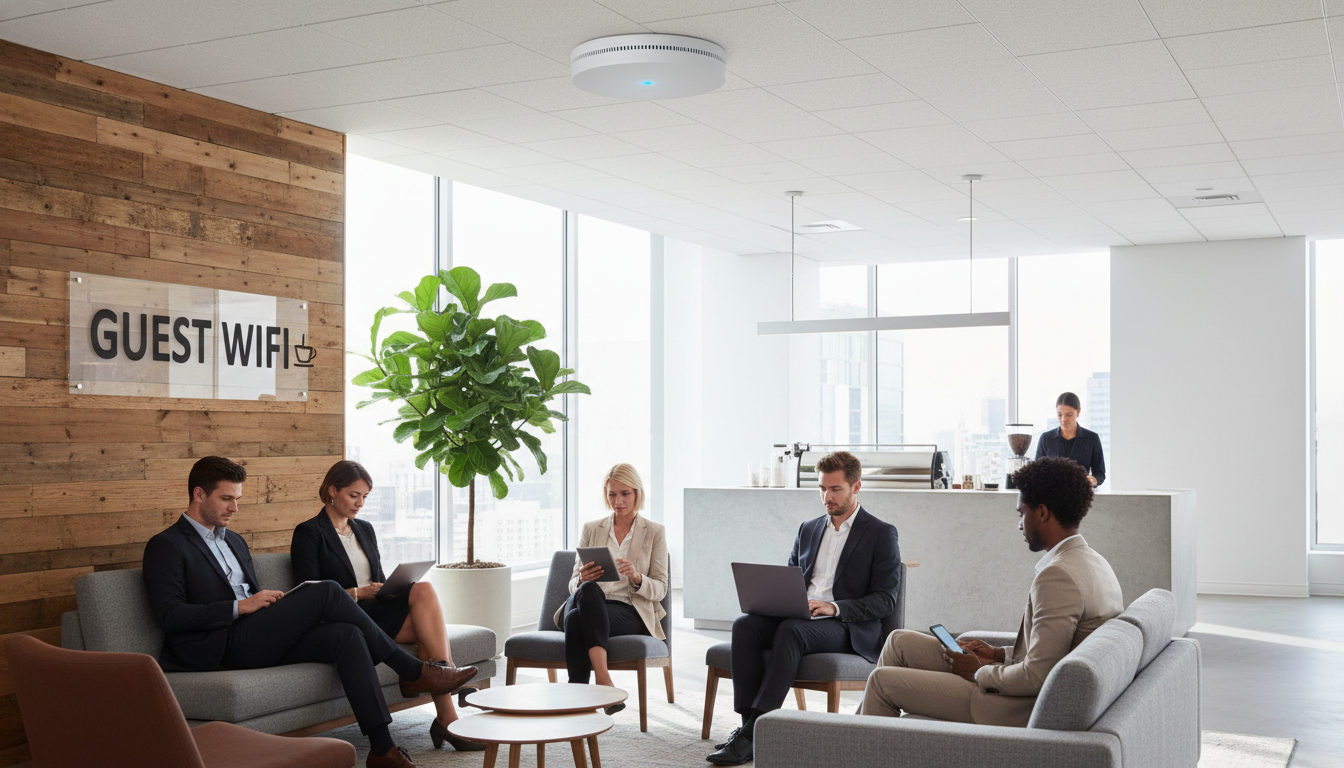
Offering guest Wi-Fi has become a baseline expectation for virtually every business premises in the UK - from reception areas and meeting rooms to retail floors and coworking lounges. Clients, visitors, contractors, and delivery partners all expect seamless connectivity the moment they walk through your doors. Yet the way you provision that connectivity can either strengthen your professional reputation or silently expose your entire organisation to catastrophic security risk.
An unsecured or poorly configured guest network is not a minor oversight. It is an open invitation for data interception, lateral network attacks, malware propagation, and - critically for UK businesses - potential non-compliance with the Investigatory Powers Act 2016 and GDPR. The good news is that Cisco Meraki makes it straightforward to deploy guest Wi-Fi that is genuinely secure, legally compliant, and effortless to manage - provided you understand the principles behind the configuration.
This guide walks you through everything: why guest Wi-Fi matters, the risks of getting it wrong, how VLAN segmentation isolates guest traffic, how to configure Meraki splash pages and access controls, UK legal obligations you must meet, and the best practices that separate a professional deployment from a liability.
Why Every Business Needs Guest Wi-Fi
There was a time when offering Wi-Fi to visitors was considered a perk - something hotels and coffee shops did to attract footfall. That era is long gone. In 2026, guest Wi-Fi is a fundamental component of professional business hospitality, and its absence is conspicuous.
Client confidence and professionalism. When a prospective client visits your office for a meeting, the ability to connect seamlessly - pulling up documents, joining a video call with a colleague, or sharing a presentation - reflects directly on your competence. Asking them to tether to their mobile phone or sit disconnected signals that your technology infrastructure is an afterthought.
Contractor and partner productivity. Modern businesses rely on a rotating cast of external professionals - IT consultants, auditors, marketing agencies, maintenance engineers - who need network access to do their jobs. Without a dedicated guest network, you face an impossible choice: give them access to your corporate network (a serious security risk) or leave them unable to work effectively on your premises.
Retail and hospitality advantage. For customer-facing businesses, free Wi-Fi directly influences dwell time and spending. Research consistently shows that customers stay longer and spend more in venues that offer reliable wireless connectivity. For professional services firms, it is simply expected.
Data collection opportunity. A properly configured guest Wi-Fi portal can capture visitor email addresses, company names, and visit frequency - valuable data for marketing and relationship management, provided you handle it in compliance with GDPR.
The Security Risks of Unsecured Guest Networks
The critical word in "guest Wi-Fi" is not "Wi-Fi" - it is "guest." Every device that connects to your network is a potential vector for attack, and guest devices are inherently untrusted. You have no control over their patch status, antivirus protection, or whether they are already compromised. Deploying a guest network without proper security controls is arguably worse than not offering one at all, because it creates a false sense of safety.
How Attacks Exploit Poorly Configured Guest Networks
Lateral movement to corporate resources. If your guest network shares the same VLAN, subnet, or broadcast domain as your corporate systems, a compromised guest device can scan for and attack internal servers, file shares, printers, and IoT devices. This is the single most common - and most dangerous - misconfiguration we encounter in UK businesses.
Man-in-the-middle interception. On flat, unsegmented networks, attackers can use freely available tools to intercept traffic from other connected devices. This includes credentials, emails, and sensitive business data transmitted by your own staff on the same network.
Malware propagation. A guest device infected with a worm or network-aware malware can spread laterally to every reachable device. If your corporate endpoints are on the same network segment, a visitor's infected laptop could trigger a ransomware outbreak across your entire organisation.
Rogue access points and evil twin attacks. Without proper wireless intrusion detection, an attacker can set up a rogue access point mimicking your guest network name, intercepting traffic from unsuspecting users - including your own staff who may connect to what appears to be a legitimate network.
Bandwidth abuse and illegal activity. Without throttling and content filtering, guests can consume your entire internet bandwidth for large downloads, streaming, or - in worst cases - illegal activity. Under UK law, as the provider of the internet connection, you could face liability for illegal content accessed or distributed through your network.
A 40-person accountancy firm in Manchester offered guest Wi-Fi through a consumer-grade router plugged into their main network switch. No VLAN separation, no authentication, no logging. A visitor's compromised laptop scanned the network, discovered an unpatched file server, and deployed ransomware that encrypted three years of client financial records. The total cost - including ransom negotiation, forensic investigation, regulatory notification, and business interruption - exceeded £180,000. Proper guest network segmentation would have prevented the attack entirely.
VLAN Segmentation: The Foundation of Guest Network Security
The single most important technical control for guest Wi-Fi security is network segmentation using VLANs (Virtual Local Area Networks). A VLAN creates a logically separate broadcast domain within your physical network infrastructure, meaning devices on one VLAN cannot communicate with devices on another unless you explicitly permit it through firewall rules.
How VLAN Segmentation Works
In a properly segmented environment, your network is divided into distinct zones - typically at minimum a corporate VLAN for staff devices and business systems, and a guest VLAN for visitor traffic. Each VLAN has its own IP address range, its own DHCP scope, and its own set of firewall rules governing what traffic is permitted.
When a guest connects to your Wi-Fi, their device is placed on the guest VLAN automatically. From there, they can access the internet, but they cannot see, ping, or communicate with any device on your corporate VLAN. Your servers, printers, file shares, and staff workstations are completely invisible to them - as though they are on an entirely separate physical network.
Cisco Meraki and VLAN Assignment
Cisco Meraki makes VLAN-based guest isolation remarkably straightforward. Each SSID (wireless network name) can be assigned to a specific VLAN directly from the Meraki dashboard. When you create a guest SSID, you assign it to your guest VLAN, and every device that connects to that SSID is automatically placed in the correct network segment. There is no complex command-line configuration, no risk of misconfigured trunk ports - the dashboard handles it all.
Meraki also supports client isolation within the guest VLAN itself, preventing guest devices from communicating with each other. This is a crucial additional layer: even if two guests are connected simultaneously, neither can see or attack the other's device.
Cisco Meraki Guest Wi-Fi Setup: Step by Step
Cisco Meraki's cloud-managed dashboard transforms what would traditionally be a complex, multi-device configuration into a streamlined process. Here is how to set up a secure, compliant guest Wi-Fi network from the Meraki dashboard.
Step 1: Create a Dedicated Guest SSID
Navigate to Wireless > SSIDs in the Meraki dashboard. Enable an unused SSID slot and name it something clear and professional - for example, "YourCompany Guest" or "YourCompany Visitors." Avoid generic names like "Free Wi-Fi" which can be easily spoofed by attackers.
Under SSID Availability, you can restrict which access points broadcast the guest network. If guest access is only needed in reception and meeting rooms, there is no reason to broadcast it across your entire office floor - limiting the broadcast area reduces your attack surface.
Step 2: Configure VLAN Assignment
Under the SSID's Addressing and traffic settings, select "Bridge mode" or "Layer 3 roaming" depending on your network architecture, and assign the guest SSID to your dedicated guest VLAN. Ensure this VLAN is configured on your upstream switches and that your firewall rules block all traffic from the guest VLAN to your corporate VLANs.
Step 3: Set Up a Splash Page (Captive Portal)
The splash page is the screen users see when they first connect to your guest network. It serves multiple purposes: branding, terms of service acceptance, user authentication, and - crucially for UK legal compliance - creating a record of who accessed your network and when. We will cover captive portal options in detail in the next section.
Step 4: Apply Bandwidth Limits
Under Wireless > Firewall & traffic shaping, configure per-client and per-SSID bandwidth limits. This prevents any single guest from monopolising your internet connection and ensures your corporate traffic always has priority.
Step 5: Enable Content Filtering
Meraki's built-in content filtering - available under Security & SD-WAN > Content filtering - allows you to block categories of websites on the guest network. At minimum, block illegal content categories, malware distribution sites, and high-bandwidth categories like peer-to-peer file sharing. This protects both your network and your legal liability.
Step 6: Enable Client Isolation
Under the SSID settings, enable Layer 2 LAN isolation (also called client isolation). This prevents guest devices from communicating with each other on the same VLAN - an essential protection against lateral attacks within the guest network itself.
| Configuration Step | Meraki Dashboard Location | Purpose |
|---|---|---|
| Create guest SSID | Wireless > SSIDs | Dedicated network for visitor devices |
| Assign guest VLAN | Wireless > SSIDs > Addressing | Isolate guest traffic from corporate network |
| Configure splash page | Wireless > SSIDs > Splash page | Authentication, T&Cs, legal compliance |
| Bandwidth limits | Wireless > Firewall & traffic shaping | Fair usage and corporate traffic priority |
| Content filtering | Security & SD-WAN > Content filtering | Block illegal or harmful content categories |
| Client isolation | Wireless > SSIDs > Firewall | Prevent guest-to-guest attacks |
| Session time limits | Wireless > SSIDs > Splash page | Auto-disconnect after defined period |
Captive Portal Options: Choosing the Right Authentication Method
The captive portal - or splash page - is the gateway to your guest network. Meraki offers several authentication methods, each with distinct advantages depending on your use case, legal obligations, and the experience you want to provide.
Click-Through Splash Page
The simplest option: guests see a branded page displaying your terms of service and an acceptable use policy, then click a button to accept and gain access. No credentials are required. This method captures the device's MAC address and connection time, but does not identify the individual user.
Best for: Retail environments, waiting rooms, and low-security scenarios where ease of access is prioritised and you have other means (such as CCTV) to identify who was on premises. Note that a click-through splash alone may not satisfy the identification requirements under the Investigatory Powers Act - see the legal section below.
Email or SMS Registration
Guests enter their email address, phone number, or both before gaining access. Meraki validates the entry and stores the data alongside the connection record. This creates a stronger audit trail linking network activity to an identifiable individual - a significant advantage for legal compliance.
Best for: Professional offices, serviced offices, and any business that needs a clear record of who used the network. The collected email addresses can also be used for marketing purposes, provided you obtain explicit GDPR consent during the registration process.
Social Login (Facebook, Google, etc.)
Meraki supports social media authentication, allowing guests to log in using their existing Facebook, Google, or other social accounts. This captures verified identity information without requiring the guest to type anything manually, reducing friction whilst providing strong identification.
Best for: Customer-facing businesses, hospitality venues, and environments where marketing data is valuable. Social login provides rich demographic data and verified identities. However, be mindful that some corporate visitors may be reluctant to use personal social accounts in a professional setting.
Sponsored Guest Access
In this model, a guest requests access and an internal sponsor (an employee) must approve the request before access is granted. This creates an accountability chain - every guest session is linked to a responsible internal party. Meraki handles the approval workflow via email notification to the sponsor.
Best for: High-security environments, legal and financial firms, and organisations where unvetted access to any network resource is unacceptable. Sponsored access adds friction but provides the strongest accountability framework.
Stronger Authentication Methods
- Email/SMS registration captures identifiable user data
- Social login provides verified identity with minimal friction
- Sponsored access creates an internal accountability chain
- All three methods support Investigatory Powers Act compliance
- Enable marketing data collection (with GDPR consent)
- Provide clear audit trails for incident investigation
Weaker Authentication Methods
- Click-through captures only MAC address, not user identity
- Open networks with no splash page provide zero accountability
- Shared password (PSK) SSIDs cannot identify individual users
- May not satisfy UK legal requirements for data retention
- No marketing or analytics value from connection data
- Impossible to investigate misuse or illegal activity
Bandwidth Throttling and Fair Usage Policies
Without bandwidth controls, a single guest streaming 4K video or downloading large files can degrade connectivity for your entire organisation. Meraki provides granular traffic shaping controls that let you protect corporate bandwidth whilst still offering a usable guest experience.
Per-Client Bandwidth Limits
Set maximum download and upload speeds for each individual guest device. A sensible starting point for most business environments is 5 Mbps download and 2 Mbps upload per client - sufficient for email, web browsing, and video conferencing, but insufficient for bandwidth-intensive activities like large file downloads or high-definition streaming.
Per-SSID Bandwidth Limits
In addition to per-client limits, you can cap the total bandwidth available to the entire guest SSID. If your internet connection delivers 200 Mbps, allocating 30–50 Mbps to the guest SSID ensures your corporate users always retain at least 150 Mbps regardless of guest usage patterns.
Application-Level Traffic Shaping
Meraki's Layer 7 traffic shaping allows you to throttle or block specific application categories on the guest network. You might allow general web browsing at full speed whilst throttling video streaming to 1 Mbps and blocking peer-to-peer file sharing entirely. This is configured under Wireless > Firewall & traffic shaping using Meraki's built-in application identification engine.
The chart above illustrates a recommended bandwidth allocation for a 200 Mbps connection. The exact split should reflect your business priorities, but the principle is constant: corporate traffic must always take precedence over guest traffic.
UK Legal Considerations for Providing Guest Wi-Fi
Providing public or guest Wi-Fi access in the UK carries specific legal obligations that many businesses are unaware of - or choose to ignore. Non-compliance can result in regulatory action, fines, or criminal liability in extreme cases. Understanding these requirements is not optional; it is a fundamental part of deploying guest Wi-Fi responsibly.
The Investigatory Powers Act 2016
Often referred to as the "Snooper's Charter," the Investigatory Powers Act (IPA) 2016 imposes data retention obligations on telecommunications operators - a category that includes any organisation providing internet access to third parties, even via a guest Wi-Fi network. Under the Act, if you provide Wi-Fi access to visitors, you are considered a telecommunications operator for the purposes of data retention.
The IPA requires you to retain Internet Connection Records (ICRs) - metadata showing which services and websites were accessed, by whom, and when - for a minimum of 12 months. You are not required to retain the content of communications, but you must retain the connection metadata. This means your guest Wi-Fi system must be capable of logging and storing connection data in a way that can be provided to law enforcement upon lawful request.
Cisco Meraki's splash page authentication and built-in logging capabilities provide the foundation for meeting this requirement, but you should ensure your data retention policies and storage arrangements are formally documented and reviewed by legal counsel.
GDPR and Data Protection
Any personal data you collect through your guest Wi-Fi system - email addresses, phone numbers, device identifiers, browsing metadata - is subject to GDPR. You must:
| GDPR Requirement | What It Means for Guest Wi-Fi | Meraki Implementation |
|---|---|---|
| Lawful basis for processing | Identify why you are collecting guest data (legitimate interest or consent) | Splash page terms of service with clear data processing notice |
| Transparency | Tell guests what data you collect and how you use it | Privacy policy linked from splash page |
| Data minimisation | Collect only what is necessary for the stated purpose | Configure splash page to request only essential fields |
| Storage limitation | Do not retain data longer than necessary (balance with IPA requirements) | Meraki retains splash page logs; configure retention policies |
| Security | Protect collected data with appropriate technical measures | Meraki dashboard access controls, encrypted storage |
| Subject access rights | Guests can request copies of their data or ask for deletion | Establish a process for handling Subject Access Requests (SARs) |
The Digital Economy Act 2017
This Act reinforced age verification requirements for accessing certain categories of online content. Whilst the primary burden falls on content providers, businesses offering Wi-Fi access should implement content filtering to block access to restricted categories - both to protect their legal position and to maintain a professional environment.
Acceptable Use Policies
Your splash page should require guests to accept an Acceptable Use Policy (AUP) before gaining network access. This policy should explicitly state that illegal activity is prohibited, that network usage is monitored and logged, that you reserve the right to terminate access at any time, and that the user agrees not to hold your organisation liable for any content accessed or data transmitted over the network. A well-drafted AUP, accepted via your splash page, provides significant legal protection.
Have your Acceptable Use Policy and privacy notice reviewed by a solicitor familiar with UK telecommunications and data protection law. Template policies downloaded from the internet rarely address the specific nuances of guest Wi-Fi provision under the Investigatory Powers Act. The cost of professional legal review - typically £500 to £1,500 - is negligible compared to the potential liability of non-compliance.
Monitoring Guest Network Usage
Deploying a guest network is not a "set and forget" exercise. Ongoing monitoring is essential for security, compliance, performance optimisation, and capacity planning. Meraki's cloud dashboard provides powerful visibility tools that make this straightforward.
Real-Time Client Monitoring
The Meraki dashboard shows every connected client in real time - their device type, operating system, signal strength, bandwidth consumption, and which applications they are using. This allows you to immediately identify devices that are consuming excessive bandwidth, exhibiting suspicious behaviour, or experiencing connectivity issues.
Historical Usage Analytics
Meraki stores detailed historical data on network usage, client counts, bandwidth patterns, and application trends. This data is invaluable for capacity planning - if your guest network consistently maxes out its bandwidth allocation on Tuesday afternoons (perhaps when a regular client holds meetings at your premises), you can adjust your traffic shaping rules accordingly.
Security Event Monitoring
Meraki's wireless intrusion detection system (WIDS) automatically scans for rogue access points, evil twin attacks, and other wireless threats. If someone sets up a device mimicking your guest SSID in your car park, Meraki will detect it and alert you through the dashboard. This is a security capability that consumer-grade routers simply cannot provide.
Splash Page Analytics
If you are using email registration or social login, the splash page analytics show you how many guests connected, their peak usage times, repeat visitor rates, and - if you enabled marketing consent - demographic data from social profiles. This transforms your guest Wi-Fi from a pure cost centre into a source of business intelligence.
Best Practices for Guest Wi-Fi Security
Drawing together everything we have covered, here are the essential best practices that every UK business should follow when deploying guest Wi-Fi - whether you use Cisco Meraki or any other platform.
1. Always use VLAN segmentation. Guest traffic must be on a completely separate VLAN from your corporate network. No exceptions, no shortcuts. This is the single most important security control.
2. Enable client isolation. Prevent guest devices from communicating with each other within the guest VLAN. This stops lateral attacks between guest devices and contains any compromised device to its own network session.
3. Require splash page authentication. At minimum, use a click-through splash with terms acceptance. Ideally, use email registration or sponsored access to create an audit trail that satisfies Investigatory Powers Act requirements.
4. Implement bandwidth controls. Set per-client and per-SSID limits to protect corporate bandwidth. Use Layer 7 traffic shaping to throttle or block bandwidth-intensive applications on the guest network.
5. Enable content filtering. Block illegal content categories, malware distribution sites, and peer-to-peer file sharing at minimum. This protects your legal position and your network security simultaneously.
6. Set session time limits. Configure automatic disconnection after a defined period - typically 4 to 8 hours for business environments. This ensures abandoned sessions do not persist indefinitely and forces re-authentication for extended visits.
7. Restrict SSID broadcast area. Only broadcast your guest SSID from access points in areas where guests are expected - reception, meeting rooms, communal areas. There is no need to provide guest Wi-Fi coverage in your server room or finance department.
8. Maintain logging and retention. Ensure your system logs connection metadata (who connected, when, and what services were accessed) and that these logs are retained for at least 12 months in accordance with the Investigatory Powers Act.
9. Review and update regularly. Guest Wi-Fi configurations are not static. Review your security settings, bandwidth allocations, content filtering rules, and splash page content quarterly. Update your Acceptable Use Policy annually or whenever relevant legislation changes.
10. Use enterprise-grade equipment. Consumer routers and home Wi-Fi extenders have no place in a business guest network. They lack the security features, management capabilities, logging functions, and reliability that compliance and security demand. Cisco Meraki access points are purpose-built for exactly this use case.
Some businesses attempt to secure their guest network by using a WPA2 password that they share verbally with visitors. This approach is fundamentally flawed - the password is inevitably written on a whiteboard, printed on a card at reception, or shared so widely that it provides no meaningful access control. A proper splash page with individual authentication is always superior to a shared password, both for security and for legal compliance.
Why Cisco Meraki Is the Right Platform for Guest Wi-Fi
Whilst the principles above apply to any network platform, Cisco Meraki offers specific advantages that make it exceptionally well-suited for guest Wi-Fi deployments in UK business environments.
Cloud-managed simplicity. Every configuration change, from splash page design to bandwidth limits, is made through an intuitive web dashboard - no command-line expertise required. Changes propagate to all access points within seconds, regardless of how many sites you operate.
Built-in splash page designer. Meraki includes a customisable splash page builder with your branding, custom fields, and terms of service integration. No third-party captive portal software is required, reducing complexity and cost.
Integrated security stack. Content filtering, wireless intrusion detection, client isolation, and Layer 7 traffic shaping are all included in the Meraki licence - not bolted on as expensive add-ons.
Comprehensive logging. Connection records, splash page authentication logs, and network usage data are stored in the Meraki cloud and accessible through the dashboard, supporting your Investigatory Powers Act compliance obligations.
Multi-site management. If your business operates across multiple locations, you can deploy and manage consistent guest Wi-Fi policies across every site from a single dashboard - ensuring compliance and security standards are uniform.
Meraki Guest Wi-Fi Advantages
- Full VLAN segmentation with per-SSID assignment
- Built-in customisable splash pages with multiple auth methods
- Granular per-client and per-SSID bandwidth controls
- Integrated content filtering and Layer 7 traffic shaping
- Wireless intrusion detection (rogue AP alerts)
- Cloud-based logging for compliance and audit trails
- Multi-site management from a single dashboard
Consumer Router Limitations
- No VLAN support - flat network with no guest isolation
- No splash page or captive portal capability
- Basic or no bandwidth throttling options
- No content filtering or application-level controls
- No wireless intrusion detection
- No connection logging for legal compliance
- Cannot manage multiple sites centrally
Conclusion: Secure Guest Wi-Fi Is Not Optional
Guest Wi-Fi has evolved from a convenience to a business necessity - but deploying it without proper security, segmentation, and legal compliance is a risk no UK business should accept. The consequences of getting it wrong range from network breaches and data theft to regulatory fines and criminal liability.
Cisco Meraki provides the tools to do it right: robust VLAN segmentation, flexible captive portal authentication, granular bandwidth controls, integrated content filtering, and comprehensive logging that supports your obligations under the Investigatory Powers Act and GDPR. Combined with a well-drafted Acceptable Use Policy and regular configuration reviews, Meraki enables you to offer professional, secure guest Wi-Fi that protects your organisation whilst enhancing the experience for every visitor.
The configuration is straightforward. The legal requirements are clear. The security principles are well-established. The only risk is choosing not to act.
Need Help Setting Up Secure Guest Wi-Fi?
At Cloudswitched, we design and deploy Cisco Meraki guest Wi-Fi networks for UK businesses - fully segmented, legally compliant, and tailored to your premises. From VLAN architecture and splash page configuration to content filtering and Investigatory Powers Act compliance, we handle every detail so you do not have to. Get in touch for a free consultation.
GET IN TOUCH
CloudSwitched
London-based managed IT services provider offering support, cloud solutions and cybersecurity for SMEs.


