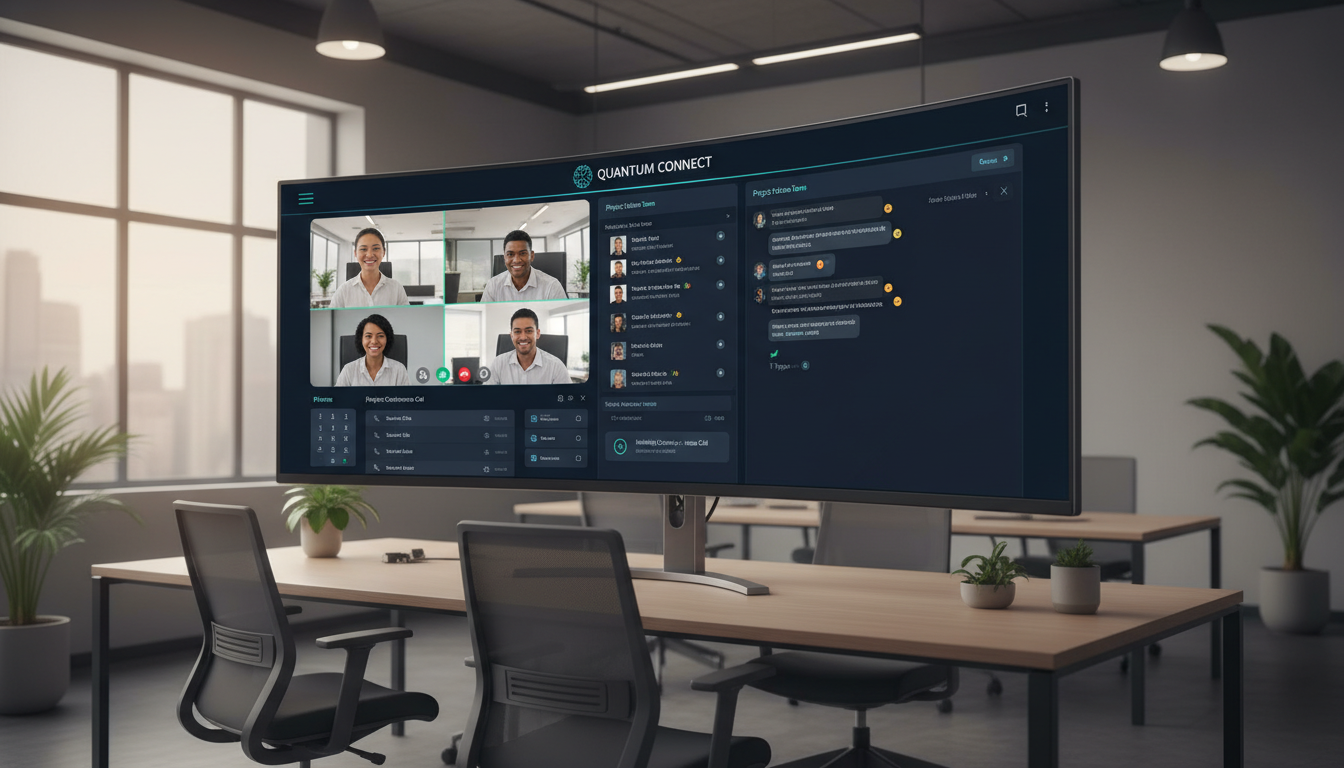
If your UK business still juggles separate systems for phone calls, video meetings, instant messaging, and file sharing, you are almost certainly paying more than you should - and your teams are working less efficiently than they could be. Unified Communications as a Service (UCaaS) brings every communication channel into a single, cloud-hosted platform, replacing the patchwork of tools that most organisations have accumulated over the years.
At Cloudswitched, we have helped hundreds of businesses across London and the wider UK migrate from fragmented telephony and collaboration setups to modern UCaaS platforms. The results are consistently impressive: lower costs, happier employees, and a communications infrastructure that scales effortlessly. This guide covers everything you need to know - from the core components and leading platforms to deployment models, security considerations, and a practical migration plan.
What Exactly Is UCaaS?
Unified Communications as a Service - commonly abbreviated to UCaaS - is a cloud-delivery model that combines multiple enterprise communication tools into a single platform. Rather than running an on-premise PBX for voice, a separate product for video conferencing, another for team messaging, and yet another for file collaboration, UCaaS bundles all of these capabilities into one subscription service hosted and maintained by a third-party provider.
The “as a Service” element is crucial. UCaaS providers manage all of the underlying infrastructure - servers, software updates, security patches, capacity planning, and disaster recovery. Your IT team (or your managed IT partner like Cloudswitched) handles configuration, user management, and integration with your existing business applications, but you never need to worry about hardware refreshes or end-of-life firmware again.
UCaaS evolved from earlier Unified Communications (UC) platforms that offered similar feature bundles but required significant on-premise hardware and capital expenditure. The shift to the cloud has made enterprise-grade communications accessible to businesses of every size, from a five-person startup in Shoreditch to a 500-seat professional services firm in the City.
UCaaS is not just “VoIP in the cloud.” While voice calling is one component, UCaaS also encompasses video conferencing, team messaging, presence indicators, file sharing, and increasingly AI-powered features like real-time transcription and meeting summaries. If a vendor pitches you a cloud phone system alone, that is VoIP or CPaaS - not true UCaaS.
The Five Core Components of UCaaS
Every UCaaS platform is built around five foundational communication pillars. Understanding these components helps you evaluate which platform best suits your organisation’s needs.
1. Voice & Telephony
Cloud-based voice replaces your traditional phone system entirely. Calls are carried over the internet using VoIP technology, and users can make and receive calls from desk phones, softphones on their laptops, or mobile apps - all using their business number. Features that once required expensive PBX add-ons, such as auto-attendants, call queues, hunt groups, call recording, and interactive voice response (IVR), are included as standard in most UCaaS packages.
For UK businesses, it is important to confirm that any UCaaS provider offers UK geographic numbers (01/02), non-geographic numbers (03), and PSTN connectivity that meets Ofcom regulations. The best platforms also support number porting, so you keep your existing business numbers throughout the migration.
2. Video Conferencing
Integrated video meetings eliminate the need for a separate Zoom or Webex subscription. UCaaS platforms typically offer HD video, screen sharing, virtual backgrounds, breakout rooms, recording, and live captions. Capacity varies by platform and licence tier - from 100 participants at the basic level to 1,000 or more on enterprise plans.
3. Team Messaging & Chat
Persistent messaging channels provide a running record of team conversations, reducing email volume and enabling faster decision-making. Features include direct messages, group channels, threaded conversations, reactions, and rich media sharing. Most UCaaS platforms integrate messaging with voice and video, so you can escalate a chat to a call with a single click.
4. Presence & Status
Presence indicators show colleagues whether someone is available, in a meeting, on a call, or away. This seemingly simple feature has a significant productivity impact - it eliminates the “are you free?” phone tag that wastes time across distributed teams. Presence syncs automatically with calendar entries, active calls, and focus modes.
5. File Sharing & Collaboration
UCaaS platforms increasingly include or integrate with file storage and collaboration tools. This allows teams to share documents, co-edit files, and maintain version history without switching between applications. Microsoft Teams integrates natively with OneDrive and SharePoint; other platforms offer their own storage or deep integrations with Google Drive, Dropbox, and Box.
UCaaS vs VoIP-Only: Why the Distinction Matters
Many UK businesses still think of cloud communications purely in terms of VoIP - replacing their old phone lines with internet-based calling. While VoIP is a core part of UCaaS, settling for a VoIP-only solution means missing out on the broader productivity and collaboration gains that a unified platform delivers.
UCaaS Platform
VoIP-Only / On-Premise PBX
The operational difference is substantial. With a VoIP-only solution, you still need separate licences and contracts for video meetings, team chat, and file collaboration - each with its own admin portal, its own billing cycle, and its own learning curve for employees. UCaaS eliminates that fragmentation, giving IT one platform to manage and employees one application to learn.
Top UCaaS Platforms for UK Businesses in 2026
The UCaaS market has consolidated around a handful of leading providers, each with a different strengths profile. The four platforms UK businesses most commonly evaluate are Microsoft Teams Phone, Zoom Phone (Zoom Workplace), RingCentral, and 8x8. Here is how they compare across the dimensions that matter most.
| Feature | Microsoft Teams Phone | Zoom Workplace | RingCentral | 8x8 |
|---|---|---|---|---|
| Best For | Microsoft 365 environments | Video-first organisations | Advanced telephony needs | Global & contact centre use |
| Voice Calling | ✓ Calling Plans or Direct Routing | ✓ Native PSTN | ✓ Full PBX replacement | ✓ Full PBX replacement |
| Video Meetings | Up to 1,000 participants | Up to 1,000 participants | Up to 500 participants | Up to 500 participants |
| Team Messaging | ✓ Channels, threads, chat | ✓ Team Chat | ✓ Messaging hub | ✓ Messaging |
| AI Features | Copilot (meeting summaries, transcription) | AI Companion (summaries, smart recording) | RingSense AI (conversation intelligence) | 8x8 Intelligent Customer Assistant |
| UK Number Support | ✓ 01/02/03 via Calling Plans | ✓ UK PSTN | ✓ 100+ countries | ✓ 55+ countries |
| CRM Integration | Dynamics 365, Salesforce | Salesforce, HubSpot | 300+ integrations | CRM & ERP connectors |
| Contact Centre | Queues via Teams Premium | Zoom Contact Centre add-on | ✓ RingCX built-in | ✓ Native XCaaS |
| Uptime SLA | 99.99% | 99.99% | 99.999% | 99.999% |
| Starting Price (UK) | £6.70/user/month (add-on) | £10/user/month | £12.99/user/month | £12/user/month |
| GDPR Data Residency | ✓ UK data centres | ✓ EU/UK data centres | ✓ EU/UK data centres | ✓ UK data centres |
If your organisation already runs Microsoft 365, Teams Phone is almost always the most cost-effective UCaaS route because you are adding voice to a platform your staff already use daily. Cloudswitched can configure Teams Phone with Microsoft Calling Plans for straightforward deployments, or use Direct Routing / Operator Connect for more complex requirements such as SIP trunking or hybrid PSTN setups.
UCaaS Cost Per User: Platform Comparison
Understanding the true monthly cost per user is essential for building a business case. The chart below compares entry-level UCaaS pricing across the four leading platforms for a standard UK licence that includes voice calling, video meetings, and messaging. Note that Microsoft Teams Phone pricing assumes you already hold a Microsoft 365 Business licence.
Bear in mind that headline pricing rarely tells the whole story. Call bundles, international calling add-ons, contact centre functionality, compliance recording, and premium AI features can all shift the total cost. Cloudswitched provides a free total-cost-of-ownership analysis tailored to your user count, call volumes, and feature requirements before recommending a platform.
Deployment Models: How UCaaS Reaches Your Business
Not all UCaaS deployments are created equal. The way voice traffic connects to the public telephone network and how the platform integrates with your existing infrastructure varies by provider and configuration. Understanding the main deployment models helps you make an informed choice.
Native Cloud Calling Plans
The simplest deployment model. The UCaaS provider supplies phone numbers and PSTN connectivity directly. You pay a single per-user fee that covers the platform and calling. Microsoft Calling Plans, Zoom PSTN, and RingCentral’s native service all follow this model. It is ideal for small-to-medium businesses that want a straightforward setup with minimal technical overhead.
Direct Routing / BYOC (Bring Your Own Carrier)
For organisations that want to keep their existing SIP trunk provider or need more control over call routing, Direct Routing connects your chosen carrier to the UCaaS platform via a Session Border Controller (SBC). Microsoft Teams Direct Routing is the most common implementation in the UK. This model offers greater flexibility on call pricing, number management, and survivability, but requires more technical expertise to configure and maintain.
Operator Connect
A newer model pioneered by Microsoft, Operator Connect sits between native calling plans and Direct Routing. Your chosen telecoms carrier (BT, Vodafone, Gamma, etc.) connects directly to the UCaaS platform through a pre-validated integration. You get the flexibility of carrier choice without the complexity of managing SBCs. This is rapidly becoming the preferred deployment model for mid-market UK businesses.
Hybrid Deployment
Some organisations need to maintain on-premise telephony infrastructure during a phased migration - for example, because of legacy analogue devices (fax machines, door entry systems, lift phones) or regulatory requirements. Hybrid deployments run on-premise and cloud telephony simultaneously, routing calls between the two environments. Cloudswitched frequently deploys hybrid configurations during migration projects, ensuring business continuity while moving incrementally to the cloud.
Integrating UCaaS with Your Business Applications
The real power of UCaaS emerges when your communications platform connects to the applications your teams use every day. A ringing phone that automatically pulls up a customer record in your CRM, a voicemail that creates a support ticket, or a missed call that triggers a follow-up task - these integrations turn communications from an isolated function into a connected workflow.
CRM Integration
All four leading platforms offer integrations with Salesforce, HubSpot, and Microsoft Dynamics 365. Click-to-call from contact records, automatic call logging, screen pops with customer context, and post-call disposition capture are standard capabilities. RingCentral and 8x8 offer particularly deep CRM integrations with over 300 pre-built connectors between them.
Helpdesk & Service Management
Integrations with ServiceNow, Zendesk, Freshdesk, and Jira Service Management allow support teams to manage calls alongside tickets. Incoming calls can be matched to open tickets, and call recordings can be attached automatically for compliance and training purposes.
Microsoft 365 & Google Workspace
Calendar integration ensures presence status updates automatically when you are in a meeting. Email integration allows voicemails to be delivered to your inbox. And document collaboration integrations mean shared files are accessible directly within the communications platform. Teams, unsurprisingly, offers the deepest Microsoft 365 integration; Zoom and RingCentral provide strong Google Workspace connectivity.
Line-of-Business Applications
Whether you run Xero for accounting, Sage for payroll, or a bespoke case management system, most UCaaS platforms support webhooks, APIs, and integration platforms like Zapier and Power Automate. This means you can build custom workflows - for example, triggering an outbound call when an invoice becomes overdue, or posting a notification to a Teams channel when a high-value deal closes in your CRM.
Security & Compliance: GDPR and Beyond
For UK businesses, data protection is non-negotiable. Any UCaaS platform you deploy must comply with the UK General Data Protection Regulation (UK GDPR) and the Data Protection Act 2018. Beyond baseline compliance, certain industries have additional regulatory obligations that affect how communications data is handled.
Data Residency
All four leading UCaaS platforms offer data residency options within the UK or the European Economic Area. Microsoft, RingCentral, and 8x8 operate data centres within the United Kingdom. Zoom provides EU/UK data centre options on business and enterprise plans. When evaluating a platform, confirm that call recordings, voicemails, chat logs, and meeting recordings will be stored in a jurisdiction that satisfies your compliance requirements.
Encryption
UCaaS platforms encrypt data in transit (TLS 1.2 or higher) and at rest (AES-256). End-to-end encryption (E2EE) for voice and video is available on most platforms but may need to be explicitly enabled and can limit certain features such as recording and live transcription. For most UK businesses, the standard encryption provided is more than sufficient.
Compliance Recording
Financial services firms regulated by the FCA are required to record and retain certain communications under MiFID II. All four platforms support compliance recording, either natively or through certified third-party partners such as Verint, NICE, and Dubber. Cloudswitched has extensive experience deploying compliant recording solutions for regulated clients in London’s financial sector.
Access Controls & Authentication
UCaaS platforms support single sign-on (SSO) via SAML/OAuth, multi-factor authentication (MFA), role-based access controls, and conditional access policies. These controls should be configured as part of your deployment - not left as optional extras. Cloudswitched includes security hardening as a standard part of every UCaaS implementation.
Request a Data Processing Agreement (DPA) from your UCaaS provider before signing a contract. This document outlines how the provider processes personal data on your behalf and is a legal requirement under UK GDPR. Reputable providers make their DPA available on their website, but you should have your data protection officer or legal counsel review it.
UCaaS Readiness Scorecard
Before committing to a UCaaS migration, it helps to assess your organisation’s readiness across several key dimensions. Use the scorecard below to identify areas that need attention before your project begins. A score below 60% in any category suggests that remediation work should be prioritised.
Network & Bandwidth: UCaaS is only as good as the network carrying it. As a minimum, you need 100 kbps of symmetrical bandwidth per concurrent call. A network assessment should test jitter (<30ms), latency (<150ms), and packet loss (<1%) across all office locations and key remote worker connections. Quality of Service (QoS) settings on your switches and firewalls should prioritise voice and video traffic.
Current Infrastructure: Document every phone number, extension, hunt group, auto-attendant, and analogue device in your current environment. Legacy fax machines, franking machines, and alarm systems may require analogue telephone adaptors (ATAs) or dedicated SIP channels. This audit is the foundation of your migration plan.
User Readiness: Technology adoption is a people challenge, not a technology challenge. Gauge how comfortable your workforce is with new tools. Teams that have been using the same desk phone for fifteen years will need more support than a digitally native workforce. Budget for training, create internal champions, and plan a phased rollout rather than a “big bang” switch.
The UCaaS Cost Analysis: Building Your Business Case
Moving to UCaaS typically delivers significant cost savings, but the business case needs to capture both the obvious and hidden savings. Here is a framework for presenting the financial argument to your board or finance director.
Direct Cost Savings
The most visible saving comes from eliminating your on-premise PBX. Maintenance contracts for ageing phone systems in the UK typically run between £2,000 and £8,000 per year for a 50-user system. ISDN line rental from BT or Virgin Media adds £15–£25 per channel per month. With UCaaS, both of these costs disappear entirely and are replaced by a predictable per-user subscription.
Additionally, consolidating multiple point solutions (separate video conferencing, chat, and file-sharing licences) into a single UCaaS platform typically saves 15–30% on software licensing alone. A business paying £10 per user for Zoom, £3 per user for Slack, and £15 per user for a hosted VoIP system (£28 total) could move to a comprehensive UCaaS licence at £15–£20 per user.
Indirect Cost Savings
The harder-to-quantify but equally important savings include reduced IT administration time (one platform to manage instead of three or four), lower travel costs (better video conferencing reduces the need for in-person meetings), improved first-call resolution in customer-facing teams (thanks to CRM integration and presence awareness), and reduced employee onboarding time (one communication tool to learn instead of multiple).
Productivity Gains
Research from Cavell Group, the UK’s leading cloud communications analyst, estimates that UCaaS saves the average knowledge worker 32 minutes per day through reduced context-switching between applications. Over a 250-day working year, that equates to 133 hours per employee - roughly £3,500 in recovered productivity per person at average UK professional wages.
Migration Planning: A Step-by-Step Approach
A successful UCaaS migration requires careful planning and phased execution. Rushing the process almost always leads to user frustration and costly rework. Here is the methodology Cloudswitched follows for every UCaaS deployment.
Phase 1: Discovery & Audit (Weeks 1–2)
Conduct a complete audit of your current communications environment. This includes documenting every phone number, DDI, extension, hunt group, call queue, auto-attendant script, and analogue device. Map call flows, identify peak usage periods, and record average concurrent call volumes. Simultaneously, run a network readiness assessment across all locations.
Phase 2: Design & Configuration (Weeks 3–4)
Translate the audit findings into a UCaaS design document. This covers number porting schedules, user assignment to licence tiers, call routing logic, auto-attendant scripts, voicemail policies, security settings, and integration configuration. The design should be reviewed and approved by key stakeholders before any implementation begins.
Phase 3: Pilot Deployment (Weeks 5–6)
Deploy the UCaaS platform to a pilot group of 10–20 users, ideally representing a cross-section of roles and locations. The pilot validates the design, identifies edge cases, and generates user feedback. Common issues uncovered during pilots include QoS misconfigurations, firewall rules blocking media traffic, and legacy devices that were missed in the audit.
Phase 4: Full Rollout (Weeks 7–10)
Roll out to the wider organisation in phases, typically department by department or site by site. Number porting is coordinated to minimise downtime - usually completed out of hours with a cutover window of less than 30 minutes per number block. Desk phones (if used) are pre-provisioned and shipped to each location in advance.
Phase 5: Optimisation & Support (Ongoing)
Post-migration optimisation includes reviewing call quality analytics, adjusting auto-attendant scripts based on real usage patterns, enabling additional features (e.g., compliance recording, AI transcription), and conducting follow-up training sessions. Cloudswitched provides ongoing managed support for UCaaS platforms, handling day-to-day administration, user changes, and escalation to the platform vendor when needed.
Change Management: The Human Side of UCaaS
The technical migration is only half the battle. The other half - and often the more challenging half - is getting your people comfortable with the new system. Poor change management is the single biggest reason UCaaS deployments underperform.
Common Resistance Points
Employees who have used traditional desk phones for years may resist switching to softphones or mobile apps. Reception and front-of-house staff often worry about losing the physical handset they rely on. Sales teams accustomed to personal mobile phones may resist consolidating onto a business platform. Each of these concerns is legitimate and needs to be addressed through clear communication and practical training - not dismissed.
Training Best Practices
Effective UCaaS training is role-based, not platform-based. A receptionist handling a multi-line console needs very different training from a sales executive making outbound calls on a mobile app. Cloudswitched delivers training in short, focused sessions (45–60 minutes) tailored to each user group, supplemented with quick-reference guides and recorded walkthroughs that employees can revisit at their own pace.
Champion Networks
Identify two or three early adopters in each department and equip them to support their colleagues during and after the transition. These champions serve as first-line support for “how do I...?” questions that would otherwise flood your IT helpdesk. A small recognition programme (even just public acknowledgement) keeps champions engaged and motivated.
Measuring Adoption
Track platform adoption metrics weekly for the first three months: active users, calls placed via the new system vs legacy fallback, meeting creation, and messaging volume. If adoption stalls in a particular department, investigate and provide targeted support rather than waiting for the problem to resolve itself. Most UCaaS platforms provide built-in analytics dashboards that make this monitoring straightforward.
Future Trends: Where UCaaS Is Heading
UCaaS continues to evolve rapidly. Several trends are reshaping the market in 2026 and will influence your platform choice and deployment strategy.
AI-Powered Communications: Real-time transcription, automatic meeting summaries, sentiment analysis, and intelligent call routing are moving from premium add-ons to standard features. Microsoft Copilot and Zoom AI Companion are leading this shift, and RingCentral’s RingSense is bringing AI-driven conversation intelligence to sales and support teams.
UCaaS + CCaaS Convergence: The boundary between Unified Communications (UCaaS) and Contact Centre (CCaaS) is dissolving. Platforms like x8 (with its XCaaS model) and RingCentral (with RingCX) now offer integrated contact centre capabilities alongside standard UC features. This means a single platform can serve both back-office collaboration and front-office customer engagement.
Mobile-First Design: With hybrid working firmly established in the UK, UCaaS platforms are increasingly designed mobile-first. Expect richer mobile experiences, better integration with mobile device management (MDM) platforms, and features like eSIM-based business number provisioning that separate personal and professional communications on a single device.
PSTN Switch-Off: The UK’s ongoing migration away from legacy PSTN and ISDN networks (the Openreach “Stop Sell” programme) is accelerating UCaaS adoption. By 2027, all UK voice services will need to run over IP. If your business still relies on ISDN lines, migrating to UCaaS now avoids the last-minute rush as the deadline approaches.
Choosing the Right UCaaS Partner
Selecting a UCaaS platform is important, but selecting the right implementation partner is equally critical. The technology is only as effective as the deployment behind it. When evaluating partners, consider the following criteria.
Platform Expertise: Does the partner hold certifications and proven deployment experience with your chosen platform? Cloudswitched is a Microsoft Solutions Partner with deep expertise in Teams Phone deployments, alongside extensive experience with RingCentral, 8x8, and Zoom.
UK-Specific Knowledge: UCaaS in the UK has nuances that global guides miss - Ofcom number regulations, UK GDPR requirements, Openreach considerations, and the specific needs of the UK business market. Your partner should understand these inside out.
End-to-End Service: The best partners handle everything from the initial network assessment and platform selection through to deployment, training, and ongoing managed support. Avoid partners who disappear after installation and leave you with a vendor support contract and no day-to-day expertise.
Ongoing Managed Support: UCaaS is not a “set and forget” technology. Users join and leave, office locations change, compliance requirements evolve, and new features are released regularly. A managed service partner like Cloudswitched handles all of this on your behalf, ensuring your platform stays optimised and your team stays productive.
Ready to Unify Your Business Communications?
Whether you are replacing an ageing PBX, consolidating multiple communication tools, or preparing for the UK PSTN switch-off, Cloudswitched can guide your UCaaS journey from start to finish. Our free communications audit assesses your current environment, recommends the right platform, and provides a detailed cost comparison - all with no obligation.
Book a Free Consultation Explore UCaaS Solutions
CloudSwitched
London-based managed IT services provider offering support, cloud solutions and cybersecurity for SMEs.


