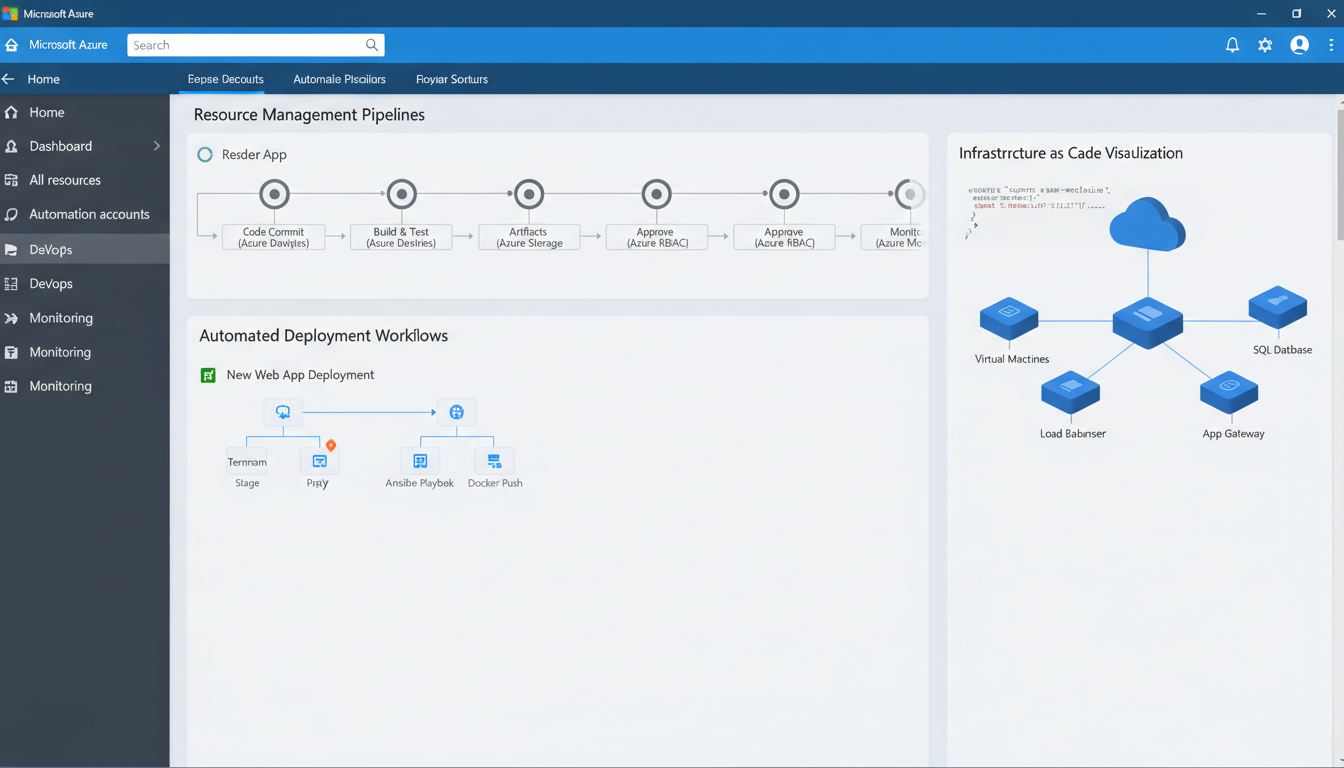
Managing cloud resources manually is one of the most common mistakes UK businesses make when adopting Microsoft Azure. In the early days of a cloud deployment - when you have a handful of virtual machines and a few storage accounts - manual management through the Azure Portal feels perfectly adequate. But as your environment grows, manual management becomes a liability. Configuration drift creeps in as different administrators make inconsistent changes. Resources are provisioned and forgotten, quietly accumulating costs. Security settings are applied inconsistently. Compliance audits become nightmares of manual evidence gathering.
Automation transforms Azure from a collection of individually managed resources into a disciplined, repeatable, auditable infrastructure platform. It ensures consistency, reduces human error, controls costs, and frees your IT team to focus on strategic work rather than repetitive administrative tasks. For UK businesses subject to regulatory requirements - particularly those handling personal data under UK GDPR or operating in regulated sectors - automation also provides the documentation and auditability that compliance demands.
This guide covers the key Azure automation tools and techniques that UK businesses should implement, from basic scheduling to full infrastructure-as-code, with practical examples relevant to typical SME environments.
Why Automate Azure Management?
Before diving into the tools and techniques, it is worth understanding why automation matters so fundamentally in a cloud environment. The arguments go beyond simple efficiency gains.
Cost Control
Azure bills by the minute for most resources. A virtual machine running 24/7 costs roughly three times more than the same machine running only during UK business hours (8am to 6pm, Monday to Friday). Automating start and stop schedules for development, testing, and non-critical environments can reduce your Azure bill by 40% or more - and the automation itself costs nothing beyond the initial setup time.
Consistency and Compliance
When resources are provisioned manually, every deployment is slightly different. One administrator might enable disk encryption; another might forget. One deployment might have the correct network security group rules; another might leave ports open that should be closed. Automation ensures that every deployment follows exactly the same template, every time, with no room for human variation. For UK GDPR compliance, this consistency is invaluable - you can demonstrate that security controls are applied uniformly across your entire environment.
Speed and Agility
Manually provisioning a complete environment - virtual machines, networking, storage, security rules, monitoring - can take hours or even days. An automated deployment can accomplish the same result in minutes. This speed enables practices like spinning up temporary test environments, deploying changes to staging before production, and rapidly scaling capacity to meet demand.
A UK-based IT consultancy calculated that their clients spent an average of 15 hours per week on routine Azure management tasks - starting and stopping VMs, checking backup status, reviewing security alerts, tagging resources, and cleaning up unused assets. At a typical UK IT professional salary, this represents over £20,000 per year in labour costs alone. Automating these tasks reduced the time to under 3 hours per week, freeing the equivalent of nearly a full working day for strategic projects.
Azure Automation Accounts
Azure Automation is a built-in service that provides a framework for running PowerShell and Python scripts (called runbooks) on a schedule or in response to events. It is the simplest entry point for Azure automation and requires no additional tooling or infrastructure.
Common Use Cases
VM start/stop scheduling. The most popular automation use case. Create runbooks that start your VMs at 7:30am and stop them at 6:30pm, Monday to Friday, UK time. This alone can save thousands of pounds annually on a typical SME Azure environment.
Backup verification. Automate checks that verify your Azure Backup jobs completed successfully overnight. If a backup fails, the runbook can send an alert to your IT team immediately rather than waiting for someone to manually check the backup console.
Resource tagging enforcement. Ensure all Azure resources are properly tagged with cost centre, environment, and owner information. A scheduled runbook can identify untagged resources and either apply default tags or alert administrators to take action.
Security compliance checks. Automate regular checks for common security misconfigurations - public IP addresses that should not exist, network security groups with overly permissive rules, storage accounts with public access enabled, or virtual machines missing endpoint protection.
Azure Policy: Guardrails for Your Environment
Azure Policy is a governance tool that enforces rules across your Azure environment. Unlike automation runbooks that perform actions, Azure Policy defines what is and is not allowed - preventing non-compliant resources from being created in the first place.
For UK businesses, Azure Policy is particularly valuable for enforcing data residency requirements (ensuring all resources are deployed in UK South or UK West regions), requiring encryption on all storage accounts and managed disks, mandating specific network security configurations, enforcing tagging standards, and preventing the creation of excessively large (and expensive) VM sizes without approval.
Azure Policy operates in two modes: audit mode, which reports on non-compliant resources without blocking them, and enforce mode, which actively prevents non-compliant deployments. We recommend starting in audit mode to understand your current compliance posture before switching to enforce mode to prevent future violations.
Infrastructure as Code with ARM Templates and Bicep
Infrastructure as Code (IaC) is the practice of defining your Azure infrastructure in declarative template files rather than configuring it manually through the portal. Azure Resource Manager (ARM) templates use JSON, whilst Bicep - Microsoft's newer, more readable alternative - uses a purpose-built domain-specific language.
The benefits of IaC are transformative. Your entire infrastructure is version-controlled, meaning you can track every change, roll back to previous configurations, and review infrastructure changes through the same code review process you use for application code. Environments can be replicated exactly - if you need a staging environment that mirrors production, you deploy the same template with different parameters. Disaster recovery becomes dramatically simpler when your entire infrastructure can be redeployed from a template rather than rebuilt from memory.
| Automation Tool | Best For | Complexity | Cost to Implement |
|---|---|---|---|
| Azure Automation Runbooks | Scheduled tasks, VM start/stop, maintenance scripts | Low - PowerShell or Python scripts | Free tier includes 500 minutes/month |
| Azure Policy | Governance, compliance, resource restrictions | Low - declarative JSON rules | Free for all built-in policies |
| Bicep / ARM Templates | Infrastructure provisioning, environment replication | Medium - declarative template language | Free (deployment tooling) |
| Azure Functions | Event-driven processing, API integrations, webhooks | Medium-High - code-based (C#, Python, JS) | Consumption plan: 1M free executions/month |
| Logic Apps | Workflow automation, approvals, third-party connectors | Low-Medium - visual designer | Pay per action execution |
| Azure DevOps Pipelines | CI/CD, automated testing, release management | Medium-High - YAML pipeline definitions | Free tier: 1,800 minutes/month |
Infrastructure as Code Benefits
- Version-controlled infrastructure history
- Exact environment replication
- Peer review of infrastructure changes
- Rapid disaster recovery capability
- Elimination of configuration drift
- Self-documenting infrastructure
Manual Management Risks
- No audit trail of changes
- Environments drift over time
- Changes made without review
- Slow and error-prone recovery
- Inconsistent configurations
- Documentation quickly outdated
Azure Cost Management and Automation
Cost management is one of the most impactful areas for automation in Azure. Beyond VM scheduling, there are numerous automated cost control measures that UK businesses should implement.
Budget alerts. Configure Azure Cost Management budgets that trigger alerts when spending approaches defined thresholds - for example, 75%, 90%, and 100% of your monthly budget. These alerts can be sent to email, Teams channels, or action groups that trigger automated responses.
Orphaned resource cleanup. Automate the identification and removal of orphaned resources - unattached managed disks, unused public IP addresses, empty resource groups, and network interfaces not associated with any virtual machine. These forgotten resources accumulate quietly and can represent a significant portion of your monthly bill.
Reserved instance recommendations. Azure Advisor automatically analyses your usage patterns and recommends reserved instances that could save money. Automating the review and action on these recommendations ensures you are always optimising your spend.
Azure Logic Apps and Event-Driven Automation
Whilst Azure Automation excels at scheduled tasks, Azure Logic Apps provides a powerful platform for event-driven workflows that respond to triggers in real time. Logic Apps uses a visual designer that makes it accessible to administrators who may not be comfortable writing PowerShell scripts, and it integrates with over 400 connectors including Microsoft 365, Teams, ServiceNow, Jira, and Slack.
For UK businesses, Logic Apps is particularly valuable for automating operational workflows around Azure resource management. When a new virtual machine is created, a Logic App can automatically send a Teams notification to the IT manager, create a ticket in your service desk, check that required tags are present, and add the VM to the appropriate monitoring dashboard. When a security alert is triggered in Microsoft Defender for Cloud, a Logic App can create an incident ticket, notify the security team, and begin automated remediation steps.
Another powerful pattern is using Logic Apps for cost governance workflows. Configure a Logic App that triggers when Azure Cost Management detects spending anomalies. The workflow can identify which resource caused the spike, check whether it was provisioned through an approved change request, notify the resource owner, and if no response is received within a defined period, automatically deallocate the resource. This kind of automated governance is particularly valuable for UK businesses managing Azure environments for multiple departments or clients.
Power Automate, the business-user-facing counterpart to Logic Apps, extends automation capabilities to non-technical staff. Finance teams can automate monthly Azure cost report generation and distribution. Operations managers can create flows that request approval before high-cost resources are provisioned. HR can automate the provisioning and deprovisioning of Azure access when employees join or leave the organisation - a critical security control that many UK businesses still handle manually, despite it being a fundamental requirement under UK GDPR and the ICO's expectations for access management.
Security Automation and Compliance Monitoring
Security automation in Azure goes far beyond simple policy enforcement. Microsoft Defender for Cloud, combined with Azure's automation capabilities, provides a comprehensive framework for detecting, responding to, and remediating security issues across your entire Azure estate. For UK businesses handling sensitive data, this level of automated security monitoring is rapidly moving from best practice to regulatory expectation.
Microsoft Defender for Cloud continuously assesses your Azure resources against security benchmarks, including the CIS Microsoft Azure Foundations Benchmark and Microsoft's own Cloud Security Benchmark. It identifies misconfigurations, missing security controls, and vulnerabilities, and assigns each finding a severity rating. With automation, you can move beyond simply identifying these issues to automatically remediating them - closing security gaps within minutes rather than days.
Automated remediation workflows can address common findings such as storage accounts with public network access, virtual machines missing endpoint protection, SQL databases without transparent data encryption, and key vaults without purge protection enabled. When Defender for Cloud identifies one of these issues, an automation workflow can apply the fix immediately or create a change request for review, depending on the severity and your change management requirements.
For UK GDPR compliance specifically, Azure automation supports several critical requirements. Data residency controls can be automated through Azure Policy, ensuring that all resources containing personal data are deployed exclusively in UK South or UK West regions. Access reviews can be automated through Azure AD access reviews, ensuring that permissions are regularly validated and excessive access is removed. Activity logging can be automated through diagnostic settings that ensure all resource access and modification events are captured and retained for the required periods. According to the ICO's guidance on security outcomes, organisations should be able to demonstrate that their security controls operate consistently and are monitored continuously - automated Azure security directly addresses this expectation.
Azure Sentinel, Microsoft's cloud-native SIEM solution, takes security automation further with automated threat detection and response playbooks. When Sentinel detects suspicious activity - such as an unusual number of failed sign-in attempts, data exfiltration patterns, or privilege escalation events - it can automatically trigger investigation and response workflows. For UK businesses that cannot justify a dedicated security operations centre, Sentinel combined with automation playbooks provides enterprise-grade threat detection and response capabilities at a fraction of the traditional cost.
Getting Started: A Practical Roadmap
Implementing automation need not be overwhelming. Start small, demonstrate value, and expand incrementally. For most UK SMEs, we recommend the following progression.
Week 1-2: Implement VM start/stop scheduling for non-production environments. This delivers immediate, measurable cost savings and demonstrates the value of automation to stakeholders.
Week 3-4: Deploy Azure Policy in audit mode to assess your compliance posture. Identify the biggest gaps and prioritise remediation.
Month 2: Automate backup verification and security compliance checks. Configure budget alerts and orphaned resource identification.
Month 3-4: Begin converting your most critical infrastructure to templates using Bicep. Start with new deployments rather than trying to reverse-engineer existing environments.
Month 5+: Expand IaC coverage, switch Azure Policy to enforce mode for critical rules, and establish automated deployment pipelines for infrastructure changes.
Real-World Impact: A UK Professional Services Firm
To illustrate the practical benefits of Azure automation, consider a scenario based on a typical Cloudswitched engagement: a UK-based professional services firm with approximately 95 employees and an Azure environment comprising 30 virtual machines, several SQL databases, multiple storage accounts, and a growing number of Azure App Services supporting client-facing applications.
Before implementing automation, the firm's three-person IT team spent an estimated 16 hours per week on routine Azure management tasks. Virtual machines for development and user acceptance testing ran around the clock despite being used only during business hours. Resources were provisioned manually through the Azure Portal with inconsistent naming conventions, incomplete tagging, and variable security configurations. Monthly Azure costs had grown steadily to approximately £11,500, with no clear breakdown by project or client. The firm had also failed a Cyber Essentials assessment due to inconsistent security configurations across their Azure resources.
The automation programme began with the highest-impact, lowest-effort change: VM start/stop scheduling. Development and UAT virtual machines were configured to start at 7:30am and shut down at 7pm Monday to Friday, with an override mechanism for out-of-hours work. This single change reduced the monthly bill by £2,800 - a 24% saving achieved in the first fortnight.
Azure Policy was deployed next in audit mode, immediately revealing 38 non-compliant resources. These included two storage accounts with public blob access enabled, four virtual machines without disk encryption, and numerous resources missing mandatory tags. The compliance team remediated these findings over three weeks, after which policies were switched to enforce mode to prevent recurrence.
Over the following three months, the team implemented Bicep templates for all new infrastructure, automated backup verification with Teams and email notifications, configured Azure Cost Management budgets with alerts at 75% and 90% thresholds, deployed a Logic App to automate the resource provisioning process with manager approval for anything estimated above £300 per month, and implemented Defender for Cloud with automated remediation for critical security findings.
Six months into the programme, the results were compelling. Monthly Azure costs had reduced from £11,500 to £7,900 - a 31% reduction saving over £43,000 annually. The IT team's weekly routine management time dropped from 16 hours to under 3 hours. The firm passed their Cyber Essentials reassessment with zero findings. Compliance audit preparation, which previously took two to three weeks of manual evidence gathering, was completed in a single day using automated Azure Policy compliance reports and activity logs. The senior partners reported that the visibility and control provided by automation had fundamentally changed their confidence in the firm's cloud infrastructure.
Ready to Automate Your Azure Environment?
Cloudswitched helps UK businesses implement Azure automation that reduces costs, improves security, and ensures compliance. From basic scheduling to full infrastructure-as-code, our Azure-certified engineers design and deploy automation solutions tailored to your environment. Contact us for an Azure optimisation assessment.

CloudSwitched
London-based managed IT services provider offering support, cloud solutions and cybersecurity for SMEs.


