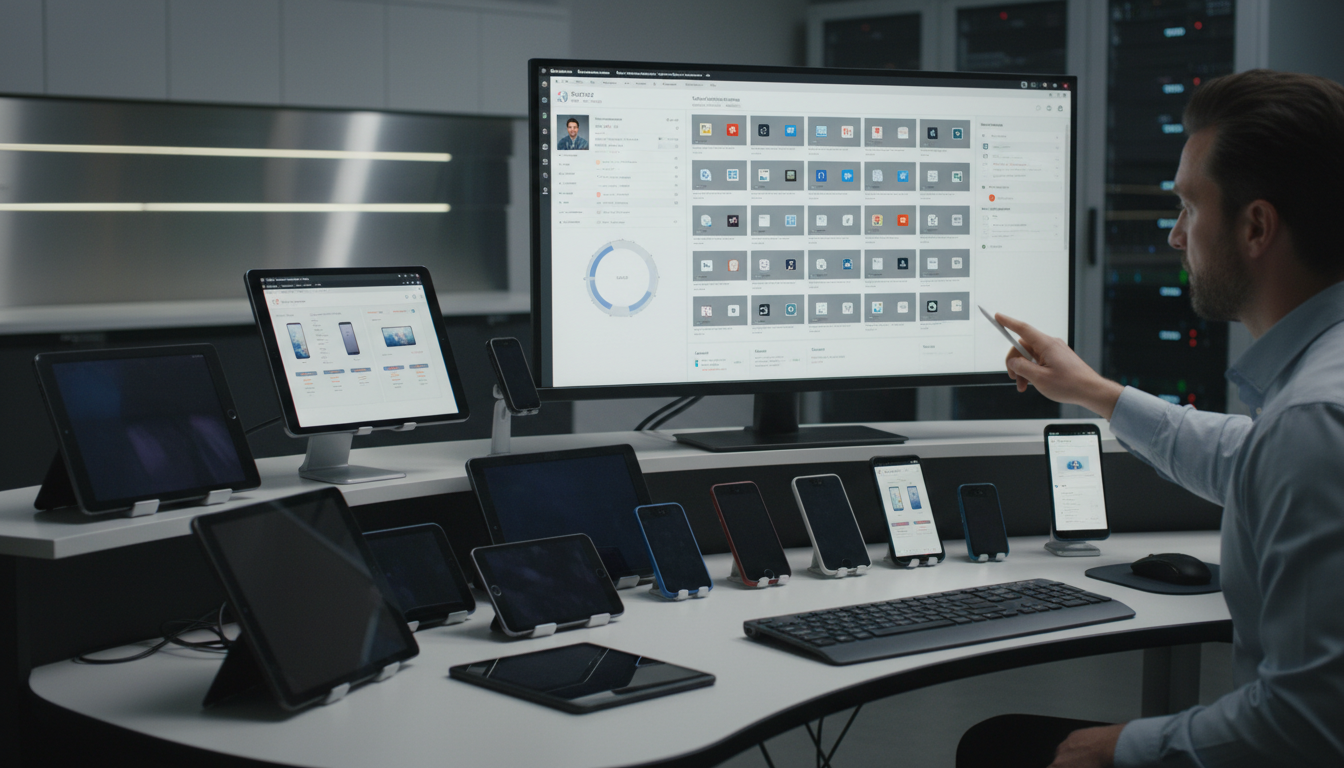
Managing the devices your employees use has become one of the most challenging aspects of modern IT. Gone are the days when every worker sat at a desk with a single company-owned desktop computer on a wired network. Today's UK businesses must manage a diverse fleet of laptops, tablets, smartphones, and increasingly, personal devices used for work under BYOD (Bring Your Own Device) policies. Each device represents both a productivity tool and a potential security risk - and without proper management, the risks quickly outweigh the benefits.
Mobile Device Management (MDM) is the technology that brings order to this complexity. An MDM platform allows your IT team - or your managed IT provider - to configure, monitor, secure, and manage all your business devices from a single dashboard, regardless of where those devices are physically located. Cisco Meraki Systems Manager is one of the leading MDM platforms in the UK market, prized for its simplicity, its cloud-native architecture, and its seamless integration with the wider Meraki networking ecosystem. This guide explains what Meraki Systems Manager does, how it works, and why UK businesses should consider it.
The scale of the challenge facing UK businesses should not be underestimated. According to recent industry research, the average UK SME now manages between three and five different device types per employee, up from just one or two a decade ago. The shift to hybrid working, accelerated by the pandemic, has made the situation considerably more complex. Employees routinely switch between office-based desktops, home laptops, personal smartphones, and tablets throughout the course of a single working day, accessing corporate email, cloud applications, and sensitive business data from each device in turn.
Without a centralised management platform, IT teams are left to configure and secure each device individually - a manual, time-consuming process that inevitably leads to inconsistencies. One laptop may have full disk encryption enabled whilst another does not. One smartphone may be running an outdated operating system with known vulnerabilities whilst its owner remains unaware. These gaps are precisely what attackers exploit, and they are precisely what MDM is designed to close.
For UK businesses operating in regulated sectors - financial services, healthcare, legal, and education, among others - the requirement for robust device management is not merely a best practice but a regulatory expectation. The Financial Conduct Authority, the Solicitors Regulation Authority, and the Information Commissioner's Office all expect organisations to demonstrate that they have appropriate controls over the devices that access sensitive data. Meraki Systems Manager provides the audit trail and policy enforcement capabilities necessary to meet these expectations.
The True Cost of Unmanaged Devices
Many UK businesses, particularly smaller firms, continue to operate without any formal device management. The reasoning is understandable - MDM represents an additional cost, and when budgets are tight, it can feel like a luxury. However, the cost of not managing devices is almost always higher. A lost laptop containing client data can trigger a reportable data breach under UK GDPR, with potential fines of up to four per cent of annual turnover. Even without a fine, the cost of breach notification, forensic investigation, legal advice, and reputational damage routinely exceeds ten thousand pounds for a single incident.
Beyond security incidents, unmanaged devices impose hidden operational costs. IT support staff spend significantly more time troubleshooting devices that have not been configured consistently. Software licence compliance becomes difficult to verify when there is no central inventory. And when an employee leaves the organisation, recovering corporate data from an unmanaged personal device is often impossible, creating data governance gaps that can persist for years.
What Is Mobile Device Management?
MDM is a category of software that allows organisations to manage the lifecycle of employee devices - from initial setup and configuration through daily use to eventual retirement. A comprehensive MDM platform provides the ability to configure device settings remotely, enforce security policies (such as requiring a PIN or biometric lock), push applications to devices, restrict access to certain features, monitor device health and compliance, and remotely wipe a device if it is lost or stolen.
For UK businesses, MDM is not just a convenience - it is increasingly a compliance requirement. UK GDPR mandates that organisations implement appropriate technical measures to protect personal data. If your employees access business email, client records, or other personal data on their devices, you need to be able to demonstrate that those devices are properly secured. The ICO expects businesses to have controls in place to prevent unauthorised access to data on mobile devices, including the ability to remotely wipe data from lost or stolen devices.
Article 32 of UK GDPR requires organisations to implement appropriate technical and organisational measures to ensure security appropriate to the risk. For mobile devices, this includes: encryption of data at rest and in transit, access controls (PIN, biometric, or password), the ability to remotely wipe corporate data, separation of corporate and personal data on BYOD devices, and monitoring for compliance with security policies. An MDM platform provides all of these capabilities.
Types of Device Management Approaches
It is worth understanding the different approaches to device management, as the terminology can be confusing. Mobile Device Management (MDM) in its strictest sense refers to managing the device itself - enforcing policies, pushing configurations, and performing remote actions such as lock and wipe. Enterprise Mobility Management (EMM) broadens the scope to include application management and content management alongside device management. Unified Endpoint Management (UEM) extends further still, encompassing the management of all endpoints - not just mobile devices but also desktops, laptops, and increasingly IoT devices - from a single platform.
Meraki Systems Manager sits firmly in the UEM category, supporting Windows, macOS, iOS, Android, and ChromeOS devices from a unified dashboard. This cross-platform support is particularly valuable for UK businesses, which typically operate a mixed-device environment. A legal firm, for instance, might have Windows desktops in the office, MacBooks for partners, iPhones issued to solicitors, and Android tablets used by administrative staff. Managing all of these from a single platform eliminates the need for multiple management tools and the inconsistencies that inevitably arise from using them.
The distinction between managing company-owned devices and personal devices is equally important. For company-owned devices, the organisation has full control - it can enforce any policy, install or remove any application, and wipe the device entirely if necessary. For personal devices used under a BYOD policy, the approach must be more nuanced. Employees have a reasonable expectation of privacy on their personal devices, and overly intrusive management can breach trust and potentially employment law. Meraki Systems Manager handles this distinction through its containerisation feature, creating a managed workspace on BYOD devices that separates corporate data from personal content.
Why Meraki Systems Manager?
There are several MDM platforms available in the UK market, including Microsoft Intune, VMware Workspace ONE, Jamf (for Apple devices), and Meraki Systems Manager. Each has strengths in different areas. Meraki Systems Manager stands out for several reasons that make it particularly attractive to UK SMEs.
First, it is genuinely cloud-native. There is no on-premises server to install, no VPN required for management, and no complex infrastructure to maintain. The entire platform runs from Meraki's cloud dashboard, accessible from any web browser. This means your IT provider can manage devices regardless of their physical location - essential for businesses with remote workers, multiple offices, or field-based staff.
Second, if you already use Meraki networking equipment (firewalls, switches, access points), Systems Manager integrates seamlessly into the same dashboard. You can see your entire IT estate - network, security, and devices - in a single pane of glass. This integration also enables advanced features such as automatically applying network policies based on device compliance status.
Simplicity Without Sacrificing Control
One of the most common concerns UK businesses raise when evaluating MDM platforms is the complexity of deployment and ongoing management. Many organisations have had negative experiences with enterprise software that promises simplicity but delivers labyrinthine configuration screens and impenetrable documentation. Meraki Systems Manager genuinely delivers on its promise of simplicity. The dashboard is designed around logical workflows - enrolling devices, creating profiles, pushing applications, and monitoring compliance - rather than around technical abstractions. An IT administrator with general technical competence can become productive with Systems Manager within a few hours, without requiring specialist MDM training or Cisco certifications.
This simplicity does not come at the expense of control. Systems Manager provides granular policy enforcement for each supported operating system, allowing administrators to configure hundreds of individual settings. For iOS devices, this includes restrictions on App Store access, iCloud backup, AirDrop, screen recording, and password sharing. For Windows devices, it includes BitLocker encryption enforcement, Windows Update management, firewall configuration, and registry-level settings. For Android, it includes Google Play restrictions, factory reset protection, and work profile configuration. The dashboard exposes these capabilities through an intuitive interface that guides administrators through the configuration process, explaining each option in plain language.
The Meraki API further extends this capability for organisations that need automation. Every action available through the dashboard is also available through a well-documented RESTful API, allowing IT teams or managed service providers to automate routine tasks such as bulk device enrolment, policy deployment, and compliance reporting. For UK businesses working with a managed IT provider, this API integration enables the provider to incorporate device management into their broader automation and monitoring workflows, improving responsiveness and reducing the cost of ongoing management.
Meraki Systems Manager Strengths
- Single cloud dashboard for all device management
- Supports Windows, macOS, iOS, Android, and ChromeOS
- Seamless integration with Meraki networking stack
- Zero-touch deployment for new devices
- Geofencing and location tracking capabilities
- Simple, intuitive interface requiring minimal training
Microsoft Intune Strengths
- Deep integration with Microsoft 365 and Azure AD
- Included with Microsoft 365 Business Premium
- Advanced conditional access policies via Entra ID
- Broader application management capabilities
- Co-management with SCCM for complex environments
- Larger partner ecosystem in the UK market
Key Features for UK Businesses
Meraki Systems Manager provides a comprehensive set of features organised around the device lifecycle. Understanding these features helps determine whether Systems Manager is the right fit for your business.
Zero-Touch Enrolment: When a new device is purchased, it can be pre-configured to automatically enrol in Systems Manager the first time it is turned on. For Apple devices, this works through Apple Business Manager; for Windows, through Windows Autopilot; and for Android, through Android Zero-Touch Enrolment. This means your IT provider can ship a new laptop directly to a remote employee, and it will configure itself with the correct settings, applications, and security policies without any manual intervention.
Security Policies: Systems Manager allows you to enforce security policies across all managed devices. You can require devices to have a minimum passcode complexity, enforce full disk encryption (BitLocker on Windows, FileVault on macOS), disable USB storage access, require the latest operating system version, and automatically quarantine non-compliant devices from accessing corporate resources.
Application Management: Push business applications to devices remotely, either from public app stores or internal enterprise apps. You can manage application licences, ensure critical apps are always installed, and prevent users from installing unapproved applications. For businesses in regulated industries, this control over the application landscape is essential for maintaining compliance.
Remote Actions: When a device is lost or stolen, Systems Manager allows you to lock the device, display a message on the screen (for example, with a return address), locate it on a map using GPS, selectively wipe corporate data whilst preserving personal data (important for BYOD), or perform a full factory reset. These capabilities are not just convenient - they are a UK GDPR requirement for any business whose employees access personal data on mobile devices.
BYOD Management
Bring Your Own Device policies are increasingly common in UK businesses, particularly smaller firms that do not want to bear the cost of providing devices to every employee. However, BYOD introduces significant security challenges. Employees' personal devices may not be encrypted, may not have up-to-date security software, and may be shared with family members who could inadvertently access corporate data.
Meraki Systems Manager addresses BYOD through containerisation. On BYOD devices, Systems Manager creates a managed container that separates corporate data and applications from personal content. Corporate email, files, and apps live within the managed container, protected by encryption and security policies. Personal apps, photos, and data remain untouched and private. If the employee leaves the company, IT can selectively wipe the corporate container without affecting any personal data - avoiding the privacy concerns and potential legal issues of wiping an employee's personal device entirely.
Developing an Effective BYOD Policy
Technology alone cannot solve the BYOD challenge - it must be accompanied by a clear, well-communicated policy that sets expectations for both the organisation and its employees. A robust BYOD policy should address which types of devices are permitted, the minimum security requirements for personal devices (such as operating system version and screen lock), what corporate data employees are permitted to access on personal devices, the organisation's right to manage and monitor the corporate container on the device, what happens to corporate data when an employee leaves, and liability for loss or damage to personal devices used for work.
In the UK context, BYOD policies must also consider employment law implications. Employers cannot unilaterally require employees to install management software on personal devices without consent. The policy should be presented as part of the employment terms, with clear opt-in consent from the employee. Meraki Systems Manager supports this consent-based approach - during enrolment, the employee is shown exactly what the organisation can and cannot see or control on their device, providing transparency that builds trust and reduces resistance to the programme.
From a practical standpoint, the most successful BYOD implementations in the UK tend to offer employees a choice: accept a company-owned device with full management, or use a personal device with a managed container. This dual approach respects employee preferences whilst maintaining the organisation's security posture. Meraki Systems Manager supports both models from the same dashboard, making it straightforward for IT teams to manage a mixed fleet of company-owned and personal devices under a unified policy framework.
Securing Remote and Hybrid Workers
The widespread adoption of hybrid working across UK businesses has amplified the importance of mobile device management. When employees work from home, from coffee shops, from client sites, or from co-working spaces, their devices are exposed to networks and environments that the organisation does not control. Public Wi-Fi networks, home routers with default passwords, and shared family computers all represent potential attack vectors that would not exist in a traditional office environment.
Meraki Systems Manager addresses these risks through several mechanisms. Network-level policies can require devices to connect only through approved VPN tunnels when accessing corporate resources from untrusted networks. Compliance checks can verify that the device's firewall is active, its operating system is up to date, and its security software is running before granting access to sensitive applications. Geofencing capabilities can restrict certain actions or data access based on the device's physical location - for example, preventing the export of client data when a device is outside the United Kingdom. These layered controls ensure that remote workers remain protected regardless of where they choose to work.
Licensing and Costs
Meraki Systems Manager is licensed per device, with pricing depending on the licence tier and term length. In the UK market, typical pricing for SMEs is as follows.
| Licence Tier | Features | Approx. UK Cost/Device/Year |
|---|---|---|
| Systems Manager | Basic MDM: enrolment, policies, remote wipe | £25-£35 |
| Systems Manager Enterprise | Advanced: app management, Sentry, geofencing | £45-£65 |
| Bundled with Meraki networking | Often included with MX/MR/MS licences | Varies |
When comparing costs, consider that the alternative to MDM is not "free" - it is unmanaged risk. A single data breach involving an unmanaged device can cost tens of thousands of pounds in remediation, regulatory fines, and reputational damage. The annual cost of managing a device with Meraki Systems Manager is a fraction of the cost of a single security incident.
Planning Your MDM Budget
When budgeting for Meraki Systems Manager, UK businesses should consider the total cost of ownership over the licence term rather than focusing solely on the per-device annual cost. The total cost includes the licence fees, the time and expense of initial deployment, any additional hardware or infrastructure required, and the ongoing management overhead. For most small and medium businesses working with a managed IT provider, the deployment and management costs will be included in the provider's monthly service fee, making the budgeting process relatively straightforward.
It is also worth considering the cost savings that MDM delivers. Automated device enrolment eliminates the manual setup time for new devices, which typically takes between thirty minutes and two hours per device depending on the applications and configurations required. For a business that issues twenty new devices per year, zero-touch enrolment alone can save forty or more hours of IT time annually. Remote troubleshooting reduces the need for on-site visits, each of which carries a cost in travel time and expenses. And automated compliance monitoring eliminates the need for manual security audits, which are both time-consuming and prone to human error.
For businesses considering Meraki Systems Manager alongside Meraki networking equipment, bundled licensing options often provide significant savings. A Meraki MX firewall, MS switches, MR access points, and Systems Manager can all be managed from the same dashboard under a unified licensing agreement. This converged approach reduces both the financial cost and the operational complexity of managing separate networking and device management platforms, making it particularly attractive for small businesses that want enterprise-grade capabilities without enterprise-grade complexity.
Getting Started with Meraki Systems Manager
Deploying Meraki Systems Manager is straightforward with the right IT partner. The process begins with defining your device management policies - what devices will be managed, what security requirements will be enforced, and how BYOD will be handled. Your IT provider then configures the Systems Manager dashboard, sets up enrolment profiles, and begins enrolling devices.
For existing devices, enrolment can be done remotely by sending users an enrolment link. For new devices, zero-touch enrolment means devices configure themselves automatically. Within a few days, your entire device fleet can be under management, with full visibility and control from the cloud dashboard.
Best Practices for a Successful Deployment
Drawing on our experience deploying Meraki Systems Manager for UK businesses of all sizes, several best practices consistently contribute to a smooth and successful rollout. First, start with a pilot group. Rather than enrolling all devices simultaneously, begin with a small group of technically confident users who can provide feedback on the enrolment process and identify any issues with policies or configurations before they affect the wider organisation. This pilot phase typically lasts one to two weeks and invariably reveals configuration adjustments that improve the experience for the broader rollout.
Second, communicate clearly with your staff before, during, and after the rollout. Employees are understandably concerned about what device management software can see and do on their devices, particularly personal devices. Address these concerns proactively by explaining exactly what the organisation can and cannot see, why the management software is being deployed, and how it benefits employees - for example, by enabling faster IT support and protecting their data in the event of device loss. Transparency at this stage prevents resistance and builds the trust necessary for a successful BYOD programme.
Third, define your policies before you deploy the technology. It is tempting to install Systems Manager first and configure policies later, but this approach leads to gaps and inconsistencies. Work with your IT provider to document your device management policies - covering security requirements, application management, acceptable use, and incident response - before configuring the platform. This ensures that the technical implementation reflects your business requirements and compliance obligations from day one.
Finally, plan for ongoing management, not just initial deployment. Device management is not a one-off project - it is an ongoing operational responsibility. Devices are enrolled and retired, operating systems are updated, new security threats emerge, and compliance requirements evolve. Ensure that your IT provider or internal team has the capacity and processes to manage the platform on an ongoing basis, including regular policy reviews, compliance reporting, and incident response. Meraki Systems Manager's cloud architecture makes this ongoing management considerably easier than traditional on-premises alternatives, but it still requires dedicated attention and expertise.
Ready to Take Control of Your Devices?
Cloudswitched deploys and manages Meraki Systems Manager for UK businesses of all sizes. Whether you need to secure company-owned devices, manage a BYOD fleet, or both, we provide the expertise and ongoing management to keep your devices secure and compliant.
GET IN TOUCH
CloudSwitched
London-based managed IT services provider offering support, cloud solutions and cybersecurity for SMEs.


