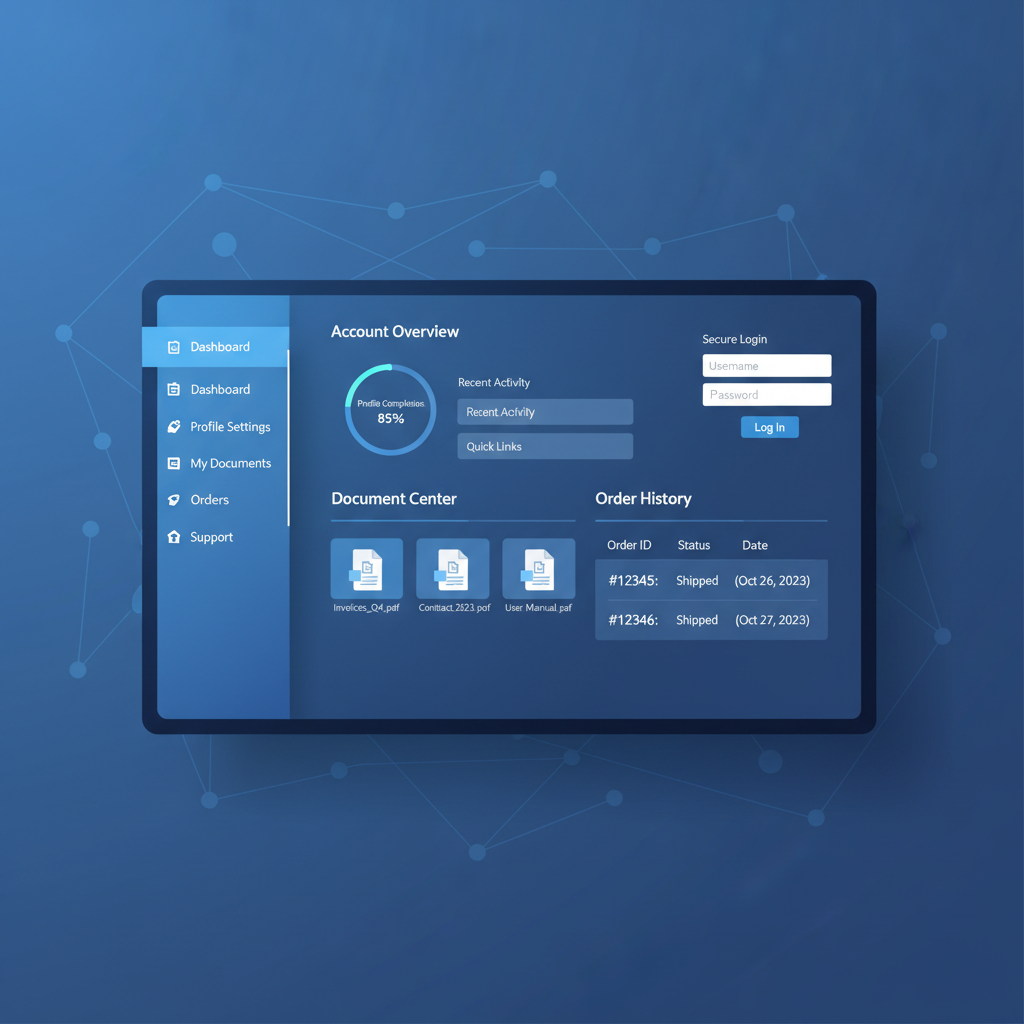
Every business eventually reaches a point where email threads, shared spreadsheets, and phone calls can no longer keep pace with customer expectations. Clients want instant access to their account details, order history, invoices, and support tickets - without waiting on hold or chasing a reply. A customer portal delivers exactly that: a secure, branded, self-service hub built directly into your business website where customers can manage their relationship with your company on their own terms, at any hour of the day.
For UK businesses in particular, the case for a customer portal has never been stronger. Rising labour costs, tighter data protection regulations under UK GDPR, and a customer base that increasingly expects “always-on” digital access mean that the old model of manually servicing every enquiry is becoming unsustainable. Whether you run a B2B services firm, an e-commerce operation, a professional practice, or a SaaS company, a well-designed customer portal can transform how you interact with your clients - reducing costs, improving satisfaction, and freeing your team to focus on high-value work.
This guide walks you through everything you need to know about building a customer portal for your business website in 2026: what a portal actually is, the essential features to include, how to choose the right technology, security and authentication best practices, UX design principles, integration with your existing systems, mobile responsiveness, and a practical launch strategy. By the end, you’ll have a clear blueprint for delivering a portal that genuinely adds value to your business and your customers.
What Is a Customer Portal?
A customer portal is a secure, private area of your business website that sits behind a login screen. Once authenticated, your customers can access personalised information and perform actions that would otherwise require a phone call, an email, or a visit to your office. Think of it as your company’s digital front desk - always open, always responsive, and always tailored to the individual.
Unlike a public-facing website that shows the same content to every visitor, a customer portal displays account-specific data. A wholesale client might see their negotiated pricing, order history, and outstanding invoices. A SaaS subscriber might view their usage dashboard, billing details, and open support cases. A professional services client might access project documents, status updates, and a shared communication timeline.
How a Portal Differs from a Standard Website
The distinction matters because the architecture, security model, and UX considerations are fundamentally different from your public marketing pages:
- Authentication - every user must prove their identity before accessing any data
- Authorisation - users can only see and do what their role permits; a junior contact should not see the same data as a finance director
- Personalisation - the interface, data, and available actions are tailored to each user’s account and role
- Transactional capability - users can perform real actions (place orders, raise tickets, download invoices) not just consume content
- Data sensitivity - the portal handles personal and commercial data subject to UK GDPR, requiring encryption, audit trails, and access controls
Before building a portal, map your most frequent customer interactions. Identify which enquiries consume the most staff time and which could be resolved through self-service. This exercise will define your feature priorities and help you calculate a realistic return on investment.
Key Features Every Customer Portal Needs
The specific features in your portal will depend on your industry and business model, but there is a core set of capabilities that virtually every successful customer portal includes. Getting these right is essential - a portal that is missing key features or implements them poorly will simply drive customers back to the phone.
1. Account Management
This is the foundation. Customers should be able to view and update their own contact details, communication preferences, billing addresses, and payment methods without contacting your team. For B2B portals, account management typically extends to managing multiple users under a single company account, each with their own permissions and roles.
Key capabilities include profile editing, password management, two-factor authentication setup, notification preferences, and - critically - a clear way to download or request deletion of personal data in compliance with UK GDPR subject access requests.
2. Order History and Tracking
Whether you sell physical products, digital subscriptions, or professional services, your customers want visibility of what they have purchased, when, and at what price. A robust order history section should display past orders with full line-item detail, current order status with real-time tracking where applicable, downloadable invoices and receipts in PDF format, and the ability to reorder frequently purchased items with a single click.
For service-based businesses, this might translate into project timelines, milestone tracking, and deliverable downloads - the principle is the same: give the customer visibility of the work you are doing for them.
3. Support Tickets and Knowledge Base
Integrating your support system into the portal creates a single point of contact for customer issues. Customers can raise new tickets with categorisation and priority, view the status of open tickets with a full communication history, search a knowledge base of FAQs and troubleshooting guides before raising a ticket, and attach files and screenshots directly to their submissions.
The knowledge base element is particularly powerful. By surfacing answers to common questions proactively, you can deflect a significant proportion of tickets before they are ever created - reducing support workload without reducing customer satisfaction.
4. Document Sharing and Storage
Many businesses exchange documents with their clients regularly - contracts, proposals, certificates, compliance documents, reports, and statements. A portal document centre replaces the endless cycle of email attachments with a secure, organised, searchable library. Documents can be categorised by type, tagged with metadata, and have access controls applied so that only the right people can view sensitive files.
For regulated industries such as legal, financial, or healthcare, this feature is not a nice-to-have - it is essential for audit compliance and data governance.
5. Billing and Payments
Giving customers visibility of their financial relationship with your business reduces invoice queries and accelerates payment. A billing section should show outstanding and paid invoices, allow online payment via card, Direct Debit, or bank transfer, display statements and aging reports for account-based billing, and provide downloadable VAT invoices and credit notes.
6. Communication and Notifications
A portal should not be a dead end. It needs to pull customers back when something requires their attention. This means email and SMS notifications triggered by portal events (new invoice, ticket update, document uploaded), an in-portal notification centre showing recent activity, and configurable preferences so customers can choose what they are notified about and how.
Do not make notifications opt-out by default. Under UK GDPR and the Privacy and Electronic Communications Regulations (PECR), marketing communications require explicit consent. Even transactional notifications should respect user preferences - and your portal must make it easy to manage those preferences.
Technology Choices: How to Build Your Portal
The technology stack you choose will determine your portal’s performance, scalability, security, and long-term maintenance costs. There is no single “correct” answer - the right choice depends on your budget, timeline, in-house technical capability, and how deeply the portal needs to integrate with your existing systems.
Option 1: Off-the-Shelf Portal Platforms
SaaS portal platforms such as Portal by Portal.io, Clinked, SuiteDash, and Copilot offer pre-built portal functionality that you can configure and brand without writing code. These platforms typically charge £20–£80 per month and offer account management, file sharing, messaging, invoicing, and basic integrations out of the box.
Best for: small businesses with limited budgets, standard requirements, and no in-house development team. Limitations: limited customisation, potential data residency concerns, vendor lock-in, and feature ceilings that become apparent as your requirements grow.
Option 2: CMS-Based Portal Plugins
If your website runs on WordPress, Drupal, or a similar content management system, there are plugins and modules that add portal functionality. WordPress options include WP Customer Area, MemberPress, and WooCommerce combined with a membership plugin. These range from free to around £300 per year.
Best for: businesses with an existing CMS and moderate technical skills. Limitations: security is only as strong as your plugin ecosystem, performance can degrade with multiple plugins, and complex integrations often require custom development anyway.
Option 3: Custom-Built Portal
A bespoke portal built on a modern web framework gives you complete control over functionality, design, performance, and security. Typical stacks include server-side frameworks like Node.js, Python (Django), or PHP (Laravel) for the back end, combined with a front-end framework for the user interface. Cloud hosting on platforms like Cloudflare Workers, AWS, or Azure provides scalability and global performance.
Best for: businesses with complex requirements, deep system integrations, strict compliance needs, or ambitious growth plans. Limitations: higher upfront investment (£10,000–£60,000+), requires skilled developers, and ongoing maintenance responsibility.
Custom-Built Portal
Off-the-Shelf SaaS Portal
Authentication and Security
Security is not optional for a customer portal - it is the entire foundation. Your portal will hold personal data, financial information, commercial details, and potentially regulated documents. A breach does not just damage trust; under UK GDPR, it can result in fines of up to £17.5 million or 4% of annual global turnover, whichever is higher.
Authentication Best Practices
Authentication is how your portal verifies that a user is who they claim to be. In 2026, the baseline expectations are considerably higher than a simple username and password:
- Multi-factor authentication (MFA) - require a second factor (TOTP app, SMS code, or hardware key) for all portal logins, not just admin accounts
- Password policies - enforce minimum length (12+ characters), check against known breached password databases, and encourage passphrase-style passwords
- Single sign-on (SSO) - for B2B portals, support SAML or OpenID Connect so that enterprise clients can authenticate through their own identity provider (Azure AD, Okta, Google Workspace)
- Session management - implement idle timeouts, concurrent session limits, and secure token storage using HttpOnly, Secure, SameSite cookies
- Account lockout - temporarily lock accounts after repeated failed login attempts to prevent brute-force attacks, with CAPTCHA as an additional defence
Authorisation and Role-Based Access
Authentication answers “who are you?” - authorisation answers “what are you allowed to do?” A robust portal implements role-based access control (RBAC) with granular permissions. Typical roles might include:
- Account Owner - full access to all account data, user management, billing, and settings
- Finance User - access to invoices, payments, and financial reports only
- Standard User - access to orders, support tickets, and shared documents
- Read-Only User - can view information but cannot make changes or submissions
Data Protection and Compliance
Every customer portal handling data of UK residents must comply with the UK General Data Protection Regulation (UK GDPR) and the Data Protection Act 2018. This means encrypting data in transit (TLS 1.3) and at rest, maintaining comprehensive audit logs of who accessed what and when, providing data export and deletion capabilities for subject access requests, conducting and documenting a Data Protection Impact Assessment (DPIA), and appointing a Data Protection Officer if required by the scale of your processing.
If you choose a SaaS portal platform or cloud hosting provider, verify where your data is stored. Post-Brexit, transferring personal data outside the UK requires adequate safeguards. Ensure your provider offers UK or EU data residency options and can demonstrate compliance with UK GDPR requirements.
UX Design Principles for Customer Portals
A portal can have every feature imaginable, but if customers find it confusing, slow, or frustrating, they will simply revert to calling or emailing your team - defeating the entire purpose. Great portal UX is not about aesthetics; it is about reducing friction at every step.
Simplicity Over Complexity
The moment a customer logs in, they should immediately understand where to find what they need. This means a clean, uncluttered dashboard showing the most important information at a glance (open tickets, recent orders, outstanding balance), a clear and consistent navigation structure with no more than five to seven top-level items, and progressive disclosure - show summary information first, with the option to drill down into detail.
Speed and Performance
Portal users are task-oriented. They have logged in to accomplish something specific, and they want to do it quickly. Target a sub-two-second page load time for every portal page. This requires optimised database queries, efficient caching strategies, image compression, and a content delivery network (CDN) to serve assets from edge locations close to the user.
Consistent Branding
Your portal should feel like a seamless extension of your brand, not a separate product. Use the same colour palette, typography, logo, and tone of voice as your main website. Customers should never feel like they have left your ecosystem when they log in. White-labelling - removing third-party branding from SaaS portal tools - is essential if you use an off-the-shelf platform.
Accessibility
Under the Equality Act 2010, UK businesses have a legal obligation to make their digital services accessible to people with disabilities. Your portal should meet WCAG 2.2 Level AA compliance as a minimum. This includes keyboard navigability, screen reader compatibility, sufficient colour contrast ratios (4.5:1 for body text), descriptive labels on form fields, and clear error messaging.
Onboarding and First-Time Experience
The first time a customer logs into your portal is critical. If they cannot figure out what to do within the first 30 seconds, you risk losing them permanently. Consider a brief guided tour highlighting key features, pre-populated data so the portal feels useful from the very first visit, a prominent help section or live chat widget, and a welcome email with a direct link to the portal and a quick-start guide.
Run usability testing with real customers before launch. Even five to ten test participants will surface the majority of navigation and comprehension issues. This is far cheaper than discovering problems after launch when adoption rates disappoint.
Integration with CRM, ERP, and Business Systems
A customer portal that operates in isolation creates more problems than it solves. If portal data does not synchronise with your CRM, accounting system, and support tools, your team ends up managing multiple disconnected systems - which means more errors, more manual work, and worse customer experiences.
CRM Integration
Your customer relationship management system is the single source of truth for customer data. Portal integration should ensure that when a customer updates their contact details in the portal, those changes flow automatically to your CRM (Salesforce, HubSpot, Dynamics 365, or Zoho). Conversely, when your sales team updates an account record in the CRM, the customer should see the change reflected in their portal view.
ERP and Accounting Integration
For order history, invoicing, and billing, the portal needs to pull data from your ERP or accounting system. Common integrations include Xero, QuickBooks, Sage, and NetSuite for financial data, and bespoke ERP systems for order management. The integration should be real-time or near-real-time - a customer should not see yesterday’s invoice status today.
Helpdesk and Ticketing Integration
If you use a dedicated support platform like Zendesk, Freshdesk, or Jira Service Management, the portal should create and display tickets directly from that system. This avoids the nightmare scenario where customers raise tickets in the portal that your support team never sees because they are working in a different tool.
API-First Architecture
The cleanest way to achieve these integrations is an API-first design. Your portal back end exposes RESTful or GraphQL APIs that serve the portal front end, and consumes APIs from your CRM, ERP, and other systems. This architecture makes it straightforward to add new integrations in the future without rebuilding the portal.
| Integration | Data Flow | Typical Systems | Priority |
|---|---|---|---|
| CRM | Bi-directional | Salesforce, HubSpot, Dynamics 365 | Essential |
| Accounting / ERP | Portal reads from ERP | Xero, Sage, QuickBooks, NetSuite | Essential |
| Helpdesk | Bi-directional | Zendesk, Freshdesk, Jira SM | High |
| Payment gateway | Portal sends to gateway | Stripe, GoCardless, PayPal | High |
| Document storage | Bi-directional | SharePoint, Google Drive, S3 | Medium |
| Email / notifications | Portal triggers emails | SendGrid, Mailgun, AWS SES | Essential |
| Analytics | Portal sends events | Google Analytics, Mixpanel, Amplitude | Medium |
Mobile Responsiveness
In 2026, more than 60% of UK web traffic originates from mobile devices, and this figure is even higher for certain demographics and industries. A customer portal that only works well on a desktop is, for all practical purposes, a portal that only works for half your audience.
Responsive Design vs. Native App
For most businesses, a responsive web portal is the right approach. It works on every device with a web browser, requires no app store submission or approval, updates instantly without users needing to download new versions, and avoids the cost and complexity of maintaining separate iOS and Android codebases.
A native mobile app only makes sense if you need push notifications, offline access, device hardware features (camera, GPS), or your customers use the portal so frequently that a home-screen app provides meaningful convenience. Even then, a progressive web app (PWA) can deliver most of these capabilities without the overhead of native development.
Mobile UX Considerations
Responsive design is more than shrinking your desktop layout onto a smaller screen. Effective mobile portal UX requires touch-friendly tap targets (minimum 44 × 44 pixels), simplified navigation (hamburger menu or tab bar with no more than five items), prioritised content (show the most critical information first, hide secondary details behind expandable sections), optimised forms (use appropriate input types, autofill, and minimal required fields), and fast loading on mobile networks (target under three seconds on a 4G connection).
Testing Across Devices
Test your portal on real devices, not just browser developer tools. At a minimum, verify on an iPhone (Safari), an Android phone (Chrome), an iPad (Safari), and a Windows laptop (Chrome and Edge). Pay particular attention to form inputs, file uploads, and payment flows - these are the areas where mobile inconsistencies are most likely to cause problems.
The Self-Service Advantage: Reducing Support Costs
The financial case for a customer portal centres on one fundamental shift: moving routine interactions from human-assisted to self-service. Every enquiry that a customer can resolve through the portal is an enquiry that your team does not need to handle manually.
Quantifying the Savings
The economics are compelling. Industry data from the UK Contact Centre Association shows that a single phone support interaction costs businesses an average of £5.50, an email interaction costs approximately £3.80, and a live chat interaction costs around £2.40. A portal self-service interaction, by contrast, costs as little as £0.10 - the marginal cost of serving a web page.
For a business handling 2,000 support interactions per month, deflecting just 40% to self-service would save approximately £4,320 per month - or over £51,000 per year. For larger operations, the savings scale proportionally and can run into six figures annually.
Beyond Cost: The Satisfaction Factor
Self-service is not just cheaper - customers actually prefer it for routine tasks. Research consistently shows that the majority of customers would rather find an answer themselves than contact support, provided the self-service tools are well-designed and effective. A portal that answers a question in 30 seconds beats a phone queue with a 10-minute wait every time.
The key caveat is that self-service must complement human support, not replace it entirely. Customers still need the ability to escalate to a real person for complex, sensitive, or emotionally charged issues. The portal should make escalation easy and seamless - a “Contact Us” button that pre-fills context from the customer’s current session, so they do not have to repeat themselves.
Measuring Portal ROI
To justify the investment and track ongoing performance, monitor these key metrics after launch:
- Adoption rate - what percentage of eligible customers have registered and actively use the portal?
- Ticket deflection rate - how many support enquiries are being resolved through self-service versus human-assisted channels?
- Customer satisfaction (CSAT) - are portal users rating their experience positively?
- First-contact resolution - for tickets raised through the portal, how often are they resolved without follow-up?
- Time to resolution - has the portal reduced the average time to resolve customer issues?
- Cost per interaction - track the blended cost across all channels over time
Set a six-month review milestone after launch to assess adoption and ROI. Most portals take three to six months to reach steady-state adoption as customers transition from old habits. Premature judgement can lead to underinvestment in a tool that simply needs more time and promotion.
Launch Strategy: From Build to Adoption
Building the portal is only half the battle. A portal that nobody uses is a failed investment, regardless of how well it is built. Your launch strategy needs to address both the technical go-live and the human change management required to drive adoption.
Phase 1: Pre-Launch (–8 to –4 Weeks)
Begin with a closed beta involving five to ten trusted customers who represent different use cases and levels of technical sophistication. Give them early access, ask for candid feedback, and use their input to refine the experience. Fix any usability issues or bugs before the wider launch. Simultaneously, prepare your internal team: ensure support staff are trained on the portal so they can guide customers, and update your phone scripts and email templates to reference the portal where appropriate.
Phase 2: Soft Launch (–4 to 0 Weeks)
Gradually expand access to a larger subset of customers - perhaps 20–30% of your base. Monitor server performance, track usage patterns, and identify any areas where customers get stuck or drop off. Use this period to refine your onboarding emails, help documentation, and in-portal guidance. Ensure your analytics are capturing the metrics you need to measure success.
Phase 3: Full Launch (Week 0)
Open the portal to all customers with a coordinated communication campaign. This should include a personalised email announcement with a direct login link, a homepage banner and blog post on your main website, social media posts highlighting key benefits, an in-portal welcome experience for first-time users, and instructions for your sales and support teams to actively promote the portal in every customer interaction.
Phase 4: Post-Launch Optimisation (Ongoing)
After launch, the work continues. Monitor adoption rates weekly, analyse where users drop off, survey customers for feedback, and iterate. Add features based on real usage data, not assumptions. A portal is a living product that should evolve continuously alongside your business and your customers’ needs.
Realistic Timeline and Budget
| Approach | Timeline | Budget Range | Best For |
|---|---|---|---|
| SaaS platform | 1–2 weeks | £200–£1,000/year | Micro-businesses, basic needs |
| CMS plugin | 2–4 weeks | £500–£3,000 | Existing WordPress sites |
| Custom (basic) | 6–10 weeks | £10,000–£25,000 | SMEs with specific integrations |
| Custom (advanced) | 12–20 weeks | £25,000–£60,000+ | Complex B2B with deep ERP/CRM ties |
Common Mistakes to Avoid
Having helped numerous UK businesses build and launch customer portals, we see the same mistakes repeatedly. Avoiding these pitfalls will save you time, money, and customer goodwill.
1. Building Too Much, Too Soon
The temptation to launch with every conceivable feature is strong, but it leads to bloated timelines, higher costs, and a portal that overwhelms users. Start with a focused minimum viable portal covering the three or four features your customers need most, then expand based on real feedback and usage data.
2. Ignoring Mobile from the Start
Bolting on mobile responsiveness after the desktop version is built always results in a compromised mobile experience. Design and build for mobile from day one - ideally using a mobile-first approach where the small-screen layout is the starting point.
3. Neglecting Onboarding
If customers do not understand how to use the portal within their first visit, they will not come back. Invest in clear onboarding flows, contextual help tooltips, and a prominent support option for customers who get stuck.
4. Poor Integration Leading to Stale Data
A portal that shows outdated order status, last month’s invoice, or incomplete support history is worse than no portal at all. Prioritise real-time or near-real-time data synchronisation with your back-end systems.
5. Treating Launch as the Finish Line
The launch is the beginning, not the end. Budget for ongoing development, monitoring, user feedback collection, and iterative improvement. The most successful portals are those that evolve continuously.
Why CloudSwitched for Your Customer Portal
At CloudSwitched, we specialise in building custom customer portals for UK businesses - from initial strategy and UX design through to development, deployment, and ongoing support. Our approach combines deep technical expertise with a pragmatic understanding of what UK businesses actually need.
- UK-based team - your project is managed and delivered entirely within the UK, with no offshore outsourcing
- Integration specialists - we have hands-on experience integrating with Salesforce, HubSpot, Dynamics 365, Xero, Sage, Stripe, GoCardless, and dozens of other business systems
- Security-first development - every portal we build is designed for UK GDPR compliance from the ground up, with penetration testing as standard
- Scalable architecture - our portals are built on modern cloud infrastructure that scales automatically with your user base
- Ongoing partnership - we do not disappear after launch; we provide ongoing hosting, monitoring, and iterative development to keep your portal evolving
Want a Customer Portal?
CloudSwitched builds custom customer portals for UK businesses. Whether you need a simple self-service hub or a fully integrated portal with CRM, ERP, and payment system connections, we can help you design, build, and launch a solution that reduces costs and delights your customers.
Get in Touch
CloudSwitched
London-based managed IT services provider offering support, cloud solutions and cybersecurity for SMEs.


