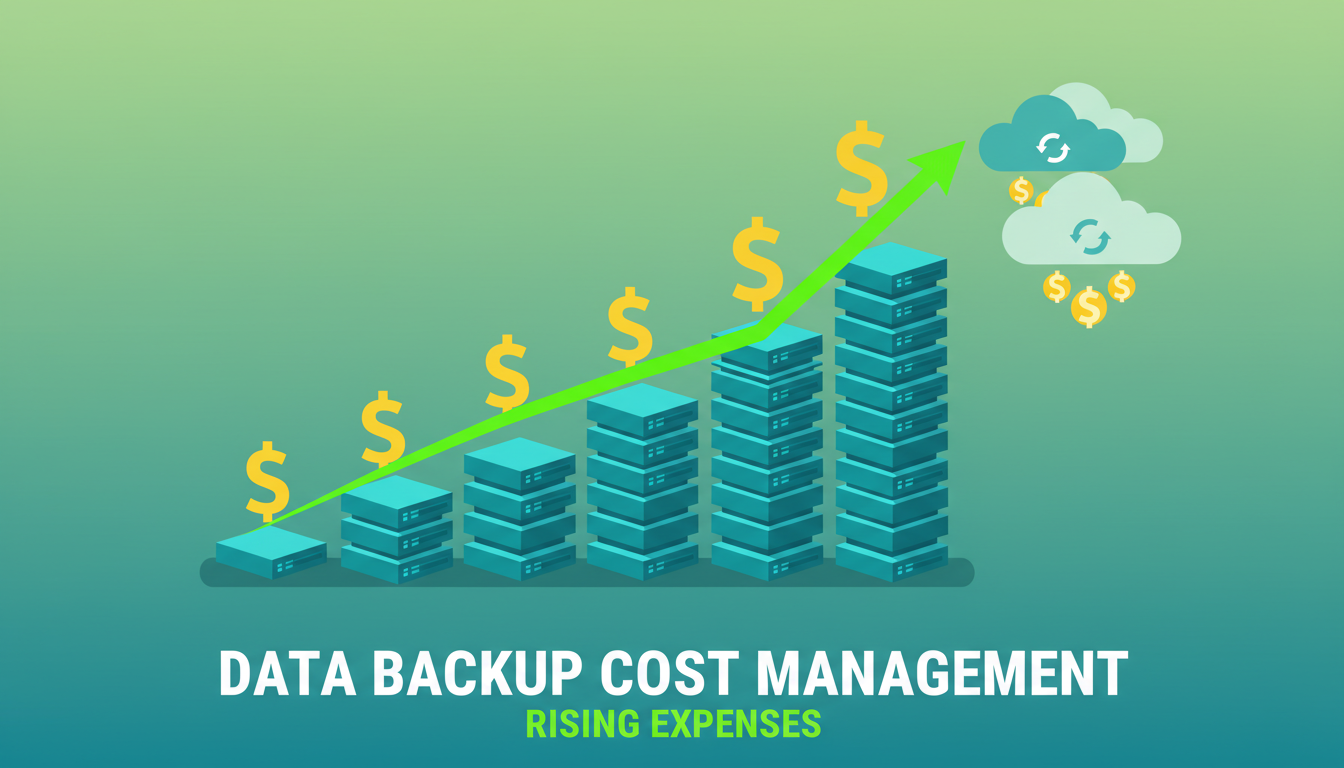
Data is growing at an extraordinary rate. UK businesses are generating, collecting, and storing more data than ever before - emails, documents, databases, images, videos, application data, and the digital footprint of every business process. According to industry estimates, the average UK SME's data estate grows by 25 to 40 per cent annually, driven by increasing digitalisation, remote working, and the proliferation of cloud applications.
This relentless data growth has a direct and often underappreciated impact on backup costs. Every gigabyte of data you produce needs to be backed up, and that backup needs to be stored, managed, tested, and eventually retired. As your data grows, so does the cost of protecting it - the storage required for backup copies, the bandwidth to transfer data to offsite or cloud repositories, the time required for backup windows, and the complexity of managing an ever-expanding backup estate.
For UK businesses, managing backup costs is not about cutting corners on data protection - it is about implementing intelligent strategies that keep costs proportionate to the value and risk of the data being protected. This guide provides practical approaches to controlling backup costs as your data volumes grow, without compromising your ability to recover when disaster strikes.
The evolving backup landscape adds another dimension to this challenge. As businesses migrate workloads to the cloud, adopt Software-as-a-Service platforms like Microsoft 365 and Salesforce, and embrace hybrid infrastructure, the backup environment becomes increasingly complex. Each platform may require its own backup approach, its own retention configuration, and its own cost structure. A business that once managed a single on-premises backup solution may now be coordinating backups across local servers, Azure virtual machines, Microsoft 365 mailboxes and SharePoint sites, and multiple SaaS applications - each with different pricing models and cost drivers.
Understanding and managing these costs is not merely a technical exercise - it is a strategic business priority. Backup expenditure that grows unchecked can quietly consume budget that would be better allocated to innovation, growth, or other IT priorities. The businesses that manage backup costs most effectively are those that treat data protection as a tiered, policy-driven discipline rather than a blanket approach applied uniformly to all data.
Why Backup Costs Escalate
Backup costs typically escalate for several interconnected reasons, and understanding these drivers is the first step towards controlling them. The most obvious driver is raw data growth - as the volume of source data increases, the volume of backup data increases proportionally. But this is only part of the story.
Retention policies have a multiplicative effect on storage requirements. If you keep 30 daily backups, 12 monthly backups, and 7 annual backups, you are storing far more backup data than the source data itself. If your source data is 5TB and you maintain this retention schedule with full backups, your backup storage requirement could exceed 50TB - ten times the source data.
The number of backup copies also matters. Best practice calls for multiple copies of backup data in different locations - the 3-2-1 rule recommends three copies on two different media with one copy offsite. Each additional copy multiplies storage costs. And if you are backing up to cloud storage, bandwidth costs for the initial upload and ongoing incremental transfers add another dimension to the total cost.
The Hidden Compounding Effect
What makes backup cost escalation particularly insidious is its compounding nature. If your source data grows by 35 per cent annually and you maintain the same retention policies and backup frequency, your total backup storage requirement grows by substantially more than 35 per cent each year. This is because new data is added to the backup estate while older backups continue to be retained. Over a five-year period, a business that starts with 5TB of source data can easily find itself managing 40 to 60TB of backup storage - an eightfold to twelvefold increase.
Bandwidth costs compound similarly. As your data grows, so does the volume of data that must be transferred during each backup cycle. For businesses backing up to cloud storage, this means increasing egress and ingress charges. For businesses with limited network bandwidth, growing backup volumes can begin to compete with production traffic, potentially degrading the performance of business-critical applications during backup windows.
Software licensing costs often scale with data volume as well. Many enterprise backup solutions charge per terabyte of data under management, meaning that every additional terabyte of source data increases not just your storage costs but also your licensing fees. When you combine growing storage, bandwidth, and licensing costs, the total cost of backup can double every two to three years without any change in your backup policies or practices.
Strategy 1: Classify Your Data
Not all data is created equal, and not all data deserves the same level of backup protection. Data classification is the most impactful strategy for controlling backup costs because it allows you to match the cost of protection to the value and criticality of the data being protected.
A practical classification scheme for backup purposes might include three or four tiers. Tier 1 (Critical) includes data that the business cannot function without - financial records, customer databases, legal documents, and active project files. This data warrants the highest level of protection: frequent backups, long retention, fast recovery, and multiple offsite copies. Tier 2 (Important) includes data that supports business operations but could be reconstructed or would cause moderate disruption if lost - departmental files, email archives, and reference materials. This data warrants regular backups with moderate retention. Tier 3 (Low-priority) includes data that is readily replaceable or has minimal business value - temporary files, personal downloads, draft documents, and cached data. This data may not need backing up at all, or may warrant only basic protection with short retention.
Implementing Classification in Practice
Data classification sounds straightforward in principle but requires careful planning in practice. The first step is to identify the data owners - the individuals or teams responsible for each data set - and work with them to assess the criticality and recovery requirements of their data. IT cannot make these classifications alone because only the business users truly understand which data is essential for day-to-day operations and which is dispensable.
For most UK businesses, a practical approach is to start with a broad assessment of your major data repositories: file servers, databases, email systems, SharePoint sites, and application data stores. For each repository, document the approximate volume, the rate of growth, the current backup frequency and retention, and the business impact if the data were lost. This assessment typically reveals that a significant proportion of backup storage is consumed by data that has low business value - old project archives, duplicate files, personal media, and system-generated temporary data that could safely be excluded or protected at a lower tier.
Once classified, encode these decisions into your backup policies. Modern backup solutions allow you to apply different backup schedules, retention periods, and storage targets based on data location, file type, age, or custom tags. The goal is to ensure that your backup investment is concentrated on the data that matters most, whilst minimising the cost of protecting low-value data that would have minimal business impact if lost.
| Data Tier | Examples | Backup Frequency | Retention | Relative Cost |
|---|---|---|---|---|
| Tier 1 - Critical | Databases, financial records, CRM data | Every 15-60 minutes | 7 years+ | High |
| Tier 2 - Important | Email, shared files, project documents | Daily | 1-3 years | Medium |
| Tier 3 - Standard | Departmental archives, reference material | Weekly | 6-12 months | Low |
| Excluded | Temp files, caches, personal downloads | Not backed up | N/A | None |
Strategy 2: Optimise Retention Policies
Retention policies determine how long backup data is kept before being deleted or overwritten. Many UK businesses set overly generous retention policies - keeping years of daily backups when monthly or annual snapshots would suffice - because they are uncertain about their obligations or want to err on the side of caution. The result is vast quantities of backup data consuming expensive storage with no practical business purpose.
Designing efficient retention policies requires understanding both your regulatory obligations and your operational recovery needs. Under GDPR, you should not retain personal data for longer than necessary for its purpose - which means that keeping seven years of daily backups containing personal data may actually create a compliance risk rather than mitigate one. Similarly, many businesses keep extensive backup histories "just in case" without ever defining what scenario would require recovering data from, say, 18 months ago.
A grandfather-father-son (GFS) retention scheme provides a cost-effective balance: keep daily backups for 30 days, weekly backups for 12 weeks, monthly backups for 12 months, and annual backups for the number of years required by regulation. This scheme provides granular recent recovery points while gradually thinning older backups, significantly reducing long-term storage consumption.
Regulatory Considerations for UK Businesses
UK businesses must navigate several regulatory frameworks when designing retention policies, and these requirements vary by industry and data type. Financial services firms regulated by the FCA may be required to retain certain records for six or seven years. Healthcare organisations subject to NHS data retention schedules have specific requirements for patient records. Solicitors must retain client files for varying periods depending on the type of matter. Understanding your specific regulatory obligations is essential before shortening any retention periods.
However, it is equally important not to over-retain. Many UK businesses default to keeping everything indefinitely because they are uncertain about their obligations. This approach is not only costly but can create legal and compliance risks. Under GDPR, retaining personal data beyond what is necessary for its stated purpose may itself constitute a compliance violation. A well-documented retention policy that balances regulatory requirements with data minimisation principles is both more cost-effective and more legally defensible than an uncontrolled accumulation of backup data.
Consider engaging your legal or compliance team - or an external adviser - to review your retention requirements and produce a retention schedule that maps data categories to required retention periods. This schedule then becomes the foundation of your backup retention configuration, ensuring that you retain exactly what you must and no more.
GDPR's data minimisation principle requires that personal data is not kept for longer than necessary. This creates a tension with backup retention: your backups inevitably contain personal data, and long retention periods may conflict with your data minimisation obligations. If an individual exercises their right to erasure, you may need to consider whether their data exists in backup sets. While the ICO has acknowledged that deleting data from backup sets is not always practical, you should ensure your retention policies are justifiable and documented. Shorter retention periods reduce both cost and compliance risk.
Strategy 3: Use Incremental and Deduplication Technologies
Modern backup technologies offer powerful data reduction capabilities that dramatically reduce storage requirements. Incremental backups capture only the data that has changed since the last backup, rather than copying everything every time. For a typical business file server where less than 5 per cent of data changes daily, incremental backups reduce daily backup volumes by 95 per cent compared to full backups.
Deduplication identifies and eliminates duplicate data within and across backup sets. In a typical business environment, deduplication ratios of 10:1 to 20:1 are common - meaning that 10TB of backup data can be stored in 500GB to 1TB of physical storage. This is because much of the data in a business environment is duplicated: the same email attachment saved by multiple users, the same template files, the same application binaries across multiple servers.
Choosing the Right Deduplication Approach
Source-side deduplication eliminates duplicate data before it is transmitted over the network, reducing both bandwidth consumption and storage requirements. This approach is particularly beneficial for businesses backing up to cloud storage over bandwidth-constrained connections, as it minimises the volume of data that must traverse the network.
Target-side deduplication processes data at the backup destination after it has been received. This approach places less computational burden on the source systems but does not reduce bandwidth consumption. It is commonly used with dedicated backup appliances that have the processing power to perform deduplication efficiently.
Global deduplication identifies and eliminates duplicates across all backup sources and all backup sets, rather than within individual backups. This provides the highest deduplication ratios because it can identify, for example, that the same operating system files exist across hundreds of server backups and store them only once. For UK businesses with large numbers of similar servers or virtual machines, global deduplication can achieve dramatic storage reductions - sometimes reducing total backup storage by 95 per cent or more compared to non-deduplicated backups.
When evaluating backup solutions, pay close attention to the deduplication capabilities included. Some products offer basic file-level deduplication while others provide sub-file or block-level deduplication that achieves much higher ratios. The difference in storage efficiency can be substantial and directly translates to lower ongoing costs.
Strategy 4: Leverage Storage Tiering
Cloud storage providers offer multiple tiers at different price points, and your backup strategy should take advantage of these tiers to minimise costs. Recent backups that you might need to restore quickly should reside on standard or hot storage tiers with low access latency. Older backups that you are unlikely to need but must retain for compliance purposes can be moved to archive tiers at a fraction of the cost.
For example, Azure Blob Storage offers Hot, Cool, Cold, and Archive tiers. The price difference is substantial: Hot storage costs approximately £0.0152 per GB per month, while Archive storage costs approximately £0.0015 per GB per month - a tenfold reduction. For a business with 20TB of backup data, moving 80 per cent of that data (older backups) to archive tier saves approximately £2,600 per year on storage costs alone.
Implementing Automated Tiering
The key to effective storage tiering is automation. Manually moving backup data between storage tiers is impractical at scale and prone to being neglected when IT teams are busy with other priorities. Most modern backup solutions and cloud storage platforms offer lifecycle policies that automatically transition data between tiers based on configurable rules - typically based on the age of the backup or the time since it was last accessed.
A well-designed lifecycle policy for cloud backup storage might keep data on the hot tier for 30 days, move it to cool storage after 30 days, and transition it to archive storage after 90 days. Backups older than the retention period are automatically deleted. This policy ensures that recent backups are readily accessible for rapid recovery, whilst older backups that are retained for compliance purposes consume the least expensive storage available.
It is important to factor in retrieval costs when designing your tiering strategy. Archive storage tiers offer dramatically lower storage costs, but they charge higher fees for data retrieval and may impose minimum retrieval times of several hours. For backup data that you are extremely unlikely to need but must retain for regulatory reasons, archive storage is ideal. For data that you might need to restore within a business day, cool storage provides a better balance of cost and accessibility. Modelling your likely recovery scenarios against the pricing of each storage tier will help you design a tiering strategy that minimises total cost of ownership rather than just storage cost.
Cost-Optimised Backup Strategy
- Data classified by criticality and backup tier
- Retention policies aligned to business and regulatory needs
- Incremental backups with global deduplication
- Automatic tiering to archive for older backups
- Regular review of backup volumes and exclusions
- Cloud-native backup for Microsoft 365 and SaaS data
- Automated lifecycle policies managing data movement
Common Costly Mistakes
- Backing up everything with the same policy
- Indefinite retention with no review or cleanup
- Full backups every night instead of incremental
- All backup data on premium hot storage
- No deduplication enabled
- Backing up temporary and cache files
- No regular audit of what is being backed up
Strategy 5: Audit and Clean Your Source Data
The most effective way to reduce backup costs is to reduce the volume of data being backed up in the first place. Many UK businesses are backing up gigabytes - sometimes terabytes - of data that has no business value: old project files that will never be referenced again, duplicate copies of the same document, personal files saved to corporate storage, and temporary files that should have been cleaned up long ago.
A data audit identifies this waste. Tools such as TreeSize, WinDirStat, or built-in storage analytics in Windows Server and SharePoint can quickly identify the largest files and folders, the oldest untouched data, and the most duplicated content. Armed with this information, you can make informed decisions about what to archive, what to exclude from backup, and what to delete entirely.
Regular data hygiene - conducted quarterly or bi-annually - prevents waste from accumulating. Encourage users to clean up their files, implement automated policies that move old data to archive storage, and set quotas that encourage responsible data management. Every gigabyte of unnecessary data that you prevent from being created is a gigabyte that never needs to be backed up, stored, managed, or eventually deleted.
Managing backup costs as your data grows requires a combination of technology, policy, and discipline. The businesses that manage this challenge most effectively are those that treat backup cost management as a continuous practice rather than a one-off exercise - regularly reviewing their data volumes, retention policies, and storage utilisation to ensure that every pound spent on backup delivers genuine value.
Get Your Backup Costs Under Control
Cloudswitched helps UK businesses design and implement cost-effective backup strategies that protect critical data without breaking the budget. From data classification through to storage tiering and retention optimisation, we ensure your backup spend stays proportionate as your data grows.
Review Your Backup Strategy
CloudSwitched
London-based managed IT services provider offering support, cloud solutions and cybersecurity for SMEs.


