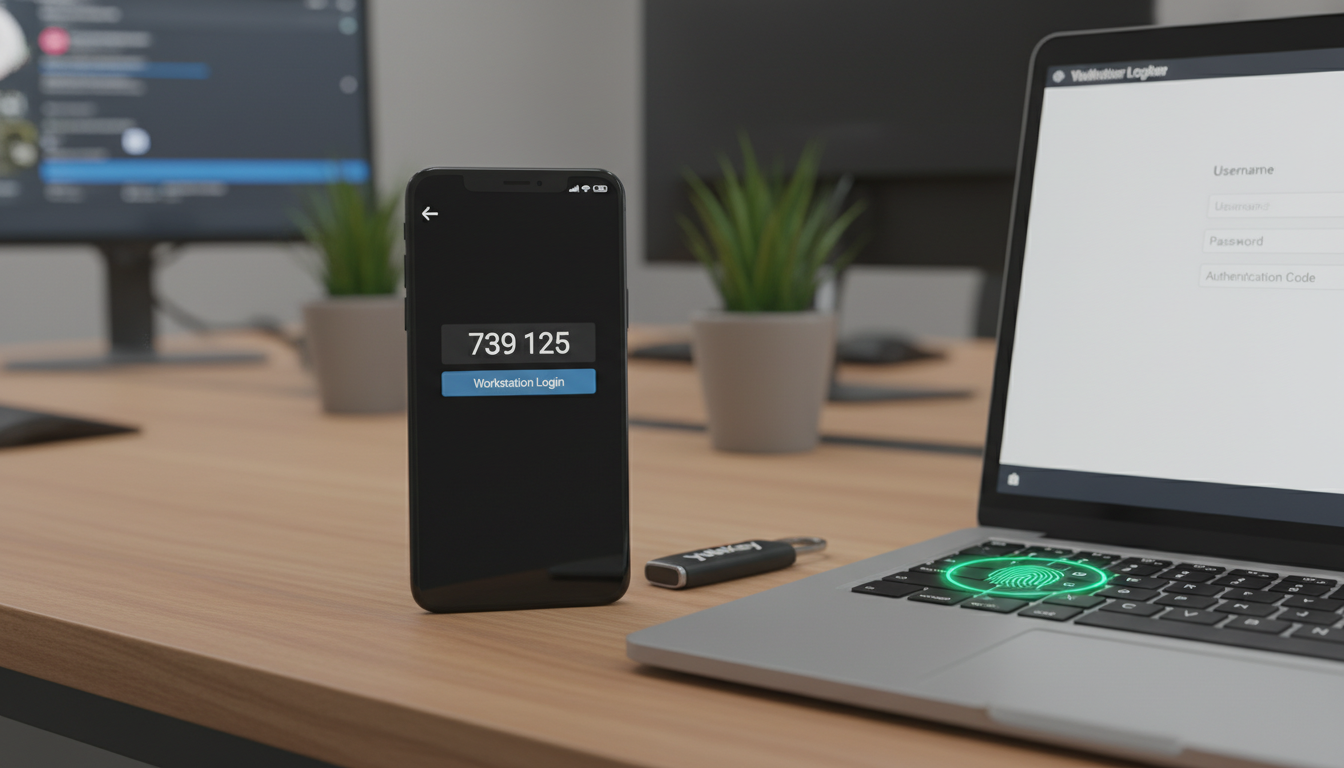
Picture this: it's a Monday morning and your finance director opens her laptop to find that £47,000 has been transferred out of the company account over the weekend. A cybercriminal guessed her password - or more accurately, bought it from a dark web marketplace for less than the price of a coffee. The attacker logged straight into your banking portal, your email system, and your cloud storage, because every single one of those services was protected by nothing more than a username and password.
This isn't a hypothetical scenario. It's happening to UK businesses every single day. And in the vast majority of cases, a simple, low-cost security measure could have stopped the attack entirely: Multi-Factor Authentication, commonly known as MFA.
If you're a business owner or IT manager at a small or medium-sized enterprise in the United Kingdom, this guide is written specifically for you. We'll walk through exactly what MFA is, why it matters more than ever in 2026, how it relates to your legal obligations under UK GDPR, and - critically - how to roll it out across your organisation without disrupting productivity.
What Exactly Is Multi-Factor Authentication?
At its simplest, multi-factor authentication is a security process that requires users to verify their identity using two or more independent methods before they can access a system, application, or account. Instead of relying solely on something you know (a password), MFA adds at least one additional layer from a different category of evidence.
Security professionals typically group authentication factors into three categories:
| Factor Type | Description | Common Examples |
|---|---|---|
| Something You Know | Information only the user should possess | Passwords, PINs, security questions |
| Something You Have | A physical device or token in the user's possession | Smartphone authenticator app, hardware security key, smart card |
| Something You Are | A biometric characteristic unique to the user | Fingerprint, facial recognition, iris scan, voice recognition |
When you log into your online banking and the bank sends a one-time code to your mobile phone, that's MFA in action. You've provided something you know (your password) and something you have (your phone). Even if a criminal has your password, they cannot complete the login without also having physical access to your device.
It's worth noting that MFA is sometimes called two-factor authentication (2FA) when exactly two factors are used. The terms are often used interchangeably in general conversation, though MFA is technically the broader concept.
The Password Problem: Why Passwords Alone Are No Longer Enough
For decades, passwords have been the primary gatekeeper of digital access. But in 2026, relying on passwords alone is rather like locking your front door but leaving all the windows wide open. Here's why:
Over 24 billion username-password combinations are currently circulating on the dark web. Many of these credentials belong to UK business users who have reused the same password across multiple services. A single breach at an unrelated website can give criminals the keys to your corporate email, cloud storage, and financial systems.
Password reuse is endemic. Studies consistently show that the average person reuses passwords across at least five different accounts. In a business context, this means that a data breach at a seemingly unrelated consumer service - a food delivery app, a social media platform, a hobby forum - can directly compromise your corporate systems.
Phishing attacks are increasingly sophisticated. Gone are the days of obvious scam emails riddled with spelling errors. Modern phishing campaigns use pixel-perfect replicas of legitimate login pages, often delivered via carefully crafted emails that reference real projects, real colleagues, and real deadlines. Even security-conscious employees can be caught out by a well-executed spear-phishing attack.
Brute force and credential stuffing attacks are automated. Attackers use sophisticated software that can attempt thousands of password combinations per second. They also use "credential stuffing" tools that automatically try stolen username-password pairs against hundreds of popular services simultaneously. If your employee's password was exposed in any previous breach, these tools will find it.
Password complexity doesn't solve the problem. You might think that enforcing complex password policies - requiring uppercase letters, numbers, special characters, and regular changes - would be sufficient. In practice, research from the National Cyber Security Centre (NCSC) shows that complex password policies often lead to worse security, as users resort to predictable patterns (Password1!, Password2!, Password3!) or write passwords down on sticky notes attached to their monitors.
How Effective Is MFA Really? The Numbers Speak for Themselves
The cybersecurity industry has accumulated substantial data on MFA's effectiveness, and the results are remarkable. Let's look at the adoption rates across different sectors and the impact on breach prevention.
MFA Adoption Rates by Industry (UK Businesses)
Microsoft's own research, based on analysing billions of authentication events, found that MFA blocks 99.9% of automated account compromise attacks. Google reported similar findings, noting that even basic SMS-based MFA prevented 100% of automated bot attacks, 96% of bulk phishing attacks, and 76% of targeted attacks.
For UK SMEs operating in sectors with lower adoption rates - retail, manufacturing, construction - implementing MFA represents a significant competitive advantage in terms of security posture. You're not just protecting your own data; you're making your business a far less attractive target for opportunistic cybercriminals who will simply move on to easier prey.
MFA and UK GDPR: Your Legal Obligations
Beyond the practical security benefits, there's a compelling legal argument for implementing MFA across your organisation. The UK General Data Protection Regulation (UK GDPR) and the Data Protection Act 2018 place clear obligations on businesses to implement "appropriate technical and organisational measures" to protect personal data.
Under Article 32 of UK GDPR, data controllers and processors must implement appropriate technical measures to ensure a level of security appropriate to the risk. The Information Commissioner's Office (ICO) has explicitly cited multi-factor authentication as an example of an appropriate technical measure in its guidance documents and enforcement actions.
The ICO has demonstrated through its enforcement actions that it takes a dim view of organisations that fail to implement basic security controls like MFA. In several notable cases, the ICO has specifically referenced the absence of multi-factor authentication as a contributing factor in its decision to issue significant fines.
| Enforcement Example | Sector | Fine Issued | MFA Cited as Factor |
|---|---|---|---|
| Advanced Computer Software Group | Healthcare IT | £6.09M | Yes - lack of MFA on customer accounts |
| Interserve Group | Construction / Outsourcing | £4.4M | Yes - inadequate authentication controls |
| Tuckers Solicitors | Legal | £98,000 | Yes - no MFA on remote access systems |
| British Airways | Aviation / Travel | £20M | Yes - insufficient access controls cited |
The message from the ICO is clear: MFA is no longer considered an optional "nice to have." It is increasingly viewed as a baseline security expectation. If your organisation suffers a data breach and you haven't implemented MFA on systems that process personal data, you'll find it extremely difficult to argue that you took "appropriate technical measures" as required by law.
For businesses that also handle payment card data, the Payment Card Industry Data Security Standard (PCI DSS) version 4.0 - which became mandatory in 2025 - now requires MFA for all access to the cardholder data environment, not just remote access as was previously the case.
Types of MFA: Choosing the Right Approach for Your Business
Not all MFA methods are created equal. The right choice for your organisation will depend on your security requirements, budget, user base, and the systems you need to protect. Here's a comprehensive comparison:
| MFA Method | Security Level | User Experience | Cost per User/Year | Best For |
|---|---|---|---|---|
| SMS One-Time Codes | Basic | Familiar but slow | £0 – £2 | Low-risk applications, users resistant to change |
| Authenticator Apps (e.g., Microsoft Authenticator) | Strong | Good - quick tap or code entry | £0 – £3 | Most business applications, excellent all-rounder |
| Push Notifications | Strong | Excellent - single tap to approve | £2 – £6 | Organisations prioritising user experience |
| Hardware Security Keys (e.g., YubiKey) | Very Strong | Good - tap the key | £20 – £50 (one-off) | High-security roles, executives, IT administrators |
| Biometric (Fingerprint / Face ID) | Strong | Excellent - seamless | Built into modern devices | Mobile workforces, combined with device management |
| Certificate-Based Authentication | Very Strong | Invisible to user once set up | £5 – £15 | Managed device environments, zero-trust architectures |
Our Recommendation for Most UK SMEs
For the majority of small and medium-sized businesses we work with at Cloudswitched, we recommend a tiered approach:
Recommended MFA Strategy
- Microsoft Authenticator app as the default method for all staff
- Hardware security keys (YubiKey) for IT administrators and finance teams
- Biometric authentication enabled on company-managed mobile devices
- Number matching enabled on push notifications to prevent MFA fatigue attacks
- Conditional Access policies to enforce MFA based on risk level
- Backup recovery codes stored securely for account recovery
Common Mistakes to Avoid
- Relying solely on SMS-based codes (vulnerable to SIM-swapping attacks)
- Exempting senior leaders or board members from MFA requirements
- Allowing "remember this device" for indefinite periods
- Not having a documented process for when employees lose their MFA device
- Implementing MFA on email but not on cloud storage or line-of-business apps
- Ignoring MFA fatigue - where attackers bombard users with approval requests
The Real Cost of NOT Implementing MFA
Many business owners we speak to are concerned about the cost of implementing MFA. It's a fair question - every pound spent on IT needs to deliver value. But when you examine the numbers, the cost of not implementing MFA is overwhelmingly greater than the cost of deployment.
Let's break down the typical costs involved in a credential-based security breach for a UK SME with 50 employees:
| Cost Category | Estimated Cost | Notes |
|---|---|---|
| Incident response & forensic investigation | £15,000 – £40,000 | Professional investigation to determine scope of breach |
| Legal fees & regulatory notification | £10,000 – £25,000 | GDPR requires notification within 72 hours |
| Business downtime | £20,000 – £80,000 | Average 21 days to contain a credential-based breach |
| Customer notification & credit monitoring | £5,000 – £20,000 | Dependent on volume of affected data subjects |
| Reputational damage & lost business | £30,000 – £150,000+ | Often the largest but hardest to quantify cost |
| Potential ICO fine | Up to £17.5M or 4% of turnover | For serious GDPR violations |
| Total potential cost | £80,000 – £315,000+ | Before any regulatory fine |
Now compare that with the cost of implementing MFA:
For most UK SMEs already using Microsoft 365, basic MFA functionality is included at no additional cost. Even for businesses requiring more advanced Conditional Access policies (available with Microsoft Entra ID P1 licensing), the cost is approximately £4.50 per user per month. For a 50-person business, that's £225 per month - a fraction of the potential cost of a single breach.
MFA Fatigue Attacks: The Emerging Threat You Need to Know About
As MFA adoption has increased, cybercriminals have adapted their tactics. One of the most significant emerging threats is the MFA fatigue attack (also known as MFA bombing or push notification spam).
Here's how it works: an attacker who already has a user's password sends repeated MFA push notifications to the user's phone - sometimes dozens or hundreds in succession, often in the middle of the night or during busy periods. The attacker is betting that the frustrated or confused user will eventually tap "Approve" just to make the notifications stop.
This technique was used in the high-profile Uber breach in 2022, where a teenage hacker gained access to the company's internal systems after an employee approved an MFA push notification following persistent bombardment.
The most effective countermeasure is number matching, now available in Microsoft Authenticator and other major platforms. Instead of simply tapping "Approve," users must enter a two-digit number displayed on the login screen into their authenticator app. This ensures the user is actively involved in a legitimate login attempt, not blindly approving a request initiated by an attacker. We strongly recommend enabling number matching for all push-based MFA across your organisation.
Step-by-Step: How to Roll Out MFA Across Your Organisation
Implementing MFA doesn't need to be a disruptive, all-or-nothing event. In fact, we strongly recommend a phased approach that gives your team time to adjust while progressively strengthening your security posture. Here's the methodology we use with our clients at Cloudswitched:
Phase 1: Audit and Planning (Week 1-2)
Before enabling anything, you need a clear picture of your current authentication landscape. This involves identifying all the systems and applications your business uses, understanding how users currently authenticate, and mapping out where the greatest risks lie.
Key activities in this phase include conducting a full inventory of cloud services, on-premises applications, and third-party platforms; identifying which accounts have administrative or elevated privileges; reviewing your current password policies and any existing MFA configurations; and documenting any systems that may not support MFA natively (these will need alternative controls).
Phase 2: Pilot Group (Week 3-4)
Start with a small pilot group - typically your IT team and a handful of willing volunteers from other departments. This allows you to identify and resolve any technical issues, develop clear user guidance documentation, and understand the real-world impact on workflows before rolling out to the wider organisation.
Phase 3: Priority Rollout (Week 5-6)
Extend MFA to your highest-risk user groups: IT administrators, finance teams, senior leadership, and anyone with access to sensitive data or systems. These accounts are the most valuable targets for attackers and should be protected first.
Phase 4: Organisation-Wide Deployment (Week 7-10)
Roll out MFA to all remaining users, department by department. Provide clear communication in advance, offer drop-in support sessions, and ensure your IT helpdesk is prepared for a temporary increase in support queries.
Phase 5: Optimisation and Monitoring (Ongoing)
After full deployment, configure Conditional Access policies to balance security with user experience. For example, you might require MFA for all external access but allow trusted, managed devices on your corporate network to authenticate less frequently. Monitor sign-in logs for anomalies and review your MFA policies quarterly.
MFA Rollout Progress - Where Are You?
Addressing Common Objections
In our experience deploying MFA for hundreds of UK businesses, we consistently encounter the same concerns. Let's address them head-on.
"It will slow our people down"
Modern MFA adds approximately 5-10 seconds to a login process. With push notifications, it's often just a single tap on your phone. When you factor in Conditional Access policies that remember trusted devices for a set period, most users will only encounter MFA prompts a few times per day at most. Compare those few seconds with the days or weeks of downtime that follow a security breach.
"Our team isn't technical enough"
If your employees can download an app and take a photo, they can use MFA. The setup process for Microsoft Authenticator involves scanning a QR code - it takes less than two minutes. We provide clear, jargon-free guides and hands-on support for every deployment.
"We're too small to be a target"
This is perhaps the most dangerous misconception in cybersecurity. The UK Government's Cyber Security Breaches Survey consistently shows that small businesses are targeted at nearly the same rate as large enterprises. In fact, small businesses are often preferred targets because they typically have weaker defences. Cybercriminals don't discriminate by company size - they discriminate by vulnerability.
"It's too expensive"
As we've outlined above, basic MFA through Microsoft 365 is included at no additional cost for most business subscriptions. Even premium features represent a negligible investment compared to the potential financial impact of a breach. The question isn't whether you can afford to implement MFA - it's whether you can afford not to.
Beyond Basic MFA: Building a Zero-Trust Security Model
MFA is a critical foundation, but forward-thinking businesses are going further by adopting a Zero Trust security model. The core principle of Zero Trust is simple: never trust, always verify. Every access request is treated as potentially hostile, regardless of whether it originates from inside or outside your network.
Here's how MFA fits into the broader Zero Trust framework:
MFA is the single most impactful element of a Zero Trust strategy, but it works best when combined with complementary measures such as endpoint detection and response (EDR), security awareness training, email filtering, and regular vulnerability assessments.
Industry-Specific Considerations for UK Businesses
Different sectors face different regulatory requirements and threat landscapes. Here's a quick overview of how MFA requirements vary across common UK SME sectors:
| Sector | Key Regulation | MFA Requirement | Priority Systems |
|---|---|---|---|
| Healthcare & Social Care | UK GDPR, DSPT, NHS Digital standards | Mandatory for DSPT compliance | Patient record systems, clinical software, email |
| Legal & Professional Services | UK GDPR, SRA Standards, Cyber Essentials | Strongly expected by SRA | Case management, document storage, client portals |
| Financial Services | UK GDPR, FCA rules, PCI DSS 4.0 | Mandatory under PCI DSS 4.0 | Banking, payment processing, accounting software |
| Education | UK GDPR, DfE Cyber Standards | Required for DfE standards | MIS systems, email, remote learning platforms |
| Retail & E-commerce | UK GDPR, PCI DSS 4.0 | Mandatory for payment systems | EPOS, e-commerce platforms, CRM |
| Manufacturing | UK GDPR, Cyber Essentials (for supply chain) | Increasingly required by supply chain partners | ERP systems, email, remote access |
Regardless of your sector, achieving Cyber Essentials certification - which is increasingly required for government contracts and expected by larger supply chain partners - now mandates MFA on all cloud services and internet-facing administrative interfaces.
What About Passwordless Authentication?
The cybersecurity industry is moving towards a future where passwords are eliminated entirely, replaced by more secure and user-friendly alternatives. Technologies like FIDO2 passkeys and Windows Hello for Business allow users to authenticate using biometrics or hardware keys without ever entering a password.
Microsoft, Google, and Apple have all committed to supporting passkeys across their platforms, and adoption is accelerating rapidly. For businesses already using Microsoft 365, the path to passwordless is becoming increasingly straightforward.
Whilst passwordless authentication is the direction of travel, most UK SMEs should focus on implementing strong MFA today as the immediate priority. Passwordless can then be introduced as a natural evolution over the coming 12-24 months. The important thing is to not let the perfect be the enemy of the good - MFA deployed today is infinitely better than passwordless planned for next year.
Measuring MFA Success: Key Metrics to Track
Once you've deployed MFA, it's important to monitor its effectiveness and adoption. Here are the key metrics we recommend tracking:
Regular review of these metrics helps ensure that your MFA deployment remains effective and that no gaps have emerged as your organisation evolves - new starters, new applications, and changing working patterns can all create blind spots if not actively monitored.
Frequently Asked Questions
What happens if an employee loses their phone?
This is one of the most common concerns we hear. The answer is straightforward: your IT team (or managed service provider) can temporarily reset the user's MFA registration, allowing them to re-enrol with a new device. In the meantime, backup methods such as a pre-configured hardware key or backup verification codes can provide continued access. The key is to have a documented recovery process before it's needed.
Does MFA work with all our business applications?
The vast majority of modern cloud applications support MFA natively or through single sign-on (SSO) integration with platforms like Microsoft Entra ID (formerly Azure Active Directory). For legacy applications that don't support modern authentication protocols, solutions such as application proxies or secure remote access gateways can extend MFA protection. During the audit phase, we identify any applications that require special handling.
Can MFA be bypassed?
Whilst no security measure is 100% infallible, properly configured MFA - particularly when using phishing-resistant methods like hardware security keys or number matching - is extraordinarily difficult to bypass. The vast majority of attacks that succeed against MFA-protected accounts exploit implementation weaknesses (such as allowing SMS as a fallback) or social engineering (MFA fatigue attacks) rather than breaking the underlying technology.
Is MFA required for Cyber Essentials certification?
Yes. As of the latest Cyber Essentials requirements, MFA must be enabled on all cloud services and administrative interfaces that are accessible from the internet. This includes email platforms, cloud storage, remote access solutions, and administrative consoles for firewalls and other infrastructure. If you're pursuing Cyber Essentials or Cyber Essentials Plus certification, MFA is a non-negotiable requirement.
Why Work with a Managed Service Provider for MFA Deployment?
Whilst MFA is conceptually straightforward, a successful deployment requires careful planning, proper configuration, and ongoing management. Common pitfalls we see when businesses attempt to deploy MFA without expert guidance include:
Benefits of Professional MFA Deployment
- Comprehensive audit identifies all systems requiring protection
- Conditional Access policies properly tuned to your business workflows
- Legacy authentication protocols identified and securely deprecated
- Staff receive hands-on training and clear documentation
- Ongoing monitoring detects and responds to authentication anomalies
- Recovery procedures tested and documented before they're needed
- Compliance requirements mapped and evidenced for auditors
Risks of DIY MFA Deployment
- Critical systems overlooked - leaving gaps attackers will find
- Overly permissive policies that undermine security effectiveness
- Legacy protocols left enabled, providing a bypass route
- Poor user experience leading to pushback and shadow IT workarounds
- No monitoring means breaches go undetected for weeks or months
- Account lockouts with no recovery process causing business disruption
- Compliance gaps discovered only during an audit or after a breach
At Cloudswitched, we've deployed MFA for businesses ranging from 10 to 500 users across every major sector. Our proven methodology ensures a smooth rollout with minimal disruption to your daily operations, whilst maximising the security benefit of your investment.
Taking the Next Step
If your business hasn't yet implemented multi-factor authentication - or if you've partially deployed it but aren't confident it's properly configured - now is the time to act. Every day without MFA is a day your business is unnecessarily exposed to credential-based attacks that are growing in both volume and sophistication.
The good news is that MFA is one of the most cost-effective security investments you can make. For most businesses, the technology is already available within your existing Microsoft 365 subscription. What's needed is the expertise to deploy it correctly, the planning to minimise disruption, and the ongoing management to keep it effective as your business evolves.
Don't wait for a breach to force your hand. The average time to detect a credential-based compromise is 287 days - meaning an attacker could have access to your systems for nearly ten months before you even know something is wrong. MFA stops the vast majority of these attacks before they begin.
Ready to Secure Your Business with MFA?
Cloudswitched provides expert MFA deployment and ongoing managed security services for UK businesses. Whether you're starting from scratch or need to strengthen an existing setup, our team will ensure your organisation is protected against credential-based attacks - with minimal disruption to your team. Get in touch for a free, no-obligation security review.
GET IN TOUCH
CloudSwitched
London-based managed IT services provider offering support, cloud solutions and cybersecurity for SMEs.


