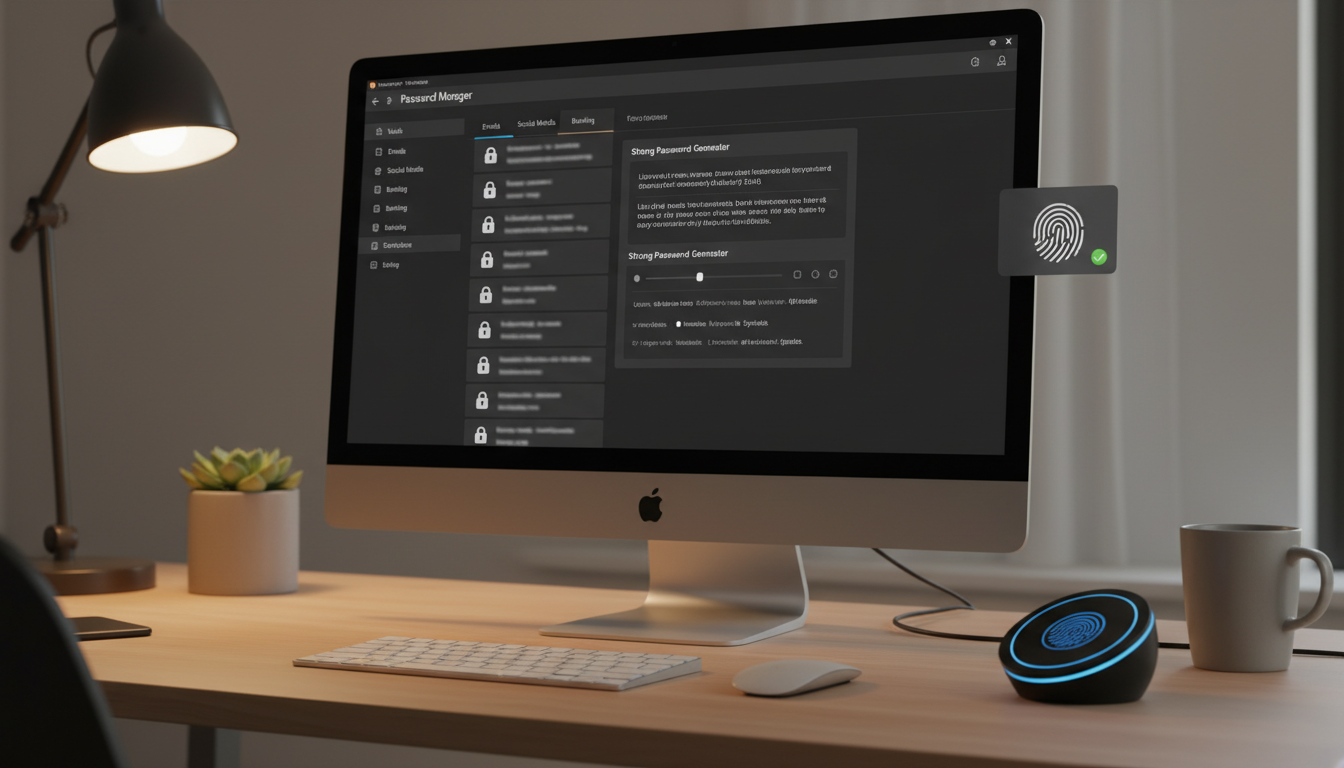
Passwords remain the primary authentication mechanism for the vast majority of business systems and services. Despite years of predictions about the "death of the password," the reality for most UK businesses in 2026 is that employees manage dozens - sometimes hundreds - of passwords across email, cloud applications, line-of-business systems, customer portals, and internal tools. How those passwords are created, stored, shared, and managed has a direct and significant impact on your business's security posture.
The NCSC's own research has consistently shown that poor password practices are one of the most exploited weaknesses in UK organisations. Weak passwords, reused passwords, passwords written on sticky notes, and passwords shared in plain text over email or messaging platforms are daily realities in businesses of all sizes. Each of these practices creates opportunities for attackers - and each is preventable with the right tools and policies.
The underground economy around stolen credentials is thriving and highly organised. Compromised username and password combinations are traded on dark web marketplaces in bulk, often for as little as a few pence per account. Automated tools allow criminals to test millions of stolen credentials against thousands of websites in a matter of hours. When they find a match - and they frequently do, because password reuse is so prevalent - they either exploit the account directly or sell verified access to more sophisticated criminal groups. For UK businesses, this means that a password breach at an entirely unrelated third-party service can directly compromise your corporate systems if even one employee has reused their credentials.
The problem is compounded by the sheer volume of data breaches occurring globally. The Have I Been Pwned database, maintained by security researcher Troy Hunt, now contains over 13 billion compromised accounts. Many UK business email addresses appear in multiple breach datasets, meaning that the associated passwords - and any variations of those passwords - should be considered permanently compromised. Without a systematic approach to password management, most organisations have no visibility into which of their employees' credentials have been exposed and no mechanism to force a password change when a breach is discovered.
This guide covers everything a UK business needs to know about password management: the current best practices from the NCSC and other authorities, how to choose and deploy a business password manager, how to create a password policy that actually works, and how to move toward a future where passwords are supplemented - and eventually replaced - by stronger authentication methods.
Why Password Management Matters
The scale of the password problem is staggering. The average business employee uses 80 to 100 different passwords across work and personal accounts. No human can remember that many unique, strong passwords, so they take shortcuts - reusing passwords, using simple variations, writing them down, or storing them in unsecured documents and spreadsheets.
These shortcuts are precisely what attackers exploit. Credential stuffing attacks - where criminals take username and password combinations leaked from one breach and try them against other services - are the single most common form of account compromise. If an employee uses the same password for their company email as they used for a shopping site that was breached, your corporate systems are compromised.
The financial impact of password-related breaches is significant. According to the IBM Cost of a Data Breach Report, compromised credentials are the most common initial attack vector, and breaches caused by stolen credentials take the longest to identify and contain - an average of 292 days. For UK businesses, the ICO can impose fines of up to £17.5 million or 4 per cent of annual turnover for GDPR breaches resulting from inadequate security measures, which includes poor password management.
The regulatory landscape around password security continues to tighten. Beyond the GDPR, sector-specific regulations impose additional requirements. Financial services firms regulated by the FCA must demonstrate robust access controls as part of their operational resilience obligations. Healthcare organisations handling NHS patient data must comply with the Data Security and Protection Toolkit, which includes specific requirements around password management and access control. Legal practices are subject to the SRA's information security requirements, which expect firms to take reasonable steps to protect client data - and inadequate password practices would be difficult to defend as reasonable in any regulatory investigation.
Perhaps most significantly for smaller UK businesses, the Cyber Essentials scheme - which is increasingly required for government contracts and recommended by the NCSC as a baseline for all organisations - includes specific technical controls around password management. Meeting these requirements is not just about avoiding fines; it is about demonstrating to clients, partners, insurers, and regulators that your organisation takes data protection seriously. A single password-related breach can damage client relationships, trigger regulatory scrutiny, and increase insurance premiums for years to come.
The NCSC's current password guidance represents a significant shift from traditional approaches. They now advise against forcing regular password changes (which encourages weak, predictable passwords), against complexity requirements like mandatory special characters (which frustrate users without meaningfully improving security), and against security questions (which are easily guessable). Instead, they recommend long passphrases, password managers, multi-factor authentication, and checking passwords against known breach databases. If your password policy still requires quarterly changes and a mix of upper case, lower case, numbers, and special characters, it is outdated and potentially counterproductive.
Modern Password Best Practices
Length Over Complexity
The NCSC recommends prioritising password length over complexity. A 20-character password composed of three or four random words is both stronger and easier to remember than an 8-character password with forced complexity. For example, "correct-horse-battery-staple" (a famous example from the xkcd comic) is vastly stronger than "P@ssw0rd!" despite being easier to type and remember.
For accounts protected only by a password (no MFA), require a minimum of 12 characters - ideally 14 or more. For accounts protected by MFA, a minimum of 8 characters is acceptable because the second factor provides an additional layer of security. For admin and privileged accounts, require a minimum of 16 characters and mandate the use of a password manager to generate truly random passwords.
Passphrases and the Diceware Method
For the master password that protects your password manager vault - and for any other password that must be memorised rather than stored - passphrases offer the best combination of strength and memorability. A passphrase is a sequence of randomly selected words, typically four to six, that together form a string long enough to resist brute-force attacks. The diceware method, where words are selected by rolling physical dice and looking up the results in a word list, ensures genuine randomness that human word selection cannot match. A four-word diceware passphrase provides roughly 51 bits of entropy, which is sufficient for most purposes; a five-word passphrase provides approximately 64 bits, which is considered strong even against well-resourced attackers.
The key advantage of passphrases is that they separate the problem of creating strong passwords from the problem of remembering them. A passphrase like "anchor-Tuesday-limestone-ferry" is vastly stronger than a typical complex password like "J3nkins@99" whilst being far easier to type and recall. For UK businesses, training employees to create strong passphrases for their password manager master password - and then relying on the password manager for everything else - represents the most practical path to genuinely strong credential hygiene across the organisation.
Use a Business Password Manager
A password manager is the single most impactful tool you can deploy to improve password security across your business. It allows every employee to use a unique, randomly generated, strong password for every single account - without having to remember any of them. The password manager stores all credentials in an encrypted vault, accessible only with a single master password (or biometric authentication).
Business password managers go further than personal products by offering centralised administration and user management, secure password sharing between team members, role-based access control for shared credentials, audit logging of who accessed which passwords and when, integration with single sign-on (SSO) and directory services, and dark web monitoring for compromised company credentials.
When evaluating password managers for your organisation, several factors beyond headline features deserve careful consideration. Data residency is increasingly important for UK businesses subject to regulatory oversight - understanding where your encrypted vault data is stored, whether the provider offers UK or European data centres, and what jurisdiction governs access to your data should form part of your evaluation criteria. Similarly, the provider's own security track record matters. Investigate whether the product has undergone independent security audits, whether the results are publicly available, and how the provider has responded to any past security incidents. Transparency and a demonstrated commitment to security are more valuable than marketing claims.
Integration capabilities are another critical factor for UK businesses. A password manager that integrates with your existing identity provider - whether that is Microsoft Entra ID, Google Workspace, or an on-premises Active Directory - simplifies user provisioning and deprovisioning, reducing the administrative burden on your IT team. Look for SCIM (System for Cross-domain Identity Management) support, which allows automated synchronisation of user accounts between your directory and the password manager. This ensures that when an employee leaves the organisation, their password manager access is revoked automatically as part of your standard offboarding process, rather than relying on a manual step that could be overlooked.
| Password Manager | Monthly Cost per User | Key Strengths | Considerations |
|---|---|---|---|
| 1Password Business | £6.00 | Excellent UI, strong sharing, Watchtower breach alerts | Higher cost than alternatives |
| Bitwarden Teams | £3.25 | Open source, self-hosting option, very affordable | UI less polished than commercial options |
| Dashlane Business | £5.00 | Built-in VPN, dark web monitoring, SSO integration | Limited offline access |
| Keeper Business | £3.75 | Strong compliance features, secure file storage | Add-ons can increase cost |
| LastPass Business | £5.50 | Widely adopted, good SSO integration | Past security incidents have affected trust |
Enforce Multi-Factor Authentication
Even the best password can be compromised - through phishing, keylogging, or breach of a third-party service. Multi-factor authentication (MFA) provides a critical second line of defence by requiring something in addition to the password: typically a code from an authenticator app, a hardware security key, or a biometric factor.
MFA should be mandatory for all cloud services (Microsoft 365, Google Workspace, Salesforce, etc.), all remote access (VPN, RDP, remote desktop), all admin and privileged accounts, and your password manager itself. The NCSC, ICO, and Cyber Essentials scheme all strongly recommend or require MFA. There is no legitimate reason to leave MFA disabled on any business system that supports it.
Check Passwords Against Breach Databases
Implementing a check against known compromised passwords is one of the most effective and least disruptive security improvements you can make. Microsoft Entra ID (used by Microsoft 365) includes a feature called Password Protection that automatically blocks users from setting passwords that appear in known breach lists. This prevents employees from choosing passwords that are already in the hands of criminals, even if those passwords would otherwise meet your complexity requirements.
For websites and applications you develop, the Have I Been Pwned API provides a free service that allows you to check passwords against a database of over 800 million compromised passwords without ever transmitting the password itself (using a k-anonymity model).
Managing Shared Credentials Securely
Every organisation has accounts that are shared between multiple people - social media accounts, service accounts for third-party tools, administrator credentials for systems that do not support individual logins, and emergency access accounts. These shared credentials represent a particularly acute security risk because it is often unclear who has access, passwords are rarely changed when team members leave, and there is no audit trail showing who used the credentials and when. A business password manager addresses this problem through secure sharing features that allow designated team members to access shared credentials without ever seeing the underlying password.
When an employee with access to shared credentials leaves the organisation, the password manager's admin console allows you to immediately rotate those shared passwords and remove the departed employee's access in a single operation. This is vastly more reliable than the alternative - trying to remember every shared account an employee had access to and manually changing each one. For UK businesses subject to data protection regulations, the ability to demonstrate that shared credential access is controlled, audited, and promptly revoked upon departure is an important compliance capability that regulators and auditors increasingly expect to see in place.
Creating a Password Policy That Works
A password policy is only effective if people actually follow it. Policies that are excessively strict, confusing, or impractical drive people to workarounds that undermine security. A good modern password policy should be concise, clearly communicated, and designed to work with human behaviour rather than against it.
Communicating password policy changes to your workforce is as important as the technical implementation. When rolling out a new policy, explain not just what is changing but why. Employees who understand that the old policy of forced quarterly password changes actually encouraged weaker passwords are far more likely to embrace the new approach than those who simply receive a directive. Use concrete examples that resonate with your staff - illustrate how a password manager saves them time every day, show them how quickly a short complex password can be cracked compared to a longer passphrase, and emphasise that the new policy is designed to make their lives easier as well as more secure.
Training should be practical and role-specific rather than generic. A finance team handling sensitive client data and bank transfers will benefit from understanding the specific risks of credential compromise in their context - authorised push payment fraud, invoice redirection scams, and business email compromise all exploit weak credentials as an initial access vector. A sales team using a CRM system needs to understand that a compromised CRM account could expose thousands of client records and trigger a reportable data breach under GDPR. When employees understand the specific consequences that are relevant to their role, password security becomes a personal responsibility rather than an abstract IT requirement imposed from above.
Modern Password Policy (NCSC-Aligned)
- Minimum 12 characters for standard accounts
- Minimum 16 characters for admin/privileged accounts
- No mandatory complexity rules (no forced special characters)
- No mandatory regular password changes
- Password manager required for all employees
- MFA mandatory on all cloud and remote access
- Passwords checked against breach databases
- Change passwords only when compromise is suspected
Outdated Password Policy (Still Common)
- Minimum 8 characters - too short for modern attacks
- Must include upper, lower, number, and special character
- Mandatory 90-day password rotation
- No password manager - users expected to memorise all passwords
- MFA optional or only for admins
- No breach database checking
- Encourages predictable patterns like "Summer2026!"
- Frustrates users into writing passwords on sticky notes
Deploying a Password Manager: Practical Steps
Rolling out a business password manager requires planning and change management, not just technology. Here is a practical approach that works for UK SMEs.
Phase 1 - Pilot (2 weeks): Deploy the password manager to a small group of tech-savvy volunteers. Gather feedback, identify any integration issues, and refine your deployment guide.
Phase 2 - Department Rollout (4-6 weeks): Roll out department by department, providing hands-on training sessions for each group. Focus on the practical benefits - no more forgotten passwords, no more typing passwords repeatedly, secure sharing of team credentials.
Phase 3 - Organisation-Wide (2-4 weeks): Complete the rollout to all remaining users. At this stage, update your password policy to require the use of the password manager for all work accounts.
Phase 4 - Enforcement (ongoing): Monitor adoption through the password manager's admin console. Identify users who are not using it and provide additional support. Consider using the password health scoring features (available in most business password managers) to identify users with weak, reused, or compromised passwords and prompt them to update.
The Future: Passwordless Authentication
While passwords will remain part of the authentication landscape for the foreseeable future, passwordless authentication is gaining traction. Technologies like FIDO2 security keys, Windows Hello for Business, and passkeys (supported by Apple, Google, and Microsoft) allow users to authenticate using biometrics or physical security keys instead of passwords.
Microsoft 365 Business Premium already supports passwordless authentication through Windows Hello and FIDO2 keys. For businesses looking to eliminate passwords over time, adopting these technologies for new deployments while maintaining password manager coverage for systems that still require passwords is a pragmatic approach.
For most UK SMEs, the immediate priority is not passwordless - it is getting the basics right. Deploy a password manager, enforce MFA everywhere, align your password policy with NCSC guidance, and educate your staff. These steps alone will dramatically reduce your exposure to password-related attacks.
The Cyber Essentials scheme requires that you control access to your data and services through user accounts with appropriate password policies. Specifically, you must protect against brute force attacks (through account lockout or throttling), use MFA where available, and have a process for changing passwords when compromise is suspected. A business password manager, combined with MFA and the NCSC-aligned password policy described in this guide, will satisfy all Cyber Essentials password requirements.
Ready to Improve Your Password Security?
Cloudswitched helps UK businesses implement password managers, deploy MFA, and build security policies that actually work. From selecting the right tools to training your team, we make the transition to strong password management straightforward and painless.
GET IN TOUCH
CloudSwitched
London-based managed IT services provider offering support, cloud solutions and cybersecurity for SMEs.


