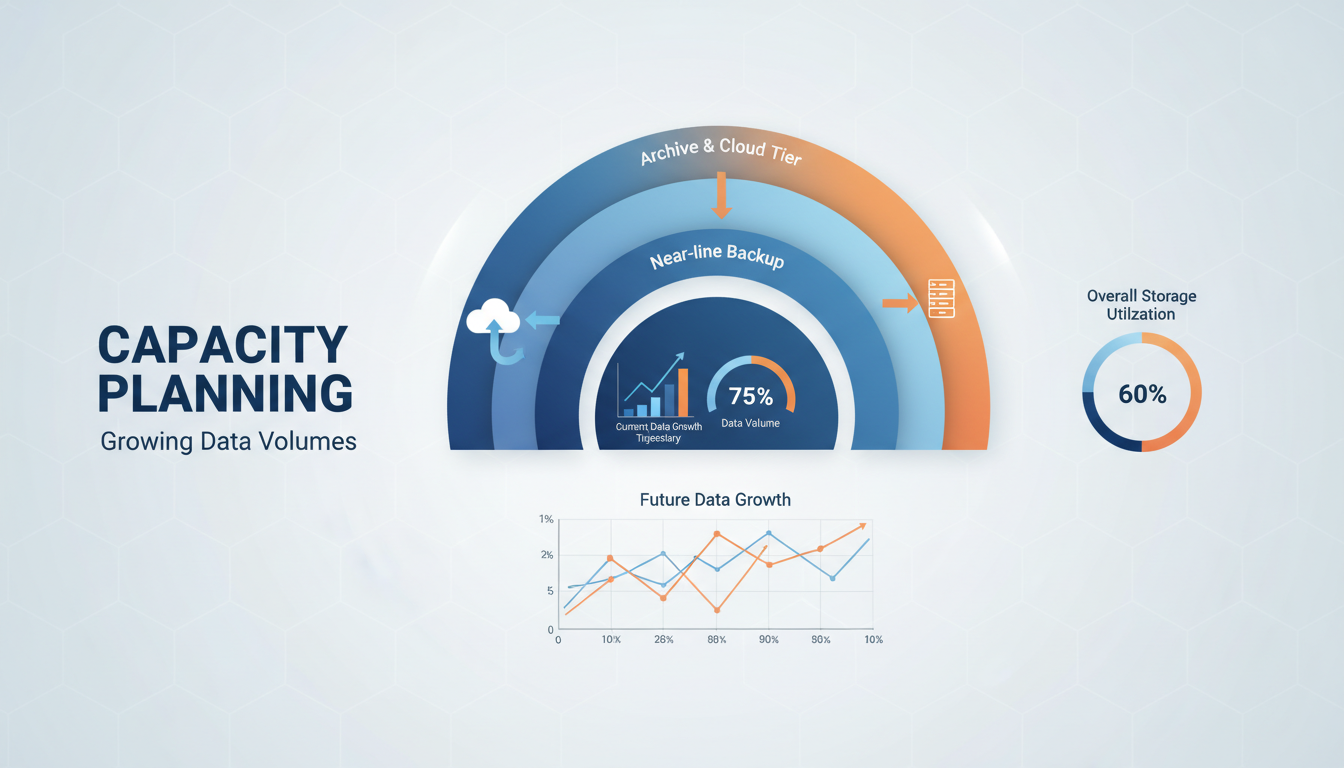
Data is growing exponentially across every sector of the UK economy. Emails accumulate, documents multiply, databases expand, and the applications that generate data become more sophisticated and prolific with each passing year. For UK businesses, this relentless growth creates a critical challenge: how do you ensure that all of this data is properly backed up, securely stored, and quickly recoverable - without costs spiralling out of control?
Many businesses discover the inadequacy of their backup storage only when it is too late - when a ransomware attack encrypts their files and the backup is either incomplete, outdated, or has quietly failed because it ran out of space months ago. Others face a more gradual reckoning: backup windows that stretch longer each month, restore times that make recovery impractical, and storage bills that climb relentlessly higher.
Planning backup storage for growing data volumes requires a strategic approach that balances protection, performance, cost, and compliance. This guide provides a practical framework for UK businesses facing this challenge.
Understanding Your Data Growth
Before you can plan backup storage effectively, it is essential to understand not just how much data you have, but what that data consists of and how it is distributed across your systems. Many UK businesses have a fragmented view of their data landscape - they know the total size of their file server, but they have little visibility into how data is spread across cloud services, email systems, databases, and individual user devices. A comprehensive data audit is the foundation of any sound backup storage strategy.
Data classification is equally important. Not all data carries the same value or regulatory significance, and treating all data identically when it comes to backup and retention is both wasteful and potentially non-compliant. Client records, financial data, and intellectual property may require frequent backups with long retention periods and rapid recovery capabilities. Marketing materials, temporary project files, and duplicate copies of data held elsewhere may need less stringent protection. Understanding these distinctions allows you to apply tiered backup strategies that optimise both protection and cost.
Conducting a Data Audit
A thorough data audit begins with identifying every location where your business data resides. For most UK businesses, this includes on-premises file servers, Microsoft 365 (Exchange Online, SharePoint, OneDrive, Teams), cloud-hosted applications and their associated databases, local databases such as SQL Server or MySQL, line-of-business application data stores, and data on individual user devices including laptops and mobile phones. Each of these sources needs to be measured, classified, and included in your backup planning. It is common for businesses to discover during an audit that significant volumes of critical data exist in locations they were not backing up at all.
Once you have mapped your data sources, measure the volume and growth rate of each independently. You may discover that 80 percent of your data growth is coming from a single source - perhaps a rapidly expanding SharePoint library or a database that logs every customer transaction. Identifying these growth drivers allows you to forecast future storage requirements with far greater accuracy than applying a single average growth rate across all data. It also highlights opportunities for data management: archiving old data, implementing retention policies on mailboxes, or cleaning up redundant files can reduce storage requirements significantly before you even begin planning backup capacity.
Before you can plan backup storage, you need to understand how your data is growing. This requires measurement, not guesswork. Examine your storage consumption over the past 12 to 24 months and calculate the growth rate. Most UK SMEs see data growth of 15% to 35% per year, depending on their industry and the applications they use.
Different types of data grow at different rates. Email archives tend to grow steadily at 10-20% per year. File shares grow faster as businesses create more documents, presentations, and media files. Database growth depends on transaction volumes - a busy e-commerce operation might see 30-50% database growth annually. Cloud application data (SharePoint, OneDrive, Teams) is often the fastest-growing category, as businesses increasingly use these platforms for daily collaboration.
The 3-2-1 Backup Rule
The 3-2-1 rule has endured for decades because it addresses the fundamental risks that cause data loss: hardware failure, software corruption, accidental deletion, and physical disasters. Each element of the rule mitigates a different category of risk. Having three copies protects against the statistical improbability that all three storage devices will fail simultaneously. Using two different media types protects against a technology-specific vulnerability, such as a firmware bug affecting an entire model of hard drive. Keeping one copy off-site protects against localised disasters - fire, flood, theft, or building damage - that could destroy all on-premises copies simultaneously.
For UK businesses operating in an era of sophisticated cyber threats, understanding these underlying principles is more important than slavishly following the numerical formula. The spirit of the rule is about redundancy, diversity, and physical separation. A business that stores two copies of its data in the same server room, on the same type of hardware, connected to the same network, has effectively one copy from a risk perspective - because a single event such as ransomware spreading through the network, a fire, or a power surge could destroy both copies simultaneously.
Modern Extensions to the 3-2-1 Rule
The evolving threat landscape has prompted security professionals to extend the 3-2-1 rule with additional protections. The 3-2-1-1 variant adds one immutable copy - a backup that cannot be altered or deleted for a specified period, even by an administrator with full system access. This directly addresses the ransomware threat, where attackers increasingly target backup systems alongside production data. Immutable storage is available through several mechanisms: Azure Blob Storage immutability policies, AWS S3 Object Lock, Veeam hardened Linux repositories, and dedicated air-gapped backup appliances.
Some organisations go further with a 3-2-1-1-0 approach, where the final zero represents zero untested backups. This underscores the critical importance of regular backup verification and recovery testing - a practice that many UK businesses neglect despite its fundamental importance. A backup that has never been tested is a backup you cannot rely upon. Automated backup verification, where the backup solution periodically restores data to a sandbox environment and confirms its integrity, should be a standard component of any business continuity strategy. Without it, you are operating on faith rather than evidence that your backups will function when needed.
The 3-2-1 backup rule remains the gold standard for data protection. It specifies that you should maintain three copies of your data, on two different types of media, with one copy stored off-site. For modern UK businesses, this translates to: production data on your primary storage, a local backup on a dedicated backup appliance or NAS, and a cloud backup stored in a UK data centre.
With the rise of ransomware, many experts now advocate for a 3-2-1-1 approach - adding one immutable or air-gapped copy that cannot be modified or deleted even by an administrator. This protects against ransomware that specifically targets backup systems, which is an increasingly common attack vector.
Immutable backups are backup copies that cannot be altered, encrypted, or deleted for a specified retention period. Even if ransomware compromises your backup server or an attacker gains administrator access, immutable backups remain intact and recoverable. Cloud platforms like Azure Blob Storage and AWS S3 offer immutability features, and dedicated backup solutions like Veeam support immutable repositories. For any UK business concerned about ransomware - which should be every UK business - immutable backups are no longer optional.
Backup Storage Options for UK Businesses
Local Backup Storage
Local backup storage provides the fastest backup and restore speeds because data does not need to traverse your internet connection. Options include dedicated NAS devices, dedicated backup appliances (such as Datto or Veeam Backup & Replication with local repositories), and direct-attached storage on backup servers.
For a small business with 1-5TB of data, a quality NAS device costs £500-2,000. For larger environments, a dedicated backup server with 10-50TB of storage might cost £3,000-10,000. While local backup is fast and convenient, it does not satisfy the off-site requirement of the 3-2-1 rule and is vulnerable to the same physical threats (fire, flood, theft) as your primary systems.
Cloud Backup Storage
When evaluating cloud backup providers for UK operations, data residency is a critical consideration. UK GDPR requires that personal data transferred outside the UK has adequate protection, and many UK businesses - particularly those in regulated sectors - have policies requiring that all data, including backups, remains within UK borders. Major cloud providers including Microsoft Azure, Amazon Web Services, and Google Cloud all operate UK data centre regions, but you must explicitly configure your backup storage to use these regions rather than accepting default configurations that may store data elsewhere in Europe or globally.
Bandwidth and initial seeding are practical challenges that UK businesses often underestimate when adopting cloud backup. The initial upload of several terabytes of data to the cloud can take days or weeks over a standard business broadband connection. Azure offers Data Box - a physical device shipped to your premises that you load with data and return for direct upload to your Azure storage account - which can dramatically accelerate the initial seeding process for large data sets. After the initial upload, incremental backups are typically much smaller and can be transmitted over standard internet connections without impacting other business traffic, particularly if scheduled outside core working hours.
Egress costs are another factor that catches many UK businesses by surprise. Whilst uploading data to cloud storage is typically free or very low cost, downloading data - which happens during a restore operation - incurs charges that can be significant for large-scale recoveries. Azure charges approximately 7p per gigabyte for data egress from UK regions, meaning that restoring a 10TB dataset would cost approximately seven hundred pounds in egress fees alone. Understanding these costs in advance and factoring them into your disaster recovery planning ensures that there are no unwelcome financial surprises during an emergency recovery scenario.
Cloud backup storage addresses the off-site requirement and provides effectively unlimited scalability. Data is replicated to one or more UK data centres, protected against local disasters, and accessible from anywhere. The primary cost factor is the volume of data stored and the speed of data retrieval.
| Cloud Storage Tier | Approx. Cost per TB/month | Retrieval Speed | Best For |
|---|---|---|---|
| Azure Hot Storage | £15 - £18 | Instant | Frequently accessed backups (recent days) |
| Azure Cool Storage | £8 - £10 | Instant (higher retrieval cost) | Weekly and monthly retention |
| Azure Archive Storage | £1.50 - £2 | Hours to retrieve | Long-term retention and compliance |
| AWS S3 Standard | £18 - £20 | Instant | Primary cloud backup target |
| AWS S3 Glacier | £3 - £4 | Minutes to hours | Archive and compliance retention |
Retention Policies and Compliance
Retention policies sit at the intersection of regulatory compliance, business risk management, and cost control. Getting them right requires input from multiple stakeholders: IT teams who understand the technical implications, finance teams who are aware of HMRC requirements, legal teams who know about litigation hold obligations, and business leaders who can define how far back they might realistically need to recover data. A retention policy developed solely by IT, without this broader input, almost always misses important requirements or creates unnecessary risk.
The cost implications of retention are often underestimated. Each additional retention tier adds storage volume: if you retain daily backups for 30 days, that is 30 copies of your daily backup set, though deduplication and incremental backups reduce the actual storage consumed significantly. Adding weekly retention for 12 months contributes another 52 backup sets. Monthly retention for seven years adds 84 more. Whilst deduplication and compression reduce the physical storage required - typically by 40 to 60 percent for business data - the cumulative effect of long retention periods on storage costs is substantial and must be modelled accurately during the planning phase.
UK-Specific Regulatory Requirements
UK businesses must navigate a complex landscape of retention requirements that vary by industry and data type. HMRC requires that financial records, including invoices, receipts, bank statements, and payroll records, be retained for a minimum of six years from the end of the relevant tax year. Companies House requires that accounting records be kept for at least six years for private companies. The Financial Conduct Authority imposes additional record-keeping requirements on regulated firms, including retention of client communications, transaction records, and complaints data for periods ranging from three years to indefinite depending on the record type.
UK GDPR adds an important counterbalance to these retention requirements. Whilst regulators demand that certain records be kept for specified periods, GDPR requires that personal data not be retained for longer than necessary for its stated purpose. This means your retention policy must include deletion schedules as well as preservation rules. When a retention period expires, data containing personal information should be securely deleted from backups as well as production systems - a requirement that can be technically challenging with traditional backup solutions that store data in monolithic backup sets rather than individually addressable records. Discussing this tension with your data protection officer early in the planning process can prevent costly compliance issues later.
How long you keep backups has a direct impact on storage costs. A business that retains daily backups for 30 days, weekly backups for 12 months, and monthly backups for 7 years will need significantly more storage than one that keeps only 14 days of daily backups.
UK regulatory requirements dictate minimum retention periods for certain data types. Financial records must typically be retained for six to seven years under HMRC rules. Employment records have varying retention requirements. Health records may need to be kept for decades. UK GDPR also imposes constraints in the opposite direction - you should not retain personal data for longer than necessary for the purpose it was collected.
Design your retention policy to balance regulatory requirements, business needs, and cost. Use tiered storage to minimise expense - recent backups on fast, expensive storage for quick recovery, older backups on cheaper archive storage for compliance.
Smart Retention Strategy
- Daily backups retained for 30 days (hot storage)
- Weekly backups retained for 12 months (cool storage)
- Monthly backups retained for 7 years (archive storage)
- Tiered storage matches cost to access frequency
- Automated lifecycle policies manage transitions
- Immutable retention for ransomware protection
- Regular review of retention requirements
Common Mistakes
- Keeping everything forever (costly and non-compliant)
- All data on expensive hot storage
- No archival tier for long-term data
- Manual management of retention policies
- No lifecycle automation
- No immutability for critical backups
- Never reviewing what is actually retained
Capacity Planning for Growth
Capacity planning for backup storage requires a fundamentally different mindset from planning production storage. Whilst production storage grows in a relatively linear fashion as new data is created, backup storage grows as a function of both data volume and retention policy. A 25 percent annual increase in production data does not translate to a simple 25 percent increase in backup storage - it may be considerably more or less depending on the nature of the data, the backup method used, and the retention policies applied to different data categories.
Incremental backup strategies, which only capture data that has changed since the last backup, significantly reduce daily backup volumes compared to full backups. However, the cumulative effect of retaining these incremental backups over time still represents a substantial storage footprint. A typical incremental backup for business data captures 3 to 5 percent of the total data volume each day. Over a 30-day retention period, that amounts to 90 to 150 percent of the source data volume in addition to the initial full backup. Understanding these multipliers is essential for producing accurate capacity forecasts that your finance team can rely upon for budgeting purposes.
Building a Three-Year Capacity Forecast
A robust capacity forecast should model at least three years of growth, taking into account multiple variables: projected data growth from existing systems, new systems or applications planned for deployment, changes in retention policy requirements, improvements in deduplication and compression as backup technology evolves, and any planned business changes such as acquisitions, new offices, or workforce expansion. Build the forecast using three scenarios - conservative, expected, and aggressive growth - to understand the range of possible outcomes and ensure your chosen storage solution can accommodate the upper end of projections without requiring emergency procurement.
Many UK businesses benefit from revisiting their capacity forecast quarterly, particularly during periods of rapid growth or organisational change. A forecast built 18 months ago may no longer be accurate if the business has onboarded a new cloud application that generates significantly more data than anticipated, or if a regulatory change has extended retention requirements. Treat the forecast as a living document rather than a one-time exercise, and use it as the basis for storage procurement decisions, budget requests, and contract negotiations with backup service providers. A regularly updated forecast also provides early warning if growth is outpacing projections, giving you time to secure additional capacity before existing storage reaches its limits.
The most critical aspect of backup storage planning is projecting future requirements. If your data is growing at 25% annually and you currently have 5TB, you will have approximately 9.5TB in three years and 15TB in five years. Your backup storage must accommodate not just the raw data but also the retention policy - 30 days of daily backups with incremental changes can require two to three times the source data volume.
Build a three-year capacity forecast that accounts for: projected data growth, retention policy requirements, the overhead of backup deduplication and compression (which reduces storage needs by 40-60% for typical business data), and any planned changes to the business that might accelerate growth (new staff, new applications, acquisitions).
Monitoring and Alerting
Backup monitoring is arguably the most neglected aspect of data protection in UK businesses. Surveys consistently show that a significant proportion of organisations only discover their backups have been failing when they attempt a recovery - by which point the damage is done. The most common causes of undetected backup failure include storage capacity exhaustion (the backup target ran out of space), expired credentials (service account passwords changed without updating the backup configuration), network connectivity issues (a firewall rule change blocked backup traffic), and application changes that broke the backup agent configuration.
A comprehensive monitoring strategy should cover four dimensions: backup job completion (did the backup run and finish successfully?), backup integrity (is the backed-up data consistent and restorable?), storage capacity (how much space remains, and when will it run out at current growth rates?), and compliance adherence (are retention policies being applied correctly, and is immutability configured where required?). Each dimension should have defined thresholds that trigger alerts at warning and critical levels, giving your team time to intervene before a monitoring gap becomes a data loss incident.
Regular Recovery Testing
The ultimate test of any backup strategy is whether data can actually be recovered when needed. Regular recovery testing - also known as restore testing or backup validation - should be a scheduled, documented activity rather than something that only happens during an actual emergency. Best practice for UK businesses is to conduct a full test restore at least quarterly, selecting different data sets each time to ensure comprehensive coverage over the course of a year. Document the results of each test, including the time taken, any issues encountered, and the verified integrity of the restored data.
Recovery testing should measure both the integrity of the restored data (is it complete and usable?) and the time required to complete the restoration (does it meet your Recovery Time Objective?). Many businesses are surprised to discover that restoring a multi-terabyte dataset from cloud storage takes significantly longer than expected, particularly when egress bandwidth and network capacity constraints are factored in. Identifying these gaps during a scheduled test - rather than during an actual disaster - gives you the opportunity to implement remediation measures such as maintaining local backup caches for critical data, provisioning higher-bandwidth connections, or adjusting Recovery Time Objectives to reflect the reality of your restoration capabilities more accurately.
Backup storage must be actively monitored. Set up alerts for: backup jobs that fail or complete with warnings, storage utilisation approaching capacity thresholds (alert at 70%, escalate at 85%), backup durations exceeding expected windows, and data growth rates exceeding projections.
Without monitoring, backup problems go undetected until someone needs to recover data and discovers the backups have been failing for weeks. This is one of the most common and preventable causes of data loss in UK businesses. A managed backup service that includes monitoring and alerting ensures that problems are identified and resolved before they result in unrecoverable data loss.
Need Help Planning Your Backup Storage?
Cloudswitched provides managed backup services for UK businesses, handling everything from capacity planning and solution design to daily monitoring and recovery testing. We ensure your data is protected, compliant, and recoverable - no matter how fast it grows. Contact us to discuss your backup requirements.
GET IN TOUCH
CloudSwitched
London-based managed IT services provider offering support, cloud solutions and cybersecurity for SMEs.


