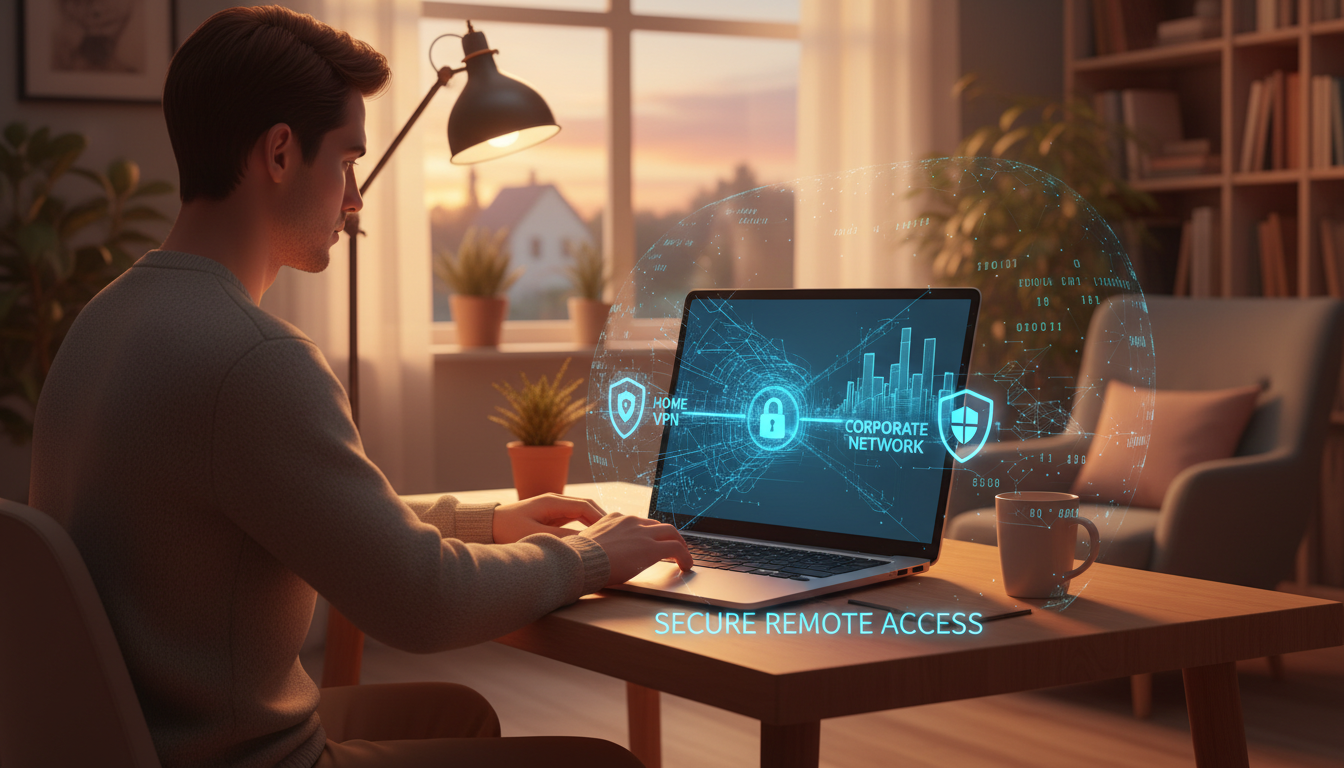
The shift to remote and hybrid working has fundamentally transformed the cyber security landscape for organisations across the United Kingdom. What began as an emergency response to the pandemic has become a permanent feature of how millions of people work. For organisations pursuing or maintaining Cyber Essentials Plus certification, remote workers introduce complexities that must be carefully managed to pass the assessment and, more importantly, to maintain genuine security.
This guide examines how remote working arrangements affect your Cyber Essentials Plus certification, what controls need to adapt, and how to ensure your remote workforce does not become your weakest security link.
Why Remote Workers Matter for Cyber Essentials Plus
Cyber Essentials Plus assesses the security of all devices that access your organisation's data and services, regardless of where they are located. A laptop used by a remote worker in their home office is just as much in scope as a desktop computer in your headquarters. This is a fundamental point that many organisations underestimate - the assessment scope extends to every device connected to your network or accessing your cloud services, wherever it may be.
The NCSC has been clear that remote working does not reduce or change the Cyber Essentials requirements - it extends them. Every device used for work purposes must meet the same standards for firewalls, secure configuration, user access control, malware protection, and patch management as office-based equipment. The challenge lies in maintaining consistent control over devices that are physically distributed across multiple locations, connected through different networks, and potentially shared with family members.
Scope Implications for Remote Environments
Understanding what falls within scope is the first critical step. For Cyber Essentials Plus, the scope includes:
Company-owned devices used remotely - laptops, tablets, and mobile phones issued by your organisation and used by remote workers. These are unambiguously in scope and must meet all five technical controls.
BYOD (Bring Your Own Device) equipment - personal devices used by staff to access company email, cloud services, or internal systems. This is where scoping becomes complex. If a personal device accesses organisational data, it is in scope. The organisation must ensure that these devices meet Cyber Essentials standards, which can be challenging when you do not own or fully control the device.
Cloud services accessed by remote workers - Microsoft 365, Google Workspace, CRM systems, project management tools, and any other cloud-based service used in the course of work. The configuration of these services - particularly access controls and multi-factor authentication - is within scope.
Home network equipment is generally not in scope, provided that the devices themselves have properly configured software firewalls. The home router used by a remote worker is outside your organisation's control, and the Cyber Essentials scheme recognises this. However, the device connecting through that router must have its own firewall enabled and properly configured.
The table below summarises the scope status and key compliance requirements for each category of remote device commonly encountered during a Cyber Essentials Plus assessment. Understanding these distinctions early in your preparation process helps you focus resources on the areas most likely to cause issues during the hands-on technical testing phase. Assessors will refer to your device register and expect every in-scope device to meet the relevant controls, so having a clear picture from the outset is essential to avoiding last-minute surprises on assessment day.
| Device Category | Scope Status | Key CE+ Requirement | Common Pitfall |
|---|---|---|---|
| Company laptops (remote) | Always in scope | All five controls must be met | Patch drift when off corporate network |
| Company mobile phones | Always in scope | MDM enrolment, OS updates, screen lock | Delayed OS updates on older handsets |
| BYOD laptops | In scope if accessing org data | Firewall, AV, patching, access control | Users decline MDM on personal devices |
| BYOD smartphones | In scope if accessing email or apps | App management, passcode policy | Personal phones with no management |
| Home routers | Generally out of scope | N/A (device firewall compensates) | Assuming router exclusion covers all devices |
| Cloud services (M365, GWS) | Configuration in scope | MFA enforced, admin accounts secured | MFA enabled but not enforced for all users |
| VDI / virtual desktops | Virtual environment in scope | Patching, AV, access control on VDI image | Forgetting to patch the VDI golden image |
Organisations that maintain a comprehensive device register updated regularly and mapped against the scope categories above find themselves far better prepared for the assessment. The register becomes a living document that the assessor can review to understand your environment, and it demonstrates a mature approach to asset management that supports all five of the Cyber Essentials technical controls. We recommend reviewing this register at least quarterly, and always before a scheduled assessment window.
The Five Controls Applied to Remote Working
Firewalls and Internet Gateways
In an office environment, network-level firewalls protect all devices behind them. Remote workers lose this protection - their devices connect directly to the internet through home broadband, coffee shop Wi-Fi, or mobile hotspots. This makes device-level firewalls essential.
Every remote device must have a software firewall enabled and configured to block unsolicited inbound connections. For Windows devices, the built-in Windows Defender Firewall satisfies this requirement when properly configured. macOS includes a built-in firewall that must be enabled. For Linux devices, iptables or equivalent must be configured.
Use Mobile Device Management (MDM) or endpoint management tools to enforce firewall policies centrally across all remote devices. This ensures consistency regardless of where the device is located and prevents users from disabling their firewall settings.
VPN connections can extend your corporate network protection to remote workers, but a VPN is not a substitute for a device-level firewall. The assessor will verify that each sampled device has its own firewall enabled, regardless of whether a VPN is also in use.
Secure Configuration
Secure configuration for remote devices follows the same principles as office equipment, but enforcement is harder. Default passwords must be changed, unnecessary services disabled, auto-run turned off, and screen lock timeouts configured. The additional challenge with remote devices is maintaining configuration compliance over time.
Remote workers may inadvertently change settings, install unauthorised software, or disable security features. Without the oversight that a managed office network provides, configuration drift is a genuine risk. Endpoint management tools - such as Microsoft Intune, Jamf, or equivalent - allow you to define and enforce configuration baselines across your entire device fleet, regardless of location.
The assessor will examine a sample of remote devices to verify that they are securely configured. This includes checking screen lock timeouts (typically 10–15 minutes maximum), verifying that auto-run is disabled for external media, and confirming that only necessary services are running. If your organisation cannot demonstrate consistent configuration across remote devices, this control is likely to fail.
User Access Control
User access control is arguably the most critical control for remote environments. Without the physical security of an office building, access control becomes the primary barrier between attackers and your data.
Multi-factor authentication (MFA) is now effectively mandatory for all cloud services under Cyber Essentials Plus. For remote workers accessing Microsoft 365, Google Workspace, or any other cloud platform, MFA must be enforced - not merely available. The assessor will verify that MFA is configured and cannot be bypassed.
Administrative account separation is equally important. Remote workers should use standard user accounts for day-to-day work. Administrative access should be limited to dedicated accounts used only when administrative tasks are required. This prevents attackers who compromise a remote worker's credentials from gaining administrative control over systems.
Ensure that user accounts for leavers are disabled promptly. With remote workers, the offboarding process must be particularly rigorous - there is no physical equipment to collect on the last day, and a former employee may retain access to cloud services if accounts are not promptly deactivated.
Malware Protection
Remote devices need robust malware protection. All devices in scope must run anti-malware software with current definitions, real-time scanning enabled, and automatic updates configured. For Windows 10 and 11, Microsoft Defender Antivirus meets this requirement when properly configured and kept up to date.
The risk for remote workers is heightened because they operate outside the protection of corporate email gateways and web filters that typically intercept malicious content before it reaches devices. If your organisation relies on network-level malware protection in the office, remote workers may lack equivalent protection unless you deploy endpoint-level or cloud-based equivalents.
Consider deploying DNS-based filtering on remote devices to block access to known malicious domains. Services such as Cisco Umbrella, Cloudflare Gateway, or equivalent can extend web filtering to remote devices without requiring VPN connectivity.
Patch Management
Patch management is the control that most frequently causes issues with remote devices. The 14-day patching requirement applies to all software on all in-scope devices. For remote workers, ensuring timely patching requires mechanisms that work regardless of the device's network location.
Cloud-based patch management is essential for remote environments. Tools such as Microsoft Intune, WSUS with cloud management gateway, or third-party solutions like NinjaRMM or Datto can push patches to devices wherever they are connected. Relying on users to install updates manually is a recipe for failure - both in terms of compliance and genuine security.
The assessor will check patch levels on sampled remote devices. If any device has outstanding critical patches older than 14 days, your organisation risks failing the assessment. This means having visibility across your entire remote device fleet and the ability to enforce updates when necessary.
BYOD: The Biggest Challenge
BYOD policies create the most significant complications for Cyber Essentials Plus in remote environments. When employees use personal devices for work, your organisation must ensure those devices meet all five Cyber Essentials controls - but you do not own or fully control the hardware.
There are three practical approaches to managing BYOD within the Cyber Essentials Plus framework:
Option 1: Prohibit BYOD entirely. This is the simplest approach from a compliance perspective. Issue company-owned devices to all staff and prohibit the use of personal devices for work purposes. This gives you complete control over configuration, patching, and malware protection, but requires capital investment in hardware.
Option 2: Enrol BYOD devices in MDM. Mobile Device Management solutions can enforce security policies on personal devices, including configuration baselines, mandatory patching, and encryption requirements. This approach is effective but requires staff consent and can create friction around privacy - employees may not want their employer managing their personal devices.
Option 3: Use virtual desktop infrastructure (VDI) or remote access. By providing access to company resources through a virtual desktop or remote access solution, the personal device becomes merely a display terminal. Security controls are applied to the virtual environment rather than the physical device. This approach can simplify compliance but requires robust VDI infrastructure and sufficient bandwidth.
The choice between managing BYOD devices through MDM and leaving them unmanaged has significant implications for your Cyber Essentials Plus compliance posture. The comparison below highlights why MDM-managed BYOD is strongly recommended for organisations that permit personal device usage. Unmanaged personal devices represent one of the most common reasons organisations fail their Cyber Essentials Plus assessment, particularly when remote workers use personal smartphones or tablets to access company email and cloud services without any centralised oversight.
MDM-Managed BYOD
Unmanaged BYOD
For organisations that find MDM adoption challenging due to employee resistance or privacy concerns, conditional access policies offer a practical middle ground. By configuring Microsoft Entra ID or Google Workspace to require device compliance checks before granting access, you effectively prevent unmanaged devices from reaching organisational data without needing full MDM enrolment on every personal device. This approach respects employee privacy whilst maintaining the security posture required for certification.
Practical Preparation for Remote Assessment
When the Cyber Essentials Plus assessor examines your remote worker environment, they will select a sample of remote devices for testing. Here is how to prepare:
Maintain an accurate device register. Know exactly which devices are in scope, who uses them, where they are located, and what software they run. This register should include serial numbers, operating system versions, and the date of the last patch check.
Ensure remote access for the assessor. The assessment of remote devices is typically conducted via screen-sharing tools. Ensure that remote workers are available during the assessment window and that screen-sharing software is installed and tested in advance.
Conduct a pre-assessment check. Before the formal assessment, verify that all remote devices meet the required standards. Check patch levels, confirm firewall status, verify MFA configuration, and test malware protection. Any issues identified during a pre-assessment check can be remediated before the formal test.
Brief your remote workers. Ensure that staff understand the assessment process and their role in it. They may be asked to share their screen, demonstrate security settings, or confirm their understanding of security policies. Clear communication reduces anxiety and ensures a smoother process.
Common Failure Points for Remote Workers
Based on our experience supporting organisations through Cyber Essentials Plus assessments, the most common failure points related to remote workers include:
Our analysis of Cyber Essentials Plus assessment outcomes across UK organisations with remote workforces reveals clear patterns in where failures occur. The chart below shows the percentage of assessments that encountered issues in each category, based on aggregated data from recent certification cycles. Patch management and access control consistently emerge as the most problematic areas for distributed teams.
These figures underscore the importance of proactive preparation. Organisations that conduct thorough internal audits before the formal assessment typically resolve the majority of these issues during the preparation phase rather than discovering them on the day of testing. Below, we examine each of these common failure points in detail and explain how to address them.
Outstanding patches on remote devices. Devices that are not regularly connected to the corporate network may miss patch deployment cycles. Ensure cloud-based patch management is in place.
Disabled firewalls. Some users disable their device firewall when experiencing connectivity issues. Enforce firewall policies through MDM to prevent this.
MFA not enforced. MFA may be enabled but not enforced - meaning users can opt out or skip it. The assessor will verify that MFA is mandatory, not optional.
Shared devices without proper access separation. A remote worker sharing a laptop with a family member who uses an admin account creates an immediate compliance issue. Each user should have a separate, appropriately privileged account.
Unsupported operating systems. Personal devices running unsupported versions of Windows, macOS, or mobile operating systems are non-compliant. Ensure all in-scope devices run supported software versions.
Building a Sustainable Remote Security Culture
Passing the Cyber Essentials Plus assessment is important, but building a sustainable security culture among remote workers is essential for long-term protection. Technical controls can be circumvented by poor behaviours, so invest in security awareness alongside technical measures.
Provide regular security awareness training tailored to the remote working context. Cover topics such as recognising phishing emails, securing home Wi-Fi, using VPNs on public networks, and reporting security incidents. Make training practical and relevant rather than abstract and theoretical.
Establish clear acceptable use policies that address remote working specifically. Define what devices can be used, what networks are acceptable, how data should be stored, and what to do if a device is lost or stolen. Ensure these policies are communicated clearly and acknowledged by all staff.
Create easy incident reporting channels for remote workers. A staff member who suspects their device has been compromised needs to know exactly who to contact and what steps to take. Make reporting easy, non-punitive, and responsive.
How Cloudswitched Supports Remote Workforces
At Cloudswitched, we help organisations with distributed workforces achieve and maintain Cyber Essentials Plus certification. Our team understands the unique challenges of securing remote environments and provides practical solutions that balance security, usability, and compliance.
We offer remote device auditing to assess your current remote security posture, MDM deployment and configuration to enforce consistent policies, cloud security reviews to ensure your Microsoft 365 or Google Workspace environment is properly configured, and pre-assessment testing to identify and resolve issues before the formal Cyber Essentials Plus assessment.
Securing Your Remote Workforce for Cyber Essentials Plus?
Cloudswitched helps distributed organisations achieve Cyber Essentials Plus with expert remote device management, cloud security configuration, and hands-on assessment preparation.
Explore Cyber Essentials CertificationFrequently Asked Questions
Are home routers in scope for Cyber Essentials Plus?
No. Home network equipment is outside the organisation's control and is not assessed. However, all devices connecting through home networks must have their own software firewall enabled and properly configured.
Do all remote devices need to be assessed?
The assessor examines a representative sample, not every device. However, all remote devices must meet the standards - the sample is used to verify that your policies are consistently applied across the fleet.
Can personal phones used for work email be excluded from scope?
If a personal phone accesses company email or other organisational data, it is in scope. You must either bring it into compliance, use MDM to manage it, or prevent it from accessing company data entirely.
What if a remote worker refuses MDM on their personal device?
If a device cannot be brought into compliance, it must not be used for work purposes. Provide a company-owned alternative or restrict access to cloud services from managed devices only using conditional access policies.
How do we handle remote workers abroad?
The Cyber Essentials scheme covers UK organisations. Devices used by staff working abroad are in scope if they access organisational resources. The same technical controls apply regardless of the device's physical location.

CloudSwitched
London-based managed IT services provider offering support, cloud solutions and cybersecurity for SMEs.


