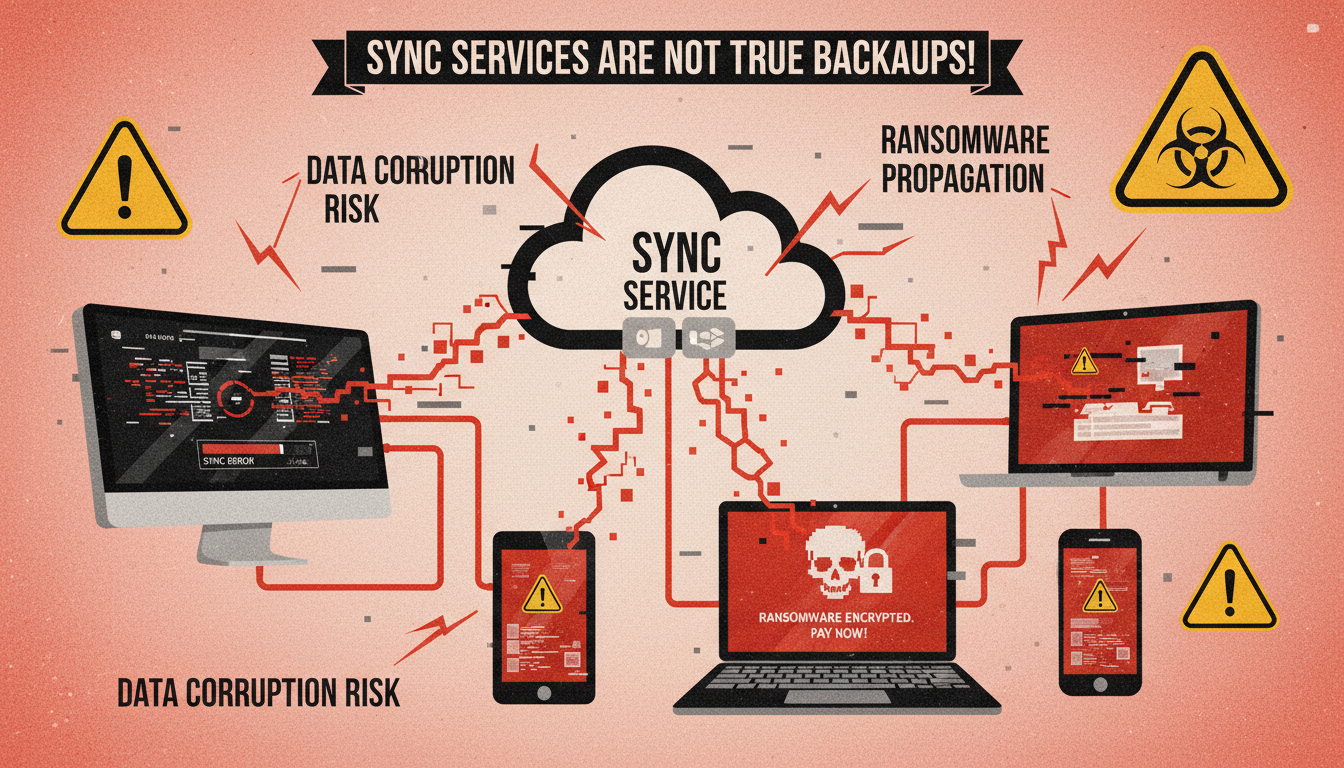
There is a dangerous misconception spreading through UK businesses of all sizes: the belief that cloud sync services like OneDrive, Google Drive, and Dropbox are adequate substitutes for proper backup. It is easy to see why this confusion exists - these services store copies of your files in the cloud, so surely they protect against data loss? Unfortunately, the reality is far more nuanced, and businesses that rely solely on sync services for data protection are taking risks they may not fully understand.
Sync services and backup solutions serve fundamentally different purposes, and understanding the distinction could save your business from a catastrophic data loss event. This is not a theoretical risk - UK businesses lose critical data every day because they assumed their sync service had them covered, only to discover too late that it did not.
The problem is compounded by the fact that sync services are marketed with language that can easily be mistaken for backup terminology. Phrases such as "your files, safely stored in the cloud" and "access your files from anywhere" create an impression of comprehensive data protection that simply does not reflect the technical reality. When Microsoft describes OneDrive as keeping your files "protected," it is using the term in a colloquial sense - your files exist in Microsoft's data centres - rather than in the technical sense that IT professionals understand, which implies independent, point-in-time copies with guaranteed retention and verified recoverability.
This ambiguity has real consequences. A 2024 survey by the Ponemon Institute found that 67 per cent of organisations that experienced data loss while relying on sync services believed they were adequately protected at the time of the incident. The gap between perceived protection and actual protection is one of the most dangerous risks facing UK businesses today, and it is a gap that can only be closed through proper education and the implementation of genuine backup solutions alongside - not instead of - the sync tools that businesses rightly value for collaboration and productivity.
This guide explains the critical differences between sync and backup, the specific risks of relying on sync services alone, and what a proper backup strategy looks like for UK businesses in 2025.
Sync vs Backup: The Critical Difference
At its core, the difference between sync and backup comes down to intent and behaviour. A sync service is designed to keep files consistent across multiple devices and locations in real time. When you edit a document on your laptop, the change is immediately replicated to the cloud and to any other device linked to your account. A backup solution is designed to create point-in-time copies of your data that can be restored if the originals are lost, corrupted, or compromised.
The critical implication of this difference is that sync replicates everything - including mistakes, deletions, and corruption. If you accidentally delete a folder from your synced OneDrive, that deletion is immediately synced to the cloud and every linked device. If a ransomware virus encrypts your files, those encrypted files are synced to the cloud, potentially overwriting the good copies. If a staff member maliciously or accidentally modifies a database, those changes propagate instantly.
A proper backup, by contrast, maintains independent copies of your data at specific points in time. If today's data is corrupted, you can restore yesterday's backup. If last week's data was better, you can go back to that point. The backup exists independently of your live data, so problems that affect your live environment do not automatically affect your backups.
Understanding the Architecture
To appreciate why this distinction matters so profoundly, it helps to understand the underlying architecture of each approach. A sync service maintains a single logical copy of your data that is mirrored across multiple locations. Think of it as one document reflected in several mirrors - if the original changes, every reflection changes simultaneously. There is no independent version; every mirror shows the same thing at the same time.
A backup system, by contrast, takes snapshots of your data at defined intervals and stores each snapshot independently. Think of it as a series of photographs taken at different times. Even if the subject changes dramatically - or is destroyed entirely - the earlier photographs remain exactly as they were when taken. You can go back to any photograph and see precisely what existed at that moment in time. This fundamental architectural difference is what makes backup genuinely protective in ways that sync simply cannot be.
Some businesses attempt to create a hybrid approach by using sync services alongside manual file copying or basic scripts that periodically duplicate synced folders. Whilst this shows commendable awareness of the risk, it is fraught with problems. Manual processes are easily forgotten, scripts fail silently, and neither approach provides the comprehensive coverage, automated verification, or granular recovery options that a proper backup solution delivers. Attempting to build backup functionality on top of a sync service is rather like attempting to build a fire escape out of cardboard - it looks like it might work until you actually need to rely on it.
What Proper Backup Provides
- Point-in-time recovery (days, weeks, months)
- Protection from ransomware and malware
- Independent copies isolated from live data
- Covers all data including databases and configs
- Guaranteed retention periods you control
- Bare-metal recovery of entire systems
- GDPR-compliant data protection
- Regular integrity verification and testing
What Sync Services Actually Offer
- Real-time file mirroring across devices
- Replicates deletions and corruption instantly
- Limited version history (typically 30-93 days)
- Only covers files in synced folders
- Retention controlled by the vendor, not you
- No system-level or database backup
- Vendor can change terms at any time
- No backup verification or testing capability
Risk 1: Ransomware and Malware Propagation
Ransomware is the most pressing cyber threat facing UK businesses, and it is the scenario where the sync-versus-backup distinction matters most. When ransomware encrypts files on a synced device, the sync client faithfully uploads the encrypted versions to the cloud, overwriting the clean copies. By the time the attack is discovered, the encrypted files have propagated to every connected device and the cloud storage.
While services like OneDrive and SharePoint do offer version history that can theoretically allow you to roll back to pre-encryption versions, this process has significant limitations. First, rolling back thousands of files individually through version history is extraordinarily time-consuming - for a business with 50,000 files, this could take days of manual work. Second, version history has a limited depth, and if the attack is not detected quickly, older clean versions may have already been purged. Third, ransomware variants are increasingly designed to target and corrupt sync service version histories specifically.
A proper backup solution, particularly one using the 3-2-1 backup strategy (three copies of your data, on two different media types, with one copy off-site), provides a clean, isolated copy that ransomware cannot reach. If your live data and sync service are both compromised, you can restore from backup with confidence.
Real-World Ransomware Scenarios in UK Businesses
The theoretical risk of ransomware propagation through sync services has been demonstrated repeatedly in practice. In 2023, a UK-based accountancy firm with forty staff members was hit by a ransomware attack that encrypted their file server. Because all staff had OneDrive sync enabled, the encrypted files were immediately uploaded to SharePoint Online, overwriting the clean versions. The firm's IT team attempted to use OneDrive's version history to recover, but discovered that the ransomware had made thousands of small modifications to files over the preceding three weeks before triggering the main encryption event, exhausting the version history for many critical documents.
The firm ultimately lost access to six months of client working papers and had to notify over 200 clients of the breach. The total cost, including forensic investigation, system rebuilding, client notification, regulatory reporting, and lost billable time, exceeded £180,000. Had the firm maintained a proper off-site backup with 30-day retention, the entire recovery could have been completed within 24 hours at a fraction of the cost.
This pattern repeats across industries. Law firms lose case files, construction companies lose project documentation, and medical practices lose patient records - all because the sync service they trusted to protect their data was architecturally incapable of doing so. The lesson is consistent and unambiguous: sync services are collaboration tools, not data protection tools, and treating them as the latter exposes your business to unacceptable risk.
The Evolving Threat Landscape
Ransomware operators are becoming increasingly sophisticated in their targeting of backup and sync systems. Recent variants have been observed specifically targeting the Microsoft Volume Shadow Copy Service, which OneDrive uses for some of its local file versioning. Others target the sync client's configuration files, attempting to redirect sync activity to attacker-controlled servers or to disable the sync client entirely before beginning encryption.
Double extortion attacks - where attackers both encrypt data and threaten to publish it - add another dimension to the risk. Even if you could recover all your files from a sync service's version history, the attacker may have exfiltrated sensitive data during the period of undetected access. A proper backup solution with immutable, air-gapped copies does not prevent data exfiltration, but it does ensure that your recovery is not dependent on the same systems that the attacker has compromised.
The NCSC and every reputable IT security framework recommends the 3-2-1 backup strategy. Keep three copies of your data: the original, a local backup, and an off-site or cloud backup. Store these on at least two different types of media (for example, disk and cloud). Keep at least one copy completely off-site and air-gapped from your network. This ensures that no single event - whether fire, flood, ransomware, or hardware failure - can destroy all copies of your data. Sync services, no matter how many devices you sync to, count as only one copy because they all mirror the same data state.
Risk 2: Accidental Deletion Beyond Recovery Windows
Every sync service has a recycle bin or trash folder where deleted files are temporarily retained. OneDrive retains deleted files for 93 days. Google Drive retains them for 30 days. Dropbox Business retains them for 180 days. After these retention periods, deleted files are permanently gone.
For many UK businesses, 30 or even 93 days is not enough. Consider a scenario where a staff member accidentally deletes a folder of client contracts. If the deletion is not noticed for four months - perhaps the contracts are only referenced annually - the OneDrive recycle bin retention has expired, and the files are unrecoverable. With a proper backup solution configured with 12-month retention, those contracts could be restored easily.
The risk is compounded when staff leave the organisation. When a Microsoft 365 licence is removed from a departed employee's account, their OneDrive data is retained for a limited period (configurable, but often defaulting to 30 days) before being permanently deleted. If nobody thinks to preserve or transfer that data within the retention window, years of work could be lost forever.
The Compounding Effect of Unnoticed Deletions
One of the most insidious aspects of relying on sync services for data protection is the challenge of detecting deletions before retention windows expire. In a busy organisation, files and folders can be deleted accidentally without anyone noticing for weeks or months. A shared project folder that is only accessed quarterly, an archive of completed client engagements, or a collection of policy documents that are referenced infrequently - any of these could be deleted and the loss not discovered until long after the sync service's recycle bin has been emptied.
The risk is particularly acute with nested folder structures. If a user accidentally moves or deletes a high-level folder, hundreds or thousands of files within that folder tree are affected simultaneously. Whilst the sync service's activity log may record the deletion, these logs are rarely monitored proactively, and by the time the loss is discovered, the window for recovery may have closed entirely. A proper backup solution with extended retention eliminates this risk by maintaining recoverable copies for as long as your retention policy dictates - typically twelve months or longer for business-critical data.
Consider also the scenario where data corruption, rather than outright deletion, goes unnoticed. A database file that becomes corrupted may continue to sync successfully - the sync service sees a changed file and dutifully replicates it - but the data within is no longer usable. Without point-in-time backup copies, there may be no way to recover a clean version of the database once the corruption is discovered. This is a particularly common problem with Microsoft Access databases and other file-based data stores that are popular among UK SMEs.
| Service | Recycle Bin Retention | Version History | Deleted User Data |
|---|---|---|---|
| OneDrive for Business | 93 days | 500 versions (no time limit) | Configurable (default 30 days) |
| SharePoint Online | 93 days | 500 versions | Retained with site |
| Google Drive (Business) | 30 days (user) + 25 days (admin) | 100 versions or 30 days | 20 days after account deletion |
| Dropbox Business | 180 days | 180 days | Transferable by admin |
| Proper Backup Solution | You define retention (years) | Point-in-time recovery | Retained as long as you choose |
Risk 3: Scope Limitations
Sync services only protect files that are stored within their designated folders. OneDrive syncs files in the OneDrive folder. Google Drive syncs files in Google Drive. But your business data extends far beyond these folders.
What about your accounting software database? Your CRM system data? Email archives? Server configurations? Application settings? Browser bookmarks and saved passwords? Registry settings? These critical data sources exist outside sync service folders and receive no protection whatsoever from sync-based approaches.
A comprehensive backup solution captures everything - entire system images, databases, application data, email archives, and configuration files. If a server fails catastrophically, a proper backup allows you to restore the entire machine to a new server, complete with all software, settings, and data, in hours rather than days or weeks of manual reconstruction.
Databases, Email, and Application Data
The scope limitation of sync services is particularly problematic when it comes to databases and application data. Many business-critical applications - including accounting packages such as Sage and Xero, practice management systems, electronic health records, and customer relationship management platforms - store their data in structured databases that cannot simply be dropped into a OneDrive folder and synced. Even if you could copy the database file into a sync folder, doing so whilst the application is running would likely produce a corrupted, unusable copy because the file would be captured in an inconsistent state.
Proper backup solutions handle databases correctly by using application-aware backup agents that communicate with the database engine to create a consistent point-in-time snapshot. This ensures that the backed-up database is internally consistent and can be restored to a fully functional state. Sync services have no concept of application-aware snapshots and are fundamentally incapable of providing this level of protection for structured data.
Email is another critical area that sync services typically fail to protect adequately. Whilst services like Microsoft 365 store email in the cloud, they do not provide comprehensive backup of mailbox data. Microsoft's own service agreement explicitly states that they recommend third-party backup solutions for comprehensive data protection, and their native retention policies are designed for compliance holds rather than point-in-time recovery. A dedicated Microsoft 365 backup solution captures email, calendars, contacts, Teams conversations, and SharePoint data with full point-in-time recovery capabilities that far exceed what the native platform provides.
System Configurations and Operating Environments
Beyond files and databases, your IT environment includes a wealth of configuration data that is critical to business operations but entirely invisible to sync services. Server configurations, Group Policy settings, DNS records, firewall rules, application configurations, print server settings, and user account structures - all of these would need to be manually reconstructed if lost. For a typical UK SME with a single server and twenty workstations, manually rebuilding the entire IT environment from scratch can take a qualified engineer between three and five working days, assuming all software licences and installation media are available. A proper image-level backup can restore the same environment in a matter of hours.
Risk 4: Compliance and Legal Requirements
UK businesses face regulatory requirements around data retention and recovery that sync services alone cannot satisfy. GDPR requires that personal data can be recovered in a timely manner in the event of a physical or technical incident (Article 32). Various industry regulations impose specific data retention periods - financial services firms must retain certain records for seven years, for example.
Sync services offer limited control over retention policies, and their terms of service can change at any time. A sync provider could reduce retention periods, change pricing, or even cease operations entirely, leaving your compliance posture exposed. With a proper backup solution, you control the retention policies, the storage locations, and the recovery procedures, ensuring ongoing compliance regardless of what happens with third-party services.
Specific UK Regulatory Requirements
The regulatory landscape for data protection in the UK is more complex than many businesses realise. Beyond the well-known requirements of UK GDPR, organisations in specific sectors face additional obligations that sync services alone cannot satisfy. Financial services firms regulated by the FCA must comply with operational resilience requirements under PS21/3, which mandate the ability to recover critical business services within defined impact tolerances. Relying on sync services with their limited and vendor-controlled retention policies is unlikely to satisfy these requirements under scrutiny.
Healthcare organisations processing NHS data must comply with the Data Security and Protection Toolkit, which includes specific requirements around data backup and recovery. Legal firms regulated by the SRA must maintain proper records and demonstrate the ability to recover client files in accordance with their professional obligations. Educational institutions must comply with the requirements of their funding bodies and, where applicable, data management standards set by the Department for Education.
In each of these cases, auditors and regulators expect to see documented backup policies, evidence of regular testing, and demonstrated recovery capabilities. A sync service recycle bin does not constitute a documented backup policy, and "we hope the version history still has it" does not constitute a demonstrated recovery capability. Organisations that cannot demonstrate adequate data protection arrangements face regulatory sanctions, reputational damage, and potential liability to affected individuals whose data has been lost.
Shared Responsibility and Vendor Terms
A critical concept that many UK businesses overlook is the shared responsibility model that all major cloud providers operate under. Microsoft, Google, and Dropbox are responsible for the availability and security of their platforms - they ensure the service is running and that their infrastructure is secure. However, they explicitly state that the customer is responsible for protecting the data stored within those platforms. Microsoft's Services Agreement includes a specific recommendation to "regularly backup Your Content and Data that You store on the Services or store using Third-Party Apps and Services." This is as close to an explicit admission as you will find that the platform's native tools are insufficient for comprehensive data protection.
Building a Proper Backup Strategy
Understanding the risks of sync-only approaches is the first step. The next step is implementing a proper backup strategy that provides genuine protection for your business data.
Start with a data audit. Identify every source of business-critical data - files, databases, email, applications, cloud services, and system configurations. Document where each data source lives, how important it is to your business, and how much data loss you can tolerate (your Recovery Point Objective, or RPO).
Implement the 3-2-1 strategy. Your primary data lives on your production systems. A local backup (on a NAS device or dedicated backup server) provides fast recovery for everyday incidents. An off-site or cloud backup provides protection against physical disasters and ransomware that might compromise both your production systems and local backups.
Test your backups regularly. A backup that has never been tested is a backup you cannot trust. Schedule quarterly restore tests where you actually recover data from your backups and verify its integrity. Document the results and the time taken - this becomes your Recovery Time Objective (RTO) benchmark.
Integrating Sync and Backup
It is important to emphasise that recommending against using sync as a backup substitute does not mean recommending against using sync services at all. OneDrive, Google Drive, and Dropbox are excellent collaboration and file-sharing tools that deliver genuine productivity benefits. The key is to use them for what they are designed for - real-time collaboration and file access across devices - whilst implementing a separate, dedicated backup solution for data protection.
The ideal approach for most UK businesses is to layer proper backup on top of existing sync infrastructure. Continue using OneDrive or Google Drive for day-to-day file storage and collaboration, but deploy a backup solution that independently captures this data alongside everything else - servers, databases, email, and application data - into a separate, protected repository with defined retention policies and regular testing.
Many modern backup solutions integrate natively with Microsoft 365 and Google Workspace, backing up OneDrive, SharePoint, Exchange, and Teams data directly from the cloud without requiring any on-premises infrastructure. This approach provides comprehensive protection for cloud-hosted data that goes far beyond what the platform's native tools offer, whilst requiring minimal additional configuration or management overhead. The cost of adding Microsoft 365 backup to an existing backup strategy is typically modest - often between £2 and £5 per user per month - making it one of the most cost-effective risk reduction measures available to UK businesses.
Selecting the Right Backup Solution
When choosing a backup solution to complement your sync services, prioritise solutions that offer broad coverage across all your data sources. A solution that backs up your file server but ignores your Microsoft 365 environment, or vice versa, leaves gaps that could prove costly. Look for solutions that provide a single management console across on-premises and cloud data, support granular recovery of individual files, emails, and database records, and offer automated backup verification that confirms the integrity of each backup without requiring manual intervention.
For UK businesses, data residency is an important consideration. Ensure that your backup data is stored in UK data centres to simplify your GDPR compliance posture. Confirm that the backup provider holds relevant security certifications - ISO 27001 and Cyber Essentials Plus are reasonable minimum standards - and that they can provide the compliance documentation you need for your own regulatory obligations. The provider should also offer clear, tested procedures for data retrieval in the event that you need to change provider or bring your backup in-house, avoiding any risk of vendor lock-in.
Is Your Data Really Protected?
Cloudswitched provides comprehensive cloud backup solutions for UK businesses that go far beyond what sync services offer. With UK-based data centres, customisable retention policies, automated testing, and rapid recovery capabilities, we ensure your business data is genuinely protected. Contact us for a free backup assessment to find out whether your current approach is leaving you exposed.
GET IN TOUCH
CloudSwitched
London-based managed IT services provider offering support, cloud solutions and cybersecurity for SMEs.


