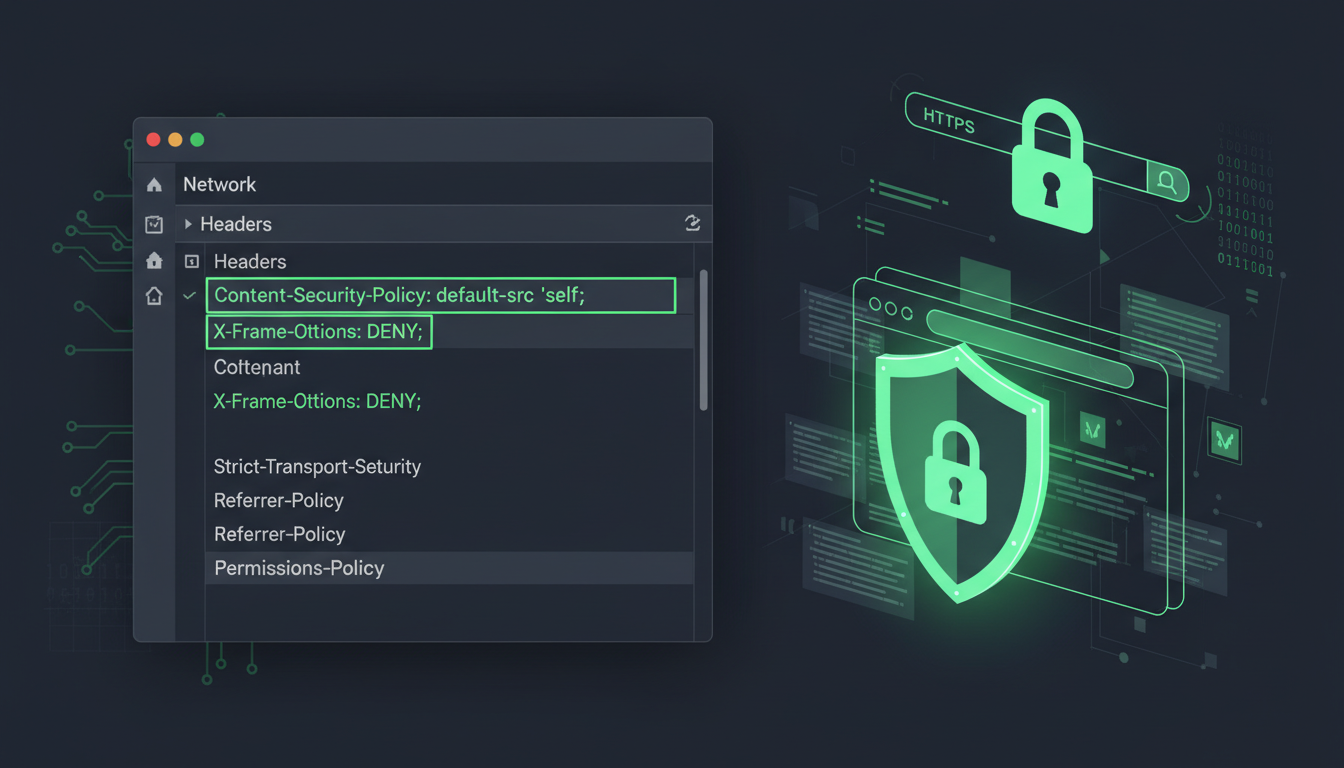
Your website might look polished and professional, but beneath the surface, it could be broadcasting an open invitation to attackers. Security headers are HTTP response headers that instruct browsers how to behave when handling your site's content, and they are one of the most effective - and most overlooked - defences against common web attacks like cross-site scripting (XSS), clickjacking, and data injection.
For UK businesses, where GDPR compliance demands that you take appropriate technical measures to protect user data, properly configured security headers are not a luxury - they are a baseline requirement. Yet a scan of typical UK business websites reveals that the majority are missing critical headers, leaving their visitors and their data unnecessarily exposed.
This guide covers every security header you should implement, explains what each one does and why it matters, provides practical implementation guidance, and shows you how to test your configuration using tools like securityheaders.com.
The threat landscape facing UK businesses continues to intensify. The National Cyber Security Centre (NCSC) has reported a significant increase in web application attacks targeting British organisations in recent years, with cross-site scripting and clickjacking among the most frequently exploited vulnerabilities. Many of these attacks succeed not because of sophisticated zero-day exploits, but because basic security configurations - including HTTP security headers - were never implemented. The gap between best practice and actual practice remains alarmingly wide, particularly among small and medium-sized businesses that assume their websites are too insignificant to be targeted.
What makes security headers particularly valuable is their cost-to-benefit ratio. Unlike security solutions that require ongoing subscription fees, specialist hardware, or dedicated security staff, security headers are purely configuration-based. They cost nothing to implement, they introduce no performance overhead, and once properly configured, they operate silently in the background protecting every visitor to your website. For UK businesses seeking to improve their security posture without increasing their IT budget, security headers represent the lowest-hanging fruit available.
Content-Security-Policy (CSP)
Content-Security-Policy is the most powerful and most complex security header available. It controls which resources (scripts, stylesheets, images, fonts, frames, and more) the browser is allowed to load on your page. A well-configured CSP is the single most effective defence against cross-site scripting (XSS) attacks - the most common web application vulnerability in the world.
XSS attacks work by injecting malicious JavaScript into your web pages. Without a CSP, the browser has no way to distinguish between your legitimate scripts and an attacker's injected code - it simply executes everything. With a CSP, you explicitly declare which script sources are trusted, and the browser blocks everything else.
A basic CSP for a typical UK business website might look like this: Content-Security-Policy: default-src 'self'; script-src 'self' https://www.googletagmanager.com; style-src 'self' 'unsafe-inline' https://fonts.googleapis.com; img-src 'self' data: https:; font-src 'self' https://fonts.gstatic.com; frame-ancestors 'none';
This policy allows scripts only from your own domain and Google Tag Manager, stylesheets from your domain and Google Fonts (with inline styles permitted), images from your domain and any HTTPS source, fonts from Google's font CDN, and blocks your site from being framed by anyone. Every other resource type defaults to your own domain only.
CSP Directives in Detail
Understanding the key CSP directives allows you to craft a policy that is both secure and functional. The default-src directive serves as a fallback for any resource type not explicitly covered by a more specific directive - setting it to 'self' ensures that, by default, only resources from your own domain are permitted. The script-src directive is the most security-critical, as it controls which JavaScript can execute on your pages. Avoid using 'unsafe-inline' and 'unsafe-eval' in script-src wherever possible, as these directives significantly weaken your CSP by allowing inline scripts and dynamic code evaluation - the very mechanisms that XSS attacks exploit.
The connect-src directive, often overlooked, controls which origins your JavaScript can make network requests to via fetch, XMLHttpRequest, and WebSocket. Without it, a successful XSS attack could exfiltrate data to an attacker-controlled server. The base-uri directive restricts which URLs can appear in a page's <base> element, preventing attackers from redirecting all relative URLs on your page to a malicious domain. Setting base-uri 'self' is a simple but important hardening measure that many security configurations miss.
The biggest fear with CSP is that an overly restrictive policy will break your website. This is a valid concern, which is why CSP provides a report-only mode. Instead of enforcing the policy, use the header Content-Security-Policy-Report-Only with a report-uri directive. The browser will evaluate the policy and report any violations to your specified endpoint without actually blocking anything. Run in report-only mode for at least two weeks, analyse the reports to identify legitimate resources that need to be whitelisted, refine your policy, and then switch to enforcement mode. Services like report-uri.com provide free CSP reporting dashboards that make this process straightforward.
Strict-Transport-Security (HSTS)
HTTP Strict Transport Security tells browsers to only communicate with your website over HTTPS, even if a user types http:// or clicks an HTTP link. Without HSTS, there is a brief window during the initial HTTP-to-HTTPS redirect where an attacker on the same network (in a coffee shop, hotel, or shared workspace) can intercept the unencrypted request through a man-in-the-middle attack.
The recommended HSTS header is: Strict-Transport-Security: max-age=31536000; includeSubDomains; preload
This tells the browser to remember for one year (31,536,000 seconds) that your site should only be accessed over HTTPS, to apply this rule to all subdomains, and that you consent to being included in browser preload lists. The preload directive is particularly powerful - once your domain is added to the HSTS preload list (maintained by Chrome and used by all major browsers), browsers will never even attempt an HTTP connection to your site, eliminating the first-visit vulnerability entirely.
X-Frame-Options
X-Frame-Options controls whether your site can be embedded in an iframe on another website. This is the primary defence against clickjacking attacks, where an attacker loads your site in an invisible iframe and tricks users into clicking buttons they cannot see - potentially authorising payments, changing account settings, or performing other sensitive actions.
The recommended setting is: X-Frame-Options: DENY
This prevents your site from being framed by any other site (including your own). If you need to frame your own content (for example, embedding a form on a subdomain), use SAMEORIGIN instead, which allows framing only from the same domain.
Note that the CSP frame-ancestors directive provides more granular control than X-Frame-Options and is the modern replacement. However, since some older browsers do not support frame-ancestors, it is best practice to set both headers for maximum compatibility.
Clickjacking remains a surprisingly effective attack vector because it exploits user trust rather than technical vulnerabilities. An attacker creates a seemingly innocuous page - perhaps a competition entry form or a video player - and positions your website in an invisible iframe directly over the interactive elements. When the user thinks they are clicking a button on the attacker's page, they are actually clicking a “Confirm Payment” or “Change Password” button on your site. For UK businesses that process financial transactions or handle sensitive account operations through their websites, the consequences of a successful clickjacking attack can be severe - both financially and in terms of regulatory liability under the Payment Services Regulations and GDPR.
X-Content-Type-Options
This simple but important header prevents browsers from attempting to guess (or “sniff”) the content type of a response. Without it, a browser might interpret a file that claims to be an image as executable JavaScript if the content looks like code - a technique attackers use to bypass security controls.
The header is straightforward: X-Content-Type-Options: nosniff
There is only one valid value, and there is no reason not to set it. It prevents MIME-type confusion attacks with zero risk of breaking your site's functionality.
MIME-type sniffing was originally introduced by browsers as a convenience feature - helping pages load correctly even when servers sent incorrect content types. However, attackers quickly realised this behaviour could be weaponised. A common technique involves uploading a file that appears to be an image (and passes server-side validation as one) but actually contains JavaScript. Without the nosniff header, a browser might examine the file's contents, determine it looks like JavaScript, and execute it - bypassing both the server's upload restrictions and any Content Security Policy that does not account for the uploaded file's location. This is why X-Content-Type-Options is considered a mandatory header by security professionals, despite its simplicity.
Referrer-Policy
When a user clicks a link on your website to visit another site, the browser normally sends a Referer header containing the full URL of the page they came from. This can leak sensitive information - particularly if your URLs contain session tokens, user IDs, search queries, or other private data.
The recommended setting for most UK business websites is: Referrer-Policy: strict-origin-when-cross-origin
This sends the full URL as a referrer for same-origin requests (within your own site), sends only the origin (domain name without the path) for cross-origin requests over HTTPS, and sends nothing at all if navigating from HTTPS to HTTP. This strikes a good balance between privacy and functionality - analytics tools like Google Analytics still receive enough information to track referral sources, but detailed URL paths are not leaked to third parties.
No Referrer-Policy Set
strict-origin-when-cross-origin
Permissions-Policy
Permissions-Policy (formerly Feature-Policy) controls which browser features and APIs your website is allowed to use. This prevents malicious scripts from accessing sensitive device capabilities like the camera, microphone, geolocation, or payment APIs without your explicit permission.
A strong Permissions-Policy for a typical UK business website: Permissions-Policy: camera=(), microphone=(), geolocation=(), payment=(), usb=(), magnetometer=(), gyroscope=(), accelerometer=()
This disables all these capabilities entirely. If your site needs any of them (for example, geolocation for a store finder feature), you can selectively enable them: geolocation=(self) allows your own site to use geolocation but prevents any embedded third-party content from accessing it.
| Security Header | Primary Protection | Recommended Value | Risk If Missing |
|---|---|---|---|
| Content-Security-Policy | Cross-site scripting (XSS) | Customised per site (whitelist approach) | Critical - XSS is the #1 web vulnerability |
| Strict-Transport-Security | Man-in-the-middle / protocol downgrade | max-age=31536000; includeSubDomains; preload | High - enables interception on public Wi-Fi |
| X-Frame-Options | Clickjacking | DENY or SAMEORIGIN | Medium - clickjacking can authorise actions |
| X-Content-Type-Options | MIME-type confusion attacks | nosniff | Medium - can enable code execution |
| Referrer-Policy | URL / data leakage to third parties | strict-origin-when-cross-origin | Low to medium - privacy concern |
| Permissions-Policy | Unauthorised API / device access | Disable unused features | Medium - camera/mic/location abuse |
How to Implement Security Headers
The implementation method depends on your web server or hosting platform. Here are the most common approaches for UK businesses.
For IIS (Internet Information Services), which is common for .NET applications hosted on Windows Server, add the headers in your web.config file within the <system.webServer><httpProtocol><customHeaders> section. Each header is added as a <add name="Header-Name" value="header-value" /> element.
For Apache, add the headers to your .htaccess file or virtual host configuration using the Header set directive. For example: Header set X-Content-Type-Options "nosniff". Ensure the mod_headers module is enabled.
For Nginx, add the headers to your server block using the add_header directive. For example: add_header X-Content-Type-Options "nosniff" always;. The always parameter ensures headers are sent even on error responses.
For Cloudflare, you can add security headers through Transform Rules in the dashboard, or through Cloudflare Workers for more complex logic. Cloudflare also automatically adds some security headers if you enable their security features.
For Azure App Service, add the headers through the web.config file (for .NET apps) or through application code for other runtimes. Azure Front Door and Azure CDN also support adding custom response headers through rules engine.
Scott Helme's securityheaders.com is the standard tool for evaluating your security headers. Simply enter your URL and it scans your site's response headers, giving you a grade from A+ (excellent) to F (poor) and showing exactly which headers are present, which are missing, and which are misconfigured. Aim for an A+ rating. The tool also provides specific recommendations for each missing header. Run the scan after every deployment to ensure your headers remain in place - it is surprisingly common for security headers to be accidentally removed during website updates. For continuous monitoring, Scott Helme also operates a free service called Report URI that can monitor your CSP and other security headers over time, alerting you to violations and configuration changes.
Security Headers and SEO
A common concern among UK businesses is whether security headers affect search engine rankings. The short answer is: yes, but positively.
Google has confirmed that HTTPS is a ranking signal, and HSTS strengthens your HTTPS implementation. Beyond that, Google's Core Web Vitals and page experience signals reward sites that provide a secure, trustworthy experience. While individual security headers are not direct ranking factors, the security posture they create contributes to the overall trust signals that search engines evaluate.
More importantly, security headers protect against attacks that can devastate your SEO. A successful XSS attack can inject spam links, redirect visitors to malicious sites, or deface your pages - all of which will trigger Google penalties that can take months to recover from. A clickjacking attack on your site can result in Google flagging your domain as unsafe, causing a dramatic drop in search visibility. Preventing these attacks through security headers is far easier than recovering from them.
Advanced Headers and Emerging Standards
Beyond the core six headers, several additional headers are worth considering for UK business websites that handle sensitive data or require a particularly strong security posture.
Cross-Origin-Embedder-Policy (COEP) and Cross-Origin-Opener-Policy (COOP) provide additional isolation for your pages, preventing cross-origin resources from accessing your page's data. These are required to enable powerful features like SharedArrayBuffer and high-resolution timers, and they provide defence against Spectre-class attacks.
Cross-Origin-Resource-Policy (CORP) controls which origins can load your resources (images, scripts, stylesheets). Setting same-origin prevents other sites from hotlinking your assets, reducing bandwidth costs and preventing your content from being used in attacks against other sites.
The NEL (Network Error Logging) header, whilst not strictly a security header, provides valuable security telemetry by instructing browsers to report network-level errors (DNS failures, TCP timeouts, TLS certificate errors) to a specified endpoint. For UK businesses that need to detect when their site is being blocked, redirected, or intercepted at the network level, NEL provides visibility that application-level monitoring cannot. Combined with the Report-To header - which configures the reporting endpoints used by CSP, NEL, and other reporting mechanisms - these headers create a comprehensive feedback loop that alerts you to both policy violations and infrastructure-level attacks in real time.
For organisations processing payment card data, the Expect-CT header (now largely superseded by browser defaults but still relevant for legacy configurations) provided a mechanism to enforce Certificate Transparency requirements, ensuring that any TLS certificates issued for your domain are publicly logged and auditable. While modern browsers enforce Certificate Transparency by default, understanding the header's purpose illustrates the broader principle: security headers are not just about blocking attacks, but about creating visibility and accountability across your entire web security posture.
Clear-Site-Data is useful during logout flows, instructing the browser to clear cached data, cookies, and storage associated with your domain. This is particularly important for UK businesses handling personal data under GDPR, as it ensures no residual data remains in the browser after a user ends their session.
Building a Security Headers Implementation Plan
Do not try to implement all security headers simultaneously. Take a phased approach that minimises the risk of breaking your site.
Phase 1 (immediate, zero risk): Implement X-Content-Type-Options (nosniff), X-Frame-Options (DENY), and Referrer-Policy (strict-origin-when-cross-origin). These headers have no risk of breaking functionality and provide immediate protection.
Phase 2 (within one week): Implement Strict-Transport-Security with a short max-age initially (86400 seconds = one day), test thoroughly, then increase to the full year. Implement Permissions-Policy to disable unused browser APIs.
Phase 3 (two to four weeks): Deploy Content-Security-Policy in report-only mode. Analyse violation reports for two weeks, refine the policy, then switch to enforcement mode. This is the most complex header and benefits from careful, iterative implementation.
Throughout each phase, maintain a detailed log of every header you implement, the exact values used, and the date of implementation. This documentation proves invaluable during security audits, Cyber Essentials certification assessments, and incident response scenarios. For UK businesses subject to regulatory oversight - financial services firms regulated by the FCA, healthcare organisations handling NHS data, or any business processing significant volumes of personal data under GDPR - being able to demonstrate a methodical, documented approach to security header implementation is as important as the implementation itself. Regulators and auditors want to see evidence of a structured security improvement programme, not just a snapshot of current configurations.
Finally, integrate security header checks into your deployment pipeline. Automated testing that verifies the presence and correctness of your security headers after every website update prevents the common scenario where a developer or platform update inadvertently removes or misconfigures your carefully crafted headers. Tools like Mozilla Observatory, alongside securityheaders.com, can be incorporated into CI/CD pipelines to fail deployments that degrade your security header configuration below an acceptable threshold. This continuous validation approach ensures your security posture remains strong even as your website evolves and your development team grows.
Security headers form a core component of the technical controls required for Cyber Essentials certification - the UK government-backed scheme that demonstrates your business takes cyber security seriously. Explore Cyber Essentials Certification to discover how Cloudswitched guides UK businesses through the certification process, including comprehensive security header implementation and ongoing compliance monitoring.
Want an A+ Security Rating for Your Website?
Cloudswitched helps UK businesses implement comprehensive security headers across their web properties. From initial assessment and policy design through to implementation, testing, and ongoing monitoring, we ensure your websites provide the security posture your business and your customers deserve. Get in touch for a free website security header audit.
GET IN TOUCH
CloudSwitched
London-based managed IT services provider offering support, cloud solutions and cybersecurity for SMEs.


