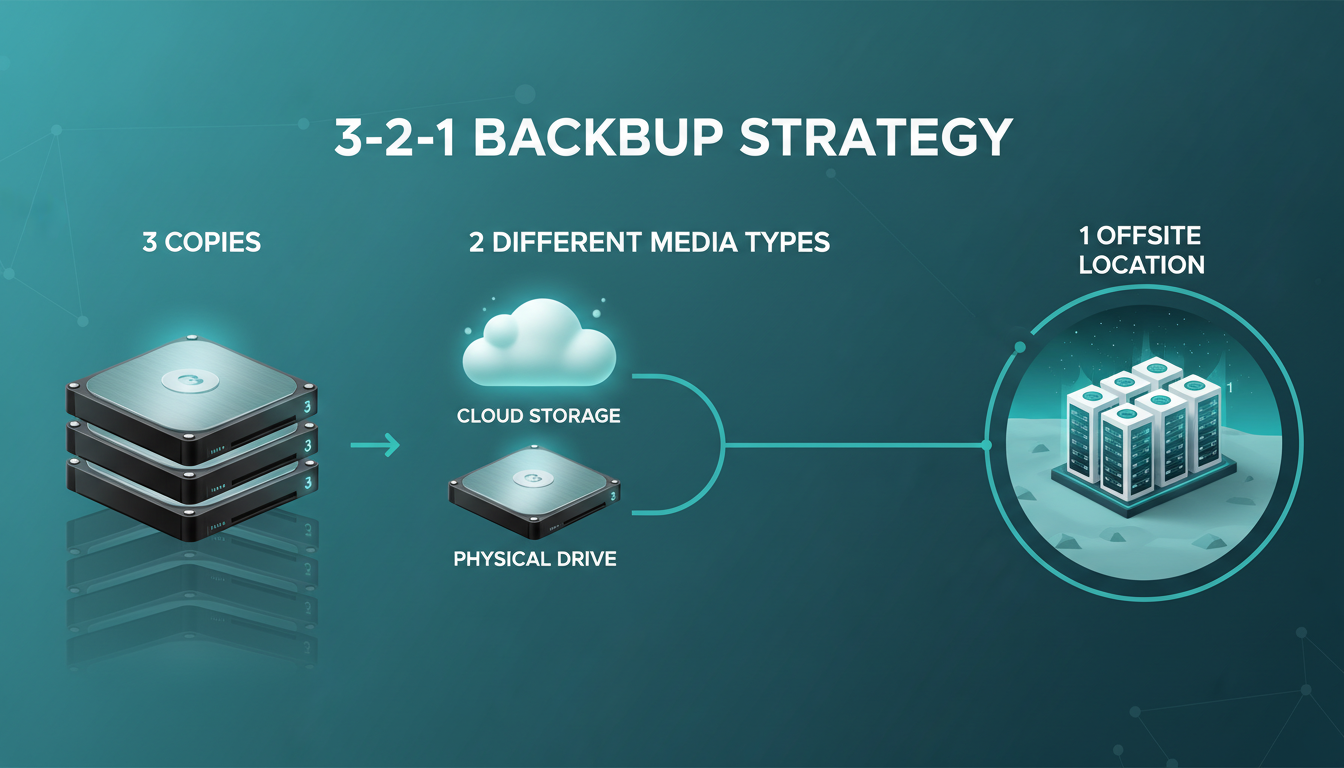
Data loss is not a hypothetical scenario - it is an inevitability that every small and medium-sized enterprise will face at some point. Whether it is a ransomware attack encrypting your files, a server failure wiping months of financial records, or a simple human error deleting a critical database, the question is never if it will happen, but when. For UK SMEs, the consequences can be devastating, not just operationally, but financially and legally under regulations like the UK GDPR and the Data Protection Act 2018.
The good news is that protecting your business does not require an enterprise-level budget or a team of dedicated backup engineers. It requires a strategy - and the most proven, time-tested strategy in the world of data protection is the 3-2-1 backup rule. In this guide, we will break down exactly what the 3-2-1 rule is, why it matters for UK SMEs, and how to implement it practically and affordably in your organisation.
What Is the 3-2-1 Backup Rule?
The 3-2-1 backup rule is a data protection strategy originally popularised by photographer Peter Krogh in his book on digital asset management. It has since become the gold standard recommended by the National Cyber Security Centre (NCSC), the Information Commissioner’s Office (ICO), and virtually every IT security professional in the industry. The principle is elegantly simple:
3 - Keep at least three copies of your data (one primary and two backups).
2 - Store your backups on at least two different types of media (e.g., local storage and cloud).
1 - Keep at least one copy offsite (physically separate from your primary location).
The beauty of this rule lies in its redundancy. Each element addresses a different failure scenario. Having three copies means a single hardware failure does not wipe you out. Using two different media types means a vulnerability specific to one technology (say, a firmware bug affecting a particular NAS brand) does not compromise all your backups simultaneously. And keeping one copy offsite protects you from physical disasters - fire, flood, theft - that could destroy everything in a single location.
Why the 3-2-1 Rule Matters More Than Ever for UK SMEs
You might think that data backup is something only large enterprises need to worry about. After all, a multinational bank has far more data to protect than a 25-person accountancy firm in Manchester. But the reality is quite the opposite - SMEs are disproportionately vulnerable to data loss, and the consequences are proportionally far more severe.
The Ransomware Epidemic
Ransomware attacks against UK businesses have surged dramatically. Cybercriminals increasingly target SMEs precisely because they tend to have weaker defences and are more likely to pay ransoms to restore operations. Without a robust backup strategy, a ransomware attack can leave you with two choices: pay the ransom (with no guarantee of data recovery) or lose everything.
Regulatory Obligations
Under the UK GDPR and the Data Protection Act 2018, organisations are legally required to implement “appropriate technical and organisational measures” to protect personal data. This explicitly includes having adequate backup and recovery procedures. The ICO can issue fines of up to £17.5 million or 4% of annual global turnover (whichever is higher) for serious data protection failures. Even smaller fines can be catastrophic for an SME - and the reputational damage of a public data breach can be even worse.
Human Error: The Biggest Threat
Whilst cyber attacks grab headlines, the most common cause of data loss in UK SMEs remains good old-fashioned human error. Accidentally deleted files, overwritten spreadsheets, misconfigured databases, spilled coffee on laptops - these everyday incidents account for a significant share of all data loss events. A proper 3-2-1 backup strategy catches all of these scenarios, not just the dramatic ones.
Breaking Down the 3-2-1 Rule: A Deep Dive
The “3” - Three Copies of Your Data
The first component of the rule requires you to maintain three copies of your data at all times. This means your primary working copy (the data you use every day on your servers, desktops, or cloud applications) plus two additional backup copies.
Why three? It comes down to probability. If there is a 1-in-100 chance that any single copy of your data fails in a given period, then having two copies gives you a 1-in-10,000 chance of losing both simultaneously. Adding a third copy reduces that probability to 1-in-1,000,000. The mathematics of redundancy work powerfully in your favour.
For most UK SMEs, these three copies typically look like this:
| Copy | Location | Purpose | Example |
|---|---|---|---|
| Copy 1 (Primary) | On-premises server or workstations | Day-to-day working data | Files on your office server, desktops, or laptops |
| Copy 2 (Local Backup) | On-premises backup device | Fast recovery from everyday incidents | NAS device, external hard drive, or local backup server |
| Copy 3 (Offsite Backup) | Cloud or separate physical location | Disaster recovery and ransomware protection | UK-hosted cloud backup, secondary office, or data centre |
The “2” - Two Different Media Types
Storing all your backups on the same type of storage medium introduces what IT professionals call a single point of failure. If all your backups sit on identical NAS devices from the same manufacturer, a firmware vulnerability, a batch manufacturing defect, or even a common environmental factor (like a power surge) could compromise all of them at once.
The solution is to diversify your storage media. Common combinations for UK SMEs include:
Good Media Combinations
- Local NAS + cloud backup service
- Physical server + encrypted cloud storage
- SSD/HDD backup + tape storage (for larger organisations)
- On-premises SAN + UK-hosted IaaS backup
- Local VM snapshots + cloud-based replication
Poor Media Combinations
- Two identical NAS devices side by side
- Multiple USB hard drives in the same office
- Same cloud provider for both backup copies
- Backing up to the same physical disk as the original
- Relying solely on RAID (RAID is not a backup)
A common misconception amongst SME owners is that RAID (Redundant Array of Independent Disks) constitutes a backup. It does not. RAID protects against individual disk failure within an array, but it does not protect against accidental deletion, ransomware encryption, controller failure, fire, or theft. If you delete a file on a RAID array, it is deleted across all disks instantly. RAID is a resilience measure, not a backup measure - and confusing the two is a common cause of catastrophic data loss.
The “1” - One Copy Offsite
The offsite component is arguably the most critical element of the 3-2-1 rule, yet it is the one most frequently neglected by UK SMEs. Keeping a backup copy in a separate physical location protects you from localised disasters that could destroy all on-premises equipment simultaneously.
Consider the following scenarios, all of which have affected real UK businesses:
- A fire destroys your office and all equipment inside, including your backup drives sitting on the shelf next to your server.
- A burst pipe floods your server room over a weekend, damaging both your primary storage and the NAS device on the floor below.
- Burglars steal your servers, workstations, and the external hard drives from your IT cupboard.
- A ransomware attack encrypts every connected device on your network, including network-attached backup drives.
In each of these cases, an offsite backup would have been the difference between a disruptive but recoverable incident and a business-ending catastrophe. For modern UK SMEs, cloud backup is far and away the most practical and cost-effective offsite solution, which we will explore in detail below.
Implementing 3-2-1 in Practice: A Step-by-Step Approach
Step 1: Audit Your Data
Before designing a backup strategy, you need to understand what you are protecting. Conduct a thorough data audit to identify:
- Business-critical data: Financial records, customer databases, contracts, intellectual property, email archives.
- Operational data: Employee records, project files, internal documentation, software configurations.
- Compliance-sensitive data: Personal data subject to UK GDPR, health records, payment card data.
- Data locations: On-premises servers, individual workstations, cloud applications (Microsoft 365, Google Workspace), mobile devices.
Many SMEs are surprised to discover how much critical data lives in unexpected places - on individual laptops, in personal email accounts, or in cloud applications that are not being backed up. A thorough audit prevents blind spots in your backup strategy.
Step 2: Define Your Recovery Objectives
Two critical metrics will shape your backup strategy:
| Metric | Definition | Question It Answers | Typical SME Target |
|---|---|---|---|
| RPO (Recovery Point Objective) | Maximum acceptable amount of data loss measured in time | “How much data can we afford to lose?” | 1–24 hours |
| RTO (Recovery Time Objective) | Maximum acceptable downtime before operations must resume | “How quickly must we be back up and running?” | 4–48 hours |
These objectives directly determine your backup frequency and recovery infrastructure. A company with an RPO of one hour needs near-continuous backup replication, whilst a company comfortable with a 24-hour RPO can rely on nightly backups. Similarly, a four-hour RTO demands rapid recovery capabilities (potentially including standby systems), whilst a 48-hour RTO allows for more deliberate restoration processes.
Step 3: Choose Your Backup Technologies
For most UK SMEs with 10 to 250 employees, the following combination provides an excellent balance of protection, performance, and cost:
| Component | Technology | Estimated Monthly Cost | Key Benefit |
|---|---|---|---|
| Local backup (Copy 2) | Business-grade NAS with RAID | £30–£80 (amortised) | Fast local recovery |
| Cloud backup (Copy 3) | UK-hosted managed cloud backup | £50–£300 | Offsite disaster recovery |
| Backup software | Veeam, Acronis, or Datto | £5–£15 per endpoint | Automation and monitoring |
| Microsoft 365 backup | Dedicated M365 backup solution | £2–£5 per user | SaaS data protection |
One of the most dangerous misconceptions in UK IT is that Microsoft 365 data is automatically backed up by Microsoft. It is not. Microsoft’s shared responsibility model makes it clear that whilst they protect the infrastructure, the data is your responsibility. Deleted emails, overwritten SharePoint documents, and purged OneDrive files can become permanently unrecoverable after Microsoft’s limited retention periods expire. A dedicated third-party M365 backup solution is essential for any business using the platform.
Step 4: Establish Your Backup Schedule
Your backup frequency should align with your RPO. Here is a practical schedule that works well for most UK SMEs:
| Backup Type | Frequency | Retention | Destination |
|---|---|---|---|
| Full system image | Weekly (weekends) | 4 weeks | Local NAS + Cloud |
| Incremental backup | Daily (overnight) | 30 days | Local NAS + Cloud |
| Critical database snapshots | Every 4–6 hours | 7 days | Local NAS + Cloud |
| Microsoft 365 backup | 3 times daily | 1 year | Cloud (separate provider) |
| Archive backup | Monthly | 12 months+ | Cloud cold storage |
Step 5: Automate and Monitor
A backup strategy is only as good as its execution. Manual backups are unreliable - they get forgotten, skipped, or performed incorrectly. Every element of your 3-2-1 strategy should be fully automated, with comprehensive monitoring and alerting to ensure backups complete successfully.
Key monitoring requirements include:
- Automated email or SMS alerts for backup failures
- Daily backup status reports sent to your IT manager or managed service provider
- Storage capacity monitoring to prevent backups failing due to full disks
- Backup integrity verification (checksums) to detect corrupted backups early
- Regular automated test restores to verify backup recoverability
Step 6: Test Your Restores Regularly
This is the step that separates businesses that survive data disasters from those that do not. A backup that cannot be restored is not a backup - it is a false sense of security. Yet an alarming number of UK SMEs never test their restores until they desperately need them.
We recommend conducting a full restore test at least quarterly, and a partial file-level restore test monthly. Document the results, measure recovery times against your RTO, and address any issues immediately. Treat each test as a rehearsal for a real disaster - because when that disaster comes, you want it to feel like routine.
Cloud Backup: The Modern Offsite Solution
For UK SMEs, cloud backup has transformed the offsite component of the 3-2-1 rule from a logistical challenge into a straightforward service. No more rotating tapes, no more driving hard drives to a director’s house, no more paying for space in a remote office purely to store backup equipment.
What to Look for in a Cloud Backup Provider
Not all cloud backup services are created equal. When evaluating providers for your UK SME, consider the following criteria:
| Criterion | Why It Matters | What to Look For |
|---|---|---|
| UK data residency | UK GDPR compliance, data sovereignty | Data stored exclusively in UK data centres |
| Encryption | Protects data in transit and at rest | AES-256 encryption, customer-held keys option |
| Recovery speed | Meets your RTO requirements | Fast download speeds, bare-metal restore options |
| Versioning | Protects against ransomware and accidental changes | Multiple version retention, point-in-time recovery |
| Immutability | Prevents ransomware from deleting/encrypting backups | Write-once storage, air-gapped backup options |
| Compliance certifications | Demonstrates security standards | ISO 27001, Cyber Essentials Plus, SOC 2 |
| Support | Critical during a real disaster | UK-based 24/7 support, dedicated account manager |
If your backups contain personal data (and they almost certainly do), you must ensure your cloud backup provider stores data within the UK or in a jurisdiction with an adequate data protection framework. Following Brexit, transfers to the EU remain broadly permissible under the UK GDPR adequacy arrangement, but transfers to other countries (including the US) require additional safeguards such as Standard Contractual Clauses. Choosing a provider with UK-only data centres eliminates this complexity entirely.
The 3-2-1-1-0 Evolution
As cyber threats have evolved, many security professionals now advocate for an enhanced version of the rule: 3-2-1-1-0. This builds on the original framework with two additional principles:
3-2-1-1-0 Rule
- 3 copies of your data
- 2 different media types
- 1 copy offsite
- 1 copy that is offline or immutable (air-gapped)
- 0 errors after backup verification testing
Why the Original 3-2-1 May Not Be Enough
- Modern ransomware specifically targets connected backup systems
- Attackers often lurk in networks for weeks before striking, compromising backups first
- Cloud backups can be deleted if attackers gain admin credentials
- Without verification, corrupted backups go undetected until it is too late
- Supply chain attacks can compromise backup software itself
The additional “1” - an offline or immutable copy - is particularly important in the current threat landscape. An immutable backup is one that cannot be altered, encrypted, or deleted, even by an administrator with full system access. This is your absolute last line of defence against a sophisticated ransomware attack. Many modern cloud backup providers now offer immutable storage tiers specifically for this purpose.
Common 3-2-1 Mistakes UK SMEs Make
Over our years of supporting UK businesses, we have seen the same backup mistakes repeated time and again. Avoiding these pitfalls can mean the difference between a minor inconvenience and a major crisis.
Mistake 1: Treating Sync as Backup
OneDrive, Google Drive, and Dropbox are file synchronisation tools, not backup solutions. If a file is deleted or encrypted on one device, that change is synchronised everywhere, including to the cloud. Sync services are excellent for collaboration and accessibility, but they are not a substitute for proper versioned backups with independent retention policies.
Mistake 2: Ignoring SaaS Application Data
Many SMEs assume that data in cloud applications (Microsoft 365, Google Workspace, Salesforce, Xero) is automatically protected. Whilst these platforms have some built-in redundancy, their retention policies are often far shorter than businesses realise, and they typically do not protect against accidental or malicious deletion by users.
Mistake 3: Backing Up but Never Testing
We cannot stress this enough: untested backups are unreliable backups. We have encountered businesses that dutifully ran nightly backups for years, only to discover during a genuine emergency that their backups were corrupt, incomplete, or incompatible with their current systems.
Mistake 4: Keeping Backups on the Same Network
If your backup device is permanently connected to the same network as your primary systems, a ransomware attack can - and frequently does - encrypt your backups alongside your live data. Your offsite copy must be genuinely isolated, whether through cloud storage with separate credentials, immutable storage, or an air-gapped solution.
Mistake 5: No Documented Recovery Plan
Having backups is only half the battle. You also need a clear, documented, and rehearsed recovery plan that answers: Who initiates recovery? What gets restored first? How long will it take? Who needs to be notified? Without this documentation, even perfect backups can lead to chaotic and prolonged recovery processes.
Budgeting for 3-2-1 Backup: What Should UK SMEs Expect to Spend?
One of the most common questions we hear from SME owners is, “What will this cost?” The honest answer is that a robust 3-2-1 backup strategy is remarkably affordable when measured against the cost of data loss.
| Business Size | Data Volume | Estimated Monthly Cost | Includes |
|---|---|---|---|
| Micro (1–9 employees) | 100GB–500GB | £50–£150 | Cloud backup, M365 protection, basic monitoring |
| Small (10–49 employees) | 500GB–2TB | £150–£500 | NAS + cloud backup, M365 protection, full monitoring |
| Medium (50–250 employees) | 2TB–10TB | £500–£1,500 | Enterprise backup suite, immutable storage, DR testing |
Compare these costs to the potential impact of data loss:
When viewed in context, the cost of a proper backup strategy is a fraction of what a single serious data loss incident could cost your business. It is not an expense - it is insurance, and remarkably good value insurance at that.
Building Your 3-2-1 Backup Checklist
Use the following checklist to assess your current backup posture and identify gaps. If you cannot confidently tick every item, your data is at risk.
Why Managed IT Services Make 3-2-1 Easier
Implementing and maintaining a 3-2-1 backup strategy requires ongoing attention, expertise, and investment. For many UK SMEs, particularly those without a dedicated in-house IT team, partnering with a managed IT services provider is the most practical and cost-effective approach.
A managed service provider like Cloudswitched can:
- Design a backup strategy tailored to your specific business needs, compliance requirements, and budget.
- Implement the technology stack, including hardware procurement, software configuration, and cloud service setup.
- Monitor backups 24/7, responding to failures immediately rather than discovering them days or weeks later.
- Test restores regularly and provide documented evidence of successful recovery for compliance purposes.
- Maintain the infrastructure, applying updates, managing storage capacity, and adapting the strategy as your business grows.
- Respond rapidly in a genuine disaster, executing your recovery plan with expertise and urgency.
For many SMEs, the cost of a managed backup service is less than the salary of a part-time IT administrator, yet it provides round-the-clock protection and expert-level disaster recovery capabilities.
Getting Started: Your Next Steps
If you have read this far, you understand the importance of the 3-2-1 backup rule and the serious risks of operating without it. The question now is what to do about it. Here is a practical path forward:
- Assess your current state. Use the checklist above to identify gaps in your existing backup strategy. Be honest - an accurate assessment now prevents a painful surprise later.
- Prioritise your most critical data. If you cannot protect everything immediately, start with financial records, customer data, and any information subject to regulatory requirements.
- Define your RPO and RTO. Work with your team to understand how much data loss and downtime your business can realistically tolerate.
- Evaluate your options. Whether you implement in-house or engage a managed service provider, ensure your solution genuinely satisfies all three components of the rule.
- Test, test, test. Once implemented, schedule your first restore test within 30 days and make it a recurring calendar item.
Data loss is one of the few business risks that is almost entirely preventable with the right preparation. The 3-2-1 backup rule has protected organisations of all sizes for decades, and its principles are as relevant today as they have ever been - arguably more so, given the sophistication of modern cyber threats.
The worst time to think about backups is after you need them. The best time is right now.
Is Your Business Data Truly Protected?
Cloudswitched helps UK SMEs implement robust 3-2-1 backup strategies with managed cloud backup, 24/7 monitoring, and regular disaster recovery testing. Whether you need a complete backup solution or a review of your existing setup, our team is here to help.
GET IN TOUCH
CloudSwitched
London-based managed IT services provider offering support, cloud solutions and cybersecurity for SMEs.


