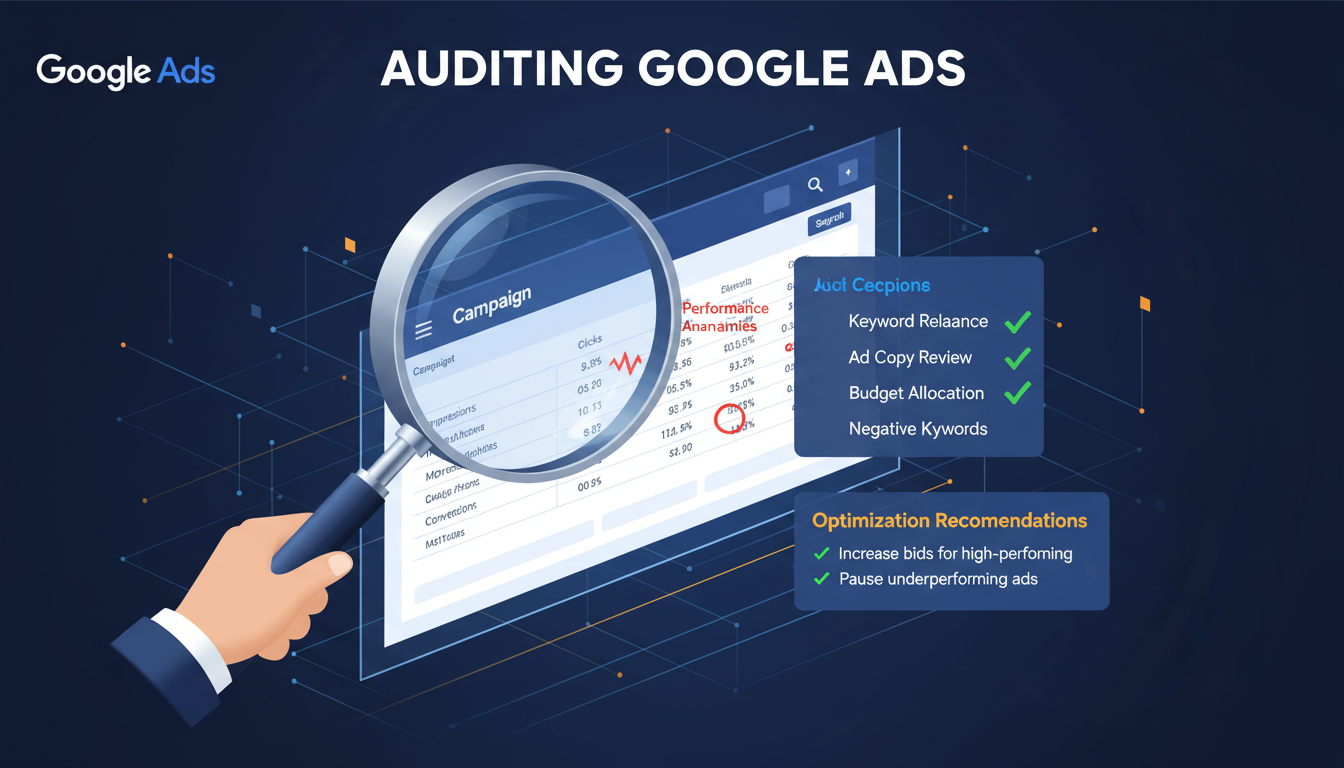
A thorough audit of your Google Ads account is one of the most valuable exercises any UK business can undertake. Whether you have been running campaigns for months or years, inefficiencies creep in over time - wasted spend accumulates, settings drift from best practice, and opportunities go unnoticed. A structured audit identifies these issues systematically, giving you a clear roadmap for improvement and a realistic assessment of where your advertising budget is truly going.
Many businesses treat their Google Ads account as a set-and-forget system, making occasional tweaks when performance dips but never conducting a comprehensive review. This reactive approach almost always leads to suboptimal results. A proper audit examines every layer of your account - from campaign structure and settings through to keyword performance, ad copy effectiveness, and conversion tracking accuracy. The insights gained can often unlock significant performance improvements without increasing your budget by a single penny.
The scale of wasted advertising spend in Google Ads accounts across the United Kingdom is staggering, and the problem compounds over time. Research consistently shows that most accounts contain significant inefficiencies that go undetected for months or even years because no one conducts a systematic review. Understanding the magnitude of potential savings is often the catalyst that motivates businesses to commit to a thorough audit process. The figures above represent typical findings from professional audits of UK Google Ads accounts spanning multiple industries and budget levels.
When Should You Audit Your Google Ads Account?
There is no single right time to conduct an audit, but several situations should trigger one. If you have recently taken over management of an account (whether from an agency, a previous employee, or a freelancer), an audit is essential before making any changes. You need to understand what you are working with before you start optimising. Similarly, if performance has declined over a sustained period, if you are preparing to scale your budget significantly, or if your business has undergone major changes (new products, new markets, rebranding), an audit provides the foundation for informed decision-making.
As a general rule, every Google Ads account should receive a comprehensive audit at least twice per year, with lighter reviews conducted monthly. The digital advertising landscape evolves rapidly, and strategies that worked six months ago may no longer be optimal. Regular audits ensure your account stays aligned with current best practices and your business objectives.
Step 1: Account Structure Review
The architecture of your Google Ads account has a profound impact on performance. A well-structured account is easier to manage, produces better Quality Scores, and enables more precise budget allocation. Start your audit by mapping out your current campaign and ad group structure.
Campaigns should be organised around distinct business objectives or product categories, with tightly themed ad groups within each campaign. A common structural problem in UK accounts is the "kitchen sink" approach - cramming dozens of loosely related keywords into a single ad group. This makes it impossible to write highly relevant ad copy for each keyword, which drags down Quality Scores and inflates costs.
Poor Account Structure
Optimal Account Structure
Check whether your brand terms are separated into their own campaign. Brand campaigns typically have very high Quality Scores and low CPCs, but if they are mixed with generic campaigns, they can skew your performance data and make non-brand performance appear better than it actually is. Separating brand and non-brand campaigns gives you a clearer picture of true acquisition costs.
Review the campaign types in use. Search, Display, Shopping, Video, Performance Max, and Discovery campaigns all serve different purposes and should never be conflated. If you find Search and Display networks combined in a single campaign (a legacy setting that Google used to enable by default), separate them immediately - their targeting, bidding, and creative requirements are fundamentally different.
Step 2: Campaign Settings Audit
Campaign settings are where many accounts leak budget without anyone noticing. These often-overlooked configurations can have an outsized impact on performance, and incorrect settings are one of the most common findings in account audits.
Location targeting deserves particular scrutiny for UK businesses. Check whether your campaigns are targeting "Presence: People in or regularly in your targeted locations" or "Presence or interest: People in, regularly in, or who've shown interest in your targeted locations." The latter option is Google's default and can result in your ads being shown to users outside your target area. For a local plumber in Bristol or a solicitor in Edinburgh, this setting alone can waste 15-25% of your budget on irrelevant clicks.
The percentages above reflect typical audit findings across UK accounts - shockingly few have these fundamental settings correctly configured. Ad scheduling is another area to examine. Are your ads running 24 hours a day, 7 days a week? If your business only takes enquiries during office hours, or if your data shows that conversions rarely happen after 10pm, adjusting your ad schedule can redirect budget to more productive hours.
Network settings also warrant review. Ensure that Search campaigns are not opted into the Google Search Partners network unless you have verified that it delivers acceptable performance. While Search Partners can occasionally provide incremental volume, the traffic quality is often lower than Google Search itself. Similarly, check that the "Display Network" option is not accidentally enabled on Search campaigns.
Step 3: Keyword Performance Analysis
Keywords are the engine of your Search campaigns, and a thorough keyword audit can reveal both waste and opportunity. Start by downloading your keyword performance data for the past 90 days (or longer, if your account has sufficient volume) and sort by cost to identify your biggest spenders.
For each high-spend keyword, assess whether it is delivering an acceptable cost per conversion. Keywords that have consumed significant budget without generating conversions should be paused or, at minimum, have their bids reduced. Conversely, high-performing keywords that are limited by budget or position deserve increased investment.
In our experience auditing UK accounts, the average Google Ads account wastes 20-30% of its budget on keywords that have never generated a single conversion. This "silent drain" accumulates over months and years, representing thousands of pounds in lost opportunity. Identifying and eliminating these underperformers is often the single biggest win from an audit.
Examine your search terms report in detail. This report shows the actual queries that triggered your ads, as opposed to the keywords you are bidding on. It frequently reveals surprising mismatches - your ad for "accountant London" might be appearing for "accountant jobs London" or "free accountant software." Every irrelevant query you find should be added to your negative keyword list.
Review your match type distribution. If your account relies heavily on broad match keywords, you are likely casting too wide a net and paying for irrelevant traffic. Consider migrating your best-performing broad match terms to phrase or exact match, where you have greater control over when your ads appear. Google has been aggressively expanding the reach of broad match in recent years, making this check more important than ever.
Check for keyword conflicts and cannibalisation. If multiple ad groups contain the same keyword or close variants, they may compete against each other in the auction, driving up your costs. Use Google's keyword diagnosis tool or a third-party script to identify overlapping keywords and consolidate them into the most appropriate ad group.
Understanding where budget waste typically occurs can help you prioritise your keyword audit efforts. The chart below shows the most common sources of wasted spend identified during professional audits of UK Google Ads accounts, ranked by the proportion of total wasted budget they typically consume. Addressing these areas in order of magnitude ensures you capture the largest savings first and deliver the strongest possible return from your audit investment.
As the chart demonstrates, the vast majority of wasted spend stems from keyword-related issues - either targeting irrelevant search terms due to insufficient negative keywords or continuing to fund keywords that have a long history of consuming budget without producing conversions. These two categories alone typically account for 60% of all wasted expenditure. This is why the keyword analysis step of your audit deserves the most time and attention, as the savings here are often substantial enough to fund entirely new campaigns without increasing your overall budget.
Step 4: Ad Copy and Creative Review
Your ad copy is the first impression potential customers have of your business. During the audit, review every active ad for relevance, compliance, and effectiveness. With responsive search ads (RSAs) now the default ad format, pay particular attention to headline and description diversity.
Each ad group should have at least one RSA with a full complement of 15 headlines and 4 descriptions. These assets should cover different angles - features, benefits, credentials, calls to action, and location-specific messaging. Google's machine learning performs best when it has a diverse set of assets to test and combine.
Review the ad strength indicator for each RSA. While "Excellent" ad strength does not guarantee better performance, "Poor" or "Average" ratings usually indicate that you need more asset diversity or that your headlines are too similar. Aim for at least "Good" across all active ads.
Check whether your ads include relevant ad extensions (now called "assets" in Google Ads). Sitelinks, callouts, structured snippets, call extensions, and location extensions all improve your ad's visibility and click-through rate. Many accounts either have no extensions configured or have outdated extensions that no longer reflect the business's current offerings.
Look for disapproved ads and policy violations. Google's advertising policies evolve frequently, and ads that were previously approved may suddenly be flagged. Disapproved ads do not serve, which can reduce your impression share and leave gaps in your coverage. Address any disapprovals promptly, either by editing the ad to comply with the policy or by requesting a review if you believe the disapproval was made in error.
Step 5: Conversion Tracking Verification
Accurate conversion tracking is the foundation of effective Google Ads management. Without it, every optimisation decision you make is based on incomplete or misleading data. Yet conversion tracking issues are among the most common problems uncovered during audits.
Begin by verifying that all conversion actions are firing correctly. Use Google Tag Assistant, the Google Ads tag diagnostics tool, or your browser's developer console to confirm that conversion tags are present on the correct pages and that they fire when expected. A surprisingly common issue is conversion tags placed on the wrong page - for example, a "thank you" page tag that fires on the contact form page itself, counting every visitor as a conversion.
Check for duplicate conversions. If both Google Ads conversion tracking and imported Google Analytics goals are counting the same action, your conversion data will be inflated, which can mislead bidding algorithms and distort performance reporting. Ensure that each meaningful action is counted exactly once.
Review the conversion window settings. Google Ads defaults to a 30-day click-through conversion window, which is appropriate for many businesses. However, if your sales cycle is particularly long (common in B2B or high-value consumer purchases), you may need to extend this window to capture conversions that happen weeks after the initial click. Conversely, businesses with very short decision cycles might benefit from a shorter window to keep their data current.
Evaluate whether you are tracking the right conversions. Many accounts track only form submissions, ignoring phone calls, live chat interactions, or email clicks. Each of these represents a potential customer, and failing to track them understates your campaign's true performance. Implement call tracking using a dedicated provider such as Infinity, Mediahawk, or CallRail to capture the full picture of lead generation from your ads.
Step 6: Bidding Strategy Assessment
Your bidding strategy determines how aggressively you compete for ad placements and how efficiently your budget is spent. During the audit, evaluate whether each campaign's bidding strategy is appropriate for its goals and performance level.
Automated bidding strategies such as Target CPA, Target ROAS, and Maximise Conversions can deliver strong results when they have sufficient conversion data to work with. However, they require a minimum volume of conversions (generally 30 or more per month per campaign) to optimise effectively. If a campaign is using an automated strategy but generating fewer than 15-20 conversions per month, consider switching to a manual or enhanced CPC strategy until volume increases.
Examine the performance of your current bidding strategy over time. Has your average CPC been trending upward without a corresponding improvement in conversions? Are you consistently hitting your daily budget caps early in the day, potentially missing valuable afternoon or evening traffic? These patterns suggest that your bidding strategy may need adjustment.
When switching bidding strategies, avoid making the change during peak periods or immediately after major account restructuring. Automated strategies need a stable learning period (typically 7-14 days) to calibrate, and disruptions during this window can lead to volatile performance. Plan strategy changes during quieter periods and monitor closely during the learning phase.
Step 7: Landing Page and User Experience Review
Your Google Ads account does not exist in isolation - the post-click experience is equally important. During the audit, review the landing pages that your ads direct traffic to, assessing them for relevance, speed, and conversion optimisation.
Check that each ad group directs users to the most relevant landing page. Generic or misaligned landing pages are a major source of wasted spend. An ad promising "emergency plumbing services in Manchester" should not send users to a general homepage that requires them to navigate further to find relevant information.
Test page load speed using Google's PageSpeed Insights tool. Slow landing pages not only frustrate users and reduce conversions but also negatively impact your Quality Score, which increases your cost per click. Aim for a mobile page load time of under three seconds. Common culprits for slow pages include unoptimised images, excessive JavaScript, and poorly configured hosting.
Evaluate the mobile experience specifically. With over 60% of Google searches in the UK now happening on mobile devices, your landing pages must be fully responsive and easy to use on smaller screens. Check that forms are simple to complete on mobile, that phone numbers are click-to-call enabled, and that no critical content is hidden behind small, hard-to-tap buttons.
Step 8: Competitor and Market Analysis
No audit is complete without understanding the competitive landscape. Use Google's Auction Insights report to see which competitors appear alongside your ads and how your impression share, overlap rate, and position compare to theirs.
A declining impression share can indicate increased competition, budget limitations, or declining Quality Scores. If specific competitors are consistently outranking you, examine their ads and landing pages to understand their approach. Tools such as SEMrush, SpyFu, or SimilarWeb can provide additional competitive intelligence, including estimated competitor spend and keyword coverage.
Review your impression share metrics at both the campaign and keyword level. Search impression share lost to budget tells you how much additional traffic you could capture by increasing your budget, while impression share lost to rank indicates that your Quality Scores or bids need improvement. These metrics together paint a clear picture of unrealised opportunity.
Before compiling your final action plan, it is useful to see a structured overview of every audit step, the typical issues uncovered at each stage, and the relative priority each area should receive. The table below summarises the eight-step audit framework presented in this guide and helps you allocate your time and resources effectively across the entire review process.
| Audit Step | Key Focus Areas | Common Issues Found | Priority |
|---|---|---|---|
| Account Structure | Campaign organisation, ad group themes | Overstuffed ad groups, mixed match types | High |
| Campaign Settings | Location, schedule, networks | Wrong location targeting, no ad schedule | Critical |
| Keyword Analysis | Performance, search terms, negatives | Non-converting spend, missing negatives | Critical |
| Ad Copy Review | RSA assets, extensions, relevance | Low ad strength, missing extensions | High |
| Conversion Tracking | Tag accuracy, attribution, completeness | Duplicate conversions, missing call tracking | Critical |
| Bidding Strategy | Strategy selection, performance trends | Wrong strategy for conversion volume | High |
| Landing Pages | Speed, relevance, mobile experience | Slow load times, poor mobile UX | Medium |
| Competitor Analysis | Auction insights, impression share | Declining share, competitive gaps | Medium |
Reviewing this summary before you begin writing your action plan ensures that no critical area has been overlooked. The priority ratings reflect the typical impact each area has on overall account performance - Critical items should be addressed within the first week following your audit, High items within the first fortnight, and Medium items within the first month. This phased approach prevents the common mistake of trying to fix everything simultaneously, which can destabilise account performance and make it difficult to attribute improvements to specific changes.
Creating Your Audit Action Plan
The purpose of an audit is not simply to identify problems but to create a prioritised action plan for improvement. Once you have completed all eight steps, compile your findings into a document that categorises issues by their potential impact and ease of implementation.
Quick wins - such as adding negative keywords, fixing location targeting, or enabling missing ad extensions - should be implemented immediately. Medium-term improvements - such as restructuring campaigns, rewriting ad copy, or overhauling landing pages - should be scheduled over the following weeks. Strategic changes - such as shifting bidding strategies, entering new markets, or reallocating budget across campaigns - should be planned carefully with clear success metrics defined upfront.
Document your current baseline performance before making any changes. This ensures that you can accurately measure the impact of each optimisation and demonstrate the value of the audit exercise. Track key metrics including cost per conversion, conversion rate, impression share, Quality Score distribution, and return on ad spend.
A comprehensive audit is not a one-off event but the beginning of a continuous improvement cycle. Schedule regular reviews to ensure that the improvements you implement are sustained and that new issues are caught before they erode performance. The businesses that consistently outperform their competitors on Google Ads are those that commit to this ongoing discipline of measurement, analysis, and optimisation.
Need a Professional Google Ads Audit?
Our team conducts comprehensive audits of Google Ads accounts for UK businesses, identifying wasted spend and unlocking growth opportunities. We provide a detailed action plan with prioritised recommendations tailored to your business goals. Book your audit today.
Get Your Free Ads Audit
CloudSwitched
London-based managed IT services provider offering support, cloud solutions and cybersecurity for SMEs.


