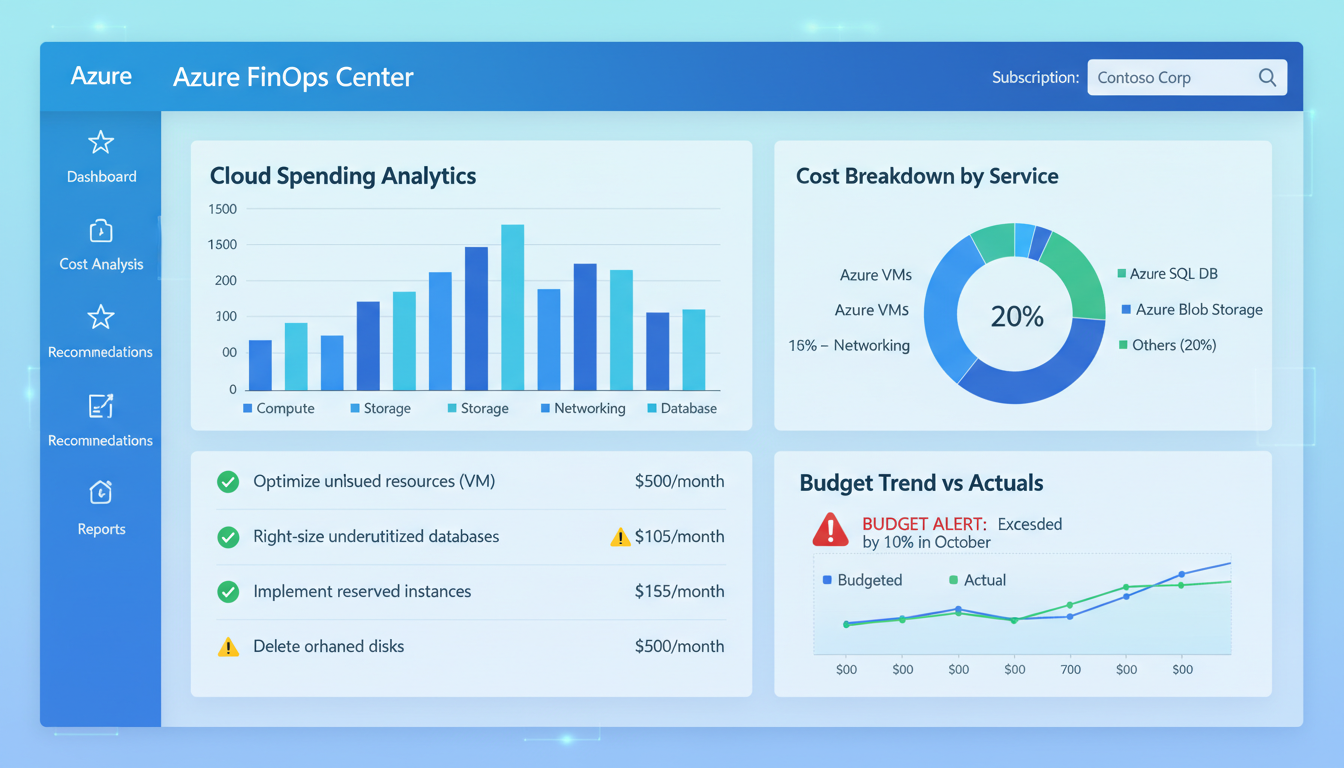
Moving to Microsoft Azure opens up remarkable possibilities for UK businesses - scalable computing, global reach, enterprise-grade security, and access to cutting-edge services like AI and machine learning. But Azure also introduces a challenge that catches many businesses off guard: cost management. Without proper tools and practices, Azure spending can spiral quickly, turning what should be a cost-effective cloud solution into an unexpectedly expensive overhead.
The pay-as-you-go model that makes cloud computing so flexible is also what makes it dangerous for the unprepared. Unlike traditional on-premises infrastructure where you pay a fixed capital cost upfront, Azure charges are based on consumption - every virtual machine, every gigabyte of storage, every database query, and every network transfer generates a charge. Understanding and controlling these costs is essential for any UK business using Azure.
This guide covers the essential Azure cost management tools that every business should be using, from Microsoft's built-in capabilities to third-party solutions and proven FinOps practices that keep your cloud spending under control.
The scale of the problem is significant. According to industry research, UK businesses collectively spend billions of pounds on cloud services annually, with Azure representing the second-largest share of that market behind Amazon Web Services. Yet a substantial portion of this expenditure is wasted - resources left running when they are not needed, virtual machines oversized for their actual workloads, and storage tiers that do not match access patterns. For small and medium-sized enterprises in particular, where IT budgets are tightly controlled, this waste can represent the difference between a cloud strategy that delivers genuine value and one that simply shifts costs from capital expenditure to an unpredictable monthly operational expense.
Effective Azure cost management requires a combination of the right tools, the right processes, and the right organisational culture. It is not enough to simply deploy cost monitoring after the fact - cost awareness must be embedded into every stage of the cloud lifecycle, from initial architecture decisions through to ongoing operations and decommissioning. The good news is that Microsoft has invested heavily in providing built-in cost management capabilities, and a thriving ecosystem of third-party tools and practices has emerged to complement them.
Azure Cost Management + Billing: The Built-In Foundation
Microsoft provides a comprehensive cost management suite directly within the Azure portal at no additional charge. Azure Cost Management + Billing is your first and most important tool for understanding and controlling cloud spending. If you are not using it actively, you are flying blind.
Cost Analysis
The Cost Analysis view provides detailed breakdowns of your Azure spending across multiple dimensions - by resource group, service type, region, tag, and time period. You can create custom views that show exactly the information your finance team or management needs. For example, you might create a view showing monthly spend by department (using resource tags) or a view comparing actual spend against your budget over the past quarter.
The accumulated cost view is particularly useful for tracking spend against monthly or quarterly budgets. It shows your current spend trajectory and projects where you will end the period based on current usage patterns. If the projection exceeds your budget, you have early warning to investigate and take action before costs escalate further.
Budgets and Alerts
Azure Budgets allow you to set spending limits at the subscription, resource group, or management group level. When spending reaches defined thresholds - typically 50%, 75%, 90%, and 100% of the budget - alerts are sent to specified email addresses or action groups. This proactive notification system ensures that unexpected cost spikes are caught early.
For UK businesses with multiple departments or projects using Azure, creating granular budgets per resource group or tag is essential. This prevents any single project from consuming more than its allocated share and provides accountability at the team level.
Cost Allocation and Reporting
Beyond simple budget alerts, Azure Cost Management provides powerful cost allocation capabilities that help UK businesses understand precisely where their money is going. The cost allocation rules feature allows you to redistribute shared costs - such as networking, management tools, or shared databases - across the teams or projects that use them. This is essential for organisations that operate a shared services model, where central infrastructure supports multiple business units. Without cost allocation, the team that owns the shared resource bears the full cost, creating an inaccurate picture of true project-level spending.
For UK businesses that need to report cloud costs to a board or to external stakeholders, the export feature in Azure Cost Management allows you to schedule automatic exports of cost data to Azure Storage in CSV format. These exports can be integrated with Power BI, Excel, or your existing financial reporting systems, enabling your finance team to include cloud costs in their standard reporting workflows without needing direct access to the Azure portal. This integration between cloud cost data and traditional financial reporting is a hallmark of mature cloud governance and is increasingly expected by auditors and financial controllers.
Navigate to Cost Management + Billing in the Azure portal, select Budgets, and click Add. Set the scope (subscription or resource group), the budget amount, and the time period (monthly, quarterly, or annual). Configure alert thresholds at 50%, 75%, and 100%, and add email addresses for your finance team and IT manager. The entire setup takes less than five minutes but can save thousands of pounds by catching unexpected spending early.
Azure Advisor: Automated Cost Recommendations
Azure Advisor is an intelligent recommendation engine that analyses your Azure usage patterns and suggests ways to reduce costs, improve performance, enhance security, and increase reliability. The cost recommendations alone make it one of the most valuable free tools in the Azure ecosystem.
Advisor continuously analyses your resource utilisation and identifies specific savings opportunities. Common recommendations include right-sizing underutilised virtual machines (for example, suggesting you downgrade a Standard_D4s_v3 to a Standard_D2s_v3 if CPU usage consistently stays below 20%), purchasing Reserved Instances for stable workloads (which can save up to 72% compared to pay-as-you-go), and shutting down or deallocating unused resources.
The recommendations are highly specific, showing you exactly how much each change would save in pounds per month. Azure Advisor is not guessing - it is analysing your actual usage data over the past 14 days and making evidence-based suggestions. For a typical UK business with £5,000 to £50,000 in monthly Azure spend, Advisor recommendations routinely identify 15-30% savings.
Acting on Advisor Recommendations
Receiving recommendations is one thing - acting on them systematically is another. Many UK businesses review Azure Advisor once and then neglect it, missing out on new savings opportunities that emerge as usage patterns change. Establish a regular cadence - at minimum monthly - for reviewing and acting on Advisor recommendations. Assign responsibility for this review to a specific team member or role, and track the savings achieved over time to demonstrate the value of the practice to management.
For organisations with large Azure estates, the Advisor Score feature provides a percentage-based assessment of how well you are following Advisor recommendations across all five categories. This score gives you a single number to track over time and report to leadership. Improving your Advisor Score is a tangible, measurable goal that drives continuous optimisation. Many UK managed service providers and Azure partners also monitor Advisor scores on behalf of their clients, proactively implementing recommendations as part of their ongoing support agreements.
It is also worth noting that Azure Advisor integrates with Azure Policy, allowing you to create governance rules based on Advisor recommendations. For example, you can create a policy that prevents the deployment of virtual machine sizes that Advisor has flagged as oversized for your typical workloads. This proactive approach prevents waste before it occurs, rather than relying on retrospective identification and remediation.
Resource Tagging: The Foundation of Cost Accountability
Effective cost management is impossible without proper resource tagging. Tags are metadata labels that you attach to Azure resources, allowing you to categorise and track spending by any dimension that matters to your business - department, project, environment, cost centre, or owner.
Implement a mandatory tagging policy that requires every resource to carry at minimum a Department tag, a Project tag, an Environment tag (production, staging, development), and an Owner tag. Use Azure Policy to enforce these requirements automatically - resources without required tags can be prevented from being created, ensuring compliance from the start rather than retroactively.
Once tagging is in place, you can use Cost Analysis to create views that show spend by department, enabling genuine cost accountability. Finance teams can generate reports showing exactly what each department is spending on Azure, and department managers can see their own costs and take ownership of optimisation within their area.
Implementing a Tagging Strategy
The most common mistake UK businesses make with resource tagging is treating it as optional. Without enforcement, tag compliance deteriorates rapidly - new team members forget to tag resources, automated deployments skip tags, and before long, a significant proportion of your Azure estate is untagged and untraceable. The solution is to enforce tagging from day one using Azure Policy. Create policies that deny the creation of any resource that lacks the required tags, and apply these policies at the management group or subscription level to ensure universal coverage.
Tag naming conventions matter enormously. Agree on a standard format before you begin - for example, PascalCase or lowercase-with-hyphens - and document it in your cloud governance handbook. Include valid values for each tag where appropriate. For the Environment tag, define exactly which values are permitted (Production, Staging, Development, Testing) and reject any variations. This consistency ensures that cost reports and filters work reliably, because a cost filter looking for a specific tag value will miss resources tagged with informal variations or different capitalisation.
For UK businesses subject to data sovereignty or regulatory requirements, consider adding a DataClassification tag (Public, Internal, Confidential, Restricted) and a Region tag that confirms the geographic location of the resource. These tags support compliance reporting and make it straightforward to audit whether sensitive data is stored in appropriate UK regions in accordance with GDPR and other regulatory frameworks.
| Tag Name | Purpose | Example Values | Enforcement |
|---|---|---|---|
| Department | Cost allocation by team | Engineering, Marketing, Finance | Required |
| Project | Track project-level spending | WebsiteRelaunch, CRM-Migration | Required |
| Environment | Distinguish prod from dev | Production, Staging, Development | Required |
| Owner | Accountability for resources | j.smith, s.patel | Required |
| CostCentre | Financial reporting alignment | CC-1001, CC-2030 | Recommended |
| ExpiryDate | Temporary resource cleanup | 2025-12-31 | Recommended |
Azure Reservations and Savings Plans
For workloads that run continuously or predictably, pay-as-you-go pricing is the most expensive option. Azure offers two commitment-based pricing models that deliver substantial savings: Reserved Instances and Azure Savings Plans.
Reserved Instances provide discounts of up to 72% for committing to specific VM sizes in specific regions for one or three years. They are ideal for production servers, databases, and other infrastructure that runs 24/7 with predictable capacity requirements. The commitment is to a specific VM size and region, so they work best for stable, well-understood workloads.
Azure Savings Plans, introduced more recently, offer flexibility that Reserved Instances lack. You commit to a specific hourly spend amount (in pounds) rather than a specific VM size. This commitment can be applied across different VM sizes, regions, and even compute services (VMs, App Service, Functions). Savings of up to 65% are available, and the flexibility makes Savings Plans more suitable for dynamic workloads where specific resource requirements may change over time.
Choosing Between Reservations and Savings Plans
Deciding between Reserved Instances and Savings Plans - or using a combination of both - depends on the nature of your workloads and your confidence in future capacity requirements. As a general rule, use Reserved Instances for workloads that are stable, well-understood, and unlikely to change in size or region over the commitment period. Production database servers, domain controllers, and core application servers are typical candidates. Use Savings Plans for workloads where you are confident in the overall level of spend but less certain about the specific resources - for example, development environments where VM sizes change frequently, or applications that are being actively re-architected.
Many UK businesses find that a blended approach works best: Reserved Instances for the stable core of their infrastructure, Savings Plans for the variable middle tier, and pay-as-you-go for genuinely unpredictable or temporary workloads. Review your commitment coverage regularly - at least quarterly - and adjust as your usage patterns evolve. Azure provides utilisation reports that show how effectively your existing reservations and savings plans are being used, highlighting any commitments that are going to waste because the underlying resources have changed.
For UK businesses working with limited budgets, the monthly payment option for Reserved Instances removes the need for a large upfront payment whilst still delivering the majority of the cost savings. This makes commitment-based pricing accessible even to smaller organisations that cannot justify significant capital outlay for cloud discounts.
Azure Reserved Instances
- Up to 72% savings (3-year commitment)
- Best for stable, predictable workloads
- Specific VM size and region commitment
- Can be exchanged for different sizes
- Available for VMs, SQL, Cosmos DB, more
- Pay monthly or upfront
Azure Savings Plans
- Up to 65% savings (3-year commitment)
- Best for dynamic, changing workloads
- Flexible across VM sizes and regions
- Applies to multiple compute services
- Simpler to manage than reservations
- Hourly spend commitment in pounds
Implementing FinOps Practices
Tools alone are not enough - effective Azure cost management requires a cultural shift towards FinOps (Financial Operations). FinOps is a discipline that brings financial accountability to cloud spending by involving engineering, finance, and business teams in collaborative cost management decisions.
Start by establishing a regular cadence of cost reviews. Monthly cost review meetings should involve representatives from IT, finance, and business leadership. Review actual spend against budgets, analyse trends, discuss upcoming projects that will affect costs, and evaluate the ROI of current Azure services. These meetings create accountability and ensure that cost management is an ongoing priority rather than an afterthought.
Implement showback or chargeback practices. Showback means presenting each department with their Azure costs without actually charging them, creating awareness and encouraging responsible usage. Chargeback goes further, actually allocating cloud costs to departmental budgets. Most UK SMEs start with showback and progress to chargeback as their FinOps maturity increases.
Automate cost optimisation where possible. Use Azure Automation to shut down development and staging environments outside business hours. Use auto-scaling rules that scale resources down during low-demand periods. Implement lifecycle policies for storage accounts that automatically move old data to cheaper tiers. Every automated optimisation reduces waste without requiring ongoing manual effort.
Building a FinOps Team
For UK businesses with significant Azure spending - typically above ten thousand pounds per month - establishing a dedicated FinOps function or assigning FinOps responsibilities to an existing team member delivers substantial returns. The FinOps practitioner serves as the bridge between engineering, finance, and business teams, translating technical resource usage into financial terms and vice versa. They own the cost optimisation backlog, track savings initiatives, produce regular cost reports, and ensure that cost considerations are embedded into the engineering workflow from the design stage onward.
Even for smaller organisations that cannot justify a dedicated FinOps role, the principles of FinOps can be applied by designating a cloud cost champion within the IT team. This person takes responsibility for reviewing costs weekly, acting on Advisor recommendations, monitoring budget alerts, and reporting to management on cloud spending trends. The key is that someone specific is accountable - without clear ownership, cost management becomes a task that everyone assumes someone else is handling.
Automation and Policy-Driven Governance
As your Azure estate grows, manual cost management becomes increasingly impractical. Automation is essential for maintaining cost discipline at scale. Azure Automation runbooks can be configured to shut down non-production virtual machines outside of business hours - a simple measure that can reduce development and testing costs by up to 65 per cent. Azure Logic Apps can trigger automated workflows when budget thresholds are breached, such as sending alerts to specific Teams channels, creating tickets in your service management platform, or even automatically scaling down non-critical resources.
Azure Policy provides the governance backbone for cost management at scale. Beyond tag enforcement, policies can restrict the deployment of expensive VM sizes in non-production subscriptions, require the use of specific storage tiers, limit the regions where resources can be deployed, and enforce the use of auto-shutdown schedules on development machines. Policy-driven governance ensures that cost discipline is maintained consistently across the organisation, regardless of which team or individual is provisioning resources.
Get Your Azure Costs Under Control
Cloudswitched helps UK businesses optimise their Azure spending through expert FinOps consultancy, cost analysis, and ongoing management. Our Azure-certified engineers identify savings opportunities, implement cost controls, and establish practices that keep your cloud spending efficient and predictable. Contact us for a free Azure cost review.
GET IN TOUCH
CloudSwitched
London-based managed IT services provider offering support, cloud solutions and cybersecurity for SMEs.


