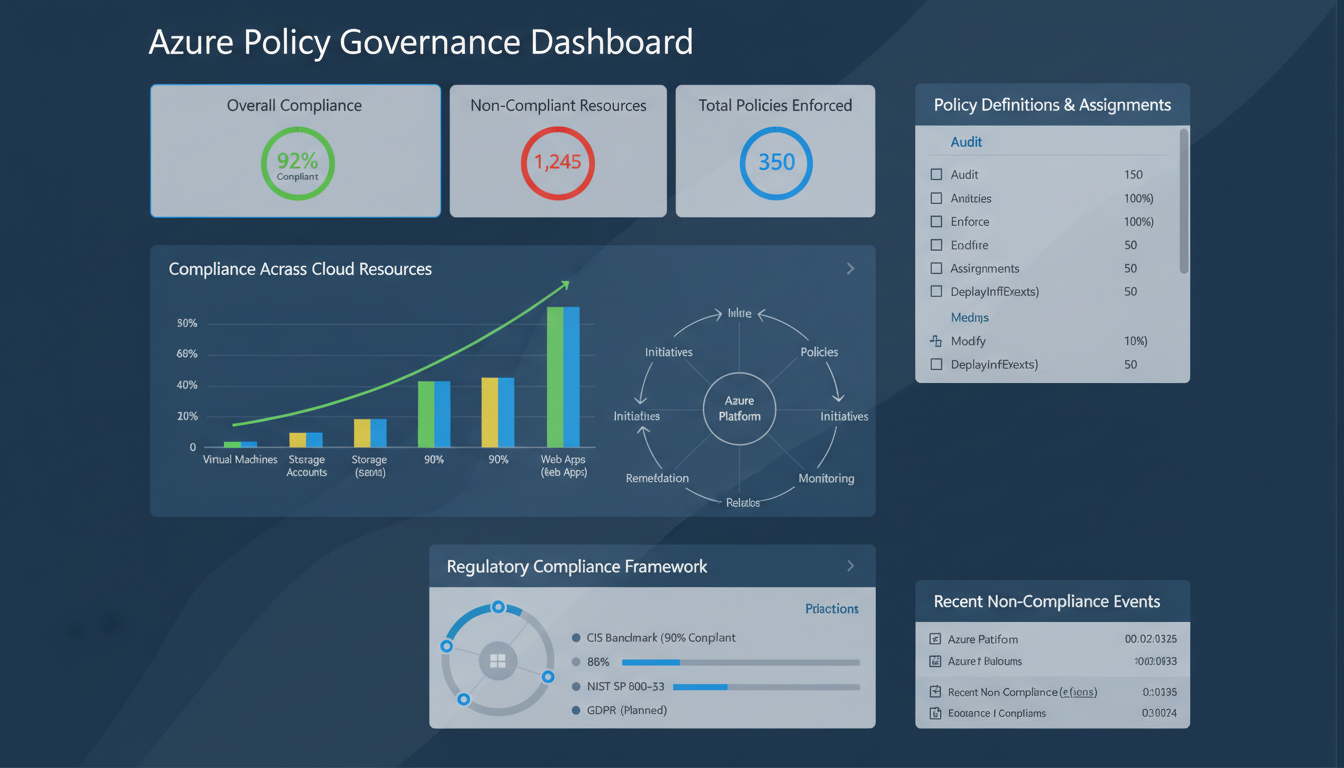
As organisations migrate more workloads to Microsoft Azure, maintaining control over what gets deployed, how it is configured, and whether it complies with organisational standards becomes increasingly challenging. Without governance controls, cloud environments can quickly become sprawling, inconsistent, and non-compliant - with resources deployed in the wrong regions, security settings left at defaults, naming conventions ignored, and costs spiralling out of control.
Azure Policy is Microsoft's built-in governance service that allows you to create, assign, and manage policies that enforce rules and effects over your Azure resources. It ensures that resources remain compliant with your corporate standards and regulatory requirements, whether those come from internal governance frameworks, UK GDPR, Cyber Essentials, ISO 27001, or sector-specific regulations.
This guide explains how Azure Policy works, why it matters for UK businesses, how to implement it effectively, and how to use it to maintain governance and compliance as your Azure environment grows.
Understanding Azure Policy Fundamentals
At its core, Azure Policy evaluates resources in Azure by comparing the properties of those resources against business rules defined as policy definitions. These rules, written in JSON format, describe what conditions to check and what effect to apply when conditions are met. Effects range from simple auditing (flagging non-compliant resources) to active enforcement (preventing non-compliant resources from being created).
Policy Definitions
A policy definition is a single rule that describes a condition and an effect. For example, a policy definition might state: "All storage accounts must use HTTPS-only connections. If a storage account is created without HTTPS enforced, deny the deployment." Azure provides over 340 built-in policy definitions covering common governance scenarios, and you can create custom definitions for organisation-specific requirements.
Policy Assignments
A policy assignment applies a policy definition to a specific scope - a management group, subscription, resource group, or individual resource. The same policy definition can be assigned to multiple scopes with different parameters. For example, you might assign a location restriction policy to your entire subscription but with different allowed regions for different resource groups.
Policy Initiatives
An initiative (also called a policy set) groups multiple policy definitions together. This is useful when you want to enforce a collection of related policies as a single unit. For example, a "UK Data Residency" initiative might include policies that restrict resource locations to UK South and UK West, require encryption at rest for all storage, and mandate that databases use geo-redundant backup within the UK.
Azure Policy and Azure Role-Based Access Control (RBAC) serve different purposes. RBAC controls who can do what - it manages user permissions. Azure Policy controls what can be done regardless of who does it - it enforces resource configuration standards. You need both: RBAC ensures only authorised users can manage resources, while Azure Policy ensures those resources are configured correctly. Think of RBAC as the security guard checking your badge, and Azure Policy as the building code inspector checking your work.
Key Policy Effects
Azure Policy supports several effects that determine what happens when a resource does not comply with a policy. Choosing the right effect is crucial - too aggressive and you block legitimate work; too lenient and policies become meaningless.
| Effect | Behaviour | Best Used For | Disruption Level |
|---|---|---|---|
| Audit | Flags non-compliant resources but allows them | Initial rollout, visibility, reporting | None |
| Deny | Prevents non-compliant resources from being created or updated | Critical security and compliance requirements | High |
| DeployIfNotExists | Deploys additional resources if a condition is not met | Auto-remediation (e.g., enabling diagnostics) | Medium |
| Modify | Adds, updates, or removes resource tags or properties | Enforcing tags, enabling security settings | Medium |
| AuditIfNotExists | Audits if a related resource does not exist | Checking for diagnostic settings, extensions | None |
| Disabled | Policy is not enforced | Testing, temporary suspension | None |
Essential Policies for UK Businesses
While every organisation's policy requirements are different, there are several categories of policies that virtually every UK business running Azure should implement.
Data Residency Policies
For UK businesses subject to GDPR, ensuring that data remains within approved geographical boundaries is often a regulatory necessity. Azure Policy can restrict resource deployment to specific Azure regions - typically UK South (London) and UK West (Cardiff) for UK businesses. This ensures that no one accidentally deploys a database or storage account in a US or Asian data centre, which could create compliance complications.
Security Baseline Policies
Azure provides built-in initiatives that align with security benchmarks. The Azure Security Benchmark initiative covers a comprehensive set of security controls including network security, identity management, data protection, logging, and incident response. For UK businesses pursuing Cyber Essentials certification, these policies help demonstrate that your cloud environment meets the required standards.
Cost Management Policies
Without controls, cloud costs can escalate rapidly. Policies can restrict the types and sizes of resources that can be deployed - preventing someone from accidentally spinning up an expensive virtual machine series when a standard one would suffice. Tag enforcement policies ensure every resource is tagged with a cost centre, project code, or owner, making it possible to track and allocate costs accurately.
Implementing Azure Policy: A Practical Approach
Rolling out Azure Policy should be done thoughtfully. Jumping straight to enforcement mode can disrupt operations if existing resources are non-compliant. A staged approach minimises risk while building towards full governance.
Phase 1: Audit and Discover
Start by assigning policies in Audit mode. This identifies non-compliant resources without blocking anything. Review the compliance dashboard in the Azure Portal to understand the current state of your environment. You may discover resources in unexpected regions, storage accounts without encryption, or virtual machines without backup - all common findings in ungoverned environments.
Phase 2: Remediate Existing Resources
Before switching to enforcement, fix existing non-compliance. Some policies support automatic remediation through the DeployIfNotExists and Modify effects. For others, manual remediation is required. Create a plan to address each non-compliant resource, prioritising based on risk.
Phase 3: Enforce for New Resources
Once existing resources are compliant, switch critical policies from Audit to Deny mode. This prevents new non-compliant resources from being created while leaving existing resources untouched. Communicate the changes to your team and provide guidance on how to deploy resources that comply with the policies.
Phase 4: Continuous Compliance
Azure Policy evaluates compliance continuously, not just at deployment time. Resources that become non-compliant - for example, if someone changes a setting manually - are flagged automatically. Set up alerts for compliance state changes and review the compliance dashboard regularly. For UK businesses required to demonstrate compliance to auditors or regulators, the compliance data from Azure Policy provides ready-made evidence.
Azure Policy Best Practices
- Start with Audit mode before enforcing
- Use built-in policies before creating custom ones
- Group related policies into initiatives
- Apply policies at the management group level for consistency
- Use exemptions sparingly and with documented justification
- Review compliance dashboards weekly
- Automate remediation where possible
Common Azure Policy Mistakes
- Enforcing Deny policies without auditing first
- Applying policies at resource group level only (missing new groups)
- Creating duplicate custom policies for built-in scenarios
- Not communicating policy changes to development teams
- Ignoring compliance drift after initial remediation
- Granting broad policy exemptions that undermine governance
- Not testing custom policies in a non-production environment
Regulatory Compliance and Azure Policy
For UK businesses in regulated sectors, Azure Policy is a powerful tool for demonstrating compliance. Azure provides built-in regulatory compliance initiatives that map policies to specific regulatory frameworks, including ISO 27001, SOC 2, PCI DSS, and NIST. While there is no specific UK GDPR initiative, the combination of data residency policies, encryption policies, access control policies, and logging policies can address many GDPR technical requirements.
The compliance dashboard in Azure Security Centre provides a real-time view of your compliance posture against assigned regulatory frameworks. This dashboard can be exported for audit purposes, providing evidence that your Azure environment meets the required standards. For businesses in London, Edinburgh, Manchester, and across the UK that need to demonstrate compliance to regulators such as the FCA, ICO, or CQC, this evidence is invaluable.
Monitoring and Reporting on Policy Compliance
Azure Policy provides comprehensive compliance reporting through the Azure Portal, Azure CLI, and REST APIs. The compliance dashboard shows overall compliance percentage, the number of non-compliant resources, and a breakdown by policy assignment. You can drill down to see exactly which resources are non-compliant and why, making it straightforward to prioritise remediation work.
For organisations that need to report compliance to management or external auditors, Azure Policy data can be exported to Azure Monitor, Log Analytics, or third-party SIEM platforms. This enables you to create custom compliance reports, set up automated alerts for compliance state changes, and maintain historical compliance data for trend analysis. Demonstrating that your compliance posture is improving over time is often as important to auditors as the current compliance percentage.
Integrate policy compliance monitoring into your regular governance reviews. A monthly review meeting that examines the compliance dashboard, investigates new non-compliant resources, tracks remediation progress, and evaluates whether additional policies are needed keeps your governance framework current and effective. For growing businesses that are continuously deploying new Azure resources, this regular review cadence is essential to prevent governance debt from accumulating.
Custom Policy Development
While Azure's 340+ built-in policies cover many common scenarios, most organisations eventually need custom policies to enforce organisation-specific standards. Custom policies use the same JSON-based definition format as built-in policies and can be as simple or complex as your requirements demand.
Common custom policy scenarios for UK businesses include enforcing specific naming conventions for resources (ensuring every resource name includes the environment, region, and project code), requiring specific tags on all resources (such as cost centre, data classification, and business owner), restricting network configurations to approved patterns, mandating specific diagnostic settings for audit and compliance purposes, and enforcing encryption standards that exceed the built-in defaults.
When developing custom policies, follow a rigorous testing process. Create the policy definition, test it in a development subscription using Audit mode, verify that it correctly identifies non-compliant resources without flagging compliant ones, then promote it to production subscriptions. Poorly written policies can either block legitimate deployments or fail to catch the violations they are designed to prevent - both outcomes undermine confidence in the governance framework.
Azure Policy and Management Groups
For organisations with multiple Azure subscriptions, management groups provide a way to organise subscriptions into a hierarchy and apply policies at scale. Policies assigned to a management group automatically apply to all subscriptions beneath it, ensuring consistent governance across the entire Azure estate.
A typical management group hierarchy for a UK business might include a root management group with global policies (such as data residency restrictions and mandatory tags), a production management group with strict security policies, a development management group with more permissive policies that allow experimentation, and a sandbox management group with minimal restrictions for learning and testing. This hierarchical approach allows you to enforce non-negotiable standards globally while giving different teams appropriate flexibility within their own environments.
Management groups also simplify reporting. Rather than checking compliance subscription by subscription, you can view aggregate compliance across the entire hierarchy, quickly identifying which subscriptions or resource groups have the most outstanding violations and need the most attention.
Cost Implications and Budgeting
Azure Policy itself is a free service - there is no additional cost for creating, assigning, or evaluating policies. However, some policy effects have indirect cost implications. DeployIfNotExists policies that automatically deploy remediation resources (such as diagnostic settings that stream logs to a Log Analytics workspace) will incur costs for the resources they deploy. Similarly, policies that require more expensive resource configurations (such as geo-redundant storage instead of locally redundant storage) increase the cost of compliant deployments.
Factor these costs into your governance planning. The security and compliance benefits of proper governance typically far outweigh the incremental costs, but surprises are never welcome. Document the expected cost impact of each policy before assigning it, and monitor actual costs after implementation to ensure they align with projections. For UK businesses managing tight budgets, this visibility is essential for maintaining support for the governance programme.
Getting Started: A Practical First Steps Guide
If you are new to Azure Policy, the best approach is to start small and expand gradually. Begin by assigning the built-in Azure Security Benchmark initiative in Audit mode to your production subscription. This single action immediately gives you visibility into the security posture of your Azure environment without affecting any existing resources or deployments.
Review the compliance results after a week. You will likely find a mix of compliant and non-compliant resources. Focus on understanding the findings rather than rushing to fix everything at once. Some findings may be acceptable risks that you choose to exempt. Others may be critical issues that need immediate remediation. Most will fall somewhere in between and can be addressed through a prioritised remediation programme.
Next, implement location restriction policies to enforce UK data residency. This is typically the first enforcement (Deny) policy that UK businesses deploy because the requirement is clear-cut - data must stay in the UK - and the risk of disruption is low since most businesses are already deploying resources in UK regions. Follow this with tag enforcement policies to improve cost management and accountability, and then progressively add more specific security policies as your team becomes comfortable with the governance framework.
Document everything. Create a policy register that records every policy assignment, its scope, its purpose, its effect, any exemptions granted, and the date it was last reviewed. This documentation is essential for audit purposes, for onboarding new team members, and for ensuring that your governance framework remains coherent as it grows in complexity over time.
Consider engaging a specialist Azure consultancy to assist with your initial policy implementation if your team lacks Azure governance experience. A consultant can design a policy framework tailored to your specific regulatory requirements, implement it correctly the first time, and train your team to manage it going forward. The cost of expert assistance during the initial setup is a fraction of the cost of correcting a poorly designed governance framework later, and it accelerates your time to compliance significantly. For UK businesses that need to demonstrate compliance quickly - for example, to win a government contract or satisfy a regulatory requirement - this expert guidance can be the difference between meeting a deadline and missing a critical business opportunity.
Need Help with Azure Governance?
Cloudswitched helps UK businesses implement robust Azure governance frameworks using Azure Policy, management groups, and security best practices. Whether you need to establish data residency controls, enforce security baselines, manage costs, or demonstrate regulatory compliance, our Azure specialists can design and deploy the right policies for your organisation. Get in touch to discuss your governance needs.
GET IN TOUCH
CloudSwitched
London-based managed IT services provider offering support, cloud solutions and cybersecurity for SMEs.


