Microsoft Azure is now the cloud platform of choice for a large and growing number of UK businesses. From small companies running a single virtual machine to enterprises operating complex multi-tier applications, Azure provides the infrastructure, scalability, and global reach that modern businesses demand. Yet one aspect of Azure consistently causes confusion, frustration, and - when poorly managed - unnecessary expense: pricing.
Azure's pricing model is flexible, which is one of its strengths. But flexibility also means complexity. The same virtual machine can cost significantly different amounts depending on which pricing model you choose. Get it right, and you can save 40% to 72% compared to the default pricing. Get it wrong, and you could be paying thousands of pounds more than necessary every year.
This guide explains the two primary Azure pricing models - Pay-As-You-Go and Reserved Instances - in detail, compares them side by side, and helps you determine which approach is right for your business workloads.
How Azure Pricing Works: The Basics
Before comparing pricing models, it helps to understand how Azure charges for resources. Azure uses a consumption-based pricing model - you pay for the resources you use, measured in increments of time (typically per hour or per second) and quantity (such as gigabytes of storage or gigabytes of data transfer).
The cost of a virtual machine, for example, depends on several factors: the VM size (how many CPU cores and how much RAM), the operating system (Windows VMs cost more than Linux due to licensing), the Azure region (UK South and UK West have slightly different prices), the disk type and size, and the pricing model you choose.
It is this last factor - the pricing model - that offers the greatest opportunity for cost optimisation. Two identical virtual machines running the same workload 24 hours a day can have vastly different monthly costs depending on whether they are using Pay-As-You-Go or Reserved Instance pricing.
Understanding the Azure Billing Cycle
Azure operates on a calendar-month billing cycle for most subscription types. Resources are metered continuously, and usage is aggregated at the end of each billing period to produce your invoice. For UK businesses on a direct Microsoft Customer Agreement, invoices are issued in pounds sterling, eliminating currency exchange risk. Enterprise Agreement customers may have different billing arrangements, but the underlying metering principles remain the same.
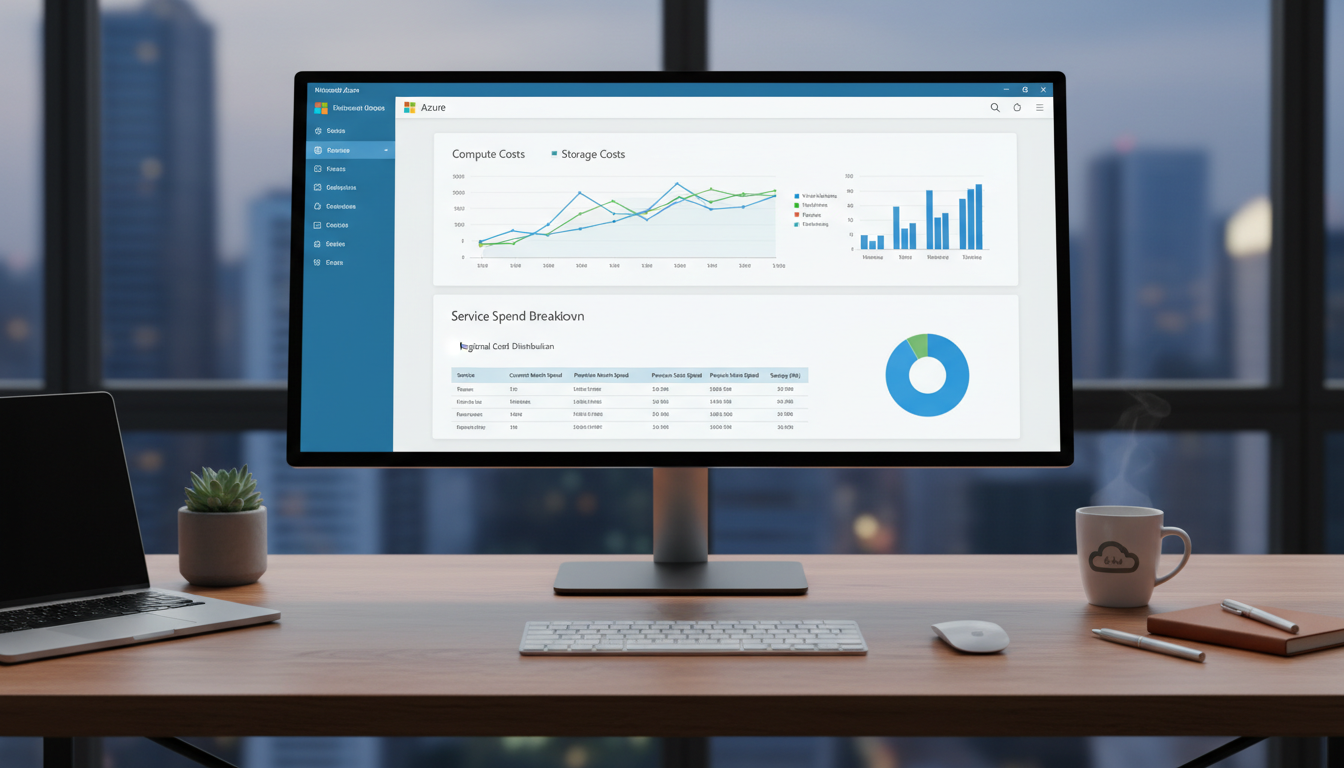
One of the most important tools available to you is Azure Cost Management, which is built into the Azure portal at no additional charge. Cost Management provides real-time visibility into your spending, allows you to set budgets with automated alerts, and offers cost analysis views that break down your expenditure by resource group, service, region, or tag. For UK businesses operating under tight IT budgets, configuring Cost Management alerts at 50%, 75%, and 90% of your monthly budget is a straightforward step that can prevent unexpected overages.
It is also worth understanding that not all Azure costs are compute-related. Storage, networking (particularly data egress), premium support plans, and third-party marketplace purchases all contribute to your monthly bill. When evaluating pricing models, many businesses focus exclusively on virtual machine costs, but a comprehensive cost optimisation strategy must account for the full spectrum of Azure services in use across your environment.
Pay-As-You-Go (PAYG) Pricing Explained
Pay-As-You-Go is Azure's default pricing model. As the name suggests, you pay for compute resources on a per-second or per-hour basis, with no upfront commitment. You can create a virtual machine, run it for three hours, delete it, and pay only for those three hours. There is no minimum term, no cancellation fee, and no obligation to continue using the resource.
Advantages of Pay-As-You-Go
PAYG pricing offers maximum flexibility. It is ideal for workloads that are temporary, unpredictable, or experimental. Development and testing environments, for example, often run only during business hours and can be shut down at weekends - PAYG pricing means you only pay for the hours they are actually running. Similarly, if you are piloting a new application and are unsure of the resource requirements, PAYG allows you to experiment without financial commitment.
PAYG is also exceptionally well-suited to businesses with seasonal workloads. A UK retail business, for example, might need additional compute capacity during the November to January peak trading period but can scale back to minimal resources for the remainder of the year. Under PAYG pricing, you pay only for the months when those additional resources are active. Similarly, event-driven businesses such as ticketing platforms or conference organisers can provision substantial infrastructure for event days and decommission it immediately afterwards.
For organisations undergoing cloud migration, PAYG provides a low-risk entry point. During the assessment and migration phases, workloads may be running in parallel across on-premises and cloud environments, making it impractical to commit to reserved capacity. PAYG allows you to test configurations, benchmark performance, and validate that Azure meets your requirements before making any longer-term commitment. Many of our clients begin their Azure journey on PAYG and transition stable production workloads to Reserved Instances once their cloud architecture has settled.
Disadvantages of Pay-As-You-Go
The trade-off for flexibility is cost. PAYG pricing is the most expensive way to run workloads on Azure over the long term. If you have a virtual machine that runs 24/7/365 - such as a domain controller, a file server, or a line-of-business application server - the annual cost on PAYG pricing is significantly higher than the same machine on a Reserved Instance.
Budget Unpredictability with PAYG
Beyond the higher unit cost, PAYG pricing introduces budget unpredictability. Because costs fluctuate based on actual usage, monthly invoices can vary significantly. This presents challenges for UK businesses that require predictable IT expenditure for financial planning. Finance directors and budget holders often prefer the certainty of knowing exactly what their cloud infrastructure will cost each month, which is inherently at odds with the variable nature of PAYG pricing.
There is also a behavioural risk associated with PAYG. Without the discipline of a reservation commitment, teams may provision resources casually, spinning up VMs for quick tests and forgetting to deallocate them, or maintaining oversized instances because there is no financial incentive to rightsize. Over time, this resource sprawl can result in a significant portion of your Azure spend being wasted on resources that deliver no business value. Establishing governance policies and tagging standards from the outset is essential for keeping PAYG costs under control.
Reserved Instances (RIs) Explained
Reserved Instances represent a commitment to use a specific type and size of virtual machine for a one-year or three-year term. In exchange for this commitment, Azure provides a substantial discount compared to PAYG pricing - typically 30% to 40% for a one-year reservation and 55% to 72% for a three-year reservation.
The reservation is a billing construct, not a physical one. You are not reserving a specific physical server - you are committing to a certain level of usage, and Azure applies the discount to matching resources in your subscription. If you reserve a D4s v5 virtual machine in UK South for one year, any D4s v5 VM running in that region and subscription automatically receives the reserved pricing.
How to Purchase Reserved Instances
Purchasing Reserved Instances is straightforward through the Azure portal. Navigate to the Reservations section, select the resource type (Virtual Machines, SQL Database, Cosmos DB, and many others), choose the VM size, region, and term length, and complete the purchase. You can pay upfront for the full term, which provides the deepest discount, or opt for monthly payments, which spreads the cost over the reservation period with a slightly smaller discount. For UK businesses managing cash flow carefully, the monthly payment option often strikes the right balance between savings and financial flexibility.
It is important to base your reservation purchases on actual usage data rather than assumptions. Azure Cost Management provides reservation recommendations that analyse your historical usage patterns and identify the reservations that would deliver the greatest savings. These recommendations account for your existing usage variability and suggest only reservations that are likely to be fully utilised. We strongly recommend reviewing at least 30 days of usage data, ideally 60 to 90 days, before committing to a reservation to ensure the workload is genuinely stable.
Instance Size Flexibility
One of the most valuable features of Azure Reserved Instances is instance size flexibility. When you purchase a reservation within a VM series, the discount can automatically apply to other VM sizes within the same series. For example, a reservation for a D4s v5 (4 vCPUs) can also cover two D2s v5 instances (2 vCPUs each) or one D8s v5 at a proportional rate. This flexibility means that if you resize a VM within the same family, your reservation continues to provide value. Instance size flexibility is enabled by default for most reservation purchases and significantly reduces the risk of a reservation becoming wasted due to minor changes in your infrastructure.
Advantages of Reserved Instances
The savings are substantial and predictable. For workloads that run continuously, the cost reduction is dramatic. A VM that costs £200 per month on PAYG might cost £120 per month with a one-year reservation or £80 per month with a three-year reservation. Over the life of the reservation, the savings can amount to thousands of pounds per machine.
Disadvantages of Reserved Instances
The commitment is binding. If your requirements change - you no longer need the VM, or you need a different size - you may not be able to use the reservation fully. Whilst Azure does allow you to exchange reservations for different VM sizes within the same family, you cannot cancel a reservation for a full refund. There is also the upfront planning required to identify which workloads are stable enough to warrant a reservation.
When to Use Reserved Instances
- Production servers running 24/7
- Domain controllers and Active Directory servers
- Database servers with predictable workloads
- Line-of-business application servers
- File servers and print servers
- Any VM with stable, long-term resource requirements
When to Use Pay-As-You-Go
- Development and testing environments
- Temporary project workloads
- Seasonal or burst capacity
- Proof-of-concept deployments
- VMs that are frequently resized
- Workloads with uncertain long-term requirements
Cost Comparison: Real-World Examples
Let us examine the cost difference using a common Azure VM size used by UK SMEs. The D4s v5 is a popular general-purpose virtual machine with 4 vCPUs and 16 GB RAM, suitable for running applications such as line-of-business software, small databases, and file services.
| Pricing Model | Monthly Cost (approx.) | Annual Cost (approx.) | 3-Year Cost (approx.) | Saving vs PAYG |
|---|---|---|---|---|
| Pay-As-You-Go | £210 | £2,520 | £7,560 | Baseline |
| 1-Year Reserved | £135 | £1,620 | £4,860 | 36% saving |
| 3-Year Reserved | £85 | £1,020 | £3,060 | 60% saving |
For a single VM, the three-year reservation saves approximately £4,500 compared to PAYG over the same period. For a business running five or ten VMs, the savings multiply accordingly. This is not a marginal optimisation - it is a fundamental cost reduction that directly impacts your IT budget.
Azure Savings Plans: A Third Option
In addition to PAYG and Reserved Instances, Azure now offers Savings Plans - a newer pricing model that provides a discount in exchange for a commitment to a certain amount of hourly compute spending. Unlike Reserved Instances, which are tied to a specific VM size and region, Savings Plans apply across VM sizes, regions, and even compute services. This makes them more flexible than RIs, though the discount is typically slightly smaller.
Savings Plans are particularly useful for businesses with dynamic workloads that may change VM sizes or regions over the commitment period. They offer a middle ground between the flexibility of PAYG and the deep discounts of Reserved Instances.
How Savings Plans Differ from Reserved Instances
The key distinction lies in what you are committing to. With a Reserved Instance, you commit to a specific VM size in a specific region. With a Savings Plan, you commit to a specific hourly spend amount (for example, £0.50 per hour) that applies across any eligible compute usage, regardless of VM size, series, or region. This means that if you restructure your infrastructure, moving from D-series to E-series VMs, or shifting workloads from UK South to UK West, your Savings Plan discount continues to apply without modification.
Savings Plans are available in two scopes: Compute Savings Plans, which cover VMs, Azure App Service, Azure Functions, and Azure Container Instances across all regions; and VM Savings Plans, which are scoped to a specific VM family in a specific region but offer slightly higher discounts. For small and mid-sized UK businesses with relatively straightforward Azure environments, Compute Savings Plans typically offer the best combination of discount and flexibility.
Choosing Between Savings Plans and Reserved Instances
The decision between Savings Plans and Reserved Instances is not always binary. Many businesses benefit from using both. Reserved Instances deliver the deepest discounts and are the optimal choice for workloads with stable, predictable resource requirements: your production SQL Server, your domain controllers, your always-on application servers. Savings Plans are better suited to workloads where the compute requirement is consistent in total spend but may shift between VM sizes or regions, for example a development team that regularly experiments with different VM configurations, or a business with plans to restructure its Azure architecture in the coming year.
Azure Cost Management provides recommendations for both pricing models and can help you determine the optimal mix for your specific usage patterns. As a general rule, we advise our clients to reserve first for stable workloads, then layer Savings Plans over the remaining variable compute spend, and keep PAYG only for genuinely ephemeral or unpredictable resources.
The most cost-effective approach is to combine pricing models across your Azure estate. Use three-year Reserved Instances for stable, predictable workloads such as production servers and domain controllers. Use one-year Reserved Instances for workloads that are likely to persist but may change specification. Use Savings Plans for compute resources that fluctuate in size or location. Use Pay-As-You-Go for development, testing, and temporary workloads. This blended approach maximises savings whilst maintaining the flexibility you need.
Common Azure Cost Mistakes UK Businesses Make
Through our work with UK SMEs, we consistently see the same cost optimisation mistakes. Being aware of these can save your business significant sums.
Running everything on PAYG. Many businesses migrate to Azure and never review their pricing model. Every VM runs at the most expensive rate indefinitely, wasting thousands of pounds annually.
Leaving VMs running when not needed. Development and testing VMs that run 24/7, including weekends, when they are only used during business hours. Auto-shutdown schedules can reduce these costs by 70% or more.
Oversizing virtual machines. VMs provisioned with more CPU and RAM than the workload requires. Rightsizing - matching VM resources to actual usage - can reduce costs by 30% or more before any pricing model changes.
Ignoring Azure Advisor recommendations. Azure Advisor provides free, personalised recommendations for cost reduction, but many businesses never review them.
Not implementing tagging policies. Azure resource tags allow you to categorise resources by department, project, environment, or cost centre. Without consistent tagging, it becomes nearly impossible to allocate costs accurately or identify which teams or projects are responsible for spending increases. Implementing a mandatory tagging policy from the outset saves considerable time and confusion later.
Failing to review orphaned resources. When a project concludes or a VM is decommissioned, associated resources such as managed disks, public IP addresses, and network interfaces are often left behind. These orphaned resources continue to incur charges, sometimes for months or years, without anyone noticing. A monthly resource audit that identifies and removes unused resources is one of the simplest cost-saving measures available.
Neglecting storage tier optimisation. Azure Storage offers multiple access tiers: Hot, Cool, Cold, and Archive, each with different pricing for storage and access. Many businesses store infrequently accessed data on the Hot tier, paying a premium for immediate access to data that is rarely retrieved. Moving backup data, logs, and archival records to the Cool or Archive tier can reduce storage costs by 50% to 90% depending on the access pattern.
How Cloudswitched Optimises Azure Costs
At Cloudswitched, Azure cost optimisation is a core part of our managed cloud service. We conduct regular reviews of your Azure environment, identifying opportunities to reduce costs through rightsizing, Reserved Instance purchases, auto-shutdown policies, and resource cleanup. Our account managers present cost optimisation recommendations at every quarterly business review, ensuring your Azure spending stays aligned with your actual business needs.
Our approach begins with a comprehensive Azure environment audit, where we assess every resource across your subscriptions: virtual machines, storage accounts, databases, networking components, and supporting services. We examine utilisation metrics over a meaningful period to identify resources that are oversized, underutilised, or entirely unused. This audit typically identifies immediate cost reductions of 20% to 35% before any pricing model changes are applied.
Beyond the initial audit, we implement ongoing cost governance through automated policies, budget alerts, and scheduled reviews. We configure Azure Policy to enforce tagging standards, prevent the creation of oversized VMs without approval, and ensure that development environments include auto-shutdown schedules. These governance measures prevent the resource sprawl that erodes cost savings over time and ensure that cost optimisation remains embedded in your cloud operations rather than being a one-off exercise.
For businesses with complex Azure environments spanning multiple subscriptions or regions, we also implement cost allocation models that provide accurate chargeback or showback reporting. This visibility ensures that each department or project understands its cloud expenditure, creating accountability and incentivising efficient resource usage across the organisation.
We also manage the Reserved Instance purchasing process on your behalf, analysing your usage patterns to determine which workloads are suitable for reservations and which should remain on PAYG or Savings Plans. This blended approach ensures you benefit from the deepest possible discounts without sacrificing flexibility where it is needed.
Are You Overpaying for Azure?
Cloudswitched provides Azure cost optimisation services for UK businesses, helping you reduce your cloud spend without compromising performance. Whether you need help purchasing Reserved Instances, rightsizing your VMs, or implementing a comprehensive cost management strategy, our team can help. Get in touch for a free Azure cost review.
GET IN TOUCH
CloudSwitched
London-based managed IT services provider offering support, cloud solutions and cybersecurity for SMEs.


