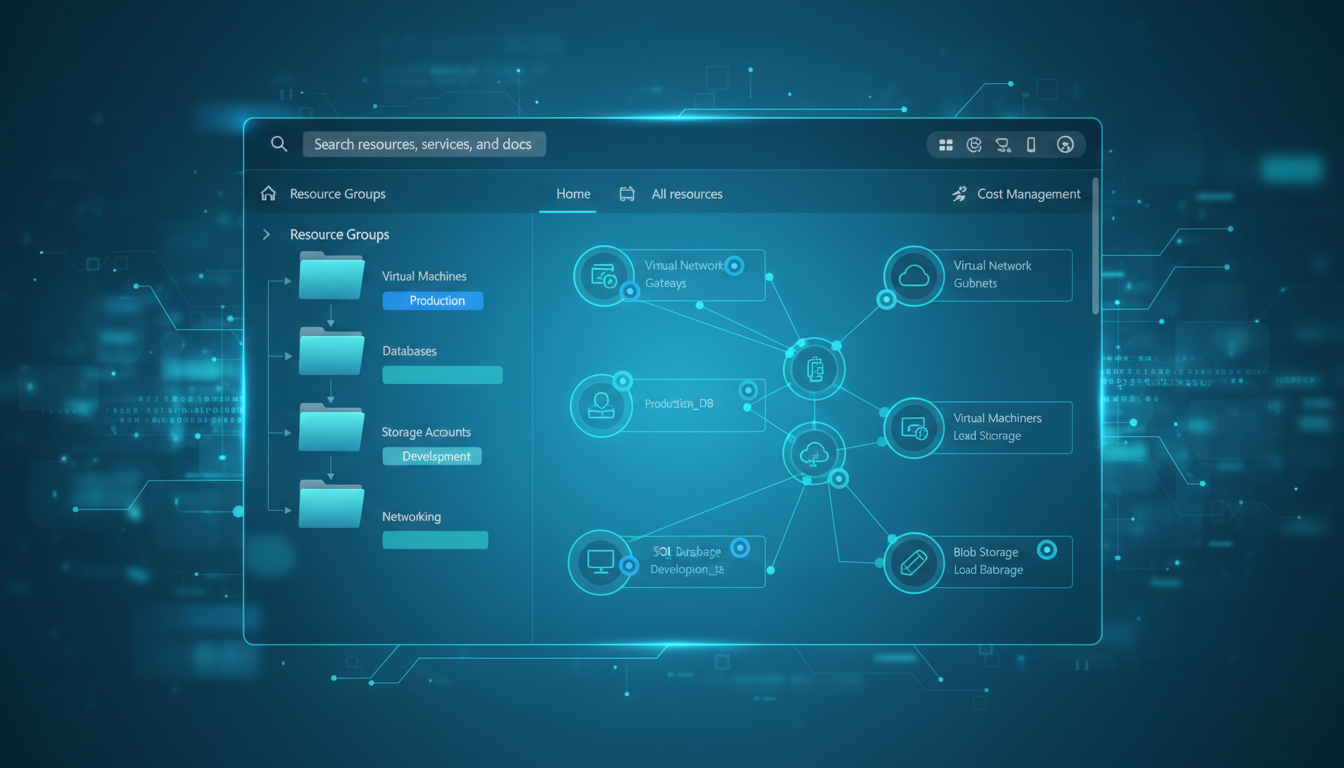
As UK businesses migrate more of their infrastructure to Microsoft Azure, the challenge of organising, managing, and controlling cloud resources becomes increasingly critical. Without a deliberate organisational strategy, Azure environments quickly devolve into sprawling collections of virtual machines, databases, storage accounts, and networking components that nobody can make sense of - leading to wasted spend, security blind spots, and operational chaos.
Resource groups and tags are Azure's two fundamental organisational tools. Resource groups provide logical containers that group related resources together, while tags add metadata that enables filtering, reporting, and automation across your entire Azure estate. Used effectively, they transform a chaotic cloud environment into a well-structured, cost-transparent, and easily manageable platform. Used poorly - or not at all - they leave you with an ungovernable mess that grows more expensive and more confusing every month.
This guide explains how to design and implement a resource group and tagging strategy that works for UK businesses, covering naming conventions, organisational patterns, cost management, compliance, and automation.
Understanding Resource Groups
A resource group in Azure is a logical container that holds related resources for an application, project, or environment. Every Azure resource - whether it is a virtual machine, a SQL database, a storage account, or a virtual network - must belong to exactly one resource group. Resource groups serve as the primary unit of management, access control, and lifecycle management in Azure.
The most important characteristic of resource groups is that they define a lifecycle boundary. When you delete a resource group, every resource within it is deleted. This makes resource groups ideal for grouping resources that share the same lifecycle - resources that are deployed together, managed together, and decommissioned together. It also makes careful design essential: putting unrelated resources in the same group means accidentally deleting a test environment could take production resources with it.
Resource Group Boundaries and Limitations
Understanding the boundaries of resource groups is essential before designing your organisational strategy. While resource groups provide logical grouping, they do not enforce network isolation or security boundaries on their own. Resources in different resource groups can communicate freely unless network security groups, firewalls, or private endpoints restrict that traffic. This means resource groups should be viewed as a management and lifecycle tool, not as a security perimeter. For UK businesses that must demonstrate compliance with Cyber Essentials or ISO 27001, network-level controls must be implemented separately from your resource group design.
Azure imposes a limit of 800 resource groups per subscription, which sounds generous but can become a constraint for larger enterprises or managed service providers who create separate resource groups for every client project and environment. If your organisation is approaching this limit, consider whether your subscription design needs revisiting - perhaps splitting workloads across multiple subscriptions aligned to business units or client accounts. Many UK organisations adopt a hub-and-spoke subscription model, with shared networking in a central subscription and individual business units operating in their own subscriptions.
Resources within a resource group do not need to reside in the same Azure region as the resource group itself. The resource group's location only determines where its metadata is stored. This is an important distinction for UK businesses: you might create a resource group in UK South, but deploy a disaster recovery virtual machine within that group to North Europe. The resource group metadata remains in UK South, whilst the VM runs in the other region. Understanding this separation helps you design resource groups that make organisational sense without being constrained by geographic limitations.
It is also worth noting that resources can be moved between resource groups after deployment, though not all resource types support this operation. Virtual machines, storage accounts, and many other common resources can be relocated, but some services - particularly those with complex dependencies or managed identities - may require full redeployment. Before committing to a resource group design, review which of your critical resources support the move operation, and factor this flexibility into your planning to avoid costly redeployments later. Microsoft maintains a regularly updated list of resource types that support the move operation, and it is advisable to consult this before finalising any major organisational restructuring of your Azure estate.
Resource Group Design Patterns
There are three common patterns for organising resource groups, and the right choice depends on your organisation's size, complexity, and operational model.
| Pattern | Structure | Best For | Example |
|---|---|---|---|
| By Application | One RG per application per environment | Businesses with distinct applications | rg-crm-prod-uksouth |
| By Environment | One RG per environment (dev, staging, prod) | Small estates with few applications | rg-production-uksouth |
| By Resource Type | One RG per resource type | Shared infrastructure (networking, storage) | rg-networking-prod-uksouth |
For most UK SMEs, the by-application-per-environment pattern provides the best balance of organisation and manageability. This means your CRM system would have separate resource groups for development (rg-crm-dev-uksouth), staging (rg-crm-staging-uksouth), and production (rg-crm-prod-uksouth). Shared infrastructure such as networking, Active Directory, and monitoring would have its own resource groups.
For UK businesses subject to GDPR or handling data that must remain within the United Kingdom, always include the Azure region in your resource group naming convention. Azure's UK South (London) and UK West (Cardiff) regions ensure data residency within the UK. Your tagging strategy should include a "data-residency" tag to flag resources that contain personal data and must remain in UK regions, enabling compliance auditing across your entire estate.
Naming Conventions for Resource Groups
A consistent naming convention for resource groups is one of the simplest yet most impactful governance decisions you can make. Without a standard naming pattern, your Azure estate will accumulate resource groups with names like "TestRG", "johns-project", "Production_Resources", and "rg1" - names that tell you nothing about what the group contains, who owns it, or whether it is safe to modify or delete. For UK businesses subject to regulatory audits, this kind of disorder makes demonstrating control over your cloud environment significantly harder.
The most widely adopted naming convention for Azure resource groups follows the pattern: rg-{application}-{environment}-{region}. For example, rg-intranet-prod-uksouth or rg-payroll-dev-ukwest. This pattern immediately communicates the purpose, environment, and location of every resource group, making it possible for any team member - or even someone unfamiliar with your environment - to understand the Azure estate at a glance. The prefix "rg-" is important because it distinguishes resource groups from other Azure resources when viewing lists that mix resource types.
For UK businesses with multiple departments or cost centres, you may wish to extend this pattern to include an organisational prefix: rg-{department}-{application}-{environment}-{region}. A resource group named rg-finance-payroll-prod-uksouth leaves no ambiguity about its owner, purpose, or criticality. This extended naming convention proves especially valuable when multiple teams share an Azure subscription, as it enables quick filtering in the Azure portal and clear attribution in cost reports.
Consistency matters more than the specific pattern you choose. Whatever convention you adopt, document it formally and enforce it through Azure Policy. Azure Policy can enforce naming patterns using regular expressions, automatically rejecting any resource group creation that does not match your approved format. This prevents naming drift over time and ensures that even resources deployed by automated pipelines or third-party tools conform to your organisational standards.
Consider also establishing a convention for temporary or experimental resource groups. Prefixing these with "tmp-" or "exp-" - such as tmp-migration-test-uksouth - makes it immediately obvious which groups are candidates for cleanup. Combined with an expiry-date tag, this approach prevents the accumulation of forgotten test environments that silently consume budget month after month. Many UK organisations have discovered significant savings simply by implementing a regular review of temporary resource groups that have outlived their intended purpose.
Designing Your Tagging Strategy
While resource groups provide structural organisation, tags provide the metadata layer that enables cost management, operational automation, compliance reporting, and governance across your Azure estate. Tags are name-value pairs attached to resources, resource groups, or subscriptions, and they can be used for filtering in the Azure portal, generating cost reports, triggering automation, and enforcing policies.
A well-designed tagging strategy should be mandatory (enforced by Azure Policy), consistent (standardised names and values), comprehensive (covering cost, operations, and compliance), and practical (not so many tags that people resist applying them). The sweet spot for most organisations is between 6 and 12 mandatory tags, with additional optional tags for specific resource types.
Tag Naming Standards and Value Consistency
The naming convention for your tags themselves is just as important as the naming convention for your resource groups. Azure tags are case-sensitive in their values but case-insensitive in their names when used in policies - a subtlety that can cause confusion if not addressed upfront. Establish a clear standard early: most organisations use lowercase kebab-case for tag names (cost-centre, data-classification, created-by) and defined value lists where possible. Documenting this standard and sharing it with all teams who deploy Azure resources prevents inconsistency from taking root.
Free-text tag values are the enemy of useful reporting. If your environment tag allows any value, you will inevitably end up with "production", "Production", "PRODUCTION", "prod", and "Prod" all referring to the same thing - and none of them grouping together in cost reports. Define an approved list of values for each mandatory tag and enforce those values through Azure Policy. For the environment tag, this might be: dev, test, staging, production, dr. For data-classification: public, internal, confidential, restricted. Tight value control ensures that every report, filter, and automation rule works reliably across your entire Azure estate.
Some tags benefit from structured values rather than simple strings. A support-hours tag with values like "24x7", "business-hours-uk", or "best-effort" communicates scheduling information that automation runbooks can act upon - for example, automatically shutting down virtual machines tagged "business-hours-uk" at 19:00 GMT and restarting them at 07:00, saving significant compute costs overnight and at weekends. The key is designing tag values that serve both human readers and automated systems.
When planning your tag taxonomy, consult with every department that will consume the data. Finance needs cost-centre values that map to their chart of accounts. Operations needs environment and support-tier values that align with their runbooks. Security needs data-classification values that match your information security policy. Compliance needs regulatory tags that correspond to the frameworks you are certified against. Building this cross-functional alignment upfront prevents costly rework when teams discover that the tag values do not serve their reporting and automation needs.
Recommended Tag Categories
Essential Tags (Mandatory)
- cost-centre: Maps to your finance department codes
- environment: dev, staging, production, dr
- owner: Team or individual responsible
- application: Which application this resource serves
- created-by: Who deployed this resource
- data-classification: public, internal, confidential, restricted
Useful Tags (Optional)
- backup-policy: Which backup schedule applies
- patch-group: When this resource is patched
- expiry-date: When temporary resources should be removed
- compliance: GDPR, PCI-DSS, Cyber Essentials
- support-tier: 24/7, business hours, best effort
- last-reviewed: Date of last governance review
Enforcing Tags with Azure Policy
A tagging strategy that relies on people remembering to apply tags is a tagging strategy that will fail. Azure Policy provides the enforcement mechanism that makes your strategy stick. You can create policies that require specific tags on all resources, deny the creation of resources that lack mandatory tags, automatically apply default tags when resources are created, and audit existing resources for tag compliance.
The most effective approach is to start with audit-only policies that report on non-compliance without blocking resource creation, giving teams time to adjust their deployment processes. After a grace period - typically two to four weeks - switch to enforcement mode, which denies resource creation unless all mandatory tags are present and correctly formatted.
Azure Policy Implementation Patterns
When implementing Azure Policy for tag enforcement, it helps to understand the different policy effects and how they apply to tagging scenarios. The most commonly used effects for tagging are Deny, Audit, Modify, and Append. Deny prevents resource creation if the required tag is missing or has an invalid value - this is the strongest enforcement mechanism and should be used for mandatory tags once your teams have adapted to the new requirements. Audit, by contrast, logs non-compliance without blocking deployment, making it ideal for the initial rollout period.
The Modify effect is particularly powerful for tagging governance. Rather than blocking resource creation, a Modify policy automatically adds or corrects tags during deployment. For example, you can create a policy that automatically adds a created-date tag with the current date to every resource, or a policy that inherits the cost-centre tag from the parent resource group if the resource itself does not specify one. This tag inheritance pattern is extremely useful - it means that resources deployed within a correctly tagged resource group automatically receive the group's financial tags, reducing the burden on developers whilst maintaining complete cost attribution across your estate.
For organisations new to Azure Policy, a phased rollout works best. Begin with Audit policies for all mandatory tags, giving teams visibility into their current compliance without blocking deployments. Use Azure Policy's compliance dashboard to identify which teams and resource types have the lowest tag compliance, and work with those teams to update their deployment templates and processes. After two to four weeks - or once compliance exceeds 80 per cent - transition to Deny policies for the most critical tags (typically cost-centre and environment), while leaving less critical tags in Audit mode for a further period. This graduated approach builds organisational buy-in and avoids the frustration of sudden deployment failures.
Azure also supports policy initiatives, which allow you to group multiple tag policies into a single assignable unit. Create an initiative called "Mandatory Tagging Standards" that bundles all your required tag policies, then assign the initiative at the subscription or management group level. This simplifies administration considerably - you manage one initiative assignment rather than a dozen individual policy assignments - and ensures that all tag requirements are applied consistently across your entire Azure environment without gaps or inconsistencies.
Cost Management Through Tags
One of the most valuable applications of tagging is cost management. Azure Cost Management can group, filter, and report costs by any tag, enabling you to answer questions that are impossible to answer with resource groups alone: How much does the CRM application cost across all environments? What is the total Azure spend for the marketing department? How much are we spending on development versus production resources? Which team is driving the highest storage costs?
Automating Cost Reporting and Budgets with Tags
Tags become truly powerful when integrated with Azure Cost Management's budgeting and alerting capabilities. You can create budgets scoped to specific tag values - for example, a monthly budget of five thousand pounds for all resources tagged cost-centre:marketing, with automatic alerts when spending reaches 75 per cent and 90 per cent of the budget. These alerts can be sent to both the technical team managing the resources and the business stakeholders responsible for the budget, creating shared accountability for cloud costs and preventing unpleasant surprises at the end of the billing period.
For UK businesses with multiple departments or projects sharing a single Azure subscription, tag-based cost reporting is often the only practical way to achieve accurate cost allocation. Azure Cost Management allows you to create custom views, saved reports, and scheduled exports filtered by any combination of tags. A monthly export filtered by cost-centre, delivered automatically to your finance team as a CSV file, integrates seamlessly with existing financial reporting processes without requiring finance staff to learn the Azure Portal or understand cloud infrastructure concepts.
The environment tag unlocks another significant cost optimisation opportunity. By comparing production and non-production spend, many organisations discover that development and test environments account for 30 to 50 per cent of their total Azure bill - yet these environments are only actively used during working hours. Azure Automation runbooks can use the environment tag to automatically deallocate non-production virtual machines outside of business hours and at weekends, reducing compute costs for those environments by up to 65 per cent with no impact on developer productivity during the working day.
Consider implementing a regular cost review cadence tied to your tagging data. A monthly review of the top ten costliest resources by application tag, combined with a trend analysis of cost-centre spend over the previous quarter, provides the visibility needed to catch cost anomalies early. An unexpected spike in storage costs for a specific application, or a steady upward trend in a cost centre's spend without a corresponding increase in usage, are signals that warrant investigation before they become significant financial problems for the business.
The cost-centre tag maps Azure spend to your existing financial reporting structure, making it straightforward for your finance team to allocate cloud costs to the correct department or project. The environment tag enables you to compare development and production costs - many organisations discover that their development environments are consuming far more resources than necessary because nobody thought to shut down dev VMs overnight or during weekends.
Investing time in a proper resource group and tagging strategy might seem like administrative overhead, but it pays dividends every single month through reduced waste, faster troubleshooting, easier compliance reporting, and clearer cost accountability. For UK businesses operating in Azure, this is foundational governance that should be established before your cloud estate grows beyond a handful of resources.
Automation and Infrastructure as Code
Tags and resource groups reach their full potential when combined with Infrastructure as Code (IaC) practices. Tools such as Azure Resource Manager (ARM) templates, Bicep, and Terraform allow you to define resource groups, resources, and their tags in version-controlled templates that can be consistently deployed across environments. This eliminates the manual tagging step entirely - every resource created through your IaC pipeline is automatically tagged according to your standards, with no reliance on individual team members remembering to apply the correct metadata.
Azure also supports tag inheritance policies, where resources automatically inherit tags from their parent resource group. This is particularly useful for the environment tag - rather than tagging every individual resource, you tag the resource group and let inheritance propagate the value downward. Combined with Azure Policy enforcement, this creates a belt-and-braces approach where tags are applied by your deployment templates, inherited from resource groups, and enforced by policy - making non-compliance virtually impossible even in large, complex environments managed by multiple teams.
For UK businesses adopting DevOps practices, integrating tag validation into your CI/CD pipelines adds another layer of assurance. A pre-deployment check that validates all resources in a template have the required tags prevents non-compliant resources from ever reaching your Azure environment. This shift-left approach catches tagging issues at development time rather than after deployment, reducing remediation effort and ensuring your Azure estate remains well-governed from the moment resources are created. Tools such as Azure DevOps pipelines and GitHub Actions can both incorporate these validation steps with minimal configuration overhead.
Operational Excellence and Incident Response
Beyond cost management and compliance, tags play a critical role in operational excellence. During an incident, the ability to quickly identify the owner, application, and criticality of affected resources can dramatically reduce response times. When your monitoring system alerts you to a failing virtual machine, tags such as owner, application, and support-tier tell your operations team exactly who to contact, which application is affected, and what service level agreement applies - without requiring them to consult a separate configuration management database or chase down institutional knowledge held by individuals.
Tags also enable more sophisticated monitoring and alerting strategies. You can create Azure Monitor alert rules that apply to all resources with a specific tag, ensuring that new resources automatically inherit the appropriate monitoring configuration. For example, an alert rule targeting all resources tagged with environment:production and support-tier:24x7 ensures that every production resource with a round-the-clock SLA is monitored to that standard, even resources deployed weeks or months after the alert rule was created. This dynamic approach eliminates the common problem of new resources falling through monitoring gaps.
For UK businesses subject to regulatory requirements such as Cyber Essentials, ISO 27001, or sector-specific regulations from the Financial Conduct Authority or the Information Commissioner's Office, tags provide the metadata layer that supports audit and compliance reporting. A data-classification tag allows you to quickly identify all resources that handle confidential or restricted data, generate reports for auditors, and verify that appropriate security controls are in place. Without this metadata, compliance audits become laborious exercises in manual investigation - exactly the kind of overhead that well-implemented tagging eliminates entirely.
Need Help Organising Your Azure Environment?
Cloudswitched provides Azure governance and optimisation services for UK businesses. From resource group design and tagging strategies to cost management and policy enforcement, we help you build a well-organised, cost-efficient Azure estate. Get in touch to discuss your Azure environment.
GET IN TOUCH
CloudSwitched
London-based managed IT services provider offering support, cloud solutions and cybersecurity for SMEs.


