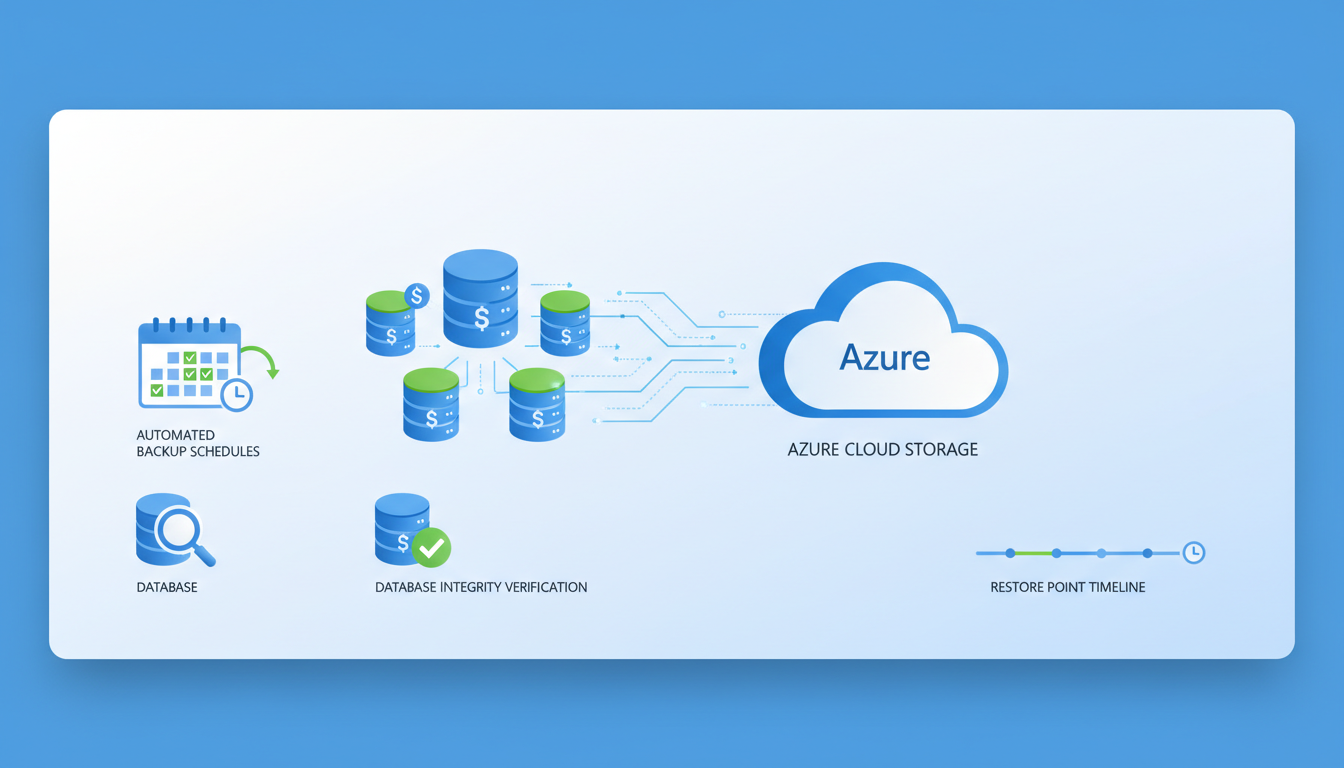
For UK businesses running line-of-business applications - from accounting software like Sage and Xero to CRM platforms, ERP systems, and bespoke industry applications - the SQL database sitting behind those applications is often the single most valuable digital asset the business owns. It contains years of financial records, customer information, order history, and operational data. Losing it would not just be inconvenient; for many businesses, it would be catastrophic.
Yet despite this critical importance, SQL database backup remains one of the most poorly managed areas of IT in UK small and medium-sized enterprises. Many businesses rely on basic file-level backups that do not properly capture database state, leading to corrupted or incomplete restores. Others back up their databases to the same physical server or the same office location, leaving them vulnerable to hardware failure, ransomware, fire, flood, or theft. And a surprising number of businesses have never tested whether their SQL backups can actually be restored.
Cloud backup for SQL databases addresses all of these risks. By replicating your database backups to geographically separate, secure UK data centres, you gain protection against every category of data loss whilst ensuring rapid recovery when disaster strikes. This guide covers the what, why, and how of cloud SQL database backup for UK businesses.
Why SQL Databases Need Special Backup Treatment
SQL databases cannot be reliably backed up using the same file-copy methods used for documents and spreadsheets. A SQL database consists of data files (.mdf), transaction log files (.ldf), and in-memory structures that must be in a consistent state for a backup to be usable. Simply copying the .mdf and .ldf files whilst the database engine is running results in an inconsistent backup that may be completely unrestorable.
Proper SQL backup uses the database engine's own backup mechanism, which ensures transactional consistency. SQL Server, for example, supports three types of backup: full backups (a complete copy of the entire database), differential backups (changes since the last full backup), and transaction log backups (changes since the last log backup). A well-designed backup strategy combines all three to balance protection, storage efficiency, and recovery speed.
Understanding the transaction log is particularly important for UK businesses running SQL Server. The transaction log records every modification made to the database in sequential order. When you perform a transaction log backup, SQL Server backs up all log records since the previous log backup and then truncates the backed-up portion of the log. If you fail to back up the transaction log regularly, it will continue to grow until it consumes all available disk space, potentially bringing your application to a halt. This is a surprisingly common issue in UK SMEs where SQL Server has been installed but no maintenance plan has been configured.
Point-in-time recovery is another critical capability that proper SQL backup provides. By restoring a full backup followed by a differential backup and then replaying transaction logs up to a specific moment, you can recover your database to any point in time - not just to the moment a backup was taken. This is invaluable when recovering from accidental data deletion or corruption, as you can restore to the moment immediately before the problem occurred, minimising data loss to seconds rather than hours. For UK businesses subject to audit requirements, point-in-time recovery also provides the ability to reconstruct the exact state of financial data at any given date, which can be essential during HMRC investigations or regulatory reviews.
Imagine taking a photograph of a busy road. A file-level backup is like taking the photo whilst cars are moving - you get a blurred, inconsistent image. A proper SQL backup is like freezing time for an instant - every car is captured in its exact position, and the image is perfectly clear. This transactional consistency is what makes the difference between a backup you can restore and one that corrupts your data further.
Cloud Backup Options for SQL Databases
Several approaches exist for backing up SQL databases to the cloud, each suited to different environments, budgets, and recovery requirements.
Option 1: Backup Agent with Cloud Storage
A backup agent installed on your SQL server performs native SQL backups and transmits them to cloud storage. Solutions such as Veeam, Acronis, Datto, and Azure Backup use this approach. The agent handles scheduling, compression, encryption, and transmission, whilst the cloud storage provides off-site retention with geographic redundancy.
This is the most common approach for UK businesses with on-premises SQL servers. It works with all editions of SQL Server, supports full, differential, and transaction log backups, and provides a familiar backup-and-restore workflow. Most solutions encrypt data both in transit and at rest, ensuring compliance with UK GDPR data protection requirements.
When evaluating backup agents for your SQL environment, consider the specific requirements of your database workload. For businesses running multiple SQL instances across several servers, centralised management is essential - you need a single console where you can monitor backup status, configure schedules, and initiate restores across your entire estate. Solutions like Veeam Backup and Replication and Datto SIRIS provide this centralised management alongside verified recovery, where the backup solution automatically mounts and tests each backup to confirm it is restorable without any manual intervention.
Bandwidth management is another practical consideration for UK businesses, particularly those with limited upload speeds. A 50 GB database backed up nightly over a standard business broadband connection could saturate your internet link for hours, affecting other business operations. Most enterprise backup agents support bandwidth throttling, allowing you to limit upload speeds during business hours and utilise full bandwidth overnight. Compression and deduplication technologies can also reduce the volume of data transmitted by 50 to 80 per cent, making cloud backup feasible even on modest internet connections. For businesses in rural areas of the UK where broadband speeds remain limited, seeded backups - where the initial full backup is shipped on a physical drive - can accelerate the initial deployment significantly.
Option 2: SQL Server Backup to Azure Blob Storage
SQL Server 2012 SP1 and later support native backup directly to Azure Blob Storage using the BACKUP TO URL command. This eliminates the need for a separate backup agent and allows you to use SQL Server Management Studio or T-SQL scripts to manage backups. The backups are stored in an Azure storage account that you control, with configurable redundancy (locally redundant, zone-redundant, or geo-redundant storage).
The native backup to URL approach is particularly attractive for organisations with existing Azure subscriptions, as it eliminates licensing costs for third-party backup software. However, it requires more hands-on management than agent-based solutions. You will need to create and manage SQL Server credentials for Azure Blob access, write and schedule T-SQL backup scripts or SQL Server Agent jobs, and implement your own monitoring to verify that backups are completing successfully. For UK businesses without dedicated database administrators, this approach may require more technical expertise than is readily available in-house.
Azure Blob Storage offers tiered pricing that can significantly reduce the cost of long-term backup retention. Hot storage provides immediate access but at a higher cost per gigabyte, whilst Cool and Archive tiers offer substantially lower storage costs in exchange for higher retrieval fees and longer access times. A cost-effective strategy is to keep recent backups in the Hot tier for rapid recovery and automatically move older backups to Cool or Archive storage using Azure lifecycle management policies. For a typical UK SME with a 100 GB database, this tiered approach can reduce annual cloud storage costs from several hundred pounds to under one hundred, making enterprise-grade off-site backup accessible even to businesses with modest IT budgets.
Option 3: Azure SQL Managed Backup
For businesses using Azure SQL Database or Azure SQL Managed Instance, backup is automatic and fully managed by Microsoft. Full backups occur weekly, differential backups every 12-24 hours, and transaction log backups every 5-10 minutes. Backups are retained for 7-35 days depending on your tier, and long-term retention policies can extend this to up to 10 years.
Azure SQL Managed Instance is increasingly popular among UK businesses migrating on-premises SQL Server workloads to the cloud. Unlike Azure SQL Database, which is a platform-as-a-service offering with some compatibility limitations, Managed Instance provides near-complete compatibility with on-premises SQL Server, including support for cross-database queries, SQL Agent jobs, and linked servers. The built-in backup capabilities are comprehensive, but businesses should understand the limitations - you cannot back up to a local file, geo-restore has a recovery point objective of up to one hour, and long-term retention backups are stored in the same Azure region by default unless you configure geo-redundant storage explicitly.
For UK businesses with regulatory requirements around data sovereignty, it is worth noting that Azure's UK South and UK West regions are both located within the United Kingdom, ensuring that backup data remains within UK borders. If you enable geo-redundant storage for maximum resilience, your backup data will be replicated to a paired region - in the case of UK South, this is UK West, which remains within the UK. This is an important consideration for businesses subject to data residency requirements from industry regulators or contractual obligations with clients who mandate that their data must not leave the United Kingdom under any circumstances.
Cloud SQL Backup Advantages
- Geographic separation from primary data
- Protection against ransomware, fire, flood, theft
- Automated scheduling eliminates human error
- Encryption in transit and at rest
- Scalable storage without hardware investment
- Retention policies meeting compliance requirements
- Rapid restore capabilities from any location
Risks of Local-Only Backup
- Same physical location as primary data
- Vulnerable to site-wide disasters
- Ransomware can encrypt backup files too
- Manual tape rotation prone to human error
- Limited storage capacity requires frequent rotation
- No encryption by default in many configurations
- Difficult to access during office closures
Designing Your SQL Backup Strategy
An effective SQL backup strategy is defined by two key metrics: the Recovery Point Objective (RPO) and the Recovery Time Objective (RTO). The RPO defines how much data you can afford to lose - if your RPO is one hour, your backups must run at least every hour. The RTO defines how quickly you need to be operational again after a failure.
For most UK SMEs, a reasonable starting point is a full backup nightly, differential backups every four hours, and transaction log backups every fifteen to thirty minutes. This provides an RPO of fifteen to thirty minutes and, with cloud backup, an RTO of one to four hours depending on database size and internet bandwidth.
Balancing RPO, RTO, and Cost
The relationship between recovery objectives and backup costs is not linear - achieving a shorter RPO and RTO requires exponentially more resources. A fifteen-minute RPO, for example, requires transaction log backups every fifteen minutes, which means more storage consumption, more network bandwidth, and more processing overhead on the SQL server itself. For most UK SMEs, a pragmatic approach is to classify databases by business criticality and assign appropriate recovery objectives to each tier rather than applying the same aggressive schedule to every database in the environment.
Your mission-critical databases - those supporting revenue-generating applications, customer-facing services, or regulatory reporting - should receive the most aggressive backup schedules with the shortest RPO and RTO. Secondary databases, such as development environments, reporting replicas, or archived data, can tolerate longer recovery windows and less frequent backups. This tiered approach ensures that your backup budget is concentrated where it delivers the greatest business value. Document these decisions in a formal backup policy that is reviewed annually and approved by senior management, as this documentation is frequently requested during compliance audits, due diligence exercises for acquisitions, and cyber insurance applications where underwriters want evidence of structured data protection practices.
| Backup Type | Frequency | What It Captures | Storage Impact | Restore Speed |
|---|---|---|---|---|
| Full backup | Daily (overnight) | Complete database copy | High - full size each time | Fast - single file to restore |
| Differential | Every 4-6 hours | Changes since last full backup | Medium - grows during the day | Fast - full + latest differential |
| Transaction log | Every 15-30 minutes | Every transaction since last log backup | Low - incremental changes only | Slower - full + diff + all logs |
| Copy-only | As needed (pre-migration, testing) | Complete database copy | High - but does not disrupt backup chain | Fast - standalone restore |
Retention and Compliance
How long you keep your SQL backups depends on your business requirements and regulatory obligations. The UK GDPR does not specify a mandatory retention period for backups, but it does require that personal data is not kept longer than necessary. Your retention policy should balance the need for historical recovery with data minimisation principles.
A typical retention policy for UK businesses might retain daily backups for 30 days, weekly backups for 12 weeks, monthly backups for 12 months, and annual backups for 7 years. Financial data may need longer retention under HMRC requirements, whilst personal data should be purged according to your data protection policy.
Cloud backup solutions make retention management straightforward through automated lifecycle policies. Backups that exceed their retention period are automatically deleted, ensuring compliance without manual intervention. This is a significant advantage over tape-based backup, where managing and tracking physical media for years is both burdensome and error-prone.
Regulatory Considerations for UK Businesses
UK businesses operate within a complex regulatory landscape that directly affects backup retention decisions. HMRC requires that financial records be retained for a minimum of six years, and in some cases longer for capital assets or carry-forward losses. The Companies Act 2006 requires accounting records to be preserved for three years for private companies or six years for public companies. Industry-specific regulations may impose additional requirements - financial services firms regulated by the FCA, for example, must retain certain records for periods specified in the FCA Handbook, which can extend to indefinite retention for some record types.
The tension between retention requirements and UK GDPR data minimisation principles requires careful navigation. Your SQL database backups will inevitably contain personal data, and retaining backups beyond what is necessary could constitute a breach of the data minimisation principle. The pragmatic approach is to document your retention rationale in your data protection impact assessment, implement the minimum retention periods required by applicable regulations, and ensure that backup data is encrypted so that even if retention exceeds what is strictly necessary, the personal data within those backups is protected against unauthorised access. Consider whether your backup solution supports granular deletion or whether deleting a single individual's data from backup sets is technically feasible - this is directly relevant to the right of erasure under UK GDPR and should be addressed in your data protection documentation.
Testing Your Restores
A backup that has never been tested is not a backup - it is a hope. The only way to know that your SQL backups work is to restore them regularly and verify the data integrity. This should be a scheduled, documented process, not something you attempt for the first time during an actual emergency.
At minimum, perform a test restore monthly. Restore the latest full backup to a test environment, verify that the database is consistent (run DBCC CHECKDB), and confirm that applications can connect to and read from the restored database. Document the results, including the time taken for the restore, any errors encountered, and the state of the data.
For businesses with strict RTO requirements, conduct periodic disaster recovery drills where you simulate a complete server failure and work through the entire recovery process from backup retrieval to application verification. These drills reveal gaps in your recovery procedure that would otherwise only be discovered during a real emergency - when the pressure is highest and the stakes are greatest.
Building a Restore Runbook
A restore runbook is a step-by-step document that details exactly how to recover each of your SQL databases from backup. It should be detailed enough that any competent IT professional - not just the person who originally configured the backups - can follow the procedure and successfully restore the database. Include the location of backup files and access credentials, the exact commands or procedures for restoring each database type including full, differential, and log restores, the correct order of operations for restoring a backup chain, post-restore verification steps including integrity checks and application testing, and contact details for escalation if problems are encountered during the recovery process.
Store the runbook separately from your IT infrastructure - if a ransomware attack encrypts your entire network, a runbook stored only on the file server is useless when you need it most. Keep printed copies in a secure location such as a fireproof safe, store digital copies in a separate cloud service that is not connected to your primary IT environment, and ensure that key personnel know where to find it at any hour. Review and update the runbook whenever your backup configuration changes, and use it as the basis for your periodic restore tests to ensure it remains accurate. Many UK businesses discover during an actual emergency that their recovery documentation is outdated, incomplete, or entirely inaccessible - precisely the moment when accurate, accessible documentation matters most.
Ransomware Protection for SQL Backups
Ransomware is the most pressing threat to UK business data, and SQL databases are high-value targets. Modern ransomware variants specifically seek out and encrypt backup files alongside production data, rendering both the original database and its backups unusable. If your backups are stored on the same network as your SQL server, they are vulnerable.
Cloud backup provides several layers of protection against ransomware. First, the backup data is stored off-site and off-network, so ransomware that compromises your local environment cannot reach it. Second, many cloud backup solutions support immutable storage - once written, backup files cannot be modified or deleted for a defined period, even by an administrator. This means that even if an attacker compromises your backup credentials, they cannot destroy your backup history.
Third, cloud backup solutions maintain multiple versions of your data over time, allowing you to restore to a point before the ransomware infection occurred. This is critical because ransomware often lies dormant for days or weeks before activating, potentially contaminating recent backups. Having a deep retention history gives you the ability to reach back to a clean restore point.
Air-Gapped and Immutable Backup Strategies
The most robust defence against ransomware destroying your SQL backups is to implement air-gapped or immutable backup copies. An air-gapped backup is physically or logically disconnected from your production network, making it impossible for ransomware to reach it through network propagation. Traditional tape backup provides a natural air gap - once a tape is ejected from the drive, it is offline and immune to network-based attacks. In the cloud context, air-gapping can be achieved by storing backup copies in a separate cloud account with entirely independent credentials that are not accessible from your production environment under any circumstances.
Immutable storage is the cloud-native equivalent of an air gap. Azure Blob Storage, Amazon S3, and other cloud platforms support immutability policies that prevent backup files from being modified or deleted for a specified retention period, regardless of who attempts the operation - including account administrators with full privileges. This means that even if an attacker compromises your cloud credentials through phishing or credential theft, they cannot destroy your immutable backups. For UK businesses, implementing immutable backup copies is becoming a baseline expectation for cyber insurance underwriters, many of whom now specifically ask about immutability as part of their risk assessment questionnaires. The National Cyber Security Centre also recommends maintaining offline or immutable backups as a key component of ransomware resilience, and businesses pursuing Cyber Essentials Plus certification will find that robust backup practices, including off-site immutable copies, strengthen their overall security posture and demonstrate the organisational commitment to data protection that assessors are looking for.
Protect Your Databases with Cloud Backup
Cloudswitched provides managed cloud backup services for SQL databases across the United Kingdom. From initial setup and configuration to ongoing monitoring, testing, and disaster recovery planning, we ensure your critical data is protected, recoverable, and compliant. Contact us for a backup assessment.
GET IN TOUCH
CloudSwitched
London-based managed IT services provider offering support, cloud solutions and cybersecurity for SMEs.


