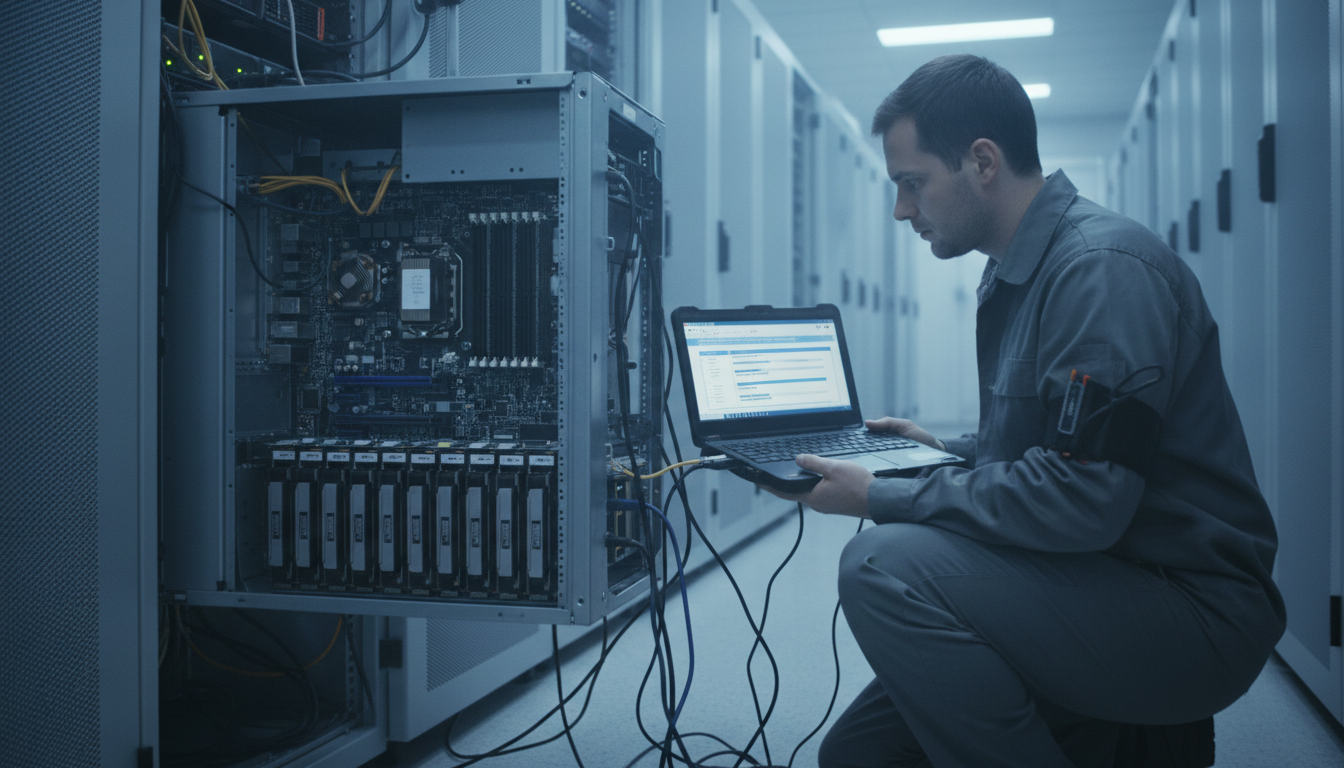
Imagine arriving at your office on a Monday morning to discover that your server has suffered a catastrophic hardware failure. The motherboard is dead, the RAID controller has failed, and your business-critical applications, databases, and files are inaccessible. Your team cannot work. Your customers cannot be served. Every minute of downtime is costing your business money.
Now imagine two scenarios. In the first, your IT provider orders replacement hardware, spends two days reinstalling the operating system, reconfiguring every setting, reinstalling every application, and finally restoring your data from backup. Total recovery time: three to five days. In the second scenario, your IT provider obtains replacement hardware and performs a bare metal recovery - restoring an exact image of your entire server, including the operating system, applications, configurations, and data, in a single operation. Total recovery time: four to eight hours.
That is the difference bare metal recovery makes, and for any UK business that depends on a server for its daily operations, it is a capability that could mean the difference between a manageable disruption and a business-threatening crisis.
What Exactly Is Bare Metal Recovery?
Bare metal recovery (BMR) is a disaster recovery technique that restores an entire computer system - operating system, drivers, applications, settings, and data - from a backup image to a blank ("bare metal") machine. The term "bare metal" refers to the fact that the target hardware has nothing installed on it - no operating system, no configuration, nothing. The bare metal backup image contains everything needed to bring that machine back to a fully functional state in a single restore operation.
This contrasts with traditional file-level backup, which only backs up data files and requires you to manually rebuild the server before restoring the data. With file-level backup, recovering from a server failure means installing a fresh operating system, applying all updates and patches, reinstalling every application, reconfiguring every setting, reconnecting to Active Directory, and only then restoring the data files. Each of these steps takes time, requires expertise, and introduces the risk of configuration errors that can cause further problems.
Bare metal recovery eliminates all of those intermediate steps. You boot the replacement server from recovery media, point it at your backup image, and the entire system is restored exactly as it was at the time of the backup - operating system, applications, configurations, drivers, and data, all in one operation.
How BMR Differs Across Server Types
The bare metal recovery process varies depending on the type of server environment you are protecting. Physical servers - standalone machines running Windows Server or Linux - represent the most straightforward BMR scenario. The backup image captures the entire physical disk layout, and the restoration process writes that image back to the replacement hardware. Modern BMR solutions include hardware abstraction layers that allow restoration to dissimilar hardware, meaning you do not need to source an identical replacement machine. This flexibility is particularly valuable because server models are frequently discontinued, and obtaining an exact match for a failed server can be difficult or impossible.
Virtualised environments introduce additional considerations that UK businesses must understand. If your organisation runs Hyper-V or VMware, bare metal recovery operates at two distinct levels: the hypervisor host and the individual virtual machines. Recovering a failed host requires restoring the hypervisor operating system and its configuration, after which the virtual machines stored on that host can be brought back online. Many modern backup solutions can also restore individual virtual machines independently, providing granular recovery options that physical-only BMR cannot match. This dual-layer approach gives you the flexibility to recover a single failed virtual machine without disrupting other workloads on the same host.
When Bare Metal Recovery Is Essential
There are specific scenarios where bare metal recovery is not merely useful but genuinely essential for UK businesses. Any organisation running an Active Directory domain controller - the server that manages user authentication and network access in a Windows environment - should consider BMR capability non-negotiable. Rebuilding a domain controller from scratch is one of the most complex and error-prone recovery tasks in IT, often taking days even for experienced engineers and carrying significant risk of misconfigurations that could compromise network security or lock users out of critical systems.
Businesses running line-of-business applications with complex configurations also benefit enormously from BMR. Many industry-specific software packages - practice management systems for legal firms, patient record systems for healthcare providers, production planning tools for manufacturers, booking systems for hospitality businesses - require intricate configuration that accumulates over months or years. Database connection strings, API integrations, custom workflows, user permissions, scheduled tasks, and licence activation details are all captured in a bare metal backup image but would need to be painstakingly recreated in a manual rebuild. BMR preserves all of this configuration, eliminating what would otherwise be the most time-consuming, risky, and expertise-dependent part of the recovery process.
While hardware failure is the most obvious use case for bare metal recovery, it is equally valuable for recovering from ransomware attacks, corrupted operating system updates, and other catastrophic software failures. If a ransomware attack encrypts your server, a bare metal restore to a point before the infection is often the fastest and most reliable recovery method - far quicker than attempting to decrypt or clean the infected system. For UK businesses, where ransomware attacks on SMEs are increasingly common, this capability is a critical part of your cyber resilience strategy.
Bare Metal Recovery vs File-Level Backup: A Clear Comparison
Bare Metal Recovery
- Restores entire system in one operation
- Includes OS, apps, configs, and data
- Recovery time: 4-8 hours typically
- No manual reconfiguration needed
- Can restore to different hardware
- Ideal for catastrophic failures
- Includes system state and registry
- Proven, predictable recovery process
File-Level Backup Only
- Restores data files only
- OS and apps must be reinstalled manually
- Recovery time: 3-5 days typically
- Every setting must be reconfigured
- Requires identical or similar hardware
- Only suitable for file-level recovery
- System state not captured
- Outcome depends on engineer skill
How Bare Metal Backup Works
Implementing bare metal recovery requires a backup solution that captures a complete image of your server at regular intervals. Here is how the process typically works.
Initial Full Image: The backup software creates a complete, sector-by-sector image of every disk in your server. This includes the boot partition, operating system partition, application partitions, and data partitions. The initial image captures the entire state of the server at that point in time.
Incremental Images: After the initial full image, subsequent backups capture only the blocks that have changed since the last backup. This makes daily backups fast and storage-efficient while still maintaining the ability to restore the complete system to any point in time.
Offsite Replication: For proper disaster recovery, backup images should be replicated to an offsite location - typically a cloud storage service or a secondary data centre. This protects against scenarios where the on-premise backup storage is also affected by the disaster, such as fire, flood, or theft.
Recovery Media: The backup solution provides bootable recovery media - typically a USB drive or ISO file - that can be used to start the bare metal recovery process on replacement hardware. This media contains a minimal operating environment and the restoration software needed to connect to your backup storage and restore the image.
Planning Your BMR Infrastructure
Implementing bare metal recovery effectively requires careful planning of your backup infrastructure. The first decision is where to store your backup images. On-premise storage - typically a network-attached storage device or a dedicated backup server - provides the fastest restore speeds because the data does not need to travel across an internet connection. However, on-premise storage alone is vulnerable to the same physical threats as your production server: fire, flood, theft, or electrical damage could destroy both your server and your backup copies simultaneously, leaving you with nothing to recover from.
For this reason, a hybrid approach combining on-premise and cloud storage is widely considered best practice for UK businesses. The on-premise copy provides fast recovery for the most common failure scenarios - hardware faults, software corruption, and ransomware attacks - while the cloud copy protects against catastrophic site-level disasters. When selecting a cloud storage provider for your offsite backup images, UK businesses should ensure that data remains within UK or EEA data centres to comply with data protection requirements under UK GDPR, and that the provider offers adequate bandwidth and service level agreements for both uploading backups and downloading them during a time-critical recovery operation.
Network and Bandwidth Considerations
The size of your backup images and the speed of your internet connection directly affect how quickly you can replicate backups to the cloud and how quickly you can restore from cloud storage in a disaster. A typical small business server with five hundred gigabytes of data will produce a full backup image of roughly the same size, though compression and deduplication technologies can reduce this by thirty to fifty per cent. On a standard business broadband connection, uploading this initial full image could take ten to fifteen hours or longer depending on the available upload bandwidth and the amount of competing network traffic during the transfer window.
Subsequent incremental backups are much smaller - typically one to five per cent of the full image size - and can usually be replicated to the cloud within minutes. However, if you ever need to perform a full bare metal restore from the cloud copy, you will need to download the complete recovery chain including the base image and all relevant incrementals, which could take several hours on a standard connection. Businesses with very tight recovery time objectives may want to consider a dedicated leased line or a higher-bandwidth fibre connection to reduce cloud restore times, or invest in a local backup appliance that maintains an always-ready copy on-site for fast local recovery whilst also replicating to the cloud for disaster protection.
Typical time requirements for bare metal backup and recovery operations
Bare Metal Recovery Solutions for UK SMEs
Several backup solutions popular with UK managed IT providers support bare metal recovery. The right choice depends on your environment, budget, and recovery objectives.
| Solution | BMR Support | Cloud Replication | Typical Cost | Best For |
|---|---|---|---|---|
| Veeam Backup & Replication | Full BMR with dissimilar hardware | Multiple cloud targets | £400-1,500/yr per server | Virtualised environments |
| Datto SIRIS | Full BMR + instant virtualisation | Datto Cloud (UK nodes) | £200-600/mo per appliance | Businesses needing fastest recovery |
| Acronis Cyber Protect | Full BMR with Universal Restore | Acronis Cloud | £300-800/yr per server | Combined backup and security |
| Windows Server Backup | Basic BMR to similar hardware | Manual configuration only | Free (included with Windows Server) | Budget-constrained businesses |
| StorageCraft ShadowProtect | Full BMR with VirtualBoot | Multiple cloud targets | £350-1,000/yr per server | Physical server environments |
Testing: The Most Neglected Step
Having a bare metal backup is only half the equation. The other half - and the part that most UK businesses neglect - is testing. A bare metal backup that has never been tested is a theoretical protection, not a practical one. Until you have successfully performed a test restoration, you cannot be confident that your backup will work when you need it most.
Testing should be performed at least quarterly, and ideally monthly for business-critical servers. A proper test involves booting replacement or virtual hardware from recovery media, connecting to the backup storage, and performing a complete bare metal restore. The restored system should be verified to ensure the operating system boots correctly, all applications function, all data is present, and network connectivity works.
Modern backup solutions like Datto and Veeam offer automated backup verification that performs a test restore in a sandbox environment every night, providing a screenshot proving the server booted successfully. This automated verification provides daily confidence without the manual effort of full test restores.
Building a Bare Metal Recovery Testing Programme
A structured testing programme should encompass several layers of verification to provide genuine confidence in your recovery capability. At the most basic level, automated backup verification - available in solutions like Datto and Veeam - performs a nightly test boot of your backup image in an isolated virtual environment. This automated process confirms that the operating system boots and basic services start correctly, providing a daily health check that catches backup corruption early. However, automated verification does not test application functionality, data integrity, or the ability to restore to physical hardware, so it should not be your only testing mechanism.
The next level of testing involves periodic manual test restores to physical or virtual hardware. These should be performed at least quarterly for business-critical servers and should follow a documented procedure that mirrors exactly what would happen in a genuine disaster scenario. The test should verify not only that the server boots and applications load correctly, but that users can authenticate successfully, that business data is accessible and current, that network services such as DNS and DHCP function properly, that printers and peripheral devices reconnect, and that any integrations with third-party services or other internal systems are operational. Only a test of this thoroughness provides genuine assurance.
For businesses with multiple servers, it is critically important to test the recovery of interdependent systems together rather than in isolation. A successful test restore of your application server means little if it cannot connect to the database server because that system has not yet been restored. Testing the end-to-end recovery of a complete application stack - database server, application server, file server, and any supporting infrastructure services - provides far greater confidence than testing individual servers independently and reveals dependency issues that isolated testing would miss entirely.
Documenting Your Recovery Procedure
Every bare metal recovery plan should include a detailed, step-by-step procedure document that any competent IT professional could follow without prior knowledge of your specific environment. This documentation should cover precisely how to obtain or access replacement hardware in an emergency, where recovery media and bootable images are stored and how to access them, how to connect to both on-premise and cloud backup storage including all necessary credentials, the exact sequence in which servers should be restored if multiple systems are affected, post-restore verification steps for each individual server, and escalation contact details if problems arise during the recovery process. Store this documentation in at least two locations that would survive the same disaster as your servers - a printed copy in a fire-resistant safe at a separate location and a digital copy in a cloud storage service independent of your main backup infrastructure are both sensible precautions that cost very little to maintain.
The Business Impact of Fast Recovery
To understand why bare metal recovery matters, consider the financial impact of server downtime on a UK SME. A business with 30 employees, each generating an average of £150 per hour in revenue, loses £4,500 per hour of complete downtime. Over three days of traditional recovery, that amounts to £108,000 in lost productivity - and that figure does not account for missed deadlines, lost sales opportunities, customer dissatisfaction, or reputational damage.
By reducing recovery time from days to hours, bare metal recovery transforms a potential business crisis into a manageable disruption. The investment in proper bare metal backup - typically £200 to £600 per month including cloud replication - is trivial compared to the cost of the extended downtime it prevents.
Real-World Recovery Scenarios for UK Businesses
Consider a dental practice in Manchester with fifteen staff relying on a single server running their practice management software, patient records, and digital imaging system. Without bare metal recovery, a server failure would leave the practice unable to access patient records, view X-rays, or manage appointments. Patients would need to be sent home or treated without access to their medical history, referrals could not be processed, and NHS submissions would be delayed indefinitely. With BMR in place, the practice could be fully operational on replacement hardware within half a day, minimising both the impact on patient care and the financial disruption to the business.
Or take an engineering consultancy in Birmingham with forty employees. Their server hosts CAD files accumulated over fifteen years of projects, active project management data, and all financial records. A ransomware attack encrypts the entire server on a Wednesday afternoon. Without bare metal recovery, the options are grim: pay the ransom with no guarantee that the decryption key will work, or spend days rebuilding the server from scratch and restoring data from file-level backups - assuming those backups were not also compromised by the attack. With a verified bare metal backup image from before the infection, the entire server can be restored to its pre-attack state in hours, and the business is back to full productivity by Thursday morning.
Planning for Hardware Procurement
One aspect of bare metal recovery that is frequently overlooked during planning is the availability of replacement hardware. Your backup image is effectively useless until you have a physical or virtual machine to restore it to. For UK businesses, this means establishing a clear plan for how replacement hardware will be sourced in an emergency situation. Some managed IT providers maintain a stock of common server hardware specifically for disaster recovery situations, enabling them to begin restoration within hours of a failure. Others have agreements with hardware distributors for priority next-business-day delivery of replacement equipment.
Cloud-based disaster recovery takes a fundamentally different approach, allowing you to spin up a virtual server in a cloud data centre and restore your bare metal image there whilst you wait for physical replacement hardware to arrive. This gives your team immediate access to their systems and data via the cloud-hosted copy, eliminating the gap between failure and hardware procurement that would otherwise leave the business idle. The choice between these options depends directly on your recovery time objective. If your RTO is four hours, you cannot afford to wait for next-day hardware delivery - you need either pre-staged equipment on standby or the ability to virtualise your server in the cloud immediately. If your RTO is twenty-four hours, next-day delivery may be perfectly adequate and considerably less expensive to arrange.
Bare Metal Recovery in a Hybrid Cloud World
As UK businesses increasingly adopt hybrid IT infrastructure - combining on-premise servers with cloud services like Microsoft 365, Azure, and Amazon Web Services - the role of bare metal recovery is evolving but remains critically important. While cloud-native services such as Microsoft 365 email and SharePoint Online do not require traditional BMR because the service provider manages the underlying infrastructure, many businesses still rely on on-premise servers for specific workloads that cannot easily move to the cloud. Legacy line-of-business applications that require direct hardware access, local file storage for performance-sensitive design or video workflows, Active Directory domain controllers for network authentication, print and scan servers, and specialist industry software all commonly remain on-premise. For these systems, bare metal recovery is arguably more important than ever, precisely because they represent the workloads that were too critical, too complex, or too dependent on local performance to migrate to cloud alternatives.
Looking ahead, bare metal recovery is increasingly being complemented by cloud-based disaster recovery as a service (DRaaS) solutions that bridge the gap between traditional backup and full cloud migration. These platforms allow a bare metal backup image to be instantly virtualised in a cloud data centre, providing near-zero recovery times without the need to source and configure physical replacement hardware. For UK SMEs, this represents the current gold standard of server recovery - combining the comprehensive, complete-system protection of bare metal backup with the speed, scalability, and geographic resilience of cloud infrastructure. As full-fibre broadband connectivity continues to expand across the UK and cloud computing costs continue their downward trend, DRaaS is becoming accessible to an ever-wider range of businesses that previously could not justify the investment in enterprise-grade disaster recovery capabilities.
Is Your Server Protected with Bare Metal Recovery?
Cloudswitched provides comprehensive server backup and disaster recovery solutions for UK businesses, including bare metal recovery with automated testing and cloud replication. We ensure your business can recover from any disaster in hours, not days. Contact us for a free backup assessment to find out if your current setup would pass the test.
GET A BACKUP ASSESSMENT
CloudSwitched
London-based managed IT services provider offering support, cloud solutions and cybersecurity for SMEs.


