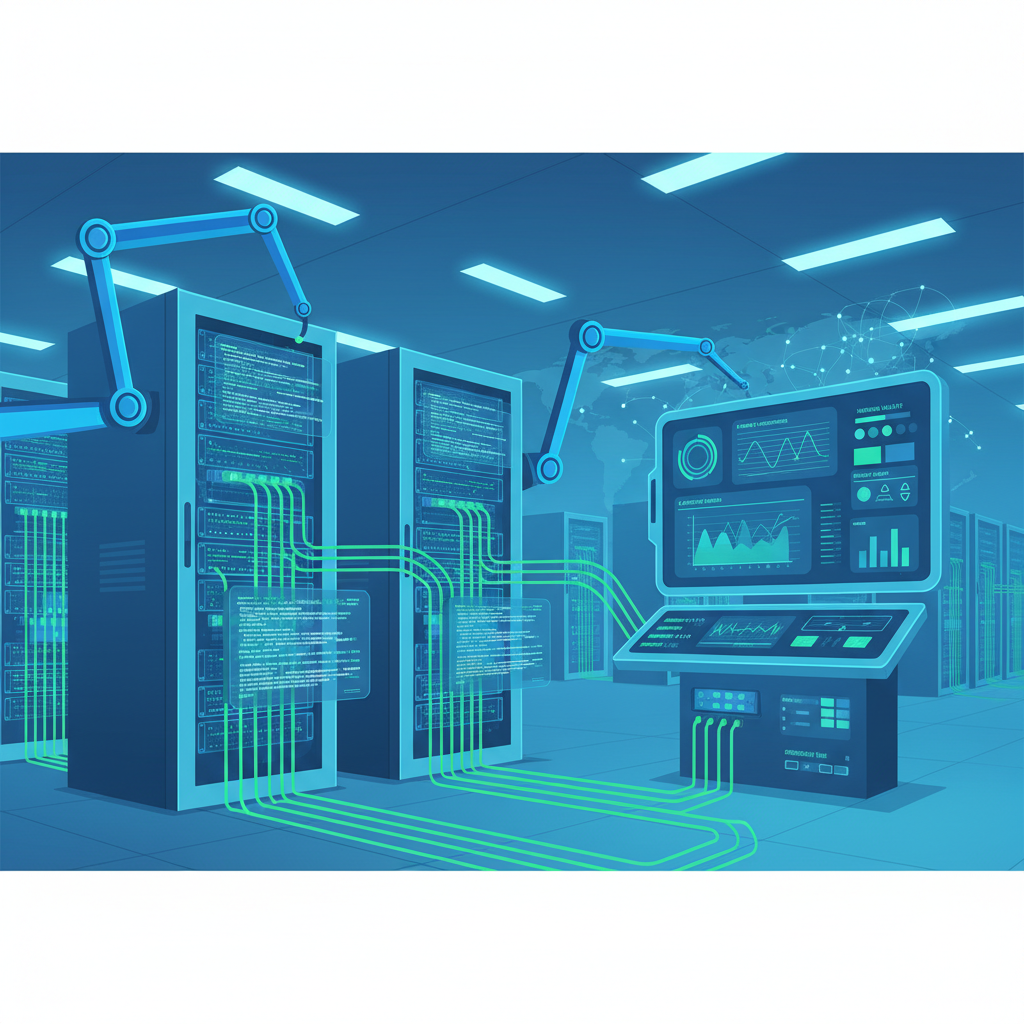
Managing a business network used to mean logging into switches one at a time, typing commands by hand, and hoping that whoever made the last change documented it properly. For a company with three switches and a firewall, that process was tedious but survivable. For a business that has grown to fifteen access points, multiple VLANs, a pair of firewalls, and cloud connectivity - manual management is no longer just inconvenient, it is actively dangerous. Every hand-typed command is an opportunity for human error. Every undocumented change is a future outage waiting to happen. Every hour your IT staff spends on repetitive configuration tasks is an hour not spent on strategic work that actually moves your business forward.
Network automation is the practice of using software to configure, manage, monitor, and operate network devices and services with minimal human intervention. It is not a futuristic concept reserved for multinational corporations with dedicated network engineering teams - it is a practical, accessible approach that UK small and medium-sized businesses can implement today, often with tools they already have access to and skills that are well within reach of their existing IT staff.
This guide explains what network automation is, why it matters for small businesses, which tools are available, and how to get started without a massive upfront investment. Whether you manage your own network or work with a managed services provider, understanding automation will help you make better decisions about your infrastructure’s future.
What Exactly Is Network Automation?
At its core, network automation means replacing manual, repetitive tasks with software-driven processes that execute consistently every time. Instead of an engineer SSH-ing into a switch and typing configuration commands line by line, an automation script or platform pushes the correct configuration to every device simultaneously - verified, documented, and reversible.
The scope of network automation ranges from simple scripts that back up device configurations on a schedule, through to sophisticated platforms that can detect a problem, diagnose the root cause, apply a fix, and generate an incident report - all without a human touching a keyboard. For small businesses, the sweet spot typically sits somewhere in the middle: automating the tasks that consume the most time and carry the highest risk of human error, while keeping human oversight for complex decisions and changes.
The Layers of Network Automation
Network automation is not a single technology but a layered approach. Understanding these layers helps you decide where to start and what to prioritise.
Configuration automation is the foundation. This covers pushing configurations to devices, ensuring consistency across your estate, backing up configurations automatically, and detecting when someone makes an unauthorised change. If you automate nothing else, automate this.
Monitoring and alerting automation means your network tells you when something is wrong - or, better yet, when something is about to go wrong - without anyone having to watch dashboards constantly. Automated alerts based on thresholds, anomaly detection, and predictive analytics fall into this layer.
Remediation automation takes things further: when a problem is detected, the system takes predefined corrective action. A port goes down and the system reroutes traffic. A device runs out of memory and the system clears old logs. An access point becomes overloaded and the system rebalances wireless clients across neighbouring APs.
Compliance and reporting automation continuously checks your network against security policies, regulatory requirements, and best practices - generating reports automatically rather than requiring someone to audit devices manually.
You do not need to automate everything at once. Most successful automation journeys begin with a single pain point - typically configuration backup or monitoring alerts - and expand from there. The key is choosing tools and approaches that can scale with your ambitions, rather than painting yourself into a corner with one-off scripts that only one person understands.
Why Small Businesses Need Network Automation
There is a persistent misconception that network automation is only worthwhile for large enterprises with hundreds or thousands of devices. In reality, the businesses that benefit most from automation are often small and medium-sized organisations where IT resources are stretched thin and the cost of an outage is proportionally devastating.
Eliminating Human Error
The single biggest cause of network outages is not hardware failure, software bugs, or cyber attacks - it is human error. An engineer types a wrong VLAN number. A firewall rule is applied in the wrong order. A configuration change that works perfectly on one switch causes a loop when applied to another because the topology is slightly different. Automation eliminates these errors by applying tested, validated configurations consistently across every device. A script does not get tired at 3am, does not misread a number, and does not forget to save the running configuration.
Freeing Up Scarce IT Resources
Most UK small businesses either have a small internal IT team - often just one or two people - or rely on a managed services provider. Either way, the time those people spend on routine, repetitive network tasks is time they cannot spend on projects that drive business value: improving security posture, evaluating new technologies, supporting digital transformation initiatives, or simply keeping the help desk queue manageable. Automation handles the routine work so your people can focus on the work that requires human judgement and creativity.
Consistency and Compliance
When configurations are applied manually, drift is inevitable. Over time, devices that should be configured identically develop subtle differences - a different NTP server here, an outdated SNMP community string there, a firewall rule that was added as a “temporary fix” eighteen months ago and never removed. This configuration drift creates security vulnerabilities, complicates troubleshooting, and makes compliance audits a nightmare. Automation enforces a single source of truth: the desired state is defined once, and every device is continuously brought into alignment with that definition.
Faster Response to Incidents
When a network problem occurs at 2am on a Saturday, the traditional response involves someone’s phone ringing, a bleary-eyed login to a VPN, manual diagnosis, and a manual fix - a process that might take thirty minutes to several hours depending on complexity. Automated systems can detect the issue in seconds, apply a predefined remediation in seconds more, and send a notification confirming the problem has been resolved - all before anyone’s phone rings.
Network Automation Tools: What Is Available?
The good news for small businesses is that some of the most powerful network automation tools in existence are completely free and open source. The bad news is that the sheer number of options can be overwhelming. Here is a practical overview of the tools that matter most for UK small businesses.
Ansible
Ansible, maintained by Red Hat, is arguably the most popular network automation tool in the world - and for good reason. It is free, open source, agentless (meaning you do not need to install software on your network devices), and uses a human-readable language called YAML to define automation tasks. If you can read a bulleted list, you can read an Ansible playbook.
Ansible works with virtually every network vendor - Cisco, Juniper, Arista, Fortinet, Palo Alto, HP/Aruba, and dozens more - through modules that translate your high-level instructions into vendor-specific commands. You define what you want the network to look like, and Ansible figures out how to make it happen on each device.
For a small business, Ansible is an excellent starting point. You can begin by writing simple playbooks that back up configurations, and gradually expand to full configuration management, compliance checking, and automated provisioning. The learning curve is gentle, the community is enormous, and the documentation is extensive.
Python and Scripting
Python has become the de facto programming language of network automation. Libraries like Netmiko (for SSH connections to network devices), NAPALM (for multi-vendor network abstraction), Nornir (a Python-native automation framework), and Scrapli (a modern SSH/Netconf library) give you granular control over every aspect of network device interaction.
Python scripts are ideal for custom automation tasks that do not fit neatly into a tool like Ansible - complex logic, API integrations, data parsing, and one-off migrations. The trade-off is that Python requires more programming skill than Ansible’s YAML-based approach, and scripts can become difficult to maintain if they are not well-structured and documented.
Vendor-Specific Platforms
Most major network vendors now offer their own automation and orchestration platforms. Cisco DNA Centre (now Catalyst Centre), Juniper Apstra, Arista CloudVision, and HPE Aruba Central are examples. These platforms provide graphical interfaces for automation, deep integration with the vendor’s hardware, and features like intent-based networking that translate business policies into network configurations.
The advantage of vendor-specific platforms is simplicity: they are designed to work seamlessly with the vendor’s equipment, require less custom development, and often include features like firmware management and hardware lifecycle tracking. The disadvantage is vendor lock-in and cost - most require per-device licensing that can be significant for budget-conscious small businesses.
| Tool / Platform | Cost | Learning Curve | Multi-Vendor | Best For |
|---|---|---|---|---|
| Ansible | Free (open source) | Low–Medium | Excellent | Configuration management, compliance, provisioning |
| Python (Netmiko/NAPALM) | Free (open source) | Medium–High | Excellent | Custom scripts, complex logic, API integration |
| Cisco Catalyst Centre | £5,000+ per year | Medium | Cisco only | Cisco-only environments, intent-based networking |
| Aruba Central | £20–50 per device/year | Low | Aruba/HP only | Wireless-heavy deployments, cloud-managed networking |
| Terraform (HashiCorp) | Free (open source) | Medium | Good | Infrastructure as code, cloud networking |
| Oxidized | Free (open source) | Low | Excellent | Configuration backup and version control |
Automated Configuration Management
Configuration management is the bedrock of network automation and the area where most businesses see the fastest return on investment. The concept is straightforward: you define the desired configuration state of every device in your network, and automation ensures that reality matches your definition - continuously.
Infrastructure as Code
The most powerful approach to configuration management borrows a concept from the software development world: infrastructure as code (IaC). Instead of storing configurations in engineers’ heads, in spreadsheets, or in Word documents that are perpetually out of date, you store them in version-controlled code repositories. Every change is tracked, attributed to a person, and reversible. You can see exactly who changed what, when, and why - and roll back to any previous state with a single command.
For a small business, this might be as simple as a Git repository containing Ansible playbooks and YAML files that define switch port configurations, VLAN assignments, firewall rules, and access point settings. When a change is needed, an engineer edits the relevant file, commits the change with a description, and runs the playbook to push it to the affected devices. The entire history of your network configuration becomes searchable, auditable, and reversible.
Configuration Drift Detection
One of the most valuable automation capabilities is drift detection: the ability to continuously compare the actual running configuration of your devices against the defined desired state and alert you (or automatically remediate) when they diverge. This catches unauthorised changes, accidental modifications, and the gradual accumulation of “temporary” configurations that never get cleaned up.
Before pushing any automated configuration change to production devices, always test in a staging environment or on a single non-critical device first. Automation amplifies both good and bad decisions - a misconfigured template pushed to fifty switches simultaneously creates fifty problems instead of one. Start with a canary deployment approach: push to one device, verify the result, then roll out to the rest.
Automated Monitoring and Alerting
Monitoring is the eyes and ears of your network, and automation transforms it from a reactive scramble into a proactive defence. Traditional monitoring involves someone periodically checking dashboards, manually reviewing logs, and responding to alerts that are often too numerous, too noisy, or too late to be useful. Automated monitoring is smarter, faster, and far more reliable.
Intelligent Alerting
The problem with basic monitoring is not too few alerts - it is too many. When every minor threshold crossing triggers an email, the important alerts get lost in the noise. Automated monitoring platforms use correlation, deduplication, and escalation logic to reduce thousands of raw alerts into a handful of actionable notifications. If ten ports on the same switch go down simultaneously, you receive one alert about a probable switch failure, not ten alerts about individual ports.
Predictive Analytics
Modern monitoring tools can analyse historical trends to predict future problems. If a switch’s CPU utilisation has been climbing steadily by 2% per week for the past three months, automation can flag that the device will reach critical utilisation in approximately five weeks - giving you time to investigate and act before it becomes an outage. Similarly, if disc space on a logging server is filling at a predictable rate, automation can alert you when you have two weeks of capacity remaining rather than waiting until the disc is full.
Tools for Automated Monitoring
For UK small businesses, several monitoring platforms offer powerful automation capabilities at accessible price points. Zabbix is free and open source, offering enterprise-grade monitoring with extensive automation through its trigger and action system. PRTG offers a free tier of 100 sensors and is popular among UK managed service providers for its ease of use. LibreNMS is another free, open-source option with strong SNMP-based auto-discovery. For businesses that prefer a cloud-hosted solution, Datadog and LogicMonitor offer comprehensive network monitoring with built-in automation, though at a higher monthly cost.
Self-Healing Networks
Self-healing is the automation capability that gets the most attention - and understandably so, because it represents the ultimate goal: a network that detects and resolves problems automatically, without human intervention. While fully autonomous self-healing remains aspirational for most small businesses, practical self-healing capabilities are well within reach today.
What Self-Healing Looks Like in Practice
Self-healing is not science fiction. It is a set of predefined responses to known failure scenarios. Here are examples that small businesses can implement today:
Automatic failover: When a primary internet connection goes down, the network automatically routes traffic through a backup connection. When the primary recovers, traffic fails back. No human intervention required.
Service restart: When a critical network service (DHCP server, DNS forwarder, VPN gateway) stops responding, automation restarts the service and verifies it recovers. If it does not recover after three attempts, it escalates to a human.
Port remediation: When a switch port enters an error-disabled state due to a security violation or broadcast storm, automation waits a defined period, clears the error, and re-enables the port. If the same port trips repeatedly, it is disabled permanently and an alert is raised.
Wireless client rebalancing: When an access point exceeds a client count threshold, automation adjusts transmit power and channel assignments to encourage clients to roam to less-loaded APs, maintaining consistent wireless performance across the coverage area.
Configuration rollback: When a configuration change is pushed and the device becomes unreachable within a defined window, automation rolls back to the last known good configuration. This is the network equivalent of a safety net.
- Dramatically reduces mean time to recovery (MTTR)
- Resolves common issues outside business hours without on-call escalation
- Consistent response to known failure patterns - no variation between engineers
- Frees IT staff from repetitive break-fix work
- Creates detailed logs of every automated action for compliance and review
- Improves end-user experience through faster resolution
- Automated remediation can mask underlying problems that need proper investigation
- Poorly defined triggers can cause automation to “fix” things that are not broken
- Cascading automation - one fix triggering another - can create feedback loops
- Requires thorough testing to avoid automating a bad response
- Not suitable for novel or complex failures that require human analysis
- Over-reliance can erode troubleshooting skills within the team
Automated Compliance Reporting
For UK businesses subject to regulatory requirements - and most are, whether through GDPR, Cyber Essentials, PCI DSS, ISO 27001, or sector-specific regulations - compliance reporting is a significant time investment. Manual compliance audits involve logging into each device, checking configurations against a checklist, documenting findings, and producing a report. For a network of even modest size, this process can consume days of engineering time per audit cycle.
Automation transforms compliance from a periodic, painful event into a continuous, effortless process. Compliance-as-code tools continuously scan your network against defined policy baselines and generate reports on demand. Instead of preparing for an audit, you simply export the current compliance status at any time.
What Can Be Automated?
Virtually every aspect of network compliance checking can be automated:
Password and access policies: Verify that all devices use approved authentication methods (RADIUS/TACACS+), that local accounts have strong passwords, that default credentials have been changed, and that unused accounts have been removed.
Encryption standards: Confirm that management access uses SSH (not Telnet), that SNMP uses version 3 with encryption, that wireless networks use WPA3 or WPA2-Enterprise, and that VPN tunnels use current encryption algorithms.
Logging and monitoring: Check that all devices are sending logs to your centralised logging server, that NTP is configured correctly (accurate timestamps are essential for forensic analysis), and that SNMP monitoring is enabled and functional.
Firmware currency: Track firmware versions across your estate and flag devices running versions with known vulnerabilities or that have reached end of support.
Cloud-Managed Networking: Automation Without the Complexity
For small businesses that want the benefits of network automation without the overhead of building and maintaining their own automation platform, cloud-managed networking offers a compelling alternative. Platforms like Cisco Meraki, Aruba Central, UniFi, and Juniper Mist provide automation capabilities built directly into their management interfaces - no scripting, no playbooks, no version control required.
How Cloud-Managed Platforms Deliver Automation
Cloud-managed platforms work by centralising the management of your network devices in a cloud-hosted dashboard. You define policies, templates, and desired states through the web interface, and the platform pushes configurations to your devices automatically. Updates, firmware upgrades, and security patches are managed centrally, and the platform monitors your entire network continuously with built-in alerting and analytics.
This is automation by another name. When you create a network template in Meraki and apply it to twenty switches, you are doing exactly what an Ansible playbook does - defining a desired state and applying it consistently across multiple devices. The difference is the abstraction layer: Meraki hides the complexity behind a graphical interface, while Ansible exposes it in code.
The Trade-Offs
Cloud-managed platforms are excellent for businesses that want simplicity and are willing to pay for it. Meraki, for example, requires per-device annual licensing that typically ranges from £100 to £400 per device per year depending on the device type and licence tier. For a network of twenty devices, that is £2,000 to £8,000 annually - a significant cost, but one that includes the automation platform, monitoring, firmware management, and vendor support.
The limitations of cloud-managed platforms are vendor lock-in (you are tied to the vendor’s hardware and their platform’s capabilities), ongoing licensing costs (if you stop paying, management capabilities are severely reduced), and less flexibility than code-based automation (you can only do what the platform supports, in the way the platform supports it).
Many small businesses find that a hybrid approach works best: cloud-managed platforms for wireless access points and basic switching (where the simplicity and built-in automation are most valuable), combined with Ansible or Python scripts for firewalls, core switches, and any devices that require more granular control. This gives you the best of both worlds - simplicity where you need it, flexibility where you need it.
Getting Started with Minimal Investment
One of the most common barriers to network automation adoption is the perception that it requires significant upfront investment in tools, training, and infrastructure. In reality, you can begin your automation journey with nothing more than a laptop, free software, and a few hours of time.
Week One: Configuration Backup
Start with the single most valuable automation task: backing up your device configurations automatically. Install Oxidized (free, open source) on a Linux virtual machine or even a Raspberry Pi. Configure it to connect to your switches, firewalls, and routers via SSH and pull their configurations on a daily schedule. Store the backups in a Git repository for version history. Total cost: £0 (assuming you have a spare VM or £35 for a Raspberry Pi). Total time: two to four hours for initial setup. Immediate value: you now have automatic, versioned backups of every device configuration in your network.
Week Two: Monitoring and Alerting
Deploy a monitoring platform. Zabbix or LibreNMS, both free and open source, can auto-discover your network devices via SNMP and begin monitoring interface utilisation, CPU load, memory usage, uptime, and error counters immediately. Configure alerts for the conditions that matter most: link failures, high CPU, device unreachability, and interface errors. Total cost: £0. Total time: four to eight hours. Immediate value: you know when something goes wrong before your users tell you.
Week Three: First Ansible Playbook
Install Ansible on the same Linux VM. Write your first playbook - something simple like configuring NTP servers and DNS servers across all your switches. Run it against a test device first, verify the result, then run it against the rest. Total cost: £0. Total time: four to six hours including learning the basics. Immediate value: you have just applied a consistent configuration to every device in your network in seconds, and you have a reusable template for future changes.
Month Two and Beyond
Expand your Ansible playbook library to cover VLAN management, access control lists, SNMP configuration, syslog settings, and user account management. Integrate your monitoring platform with a notification service for intelligent alerting. Begin exploring compliance checking by writing Ansible playbooks that verify device configurations against your security policy and flag deviations. Each new playbook represents hours of manual work eliminated permanently.
ROI and Time Savings
Quantifying the return on investment of network automation requires looking at both direct time savings and indirect benefits that are harder to measure but equally valuable.
Direct Time Savings
The numbers are compelling. A typical small business with 20–50 network devices spends approximately 15–25 hours per month on routine configuration tasks, 10–15 hours on monitoring and triage, 8–12 hours on compliance checking and documentation, and 5–10 hours on backup verification and disaster recovery testing. That is 38–62 hours per month of work that can be substantially or entirely automated. At an average fully-loaded cost of £45–65 per hour for a network engineer in the UK, that represents £1,710–4,030 per month or £20,520–48,360 per year in labour that can be redirected to higher-value work.
Indirect Benefits
The indirect benefits of automation are often more valuable than the direct time savings. Reduced downtime is the most significant: if automation prevents even one major outage per year, the savings in lost productivity, lost revenue, and emergency response costs can dwarf the entire investment in automation tooling. For a business with 50 employees, one hour of complete network downtime costs approximately £2,500–5,000 in lost productivity alone, before accounting for any revenue impact.
Improved security posture is another major indirect benefit. Automated compliance checking catches misconfigurations that could become vulnerabilities. Automated patching keeps firmware current. Automated backup ensures rapid recovery from ransomware or other destructive events. These benefits are difficult to quantify until you need them, at which point they are invaluable.
Staff retention and satisfaction should not be overlooked. Network engineers who spend their days on repetitive manual tasks are more likely to become bored, disengaged, and eventually leave. Automation frees them to work on interesting, challenging projects that develop their skills and advance their careers - making your organisation a more attractive place to work in a competitive IT job market.
Risks, Testing, and Best Practices
Network automation is powerful, but power without discipline is dangerous. The same capability that lets you configure fifty switches in thirty seconds also lets you misconfigure fifty switches in thirty seconds. Understanding and mitigating the risks of automation is essential to reaping its benefits safely.
The Amplification Problem
The fundamental risk of automation is amplification. A manual error affects one device. An automation error affects every device the automation touches. This is why testing is not optional - it is the most critical part of any automation workflow.
Testing Strategies
Lab testing: Maintain a small lab environment (even virtual, using tools like GNS3 or EVE-NG) where you can test automation changes against simulated devices before touching production. For small businesses, a single old switch designated as a test device is better than no testing at all.
Canary deployments: Push changes to one device first, verify the result (both through automated checks and manual verification), and only then roll out to the remaining devices. Build this canary step into your automation workflows so it happens automatically.
Dry runs: Most automation tools support a “check mode” or “dry run” that shows what changes would be made without actually making them. Use this before every production change. Ansible’s --check and --diff flags are invaluable for this purpose.
Rollback plans: Every automated change should have an automated rollback. If you push a new VLAN configuration and it causes connectivity issues, you should be able to revert to the previous configuration with a single command. This is where configuration version control proves its worth - you always have a known good state to return to.
Be especially cautious with automation that was developed and tested against one device model or firmware version and then applied to a mixed-vendor or mixed-version environment. A command that is valid on Cisco IOS 15.2 might have different syntax on IOS-XE 17.6, and might not exist at all on a Juniper device. Always validate your automation against every device type and firmware version in your environment before full deployment.
Documentation and Change Management
Automation does not eliminate the need for change management - it makes it easier. Every automated change should be logged, including what changed, when, on which devices, who initiated it, and what the result was. Most automation tools generate this log automatically, but you need to ensure it is stored somewhere accessible and reviewed regularly.
Skills and Knowledge
Automation changes the skills your IT team needs, but it does not eliminate the need for networking knowledge. An engineer who writes automation must understand networking deeply enough to know what the correct configuration should be, how to validate that it has been applied correctly, and how to troubleshoot when things go wrong. Automation is a tool that amplifies expertise - it is not a replacement for it.
Building Your Automation Roadmap
Every business’s automation journey is different, but the following roadmap provides a practical framework for UK small businesses looking to get started.
Phase 1 - Foundation (Months 1–2): Deploy automated configuration backup (Oxidized or similar). Deploy basic monitoring and alerting (Zabbix, LibreNMS, or PRTG). Document your current network topology and configuration standards. Total investment: £0–500 in hardware for a monitoring VM.
Phase 2 - Standardisation (Months 3–4): Define configuration templates for each device role (access switch, distribution switch, firewall, access point). Write Ansible playbooks to enforce these templates. Implement configuration drift detection. Total investment: training time for your team.
Phase 3 - Optimisation (Months 5–8): Add compliance checking automation. Implement automated firmware tracking and update workflows. Develop self-healing responses for common failure scenarios. Integrate monitoring with intelligent alerting and escalation. Total investment: time to develop and test automation workflows.
Phase 4 - Maturity (Months 9–12): Implement infrastructure as code with full version control. Develop automated provisioning for new devices (zero-touch where possible). Create automated compliance reports for regulatory requirements. Review, refine, and expand based on lessons learned. Total investment: ongoing refinement and expansion.
By the end of twelve months, a small business following this roadmap will have transformed its network operations from manual and reactive to automated and proactive - with a total cash investment that may be as low as a few hundred pounds, the primary investment being the time and effort of the IT team.
The Future of Small Business Networking
Network automation is not a trend that will fade. It is the direction the entire industry is moving, driven by increasing network complexity, growing security threats, and the simple economic reality that manual processes do not scale. AI-driven network operations (AIOps) will make automation even more powerful in the coming years, with systems that can learn from patterns in your network data and make increasingly sophisticated autonomous decisions.
For UK small businesses, the message is clear: start now. The tools are free or affordable. The learning curve is manageable. The benefits are substantial and compound over time. Every month you delay is a month of unnecessary manual work, avoidable human errors, and missed opportunities to operate more efficiently and securely.
You do not need to automate everything overnight. You do not need to become a Python developer or an Ansible expert. You simply need to take the first step - automate one task that is currently eating your time and creating risk - and build from there. The network that manages itself is not a fantasy; it is a practical, achievable goal that is well within reach of any small business willing to invest the time to pursue it.

CloudSwitched
London-based managed IT services provider offering support, cloud solutions and cybersecurity for SMEs.


