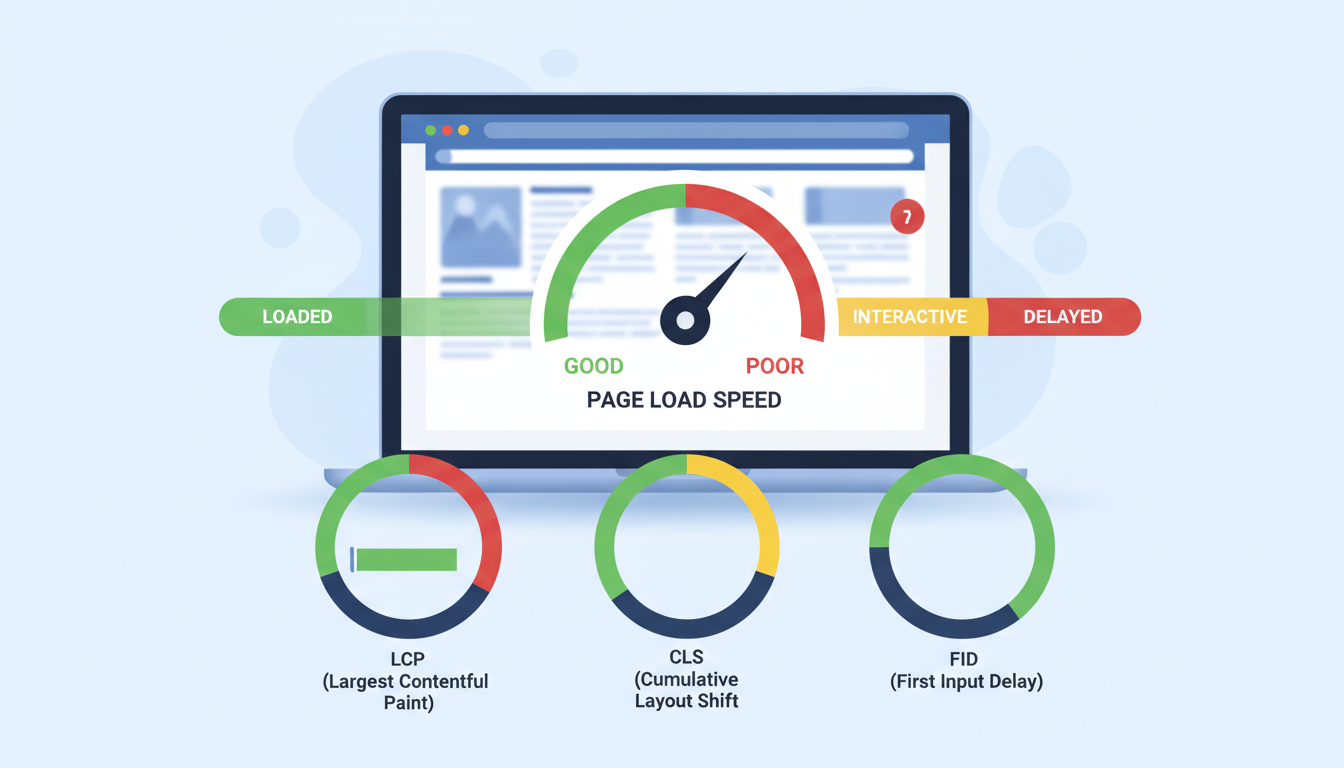
Site speed has always mattered for user experience, but since Google formally integrated Core Web Vitals into its ranking algorithm, it has become a direct factor in where your website appears in search results. For UK businesses competing in crowded digital markets, understanding and optimising these metrics is no longer optional - it's a fundamental requirement for maintaining and improving organic visibility.
This guide explains what Core Web Vitals are, how they affect your rankings, what the current benchmarks look like, and - most importantly - what practical steps you can take to ensure your website meets Google's performance standards.
What Are Core Web Vitals?
Core Web Vitals are a set of specific metrics that Google uses to evaluate the real-world user experience of a web page. They focus on three critical aspects of the browsing experience: loading performance, interactivity, and visual stability. Together, these metrics quantify how fast your page loads, how quickly it responds to user input, and how much the layout shifts during loading.
Google introduced Core Web Vitals as a ranking signal in June 2021, and they've continued to refine the metrics since. In March 2024, Interaction to Next Paint (INP) officially replaced First Input Delay (FID) as the responsiveness metric, raising the bar for what constitutes acceptable interactivity.
The Three Core Web Vitals Metrics Explained
Each Core Web Vital measures a distinct dimension of user experience. Understanding what each metric captures - and what influences it - is essential for diagnosing and fixing performance issues.
Largest Contentful Paint (LCP)
LCP measures loading performance by tracking the time it takes for the largest visible content element (typically a hero image, heading, or video thumbnail) to render on screen. Google considers an LCP of 2.5 seconds or less as "good," between 2.5 and 4.0 seconds as "needs improvement," and anything above 4.0 seconds as "poor."
For most UK business websites, the largest contentful element is either a hero image or a large block of text. Slow server response times, unoptimised images, render-blocking resources, and client-side rendering are the most common causes of poor LCP scores.
Interaction to Next Paint (INP)
INP replaced First Input Delay in March 2024 and provides a far more comprehensive measure of responsiveness. Rather than measuring only the first interaction, INP tracks the latency of all interactions throughout the page's lifecycle and reports the worst (or near-worst) interaction. An INP of 200 milliseconds or less is considered "good."
Heavy JavaScript execution, long main-thread tasks, and poorly optimised event handlers are the primary culprits behind poor INP scores. This metric is particularly challenging for websites that rely heavily on JavaScript frameworks or load numerous third-party scripts.
Cumulative Layout Shift (CLS)
CLS measures visual stability - specifically, how much the page layout unexpectedly shifts during loading. A CLS score of 0.1 or less is "good." Layout shifts typically occur when images load without defined dimensions, fonts swap after rendering, or dynamic content is injected above existing content.
Few things frustrate users more than reaching for a button or link only to have it move at the last moment. Poor CLS directly impacts conversion rates and user satisfaction, making it one of the most commercially important metrics to optimise.
The data is striking: only around 27% of UK websites pass all three Core Web Vitals thresholds simultaneously. This means there's a significant competitive opportunity for businesses willing to invest in performance optimisation - you can genuinely leapfrog competitors simply by having a faster, more stable website.
How Site Speed Directly Impacts Rankings
Google has been transparent about the role of page experience signals in its ranking algorithm. While content relevance and backlinks remain the primary ranking factors, Core Web Vitals serve as a tiebreaker and amplifier. When two pages have comparable content quality and authority, the faster, more user-friendly page will rank higher.
Research across UK search results reveals a clear correlation between Core Web Vitals performance and ranking position. Sites that pass all three CWV metrics consistently outperform those that fail, particularly in competitive commercial queries.
Beyond rankings, site speed has a profound impact on user behaviour metrics that indirectly influence SEO performance. Bounce rates, time on site, pages per session, and conversion rates all improve with faster load times - and Google's algorithm increasingly incorporates these engagement signals.
The Commercial Impact for UK Businesses
The business case for optimising Core Web Vitals extends well beyond rankings. Speed directly affects your bottom line. Research by Google and various industry studies has quantified the commercial impact of site performance:
- A 1-second delay in page load time reduces conversions by an average of 7%. For a UK e-commerce site generating £100,000 in monthly revenue, that's £7,000 per month lost to slow loading.
- 53% of mobile visitors abandon a page that takes longer than 3 seconds to load. Given that mobile accounts for over 60% of UK web traffic, this represents a massive potential audience loss.
- Sites that improved their LCP by 1 second saw an average 27% increase in conversion rates across UK retail benchmarks.
- Poor CLS scores correlate with a 15% increase in bounce rate, as users lose trust in pages where content jumps around unpredictably.
These aren't abstract statistics - they represent real revenue and real customers. Every millisecond of delay costs money, and every improvement compounds over time through better rankings, higher engagement, and improved conversion rates.
How to Measure Your Core Web Vitals
Before you can optimise, you need to understand where your site currently stands. Google provides several tools for measuring Core Web Vitals, each offering different perspectives on performance.
Google Search Console
The Core Web Vitals report in Google Search Console provides your most reliable data because it uses real-world user measurements (field data) from the Chrome User Experience Report (CrUX). It categorises your URLs as "Good," "Needs Improvement," or "Poor" for each metric and groups pages with similar performance patterns. This should be your primary dashboard for monitoring CWV performance over time.
PageSpeed Insights
PageSpeed Insights combines both field data (from CrUX) and lab data (from Lighthouse) for any URL. It provides specific, actionable recommendations for improvement and shows exactly which elements are causing issues. Run your key landing pages through this tool monthly as a minimum.
Chrome DevTools
For developers and technical SEO professionals, Chrome DevTools offers the most granular performance analysis. The Performance panel lets you record page loads and interactions, identify long tasks blocking the main thread, and visualise exactly where time is being spent during rendering.
| Tool | Data Type | Best For |
|---|---|---|
| Google Search Console | Field (real users) | Ongoing monitoring and ranking impact assessment |
| PageSpeed Insights | Field + Lab | Page-level diagnostics with actionable recommendations |
| Chrome DevTools | Lab (synthetic) | Granular debugging and identifying specific bottlenecks |
| WebPageTest | Lab (synthetic) | Detailed waterfall analysis and multi-location testing |
| Chrome UX Report (CrUX) | Field (real users) | Competitor benchmarking and historical trend analysis |
Always prioritise field data over lab data when assessing your Core Web Vitals. Lab data (from Lighthouse or WebPageTest) is useful for debugging, but Google's ranking algorithm uses field data - real measurements from actual users visiting your site. If your field data shows "Good" but your lab data shows "Poor," your rankings won't be negatively affected.
Common Core Web Vitals Issues and How to Fix Them
Most Core Web Vitals failures stem from a relatively small number of common issues. Here's a practical guide to the fixes that deliver the greatest impact.
Fixing Poor LCP
The most effective LCP optimisations for UK business websites include:
- Optimise server response time (TTFB). Ensure your hosting infrastructure is appropriate for your traffic levels. UK businesses should use hosting with servers located in the UK or Western Europe to minimise latency for their primary audience. A TTFB under 200ms is the target.
- Implement image optimisation. Serve images in modern formats (WebP or AVIF), use responsive image sizing with srcset attributes, and lazy-load images below the fold. For the LCP element specifically, use
fetchpriority="high"and avoid lazy loading. - Eliminate render-blocking resources. Inline critical CSS, defer non-critical stylesheets, and load JavaScript asynchronously. Every render-blocking resource adds to the time before the browser can display meaningful content.
- Use a Content Delivery Network (CDN). A CDN caches your content across multiple edge locations, reducing the physical distance between your server and your users. For UK businesses targeting domestic audiences, ensure your CDN has strong UK coverage.
- Preload critical resources. Use
<link rel="preload">for fonts, hero images, and other resources required for the LCP element to render.
Fixing Poor INP
INP optimisation primarily involves reducing JavaScript execution time and ensuring the main thread remains responsive:
- Break up long tasks. Any JavaScript task blocking the main thread for more than 50ms should be broken into smaller chunks using
requestIdleCallback,setTimeout, or the newerscheduler.yield()API. - Reduce third-party script impact. Analytics, chat widgets, consent managers, and advertising scripts are the biggest offenders. Audit your third-party scripts ruthlessly and defer or remove those that aren't essential.
- Optimise event handlers. Ensure click, scroll, and input event handlers execute quickly. Move heavy computation to Web Workers where possible.
- Implement code splitting. Don't load your entire JavaScript bundle on every page. Use dynamic imports to load code only when it's needed.
Fixing Poor CLS
CLS fixes are often the quickest wins:
- Set explicit dimensions on all media elements. Every
<img>,<video>, and<iframe>should have width and height attributes or be constrained by CSS aspect-ratio. - Reserve space for dynamic content. If content loads asynchronously (ads, embedded widgets, cookie banners), reserve the space it will occupy using min-height or aspect-ratio containers.
- Optimise font loading. Use
font-display: swapwith preloaded fonts, or better still, usefont-display: optionalto prevent layout shifts caused by font swapping entirely. - Avoid injecting content above existing content. Banners, notification bars, and dynamic elements should be inserted below the current viewport or use CSS transforms (which don't trigger layout shifts).
Mobile Versus Desktop Performance
Google uses mobile-first indexing, which means your mobile Core Web Vitals scores are what matter most for rankings. This is particularly relevant for UK businesses, where mobile traffic consistently accounts for 60-65% of all website visits.
Mobile devices face additional performance constraints that don't affect desktop users: slower processors, limited memory, potentially unreliable network connections, and smaller screens that make layout shifts more disruptive. As a result, a website that scores "Good" on desktop may score "Poor" on mobile - and it's the mobile score that Google primarily evaluates.
Desktop Performance
Mobile Performance
The takeaway is clear: always test and optimise for mobile first. If your mobile CWV scores are strong, your desktop scores will almost certainly be fine. The reverse is not true.
The Role of Hosting and Infrastructure
Your hosting environment has an outsized impact on Core Web Vitals, particularly LCP. Cheap shared hosting that places your site on overcrowded servers with slow response times will undermine even the best front-end optimisation work. For UK businesses serious about performance, consider:
- Managed cloud hosting with auto-scaling capabilities to handle traffic spikes without performance degradation.
- Edge computing platforms like Cloudflare Workers that run your code at the network edge, drastically reducing TTFB for users worldwide.
- UK-based or European data centres to minimise latency for your primary audience. Every additional 50ms of round-trip time impacts your LCP score.
- HTTP/2 or HTTP/3 support for faster, multiplexed connections that load resources more efficiently.
Monitoring and Maintaining Performance Over Time
Optimising Core Web Vitals isn't a one-off project - it requires ongoing monitoring and maintenance. New content, updated plugins, additional scripts, and design changes can all degrade performance if not managed carefully.
A single poorly optimised third-party script can undo months of performance work. Every time a new tracking pixel, chat widget, or marketing script is added to your site, test its impact on Core Web Vitals before deploying to production. Establish a performance budget and enforce it rigorously.
Best practices for ongoing performance management include:
- Weekly monitoring of the Core Web Vitals report in Google Search Console.
- Performance budgets that set maximum thresholds for page weight, JavaScript bundle size, and request count.
- Automated testing in your deployment pipeline that blocks releases if CWV thresholds are breached.
- Quarterly audits of all third-party scripts to remove those no longer needed and optimise those that remain.
- Real User Monitoring (RUM) tools that track performance continuously across your actual user base, not just synthetic tests.
Core Web Vitals and E-Commerce
For UK e-commerce businesses, Core Web Vitals carry even greater weight. Product pages, category pages, and checkout flows all need to perform well on mobile. Google has specifically highlighted the relationship between CWV performance and e-commerce conversion rates, with research showing that sites meeting all three CWV thresholds see 24% fewer cart abandonments compared to sites with poor scores.
Common e-commerce CWV challenges include product image carousels that cause layout shifts, heavy JavaScript from personalisation engines and recommendation widgets, slow-loading product reviews, and consent management platforms that block interactivity. Each of these requires careful implementation to maintain performance while delivering the functionality your customers expect.
Building a Performance-First Culture
The businesses that consistently achieve strong Core Web Vitals scores are those that treat performance as a core priority, not an afterthought. This means involving developers, designers, content creators, and marketing teams in performance decisions. Every stakeholder should understand that adding a new script, uploading an unoptimised image, or implementing a layout change has performance implications.
Performance isn't just a technical concern - it's a business concern. Faster sites rank higher, convert better, and deliver superior user experiences. In an increasingly competitive UK digital landscape, the speed of your website is a genuine competitive advantage.
Is Your Website Holding Back Your Rankings?
Cloudswitched helps UK businesses achieve exceptional Core Web Vitals scores through expert technical SEO, infrastructure optimisation, and ongoing performance management. Let us audit your site and show you exactly where the opportunities lie.
TALK TO AN EXPERTKey Takeaways
Core Web Vitals are not a passing trend - they're Google's formalisation of what has always been true: fast, stable, responsive websites provide better user experiences and deserve to rank higher. Here's what to remember:
- LCP, INP, and CLS are the three metrics that matter. Understand what each measures and what your current scores are.
- Only 27% of UK sites pass all three thresholds - there's a significant competitive opportunity in getting your performance right.
- Mobile performance is what Google measures for ranking purposes. Always optimise for mobile first.
- Speed directly impacts revenue. Every second of delay costs conversions, and every improvement compounds over time.
- Performance requires ongoing attention. Set up monitoring, establish budgets, and audit regularly to maintain your gains.
- Infrastructure matters. The best front-end optimisation can't compensate for slow hosting. Invest in appropriate infrastructure for your traffic levels and audience location.
The businesses that take Core Web Vitals seriously today are the ones that will dominate search results tomorrow. Don't let a slow website cost you rankings, traffic, and revenue that should rightfully be yours.

CloudSwitched
London-based managed IT services provider offering support, cloud solutions and cybersecurity for SMEs.


