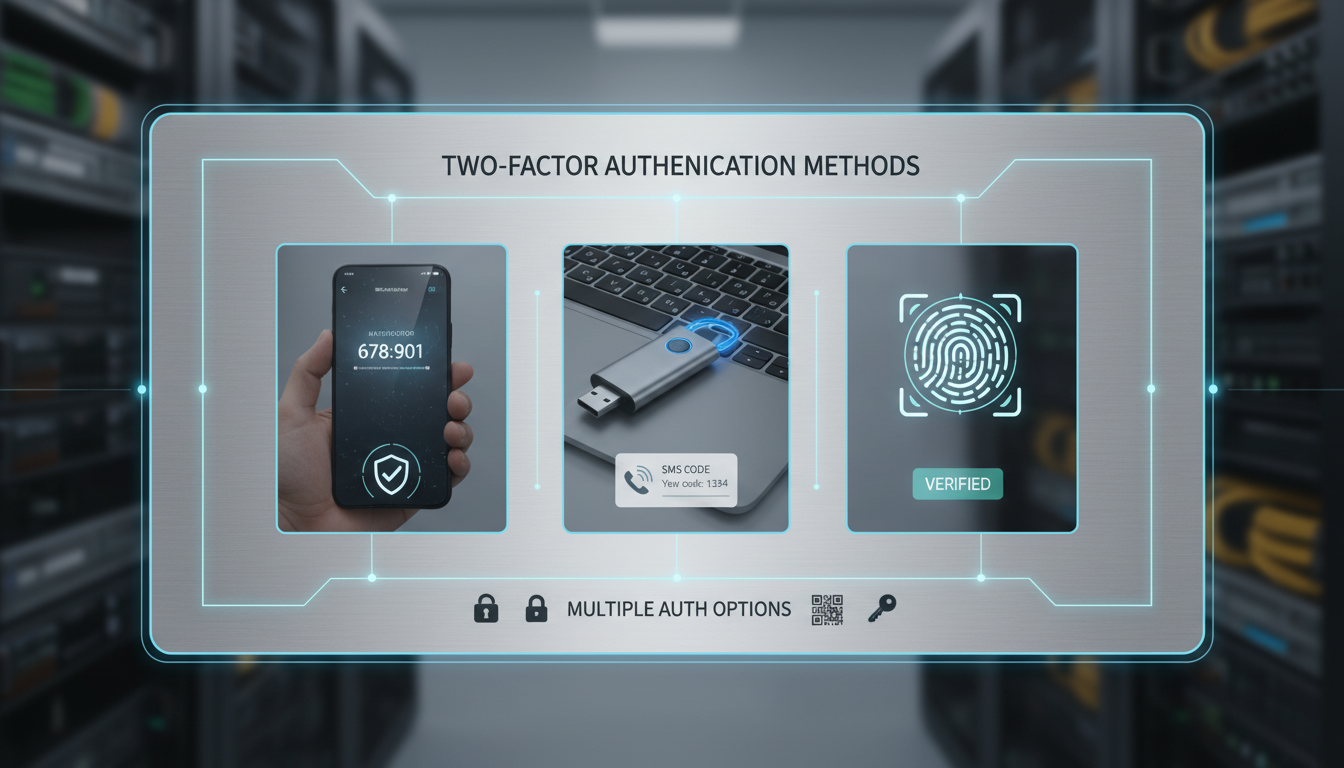
Passwords alone are no longer sufficient to protect your business accounts. This is not a theoretical concern - it is a daily reality for UK organisations of every size. The National Cyber Security Centre (NCSC) reports that compromised credentials are involved in the majority of cyber incidents affecting UK businesses, and the Information Commissioner's Office (ICO) has issued fines to organisations whose data breaches were facilitated by a lack of multi-factor authentication.
Two-factor authentication (2FA), also known as multi-factor authentication (MFA), adds a second layer of verification beyond the password. Even if an attacker obtains a user's password - through phishing, credential stuffing, or a data breach - they cannot access the account without also possessing the second factor. For UK businesses, implementing 2FA is no longer optional - it is a baseline security requirement that is mandated by Cyber Essentials, recommended by the NCSC, and expected by cyber insurance providers.
But not all 2FA methods are created equal. From SMS codes to hardware security keys, the options vary significantly in terms of security, usability, and cost. This guide compares the most common 2FA methods available to UK businesses, helping you choose the right approach for your organisation.
Understanding the Three Authentication Factors
Authentication factors are divided into three categories: something you know (passwords, PINs, security questions), something you have (a phone, a hardware token, a smart card), and something you are (fingerprints, facial recognition, iris scans). Two-factor authentication requires credentials from at least two of these categories. A password (something you know) combined with a code from your phone (something you have) is 2FA. A password combined with a security question is not 2FA, because both are "something you know."
The strength of a 2FA implementation depends on which factors are combined and how resistant the second factor is to interception and spoofing. Let us examine each method in detail.
The choice of authentication method is not merely a technical decision - it has direct implications for regulatory compliance, insurance eligibility, and operational efficiency. Under the UK's Cyber Essentials scheme, multi-factor authentication is a mandatory requirement for cloud services and administrator accounts. The ICO has repeatedly cited the absence of MFA as an aggravating factor in enforcement actions following data breaches. Meanwhile, the cyber insurance market has tightened considerably, with many underwriters now requiring evidence of MFA deployment before issuing or renewing policies. For UK organisations, understanding the strengths and weaknesses of each 2FA method is therefore essential not only for security, but for meeting the growing web of compliance and contractual obligations that now surround authentication.
It is also worth noting that different parts of your organisation may require different levels of authentication assurance. An employee accessing a non-sensitive internal wiki does not necessarily need the same level of verification as a system administrator making changes to your cloud infrastructure, or a finance team member authorising a bank transfer. A risk-based approach - where the strength of the authentication method matches the sensitivity of the resource being protected - allows you to balance security with usability across your workforce. Identifying which accounts and systems carry the highest risk, and matching them to the most appropriate authentication method, should be the starting point for any 2FA deployment programme.
SMS-Based 2FA
SMS-based 2FA sends a one-time code to the user's registered mobile phone number via text message. The user enters this code after their password to complete authentication. It is the most widely deployed 2FA method, largely because it requires no additional software or hardware - every mobile phone can receive SMS messages.
However, SMS-based 2FA has significant security weaknesses. SIM swapping attacks, where an attacker convinces a mobile carrier to transfer a victim's phone number to a new SIM card, can intercept SMS codes. SS7 vulnerabilities in the mobile network infrastructure can allow sophisticated attackers to redirect messages. And social engineering attacks against mobile carrier staff can compromise the delivery channel. The NCSC has stated that while SMS-based 2FA is better than no 2FA at all, it should not be the primary method for protecting high-value accounts.
The practical risks of SMS-based 2FA have been demonstrated in numerous high-profile incidents across the United Kingdom and globally. In SIM swapping attacks, criminals typically contact a mobile network provider, impersonate the victim using personal information gathered from social media or previous data breaches, and request that the victim's phone number be transferred to a new SIM card. Once the transfer is complete, all SMS messages - including 2FA codes - are delivered to the attacker's device. UK mobile networks have improved their verification processes in recent years, but the attack remains viable, particularly when targeting individuals whose personal details are publicly accessible through company websites, social media profiles, or Companies House filings.
Beyond SIM swapping, real-time phishing toolkits have made SMS interception even more straightforward for attackers. These toolkits, freely available on underground forums, present a convincing replica of a legitimate login page, capture the user's password, immediately use it against the real site to trigger the SMS code, and then prompt the user to enter the code - which is relayed to the attacker in real time. The entire process takes seconds and requires no technical sophistication on the part of the attacker. For UK businesses handling sensitive data, financial transactions, or personal information subject to GDPR, relying solely on SMS-based 2FA for critical systems represents an unacceptable level of risk that auditors and regulators are increasingly unwilling to overlook.
The UK's National Cyber Security Centre acknowledges that SMS-based 2FA provides meaningful protection against the most common attacks - password spraying, credential stuffing, and basic phishing. However, the NCSC recommends that organisations move towards more secure methods, particularly for administrative accounts, email accounts, and any system that stores sensitive data. Their guidance states that "SMS as a second factor is better than not having a second factor, but other methods provide stronger assurance." For UK organisations pursuing Cyber Essentials Plus certification, SMS-based 2FA is currently accepted, but the direction of travel is clearly towards stronger methods.
Authenticator App-Based 2FA (TOTP)
Authenticator apps such as Microsoft Authenticator, Google Authenticator, and Authy generate time-based one-time passwords (TOTP) that change every 30 seconds. The user opens the app, reads the current code, and enters it during login. Because the codes are generated locally on the user's device using a shared secret established during setup, they cannot be intercepted in transit - there is no SMS to redirect or intercept.
TOTP-based 2FA is significantly more secure than SMS and is the method recommended by the NCSC for most business applications. It is free to deploy (the authenticator apps are free), works without a mobile signal or internet connection, and is supported by virtually every major cloud service including Microsoft 365, Google Workspace, AWS, and Azure. The main disadvantage is that it requires users to have a smartphone, and losing the phone (or switching to a new one) can lock users out of their accounts unless backup codes have been saved.
For UK businesses deploying TOTP-based 2FA at scale, there are several practical considerations beyond basic security. First, the onboarding process must be carefully managed. Each user needs to scan a QR code during initial setup, and this process must happen on a trusted device over a secure connection. Providing clear, step-by-step instructions - ideally with screenshots tailored to your organisation's specific systems - significantly reduces support requests during rollout. Second, backup and recovery procedures must be established before deployment begins. When an employee loses their phone, breaks it, or upgrades to a new device, they will be locked out of every account protected by TOTP unless they have either saved backup codes or registered a secondary authentication method. Planning for this eventuality is not optional - it will happen, and it will happen frequently in any organisation with more than a handful of users.
Most enterprise identity platforms, including Microsoft Entra ID and Google Workspace, allow administrators to issue temporary access passes or reset MFA registration for users who have lost their authenticator device. However, these recovery processes must themselves be secured against social engineering - an attacker could call your IT helpdesk claiming to have lost their phone and request an MFA reset. Establishing robust identity verification procedures for MFA recovery requests, such as requiring a video call with a known manager or answering verification questions drawn from HR records, is essential to preventing this form of attack. Without such safeguards, the helpdesk becomes the weakest link in your entire authentication chain, and attackers are well aware of this vulnerability.
Push Notification 2FA
Push notification 2FA, offered by apps like Microsoft Authenticator and Duo Security, sends a notification to the user's registered device when a login attempt is made. The user simply taps "Approve" or "Deny" on their phone - no code entry required. This provides better usability than TOTP because the user does not need to type a code, reducing the chance of errors and saving time.
Push-based 2FA is also more resistant to phishing than TOTP, because the notification includes contextual information (such as the location and device of the login attempt) that helps the user identify suspicious requests. However, it is vulnerable to "push fatigue" attacks, where an attacker repeatedly sends authentication requests until the frustrated user accidentally approves one. Microsoft has addressed this with number matching, where the user must type a number displayed on the login screen into the authenticator app, effectively combining the convenience of push with the security of code entry.
The deployment of push-based 2FA within a UK business typically requires a managed device strategy. Unlike TOTP, where any device with an authenticator app will work independently, push notifications require a persistent connection between the authentication service and the user's device. This means the authenticator app must be installed, configured, and kept up to date on each employee's smartphone. For organisations with a bring-your-own-device (BYOD) policy, this raises important questions about device management, employee privacy, and what happens when an employee leaves the company. Clear policies around application removal during offboarding, and the use of mobile device management (MDM) solutions to enforce app configuration, should be considered as part of any push-based 2FA deployment.
Microsoft's implementation within Entra ID is particularly noteworthy for UK businesses already invested in the Microsoft ecosystem. The combination of push notifications with number matching and additional context - showing the application name, geographic location, and IP address of the login attempt - provides a level of security that approaches hardware keys for most practical purposes. When combined with Conditional Access policies that evaluate device compliance, network location, and sign-in risk before deciding whether to require MFA, push-based authentication becomes part of a broader zero-trust security architecture rather than a standalone control. This layered approach means that even if an individual security mechanism is bypassed, the overall system remains resilient.
| 2FA Method | Security Level | Usability | Cost | Phishing Resistant |
|---|---|---|---|---|
| SMS Codes | Basic | High | Free | No |
| Authenticator App (TOTP) | Good | Medium | Free | No |
| Push Notification | Good | High | Free - £3/user/mo | Partial |
| Push with Number Matching | Very Good | High | Free - £3/user/mo | Mostly |
| Hardware Security Key (FIDO2) | Excellent | Medium | £20-60/key | Yes |
| Passkeys | Excellent | Very High | Free | Yes |
| Smart Cards/Certificates | Excellent | Low | £50-150/user | Yes |
Hardware Security Keys (FIDO2/WebAuthn)
Hardware security keys - physical devices such as YubiKeys and Google Titan keys - provide the strongest form of 2FA currently available to UK businesses. Based on the FIDO2/WebAuthn standard, these keys use public key cryptography that is fundamentally resistant to phishing. When a user authenticates, the security key verifies the identity of the website it is communicating with, meaning it will not respond to a phishing site even if the user is tricked into visiting one.
The security key is inserted into a USB port (or tapped via NFC on mobile devices) and the user touches a button on the key to confirm the authentication. No codes are transmitted, nothing can be intercepted, and there is no software on the user's phone that can be compromised. For UK organisations that handle highly sensitive data - financial services firms, legal practices, healthcare providers, and government contractors - hardware security keys represent the gold standard for authentication security.
The primary barriers to adoption are cost (keys typically cost between £20 and £60 each, and each user should have two - a primary and a backup) and logistics (distributing physical keys to a remote workforce requires planning). However, for the level of security they provide, the cost is remarkably low compared to the potential cost of a breach.
Managing hardware security keys across an organisation requires thoughtful lifecycle planning that extends well beyond the initial purchase. Each employee should ideally be issued two keys - one for daily use and one stored securely as a backup in case the primary key is lost, damaged, or forgotten at home. When an employee joins the company, keys must be provisioned, registered to their accounts, and physically delivered. When an employee leaves, keys must be deregistered from all accounts and either securely destroyed or wiped and reissued to a new starter. For organisations with remote workers spread across the United Kingdom, this logistics chain requires clear processes and potentially the involvement of a secure courier service for initial distribution.
Despite these logistical requirements, the total cost of ownership for hardware keys compares favourably with other security investments when measured over a three-to-five-year period. A pair of YubiKeys at approximately £100 per employee provides years of phishing-proof authentication with no ongoing subscription fees, no software to manage, and no risk of the authentication mechanism itself being compromised by malware on the user's phone. For UK financial services firms, legal practices handling privileged client information, and any organisation processing significant volumes of personal data under GDPR, the investment in hardware security keys for at least the most privileged user accounts is difficult to argue against on either security or economic grounds. The question is not whether hardware keys are worth the investment, but which accounts and users should be prioritised for deployment first.
Passkeys: The Future of Authentication
Passkeys represent the next evolution of authentication and are rapidly gaining support across major platforms. A passkey is essentially a FIDO2 credential that is stored on and protected by the user's device - their phone, laptop, or tablet - rather than on a separate hardware key. When authenticating, the user unlocks the passkey using their device's built-in biometrics (fingerprint or facial recognition) or PIN.
Passkeys provide the same phishing-resistant security as hardware keys but with significantly better usability - no separate device to carry, no codes to type, and no battery to charge. They are supported by Apple, Google, and Microsoft, and major services including Microsoft 365, Google Workspace, and many UK banking platforms now accept passkeys.
For UK businesses, passkeys offer an excellent balance of security and usability. They are particularly well-suited to organisations that have struggled with 2FA adoption because users find existing methods inconvenient. As passkey support continues to expand across business applications, they are likely to become the default authentication method for most UK organisations within the next few years.
The transition from traditional 2FA methods to passkeys need not be abrupt or disruptive. Most platforms that support passkeys also continue to support other authentication methods, allowing organisations to adopt a gradual migration approach. A practical strategy for UK businesses is to begin by enabling passkey support alongside existing 2FA methods, encouraging early adopters and technically confident staff to register passkeys on their devices, monitoring adoption rates and gathering user feedback over an initial pilot period, and then progressively making passkeys the default method whilst maintaining fallback options for edge cases and users with older devices that do not yet support the standard.
One important consideration for UK businesses evaluating passkeys is the question of device binding versus cloud synchronisation. Platform-specific passkeys, bound to a single device, offer the highest security because the credential cannot leave the hardware on which it was created. Synchronised passkeys, backed up to iCloud Keychain, Google Password Manager, or similar cloud services, are more convenient because they roam across the user's devices automatically, but they introduce a dependency on the cloud provider's security infrastructure. For most business use cases, synchronised passkeys offer an acceptable trade-off between security and usability. However, organisations with the most stringent security requirements - such as those handling classified information or operating critical national infrastructure - may prefer device-bound passkeys or dedicated hardware security keys for their most sensitive accounts and administrative access.
Recommended for UK Businesses
- Authenticator apps for standard user accounts
- Push with number matching for Microsoft 365
- Hardware keys for admin and privileged accounts
- Passkeys where supported for best user experience
- Conditional Access policies to enforce MFA
- Backup methods configured for account recovery
- Regular review of MFA adoption rates
Approaches to Avoid
- SMS-only 2FA for sensitive accounts
- Security questions as a second factor
- Allowing users to opt out of MFA
- No backup authentication method configured
- Same 2FA method for all account types
- No monitoring of MFA bypass attempts
- Ignoring MFA for legacy applications
Implementing 2FA Across Your Organisation
Deploying 2FA across a UK business requires careful planning to ensure adoption without disruption. Start with a phased approach: enable 2FA for administrator and privileged accounts first (these are the highest-value targets), then roll out to all users over a period of two to four weeks. Provide clear instructions and support during the rollout - a brief training session, a step-by-step guide, and a dedicated support contact for 2FA issues will dramatically reduce resistance and support tickets.
For Microsoft 365 environments, which the majority of UK businesses use, Conditional Access policies provide granular control over when 2FA is required. You can configure policies that require 2FA for all cloud application access, allow trusted devices to bypass 2FA for a defined period, require stronger authentication (such as hardware keys) for administrator access, and block legacy authentication protocols that do not support 2FA. These policies ensure that 2FA is enforced consistently without creating unnecessary friction for users who are already authenticated on trusted devices.
Ongoing monitoring and maintenance of your 2FA deployment is just as important as the initial rollout. Regularly review your MFA adoption dashboard to identify accounts that have not yet enrolled in any second factor, accounts still using weaker methods such as SMS that should be upgraded, and any unusual patterns of failed authentication attempts that might indicate an attack in progress. Most enterprise identity platforms provide detailed reporting on MFA usage, including which methods are being used across the organisation, how often MFA challenges are triggered, and what percentage of challenges are successfully completed versus abandoned or failed.
Compliance reporting is another critical aspect of 2FA management for UK businesses. If your organisation is pursuing or maintaining Cyber Essentials certification, working towards ISO 27001 accreditation, or subject to sector-specific regulations from bodies such as the FCA or CQC, you will need to demonstrate that MFA is enforced consistently across all in-scope systems. Maintaining an up-to-date register of all business applications and their current MFA status, conducting periodic access reviews to verify that MFA policies are correctly applied and that no exceptions have been granted without proper authorisation, and documenting your overall 2FA strategy and exception management processes will ensure that you can provide robust evidence of compliance when required by auditors, regulators, or insurance underwriters.
Finally, consider the continuously evolving threat landscape when planning your authentication strategy. Attackers develop new techniques to bypass 2FA with alarming regularity, from adversary-in-the-middle proxy attacks that can intercept TOTP codes in real time, to sophisticated social engineering campaigns that exploit push notification fatigue, to emerging threats against less mature authentication technologies. Staying informed about these developments through resources such as the NCSC's weekly threat reports, the Cyber Security Information Sharing Partnership (CiSP), and reputable industry publications will help you adapt your authentication controls proactively rather than reactively. A well-managed 2FA deployment is not a one-time project but an ongoing programme of continuous improvement that must evolve alongside the threats it is designed to counter.
Need Help Implementing 2FA for Your Business?
Cloudswitched provides comprehensive cyber security services for businesses across the United Kingdom. From 2FA deployment and Conditional Access configuration to Cyber Essentials certification and ongoing security management, we help you protect your organisation against credential-based attacks. Contact us to review your authentication security.
GET IN TOUCH
CloudSwitched
London-based managed IT services provider offering support, cloud solutions and cybersecurity for SMEs.


