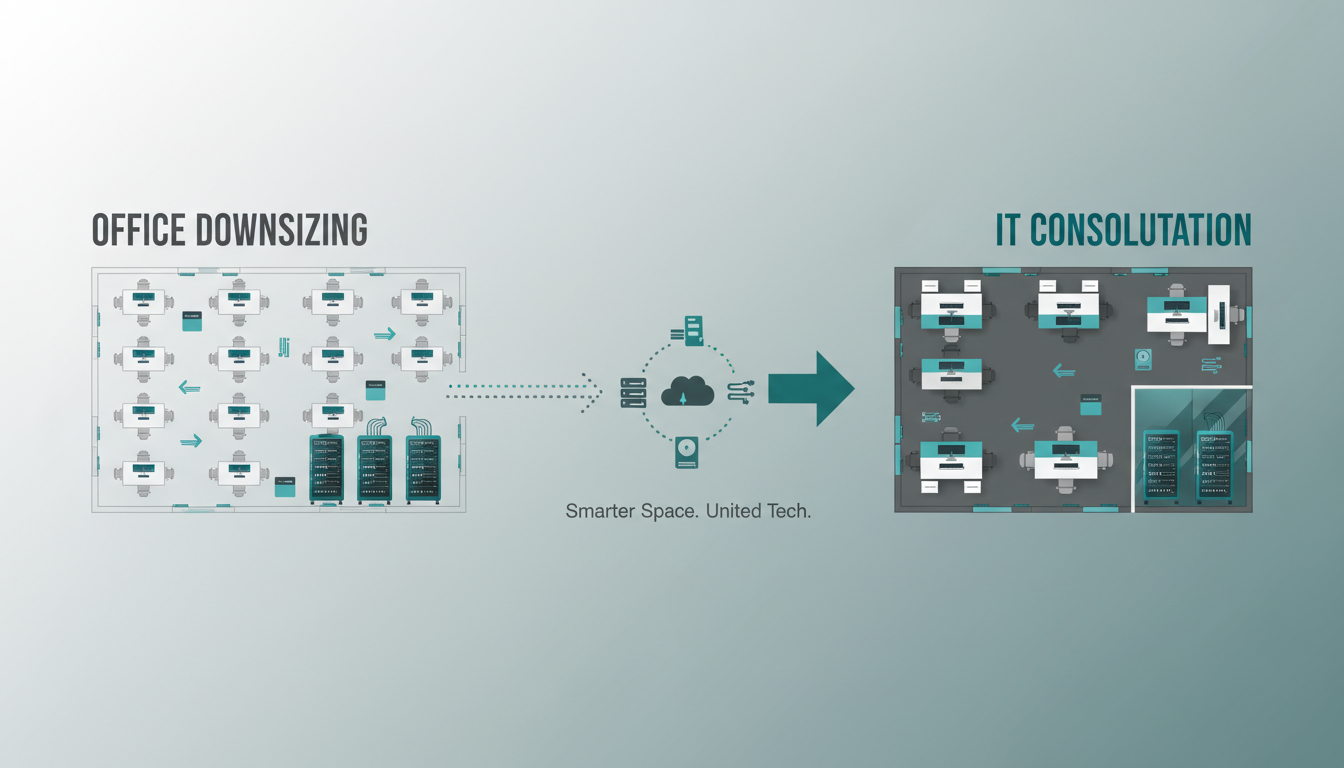
The shift towards hybrid and remote working has fundamentally changed how UK businesses use office space. What was once a bustling open-plan floor accommodating every employee, every day, is now frequently half-empty as staff split their time between the office and home. For many organisations, maintaining a large office that sits partially vacant is an unnecessary expense - and downsizing to a smaller, more efficient space makes sound financial sense.
However, moving to a smaller office is not simply a matter of finding a cheaper lease and hiring a removals company. Your IT infrastructure - the servers, networking equipment, cabling, telephony systems, and workstations that keep your business running - needs careful consolidation. Done well, an office downsize can actually improve your technology setup, reduce costs, and modernise your infrastructure. Done badly, it can cause weeks of disruption, data loss, and productivity collapse.
This guide walks you through the process of consolidating your IT when downsizing your office, covering everything from initial assessment through to post-move optimisation.
Assessing Your Current IT Estate
Before you can consolidate, you need a complete picture of what you currently have. This assessment phase is critical and should begin well before you sign a lease on a new space. A thorough IT audit will reveal what equipment you own, what services you depend on, what can be eliminated, and what needs to be upgraded or replaced as part of the move.
Start with a physical inventory of every piece of IT equipment in your current office. This includes servers, switches, routers, firewalls, wireless access points, UPS units, printers, workstations, monitors, and any specialist hardware such as CCTV systems, access control panels, or audio-visual equipment. Document the make, model, age, and condition of each item. Equipment that is approaching end of life should be flagged for replacement rather than relocation - there is no point paying to move a server that will need replacing within six months.
Next, map your software and services. List every application your business uses, noting whether it runs locally, on a server in your office, or in the cloud. Identify any applications that depend on specific hardware or network configurations. Check licence agreements - some software licences are tied to specific hardware or locations, and moving might require licence transfers or new purchases.
Document your connectivity requirements. What internet bandwidth do you currently use? What is your current ISP contract situation - are you mid-contract, and does the provider serve the new location? Do you have dedicated leased lines, MPLS connections, or VPN tunnels to other sites that will need reconfiguring?
Many businesses budget for the obvious costs of an office move - removals, new furniture, lease deposits - but underestimate the IT component. A comprehensive IT consolidation typically costs between £5,000 and £30,000 depending on the size and complexity of the environment, covering new cabling, equipment upgrades, cloud migration, and professional services. However, this investment is usually recovered within 12-18 months through reduced running costs, eliminated hardware maintenance, and improved efficiency. Factor these costs into your downsizing budget from the outset to avoid unpleasant surprises.
The Cloud Migration Opportunity
An office downsize presents the ideal opportunity to migrate on-premise systems to the cloud. If you are currently running physical servers in your office for file storage, email, applications, or databases, moving to a smaller space is the perfect catalyst for cloud migration. A smaller office may not have a suitable server room, and the cost of maintaining on-premise infrastructure becomes harder to justify when your workforce is increasingly distributed.
Consider migrating your file server to SharePoint Online or OneDrive for Business within Microsoft 365. Your on-premise email server can move to Exchange Online. Line-of-business applications that currently run on local servers may have cloud-hosted alternatives, or they can be migrated to Azure virtual machines. Your backup infrastructure can shift to cloud-based backup services, eliminating the need for on-site backup hardware entirely.
The benefits of cloud migration during a downsize are substantial. You eliminate the physical space, power, cooling, and maintenance costs associated with on-premise servers. You gain the flexibility to support remote and hybrid workers seamlessly. You improve your disaster recovery posture, as cloud services are inherently resilient and geographically distributed. And you reduce the complexity and risk of the physical move itself - if your critical systems are already in the cloud before you move, there is far less that can go wrong on moving day.
Benefits of Cloud Migration During Downsize
- Eliminate need for server room in new office
- Reduce physical equipment to move
- Support hybrid and remote workers seamlessly
- Reduce ongoing hardware maintenance costs
- Improve disaster recovery and business continuity
- Scale resources up or down as needed
- Access systems from any location
- Predictable monthly subscription costs
Risks of Keeping On-Premise During Downsize
- Need dedicated server space in smaller office
- Moving servers risks physical damage
- Extended downtime during physical relocation
- Ongoing hardware replacement and maintenance costs
- Limited disaster recovery without off-site replication
- Difficulty supporting remote workers
- Higher power and cooling costs per square metre
- Capital expenditure for hardware refreshes
Consolidating Your Network Infrastructure
Moving to a smaller office means redesigning your network from scratch - and this is actually a good thing. Your current network likely evolved organically over years, with switches added here, cables run there, and wireless access points positioned to address specific coverage gaps. A downsize gives you the opportunity to design a clean, efficient, modern network that meets your actual needs rather than accumulated legacy requirements.
Start by calculating your requirements for the new space. How many wired network points do you need? With the trend towards wireless-first networking and cloud services, you may need far fewer Ethernet ports than your current office has. A modern approach for a downsized office might include wired connections only for printers, conference room systems, and any remaining on-premise equipment, with everything else connecting via enterprise-grade Wi-Fi.
Consider investing in a modern network platform such as Cisco Meraki, which provides cloud-managed switches, wireless access points, and security appliances in a unified dashboard. For a smaller office, a single Meraki MX security appliance, one or two MR wireless access points, and a small MS switch might be all you need - replacing a rack full of legacy equipment from your old office.
Structured cabling in the new office should be planned by a professional installer. Cat6a cabling is the current standard, supporting 10Gbps speeds and providing headroom for future requirements. Ensure you have adequate cabling runs to key locations - the comms cabinet, desk clusters, meeting rooms, and any areas requiring dedicated equipment connections.
Right-Sizing Your Hardware
Downsizing your office is the perfect time to right-size your hardware. If you had 50 desktop workstations in your old office but only 30 people will be in the new space at any given time, you do not need 50 desks with 50 computers. Consider adopting hot-desking with shared workstations, or better yet, equip your staff with laptops and docking stations that they can use at home and in the office interchangeably.
Review your printing infrastructure. Many businesses moving to smaller offices discover that they can reduce from multiple departmental printers to one or two multifunction devices centrally located. Modern managed print services can further reduce costs by consolidating devices, managing supplies automatically, and providing usage analytics.
Assess your meeting room technology. The new office might have fewer meeting rooms, but they need to be better equipped. Every meeting room should have a reliable video conferencing setup - a good webcam, a speakerphone or conference microphone, and a screen or display for presentations. With hybrid meetings now the norm, investing in quality meeting room technology is essential for maintaining collaboration between office and remote workers.
| Equipment Category | Old Office (50 staff) | New Office (30 desks, hybrid) | Estimated Saving |
|---|---|---|---|
| Workstations | 50 desktops | 30 laptop docking stations | £8,000/year maintenance |
| Printers | 8 departmental printers | 2 multifunction devices | £4,500/year |
| Servers | 3 physical servers | Cloud migration (0 servers) | £6,000/year |
| Network Equipment | 6 switches, 4 APs, firewall | 1 switch, 2 APs, cloud firewall | £2,500/year |
| UPS / Power Protection | 2 large rack UPS units | 1 small UPS for comms cabinet | £1,200/year |
| Phone System | On-premise PBX + 50 handsets | Cloud VoIP (Teams/8x8) | £3,800/year |
Annual IT Savings Breakdown
When all these hardware consolidation decisions are combined, the cumulative savings are substantial. The following breakdown illustrates the typical annual savings a mid-sized business can expect when right-sizing IT equipment as part of an office downsize. These figures are based on a representative organisation moving from a 50-person office to a 30-desk hybrid workspace, and reflect real-world data from consolidation projects we have delivered across the United Kingdom.
These savings total £26,000 per year - a figure that comfortably offsets the one-time investment in professional IT consolidation services. It is worth noting that these estimates are conservative and do not account for the productivity gains that typically accompany modernised infrastructure, such as faster network speeds, more reliable connectivity, and streamlined collaboration tools that enable staff to work more efficiently regardless of their location.
Beyond direct financial savings, right-sizing your hardware reduces your organisation's environmental footprint. Fewer physical devices mean lower electricity consumption, reduced electronic waste, and a smaller carbon output. For businesses with sustainability commitments or ESG reporting requirements, IT consolidation during a downsize delivers measurable improvements against environmental targets. Many of our clients find that documenting these environmental benefits strengthens their case for the investment when presenting the project to stakeholders and board members.
Telephony: The Perfect Time to Go Cloud
If your current office uses a traditional PBX phone system with physical handsets on every desk, downsizing is the ideal moment to switch to a cloud-based telephony solution. On-premise phone systems are expensive to move, require dedicated cabling, and are increasingly obsolete in a hybrid working environment.
Cloud telephony platforms like Microsoft Teams Phone, 8x8, or RingCentral replace your physical PBX with a cloud-based service. Staff make and receive calls using an app on their laptop or mobile phone, or via a simple USB headset at their desk. Your business phone numbers port to the new platform, so callers notice no change. The system works identically whether staff are in the office, at home, or travelling.
The cost savings are significant. You eliminate the PBX hardware, the handsets, the dedicated phone cabling, and the ongoing maintenance contract. Monthly per-user costs for cloud telephony are typically £8 to £15 per user, often less than the combined cost of traditional phone lines and PBX maintenance. For a business downsizing from 50 handsets, the savings can exceed £3,000 per year.
Planning the Transition Timeline
A well-planned IT consolidation for an office downsize typically follows a phased approach spanning 8 to 12 weeks. Rushing this process is one of the most common mistakes businesses make, leading to extended downtime, data loss, and frustrated staff.
Internet Connectivity at the New Office
One of the most time-critical elements of any office move is internet connectivity. Ordering a new business internet connection in the UK typically takes 30 to 90 working days depending on the type of connection and the infrastructure available at the new location. If you leave this until the last minute, you risk moving into a new office with no internet - which for most modern businesses means no ability to work at all.
Begin by checking what connectivity is available at the new address. Use the Openreach checker and speak to business ISPs to understand your options. For a business-grade connection, a leased line providing dedicated, uncontended bandwidth is the gold standard. Typical speeds range from 100Mbps to 1Gbps, with costs between £200 and £600 per month depending on speed and location. If a leased line is not available or not within budget, a business-grade FTTP (fibre to the premises) connection is the next best option.
Consider ordering connectivity as early as possible - ideally as soon as the lease is signed. If the installation timeline is tight, arrange a temporary 4G/5G backup connection to bridge any gap. Business-grade mobile broadband solutions from providers like Cradlepoint or Peplink can deliver reliable temporary connectivity of 50-200Mbps while your permanent connection is being installed.
Data Security During the Move
An office move creates unique data security risks that need careful management. Physical equipment being transported between locations can be lost, stolen, or damaged. Temporary network configurations during the transition period may introduce security gaps. Staff working from home while the office is being set up need secure remote access.
Ensure all laptops and portable devices are encrypted with BitLocker (Windows) or FileVault (Mac) before the move. Any equipment being decommissioned rather than moved must be securely wiped or destroyed - GDPR requires that personal data stored on old hardware is properly disposed of. Your IT provider should provide certificates of destruction for any decommissioned equipment containing data.
During the transition period, ensure your firewall and security policies are properly configured at the new site before any staff begin working there. Test VPN connections, verify that email filtering and web filtering are active, and confirm that endpoint protection is running on all devices. A temporary lapse in security during a move is exactly the kind of opportunity that attackers look for.
Post-Move Optimisation
Once you are settled in the new office, take time to optimise your consolidated IT environment. Monitor network performance during the first few weeks, paying attention to Wi-Fi coverage, internet speeds, and application performance. Gather feedback from staff about any issues they are experiencing and address them promptly.
Review your IT costs three months after the move. Compare your monthly technology spend - internet, cloud subscriptions, support contracts, hardware maintenance - against what you were spending in the old office. A well-executed downsize and consolidation should deliver measurable savings, and quantifying these savings helps build the business case for future technology investments.
Update your IT documentation to reflect the new environment. Network diagrams, asset registers, password records, and disaster recovery plans all need updating. This documentation is essential for ongoing support and will be invaluable if you ever need to make further changes to your setup.
Downsizing Your Office? Let Us Handle the IT
Cloudswitched specialises in IT consolidation for office downsizes across the United Kingdom. From initial assessment and cloud migration through to network installation and post-move support, we manage every aspect of your IT transition to ensure zero disruption to your business. Contact us to discuss your downsizing plans.
GET IN TOUCH
CloudSwitched
London-based managed IT services provider offering support, cloud solutions and cybersecurity for SMEs.


