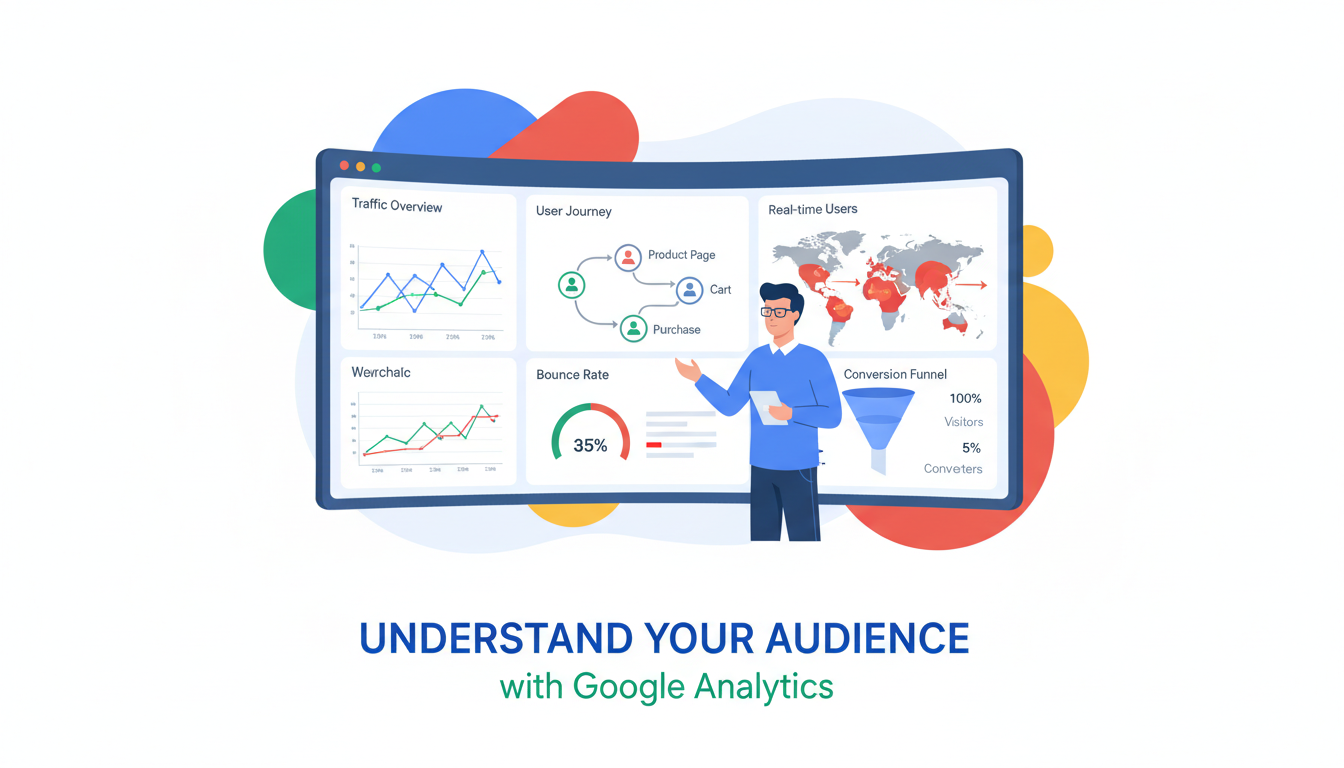
Your website is one of your most important business assets. For many UK organisations, it is the first point of contact with potential clients, the primary source of new enquiries, and a key touchstone throughout the customer journey. Yet a surprising number of businesses treat their website as a static brochure - they build it, publish it, and then largely ignore it, with no real understanding of who visits, what they do, or whether the site is actually generating business results.
Google Analytics is the tool that transforms your website from a black box into a transparent, data-driven asset. Used by over 85% of UK websites that employ analytics, Google Analytics 4 (GA4) provides comprehensive insight into your website traffic - where visitors come from, what pages they view, how long they stay, what actions they take, and critically, whether those visits convert into enquiries, sales, or other business outcomes.
This guide explains how to use Google Analytics effectively for your UK business website, covering the key reports, metrics, and insights that actually matter for business decision-making, without getting lost in the overwhelming volume of data that the platform can produce.
Understanding GA4: The Basics
Google Analytics 4 replaced Universal Analytics in July 2023, and it represents a fundamental shift in how website data is collected and reported. While Universal Analytics was built around sessions and page views, GA4 is built around events and users. Every interaction on your website - a page view, a button click, a form submission, a video play - is tracked as an event. This event-based model provides richer, more flexible data than the old session-based approach.
When you first log into GA4, you will see the Home screen, which provides a snapshot of recent activity - users, new users, engagement time, and revenue (if configured). The left-hand navigation provides access to the main report sections: Reports, Explore, Advertising, and Admin. For most business owners, the Reports section contains everything you need for day-to-day website performance monitoring.
Setting Up GA4 Correctly
Proper GA4 setup is critical, yet many UK businesses have a default installation that misses important configuration steps. When creating a GA4 property, ensure you set the correct time zone (Greenwich Mean Time or British Summer Time) and currency (GBP) so that all reports reflect your local business context. Create a web data stream for your website and install the Google tag - either directly in your website's HTML header or through Google Tag Manager, which provides greater flexibility for managing tracking code without requiring developer involvement for every change.
Once the basic installation is complete, take the time to configure several important settings. Enable Google Signals, which provides cross-device tracking and demographic data for logged-in Google users. Set up internal traffic filtering to exclude visits from your own staff - without this, your team's daily use of the website will inflate your traffic numbers and distort engagement metrics. You can filter internal traffic by IP address or by using a browser extension that sets a specific parameter. Create at least one test property or use GA4's debug mode to verify that events are being tracked correctly before relying on the data for business decisions.
GA4's real-time report is invaluable for verifying your setup. Open your website in a browser, then check the real-time report in GA4 - you should see your own visit appear within seconds. This confirms that the tracking code is installed correctly and data is flowing. If nothing appears, check that your ad blocker is disabled, that the Google tag is present in your page source code, and that there are no JavaScript errors preventing the tag from loading. It is worth investing the time to get the setup right from the start, as retrospective corrections cannot recover data that was never collected.
Using Google Analytics on a UK website requires compliance with UK GDPR and the Privacy and Electronic Communications Regulations (PECR). This means you must obtain user consent before setting analytics cookies, provide clear information about what data is collected in your privacy policy, and configure GA4 to anonymise IP addresses (which GA4 does by default). You should also consider configuring GA4's data retention settings to align with your privacy policy - the default retention period is 14 months, but this can be reduced to 2 months if your data minimisation policy requires it. The ICO has provided guidance on analytics cookies that your web developer should follow.
The Reports That Matter for Business Owners
GA4 can generate an enormous amount of data, and it is easy to become overwhelmed. As a business owner, focus on the reports that directly inform business decisions rather than trying to master every feature.
Traffic Acquisition: Where Do Your Visitors Come From?
The Traffic Acquisition report (found under Reports > Acquisition) shows you how visitors find your website. This is one of the most valuable reports for understanding the effectiveness of your marketing efforts. The report breaks down traffic by channel - Organic Search (visitors who found you through Google or Bing), Direct (visitors who typed your URL directly), Referral (visitors who clicked a link on another website), Paid Search (visitors from Google Ads), Social (visitors from social media), and Email (visitors from email campaigns).
For most UK business websites, organic search should be the largest traffic source. If it is not, this may indicate SEO opportunities. If direct traffic is unusually high, it could suggest strong brand awareness - or it could indicate that GA4 is not properly tracking the true source of visits. Understanding your traffic mix helps you allocate your marketing budget more effectively.
Campaign Tracking with UTM Parameters
One of the most common frustrations business owners have with GA4 is traffic that appears as Direct when it clearly came from a specific marketing campaign. This misattribution happens when links to your website lack tracking parameters, forcing GA4 to classify the visit as direct because it has no other information about the source. UTM parameters - short tags added to the end of your URLs - solve this problem by telling GA4 exactly where each visitor came from and which campaign drove the visit.
Every link you share in email newsletters, social media posts, paid advertisements, and partner websites should include UTM parameters. The three most important parameters are utm_source (which platform the link is on, such as linkedin or newsletter), utm_medium (the type of channel, such as social or email), and utm_campaign (the specific campaign name, such as spring-2026-promotion). Google provides a free Campaign URL Builder tool that generates properly formatted URLs with all the necessary UTM parameters included.
Consistency is essential for UTM parameters to work effectively. Establish a naming convention and document it so that everyone in your organisation uses the same format. GA4 treats LinkedIn, linkedin, and Linkedin as three completely different sources, so inconsistent capitalisation fragments your data and makes accurate reporting impossible. Use lowercase for all UTM values and separate words with hyphens rather than spaces. A well-maintained UTM tracking system transforms your traffic acquisition reports from vague approximations into precise, actionable marketing intelligence that directly informs budget allocation decisions.
Engagement: What Do Visitors Do on Your Site?
The Engagement reports show what visitors do once they arrive on your website. The Pages and Screens report reveals which pages are most popular, how long visitors spend on each page, and which pages have the highest engagement rates. This information is invaluable for understanding which content resonates with your audience and which pages may need improvement.
Engagement rate in GA4 replaces the old bounce rate metric from Universal Analytics (although bounce rate is now also available in GA4). An engaged session is one where the visitor either viewed two or more pages, spent 10 seconds or longer on the site, or triggered a conversion event. A healthy engagement rate for a UK business website is typically between 55% and 75%.
Page-Level Engagement Analysis
Beyond the overall engagement rate, GA4 enables you to analyse engagement at the individual page level. Navigate to the Pages and Screens report and sort by average engagement time to identify which pages hold visitors' attention and which lose them quickly. Service pages with high traffic but low engagement may indicate a mismatch between what the visitor expected from the search result and what the page actually delivers. Blog posts with high engagement time suggest topics that genuinely interest your audience and warrant further content development.
Pay particular attention to your highest-value pages - typically your service pages, pricing or packages page, and contact page. These are the pages closest to a conversion action, and their engagement metrics directly influence your lead generation performance. If your contact page has a high view count but a low form submission rate, the form itself may be creating friction - perhaps it asks for too much information, loads slowly on mobile devices, or has a technical issue that prevents submission. GA4 data can surface these problems, but you must look beyond the headline numbers to find them.
Custom Events and Enhanced Measurement
GA4's enhanced measurement feature automatically tracks several useful interactions without any additional code: page views, scroll depth, outbound link clicks, site search queries, video engagement, and file downloads. Review the Events report to see what GA4 is already capturing for your website. For many UK business websites, the scroll tracking is particularly revealing - if visitors to your key service pages rarely scroll past the first third of the page, the content above the fold may not be compelling enough to encourage further reading, or the page may simply be too long for the information it conveys. This insight can directly inform content revisions that improve engagement and, ultimately, conversions.
Conversions: Is Your Website Generating Business?
Conversions are the most important metric for any business website. A conversion is a valuable action that a visitor takes - submitting a contact form, calling your phone number, downloading a resource, requesting a quote, or making a purchase. In GA4, you define which events count as conversions, and the platform then tracks how many conversions occur, which traffic sources drive them, and which pages are involved in the conversion journey.
If you have not configured conversions in GA4, you are missing the most critical insight the platform provides. Without conversion tracking, you know how many people visit your website but not whether those visits generate any business value. Setting up conversion tracking for form submissions and phone number clicks should be the very first thing you do after installing GA4.
Setting Up Conversion Tracking Step by Step
To configure conversion tracking in GA4, first identify the events that represent valuable actions on your website. For most UK service businesses, the primary conversion event is a contact form submission. If your website uses a standard contact form, GA4 may already be tracking form submissions through enhanced measurement. Check the Events report for a form_submit event. If it appears, simply mark it as a key event by toggling the switch next to the event name in the GA4 admin panel.
For more precise tracking, create custom events using Google Tag Manager. For example, you might create an event that fires only when a specific thank-you page loads after a successful form submission, rather than tracking every form interaction across the entire site. This approach ensures your conversion data accurately reflects genuine enquiries rather than partial form completions or accidental clicks. You can also track phone number clicks as conversions by creating an event that fires when a visitor clicks a tel: link on your website - this is particularly valuable for mobile visitors who prefer to call rather than complete a form.
Understanding Attribution in GA4
Attribution - determining which marketing touchpoint deserves credit for a conversion - is one of GA4's most sophisticated and valuable features for marketing decision-making. GA4 uses data-driven attribution by default, which employs machine learning to distribute credit across the various interactions a visitor had before converting. A visitor might first discover your website through an organic Google search, return a week later after seeing a LinkedIn post, and finally convert after clicking a link in your email newsletter. Data-driven attribution assigns partial credit to each of these touchpoints, providing a far more nuanced understanding of your marketing effectiveness than simple last-click attribution, which would credit only the email.
Understanding attribution is essential for making informed marketing budget decisions. If last-click attribution suggests that email generates most of your conversions, you might be tempted to increase email spending and reduce investment in SEO and social media. But data-driven attribution might reveal that organic search and social media play critical roles in the discovery and consideration stages of the buyer journey. Without this broader view, you risk cutting the very channels that feed your conversion pipeline. Review the Attribution report in GA4 regularly and use it to guide your marketing investment strategy.
| Metric | What It Tells You | Healthy Range (UK Business Sites) | Action If Below Range |
|---|---|---|---|
| Engagement Rate | Percentage of meaningful visits | 55-75% | Improve content relevance, page speed |
| Average Engagement Time | Time visitors actively interact | 1.5-3.5 minutes | Add more compelling content, visuals |
| Conversion Rate | Percentage of visits that convert | 2-5% for service businesses | Improve CTAs, forms, page layout |
| Pages per Session | Depth of site exploration | 2.5-4.5 pages | Improve internal linking, navigation |
| New vs Returning Users | Audience growth and loyalty | 70% new / 30% returning | Balance acquisition and retention efforts |
Understanding Your Audience
The Demographics and Tech reports in GA4 provide insight into who your visitors are. Demographics data (when available, based on Google Signals) shows age ranges, gender, and interests of your audience. The Tech report shows which devices (desktop, mobile, tablet), browsers, and operating systems visitors use.
For UK businesses, understanding the mobile versus desktop split is particularly important. If 47% of your traffic comes from mobile devices but your website is not optimised for mobile, you are providing a poor experience to nearly half your visitors. Similarly, if your audience is predominantly in a specific age range or geographic area, this should inform your marketing strategy and website content.
Geographic and Demographic Insights
For UK businesses serving specific regions or industries, GA4's geographic data is exceptionally useful for strategic planning. The Users by Country and Users by City reports show precisely where your website visitors are located. If your business operates primarily in the South East of England but you are attracting significant traffic from Scotland or Northern Ireland, this might indicate untapped market opportunities - or it might suggest that your SEO is attracting visitors who are unlikely to become customers. Either way, the data informs strategic decisions about geographic targeting in your paid advertising and content strategy.
Demographic data - age ranges, gender, and interest categories - requires Google Signals to be enabled and is subject to data thresholds. GA4 will withhold demographic information when the sample size is too small to protect user privacy, which is common for smaller websites. When available, this data helps you understand whether your website is reaching your intended audience. A B2B professional services firm that discovers its website primarily attracts visitors aged 18 to 24 may need to reconsider its content strategy and keyword targeting, as this age group is unlikely to be the decision-makers for high-value professional service engagements.
Combine geographic and demographic data with engagement and conversion metrics to build a composite picture of your most valuable audience segments. You may discover that visitors from certain cities or regions convert at twice the rate of your overall average, suggesting that your services are particularly well suited to businesses in those areas. Alternatively, you might find that a specific age group or interest category has an exceptionally high engagement rate. These insights can inform everything from Google Ads geographic and demographic targeting to the topics you cover in blog content and the case studies you choose to feature prominently on your website.
Audience Segmentation for Deeper Analysis
GA4's audience builder allows you to create custom segments based on combinations of user attributes and behaviours. For example, you could create an audience of visitors who viewed your pricing page but did not submit a contact form, or an audience of users who visited three or more service pages in a single session. These custom audiences can be used for deeper analysis within GA4 reports and can also be shared with Google Ads for remarketing campaigns that target specific groups of interested visitors with tailored messaging.
For UK businesses running Google Ads alongside organic marketing, the ability to create remarketing audiences from GA4 data is particularly powerful. Rather than showing generic advertisements to everyone who visited your website, you can create highly targeted campaigns. A visitor who viewed your IT consultancy page but did not convert might see an advertisement highlighting a relevant case study. A visitor who downloaded a guide on cloud migration might see an advertisement for your cloud services. This precision improves advertising efficiency, reduces wasted spend, and delivers a more relevant experience for the potential customer.
GA4 Best Practices
- Configure conversion tracking for all key actions
- Set up Google Search Console integration
- Create custom reports for your key metrics
- Review traffic reports weekly, trends monthly
- Use UTM parameters on all campaign links
- Configure consent mode for GDPR compliance
- Set up email alerts for traffic anomalies
- Share dashboards with marketing team
Common GA4 Mistakes
- No conversion tracking configured
- Not linking Google Search Console
- Checking data only occasionally or never
- Focusing on vanity metrics (total visits only)
- No UTM tracking on campaigns
- Ignoring GDPR consent requirements
- Not filtering out internal traffic
- Using default reports without customisation
Connecting GA4 to Google Search Console
One of the most powerful integrations available in GA4 is the connection to Google Search Console. While GA4 tells you what happens on your website, Search Console tells you what happens before visitors arrive - specifically, what search queries trigger your website in Google results, your average position for each query, your click-through rates, and which pages appear most frequently in search.
Linking the two platforms provides a complete picture of the search journey, from the query that triggered your listing through to the conversion on your website. This integrated view is invaluable for SEO strategy, helping you identify which keywords drive the most valuable traffic and where there are opportunities to improve your search visibility.
Interpreting Search Console Data Effectively
Once Search Console is linked to GA4, navigate to the Search Console reports within GA4 to view your search performance data alongside your website analytics. The Queries report shows which search terms bring visitors to your website, along with impressions (how often your site appeared in search results), clicks, click-through rate, and average position for each query. Focus on queries where you have a strong impression count but a low click-through rate - these represent opportunities to improve your search snippets through better page titles and meta descriptions that more effectively communicate your value proposition to searchers.
The Google Organic Search Traffic report combines Search Console query data with GA4 landing page data, showing which pages attract the most organic traffic and how those visitors behave once they arrive on your website. A page that ranks well and receives substantial search traffic but has a poor engagement rate may be ranking for the wrong queries - the content does not match what searchers expected to find when they clicked. Conversely, pages with excellent engagement from organic traffic are strong candidates for further SEO investment, as the content clearly resonates with the search audience and provides genuine value.
Review your Search Console data at least monthly as part of your regular analytics routine. Look for trending queries that are gaining impressions over time - these represent growing interest in topics related to your business. If you spot a query gaining traction for which you do not yet have dedicated content, consider creating a new page or blog post that specifically addresses that topic. This proactive approach to content creation, driven by actual search demand rather than guesswork, is one of the most effective and cost-efficient SEO strategies available to UK businesses of any size.
Identifying Quick SEO Wins
Search Console data often reveals opportunities for rapid improvement that require minimal effort. Pages ranking in positions 5 to 15 for relevant queries are particularly promising, as they are close to the first page of results where the majority of clicks occur. A modest improvement in content quality, keyword targeting, or the number of internal links pointing to these pages can push them onto page one, generating a meaningful increase in organic traffic. Similarly, queries with high impression counts but positions between 8 and 20 indicate that Google considers your content relevant but not yet authoritative enough for a top position - targeted content improvements and link building for these pages can deliver substantial traffic gains.
Using GA4 Data to Improve Your Website
Data without action is just noise. The true value of GA4 comes from using the insights to make specific improvements to your website and marketing strategy. Review your data regularly - weekly for key metrics, monthly for trends and deeper analysis - and use it to inform decisions about content creation, page design, marketing spend, and website structure.
If a service page has high traffic but low conversions, the page may need a clearer call to action or a more compelling value proposition. If a blog post drives significant organic traffic, consider creating more content on that topic. If mobile engagement is significantly lower than desktop, your mobile experience likely needs improvement. Every data point is a potential improvement opportunity.
Building a Regular Review Cadence
The most effective approach to GA4 is establishing a regular review cadence that matches your business rhythm. Weekly reviews should take no more than fifteen minutes and focus on headline metrics: total sessions, conversion count, top traffic sources, and any significant anomalies or changes from the previous week. Monthly reviews should be more thorough, examining trends in engagement across key pages, identifying top-performing content, reviewing conversion rates by traffic source, and assessing whether active marketing campaigns are delivering expected results.
Quarterly reviews provide the opportunity for strategic analysis at a higher level. Compare performance across quarters, identify seasonal patterns in your traffic and conversions, and assess whether your website is trending in the right direction overall. For UK businesses with seasonal trading patterns - holiday accommodation, tax advisory services, summer events, or Christmas retail - understanding these cyclical patterns helps you plan content publication schedules and marketing campaigns to capture demand at precisely the right moment.
Custom Explorations and Dashboards
GA4's Explore section enables you to create custom reports that go beyond the standard report templates. For business owners, a focused monthly dashboard showing sessions, conversions, conversion rate, top five traffic sources, and top-performing pages provides a clear snapshot of website health without requiring deep analytics expertise. Save these explorations and share them with relevant team members so that everyone in the organisation has access to the same performance data and can make informed decisions.
Consider creating a tailored report for each key area of your business. If you offer multiple services, build a report that shows traffic and conversions for each service page individually, allowing you to see which services attract the most online interest and which may need better visibility. If you run regular email or social media campaigns, create a report that tracks campaign performance over time, comparing different approaches and channels. These customised reports transform GA4 from a generic analytics platform into a business-specific performance dashboard that directly supports strategic decision-making and helps justify marketing expenditure.
Taking Action on Your Analytics
The ultimate purpose of all this data collection and analysis is to drive specific improvements to your website and marketing strategy. Create a simple action log alongside your analytics reviews - for every insight you identify, note the specific action it suggests. If mobile engagement is significantly lower than desktop engagement, the action is to audit and improve the mobile experience. If a particular blog post drives substantial organic traffic, the action is to create more content on related topics. If a service page has high traffic but few conversions, the action is to review the page's call to action, form placement, and value proposition. By systematically converting data insights into concrete actions, you ensure that your investment in analytics translates into measurable business improvements rather than simply producing reports that nobody acts upon.
Get More From Your Website
Cloudswitched builds and optimises websites for businesses across the United Kingdom. From Google Analytics setup and conversion tracking to SEO strategy and ongoing performance optimisation, we ensure your website works as hard as your team does. Contact us to discuss how we can improve your website's performance.
GET IN TOUCH
CloudSwitched
London-based managed IT services provider offering support, cloud solutions and cybersecurity for SMEs.


