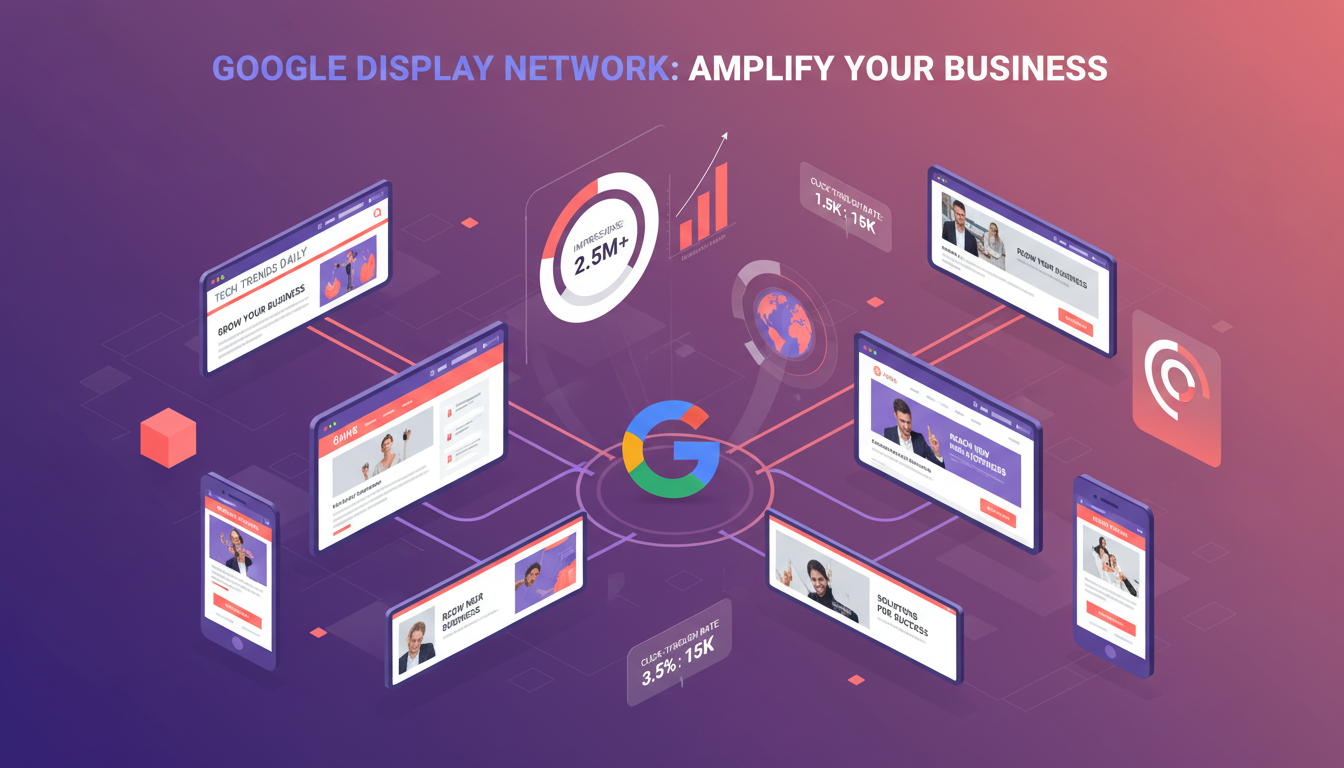
Google's Display Network reaches over 90% of internet users worldwide, spanning more than 2 million websites, apps, and videos. Display advertising places your visual ads - banners, images, and responsive creatives - across this vast network, targeting users based on their interests, demographics, and online behaviour. For businesses looking to build brand awareness, reach new audiences, or stay top-of-mind with potential customers, Display is an invaluable tool.
Yet Display advertising is also where businesses most commonly waste money. The lower cost-per-click can be deceptive - without proper targeting and creative strategy, you'll pay for thousands of impressions that never result in meaningful engagement. This guide shows you how to run Display campaigns that actually deliver results, whether your goal is awareness, consideration, or conversions.
The UK digital advertising market has grown significantly over the past decade, with display advertising now accounting for a substantial share of total online ad spend. According to industry reports, UK businesses collectively invest billions of pounds in programmatic and direct display placements each year, and the trend continues upward as more brands recognise the power of visual storytelling across the web. For UK SMEs in particular, Display campaigns offer a cost-effective way to compete with larger competitors by placing targeted visual messages in front of precisely defined audiences across premium publisher websites.
How Display Advertising Differs from Search
Understanding the fundamental difference between Display and Search is crucial to using each effectively. Search ads respond to active intent - someone is looking for something specific. Display ads create passive awareness - you're reaching people who are browsing content unrelated to your business, hoping to capture their attention.
This distinction has profound implications for how you structure your marketing funnel. Display advertising excels at the top and middle of the funnel, where the objective is to introduce your brand to new audiences and nurture familiarity over time. In the UK market, where consumers are often bombarded with competing messages, Display serves as the critical first touchpoint that plants the seed of brand recognition. When those same users later search for solutions you offer, they are significantly more likely to click on your Search ad because they already recognise your name. Research consistently shows that users exposed to Display ads before encountering a Search ad convert at measurably higher rates than those who see the Search ad alone.
Search Ads
- Text-based format
- High intent, high conversion rate
- Higher CPC (£1–£5+)
- Bottom of funnel
- Limited reach (search volume)
- Keyword targeting
Display Ads
- Visual format (images, banners)
- Lower intent, lower conversion rate
- Lower CPC (£0.05–£0.50)
- Top/mid funnel
- Massive reach (2M+ sites)
- Audience and placement targeting
Run a brand lift study alongside your Display campaigns to measure the true impact on awareness. Google offers Brand Lift surveys for eligible campaigns, allowing you to quantify how much your Display ads are increasing brand recall and consideration among UK audiences - metrics that standard click tracking completely misses.
Display Targeting Options
Google offers a wide range of targeting methods for Display campaigns. The key to success is choosing the right combination to reach your ideal audience without wasting budget on irrelevant impressions.
For UK businesses, the targeting landscape is particularly powerful because Google holds detailed behavioural data on the vast majority of British internet users. Whether you are a London-based professional services firm targeting C-suite decision makers or a regional retailer looking to reach homeowners within a 30-mile radius, the Display Network provides audience segments granular enough to match your precise requirements. The key is to layer multiple targeting methods together rather than relying on a single approach, which dramatically improves the quality of impressions your budget purchases.
Custom intent audiences deserve special attention. By supplying Google with the specific keywords your ideal customers are actively searching for - combined with competitor URLs they visit - you can build bespoke audiences that sit between the broad reach of affinity targeting and the narrow focus of remarketing. This approach is particularly effective for B2B businesses in the UK, where the total addressable market may be smaller but each conversion carries significant value.
| Targeting Method | How It Works | Best For |
|---|---|---|
| Affinity Audiences | Reaches people based on long-term interests and habits | Brand awareness |
| In-Market Audiences | Targets people actively researching products/services to buy | Consideration and conversion |
| Custom Audiences | Build audiences from keywords, URLs, and apps your customers use | Targeted prospecting |
| Remarketing | Shows ads to people who've already visited your website | Re-engagement and conversion |
| Placement Targeting | Choose specific websites where your ads appear | Brand safety and precision |
| Demographic Targeting | Filter by age, gender, household income, parental status | Audience refinement |
Combine in-market audiences with placement targeting for the highest quality Display impressions. For example, if you sell commercial insurance in the UK, target the in-market audience for business insurance AND restrict placements to respected industry publications. This dual-layer approach can reduce wasted spend by up to 60% compared to using either method alone.
Ad Formats for Display
Google Display offers two main ad formats: Responsive Display Ads and Uploaded Image Ads. Each has its place in a well-rounded campaign.
Responsive Display Ads (RDAs) are the default and recommended format. You upload multiple images, headlines, descriptions, and logos, and Google's machine learning assembles them into optimally sized ads for each placement. RDAs reach more placements, adapt to different screen sizes, and typically perform better through automated testing.
Uploaded Image Ads give you full creative control. You design the exact banner your audience sees - useful for strong branding or complex designs. However, you'll need to create multiple sizes (300x250, 728x90, 160x600, etc.) to cover all placement types, and you'll miss placements that don't match your uploaded sizes.
For most UK businesses, the optimal approach combines both formats within the same campaign. Use Responsive Display Ads as your primary format to maximise reach across the network, then supplement with carefully designed uploaded banners for your most important brand messages. This ensures you never miss an available placement while still maintaining strong visual brand identity where it matters most. Google recommends providing at least five landscape images, five square images, and five headlines to give the machine learning algorithm sufficient creative variety to optimise effectively.
Creating Effective Display Creatives
Display ads need to capture attention in a fraction of a second as users scroll past. Here are the creative principles that drive performance:
Keep it simple. One clear message per ad. Don't try to cram your entire value proposition into a banner. A single headline, one image, and a clear CTA is all you need.
Use high-contrast colours. Your ad needs to stand out from the website it's displayed on. Dark text on light backgrounds, bold CTAs, and strong colour contrasts improve visibility.
Include a clear CTA button. Even though the entire ad is clickable, a visible button ("Shop Now," "Get a Quote," "Learn More") increases click-through rates significantly.
Show your brand. Include your logo in every Display ad. Unlike Search ads where your brand name appears in text, Display relies on visual brand recognition. Consistent branding builds familiarity over time.
Test localised messaging. UK audiences respond well to localised creative that references their specific context. Mentioning "UK businesses," "British standards," or even regional references can increase relevance and click-through rates. Similarly, using pound sterling in any pricing references and following British spelling conventions demonstrates attention to detail that builds trust with a domestic audience.
Display Campaign Best Practices
1. Always layer targeting. Combine audience targeting with topic or placement targeting for more precision. Broad targeting on Display wastes budget on irrelevant sites.
2. Exclude placements aggressively. Review your placement report regularly and exclude poorly performing websites, apps (especially mobile game apps that generate accidental clicks), and content categories that aren't relevant.
3. Use frequency capping. Limit how many times the same person sees your ad per day or week. Showing someone the same banner 50 times creates annoyance, not interest. A frequency cap of 3–5 impressions per day is usually ideal.
4. Separate prospecting from remarketing. Create separate Display campaigns for new audiences (prospecting) and past visitors (remarketing). They have fundamentally different goals, budgets, and creative needs.
5. Test multiple creatives. Upload at least 5 different images and 5 different headlines for Responsive Display Ads. Google's algorithm needs variety to test and optimise. Replace underperformers monthly with fresh creatives.
6. Set up view-through conversion tracking from day one. Many UK businesses only track click-through conversions, which dramatically underestimates Display's contribution. View-through conversions capture users who saw your ad, did not click, but later visited your site and converted within a defined window (typically 30 days). Without this tracking, you will almost certainly undervalue your Display investment and make misguided budget allocation decisions.
7. Build and maintain a placement exclusion list. Over time, compile a master list of low-quality placements - parked domains, made-for-advertising sites, irrelevant mobile apps, and foreign-language sites. Apply this exclusion list to every Display campaign from the start. Experienced advertisers report that a well-maintained exclusion list can improve Display campaign efficiency by 20–40% compared to running campaigns without one.
Display Advertising Cost Benchmarks by Industry
Display advertising costs vary significantly across industries in the UK. Understanding where your sector falls on the cost spectrum helps set realistic budget expectations and benchmark your campaign performance against industry norms. The following chart shows average cost-per-thousand impressions (CPM) across major UK industry sectors:
These figures reflect the competitive dynamics of each industry. Financial services and healthcare command premium CPMs because the audiences are highly valuable and heavily contested. Retail and e-commerce benefit from lower CPMs but often require much higher volumes of impressions to drive meaningful results. When planning your Display budget, use these benchmarks as starting points and adjust based on your specific targeting parameters and campaign objectives.
Display Remarketing Strategies
Remarketing is arguably the most powerful application of Display advertising. By showing targeted ads to people who have already visited your website, you maintain visibility during the consideration phase and dramatically increase the likelihood of conversion. UK businesses that implement sophisticated remarketing strategies typically see conversion rates three to five times higher than standard prospecting campaigns.
The most effective remarketing approach segments your website visitors based on their behaviour and serves different creative messages to each segment. Visitors who viewed a specific product page should see ads featuring that product. Users who abandoned a shopping basket should see ads with a compelling reason to return and complete their purchase. Those who visited your homepage but navigated away quickly might benefit from broader brand messaging that reinforces your core value proposition. This level of segmentation requires careful audience list configuration in Google Ads, but the performance improvement over generic remarketing is substantial.
Dynamic remarketing takes this further by automatically generating ads that feature the exact products or services each visitor viewed on your site. For e-commerce businesses and those with large product catalogues, dynamic remarketing can produce exceptional return on ad spend because every impression is personalised to the individual user. Setting up dynamic remarketing requires a product feed and some technical implementation, but the results consistently justify the effort.
Managed Display Campaigns
DIY Display Campaigns
Set different remarketing durations based on your sales cycle. A restaurant might use a 7-day window, whilst a B2B software company should extend to 90 or even 180 days. Match your remarketing window to the typical time your UK customers take from first visit to purchase decision.
Measuring Display Success
Display advertising operates at the top and middle of the marketing funnel, so measuring it purely by direct conversions undervalues its impact. Consider these metrics alongside traditional conversion tracking:
View-Through Conversions: People who saw your Display ad but didn't click, then later visited your site and converted through another channel. This shows Display's influence on the buying journey.
Brand Lift: Increases in branded search volume after running Display campaigns indicate improved brand awareness.
Reach and Frequency: How many unique people saw your ads and how often. This matters more for awareness campaigns than clicks or conversions.
Assisted Conversions: In Google Analytics, check how often Display appears in conversion paths as an assisting channel, even if it wasn't the last touchpoint.
Attribution modelling is essential for accurately valuing Display campaigns within your broader marketing mix. The default last-click attribution model in Google Ads heavily penalises Display because it rarely receives the final click before conversion. Switching to a data-driven or position-based attribution model gives Display campaigns fair credit for their role in initiating and nurturing the customer journey. UK businesses that adopt multi-touch attribution consistently discover that Display contributes significantly more value than last-click metrics suggest - often revealing that cutting Display spend leads to a decline in Search and direct traffic that far exceeds any budget savings.
Display Campaign Health Scorecard
Use this scorecard to evaluate the health of your Display campaigns across the key performance dimensions. Scores below 70 in any category indicate areas that require immediate attention and optimisation:
Review your Display campaign scorecard monthly and focus improvement efforts on your lowest-scoring dimensions first. The biggest performance gains come from addressing your weakest areas rather than perfecting your strongest ones. A campaign with balanced scores across all dimensions will consistently outperform one that excels in targeting but neglects placement quality or creative testing.
Getting Started with Display Advertising
For UK businesses new to Display advertising, the most common mistake is launching too broadly. Rather than targeting millions of users across the entire Display Network from day one, start with a focused approach: define your ideal customer profile, build a custom audience or select a specific in-market segment, create compelling responsive display ads with at least five headline and image variations, and set a modest daily budget that allows you to gather meaningful data over two to four weeks.
During this initial testing phase, monitor your placement reports carefully and build your exclusion list. Review which websites are generating impressions and clicks, and remove any that are clearly irrelevant to your business. Check your geographic targeting to ensure impressions are concentrated in the UK regions most valuable to your business. Examine device performance to determine whether desktop, mobile, or tablet users are engaging most meaningfully with your ads. These early insights will shape the optimisation decisions that transform a good Display campaign into a great one.
Once your prospecting campaigns are generating consistent, quality traffic, layer in remarketing campaigns to recapture visitors who did not convert on their first visit. The combination of strategic prospecting to fill your funnel and targeted remarketing to nurture and convert creates a self-reinforcing cycle that grows more effective over time. This is where Display advertising truly demonstrates its value - not as a standalone channel, but as the awareness engine that powers your entire digital marketing strategy.
Ready to Launch Display Advertising?
Cloudswitched manages Display campaigns that build awareness and drive measurable results. From creative design to audience targeting and ongoing optimisation, we help your business stand out across the web.
View Google Ads ServicesTransform Your Display Advertising Results
Cloudswitched designs and manages high-performing Google Display campaigns for UK businesses. From audience strategy and creative development to ongoing optimisation and reporting, our team ensures every pound of your Display budget works harder.

CloudSwitched
London-based managed IT services provider offering support, cloud solutions and cybersecurity for SMEs.


