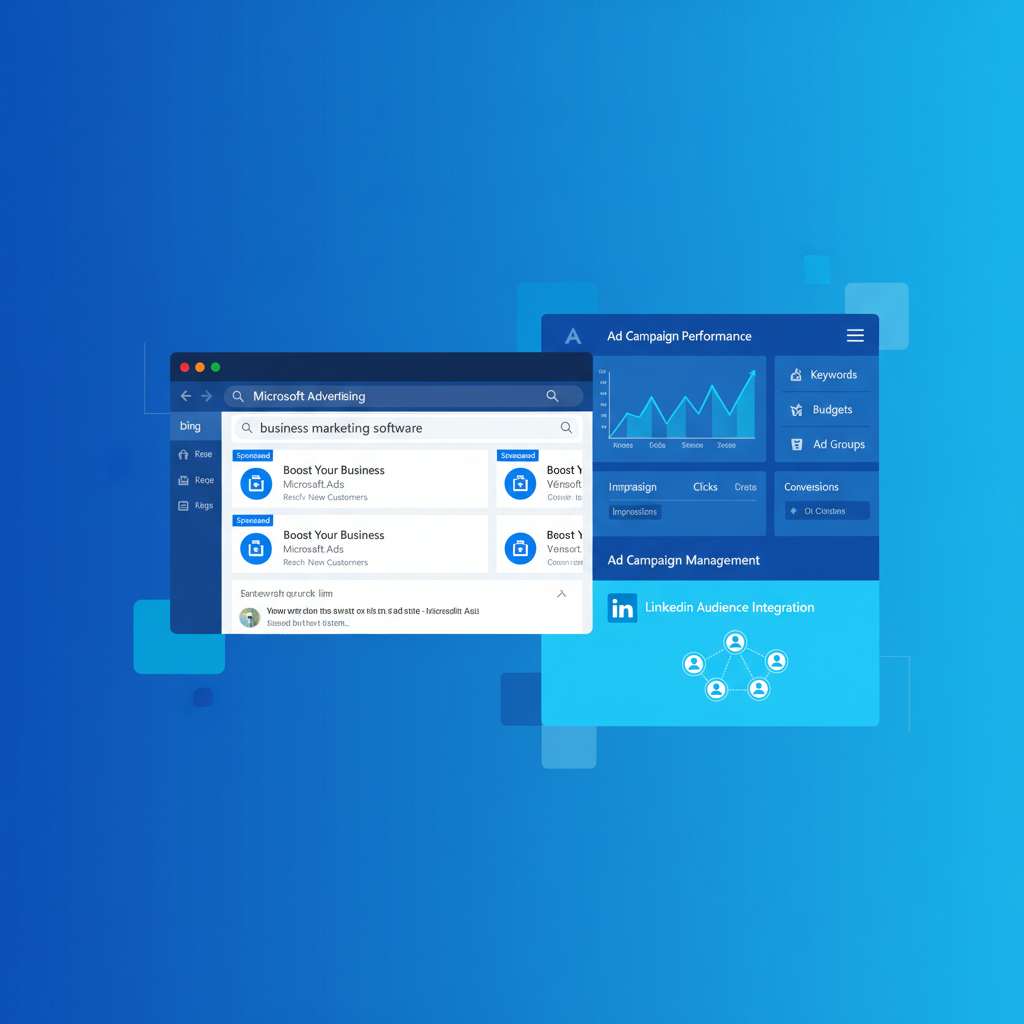
When most businesses think about pay-per-click advertising, Google Ads is usually the first platform that comes to mind. But focusing solely on Google means overlooking a powerful channel that reaches millions of high-intent searchers every day. Microsoft Advertising - formerly known as Bing Ads - offers UK businesses access to a unique audience, lower competition, and cost-per-click rates that consistently undercut Google. In this comprehensive guide, we’ll walk through everything you need to know to launch, optimise, and scale profitable Microsoft Advertising campaigns for your business.
What Is Microsoft Advertising?
Microsoft Advertising is the paid search and display advertising platform that serves ads across the Microsoft Search Network. This network includes Bing, Yahoo, AOL, DuckDuckGo (in some markets), and a growing number of partner sites. When a user searches on any of these platforms, your ads can appear alongside the organic results - just as they would on Google.
Beyond search, Microsoft Advertising also powers the Microsoft Audience Network, which delivers native ads across premium placements on sites like MSN, Outlook.com, Microsoft Edge, and other publisher partner properties. This combination of search and native advertising gives businesses multiple ways to reach potential customers throughout their buying journey.
Microsoft has invested heavily in AI-powered features, automated bidding strategies, and audience targeting capabilities that rival - and in some cases surpass - what Google offers. The platform’s integration with LinkedIn data is a particularly notable advantage that no other advertising platform can match.
Bing Market Share in the UK
One of the most common misconceptions about Microsoft Advertising is that Bing’s market share is too small to matter. The reality tells a very different story, especially in the United Kingdom.
In the UK, the Microsoft Search Network captures roughly a quarter of all desktop searches. That figure becomes even more significant when you consider that many of these users are not reachable through Google Ads at all. Approximately 36% of Bing searchers in the UK exclusively use Microsoft’s search engine - meaning if you’re only advertising on Google, you’re missing out on millions of potential customers entirely.
Bing comes pre-installed as the default search engine on all Windows devices, Microsoft Edge browsers, and Xbox consoles. With Windows holding a dominant share of the UK desktop operating system market, many users simply never switch away from the default. This creates a captive audience of searchers who will never see your Google Ads campaigns.
Understanding the Microsoft Advertising Audience
The demographic profile of Bing users is one of the most compelling reasons to advertise on the platform. Microsoft’s audience skews towards higher income brackets, older age groups, and professional decision-makers - precisely the demographics that many B2B and high-value B2C businesses want to reach.
Research consistently shows that Bing users in the UK have higher average household incomes than Google users. Over 40% of Microsoft Search Network users fall into the top 25% of earners, making them ideal targets for premium products, professional services, and B2B offerings.
The typical Bing user is aged 35 to 64, is more likely to hold a university degree, and often occupies a managerial or senior professional role. Many access Bing through their workplace devices where IT departments have configured Microsoft Edge as the default browser. This means your ads reach people during working hours when they’re actively researching solutions and making purchasing decisions.
For businesses selling high-ticket items, professional services, financial products, or B2B solutions, this audience profile is exceptionally valuable. You’re reaching people with both the authority and the budget to make purchasing decisions.
Lower CPCs: The Cost Advantage of Microsoft Advertising
Perhaps the single most attractive benefit of Microsoft Advertising is the significantly lower cost-per-click compared to Google Ads. With fewer advertisers competing for the same keywords, auction prices remain considerably more affordable.
- Average UK CPC: £1.50 – £3.00
- High competition across most industries
- CPCs rising 5–15% year-on-year
- Larger search volume overall
- More advertisers bidding on keywords
- Established optimisation tools
- Average UK CPC: £0.80 – £1.80
- Lower competition in most verticals
- CPCs relatively stable year-on-year
- Smaller but highly valuable audience
- Fewer advertisers means lower bid prices
- LinkedIn targeting integration
On average, UK businesses report CPCs on Microsoft Advertising that are 30–50% lower than equivalent Google Ads campaigns. In some competitive verticals - such as legal services, insurance, and financial products - the savings can be even more dramatic, with CPCs sometimes 60–70% lower on Bing.
Lower CPCs mean your advertising budget stretches further, your cost-per-acquisition drops, and your return on ad spend improves. For businesses operating with tight margins or limited budgets, Microsoft Advertising can deliver significantly better unit economics than Google alone.
| Industry (UK) | Avg. Google CPC | Avg. Microsoft CPC | Savings |
|---|---|---|---|
| Legal Services | £4.80 | £1.90 | 60% |
| Financial Services | £3.60 | £1.65 | 54% |
| Insurance | £5.20 | £2.10 | 60% |
| SaaS / Technology | £2.90 | £1.40 | 52% |
| E-commerce (General) | £0.95 | £0.55 | 42% |
| Home Services | £2.40 | £1.15 | 52% |
| Education & Training | £1.80 | £0.85 | 53% |
| Travel & Hospitality | £1.20 | £0.65 | 46% |
Importing Google Ads Campaigns to Microsoft Advertising
One of the most powerful features of Microsoft Advertising is the ability to import your existing Google Ads campaigns directly. This means you don’t have to start from scratch - you can replicate your proven Google campaigns in minutes and immediately begin reaching Bing’s audience.
How the Import Process Works
Microsoft Advertising offers a built-in Google Ads import tool that connects to your Google Ads account via API. The tool pulls across your campaign structure, ad groups, keywords, ads, extensions, and targeting settings. You can choose to import everything or select specific campaigns.
The import process preserves your campaign hierarchy, match types, negative keywords, and ad copy. Bid adjustments, location targeting, and scheduling settings also transfer across. You can even set up automated recurring imports that sync changes from Google Ads to Microsoft Advertising on a daily or weekly schedule.
While the import tool is excellent for getting started quickly, you should never treat Microsoft Advertising as a carbon copy of your Google Ads account. After importing, review your bids (usually reduce them by 20–30%), check that all location targeting is correct for the UK, and adjust budgets to reflect Microsoft’s lower traffic volumes. Features that exist in Google but not in Microsoft will be skipped during import, so verify everything transferred correctly.
Post-Import Optimisation Checklist
After importing your campaigns, there are several critical adjustments to make. First, reduce your bids by 20–30% since competition is lower on Microsoft. Second, review your location targeting to ensure it’s set correctly for your UK audience. Third, check that all ad extensions imported properly. Fourth, adjust your daily budgets downward to account for lower search volume. Fifth, review any automated bidding strategies, as performance baselines will differ from Google. Finally, verify that conversion tracking is set up independently in Microsoft Advertising - it does not import from Google.
Campaign Structure Best Practices
While you can mirror your Google Ads structure on Microsoft Advertising, the best results come from adapting your approach to the platform’s unique characteristics.
Account Organisation
Keep your Microsoft Advertising account organised with clear campaign naming conventions that distinguish it from your Google Ads account. Many advertisers prefix campaigns with “MS” or “Bing” for clarity when reviewing cross-platform performance.
Structure your campaigns around tightly themed ad groups, just as you would on Google. However, consider consolidating ad groups more aggressively on Microsoft due to lower search volumes. Where you might have 20 ad groups on Google, 10–12 on Microsoft might provide sufficient granularity while ensuring each ad group accumulates enough data for meaningful optimisation.
Keyword Strategy
Microsoft Advertising supports the same match types as Google: broad match, phrase match, and exact match. However, keyword behaviour can differ slightly between platforms. Broad match on Bing tends to trigger for a wider range of queries, so monitor your search terms reports closely and build robust negative keyword lists.
Consider bidding on slightly broader terms on Microsoft Advertising than you would on Google. The lower CPCs give you more room to experiment with top-of-funnel keywords that might be prohibitively expensive on Google. This can help you discover new converting search terms that you can then test on Google as well.
Microsoft Audience Network
The Microsoft Audience Network (MSAN) extends your reach beyond search into native advertising placements across Microsoft’s premium properties. These ads appear on MSN.com, Outlook.com, Microsoft Edge new tab pages, and a curated network of publisher partners.
MSAN ads are powered by Microsoft’s AI and use intent signals from Bing searches, LinkedIn profiles, and browsing behaviour to target the right users at the right time. The ad formats include image-based native ads that blend seamlessly into the content experience, driving higher engagement rates than traditional display advertising.
For UK businesses, the Audience Network is particularly effective for remarketing, brand awareness, and mid-funnel engagement. The placements are inherently brand-safe since they appear on Microsoft-owned properties, and the cost-per-click is remarkably low compared to other native advertising platforms.
LinkedIn Profile Targeting: Microsoft’s Unique Advantage
This is where Microsoft Advertising truly differentiates itself from every other PPC platform. Because Microsoft owns LinkedIn, advertisers on Microsoft Advertising can layer LinkedIn profile data onto their search and audience campaigns. This is an exclusive feature that Google simply cannot offer.
What You Can Target
LinkedIn profile targeting allows you to refine your campaigns based on three dimensions: company, industry, and job function. You can target users by their employer (e.g., employees of specific companies), their industry (e.g., finance, healthcare, technology), or their job function (e.g., marketing, sales, engineering, senior management).
LinkedIn profile targeting on Microsoft Advertising is one of the most underused features in PPC. Imagine running search ads for enterprise software that only appear to C-suite executives and IT directors at companies with 500+ employees. On Google, this level of professional targeting is impossible. On Microsoft Advertising, it’s a few clicks away.
For B2B businesses, this capability is transformative. You can combine high-intent search keywords with precise professional targeting to reach exactly the right decision-makers. A recruitment agency, for example, could target searches for “HR software” but only show ads to HR directors and people managers. An accounting firm could target “tax advisory services” but restrict visibility to finance directors and CFOs.
You can use LinkedIn targeting as a bid modifier (increasing bids for high-value professional segments) or as an exclusion (ensuring you don’t waste budget on irrelevant job functions). Either approach helps you allocate spend more efficiently and improve conversion quality.
Ad Extensions on Microsoft Advertising
Ad extensions enhance your ads with additional information and interactive elements, improving visibility and click-through rates. Microsoft Advertising supports a comprehensive suite of extensions that closely mirrors Google’s offering.
| Extension Type | Purpose | Best For |
|---|---|---|
| Sitelink Extensions | Additional links to specific pages | All businesses |
| Callout Extensions | Highlight key selling points | All businesses |
| Structured Snippets | List specific products or services | E-commerce, services |
| Call Extensions | Display phone number | Local businesses, services |
| Location Extensions | Show business address | Local and multi-location |
| Price Extensions | Display pricing information | E-commerce, SaaS |
| Action Extensions | Add a call-to-action button | Lead generation |
| Image Extensions | Add visual imagery to ads | All businesses |
| Review Extensions | Showcase third-party reviews | All businesses |
Microsoft Advertising also offers some unique extensions not available on Google, including Action Extensions that add a dedicated call-to-action button directly in your ad. These buttons can drive specific actions like “Book Now,” “Contact Us,” or “Get Quote” - and they tend to improve click-through rates by 10–20%.
When setting up extensions, ensure you create them at both the account and campaign level. Use sitelinks to direct users to your highest-converting pages, callouts to highlight your unique value propositions (free delivery, same-day service, established since 2005), and structured snippets to list your service categories or product ranges.
Conversion Tracking Setup
Proper conversion tracking is essential for measuring campaign performance and enabling automated bidding strategies. Microsoft Advertising uses its own tracking system called the Universal Event Tracking (UET) tag, which is separate from Google’s conversion tracking.
Setting Up UET
The UET tag is a small piece of JavaScript code that you install on every page of your website. It works similarly to the Google tag (gtag.js) or Facebook pixel. Once installed, the UET tag tracks user behaviour on your site and reports conversions back to Microsoft Advertising.
To set up conversion tracking, first create a UET tag in your Microsoft Advertising account under Tools > UET Tags. Then install the generated JavaScript code in the header of your website - most CMS platforms and tag managers support this natively. After the tag is active, create conversion goals that define which actions constitute a conversion: form submissions, purchases, phone calls, or page visits.
Many advertisers import their Google Ads campaigns but forget to set up Microsoft’s own conversion tracking. Without UET, you’ll have no visibility into which campaigns, keywords, and ads are driving results. Automated bidding strategies also require conversion data to function properly. Install UET before launching any campaigns.
Enhanced Conversions
Microsoft Advertising now supports enhanced conversions, which use hashed first-party data (like email addresses) to improve conversion attribution accuracy. This is particularly important as third-party cookies are phased out across browsers. Setting up enhanced conversions helps ensure your conversion data remains reliable and your automated bidding strategies continue to optimise effectively.
Microsoft Shopping Campaigns
For e-commerce businesses, Microsoft Shopping campaigns display your products directly in search results with images, prices, and merchant information. These ads are highly visual and tend to drive strong click-through and conversion rates for retail businesses.
Setting Up Your Merchant Centre
To run Shopping campaigns, you’ll need to create a Microsoft Merchant Centre store and submit your product feed. If you already have a Google Merchant Centre feed, you can import it directly into Microsoft’s Merchant Centre - the feed specifications are nearly identical.
Your product feed should include accurate titles, descriptions, prices in GBP, high-quality images, and correct product categories. Microsoft’s feed requirements are slightly more lenient than Google’s, but maintaining high data quality will improve your ad performance and approval rates.
Shopping Campaign Structure
Structure your Shopping campaigns using product groups to segment your inventory by brand, category, product type, or custom labels. This segmentation allows you to set different bids for different product groups based on their margin and conversion performance.
Consider creating separate campaigns for your top-performing products, allowing you to allocate more budget to proven winners. Use negative keywords in your Shopping campaigns to filter out irrelevant searches and improve your return on ad spend.
Remarketing on Bing
Remarketing allows you to re-engage users who have previously visited your website but didn’t convert. Microsoft Advertising offers robust remarketing capabilities across both search and the Audience Network.
Types of Remarketing
Microsoft Advertising supports several remarketing strategies. Standard remarketing shows ads to past website visitors as they browse the Audience Network. Dynamic remarketing displays specific products that users previously viewed on your site. Search remarketing (RLSA) adjusts your search campaign bids for users who have already visited your website, allowing you to bid more aggressively for warm prospects.
In-market audiences are another powerful option. Microsoft identifies users who are actively researching products or services in your category based on their search and browsing behaviour. You can layer these audiences onto your campaigns to reach high-intent users who may not have visited your site yet.
Remarketing Best Practices
Segment your remarketing audiences by behaviour and recency. Users who visited your pricing page in the last 7 days are far more valuable than users who bounced from your homepage 60 days ago. Create tiered audiences and adjust your bids accordingly - bid highest for recent, high-intent visitors and lower for older, broader audiences.
Combine remarketing with LinkedIn profile targeting for exceptionally precise B2B retargeting. For example, you could remarket only to past website visitors who hold senior management positions at companies in your target industry. This level of targeting precision is unique to Microsoft Advertising.
Budget Allocation: Google vs Microsoft
One of the most common questions businesses face is how to split their PPC budget between Google Ads and Microsoft Advertising. There is no universal answer, but here are some guidelines based on typical UK market conditions.
For most UK businesses just getting started with Microsoft Advertising, a conservative 80/20 split makes sense. Allocate 80% of your PPC budget to Google Ads and 20% to Microsoft Advertising. This allows you to test the waters while maintaining your established Google performance.
As you gather data and optimise your Microsoft campaigns, you may find that shifting more budget to Bing improves your overall blended performance. Many UK businesses that have been running Microsoft Advertising for over a year settle into a 70/30 or even 60/40 split because the lower CPCs deliver better unit economics.
Rather than thinking about budget allocation as a fixed ratio, focus on marginal return on ad spend. If your last £100 spent on Google generated £300 in revenue, but the same £100 on Microsoft generated £450, the smart move is to shift more budget to Microsoft until marginal returns equalise across platforms. Review this monthly and adjust accordingly.
Performance Benchmarks for UK Businesses
Understanding typical performance metrics helps you set realistic expectations and identify areas for improvement. Here are average benchmarks for UK businesses advertising on Microsoft Advertising.
| Metric | UK Average (Search) | UK Average (Audience Network) |
|---|---|---|
| Click-Through Rate (CTR) | 3.2% | 0.45% |
| Cost Per Click (CPC) | £1.10 | £0.50 |
| Conversion Rate | 4.1% | 1.8% |
| Cost Per Acquisition (CPA) | £26.80 | £27.75 |
| Return on Ad Spend (ROAS) | 4.2x | 3.1x |
| Impression Share | 62% | N/A |
These benchmarks vary significantly by industry. Legal, financial, and insurance sectors tend to see higher CPCs but also higher conversion values. E-commerce businesses typically enjoy lower CPCs and strong ROAS, particularly through Shopping campaigns. B2B companies often find that conversions from Microsoft Advertising are higher quality due to the platform’s professional audience demographics.
Key Performance Indicators to Track
Beyond the standard metrics, pay close attention to these Microsoft Advertising-specific KPIs. First, monitor your impression share to understand how much of the available opportunity you’re capturing. Unlike Google, where impression share can be difficult to grow due to fierce competition, Microsoft Advertising often presents significant headroom for increasing visibility.
Second, track your cross-platform performance by comparing Google and Microsoft on a like-for-like basis. Calculate the cost per conversion and ROAS for identical campaigns on both platforms. This data will inform your budget allocation decisions and help you identify which platform delivers better results for specific product lines or services.
Third, measure audience quality by examining post-click behaviour. Look at bounce rates, time on site, pages per session, and ultimately, the lifetime value of customers acquired through Microsoft Advertising versus Google. Many businesses find that Microsoft Advertising customers have higher average order values and lower return rates.
Advanced Strategies for UK Businesses
Device Targeting
Microsoft Advertising’s audience is more heavily concentrated on desktop devices compared to Google. This makes the platform particularly effective for businesses where desktop conversions are strong - B2B services, complex purchases, and high-consideration products. Use device bid modifiers to increase bids on desktop and adjust mobile bids based on your specific conversion data.
Scheduling and Dayparting
Because many Bing users access the search engine through workplace devices, weekday business hours often produce the strongest results. Analyse your performance by hour and day of week, then use ad scheduling to concentrate your budget during peak performance windows. This is especially effective for B2B campaigns targeting working professionals.
Automated Bidding
Microsoft Advertising offers automated bidding strategies including Target CPA, Target ROAS, Maximise Conversions, and Enhanced CPC. These strategies use Microsoft’s machine learning to optimise bids in real time. For best results, ensure you have at least 30 conversions per month per campaign before switching to automated bidding - the algorithm needs sufficient data to learn effectively.
Multi-Channel Attribution
Microsoft Advertising plays an important role in the broader customer journey, even when it doesn’t receive last-click credit for conversions. Use Microsoft’s attribution reports to understand how Bing ads contribute to conversions that are ultimately completed through other channels. This assists-based view often reveals that Microsoft Advertising is driving more value than last-click metrics suggest.
Getting Started: Your First 30 Days
If you’re ready to launch Microsoft Advertising for your UK business, here’s a practical timeline for your first month.
Week 1: Create your Microsoft Advertising account, install the UET tag on your website, and import your top-performing Google Ads campaigns. Reduce imported bids by 25% and set conservative daily budgets.
Week 2: Review imported campaigns for accuracy. Set up all relevant ad extensions. Configure conversion goals in Microsoft Advertising. Enable LinkedIn profile targeting for B2B campaigns. Launch your campaigns.
Week 3: Monitor search terms reports and add negative keywords. Review device performance and apply bid modifiers. Check geographic performance and refine location targeting. Assess initial cost and conversion data.
Week 4: Analyse your first two weeks of live data. Compare performance against Google Ads benchmarks. Adjust bids based on keyword and ad group performance. Identify opportunities to expand successful campaigns. Set up remarketing audiences for future use.
If you operate in a competitive UK vertical like legal services, financial advisory, or insurance, Microsoft Advertising should be considered essential rather than optional. The CPC savings in these high-cost industries are dramatic, and the professional audience profile aligns perfectly with high-value service offerings. Many UK solicitors and financial advisers report that Microsoft Advertising delivers their lowest cost per lead across all digital channels.
Common Mistakes to Avoid
As you build out your Microsoft Advertising strategy, be aware of these common pitfalls. First, don’t simply import from Google and forget about it. Microsoft Advertising requires its own ongoing optimisation. Second, don’t use identical bids to Google - you’ll almost certainly overpay. Third, don’t ignore the Microsoft Audience Network; it offers incremental reach at very low costs. Fourth, don’t forget to set up UET conversion tracking before launching campaigns. Fifth, don’t overlook LinkedIn profile targeting if you have any B2B component to your business.
Finally, don’t judge Microsoft Advertising performance too quickly. Give your campaigns at least 30–60 days to accumulate meaningful data before making major strategic decisions. The lower search volumes mean it takes longer to reach statistical significance, but the results are well worth the patience.
Need Help With Microsoft Advertising?
Our PPC specialists can set up and optimise your Microsoft Advertising campaigns to reach untapped audiences at lower costs. Get in touch for a free consultation.
Contact Us Today
CloudSwitched
London-based managed IT services provider offering support, cloud solutions and cybersecurity for SMEs.


