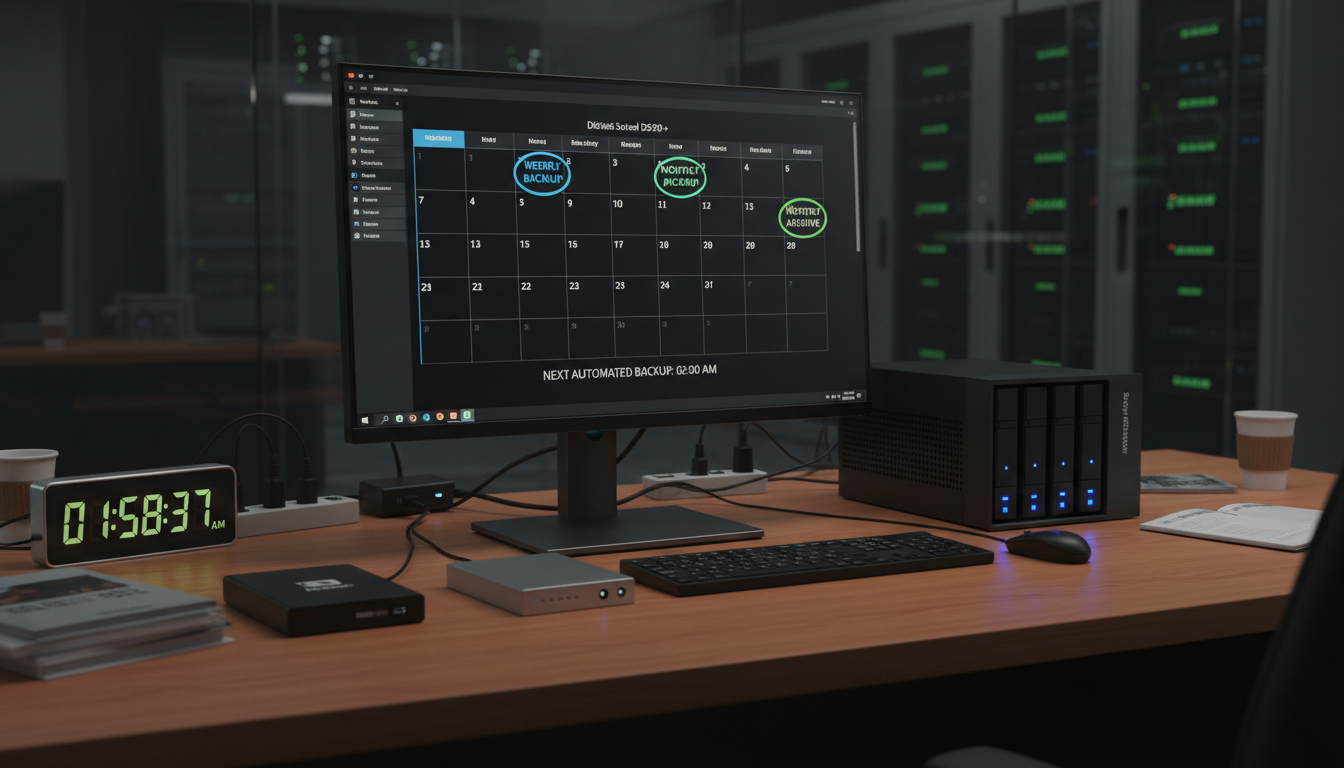
Data is the lifeblood of every modern business. Customer records, financial transactions, emails, contracts, project files - lose any of these and you are not just facing an inconvenience, you are staring down potential regulatory fines, reputational damage, and in the worst cases, permanent closure. Yet a staggering number of UK SMEs still treat backup as an afterthought, running infrequent or untested backups that would leave them dangerously exposed in a real disaster.
The question is not whether you should back up your data - that much is obvious. The real question is how often. And the answer depends on the type of data you hold, how quickly it changes, what your industry regulators demand, and how much data loss your business can actually survive.
At Cloudswitched, we design and manage backup strategies for businesses across London and the UK. In this guide, we break down everything you need to know about backup frequency - from the technical concepts like RPO and RTO through to practical schedules by business type, compliance requirements under GDPR, and the tools and strategies that keep your data safe without breaking the bank.
Understanding RPO and RTO: The Two Numbers That Define Your Backup Strategy
Before we talk about how often to back up, you need to understand two critical concepts that underpin every backup decision. These are not just technical jargon - they are business decisions that directly affect your bottom line.
Recovery Point Objective (RPO)
Your RPO answers the question: how much data can you afford to lose? It is measured in time. If your RPO is 24 hours, you are saying that losing up to one full day of data is acceptable. If your RPO is 15 minutes, you need backups running at least every quarter of an hour.
Think of it this way - if your systems failed right now, how far back could you afford to rewind? If your e-commerce site processes £50,000 in transactions per day, losing 24 hours of order data is catastrophic. Your RPO needs to be minutes, not hours.
Recovery Time Objective (RTO)
Your RTO answers a different question: how long can your business survive without its systems? This is the maximum acceptable downtime from the moment of failure to the moment you are back up and running. An RTO of 4 hours means your backup and recovery solution must be capable of restoring full operations within that window.
RPO and RTO are not the same thing, and confusing them is a common and costly mistake. A business might have an RPO of 1 hour (they back up every hour) but an RTO of 8 hours (it takes 8 hours to restore from that backup). You need to define both, because a fast backup is useless if recovery takes days.
| Metric | What It Measures | Key Question | Typical Range for SMEs |
|---|---|---|---|
| RPO | Maximum acceptable data loss | How much data can we afford to lose? | 15 minutes – 24 hours |
| RTO | Maximum acceptable downtime | How long can we be offline? | 1 hour – 48 hours |
Backup Frequency by Data Type
Not all data is created equal. A sensible backup strategy treats different categories of data with different levels of urgency. Backing up everything at the same frequency is either wasteful (too frequent for static data) or dangerous (too infrequent for critical data).
Critical Transactional Data
This includes financial records, payment transactions, customer orders, CRM entries, and any data that changes constantly throughout the working day. For most UK SMEs, this is the data that would cause immediate operational disruption if lost.
Recommended frequency: Real-time or continuous backup (every 5–15 minutes)
Continuous data protection (CDP) captures every change as it happens. If your business processes payments, handles customer orders, or manages time-sensitive records, anything less than near-real-time backup is a gamble.
Business Documents & Files
Word documents, spreadsheets, presentations, PDFs, contracts, and project files. These change regularly but not constantly - typically during business hours when staff are actively working on them.
Recommended frequency: Every 1–4 hours during business hours
Email & Communications
Email is both a communication tool and a legal record. Under GDPR and various industry regulations, you may be required to retain emails for specific periods. Email data grows constantly and contains irreplaceable business correspondence.
Recommended frequency: Every 1–2 hours, with daily full backup
System Configurations & Server Images
Operating system settings, application configurations, server images, and network device configurations. These change infrequently but are essential for rapid disaster recovery - without them, rebuilding your infrastructure from scratch could take days.
Recommended frequency: Daily incremental, weekly full image
Archived & Historical Data
Data that is no longer actively used but must be retained for compliance, legal, or reference purposes. This includes old financial records, completed project files, and historical databases.
Recommended frequency: Weekly incremental, monthly full backup
The 3-2-1 backup rule remains the gold standard: keep 3 copies of your data, on 2 different types of media, with 1 copy stored offsite (ideally in the cloud). This protects you against hardware failure, ransomware, fire, flood, and theft - all in one strategy.
Backup Frequency Comparison: Real-Time vs Daily vs Weekly
Choosing the right backup frequency is a balancing act between data protection, cost, and system performance. Here is how the three most common frequencies compare across the metrics that matter.
| Factor | Real-Time / Continuous | Daily | Weekly |
|---|---|---|---|
| Data loss risk (RPO) | Near zero (seconds) | Up to 24 hours | Up to 7 days |
| Recovery speed (RTO) | Minutes | 1–4 hours | 4–24 hours |
| Storage requirements | High - constant snapshots | Moderate | Low |
| Network bandwidth impact | Continuous but small transfers | Large nightly transfer | Very large weekly transfer |
| Monthly cost (25 users) | £150–£400 | £50–£150 | £20–£60 |
| Best for | Finance, e-commerce, healthcare | General office, professional services | Static archives, seasonal data |
| GDPR suitability | Excellent | Good | Marginal for active data |
Visual Comparison: Maximum Data Loss by Backup Frequency
This chart shows the worst-case data loss for each backup frequency. The numbers represent the maximum hours of work that could be lost if a failure occurs immediately before the next scheduled backup.
The visual makes the risk stark. A weekly backup means you could lose an entire week of work - every email sent, every invoice raised, every customer record created. For most active businesses, that is simply unacceptable.
Continuous vs Scheduled Backup: Which Is Right for Your Business?
The two fundamental approaches to backup are continuous data protection (CDP) and traditional scheduled backups. Each has clear advantages depending on your business requirements, budget, and the nature of your data.
Continuous Data Protection (CDP)
Scheduled Backup (Daily/Weekly)
The best backup strategies use a hybrid approach - continuous backup for critical databases and transactional systems, combined with daily scheduled backups for documents and email, and weekly full images for system recovery. This gives you comprehensive protection without excessive storage costs.
Backup Schedules by Business Type
Every business is different, and your backup frequency should reflect the specific risks, data volumes, and compliance requirements of your sector. Here is what we recommend at Cloudswitched based on our experience supporting businesses across London and the wider UK.
| Business Type | Critical Data | Recommended RPO | Backup Frequency | Retention Period |
|---|---|---|---|---|
| E-commerce & Retail | Orders, payments, inventory | 5–15 minutes | Continuous (CDP) | 90 days + annual archive |
| Accountancy & Finance | Client records, tax files, payroll | 15–30 minutes | Continuous during tax season, 4-hourly otherwise | 7 years (HMRC requirement) |
| Legal & Law Firms | Case files, contracts, correspondence | 30–60 minutes | Hourly during business hours, daily full | 6–15 years (varies by case type) |
| Healthcare & Medical | Patient records, prescriptions, referrals | 5–15 minutes | Continuous (CDP) | 8+ years (NHS guidelines) |
| Professional Services | Project files, timesheets, client data | 1–4 hours | 4-hourly incremental, daily full | 6 years minimum |
| Creative & Media Agencies | Design files, video assets, client work | 2–4 hours | 4-hourly incremental, daily full | 2 years + project archive |
| Construction & Property | Plans, contracts, H&S records | 4–8 hours | 4-hourly during hours, daily full | 6+ years for contracts |
| Charities & Non-Profits | Donor records, Gift Aid data | 4–12 hours | Daily incremental, weekly full | 6 years (Gift Aid) |
| Hospitality & Restaurants | Bookings, POS data, stock | 1–4 hours | Hourly for POS, daily for everything else | 2 years minimum |
| Manufacturing & Distribution | Orders, supply chain, quality records | 30–60 minutes | Continuous for ERP, 4-hourly for files | 6+ years |
If your business holds personal data - and almost every business does - you are legally required under GDPR to implement appropriate technical and organisational measures to protect that data. The ICO has made it clear that inadequate backup procedures constitute a failure of these obligations. Fines can reach up to £17.5 million or 4% of annual global turnover, whichever is greater.
GDPR and UK Compliance Requirements for Data Backup
Since the UK left the EU, data protection is governed by the UK GDPR and the Data Protection Act 2018. While the fundamental principles remain aligned with the EU regulation, UK businesses need to be aware of specific compliance requirements that directly impact their backup strategy.
What GDPR Requires for Backup
Article 32 of the UK GDPR requires organisations to implement measures ensuring the ongoing confidentiality, integrity, availability and resilience of processing systems and services. It also requires the ability to restore the availability and access to personal data in a timely manner in the event of a physical or technical incident.
In practical terms, this means:
- Regular, tested backups - having a backup is not enough; you must verify it works through regular test restores
- Encryption at rest and in transit - backup data must be encrypted, particularly if stored offsite or in the cloud
- Access controls - backup data must be protected with the same access restrictions as the live data
- Data retention alignment - your backup retention periods must respect the right to erasure (the right to be forgotten)
- Documentation - you must be able to demonstrate your backup procedures to the ICO if required
Backup Retention and the Right to Erasure
One of the trickiest aspects of GDPR compliance for backups is handling Subject Access Requests (SARs) and erasure requests. If a customer exercises their right to be forgotten, that request theoretically extends to backup copies of their data. In practice, the ICO recognises that immediate deletion from all backups is often impractical, but you must have a documented process for ensuring the data is deleted when backups are eventually restored or recycled.
The ICO guidance states that where personal data exists in backup systems, organisations should ensure it is overwritten or deleted as part of routine backup cycling. You do not need to perform immediate deletion from every backup tape, but you must document your approach and ensure compliance when data is restored. This is why shorter retention periods for operational backups (30–90 days) are preferred wherever possible.
Industry-Specific Retention Requirements
| Regulation / Body | Sector | Minimum Retention | Backup Implication |
|---|---|---|---|
| HMRC | All businesses | 6 years for financial records | Annual archive backups must be retained for 6+ years |
| FCA | Financial services | 5–7 years for transaction records | Immutable backup copies required for audit trail |
| SRA | Legal firms | 6–15 years depending on case type | Long-term archive storage with verified integrity |
| NHS / CQC | Healthcare | 8 years (adults), 25 years (children) | Encrypted, access-controlled archive backups |
| ICO (UK GDPR) | All holding personal data | Only as long as necessary | Backup retention must align with data minimisation principle |
| Companies House | All limited companies | 6 years for accounting records | Annual full backups with offsite storage |
Rating Backup Strategies: A Practical Scorecard
Not all backup strategies are created equal. Here is how we rate the most common approaches used by UK SMEs, based on our experience managing backup infrastructure for businesses of all sizes.
Cloud-Based Continuous Backup (e.g., Azure / Veeam)
Daily Cloud Backup (e.g., Microsoft 365 Backup)
On-Premise NAS / External Hard Drive
Manual USB / Tape Backup
Relying solely on USB drives or external hard drives is one of the most dangerous backup practices we encounter. These devices fail without warning, are easily lost or stolen, and offer zero protection against ransomware, fire, or flood. If your current backup strategy involves someone physically plugging in a USB drive at the end of each day, you are one forgotten Friday away from disaster.
The True Cost of Data Loss: Why Backup Frequency Matters
Many business owners view backup as a cost centre - money spent on something they hope never to need. But the numbers tell a very different story. The cost of not having adequate backup dwarfs the cost of implementing it properly.
Estimated Annual Cost of Backup Solutions
The maths is unambiguous. Even the most comprehensive backup solution - continuous cloud backup with full disaster recovery - costs a fraction of what a single day of unplanned downtime would cost your business. Backup is not an expense; it is the cheapest insurance policy you will ever buy.
Common Backup Mistakes UK Businesses Make
After years of managing backup infrastructure for UK SMEs, the team at Cloudswitched has identified the same mistakes appearing time and again. Avoiding these pitfalls is just as important as choosing the right backup frequency.
1. Never Testing Restores
This is by far the most common and most dangerous mistake. A backup that has never been tested is not a backup - it is a hope. We have encountered businesses that diligently ran nightly backups for years, only to discover that the backup file was corrupted, the restore process was broken, or critical databases were never included in the backup job.
Our recommendation: test a full restore at least quarterly. For critical systems, test monthly.
2. Backing Up to the Same Physical Location
If your backup drive sits next to the server it is protecting, a fire, flood, or theft eliminates both simultaneously. This is shockingly common among small businesses who use NAS devices or external hard drives stored in the same office.
3. Not Backing Up Cloud Services
Many businesses assume that because their data is “in the cloud” with Microsoft 365 or Google Workspace, it is automatically backed up. This is dangerously wrong. Microsoft’s shared responsibility model explicitly states that data protection is the customer’s responsibility. Microsoft protects the infrastructure; you protect your data.
Microsoft 365 retains deleted items for only 93 days by default. After that, your data is gone permanently. If an employee accidentally deletes a critical SharePoint library or a departing staff member wipes their mailbox, you have a limited window to recover it - and that window is far shorter than most businesses realise.
4. Using Consumer-Grade Tools for Business Data
Dropbox, Google Drive, and iCloud are synchronisation tools, not backup solutions. If a file is deleted or corrupted on one device, that deletion or corruption is synchronised everywhere. True backup requires versioning, retention policies, encryption, and independent storage.
5. No Documented Backup Policy
Even businesses with decent backup technology often lack a documented policy that defines what is backed up, how often, where the backups are stored, who is responsible, and how restores are tested. Without documentation, your backup strategy exists only in one person’s head - and when that person leaves, so does your institutional knowledge.
Building Your Backup Policy: A Step-by-Step Guide
A robust backup policy does not need to be a 50-page document. It needs to be clear, practical, and regularly reviewed. Here are the essential elements every UK SME should include.
Step 1: Classify Your Data
Audit every data source in your business and categorise it by criticality: mission-critical, important, standard, or archival. This classification drives your backup frequency decisions.
Step 2: Define Your RPO and RTO
For each data category, set explicit RPO and RTO targets. Be realistic - these targets directly influence cost. An RPO of zero is technically achievable but expensive; an RPO of 4 hours covers most professional services businesses comfortably.
Step 3: Choose Your Backup Architecture
Based on your RPO/RTO targets, select the appropriate combination of local and cloud backup. Most SMEs benefit from a hybrid approach: local backup for fast recovery combined with cloud replication for disaster protection.
Step 4: Implement the 3-2-1 Rule
Ensure every piece of critical data exists in three copies, across two different storage types, with one copy offsite. This simple framework protects against virtually every failure scenario.
Step 5: Schedule and Automate
Remove human error from the equation by automating every backup job. Manual backups are forgotten, skipped, and inconsistent. Every modern backup solution supports scheduling - use it.
Step 6: Test, Test, Test
Schedule quarterly restore tests as a non-negotiable calendar item. Document the results. If a test fails, treat it as a critical incident and resolve it immediately.
Step 7: Review Annually
Your data landscape changes constantly. New applications, new staff, new regulations - your backup policy must evolve to match. Schedule an annual review to ensure your strategy still aligns with your business reality.
At Cloudswitched, we include backup policy development and quarterly testing as standard in our managed IT support packages. We believe backup should never be an afterthought or an add-on - it is a fundamental component of responsible IT management, and we treat it accordingly.
How Cloudswitched Approaches Business Backup
Our approach to backup is built on three principles: automation, redundancy, and verification. Every client receives a tailored backup strategy that reflects their specific data types, compliance obligations, and recovery requirements.
| What We Do | How We Do It | Why It Matters |
|---|---|---|
| Data classification audit | Comprehensive assessment of all data sources, volumes, and criticality | Ensures nothing falls through the cracks |
| Tailored RPO/RTO targets | Collaborative workshop with your team to set realistic, affordable targets | Balances protection with budget |
| Automated cloud backup | Azure-based backup with AES-256 encryption at rest and in transit | Enterprise-grade security for SME budgets |
| Microsoft 365 backup | Third-party backup of Exchange, SharePoint, OneDrive, and Teams | Closes the gap in Microsoft’s shared responsibility model |
| Quarterly restore testing | Full test restores documented and reported to your team | Proves your backup actually works when you need it |
| 24/7 monitoring | Automated alerts for backup failures, with immediate remediation | No silent failures - every backup is verified |
| GDPR compliance documentation | Retention policies, encryption records, and processing logs maintained | Ready for ICO audit at any time |
| Disaster recovery planning | Documented DR plan with defined roles, procedures, and communication chains | Ensures calm, structured response in a crisis |
Frequently Asked Questions
Is daily backup enough for my business?
It depends on your data. For businesses that primarily work with documents and email, daily backup with a 24-hour RPO may be sufficient. However, if you process transactions, manage customer records in a CRM, or run an e-commerce platform, daily backup means you could lose up to 24 hours of data. For most active businesses, we recommend at minimum 4-hourly incremental backups during business hours.
Do I need to back up Microsoft 365?
Yes, absolutely. Microsoft provides infrastructure resilience (their servers will not fail) but does not protect your data against accidental deletion, malicious insiders, or ransomware. A third-party backup solution for Microsoft 365 is essential, and the cost is typically just £2–£4 per user per month.
How long should I keep my backups?
This depends on your industry and legal obligations. At minimum, keep operational backups for 30–90 days to enable point-in-time recovery. For compliance, retain annual archive backups for 6–7 years (HMRC requirement). Sector-specific requirements may demand longer retention - up to 25 years for children’s health records.
What is the difference between backup and disaster recovery?
Backup is the process of copying your data to a safe location. Disaster recovery (DR) is the broader plan for restoring your entire IT environment - servers, applications, network, and data - after a major incident. Backup is a component of DR, but DR also includes failover systems, communication plans, and tested procedures for getting your business operational again.
How much does business backup cost in the UK?
For a typical 25-user SME, expect to pay between £50 and £300 per month depending on the frequency, storage volume, and level of management. Continuous backup with full disaster recovery sits at the higher end, while basic daily cloud backup is very affordable. The key is matching the investment to the value of your data and the cost of losing it.
Protect Your Business Data with Cloudswitched
Whether you need a complete backup strategy from scratch or want to upgrade from an unreliable existing solution, our team will design, implement, and manage a backup plan tailored to your business. Every solution includes automated monitoring, quarterly restore testing, and full GDPR compliance documentation - so you can focus on running your business, not worrying about data loss.

CloudSwitched
London-based managed IT services provider offering support, cloud solutions and cybersecurity for SMEs.


