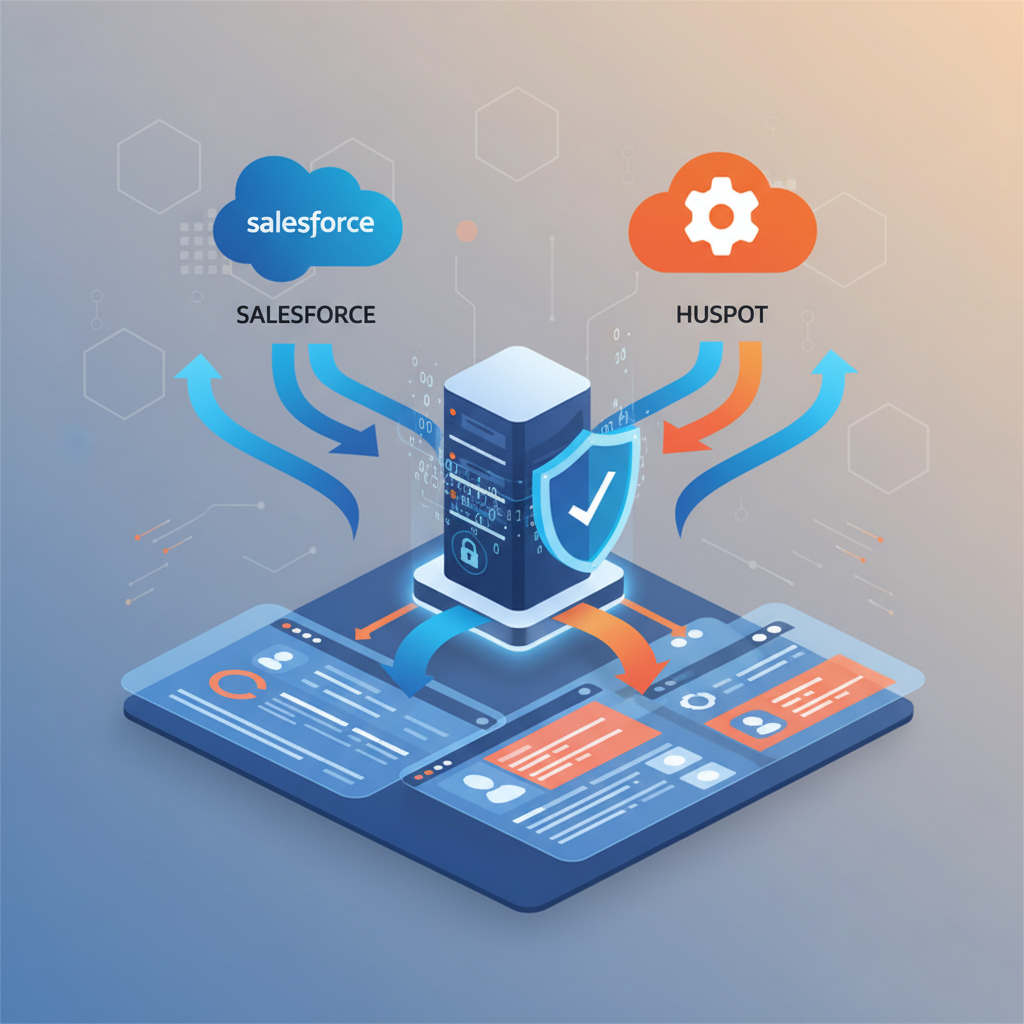
Most UK businesses now rely on Software-as-a-Service applications for critical operations - from customer relationship management in Salesforce to marketing automation in HubSpot, and productivity tools in Microsoft 365. Yet a dangerous misconception persists: many organisations assume their SaaS provider is responsible for backing up their data. In reality, the shared responsibility model means your data protection is ultimately your problem.
The consequences of SaaS data loss are severe and often irreversible. Accidental deletions, malicious actions by disgruntled employees, synchronisation errors, and third-party app integrations gone wrong can all result in permanent data loss - and your SaaS provider’s native recovery options are typically limited in scope and time.
This guide explains why SaaS backup is essential, how to protect your most critical cloud applications, and what UK businesses need to consider when building a comprehensive SaaS data protection strategy.
The Shared Responsibility Model Explained
Every major SaaS provider operates under a shared responsibility model. This means the provider is responsible for the availability and security of the platform infrastructure, while you - the customer - are responsible for the data you put into it.
Salesforce, HubSpot, Microsoft, and Google all make this clear in their terms of service, though few customers read the fine print. In practical terms, this means:
- Platform uptime and availability
- Infrastructure security and patching
- Disaster recovery of the platform itself
- Physical data centre protection
- Network and application-level security
- Backing up your data within the platform
- Protecting against accidental or malicious deletion
- Managing user access and permissions
- Compliance with data protection regulations
- Recovery from data corruption or loss events
Salesforce’s Recycle Bin retains deleted records for only 15 days. HubSpot’s restore options are limited to 90 days for most object types. Microsoft 365 retention policies vary by service. After these windows close, your data is gone permanently unless you have an independent backup solution in place.
Why SaaS Providers Don’t Back Up Your Data
It’s important to understand that SaaS providers replicate your data for their own high-availability purposes - this is not the same as backup. Replication ensures the platform stays online if a server fails. But replication faithfully copies deletions and corruption too, which means if your data is damaged or deleted, the replicated copies are equally damaged or deleted.
SaaS providers don’t offer comprehensive backup services for several reasons: it would significantly increase their infrastructure costs, it creates complex liability issues around data retention and privacy regulations, and frankly, data protection is considered the customer’s responsibility under their terms of service.
Assessing Your SaaS Backup Readiness
Before implementing any backup solution, UK businesses should evaluate their current level of preparedness across several key dimensions. The following assessment reflects common readiness scores observed among mid-market UK organisations, based on industry benchmarking data from UK cloud security consultancies. Most businesses score well on basic platform awareness but fall short on compliance automation, disaster recovery testing, and cross-platform orchestration - the areas where data loss incidents are most likely to cause lasting damage.
These scores highlight a common pattern among UK businesses: while most have some awareness of backup needs and basic coverage in place, the operational maturity required for reliable recovery - regular testing, compliance automation, and metadata protection - lags significantly behind. Organisations scoring below 40 in recovery testing frequency should treat this as an immediate priority, as untested backups provide false confidence that evaporates during an actual data loss event.
Salesforce Backup Options
Salesforce is often the most critical SaaS application for sales-driven organisations, making its backup particularly important. Here are the available approaches:
Native Salesforce Tools
Salesforce offers a weekly data export feature that allows you to download your data as CSV files. This is better than nothing, but it’s manual, limited to weekly frequency, and restoring from CSV files is a complex and error-prone process. Salesforce also offers “Backup and Restore” as an add-on product, though it comes at significant additional cost.
Third-Party Backup Solutions
For most organisations, a dedicated third-party backup tool provides the best protection. These solutions offer automated daily backups, granular restore capabilities, and metadata backup that native tools often miss.
| Solution | Backup Frequency | Metadata Backup | Granular Restore | Typical Cost |
|---|---|---|---|---|
| OwnBackup (Own Company) | Daily | Yes | Record-level | £3–£8 per user/month |
| Spanning Backup | Daily | Yes | Record-level | £2–£5 per user/month |
| Grax | Configurable | Yes | Record-level | £4–£10 per user/month |
| Salesforce Backup and Restore | Daily | Limited | Object-level | £5–£12 per user/month |
| Weekly Data Export (Native) | Weekly | No | Manual CSV | Free (included) |
Salesforce Metadata Protection
One aspect of Salesforce backup that many UK businesses overlook is metadata protection. Salesforce metadata includes custom objects, fields, page layouts, workflows, validation rules, Apex classes, and Lightning components. These configuration elements represent hundreds or thousands of hours of development work. A misconfigured deployment, a poorly tested package installation, or a rogue administrator change can corrupt metadata in ways that are extremely difficult to reverse without a clean backup. Third-party solutions that capture metadata snapshots alongside data backups provide essential protection for organisations with complex Salesforce implementations.
HubSpot Backup Strategies
HubSpot presents unique backup challenges because of its interconnected data model. Contacts, companies, deals, tickets, and marketing assets are all linked together, and preserving these relationships during backup and restore is critical.
HubSpot’s native export functionality allows you to export contacts, companies, deals, and tickets as CSV files. However, this doesn’t capture workflows, email templates, landing pages, forms, or the relationships between records. For comprehensive protection, you need a solution that backs up both structured data and marketing assets.
Schedule weekly exports of your core CRM data (contacts, companies, deals) as a baseline, and supplement this with a third-party backup tool that captures workflows, email templates, and relationship data. This two-pronged approach ensures you can recover from both minor data loss and major incidents.
HubSpot API Considerations for UK Businesses
UK businesses using HubSpot should be aware that backup solutions relying on the HubSpot API are subject to rate limits that can affect backup completeness for larger databases. HubSpot’s API rate limits currently allow 100 requests per 10 seconds for OAuth apps, which means a CRM database with 500,000 contacts could take several hours to back up completely. Organisations with large HubSpot databases should verify that their chosen backup solution handles rate limiting gracefully - pausing and resuming rather than failing silently, which would leave gaps in the backup that only become apparent during a recovery attempt.
Microsoft 365 Backup Considerations
Microsoft 365 is arguably the most widely deployed SaaS platform in UK businesses, covering email (Exchange Online), file storage (OneDrive and SharePoint), and collaboration (Teams). Microsoft’s native retention policies provide some protection, but they are not a substitute for proper backup.
Exchange Online retains deleted items for 14 days by default (extendable to 30 days). SharePoint and OneDrive have version history and a recycle bin with a 93-day retention period. However, these native tools have significant limitations for bulk recovery scenarios, and Microsoft explicitly recommends third-party backup in their service documentation.
Microsoft 365 Backup for Regulated UK Industries
UK financial services firms regulated by the FCA face specific data retention obligations under MiFID II and the Senior Managers and Certification Regime (SMCR) that extend well beyond Microsoft’s native retention capabilities. Email communications related to financial transactions must be retained for a minimum of five years, and in some cases seven years. Legal firms regulated by the SRA have similar obligations around client communication retention. Native Microsoft 365 retention policies can technically be configured for these periods, but they lack the granular search, legal hold, and export capabilities that regulators expect during audits or investigations. A dedicated backup solution with compliance-grade search and export fills this gap.
Google Workspace Backup Requirements
Google Workspace (formerly G Suite) is the second most popular productivity platform among UK businesses after Microsoft 365, yet its backup needs are frequently overlooked. Google Drive, Gmail, Google Calendar, and shared drives all contain business-critical data that is subject to the same shared responsibility model as other SaaS platforms.
Google’s native data recovery options are limited. Google Vault provides archiving and eDiscovery capabilities, but it is not a backup tool - it cannot restore individual files or emails to their original location, and it requires a separate licence. Deleted files in Google Drive are recoverable from the Trash for 30 days, after which an administrator can recover them for an additional 25 days. Beyond this 55-day window, data is permanently deleted. For UK businesses relying on Google Workspace for document collaboration and email, this retention window is insufficient for compliance purposes and leaves significant exposure to delayed-detection data loss incidents.
Choosing a Third-Party Backup Tool
When evaluating SaaS backup solutions, UK businesses should consider several factors beyond just the feature list:
Data residency: Under UK GDPR and the Data Protection Act 2018, you need to know where your backup data is stored. Many providers offer EU or UK-based data centres, but you should verify this explicitly. Data stored outside the UK or an adequacy-assessed jurisdiction may create compliance issues.
Backup frequency: Daily backups are the minimum standard for business-critical applications. Some solutions offer more frequent backups (every 4, 6, or 8 hours) for organisations with low RPO requirements.
Restore granularity: Can you restore individual records, or only entire datasets? Granular restore capability is essential for practical day-to-day recovery scenarios, where the most common need is recovering a handful of accidentally deleted or modified records.
Restore speed: How quickly can you recover data when you need it? Some solutions offer near-instant restore for small datasets but take hours or days for bulk recovery. Understand the restore performance characteristics before you commit.
Encryption and security: Your backup data should be encrypted both in transit and at rest. Verify that the backup provider uses AES-256 encryption or equivalent, and understand who holds the encryption keys. Some UK businesses in regulated sectors require customer-managed encryption keys (CMEK) to maintain full control over data access - not all backup providers support this requirement.
Backup Frequency and Retention
Your backup frequency and retention policy should align with your organisation’s Recovery Point Objective (RPO) and any regulatory requirements. Here’s a practical framework:
UK GDPR Compliance Considerations
SaaS backup introduces specific GDPR considerations that UK businesses must address:
Right to erasure: When a data subject requests deletion of their personal data, you must ensure it is deleted from your backups as well as the live system. Some backup solutions offer selective deletion capabilities specifically for this purpose.
Data processing agreements: Your backup provider is a data processor under UK GDPR. You must have a Data Processing Agreement (DPA) in place that specifies how they handle your data, their security measures, and their obligations around breach notification.
Data residency: Backups stored outside the UK require appropriate safeguards under UK GDPR, such as Standard Contractual Clauses or an adequacy decision. Verify your backup provider’s data storage locations.
If your backup solution cannot selectively delete individual records from backups, you may face challenges complying with data subject erasure requests. Ensure your chosen solution supports granular deletion or has a clear process for handling these requests within the regulatory timeframe.
Industry-Specific Backup Requirements for UK Sectors
Different UK industry sectors face distinct regulatory and operational requirements that influence SaaS backup strategy. Understanding these sector-specific needs ensures your backup approach meets both general best practice and the particular obligations of your industry.
Financial services: UK firms regulated by the FCA must comply with operational resilience requirements under PS21/3, which mandate that important business services can be restored within stated impact tolerances. For firms relying on Salesforce for client management or Microsoft 365 for communication, SaaS backup is a core component of operational resilience. The FCA expects firms to test their recovery capabilities regularly and document the results. Firms should maintain backup retention periods of at least seven years for transaction-related data and five years for general business records.
Legal services: Law firms regulated by the SRA must protect client data with particular care. The SRA Accounts Rules require financial records to be maintained for at least six years after the relevant accounting period. Client matter files are typically retained for 6–15 years depending on the area of law. SaaS backup for legal firms must capture not just CRM and email data but also matter management systems, document management platforms, and time recording applications - all of which increasingly run as SaaS services in modern UK law firms.
Healthcare: NHS trusts and private healthcare providers handling patient data must comply with the NHS Data Security and Protection Toolkit, which includes specific requirements around data backup and recovery. The Toolkit mandates that organisations can restore critical data from backup within defined timeframes and that backups are tested regularly. For healthcare organisations using SaaS clinical systems, CRM platforms for patient engagement, or cloud-based appointment booking, dedicated backup ensures compliance with these requirements.
Education: UK universities and schools handling student data must comply with both UK GDPR and sector-specific guidance from the Department for Education. SaaS platforms used for student records, learning management, and communication contain sensitive personal data that requires comprehensive backup protection. The academic calendar creates natural high-risk periods - enrolment, examination, and results publication - when data loss would be particularly damaging.
Cost of SaaS Data Loss
The financial impact of SaaS data loss extends far beyond the immediate recovery effort. Consider these cost factors:
Direct recovery costs: Engineering time to identify what was lost, attempt recovery through native tools, and rebuild data manually. For a significant Salesforce data loss, this alone can run into tens of thousands of pounds.
Business disruption: Sales teams without CRM data cannot work effectively. Marketing campaigns pause. Customer service suffers. The productivity impact compounds daily until data is restored.
Regulatory penalties: If personal data is permanently lost due to inadequate backup, this may constitute a breach under UK GDPR, potentially triggering notification requirements and fines from the ICO.
Customer trust: If data loss affects customer-facing services or forces you to contact customers about lost data, the reputational damage can have long-term revenue implications.
A 2025 report from the UK Cyber Security Breaches Survey found that the average cost of a significant data loss incident for UK mid-market businesses exceeded £87,000 when including direct costs, business disruption, and regulatory consequences. For organisations in regulated sectors, this figure rises substantially - financial services firms reported average incident costs exceeding £200,000 when FCA-related remediation and reporting obligations were included.
Automated vs Manual Exports
Many UK businesses still rely on manual data exports as their “backup strategy” for SaaS applications. While better than nothing, this approach has significant limitations:
- Free (no additional software cost)
- Relies on someone remembering to run the export
- CSV format - complex to restore relationships
- Doesn’t capture metadata, workflows, or configurations
- Restoring is a manual, error-prone process
- No alerting if exports fail or are missed
- Monthly per-user cost (£2–£10 typically)
- Runs automatically on schedule without human intervention
- Preserves data relationships and record hierarchies
- Captures metadata, configurations, and attachments
- One-click or automated restore capabilities
- Monitoring, alerting, and compliance reporting built in
Disaster Recovery Testing and Validation
Having backups in place is only half the equation - you must verify that those backups actually work through regular testing. A disturbingly high proportion of UK businesses discover that their backups are incomplete, corrupted, or untested only when they need to perform a real recovery. According to a survey by the British Computer Society, 43% of UK organisations have never tested a full restore from their SaaS backup solution.
Effective disaster recovery testing for SaaS backup should follow a structured cadence. Quarterly, perform a full restore test for each critical SaaS application, restoring a representative sample of data to a sandbox environment and verifying completeness. Monthly, perform a targeted restore test for the most critical data types - high-value CRM records, recent email archives, or key SharePoint document libraries. After each test, document the results: time to restore, data completeness, and any issues encountered. This documentation becomes essential evidence during compliance audits and demonstrates due diligence to regulators.
For UK businesses subject to the FCA’s operational resilience framework, disaster recovery testing is not optional. The regulator expects firms to demonstrate that they can recover important business services within their stated impact tolerances. A backup that takes 72 hours to restore when your impact tolerance is 24 hours represents a material compliance gap that must be addressed before the next regulatory review.
Building Your SaaS Backup Strategy
Here’s a practical step-by-step approach for UK businesses looking to implement comprehensive SaaS backup:
Step 1: Audit your SaaS applications. Create a complete inventory of every SaaS application your organisation uses and classify each by criticality. Focus your initial backup efforts on tier-one applications (CRM, email, file storage).
Step 2: Understand native recovery options. Document what each provider offers natively - retention periods, export capabilities, and any built-in backup features. This helps you identify the gaps that third-party backup needs to fill.
Step 3: Define your RPO and RTO. For each critical application, determine how much data loss is acceptable (RPO) and how quickly you need to be able to restore (RTO). These requirements drive your solution selection.
Step 4: Select and implement backup solutions. Choose solutions that cover your critical applications, meet your RPO/RTO requirements, comply with UK data residency needs, and fit your budget.
Step 5: Test your restores regularly. A backup is only valuable if you can restore from it. Schedule quarterly restore tests for each critical application to verify your backup is working correctly and your team knows the recovery process.
Step 6: Document and review. Document your SaaS backup policies, assign ownership, and review the strategy annually or whenever you add new critical SaaS applications to your stack.
Emerging Trends in SaaS Data Protection
The SaaS backup landscape is evolving rapidly, and UK businesses should monitor several emerging trends that will shape data protection strategies over the coming years.
AI-powered anomaly detection: Leading backup providers are incorporating machine learning algorithms that detect unusual data changes - mass deletions, bulk modifications, or anomalous access patterns - and alert administrators before the damage spreads. For UK businesses, this capability adds a proactive layer of protection that complements traditional scheduled backups, reducing the window between a data loss event and its detection from days to minutes.
Unified multi-SaaS backup platforms: Rather than deploying separate backup solutions for each SaaS application, unified platforms that protect Salesforce, HubSpot, Microsoft 365, Google Workspace, and other services from a single console are gaining traction. For UK IT teams managing multiple SaaS applications with limited headcount, consolidated management reduces operational overhead and ensures consistent backup policies across the entire SaaS estate.
Immutable backup storage: In response to the growing ransomware threat, backup providers are offering immutable storage options where backup data cannot be modified or deleted for a specified retention period. For UK businesses concerned about sophisticated attacks that target backup repositories alongside production systems, immutable backups provide a guaranteed clean recovery point regardless of the attack vector.
Conclusion
SaaS backup is not optional - it’s a fundamental component of any modern data protection strategy. The shared responsibility model means your SaaS providers are not backing up your data in a way that protects against accidental deletion, malicious actions, or data corruption. UK businesses that rely on Salesforce, HubSpot, Microsoft 365, and other critical SaaS platforms need independent backup solutions that provide automated, comprehensive, and compliant data protection.
The cost of implementing proper SaaS backup is a fraction of the cost of a data loss incident. Whether you start with your most critical application or implement a comprehensive multi-platform strategy from day one, the important thing is to start. Your data is too valuable - and too vulnerable - to leave unprotected.
Protect Your Business-Critical SaaS Data Today
Cloudswitched helps UK businesses implement robust, automated backup solutions for Salesforce, HubSpot, Microsoft 365, Google Workspace, and other critical SaaS platforms. Our cloud backup specialists assess your data protection gaps, recommend the right solutions, and ensure full compliance with UK GDPR and sector-specific regulations.

CloudSwitched
London-based managed IT services provider offering support, cloud solutions and cybersecurity for SMEs.


