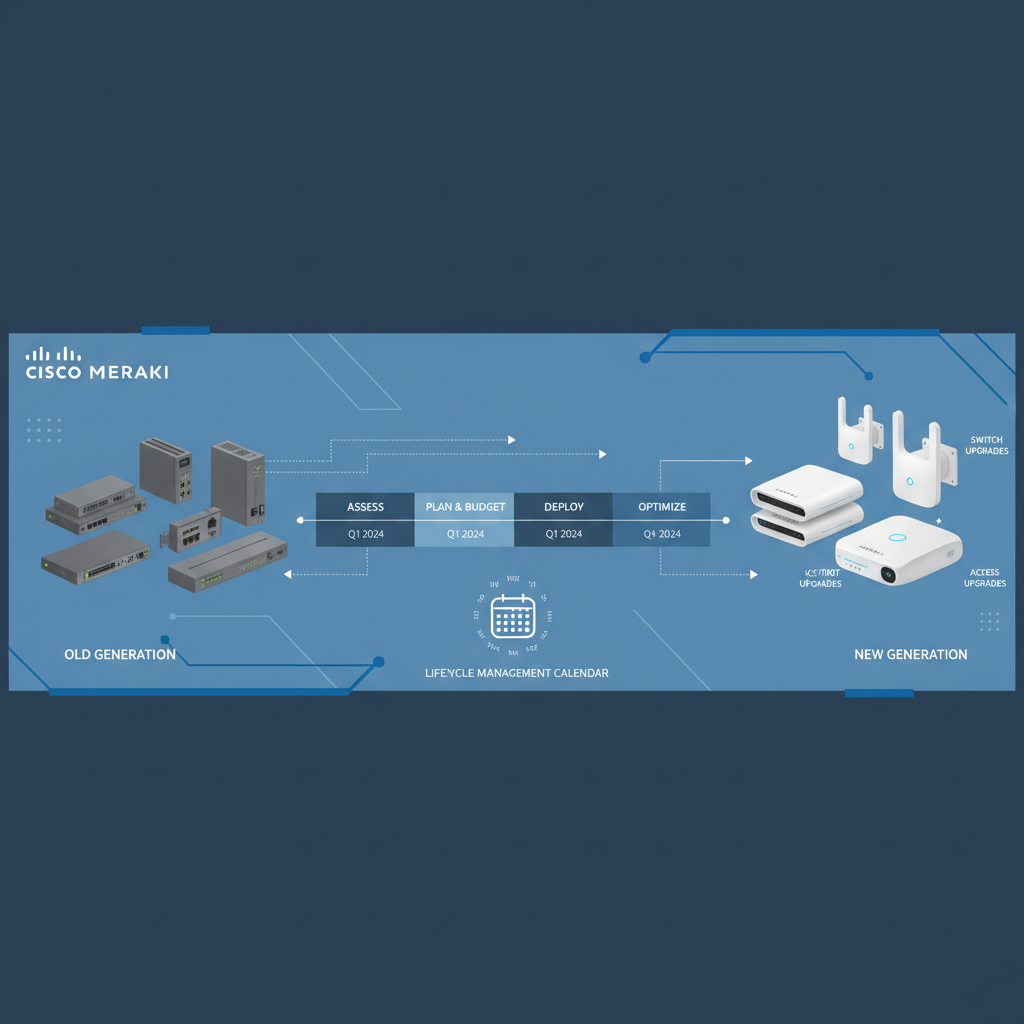
Every Cisco Meraki deployment has a lifecycle - and understanding that lifecycle is essential for any UK business that relies on cloud-managed networking. Whether you operate a single office in London or manage a distributed network spanning multiple sites across the country, planning your Meraki refresh cycle proactively can save you from costly emergency replacements, unexpected downtime, and budget surprises that derail your IT strategy.
Meraki’s cloud-managed approach simplifies day-to-day network management, but it also introduces a unique consideration that traditional networking hardware doesn’t have: licence expiry. When a Meraki licence expires, the device loses access to the Meraki Dashboard - effectively rendering it unmanageable and, in many cases, non-functional. Combine this with standard hardware end-of-life timelines, and you have two critical dates that every IT leader needs to track.
This guide walks you through everything you need to know about planning a Cisco Meraki refresh cycle - from licence management and hardware lifecycle planning to budgeting strategies, upgrade paths, and the ROI of staying ahead of the curve.
Understanding the Meraki Licence Model
Unlike traditional networking equipment where you purchase hardware and use it until it physically fails, Cisco Meraki operates on a subscription-based licensing model. Every Meraki device - whether it’s an MX security appliance, an MS switch, or an MR wireless access point - requires an active licence to function through the Meraki Dashboard.
This model delivers significant benefits: automatic firmware updates, cloud-based management, real-time analytics, and ongoing feature development. However, it also means that licence expiry is a hard deadline. When your licence lapses, the device continues to pass traffic for a grace period, but you lose all cloud management capabilities. Eventually, the device stops functioning as intended.
When a Meraki licence expires, you lose access to the Dashboard for that device. You cannot configure, monitor, or troubleshoot it remotely. For MX security appliances, this means your firewall rules, VPN tunnels, and content filtering may stop working entirely. Never let licences expire without a renewal or replacement plan in place.
Licence Tiers and What They Include
Meraki offers different licence tiers depending on the product line. Understanding what each tier provides helps you make informed decisions during your refresh planning:
| Product Line | Licence Tier | Key Features | Typical Annual Cost (Per Device) |
|---|---|---|---|
| MX Security Appliance | Enterprise | Stateful firewall, site-to-site VPN, client VPN | £300–£1,200 |
| MX Security Appliance | Advanced Security | Enterprise features plus IDS/IPS, content filtering, anti-malware | £500–£2,000 |
| MS Switch | Standard | Cloud management, monitoring, firmware updates | £100–£400 |
| MR Access Point | Enterprise | Cloud management, RF optimisation, guest access | £100–£300 |
| MR Access Point | Advanced | Enterprise features plus analytics, location services | £150–£450 |
Hardware End-of-Life Timelines
Separate from licence expiry, Meraki hardware follows a standard Cisco lifecycle process. Understanding these stages helps you anticipate when replacement becomes necessary:
The key date to watch is the End-of-Sale announcement. Once Cisco announces that a particular Meraki model is reaching end-of-sale, you typically have 6 to 12 months to purchase that model before it’s no longer available. After that, you’re committed to the replacement model for any new deployments or expansions.
Create a spreadsheet or use the Meraki Dashboard’s licence tracking to monitor every device’s licence expiry date and its hardware end-of-life status. Cisco publishes end-of-life bulletins on their website - subscribe to notifications for every Meraki product line you deploy.
Phased vs Big-Bang Replacement
When it comes to executing your refresh, you have two primary approaches. Each has distinct advantages depending on your organisation’s size, budget, and risk tolerance:
- Spread costs across multiple budget cycles
- Lower risk - issues affect only a portion of the network
- Easier to manage change and user disruption
- Can prioritise critical sites or ageing hardware first
- More complex project management required
- Mixed-generation hardware during transition period
- Ideal for organisations with 5+ sites or tight annual budgets
- Single procurement event - potentially better volume pricing
- Uniform hardware generation across all sites
- Simpler ongoing management with identical configurations
- One project timeline to manage
- Higher upfront capital expenditure
- Greater risk if issues arise during deployment
- Ideal for smaller deployments or organisations with available CapEx
For most UK SMEs with multiple sites, a phased approach is the more practical option. It allows you to align refresh spending with annual IT budgets and reduces the operational risk of changing everything simultaneously. A typical phased plan might replace one-third of your infrastructure each year over a three-year cycle.
MX, MS, and MR Upgrade Paths
Each Meraki product line has its own upgrade path. Understanding the current generation and its successor helps you plan procurement timelines:
MX Security Appliances
The MX line has evolved significantly, with newer models offering substantially higher throughput, improved threat detection, and better VPN performance. When planning your MX refresh, pay particular attention to your current throughput utilisation - if you’ve grown since the original deployment, you may need to move up a tier rather than simply replacing like-for-like.
MS Switches
Meraki switches have progressed through several generations, with each offering improved power budgets for PoE, higher port densities, and enhanced stacking capabilities. The MS130, MS250, and MS390 families represent the current range, with the MS390 being the flagship modular platform.
MR Access Points
Wireless technology moves faster than switching or security, driven by new Wi-Fi standards. The jump from Wi-Fi 5 (802.11ac) to Wi-Fi 6 (802.11ax) and now Wi-Fi 6E and Wi-Fi 7 represents a significant performance improvement that directly impacts user experience. If your access points are still running Wi-Fi 5, a refresh should be a high priority.
| Product Line | Previous Generation | Current Generation | Key Improvement | Refresh Priority |
|---|---|---|---|---|
| MX Security | MX64, MX84, MX100 | MX67, MX85, MX105 | Higher throughput, improved threat engine | Medium - refresh when licence expires |
| MS Switches | MS220, MS320, MS350 | MS130, MS250, MS390 | mGig support, higher PoE, NBASE-T | Medium - refresh alongside AP upgrades |
| MR Access Points | MR33, MR42, MR52 (Wi-Fi 5) | MR36, MR46, MR56 (Wi-Fi 6/6E) | Wi-Fi 6/6E, improved density handling | High - immediate user experience impact |
Budgeting for Your Refresh Cycle
One of the most important aspects of refresh planning is building the financial model. Meraki’s subscription model actually makes this easier than traditional CapEx-only networking, because you can predict costs years in advance.
Here’s a framework for budgeting your Meraki refresh:
Calculate your total refresh cost by combining: (1) replacement hardware cost per device, (2) new licence costs for the desired term, (3) installation and configuration labour, (4) any additional cabling or infrastructure needed, and (5) a 10–15% contingency buffer. Then divide by the number of years in your phased plan to get your annual budget requirement.
For a typical UK SME with 3–5 offices, here’s what a Meraki refresh budget might look like:
Dashboard Migration and Configuration
One of the significant advantages of the Meraki ecosystem is that your configuration lives in the cloud. When you replace a device, much of your configuration can be transferred to the new hardware through the Dashboard. However, there are important considerations:
Network-level settings such as VLAN configurations, firewall rules, and SSID profiles are typically preserved when you swap devices within the same Dashboard network. Device-specific settings like port configurations on switches may need to be reconfigured if the new model has a different port layout or capabilities.
Before any migration, export your current configuration documentation from the Dashboard. Take screenshots of critical settings, document any custom firewall rules, and ensure you have a complete inventory of your current deployment including serial numbers, licence expiry dates, and firmware versions.
The ROI of Proactive Refresh
Many organisations fall into the trap of running equipment until it fails. With Meraki, this approach is particularly costly because of the licence dependency. Here’s why proactive refresh delivers better value:
Emergency replacements are expensive in multiple ways. Beyond the premium you pay for expedited procurement and shipping, there’s the cost of unplanned downtime, emergency engineering callouts (often outside business hours), and the disruption to your team’s productivity. A planned refresh eliminates all of these costs.
Working With a Meraki Partner
Cisco Meraki products are sold exclusively through authorised partners. Choosing the right partner for your refresh project can significantly impact both the cost and the quality of your experience. Here’s what to look for:
First, ensure your partner holds current Cisco Meraki specialisation. This confirms they have certified engineers who understand the platform deeply and have access to Cisco’s technical resources and escalation paths.
Second, look for a partner that offers lifecycle management services - not just one-off sales. The best Meraki partners will proactively track your licence expiry dates, monitor end-of-life announcements, and present refresh recommendations before you even ask.
Third, consider whether your partner can provide installation, configuration, and post-deployment support. A refresh project isn’t just about buying new boxes - it’s about ensuring a smooth transition with minimal disruption to your business.
Ask potential Meraki partners these questions: How do you track our licence renewals? What is your process for end-of-life notifications? Can you provide a multi-year refresh roadmap with pricing? Do you offer installation and configuration services? What support do you provide after deployment?
Cloud-Managed Lifecycle Benefits
The cloud-managed nature of Meraki actually simplifies refresh planning compared to traditional networking equipment. Here are the key advantages:
Centralised visibility: The Meraki Dashboard gives you a single pane of glass across all your devices, making it easy to identify ageing hardware, expiring licences, and underperforming equipment.
Automatic firmware updates: Your devices receive firmware updates throughout their lifecycle, extending their useful life and ensuring security patches are applied promptly.
Configuration portability: Network-level configurations persist in the cloud, making hardware swaps significantly less labour-intensive than traditional networking refreshes.
Performance analytics: The Dashboard provides detailed performance data that helps you make data-driven refresh decisions - replace the devices that are genuinely struggling, not just the oldest ones.
Licence tracking: Built-in licence management tools show you exactly when each device’s licence expires, making it easy to plan renewals and replacements well in advance.
Assessing Your Network Refresh Readiness
Before embarking on a refresh project, it is worth evaluating where your current Meraki deployment stands across several key readiness dimensions. The following scores represent typical benchmarks we observe among UK mid-market organisations that have been running Meraki infrastructure for three to five years without a structured refresh programme in place.
Organisations scoring below 60 in any dimension should prioritise that area in their next refresh cycle. Notably, Wi-Fi standard readiness tends to be the weakest area - many deployments still rely on Wi-Fi 5 access points that cannot deliver the throughput and density handling that modern workplaces demand. Addressing these gaps systematically, rather than reactively, is the hallmark of mature network lifecycle management.
Building Your Refresh Roadmap
Bringing all of this together, here’s a step-by-step process for building your Meraki refresh roadmap:
Step 1: Audit your current deployment. Document every Meraki device across all sites, including model numbers, serial numbers, licence expiry dates, and current firmware versions. The Meraki Dashboard makes this straightforward with its inventory and licence management tools.
Step 2: Identify critical dates. Map out every licence expiry date and cross-reference with Cisco’s end-of-life bulletins. Highlight any devices that are already end-of-sale or approaching end-of-support.
Step 3: Assess performance gaps. Use Dashboard analytics to identify devices that are under strain - high CPU utilisation, port saturation on switches, or coverage gaps on wireless access points. These should be prioritised in your refresh plan regardless of their age.
Step 4: Define your refresh strategy. Choose between phased and big-bang replacement based on your budget, risk tolerance, and operational constraints. For most organisations, a 3-year phased plan offers the best balance.
Step 5: Build the financial model. Calculate total costs for hardware, licences, installation, and contingency. Present this to stakeholders with a clear comparison of proactive refresh costs vs the risk and cost of emergency replacements.
Step 6: Engage your Meraki partner. Work with your authorised partner to finalise specifications, negotiate pricing (multi-year commitments often attract discounts), and schedule deployment windows that minimise business disruption.
Step 7: Execute and document. Roll out the refresh according to your plan, documenting every change. Update your asset register and set reminders for the next refresh cycle based on your new licence terms and expected hardware lifecycle.
Common Refresh Mistakes to Avoid
Over the years, we’ve seen UK businesses make several common mistakes with their Meraki refresh cycles. Avoid these pitfalls:
Ignoring licence expiry dates until the last minute, resulting in rushed renewals at unfavourable terms or, worse, service interruptions when licences lapse unexpectedly.
Like-for-like replacement without assessing whether your requirements have changed. If your headcount has doubled since the original deployment, you likely need higher-capacity equipment.
Skipping the wireless refresh because switches and firewalls “feel” more important. In reality, Wi-Fi performance directly impacts every user’s daily experience and is often the most impactful refresh you can make.
Choosing the cheapest licence term to reduce upfront costs. Longer licence terms (3, 5, or 7 years) offer significantly better per-year pricing and reduce the administrative burden of frequent renewals.
Not budgeting for installation. New hardware still needs physical installation, cabling, and configuration. Factor in professional services costs, especially for multi-site deployments.
Conclusion
A well-planned Cisco Meraki refresh cycle is one of the most impactful things you can do for your network infrastructure. By tracking licence expiry dates, monitoring hardware end-of-life announcements, and building a proactive refresh roadmap, you protect your business from costly emergency replacements and ensure your team always has access to reliable, high-performance networking.
The cloud-managed nature of Meraki makes refresh planning more straightforward than traditional networking - but it doesn’t happen automatically. It requires deliberate attention, proper budgeting, and a trusted partner who understands your business and your technology environment.
Whether you’re approaching your first Meraki refresh or looking to formalise an ad-hoc process, start with a comprehensive audit of your current deployment and build from there. Your future self - and your finance team - will thank you for the foresight.
Need Help Planning Your Meraki Refresh Cycle?
Our Cisco Meraki specialists can audit your current deployment and build a refresh roadmap that fits your budget. Whether you need a full lifecycle review or help planning your next hardware upgrade, we’re here to help. Get in touch for a free, no-obligation consultation.
Contact Us Today
CloudSwitched
London-based managed IT services provider offering support, cloud solutions and cybersecurity for SMEs.


