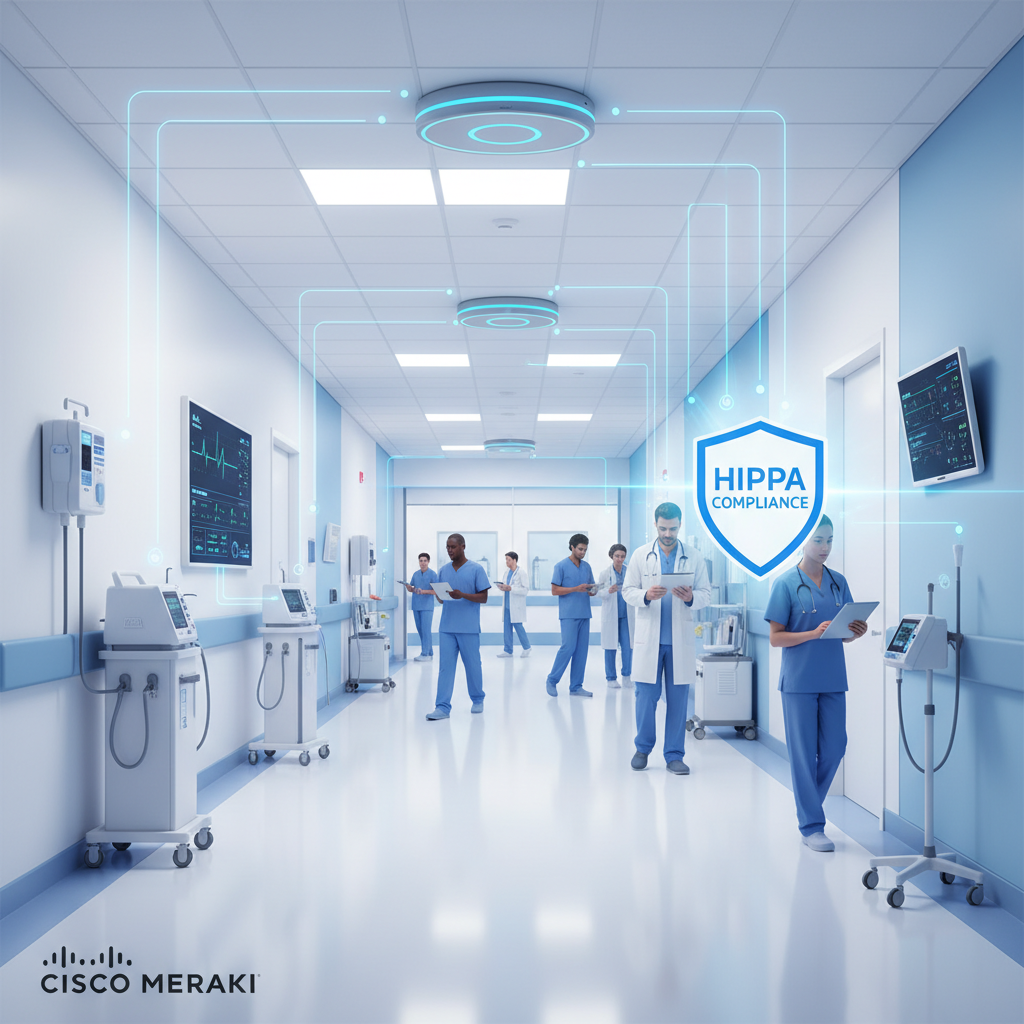
Healthcare networking sits at one of the most demanding intersections in IT - where clinical safety meets regulatory compliance, where patient privacy meets operational efficiency, and where legacy medical devices meet modern cloud services. For NHS trusts, private hospitals, GP surgeries, and specialist clinics across the United Kingdom, getting the network infrastructure right is not simply an IT decision - it’s a patient safety imperative.
Cisco Meraki has emerged as the leading cloud-managed networking platform for healthcare environments, offering a unique combination of centralised visibility, granular security controls, and simplified management that addresses the specific challenges of clinical settings. From segmenting Internet of Medical Things (IoMT) devices to providing secure guest WiFi for patients and visitors, Meraki’s architecture is purpose-built for the complexity that healthcare demands.
This guide covers everything you need to know about deploying Meraki in healthcare environments across the UK - from NHS Digital compliance and Data Security and Protection Toolkit (DSPT) requirements to VLAN isolation strategies, bandwidth management for PACS imaging, and real-world deployment architectures that protect both patients and data.
Why Healthcare Networking Is Different
Healthcare environments present networking challenges that no other sector fully replicates. The combination of life-critical systems, sensitive patient data, regulatory obligations, and an extraordinarily diverse device ecosystem creates a set of requirements that standard enterprise networking simply cannot address out of the box.
The Clinical Device Landscape
A typical NHS acute trust connects thousands of devices to its network - and the vast majority are not standard laptops or smartphones. Infusion pumps, patient monitors, MRI scanners, CT machines, ultrasound systems, nurse call stations, RFID asset trackers, environmental sensors, and building management systems all share the same physical infrastructure. Many of these devices run outdated operating systems that cannot be patched, use proprietary protocols, and were never designed with network security in mind.
This is the Internet of Medical Things (IoMT), and it represents both the greatest opportunity and the greatest risk in healthcare IT. These devices generate real-time clinical data that improves patient outcomes, but each one also represents a potential entry point for attackers. The 2017 WannaCry attack, which crippled 80 NHS organisations and cost an estimated £92 million, demonstrated exactly what happens when medical device networks lack proper segmentation and security.
Regulatory Requirements in the UK
Unlike the United States, where HIPAA provides a single federal framework for healthcare data protection, the UK operates under a layered regulatory landscape that healthcare IT teams must navigate carefully:
- UK GDPR and Data Protection Act 2018 - the foundation for all personal data processing, with healthcare data classified as “special category” requiring additional safeguards
- NHS Data Security and Protection Toolkit (DSPT) - the mandatory annual self-assessment that all organisations accessing NHS patient data must complete, covering ten data security standards
- NHS Digital standards - technical specifications for connectivity, including HSCN (Health and Social Care Network) requirements and Secure Boundary compliance
- Cyber Essentials Plus - increasingly required for NHS supply chain organisations, covering boundary firewalls, secure configuration, access control, malware protection, and patch management
- NICE and CQC guidelines - the Care Quality Commission assesses digital infrastructure as part of its inspection framework, and network reliability directly impacts care ratings
Failure to complete the Data Security and Protection Toolkit (DSPT) assessment can result in loss of access to NHS systems, inability to process patient data, and exclusion from NHS contracts. Healthcare organisations must demonstrate that their network infrastructure meets all ten National Data Guardian standards - and network segmentation is a core requirement.
Why Meraki for Healthcare?
Cisco Meraki’s cloud-managed architecture addresses healthcare networking challenges in ways that traditional on-premise solutions struggle to match. The platform’s core advantages for clinical environments include centralised management through a single dashboard, automatic firmware updates that reduce the patching burden on stretched IT teams, and granular policy controls that make regulatory compliance demonstrably easier.
Single-Pane-of-Glass Management
The Meraki dashboard provides a unified view of every access point, switch, security appliance, and camera across all sites - whether that’s a single GP surgery or a multi-site hospital trust with dozens of locations. For NHS organisations managing networks across community hospitals, outpatient clinics, and mental health facilities, this centralised visibility eliminates the need for on-site visits to troubleshoot issues or apply configuration changes.
Automated Security Updates
One of the most significant advantages for healthcare environments is Meraki’s automatic firmware and security update mechanism. Traditional networking equipment requires manual patching, often during maintenance windows that are difficult to schedule in 24/7 clinical environments. Meraki devices receive updates automatically through the cloud, with the ability to schedule update windows that align with periods of lowest clinical activity.
Built-in Compliance Reporting
Meraki’s dashboard generates the network visibility and audit trail documentation that DSPT assessors and CQC inspectors require. Every configuration change is logged, every connected device is inventoried, and network traffic patterns are retained for analysis. This built-in compliance capability significantly reduces the administrative burden of annual DSPT submissions.
Cisco Meraki Cloud-Managed
Traditional On-Premise Networking
Network Segmentation for Medical Devices
Network segmentation is the single most important security measure in healthcare networking. By dividing the network into isolated segments - each with its own security policies and access controls - you prevent a compromised device in one area from reaching critical systems in another. This is precisely how the organisations that survived WannaCry unscathed had configured their networks.
VLAN Architecture for Healthcare
Meraki switches and access points support comprehensive VLAN (Virtual Local Area Network) isolation, allowing healthcare organisations to create distinct network segments for different device categories and user groups. A well-designed healthcare VLAN architecture typically includes the following segments:
- Clinical Systems VLAN - electronic health records (EHR), clinical decision support, e-prescribing, and other patient-facing applications. This segment carries the most sensitive data and requires the strictest access controls.
- Medical Devices VLAN - IoMT devices including infusion pumps, patient monitors, ventilators, and diagnostic equipment. These devices often cannot run antivirus software and must be isolated from general traffic.
- Imaging VLAN - PACS (Picture Archiving and Communication System), RIS (Radiology Information System), MRI, CT, and X-ray equipment. This segment requires high bandwidth and low latency but must remain isolated from other traffic.
- Guest WiFi VLAN - patient and visitor internet access, completely isolated from all clinical and corporate systems.
- Corporate VLAN - administrative workstations, printers, and business applications that do not require access to clinical data.
- Voice VLAN - VoIP telephony systems with QoS prioritisation to ensure clear communications during emergencies.
- Building Management VLAN - HVAC, lighting controls, access control systems, and CCTV, isolated from all other segments.
Meraki Group Policies and Adaptive Policy
Meraki’s Group Policy feature allows administrators to define traffic shaping, bandwidth limits, firewall rules, and content filtering policies that are applied automatically when devices connect to the network. For healthcare environments, this means an infusion pump connecting to the Medical Devices VLAN automatically receives a policy that restricts its communication to the specific clinical servers it needs - and nothing else.
Meraki’s Adaptive Policy takes this further by enabling micro-segmentation based on device identity rather than VLAN membership alone. Using Security Group Tags (SGTs), administrators can define granular access policies such as “infusion pumps can communicate with the pharmacy server but not with the EHR database” - regardless of which physical switch port or wireless SSID the device uses.
Use Meraki’s Systems Manager (MDM) alongside network segmentation to create a complete device lifecycle management strategy. Systems Manager can automatically profile connecting devices, assign them to the correct VLAN, and enforce security policies - ensuring that even unmanaged IoMT devices are properly segmented from day one.
The Meraki MX Security Appliance for Healthcare
The Meraki MX is the security backbone of a healthcare Meraki deployment. Functioning as a next-generation firewall, VPN concentrator, and unified threat management (UTM) appliance, the MX provides the perimeter and inter-VLAN security that healthcare regulations demand.
Key MX Features for Clinical Environments
- Advanced Malware Protection (AMP) - powered by Cisco Talos, one of the largest commercial threat intelligence teams in the world. AMP analyses files crossing the network in real time, blocking known threats and sandboxing suspicious files for deeper analysis.
- Intrusion Detection and Prevention (IDS/IPS) - Snort-based signatures continuously updated to detect and block the latest threats targeting healthcare organisations, including ransomware variants specifically designed for hospital environments.
- Content filtering - category-based web filtering that can be applied per-VLAN, allowing clinical staff unrestricted access to medical resources whilst blocking inappropriate content on the guest WiFi network.
- Auto VPN - Meraki’s proprietary site-to-site VPN technology that establishes encrypted tunnels between healthcare sites in minutes rather than hours. For multi-site trusts, Auto VPN creates a secure mesh network connecting hospitals, clinics, and administrative offices with minimal configuration.
- SD-WAN capabilities - intelligent traffic routing across multiple internet connections, ensuring that critical clinical applications always use the highest-quality available path. If one ISP connection degrades, traffic automatically fails over to the backup - keeping EHR access and telemedicine sessions running without interruption.
Sizing the MX for Healthcare
Choosing the right MX model depends on the size of the healthcare facility, the number of concurrent users, and the throughput requirements of clinical applications. Here is a general guide for UK healthcare deployments:
- GP surgeries and small clinics (up to 50 users) - Meraki MX68 or MX75, providing up to 600 Mbps firewall throughput and adequate VPN capacity for connecting to NHS Spine and other central services. Budget approximately £1,200–£2,500 for hardware plus £400–£800 per year for licensing.
- Community hospitals and medium clinics (50–250 users) - Meraki MX95 or MX105, offering higher throughput and more concurrent VPN tunnels for connecting multiple satellite sites. Budget approximately £3,500–£7,000 for hardware plus £1,200–£2,000 per year for licensing.
- Acute trusts and large hospitals (250+ users) - Meraki MX250 or MX450, delivering enterprise-grade throughput for high-demand environments with PACS imaging, telemedicine, and thousands of IoMT devices. Budget approximately £8,000–£18,000 for hardware plus £2,500–£5,000 per year for licensing.
Guest WiFi for Patients and Visitors
Providing WiFi access for patients is no longer optional in UK healthcare. The NHS WiFi programme - which mandated free WiFi across all NHS sites - established patient connectivity as a basic expectation, and private healthcare providers have followed suit. However, patient WiFi must be implemented with rigorous isolation from clinical systems.
Meraki Splash Page and Captive Portal
Meraki access points support customisable captive portal (splash) pages that patients see when they connect to the guest WiFi network. These pages can include the trust or hospital branding, terms and conditions acceptance, and optional registration. For NHS sites, the splash page typically includes the NHS WiFi terms of service and an age-appropriate content filter notification.
Bandwidth Management for Guest Networks
Patient WiFi must never consume bandwidth needed for clinical operations. Meraki’s traffic shaping policies allow administrators to set per-client and per-SSID bandwidth limits on the guest network. A typical configuration might limit each patient device to 5 Mbps download and 2 Mbps upload - sufficient for streaming, video calls with family, and web browsing, but preventing any single user from saturating the available bandwidth.
Content Filtering on Guest Networks
The MX security appliance applies category-based content filtering to the guest WiFi VLAN, blocking access to malicious sites, phishing domains, and inappropriate content categories. This protects the hospital’s network reputation and ensures a safe browsing environment for patients of all ages.
Bandwidth Management for Imaging and PACS
Medical imaging is the single most bandwidth-intensive application in healthcare networking. A single CT scan can generate 100–500 MB of data, an MRI study can exceed 1 GB, and digital pathology whole-slide images can reach 5–10 GB per study. When radiologists, surgeons, and clinicians across multiple sites need to access these images simultaneously, the network must deliver consistent, high-throughput, low-latency connectivity.
Network Traffic by Department
QoS Configuration for Clinical Traffic
Meraki switches and access points support 802.1p and DSCP-based Quality of Service marking, ensuring that clinical traffic always receives priority over non-essential applications. A recommended QoS policy for healthcare environments assigns the following priority levels:
- Highest priority (DSCP EF/46) - VoIP and emergency communications, including nurse call systems and cardiac arrest team paging
- High priority (DSCP AF41/34) - real-time patient monitoring data, telemedicine video streams, and critical clinical applications
- Medium priority (DSCP AF31/26) - PACS imaging transfers, EHR database traffic, and e-prescribing systems
- Standard priority (DSCP 0) - corporate email, web browsing, and administrative applications
- Low priority (DSCP CS1/8) - guest WiFi traffic, software updates, and non-urgent file transfers
Monitoring IoMT Devices with Meraki
The Internet of Medical Things presents a unique monitoring challenge. Unlike standard IT assets, medical devices often use proprietary protocols, cannot run endpoint agents, and may communicate in patterns that traditional monitoring tools flag as anomalous. Meraki’s dashboard provides several IoMT-specific monitoring capabilities that healthcare organisations rely on.
Device Fingerprinting and Inventory
Meraki access points and switches automatically fingerprint connecting devices, identifying the manufacturer, operating system, and device type. For healthcare environments, this creates a continuously updated inventory of every IoMT device on the network - a critical requirement for both DSPT compliance and vulnerability management. The dashboard displays device counts by type, shows connection history, and alerts administrators when previously unseen devices appear on clinical network segments.
Anomaly Detection and Alerting
Meraki’s network analytics engine monitors traffic patterns across the entire infrastructure, identifying deviations that could indicate a security incident. If an infusion pump that normally communicates only with the pharmacy server suddenly begins sending data to an external IP address, the system generates an alert. These anomaly detection capabilities are particularly valuable for IoMT devices that cannot run traditional endpoint protection software.
Integration with Clinical Engineering
Meraki’s API allows integration with clinical engineering and biomedical equipment management systems. This integration provides a unified view of both the network connectivity status and the maintenance status of medical devices - enabling proactive identification of devices that are both network-connected and overdue for safety testing.
The MHRA (Medicines and Healthcare products Regulatory Agency) requires that all network-connected medical devices are included in the organisation’s cybersecurity risk assessment. Failure to maintain an accurate inventory of IoMT devices, or to demonstrate appropriate network segmentation, can result in regulatory action and potential liability in the event of a patient safety incident.
The Meraki Product Lineup for Healthcare
Meraki offers a comprehensive portfolio of cloud-managed networking products, each designed to work together seamlessly through the unified dashboard. Here is how each product family serves healthcare environments:
| Product | Role in Healthcare | Key Models | Starting Price |
|---|---|---|---|
| Meraki MX | Security appliance & firewall - perimeter defence, VPN, IDS/IPS, content filtering | MX68, MX95, MX250 | £1,200 |
| Meraki MS | Cloud-managed switches - VLAN segmentation, PoE for APs and IoMT devices, stacking | MS130, MS250, MS390 | £800 |
| Meraki MR | Wireless access points - clinical WiFi, guest access, device fingerprinting, location analytics | MR36, MR56, MR57 | £650 |
| Meraki MV | Smart cameras - A&E monitoring, car park security, pharmacy access control | MV13, MV33, MV73 | £900 |
| Meraki MT | Environmental sensors - temperature monitoring for medication storage, humidity tracking for server rooms | MT15, MT14, MT12 | £200 |
| Meraki SM | Systems Manager (MDM) - device enrolment, policy enforcement, app management for clinical tablets | Per-device licence | £30/device/year |
Meraki Dashboard for Clinical Environments
The Meraki dashboard is the operational nerve centre for healthcare IT teams. Accessible from any web browser with no on-premise management servers required, it provides real-time visibility into every aspect of the network - from individual device health to organisation-wide security posture.
Health and Performance Monitoring
The dashboard’s health page provides at-a-glance status indicators for every network device. For healthcare organisations, this means an IT team in the central trust office can immediately see if an access point in a remote community hospital has gone offline, if a switch in the imaging department is experiencing high utilisation, or if the MX firewall at a GP surgery is processing an unusually high volume of threat events.
Configuration Templates for Multi-Site Trusts
NHS trusts that manage multiple sites benefit enormously from Meraki’s configuration templates. A standard network configuration - including VLAN assignments, security policies, QoS settings, and SSID configurations - can be defined once and applied across all sites. When a policy change is needed (such as adding a new IoMT device category or updating content filtering rules), the change is made once in the template and automatically propagated to every site.
Role-Based Access Control
The dashboard supports granular role-based access, ensuring that clinical engineering teams can view IoMT device status without being able to modify firewall rules, whilst the network security team has full administrative access. For NHS organisations subject to DSPT requirements, this separation of duties is a documented compliance control.
Compliance with NHS Digital Standards
NHS Digital (now part of NHS England) publishes a comprehensive set of technical standards and security frameworks that healthcare organisations must adhere to. Meraki’s architecture supports compliance across the key requirements:
HSCN (Health and Social Care Network) Connectivity
The Health and Social Care Network replaced the legacy N3 network as the wide-area connectivity fabric for NHS organisations. Meraki MX appliances connect seamlessly to HSCN via supported ISP circuits, with Auto VPN providing encrypted site-to-site connectivity that meets HSCN Secure Boundary requirements. The MX’s firewall and IPS capabilities satisfy the technical controls mandated by the HSCN Connection Agreement.
Data Security and Protection Toolkit (DSPT) Alignment
The DSPT’s ten data security standards map directly to Meraki capabilities:
- Standard 1 (Personal Confidential Data) - Meraki’s VLAN isolation ensures personal data flows only through authorised network segments
- Standard 3 (Training) - the dashboard’s audit logs demonstrate which administrators have access and what changes they have made
- Standard 5 (Process Reviews) - automated compliance reports generated directly from the dashboard
- Standard 7 (Continuity Planning) - Meraki’s SD-WAN and automatic failover capabilities support business continuity requirements
- Standard 8 (Unsupported Systems) - device fingerprinting identifies legacy devices running unsupported operating systems, enabling targeted segmentation
- Standard 9 (IT Protection) - the MX’s AMP, IDS/IPS, and content filtering provide the technical controls required
- Standard 10 (Accountable Suppliers) - Cisco’s ISO 27001, SOC 2, and Cyber Essentials Plus certifications demonstrate supply chain security
Cyber Essentials Plus
For healthcare organisations seeking Cyber Essentials Plus certification, Meraki’s architecture directly supports four of the five technical control themes: boundary firewalls and internet gateways (MX), secure configuration (dashboard templates), access control (802.1X and RADIUS integration), and malware protection (AMP and content filtering). The fifth theme - patch management - is addressed by Meraki’s automatic firmware updates for network infrastructure and Systems Manager for endpoint patching.
When preparing for your annual DSPT submission, export Meraki dashboard reports covering network segmentation, device inventory, security event logs, and configuration change history. These reports provide documented evidence for multiple DSPT standards and can significantly reduce the time required for assessment completion.
Deployment Best Practices for Healthcare
Successfully deploying Meraki in a healthcare environment requires careful planning that accounts for the unique operational constraints of clinical settings. Here are the key best practices drawn from real-world NHS and private healthcare deployments.
1. Conduct a Clinical Workflow Assessment
Before designing the network architecture, spend time shadowing clinical staff in each department. Understanding how nurses, doctors, pharmacists, and allied health professionals actually use technology during patient care reveals requirements that a purely technical assessment would miss. For example, a ward nurse may need to wheel a medication cart with an integrated PC between bays - requiring seamless wireless roaming without session drops.
2. Plan for Density, Not Just Coverage
Healthcare environments have highly variable device density. A standard hospital ward might have 30–40 wireless devices per access point during a shift change, whilst a waiting area during peak clinic hours could see 100+ patient smartphones competing for bandwidth. Meraki’s RF optimisation and auto-channel selection help manage this density, but access point placement must be planned for peak-load scenarios, not average utilisation.
3. Implement a Phased Rollout
Never attempt a big-bang network replacement in a clinical environment. A phased deployment - starting with administrative areas, then moving to clinical departments one at a time - allows IT teams to identify and resolve issues without impacting patient care. Each phase should include a period of parallel running where both old and new networks operate simultaneously.
4. Engage Clinical Engineering Early
Medical device connectivity is often managed by clinical engineering teams rather than IT departments. Engage these teams early in the project to identify every IoMT device that will connect to the network, understand its communication requirements, and define the appropriate VLAN and security policy assignments.
5. Document Everything for DSPT
Every design decision, configuration change, and risk assessment should be documented with DSPT compliance in mind. Meraki’s dashboard provides extensive logging and reporting, but supplementary documentation covering the rationale for VLAN design, security policy choices, and risk acceptance decisions is essential for a complete DSPT evidence pack.
Real-World Costs for UK Healthcare
Meraki licensing operates on a per-device, per-year subscription model that includes all firmware updates, security features, and dashboard access. Here is a realistic cost breakdown for typical UK healthcare deployments:
- Small GP surgery (5–10 staff) - 1x MX68, 2x MR36, 1x MS130-8 switch. Total hardware: approximately £3,500. Annual licensing: approximately £1,500. Total first-year cost: approximately £5,000.
- Community hospital (50–100 staff) - 1x MX95, 12x MR56, 3x MS250-24 switches, 4x MV33 cameras, 6x MT sensors. Total hardware: approximately £25,000. Annual licensing: approximately £8,000. Total first-year cost: approximately £33,000.
- Acute trust campus (500+ staff) - 2x MX450 (HA pair), 80x MR57, 20x MS390-24 switches, 15x MV73 cameras, 25x MT sensors. Total hardware: approximately £120,000. Annual licensing: approximately £35,000. Total first-year cost: approximately £155,000.
These figures represent hardware and Meraki licensing only. Professional services for design, deployment, and configuration typically add 15–25% to the total project cost. At Cloudswitched, we offer fixed-price healthcare deployment packages that include site survey, design, installation, configuration, and post-deployment support - providing cost certainty for NHS procurement processes.
Private Healthcare and Meraki
Private hospitals and specialist clinics face many of the same networking challenges as NHS organisations, with the additional pressure of patient experience expectations. High-net-worth patients expect seamless, fast WiFi throughout the facility. Private healthcare groups like Nuffield Health, Spire Healthcare, and HCA Healthcare UK have all adopted cloud-managed networking to deliver both clinical reliability and premium patient connectivity.
For private healthcare, Meraki’s location analytics capability adds a unique value proposition. By anonymously tracking WiFi-enabled device movements throughout the facility, administrators can analyse patient flow patterns, identify bottleneck areas, and optimise staffing levels - all without collecting any personally identifiable information.
Enhancing the Private Patient Experience
Beyond clinical networking, private healthcare providers use Meraki to enhance the overall patient experience. High-density MR access points in patient rooms deliver reliable streaming and video calling. Personalised splash pages welcome patients by name when they connect to WiFi. Location-aware wayfinding applications guide visitors through complex hospital campuses. These experience enhancements are enabled by the same infrastructure that delivers clinical security and compliance.
Future-Proofing Your Healthcare Network
Healthcare technology is evolving rapidly, and the network infrastructure deployed today must support the clinical applications of tomorrow. Key trends that healthcare IT leaders should plan for include:
- AI-assisted diagnostics - cloud-based AI tools that analyse medical images require high-bandwidth, low-latency connectivity to central processing servers
- Remote patient monitoring - wearable devices transmitting continuous physiological data from patients’ homes, connecting through trust VPNs
- Telemedicine expansion - high-definition video consultations that demand consistent bandwidth and QoS prioritisation
- Robotic surgery - network-connected surgical robots requiring ultra-low latency and absolute reliability
- Digital twins - virtual models of hospital facilities that use real-time IoT sensor data for operational optimisation
Meraki’s cloud-managed architecture is inherently future-proof. New features and capabilities are delivered through cloud updates without hardware replacement, and the platform’s open API enables integration with emerging clinical technologies as they mature. By investing in Meraki today, healthcare organisations build a network foundation that adapts to tomorrow’s clinical requirements without forklift upgrades.
The convergence of clinical technology, regulatory requirements, and patient expectations makes healthcare networking one of the most challenging - and most important - domains in IT infrastructure. Cisco Meraki’s cloud-managed platform provides the centralised visibility, automated security, and granular control that healthcare organisations need to protect patients, satisfy regulators, and support the next generation of clinical innovation. Whether you are managing a single GP surgery or an entire NHS trust, the principles outlined in this guide will help you design, deploy, and operate a network that meets the exacting standards of modern healthcare.
Modernise Your Healthcare Network
Ready to deploy Meraki across your healthcare organisation? Cloudswitched specialises in healthcare networking for NHS trusts and private healthcare providers. From initial site survey and DSPT-aligned design to full deployment and ongoing managed services, we deliver secure, compliant, and clinically optimised networks. Get in touch for a free healthcare network assessment.
Get in Touch
CloudSwitched
London-based managed IT services provider offering support, cloud solutions and cybersecurity for SMEs.


