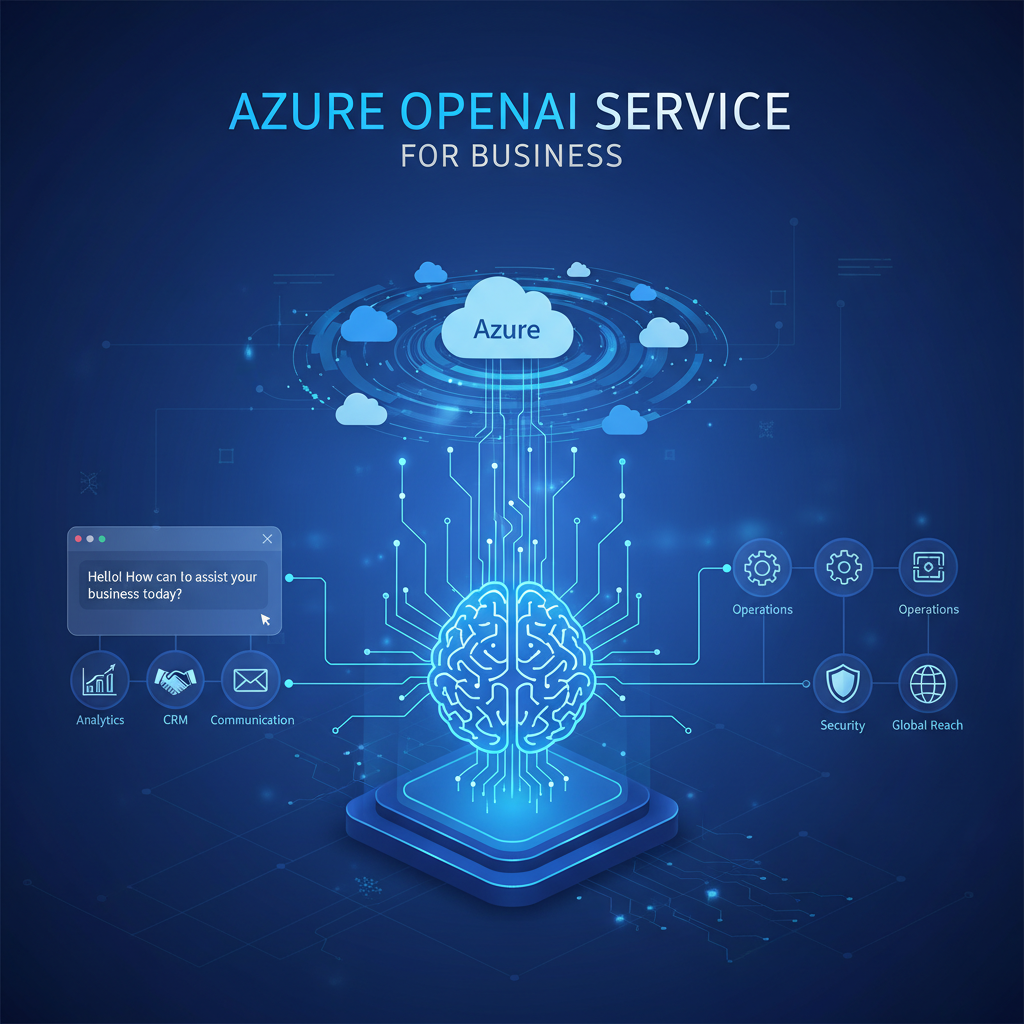
Artificial intelligence has moved from Silicon Valley curiosity to boardroom priority in the space of a few years, yet for many UK businesses, the path from “we should do something with AI” to actually deploying a production-grade solution remains frustratingly unclear. Consumer tools like ChatGPT have demonstrated the power of large language models, but plugging a consumer chatbot into your customer service workflow or financial reporting pipeline is neither secure, compliant, nor reliable enough for serious business use.
That is precisely the gap Azure OpenAI Service fills. It gives you access to the same powerful models behind ChatGPT - GPT-4, GPT-4o, DALL·E, Whisper, and more - but runs them inside Microsoft’s Azure cloud infrastructure, with enterprise-grade security, data residency controls, role-based access, and compliance certifications that satisfy even the most cautious IT governance teams. Your data stays yours. Your prompts are not used to train the models. And everything runs within the same Azure tenancy you likely already use for Microsoft 365, Dynamics, or your Virtual Desktop infrastructure.
This guide walks you through everything a UK business needs to know to get started with Azure OpenAI Service: what it is, which models are available, how to gain access, the costs involved, real-world use cases, responsible AI considerations, and how to integrate it with your existing applications and workflows.
What Is Azure OpenAI Service?
Azure OpenAI Service is a fully managed cloud service from Microsoft that provides REST API access to OpenAI’s large language models (LLMs) and generative AI models. Unlike using OpenAI’s consumer platform directly, Azure OpenAI runs entirely within the Microsoft Azure cloud, which means your data is processed within Azure’s security boundary, subject to Azure’s compliance certifications, and governed by your existing Azure Active Directory (Entra ID) policies.
In practical terms, this means a UK financial services firm can use GPT-4 to summarise client correspondence without worrying that sensitive data is leaking to a third-party training pipeline. A healthcare organisation can use Whisper to transcribe patient consultations knowing the audio never leaves their Azure tenancy. An e-commerce company can build a product recommendation chatbot that integrates directly with their existing Azure-hosted databases and APIs.
The service is not a chatbot interface - it is an API platform. You deploy models, configure them, and call them from your own applications, internal tools, or automation workflows. Microsoft also provides Azure AI Studio (now called Azure AI Foundry) as a visual interface for experimenting with models, testing prompts, and building AI solutions without writing code from scratch.
Available Models
Azure OpenAI Service provides access to a growing catalogue of models, each optimised for different tasks. Understanding which model to use for which purpose is essential for controlling costs and getting the best results. Here are the key models available as of 2025:
| Model | Type | Best For | Context Window |
|---|---|---|---|
| GPT-4o | Multimodal LLM | General-purpose text, vision, and audio tasks with fast response times | 128,000 tokens |
| GPT-4 | Large Language Model | Complex reasoning, analysis, and content generation | 128,000 tokens |
| GPT-4o mini | Small Multimodal LLM | High-volume, cost-sensitive tasks like classification and extraction | 128,000 tokens |
| GPT-3.5 Turbo | Large Language Model | Legacy workloads, fast responses at lower cost | 16,385 tokens |
| DALL·E 3 | Image Generation | Creating images from text descriptions, marketing visuals | N/A |
| Whisper | Speech-to-Text | Audio transcription, meeting notes, accessibility | 25 MB audio file |
| Text Embedding (ada-002 / v3) | Embeddings | Semantic search, document similarity, retrieval-augmented generation | 8,191 tokens |
For most UK businesses starting their AI journey, GPT-4o is the recommended default. It offers an excellent balance of capability, speed, and cost, handling text, image, and audio inputs in a single model. GPT-4o mini is ideal for high-volume, lower-complexity tasks where cost optimisation matters - such as classifying thousands of customer emails or extracting data points from invoices.
Getting Access and Approval
Unlike most Azure services, you cannot simply spin up Azure OpenAI from the portal and start making API calls. Microsoft requires an application and approval process before granting access. This is part of their responsible AI approach - ensuring that organisations using powerful generative models have considered the ethical and operational implications.
The Application Process
To gain access, you need to complete an online application form that asks for your Azure subscription ID, your intended use case, your organisation’s details, and confirmation that you have reviewed Microsoft’s Responsible AI principles. The form is straightforward and typically takes 10–15 minutes to complete. Microsoft reviews applications and, for most standard business use cases, approval comes through within one to five business days.
What Can Delay Approval
Applications are more likely to face scrutiny or delay if the proposed use case involves generating content that could be mistaken for real human communication without disclosure, creating synthetic media (deepfakes), processing data relating to children or vulnerable individuals, or deploying in regulated industries like healthcare or financial services without a clear compliance framework. None of these are automatic disqualifiers, but you should be prepared to provide additional detail about your safeguards.
Setting Up Your Azure OpenAI Resource
Once approved, setting up Azure OpenAI follows the standard Azure resource provisioning pattern. If your team already manages Azure resources, this will feel familiar. If not, your IT partner or managed service provider can handle the setup in minutes.
Step-by-Step Setup
The process involves five key steps:
- Create an Azure OpenAI resource - in the Azure portal, search for “Azure OpenAI” and create a new resource. Choose your subscription, resource group, and region. For UK businesses, the UK South region is the logical choice for data residency, though not all models are available in every region
- Deploy a model - within your Azure OpenAI resource, navigate to Model Deployments and deploy the model you need (e.g., GPT-4o). You assign a deployment name, select the model version, and set a tokens-per-minute (TPM) quota
- Retrieve your API keys and endpoint - Azure provides two API keys and a unique endpoint URL for your resource. Store these securely in Azure Key Vault, not in application code or configuration files
- Configure content filters - Azure OpenAI applies content filters by default that block harmful content across categories including hate speech, violence, sexual content, and self-harm. You can adjust filter severity levels for your deployment
- Test in Azure AI Studio - before writing any application code, use Azure AI Studio’s playground to test prompts, tune parameters (temperature, max tokens, top-p), and validate that the model produces the quality of output your use case requires
Business Use Cases
The real value of Azure OpenAI Service lies not in the technology itself but in the business problems it solves. Across the UK, organisations from 10-person professional services firms to FTSE 250 enterprises are deploying Azure OpenAI to automate repetitive tasks, enhance customer experiences, and extract intelligence from data that was previously too unstructured or voluminous to analyse. Here are the most impactful use cases we see among our clients.
Customer Service and Support
Customer service is where most organisations see the fastest return on investment. GPT-4o can power intelligent chatbots that understand natural language, handle complex multi-turn conversations, and resolve common queries without human intervention. Unlike rule-based chatbots that follow rigid decision trees, an LLM-powered assistant can interpret intent, handle ambiguity, and escalate to a human agent when confidence is low.
A typical implementation involves connecting Azure OpenAI to your existing knowledge base - FAQs, product documentation, policy documents - using Retrieval-Augmented Generation (RAG). The model answers questions grounded in your actual content rather than generating potentially inaccurate responses from its training data. This approach dramatically reduces hallucination and ensures answers reflect your current policies and pricing.
Content Generation
Marketing teams, internal communications departments, and content agencies are using Azure OpenAI to accelerate content production. From drafting blog posts and social media copy to generating product descriptions and email campaigns, GPT-4o can produce high-quality first drafts that human editors refine and approve. The key word is first drafts - responsible deployment always includes human review before publication.
For businesses generating content at scale - e-commerce sites with thousands of product listings, for example - the productivity gains are substantial. What might take a copywriter three days to produce can be drafted in hours, freeing the team to focus on strategy, tone, and quality assurance rather than blank-page writing.
Code Assistance and Developer Productivity
Software development teams benefit enormously from Azure OpenAI integration. GPT-4o can generate code from natural language descriptions, explain unfamiliar codebases, write unit tests, review pull requests for bugs and security issues, and translate code between programming languages. Microsoft’s own GitHub Copilot is built on these models, and Azure OpenAI lets you build similar capabilities into your internal developer tools.
For UK businesses with in-house development teams, this typically translates to 30–50% faster development cycles on routine tasks, fewer bugs reaching production, and faster onboarding for new developers who can query an AI assistant about the codebase rather than waiting for a senior colleague to explain legacy systems.
Data Analysis and Document Intelligence
Perhaps the most underappreciated use case is applying LLMs to unstructured data. Businesses sit on vast quantities of information locked in PDFs, emails, contracts, meeting transcripts, and scanned documents that traditional analytics tools cannot process. Azure OpenAI, combined with Azure AI Document Intelligence (formerly Form Recognizer), can extract, classify, summarise, and analyse this data at scale.
Practical examples include automatically summarising lengthy legal contracts and flagging key clauses, extracting financial data from supplier invoices in varying formats, analysing customer feedback across thousands of survey responses to identify themes, and processing insurance claims documents to accelerate assessment. For professional services firms, accountancy practices, and legal teams, the time savings are transformational.
Responsible AI Principles
Microsoft builds Azure OpenAI Service around six core responsible AI principles: fairness, reliability and safety, privacy and security, inclusiveness, transparency, and accountability. These are not merely marketing statements - they are embedded in the product through concrete technical controls.
Every Azure OpenAI deployment includes content filtering that blocks harmful outputs across four severity categories. Abuse monitoring detects and prevents systematic misuse. Model cards document each model’s capabilities, limitations, and known biases. And Microsoft’s Transparency Notes provide detailed guidance on responsible deployment patterns for each use case.
For UK businesses, responsible AI is not just an ethical consideration - it is rapidly becoming a regulatory one. The UK government’s AI regulation framework, the EU AI Act (which affects UK businesses selling into European markets), and sector-specific regulations from the FCA, ICO, and other bodies all impose obligations around AI transparency, fairness, and accountability. Building on Azure OpenAI’s responsible AI foundations makes compliance significantly easier than rolling your own safeguards on top of an unmanaged API.
Practical Steps for Responsible Deployment
- Define acceptable use policies - document what your organisation will and will not use AI for, who can deploy models, and what review processes apply before going live
- Implement human-in-the-loop workflows - for any customer-facing or decision-making application, ensure a human reviews AI outputs before they are acted upon
- Monitor and evaluate - track model outputs for quality, bias, and hallucination rates; Azure AI Studio provides built-in evaluation tools for this
- Disclose AI involvement - be transparent with customers and employees when they are interacting with AI-generated content or AI-assisted decisions
- Maintain audit trails - log prompts, completions, and metadata for compliance and quality assurance; Azure provides diagnostic logging for this purpose
Data Privacy and Compliance
Data privacy is the number one concern we hear from UK businesses considering Azure OpenAI. The questions are always the same: “Where does our data go?”, “Is it used to train the model?”, and “How do we stay compliant with UK GDPR?” The answers are reassuring, but the details matter.
What Happens to Your Data
When you send a prompt to Azure OpenAI, your data is processed by the model within Microsoft’s Azure infrastructure and the completion is returned to you. By default, Microsoft temporarily stores prompts and completions for up to 30 days solely for abuse monitoring purposes. Crucially, your data is never used to train, retrain, or improve the underlying OpenAI models. This is a contractual commitment under Microsoft’s data processing terms, not merely a policy that could change.
For organisations that require even stricter data handling, Microsoft offers a modified abuse monitoring policy (available upon application) that eliminates the temporary storage of prompts and completions entirely. This is particularly relevant for healthcare, legal, and financial services organisations handling highly sensitive data.
UK GDPR Compliance
Azure OpenAI Service is covered by Microsoft’s standard Data Processing Agreement (DPA), which includes Standard Contractual Clauses for international data transfers. Deploying your Azure OpenAI resource in the UK South region ensures that processing occurs within UK borders, simplifying data residency obligations. Microsoft Azure holds ISO 27001, ISO 27701, SOC 2 Type II, and Cyber Essentials Plus certifications, among others.
However, compliance is not just about where the data is processed - it is about how your organisation uses the outputs. If Azure OpenAI is making or influencing decisions about individuals (e.g., recruitment screening, credit assessments, insurance underwriting), you must conduct a Data Protection Impact Assessment (DPIA) and ensure compliance with UK GDPR provisions on automated decision-making, including the right for individuals to request human review.
Fine-Tuning Models
Out of the box, Azure OpenAI’s models are trained on broad internet-scale data and perform well on general tasks. However, for specialised business applications - where your terminology, tone, document formats, or domain knowledge differ significantly from general usage - fine-tuning can dramatically improve performance.
What Fine-Tuning Does
Fine-tuning takes a base model and trains it further on your own curated dataset of example prompts and ideal completions. The result is a custom model that responds in your organisation’s style, understands your domain-specific terminology, and produces more accurate outputs for your particular use case. Common fine-tuning scenarios include training a model on your company’s customer service transcripts to match your brand voice, adapting a model to classify documents according to your internal taxonomy, and improving accuracy for industry-specific terminology (legal, medical, engineering) that the base model handles imprecisely.
When Fine-Tuning Is - and Isn’t - Necessary
Fine-tuning is powerful but not always necessary. For many use cases, prompt engineering (carefully crafting the instructions and examples within each API call) or Retrieval-Augmented Generation (RAG) achieves excellent results without the cost and complexity of maintaining a custom model. Fine-tuning is most valuable when you need consistent stylistic output, when your domain vocabulary is highly specialised, or when you are processing high volumes where even small accuracy improvements yield significant aggregate value.
Azure currently supports fine-tuning on GPT-4o mini and GPT-3.5 Turbo models. Fine-tuned models incur higher per-token costs than base models, plus hosting costs for the deployed custom model, so the ROI calculation should factor in both the accuracy improvement and the additional expense.
Azure AI Studio (Azure AI Foundry)
Azure AI Studio - recently rebranded as Azure AI Foundry - is Microsoft’s unified development environment for building AI applications. Think of it as the “workshop” where you experiment with models, design prompts, build RAG pipelines, evaluate outputs, and deploy solutions, all through a visual web interface that complements the raw API.
Key Capabilities
- Playground - an interactive environment for testing different models and prompt configurations without writing code; ideal for business analysts and subject matter experts exploring what AI can do
- Prompt Flow - a visual orchestration tool for building complex AI workflows that chain multiple models, data sources, and logic steps together
- Evaluation - built-in tools for measuring model quality metrics like groundedness, relevance, coherence, and fluency across test datasets
- Content Safety - configuration and testing of content filters to ensure outputs meet your organisation’s safety requirements
- Deployment - one-click deployment of models and AI applications as managed endpoints that your applications can call
- Monitoring - dashboards showing token usage, latency, error rates, and cost tracking across your AI deployments
For UK businesses without dedicated AI engineering teams, Azure AI Studio is particularly valuable. It allows technically capable business users - data analysts, operations managers, customer service leads - to prototype and test AI solutions before committing development resources to full integration.
Costs and Pricing
Azure OpenAI uses a consumption-based pricing model. You pay per token processed (a token is roughly three-quarters of a word), with different rates for input tokens (your prompts) and output tokens (the model’s responses). Pricing varies by model, with more capable models costing more per token.
| Model | Input Cost (per 1M tokens) | Output Cost (per 1M tokens) | Relative Cost |
|---|---|---|---|
| GPT-4o | £2.00 | £8.00 | Standard |
| GPT-4o mini | £0.12 | £0.48 | Very low |
| GPT-4 | £24.00 | £48.00 | Premium |
| GPT-3.5 Turbo | £0.40 | £1.20 | Low |
| DALL·E 3 (Standard) | £0.032 per image | Per image | |
| Whisper | £0.005 per minute of audio | Per minute | |
Note: Prices shown are approximate GBP equivalents as of early 2025 and may vary. Microsoft publishes pricing in USD; actual GBP costs depend on exchange rates and your billing arrangement.
Understanding Real-World Costs
Token-based pricing can feel abstract until you map it to actual business activities. A typical customer service chatbot handling 1,000 conversations per day, with an average of 500 tokens per conversation (prompt plus response), would consume roughly 500,000 tokens daily. Using GPT-4o, that equates to approximately £3–£5 per day - far less than the salary cost of a single additional customer service agent. For document summarisation or data extraction tasks running in batch, costs are even lower because you can use GPT-4o mini for routine processing and reserve GPT-4o for complex cases.
Integration with Existing Applications
Azure OpenAI Service provides REST APIs and SDKs for Python, C#/.NET, JavaScript/TypeScript, and Java, making integration with existing applications straightforward for development teams already working in the Azure ecosystem. But the most powerful integration patterns go well beyond simple API calls.
Common Integration Patterns
- Microsoft 365 and Copilot extensions - build custom Copilot plugins that bring your organisation’s AI capabilities directly into Word, Excel, Outlook, and Teams, where your employees already work
- Power Platform and Power Automate - use Azure OpenAI connectors within Power Automate flows to add AI-powered steps to existing business workflows without writing code; for example, automatically classifying incoming emails and routing them to the correct department
- Dynamics 365 - embed AI-powered insights into your CRM and ERP workflows, such as summarising customer interaction history before a sales call or flagging anomalies in financial transactions
- Azure Functions and Logic Apps - trigger AI processing in response to events like new files arriving in blob storage, messages on a queue, or webhooks from third-party systems
- Custom web and mobile applications - call the Azure OpenAI API from your own applications through secure, authenticated endpoints, with rate limiting and cost controls enforced at the Azure level
- Retrieval-Augmented Generation (RAG) - combine Azure OpenAI with Azure AI Search (formerly Cognitive Search) to ground model responses in your own data: product catalogues, policy documents, knowledge bases, or internal wikis
For organisations already invested in the Microsoft ecosystem - which describes the vast majority of UK businesses - Azure OpenAI slots into the existing technology stack with minimal friction. The same Entra ID identities, the same Azure subscriptions, the same network security controls, and the same monitoring tools apply.
Security and Governance
Deploying AI in a business context demands the same security rigour as any other enterprise system - arguably more, given the potential for AI to process sensitive data and influence business decisions. Azure OpenAI benefits from Azure’s comprehensive security infrastructure, but organisations must also implement their own governance controls.
- Data processed within your Azure tenancy and chosen region
- Prompts and completions never used for model training
- Role-based access control (RBAC) via Entra ID
- Private endpoints - API accessible only from your virtual network
- Customer-managed encryption keys supported
- Compliance: ISO 27001, SOC 2, Cyber Essentials Plus, UK G-Cloud
- Enterprise DPA with GDPR Standard Contractual Clauses
- Audit logging and diagnostic monitoring via Azure Monitor
- Data processed in third-party infrastructure, typically US-hosted
- Data may be used for model improvement unless opted out
- API key authentication only - no identity integration
- Public internet endpoints with no network isolation
- Provider-managed encryption only
- Limited compliance certifications; no UK G-Cloud
- Standard terms of service, not enterprise DPA
- Basic usage dashboards with limited audit capability
Essential Governance Controls
Beyond the platform-level security that Azure provides, organisations should implement the following governance controls for their AI deployments:
- AI usage policy - a clear, board-approved policy defining what AI can and cannot be used for, who is authorised to deploy models, and what approval processes apply
- Access control - use Entra ID role-based access to restrict who can create deployments, view API keys, modify content filters, and access usage logs
- Network security - deploy Azure OpenAI with private endpoints so the API is accessible only from within your Azure virtual network or via approved VPN connections, never from the public internet
- Cost controls - set Azure spending alerts and quotas to prevent runaway consumption; configure tokens-per-minute limits on each model deployment
- Data classification - establish clear rules about what categories of data can be processed through AI models; highly sensitive categories (e.g., health data, financial records) may require additional controls or the modified abuse monitoring policy
- Output validation - for any externally facing application, implement automated checks and human review workflows to catch hallucinations, inappropriate content, or factual errors before they reach customers
- Regular review - schedule quarterly reviews of AI deployments, usage patterns, output quality, cost trends, and emerging regulatory requirements
Getting Started: A Practical Roadmap
For UK businesses ready to move beyond experimentation and deploy Azure OpenAI in production, we recommend the following phased approach:
- Phase 1 - Discovery (1–2 weeks): Identify two or three high-impact, low-risk use cases. Prioritise internal-facing applications (employee productivity tools, document processing) over customer-facing ones for your first deployment. Ensure your Azure subscription is in order and apply for Azure OpenAI access
- Phase 2 - Proof of Concept (2–4 weeks): Use Azure AI Studio to prototype your selected use cases. Test with real (or realistic) data, evaluate output quality, and estimate production costs. Involve business stakeholders in evaluating whether the AI output meets their quality bar
- Phase 3 - Governance and Compliance (1–2 weeks): Draft your AI usage policy, conduct a DPIA if personal data is involved, configure RBAC and network security, and establish monitoring and alerting
- Phase 4 - Production Deployment (2–4 weeks): Integrate the validated AI capability into your application or workflow, deploy with appropriate content filters and rate limits, and implement human review processes
- Phase 5 - Monitor and Expand: Track usage, cost, quality, and user feedback. Use insights to optimise prompts, adjust model selection, and identify the next use cases to tackle
The entire journey from initial exploration to first production deployment typically takes 6–12 weeks for a well-supported organisation. The technology is mature, the tooling is excellent, and the main bottleneck is rarely technical - it is the governance, change management, and stakeholder alignment that determine how quickly you can move.
Azure OpenAI Service represents a genuine step change in what UK businesses can achieve with artificial intelligence. It brings world-leading AI models into the enterprise security and compliance framework that organisations already trust, removes the data privacy concerns that hold back adoption of consumer AI tools, and integrates seamlessly with the Microsoft ecosystem that underpins most British workplaces. The question for most businesses is no longer whether to adopt AI, but how quickly they can do so responsibly and effectively.

CloudSwitched
London-based managed IT services provider offering support, cloud solutions and cybersecurity for SMEs.


