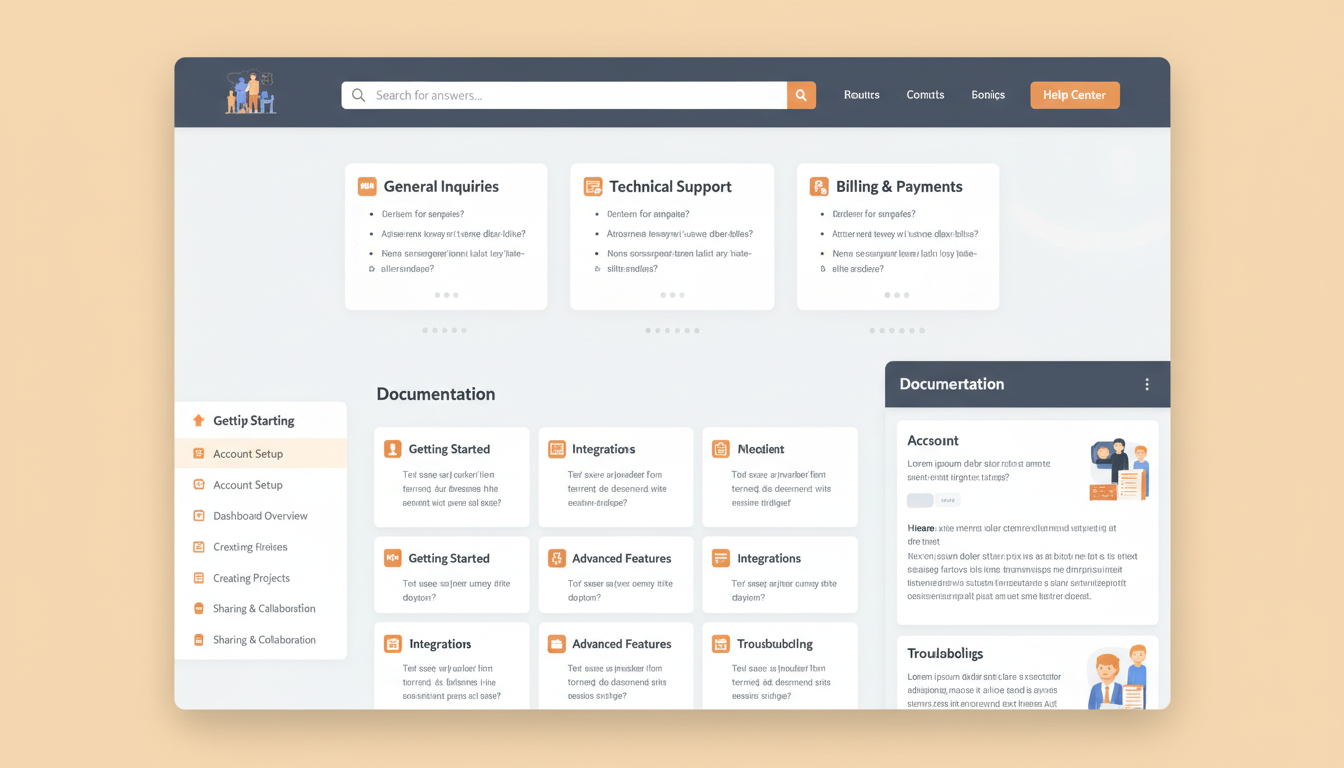
Every business website serves a dual purpose: attracting new customers and supporting existing ones. Yet a staggering number of UK businesses invest heavily in the first goal while completely neglecting the second. The result is a website that generates leads but haemorrhages them through poor post-sale support, unanswered questions, and frustrated users who can't find the information they need. A well-built knowledge base solves this problem - and does far more besides.
A knowledge base is a structured, searchable repository of information that helps visitors find answers without contacting your team directly. It might include FAQs, how-to guides, troubleshooting articles, policy documents, product specifications, or video tutorials. When implemented properly, it becomes one of the hardest-working pages on your entire site - reducing support costs, improving customer satisfaction, and even driving organic search traffic from long-tail queries you'd never target with traditional landing pages.
The Business Case for a Knowledge Base
Let's start with the numbers, because the business case is overwhelming. UK customer service teams spend an average of £12 to £25 handling a single support ticket through traditional channels - phone, email, or live chat. A knowledge base article that resolves the same query costs pennies per view after the initial creation investment. For a business handling 500 support enquiries per month, even a 30% deflection rate represents savings of £21,600 to £45,000 annually.
But cost reduction is only part of the equation. Modern consumers actively prefer self-service. Research consistently shows that the majority of customers will attempt to solve a problem themselves before reaching out to a support team. If your website doesn't offer the resources to enable that self-service, you're not just missing a cost-saving opportunity - you're delivering a worse customer experience than your competitors.
Beyond direct support savings, knowledge bases contribute to several other business outcomes. They improve onboarding efficiency for new customers, reduce churn by empowering users to get value from your product or service faster, and create a library of content that strengthens your site's topical authority in the eyes of search engines.
What Makes a Knowledge Base Effective
Not all knowledge bases are created equal. A poorly organised collection of articles buried three clicks deep in your site navigation is barely better than having no knowledge base at all. The difference between a knowledge base that transforms your business and one that gathers dust comes down to several critical factors.
Information Architecture
The structure of your knowledge base determines whether users can find what they need. This means clear categorisation, logical grouping, and a hierarchy that mirrors how your customers think - not how your internal departments are organised. A software company might organise by feature area. A professional services firm might organise by service type or client lifecycle stage. An e-commerce business might organise by product category and then by common task (ordering, returns, account management).
Search Functionality
Even the best-organised knowledge base needs robust search. Users arriving with a specific question will head straight for the search bar. Your search implementation needs to handle synonyms (customers might search for "refund" when your article uses "return"), tolerate typos, and surface the most relevant results first. Autocomplete suggestions can guide users toward existing content before they even finish typing their query.
Content Quality
Every article must be written from the customer's perspective, not the company's. This means using the language your customers actually use, not internal jargon. It means answering the real question being asked, not the question you wish they'd asked. And it means keeping content current - outdated knowledge base articles are worse than no articles at all, because they actively mislead users and erode trust.
Types of Knowledge Base Content
A comprehensive knowledge base draws on several content formats, each suited to different types of information and user preferences. The most effective knowledge bases combine multiple formats rather than relying solely on text articles.
- FAQ articles: Short, focused answers to specific questions. These are the backbone of most knowledge bases and the easiest content type to create. Structure them as clear question-and-answer pairs, and resist the temptation to over-explain - brevity is valued here.
- How-to guides: Step-by-step instructions for completing a specific task. Include numbered steps, screenshots where relevant, and a clear statement of what the user will have achieved by the end. These guides also perform exceptionally well in search results, often appearing as featured snippets.
- Troubleshooting articles: Diagnostic content that helps users identify and resolve problems. Structure these with the symptoms first (what the user is experiencing), followed by potential causes and their solutions, ordered from most to least likely.
- Policy and reference documents: Shipping policies, return procedures, terms of service, pricing structures, and other reference material that customers need to access repeatedly. These should be scannable with clear headings and bullet points.
- Video tutorials: Some processes are far easier to demonstrate than describe. Short, focused videos - typically under five minutes - can dramatically improve comprehension for visual learners. Embed them within relevant text articles rather than creating a separate video section.
- Glossary and terminology guides: If your industry uses specialist terminology, a glossary helps customers understand your content and builds their confidence in working with you. This is particularly valuable for professional services, fintech, healthcare, and technology businesses.
The SEO Value of a Knowledge Base
One of the most underappreciated benefits of a knowledge base is its impact on organic search performance. Knowledge base articles naturally target long-tail keywords - the specific, detailed queries that represent users with high intent. While your main service pages might target broad terms like "accounting software" or "business insurance," your knowledge base captures searches like "how to reconcile bank transactions in accounting software" or "what does professional indemnity insurance cover for consultants."
These long-tail queries individually have lower search volume, but collectively they represent a massive share of total search traffic. Studies suggest that long-tail keywords account for approximately 70% of all searches. A knowledge base with 100 well-optimised articles can generate more organic traffic than your entire core site combined.
Additionally, knowledge base content strengthens your site's topical authority. When Google sees that your domain comprehensively covers a subject - from high-level service pages through to granular how-to articles and troubleshooting guides - it gains confidence that your site is a genuine authority in that space. This topical depth benefits your rankings across the board, not just for the knowledge base pages themselves.
Schema markup adds another layer of SEO value. FAQ schema can earn your knowledge base articles rich results in search - the expandable question-and-answer boxes that appear directly in Google's results pages. These rich results dramatically increase click-through rates and visibility, giving your content prime real estate on page one even when you're not in the top organic position.
Planning Your Knowledge Base: Where to Start
Building a knowledge base from scratch can feel daunting, but the best approach is to start with data you already have. Your existing support tickets, emails, and chat logs are a goldmine of content ideas. Analyse them to identify the most frequently asked questions, the most common problems, and the topics that generate the most back-and-forth before resolution.
Here's a practical framework for prioritising your initial content:
- High-volume, low-complexity queries: These are the questions your team answers dozens of times per week with essentially the same response. They're the easiest to document and deliver the fastest ROI through ticket deflection.
- Onboarding and getting-started content: New customers need guidance. Articles that walk them through initial setup, first steps, or common early-stage questions reduce churn and accelerate time-to-value.
- Process and policy documentation: Returns, cancellations, billing, account changes - these are inherently self-service-friendly topics that customers expect to handle independently.
- Troubleshooting for known issues: If your product or service has common pain points, documenting the solutions proactively shows customers you understand their frustrations and have answers ready.
- Feature and capability explanations: Help customers understand what they can do with your product or service. These articles serve double duty as sales enablement content for prospects browsing your site.
Start with your top 20 most frequent support questions. Writing comprehensive answers to just these 20 topics will typically deflect 25-35% of all incoming support tickets. You can expand from there based on analytics data showing which searches within your knowledge base return no results - those gaps represent your next batch of articles to write.
Design and User Experience Considerations
The design of your knowledge base has a direct impact on its effectiveness. A knowledge base that looks like an afterthought - crammed into a generic page template with no visual hierarchy - will be used far less than one that feels purpose-built and inviting.
Key design principles include:
- Prominent search bar: This should be the focal point of the knowledge base landing page. Make it large, central, and accompanied by placeholder text that hints at what users can search for.
- Category cards or tiles: Below the search bar, present your main categories as visual cards with icons, clear labels, and brief descriptions. Users who aren't sure what to search for can browse by category instead.
- Breadcrumb navigation: Once users are within an article, breadcrumbs help them understand where they are in the hierarchy and easily navigate to related content.
- Related articles: At the bottom of every article, suggest 3-5 related pieces. This keeps users engaged, helps them find additional information they might need, and reduces the likelihood they'll leave to contact support.
- Feedback mechanism: A simple "Was this article helpful? Yes / No" widget at the bottom of each article provides invaluable data for identifying content that needs improvement.
- Mobile responsiveness: A significant portion of knowledge base traffic comes from mobile devices - often from customers encountering a problem while on the go. Your knowledge base must be fully functional and readable on smartphones and tablets.
Integrating Your Knowledge Base With Support Channels
A knowledge base works best when it's woven into your broader support ecosystem rather than existing as an isolated resource. Integration with your other support channels creates a seamless experience where customers naturally encounter helpful content before ever needing to speak to a person.
Effective integration strategies include:
- Chat widget suggestions: When customers open a live chat or chatbot, automatically suggest relevant knowledge base articles based on their initial message before connecting them with a human agent.
- Email auto-responders: When a support ticket is submitted, send an immediate acknowledgement that includes links to potentially relevant knowledge base articles. Many customers will find their answer before your team even reads the ticket.
- In-product help: If you offer a software product or online service, embed contextual knowledge base links within the interface itself. A "?" icon next to a complex feature should link directly to the relevant explanation.
- Search engine optimisation: Ensure your knowledge base articles are indexable and optimised for the terms customers actually use. Many users will search Google rather than navigating to your help section directly.
- Internal team access: Your support, sales, and onboarding teams should use the knowledge base as their single source of truth. This ensures consistency in the information being provided across all channels.
Without a Knowledge Base
With a Cloudswitched Knowledge Base
| Content Type | SEO Value | Creation Effort | Update Frequency |
|---|---|---|---|
| FAQ Articles | Medium - targets specific queries | Low - repurpose existing support replies | Quarterly review |
| How-To Guides | High - featured snippet potential | Medium - requires step-by-step detail | When processes change |
| Troubleshooting Articles | High - matches problem-based searches | Medium - needs diagnostic accuracy | Monthly review |
| Policy Documents | Low - limited search demand | Low - straightforward documentation | When policies change |
| Video Tutorials | Medium - ranks in video results | High - production and editing required | Annually or on major changes |
| Glossary Pages | High - builds topical authority | Low - concise definitions | Quarterly additions |
Measuring Knowledge Base Performance
A knowledge base without analytics is flying blind. You need to track both usage metrics and outcome metrics to understand whether your knowledge base is actually achieving its goals - and where it needs improvement.
Essential metrics to monitor include:
- Article views: Which articles are most and least popular? High-traffic articles are candidates for additional depth or multimedia enhancements. Low-traffic articles may indicate categorisation problems or content gaps where users can't find what they need.
- Search queries: What are users searching for? Pay special attention to searches that return zero results - these represent unmet needs and immediate content creation opportunities.
- Bounce rate and time on page: A high bounce rate on a knowledge base article may mean the content didn't answer the user's question. Short time-on-page could indicate the answer was found quickly (good) or the user gave up (bad) - cross-reference with the feedback widget to disambiguate.
- Ticket deflection rate: Compare support ticket volume before and after knowledge base implementation, controlling for business growth. Track how many users view a knowledge base article and then do not submit a ticket.
- Customer satisfaction scores: Survey customers who use the knowledge base. Are they finding what they need? Is the content clear? Would they prefer a different format?
- Organic search traffic: Track how much traffic your knowledge base articles generate from Google. This is "free" traffic that also builds brand authority and potentially converts visitors into customers.
UK businesses that maintain an active knowledge base report an average 42% reduction in support ticket volume within the first six months. The best-performing knowledge bases - those with 100+ articles, regular updates, and integrated search - achieve deflection rates above 60%, representing tens of thousands of pounds in annual savings for mid-sized companies.
Content Maintenance: Keeping Your Knowledge Base Current
A knowledge base is not a set-and-forget asset. Products evolve, policies change, and customer needs shift. An article that was perfectly accurate six months ago may now contain outdated screenshots, reference deprecated features, or describe processes that have been streamlined.
Establish a maintenance cadence that includes:
- Quarterly content audits: Review every article at least once per quarter. Check for accuracy, update screenshots and examples, and refresh any statistics or claims with current data.
- Triggered reviews: Whenever a product update ships, a policy changes, or a new service launches, immediately identify and update all affected knowledge base articles.
- Feedback-driven updates: Articles with low helpfulness ratings or high bounce rates should be reviewed and rewritten as a priority. Customer feedback is the most reliable signal that content isn't meeting needs.
- Retirement of obsolete content: Don't leave outdated articles lingering. Either update them, redirect them to current equivalents, or remove them entirely. Dead content erodes trust in the entire knowledge base.
- Version history: Maintain a "Last updated" date on every article so users can see how current the information is. This builds confidence and helps your team track which articles are overdue for review.
Common Knowledge Base Mistakes
We've built and optimised knowledge bases for dozens of UK businesses, and certain mistakes appear with remarkable consistency. Avoiding these pitfalls will put you ahead of the majority of your competitors.
- Writing for the company, not the customer: Internal terminology, product code names, and department-specific language have no place in customer-facing content. Write in the words your customers use.
- Burying the knowledge base: If users can't find your knowledge base within two clicks from any page on your site, it might as well not exist. Link to it prominently in your main navigation, footer, and within your product or service pages.
- Creating content without a search strategy: Every article should target a specific search query or user intent. Writing articles without keyword research means you're missing the SEO opportunity and may not be addressing the questions customers actually ask.
- Neglecting visual content: Walls of text are intimidating. Break up articles with screenshots, diagrams, short videos, and visual step-by-step guides. Users scan before they read - give them visual anchor points.
- No escalation path: Every knowledge base article should include a clear path to human support for users who couldn't resolve their issue. A "Still need help? Contact us" link at the bottom of each article prevents frustration and captures tickets that need genuine human attention.
- Launching too small: A knowledge base with five articles looks incomplete and unprofessional. Aim for a minimum of 20-30 articles at launch, covering your most frequent support topics comprehensively.
Never launch a knowledge base without a maintenance plan. Outdated knowledge base articles are actively harmful - they mislead customers, generate support tickets from confused users, and damage trust in your brand. If you can't commit to keeping content updated, you're better off not publishing it at all. Budget for ongoing content maintenance from the start.
Building a Knowledge Base That Scales
As your business grows, your knowledge base should grow with it. The architecture decisions you make today determine whether your knowledge base remains manageable at 500 articles or becomes an ungovernable mess.
Scalability considerations include choosing a content management approach that supports tagging, categorisation, and cross-referencing without manual overhead. Your URL structure should be logical and hierarchical, making it easy to add new categories without restructuring existing ones. And your editorial workflow should support multiple contributors - because the best knowledge bases draw on expertise from across the organisation, not just the support team.
Think about content reuse as well. A single piece of information - such as your returns policy or a product specification - should exist in one authoritative location and be referenced from multiple articles. This single-source-of-truth approach means updates propagate automatically rather than requiring changes across dozens of pages.
Finally, consider internationalisation from the outset if your business serves or plans to serve multiple markets. Structuring your knowledge base with localisation in mind from day one is vastly easier than retrofitting it later. Even if you start with English-only content, building on a framework that supports multiple languages positions you for seamless expansion.
A well-built knowledge base is one of the highest-ROI investments a UK business can make in its website. It reduces costs, improves customer satisfaction, drives organic traffic, and scales gracefully with your business. The companies that get this right don't just save money on support - they build a competitive advantage that compounds over time.
Ready to Build a Knowledge Base That Works?
Our web development team specialises in creating knowledge bases that reduce support costs, improve customer satisfaction, and drive organic search traffic. From information architecture to search integration and analytics, we build self-service solutions that scale with your business. Let's plan your knowledge base together.
TALK TO AN EXPERT
CloudSwitched
London-based managed IT services provider offering support, cloud solutions and cybersecurity for SMEs.


