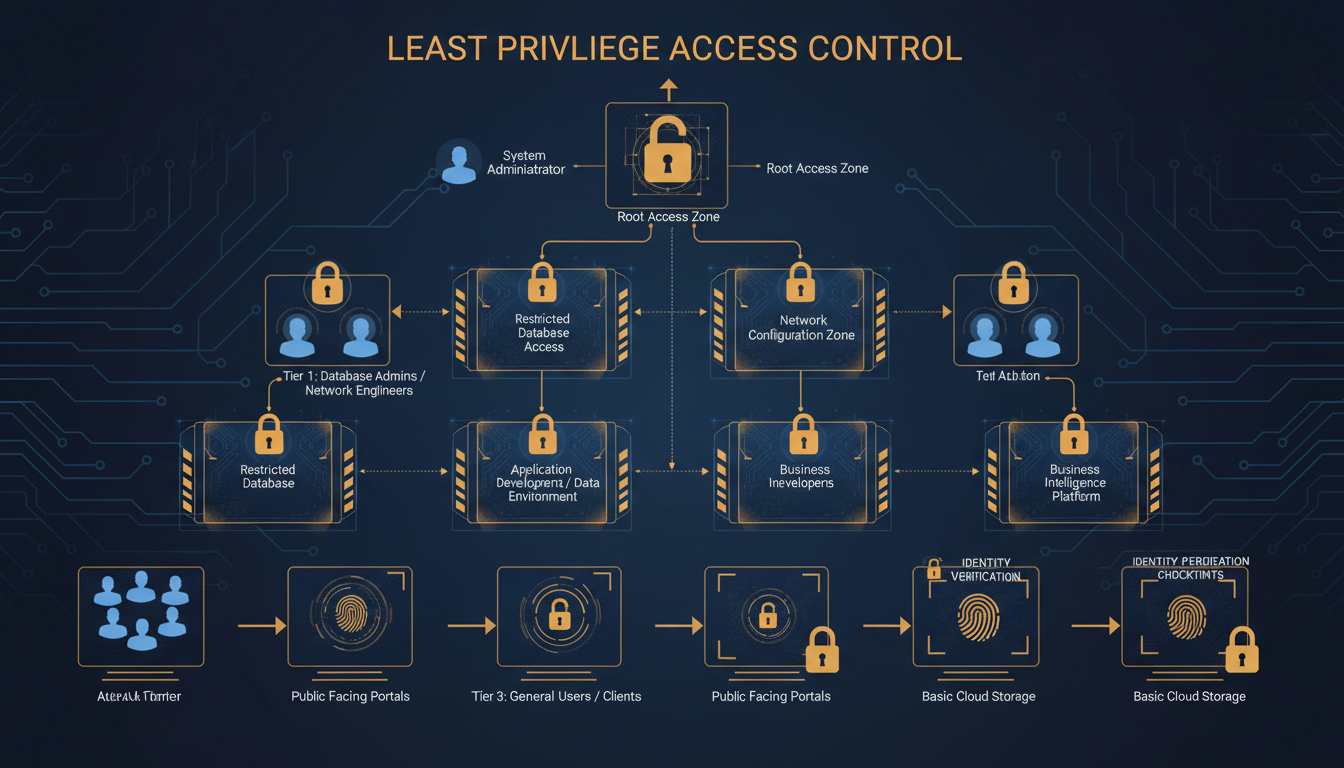
The principle of least privilege is one of the most fundamental concepts in cyber security, yet it remains one of the most widely violated. The principle is straightforward: every user, application, and system should have only the minimum level of access necessary to perform its function - nothing more. An accounts assistant does not need access to the HR system. A marketing manager does not need administrator rights to their laptop. A web server does not need access to the financial database. Yet in the majority of UK businesses, access rights are far broader than they need to be, creating an attack surface that is both unnecessarily large and deeply difficult to defend.
The consequences of excessive access privileges are well documented. When a user account is compromised - whether through phishing, credential theft, or malware - the attacker inherits every access right that account possesses. If the compromised account has broad access, the attacker can move laterally across your network, accessing systems and data far beyond the initial point of compromise. This is how relatively minor security incidents escalate into catastrophic data breaches.
This guide provides a practical framework for implementing least privilege access in a UK business context, covering user accounts, administrative access, application permissions, and the organisational processes necessary to maintain least privilege over time.
The regulatory landscape in the United Kingdom provides strong incentives for implementing least privilege. Under the UK General Data Protection Regulation (UK GDPR), organisations are required to implement appropriate technical and organisational measures to protect personal data. The Information Commissioner's Office (ICO) has made it clear that restricting access to personal data on a need-to-know basis is a fundamental part of meeting this obligation. Organisations that suffer a data breach and are found to have granted excessively broad access to personal data can expect the ICO to take a dim view - both in terms of enforcement action and the level of any financial penalty.
Beyond regulatory compliance, there is a compelling business case for least privilege. Organisations that implement proper access controls experience fewer security incidents, faster incident response times, and significantly lower remediation costs when breaches do occur. The principle also supports operational efficiency - when access rights are clearly defined and well managed, employees spend less time navigating systems they do not need, and IT teams spend less time troubleshooting permissions issues caused by poorly structured access controls. For small and medium-sized enterprises operating with limited IT budgets, this reduction in overhead can be particularly significant.
It is worth noting that least privilege is not about making things harder for employees. When implemented thoughtfully, it simplifies the working environment by ensuring people see only the systems and data relevant to their role. The resistance that many organisations encounter when implementing least privilege typically stems from poor communication rather than genuine operational impediments. Employees who understand why their access is being refined - and who are assured that legitimate access needs will be met promptly - are far more accepting of the changes than those who simply find their access suddenly restricted without explanation.
Understanding the Current State of Access
Before you can implement least privilege, you need to understand what access rights currently exist across your organisation. Most businesses are surprised - and alarmed - by what an access audit reveals. Common findings include employees who changed roles years ago but retained access to their previous department's systems, former employees whose accounts were never fully disabled, shared accounts with administrative privileges used by multiple people, service accounts with domain administrator rights because "it was easier to set up that way," and local administrator rights granted to all users because the IT team got tired of being called to install software.
Conducting an access audit involves examining every user account, group membership, and permission assignment across your IT environment. This includes Active Directory or Azure AD group memberships, file share and SharePoint permissions, application-level access rights, local administrator membership on workstations and servers, VPN and remote access permissions, and cloud service accounts and their privilege levels.
Running an Effective Access Audit
The access audit itself should be treated as a formal project with clear ownership and defined outcomes. Begin by establishing a complete inventory of all systems, applications, and data repositories in your organisation. For each system, document who has access, what level of access they hold, and whether that access is appropriate for their current role. This process is often more complex than anticipated, particularly in organisations that use a mix of on-premises and cloud systems with separate identity stores.
For organisations using Microsoft 365 and Azure Active Directory (now Microsoft Entra ID), a range of built-in reporting tools can help. The Azure AD access reviews feature can generate detailed reports of group memberships and application assignments. For on-premises systems, tools such as Netwrix Auditor, ManageEngine ADManager, or even carefully constructed PowerShell scripts can extract the necessary data. The key is to capture a complete picture - partial audits create a false sense of security by leaving unexamined areas where excessive access may lurk.
Once the raw data has been gathered, the analysis phase requires input from department managers who understand what access their team members genuinely need. IT teams alone cannot make these judgements - they understand the technical structure of permissions but not the business context that determines whether a particular access right is appropriate. A collaborative approach, where IT provides the data and department managers provide the business context, yields the most accurate results and builds the organisational buy-in necessary for the remediation that follows.
In our experience working with UK businesses, the typical access audit reveals that 30% to 40% of access rights are either excessive, outdated, or entirely unnecessary. One common example: when an employee receives a promotion from a team member role to a management role, they are typically given access to new systems - but their previous access rights are rarely reviewed or reduced. Over several role changes, a single user can accumulate access to almost every system in the organisation. This phenomenon is known as "privilege creep" and is one of the most pervasive access management problems in UK businesses.
Implementing Least Privilege for User Accounts
The most impactful place to start implementing least privilege is with everyday user accounts - the accounts your employees use to log in, access email, use applications, and browse the internet. These accounts should have the minimum permissions necessary for each employee's specific role.
Role-Based Access Control (RBAC)
Role-Based Access Control is the practical mechanism for implementing least privilege at scale. Rather than assigning permissions to individual users (which becomes unmanageable beyond a handful of employees), you define roles that correspond to job functions and assign the appropriate permissions to each role. Users are then assigned to the role that matches their job function, inheriting exactly the permissions they need and nothing more.
Practical RBAC Implementation
Implementing RBAC requires careful planning. Start by working with department managers to define the distinct roles within each team. Be specific - a general finance role is too broad if the accounts payable clerk and the financial controller have genuinely different access requirements. However, avoid the opposite extreme of creating a unique role for every individual, which defeats the purpose of role-based management. The goal is to identify natural clusters of access requirements that correspond to recognisable job functions within your organisation.
Once roles are defined, map out the specific permissions each role requires across every system in your environment. This is the most time-consuming part of the process, but it is essential for getting it right. Involve the people who actually perform each role - they understand their day-to-day access needs better than anyone. Document the rationale for each permission assignment so that future reviews can assess whether the original justification still applies.
The onboarding and offboarding process is where RBAC delivers its greatest operational benefits. When a new employee joins, their IT setup becomes a simple matter of assigning them to the appropriate role - all the correct permissions are inherited automatically. When an employee leaves, removing their role membership revokes all associated access in a single action. When someone changes roles, the process involves removing the old role and assigning the new one, eliminating the privilege creep that occurs when role changes are handled by adding new permissions without reviewing existing ones.
For UK businesses subject to audit requirements - whether under Cyber Essentials, ISO 27001, or sector-specific regulations - RBAC provides a clean, documentable framework that auditors find straightforward to assess. Rather than attempting to justify hundreds of individual permission assignments, you can present a clear role structure with documented rationale for each role's access level. This clarity not only satisfies auditors but also makes your access control arrangements far easier to maintain and troubleshoot on a day-to-day basis.
| Role | Email & Calendar | Finance System | HR System | CRM | File Shares | Admin Tools |
|---|---|---|---|---|---|---|
| General Staff | Full access | No access | Self-service only | Read only | Department only | No access |
| Finance Team | Full access | Full access | Payroll view | Read only | Finance + shared | No access |
| HR Team | Full access | Budget view | Full access | Read only | HR + shared | No access |
| Sales Team | Full access | No access | Self-service only | Full access | Sales + shared | No access |
| IT Admin | Full access | No access | Self-service only | Admin | All shares | Full access |
| Directors | Full access | Reporting view | Reporting view | Full access | All shares | No access |
Eliminating Unnecessary Administrator Access
Local administrator rights on workstations are one of the biggest security risks in most UK businesses - and one of the easiest to fix. When a user has local admin rights, they can install any software (including malware), modify system settings, disable security tools, and inadvertently grant elevated access to malicious code. Ransomware, in particular, is dramatically more effective when it runs with administrator privileges.
Removing local admin rights from standard user accounts is one of the single most effective security improvements you can make. According to research by BeyondTrust, removing admin rights mitigates 75% of critical Windows vulnerabilities and makes ransomware significantly less likely to succeed. The NCSC (National Cyber Security Centre) explicitly recommends removing local admin rights as part of its Cyber Essentials requirements.
Practical Approaches to Removing Admin Rights
The prospect of removing local admin rights often causes anxiety among both IT teams and end users. IT teams worry about being overwhelmed with requests to install software or make system changes. Users worry about losing the ability to do their jobs effectively. Both concerns are valid but can be addressed with the right tooling and processes.
Microsoft's Local Administrator Password Solution (LAPS) is a free tool that manages unique local administrator passwords on each workstation, stored securely in Active Directory. This means that IT staff can elevate privileges on a specific machine when genuinely needed, without giving the end user permanent admin rights. For organisations using Microsoft Intune for device management, Endpoint Privilege Management provides a more sophisticated solution that allows users to request temporary elevation for specific tasks, with approval workflows and full audit logging.
Third-party solutions such as BeyondTrust Privilege Management, CyberArk Endpoint Privilege Manager, and Thales SafeNet offer additional capabilities including application whitelisting, where approved applications can be installed by standard users without requiring admin rights. This approach addresses the most common reason users claim to need admin access - installing or updating software - whilst maintaining the security benefits of restricted privileges.
The transition itself should be managed in phases rather than as a sudden change. Start with a pilot group, ideally a department with relatively straightforward software requirements, and work through the issues that arise. Document the applications that require elevation, establish a process for handling legitimate requests promptly, and refine the approach before rolling it out more broadly. Communication throughout the process is essential - explain the security rationale, provide clear instructions for requesting software installations, and ensure the IT helpdesk is prepared for an initial increase in requests that will subside once the new processes are established.
With Least Privilege
- Users cannot install unauthorised software
- Malware runs with limited permissions
- Ransomware impact significantly reduced
- System configurations remain consistent
- Easier compliance with Cyber Essentials
- Reduced attack surface for lateral movement
- Clear accountability for administrative actions
- Simpler incident investigation and forensics
Without Least Privilege
- Any user can install any software
- Malware runs with full system access
- Ransomware can encrypt entire system
- Inconsistent, unmanaged configurations
- Cyber Essentials certification at risk
- Compromised accounts have broad access
- No accountability for system changes
- Difficult to trace the source of incidents
Privileged Access Management
While standard users should lose their admin rights, your IT team still needs administrative access to manage systems. The key is to separate administrative access from everyday access using a Privileged Access Management (PAM) approach.
The core principle of PAM is that administrators should use separate accounts for administrative tasks. Your IT manager should use their standard account (john.smith@company.co.uk) for email, web browsing, and everyday work, and a separate admin account (admin.john.smith@company.co.uk) only when performing administrative tasks. The admin account should have no email access, no web browsing capability, and no access to day-to-day applications - it exists solely for administrative work.
This separation means that if the IT manager's everyday account is compromised through a phishing email, the attacker gains only standard user access - not the keys to the entire kingdom. The administrative account is far harder to compromise because it is never exposed to the common attack vectors (email, web browsing, document opening) that account for the vast majority of initial compromises.
Implementing PAM in Practice
A robust PAM implementation goes beyond simply creating separate admin accounts. Modern PAM practices include just-in-time (JIT) access, where administrative privileges are granted only for the duration of a specific task and automatically revoked afterwards. This minimises the window of opportunity for an attacker who compromises an admin account, because the account only possesses elevated privileges during the brief period when they are actively needed.
Session recording is another valuable PAM capability. When administrators perform privileged actions - such as modifying Active Directory, changing firewall rules, or accessing sensitive databases - the session is recorded and stored for audit purposes. This provides accountability, deters misuse, and creates an invaluable record for investigating incidents. If a configuration change causes a system outage, session recordings allow you to identify exactly what was changed, by whom, and when.
For UK businesses, the cost of PAM solutions varies considerably. Enterprise tools from CyberArk, BeyondTrust, and Delinea offer comprehensive capabilities but can be expensive for smaller organisations. However, more accessible options exist. Microsoft's Privileged Identity Management (PIM), included in Azure AD Premium P2 licences, provides JIT access and approval workflows for cloud-based administrative roles. For organisations already invested in the Microsoft ecosystem, this can provide substantial PAM capabilities without additional licensing costs.
Regardless of the tooling chosen, the operational discipline around privileged accounts must be rigorous. Admin accounts should never be used for email, web browsing, or any non-administrative task. They should be protected with strong, unique passwords and multi-factor authentication. Their use should be logged and reviewed regularly. And the number of accounts with permanent administrative privileges should be minimised to the absolute minimum necessary - ideally no more than two or three break-glass accounts for emergency use, with all other administrative access granted through JIT mechanisms.
Ongoing Access Reviews
Implementing least privilege is not a one-off project - it requires ongoing governance to prevent privilege creep from gradually eroding your controls. Access reviews should be conducted at least quarterly for privileged accounts and at least every six months for standard user accounts.
An effective access review process involves generating a report of all user accounts and their access rights, sending each department manager a list of their team members' access for confirmation, identifying and revoking access that is no longer needed, disabling accounts for employees who have left the organisation, and documenting the review for compliance and audit purposes.
Automating the Review Process
Manual access reviews are labour-intensive and prone to error, particularly in organisations with more than a few dozen employees. Automation can transform this process from a dreaded quarterly exercise into a manageable, continuous activity. Microsoft Entra ID access reviews, for example, can be configured to automatically prompt managers to review their team members' access to specific groups, applications, and roles on a scheduled basis. If a manager does not respond within the defined timeframe, the tool can automatically revoke the unconfirmed access - ensuring that the review process has teeth rather than being a box-ticking exercise.
For organisations with more complex environments spanning multiple systems and identity providers, dedicated Identity Governance and Administration (IGA) tools such as SailPoint, Saviynt, or One Identity provide comprehensive access review and certification capabilities. These tools can aggregate access data from across your entire IT environment, present it in a business-friendly format for manager review, and automatically implement revocation decisions. Whilst these solutions represent a significant investment, for larger organisations the cost is easily justified by the reduction in manual effort and the improvement in review quality.
The frequency of access reviews should be proportionate to the risk associated with the access being reviewed. Privileged accounts and access to sensitive data repositories should be reviewed monthly or at least quarterly. Standard user access to everyday business applications can typically be reviewed every six months. Access to particularly sensitive systems - such as those handling financial transactions, personal data subject to UK GDPR, or intellectual property - may warrant more frequent review, potentially with additional approval requirements for continued access.
Regardless of whether reviews are manual or automated, maintaining a clear audit trail is essential. Document who reviewed what, when the review took place, what decisions were made, and what actions were taken as a result. This documentation serves multiple purposes: it demonstrates compliance with regulatory requirements, provides evidence for Cyber Essentials and ISO 27001 audits, supports incident investigations by showing who had access at any given point in time, and helps identify trends in access management that may indicate systemic issues requiring attention.
Automated tools can significantly reduce the burden of access reviews. Microsoft Azure AD (now Entra ID) includes access review features that automatically prompt managers to confirm or deny their team members' access to specific resources, with the ability to automatically revoke access that is not confirmed within a defined timeframe.
Implementing least privilege requires effort, discipline, and a willingness to push back against the culture of convenience that leads to excessive access in the first place. But the security benefits are profound. By ensuring every user has only the access they need, you dramatically reduce the potential damage from any single compromised account, limit the scope of data breaches, and build a security posture that satisfies both the NCSC's Cyber Essentials requirements and the ICO's expectations under GDPR.
Need Help Implementing Least Privilege?
Cloudswitched helps UK businesses implement least privilege access controls, from initial access audits through RBAC design, privileged access management, and ongoing access reviews. Get in touch to discuss how we can strengthen your organisation's security posture.
GET IN TOUCH
CloudSwitched
London-based managed IT services provider offering support, cloud solutions and cybersecurity for SMEs.


