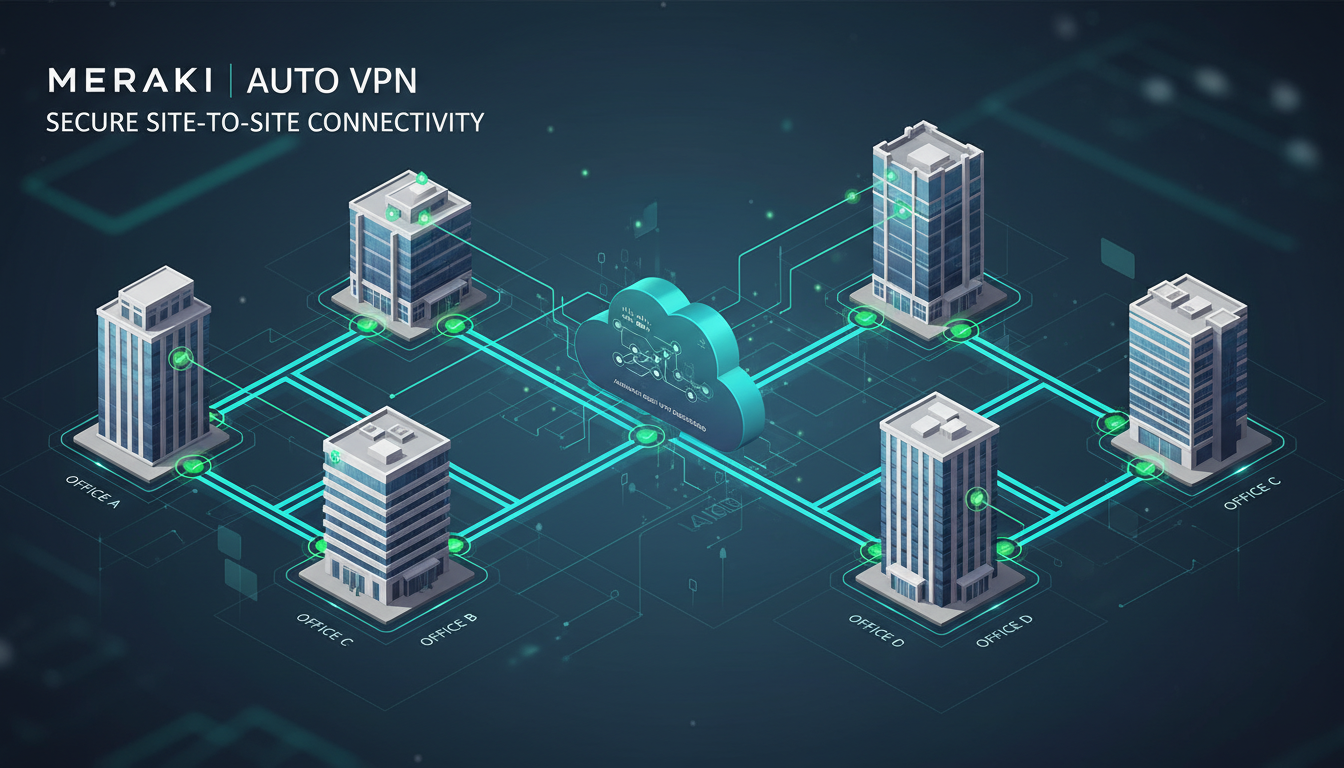
Connecting multiple office locations, warehouses, retail sites, or remote branches over a secure network has traditionally been one of the most complex and expensive undertakings in business IT. Conventional site-to-site VPN configurations require specialist networking expertise, careful manual configuration of IPsec tunnels, meticulous firewall rule management, and ongoing maintenance to keep connections stable and secure. For many UK businesses with multiple sites, this complexity has been a significant barrier to establishing reliable inter-site connectivity.
Cisco Meraki Auto VPN changes this equation entirely. Built into every Meraki MX security appliance, Auto VPN creates encrypted site-to-site connections automatically - with minimal configuration and without requiring deep networking expertise. What traditionally took hours or days of specialist configuration can be achieved in minutes through the Meraki cloud dashboard, making secure multi-site connectivity accessible to businesses of all sizes.
This guide explains how Meraki Auto VPN works, its advantages over traditional VPN approaches, and how UK businesses can leverage it to build secure, reliable networks across multiple locations.
For UK businesses in particular, the need for reliable site-to-site connectivity has intensified in recent years. The shift toward hybrid working models, the growth of e-commerce fulfilment centres, and the increasing reliance on cloud-hosted line-of-business applications all demand that branch offices, warehouses, and retail locations maintain fast, secure, and reliable connections back to central infrastructure. Whether a company operates two offices or fifty, the ability to share data, access centralised applications, and maintain consistent security policies across every location is now a fundamental operational requirement rather than a luxury. Meraki Auto VPN addresses these demands with a solution that scales from a handful of sites to hundreds without proportional increases in complexity, cost, or management overhead.
How Traditional Site-to-Site VPN Works
To appreciate why Meraki Auto VPN is transformative, it helps to understand the traditional approach to site-to-site VPN and its inherent challenges.
A traditional IPsec VPN tunnel between two sites requires manual configuration on both ends. The network engineer must configure matching IKE (Internet Key Exchange) parameters - including encryption algorithm, hashing algorithm, Diffie-Hellman group, and authentication method - on both firewalls. They must define the traffic that should traverse the tunnel using access control lists (ACLs). They must configure NAT exemptions to prevent the tunnel traffic from being translated. They must manage pre-shared keys or certificates. And they must ensure that the public IP addresses on both sides are correctly referenced and reachable.
For a two-site configuration, this is manageable - two endpoints, one tunnel, one set of parameters. But for organisations with multiple sites, the complexity grows exponentially. Connecting five sites in a full mesh requires ten individual tunnels. Connecting ten sites requires forty-five tunnels. Each tunnel must be individually configured, tested, and maintained. When a firewall is replaced, an IP address changes, or a parameter needs updating, every related tunnel must be reconfigured.
This complexity means that traditional multi-site VPN is typically the domain of senior network engineers - expensive specialists whose time is better spent on strategic projects than maintaining VPN configurations. For UK SMEs without dedicated networking staff, traditional site-to-site VPN has often been impractical or unaffordable.
The operational burden extends well beyond the initial configuration. Traditional VPN tunnels require constant monitoring and ongoing maintenance throughout their lifecycle. When internet service providers change IP addresses, when firmware updates alter default security parameters, or when newly discovered vulnerabilities require protocol changes, every affected tunnel must be individually updated and tested. For organisations with dozens of sites, this recurring maintenance represents a significant and persistent cost in specialist engineering time. Outages caused by misconfiguration, overlooked parameter changes, or expired pre-shared keys can disrupt business operations across multiple locations simultaneously, making traditional VPN infrastructure a continual source of operational risk that demands dedicated attention from skilled staff.
Connecting multiple sites in a full mesh - where every site can communicate directly with every other site - requires n(n-1)/2 individual VPN tunnels, where n is the number of sites. For 5 sites, that is 10 tunnels. For 10 sites, it is 45 tunnels. For 20 sites, it is 190 tunnels. Each tunnel requires manual configuration on both endpoints, making traditional full-mesh VPN exponentially complex. Meraki Auto VPN solves this through automatic tunnel establishment - add a new site to the dashboard, and it automatically connects to all other sites without any manual tunnel configuration.
How Meraki Auto VPN Works
Meraki Auto VPN eliminates the manual complexity of traditional VPN by automating the entire tunnel establishment process through the Meraki cloud dashboard. When you deploy a Meraki MX appliance at a new site and configure it for Auto VPN, the following happens automatically.
The MX appliance registers with the Meraki cloud and reports its public IP address and network configuration. The Meraki cloud acts as a VPN registry, maintaining a real-time directory of all MX appliances in your organisation, their IP addresses, and their VPN configuration. When you designate a site as a VPN participant through the dashboard, the cloud distributes the necessary VPN parameters - encryption keys, IP addresses, and routing information - to all relevant appliances.
Each MX appliance uses these parameters to establish encrypted IPsec tunnels to the other sites automatically. There are no pre-shared keys to manage manually, no ACLs to configure, no NAT exemptions to create, and no matching parameters to align across devices. The cloud handles all of this orchestration behind the scenes.
The result is that connecting a new site to your VPN mesh takes minutes rather than hours. You plug in the MX appliance, connect it to the internet, and configure its VPN role in the dashboard. Within minutes, it has established encrypted tunnels to all other sites, routes are propagated, and traffic flows securely between locations.
The underlying technology uses IKEv2 for key exchange, which provides faster connection establishment and significantly better reliability than the older IKEv1 protocol used in many traditional configurations. The Meraki cloud infrastructure acts as an automated certificate authority, issuing and rotating certificates on a regular schedule to ensure that cryptographic material remains fresh and secure at all times. This eliminates the common traditional VPN problem of expired or compromised pre-shared keys going undetected for weeks or months - a vulnerability that has been exploited in numerous high-profile security breaches across industries. The entire key management lifecycle, from initial generation through periodic rotation to emergency revocation, is handled transparently by the cloud platform, removing one of the most error-prone and security-critical aspects of VPN administration from the hands of human operators.
Meraki Auto VPN
- Automatic tunnel establishment and key exchange
- Cloud-managed from a single dashboard
- New sites connected in minutes, not hours
- Automatic failover if a tunnel drops
- No specialist networking knowledge required
- Full mesh, hub-and-spoke, or hybrid topologies
- Dynamic routing across all sites
- Centralised visibility and monitoring
Traditional IPsec VPN
- Manual configuration on both endpoints
- CLI-based management per device
- Hours of specialist time per tunnel
- Manual failover configuration needed
- Requires experienced network engineers
- Full mesh impractical beyond a few sites
- Static routing or complex OSPF/BGP setup
- Device-by-device monitoring and troubleshooting
VPN Topologies: Hub-and-Spoke vs Full Mesh
Meraki Auto VPN supports multiple network topologies, and choosing the right one depends on your organisation's traffic patterns and requirements.
Hub-and-Spoke: In this topology, branch sites (spokes) connect to one or more central sites (hubs), but do not connect directly to each other. All inter-branch traffic routes through the hub. This is the most common topology for organisations with a central head office hosting shared resources - file servers, line-of-business applications, or internet breakout - that branches need to access. It minimises the number of tunnels and simplifies traffic management, but creates a dependency on the hub for all inter-site communication.
Full Mesh: Every site connects directly to every other site. This provides the most efficient routing - traffic between two branches travels directly without detouring through a hub - but requires more tunnels and more bandwidth at each site. Meraki Auto VPN makes full mesh practical even for large numbers of sites, as tunnel establishment is automatic.
Hybrid: A combination where regional hubs connect to each other in a full mesh, and branch sites within each region connect to their regional hub in a spoke arrangement. This balances efficiency with manageability and is well-suited to UK businesses with regional offices and multiple branch locations.
Meraki Auto VPN also supports split tunnel configurations within any of these topologies, providing additional flexibility for how traffic is routed at each location. Split tunnelling allows branch sites to route inter-site traffic through the VPN tunnel whilst sending general internet traffic directly to the internet from the branch location. This approach reduces bandwidth consumption on hub site internet connections and can significantly improve the performance of cloud-hosted applications such as Microsoft 365 and Google Workspace by allowing branch users to access these services via the most direct path rather than backhauling all traffic through the central site. The decision between full tunnel and split tunnel configurations depends on your security requirements, compliance obligations, and where your critical business applications are hosted - factors that should be evaluated on a site-by-site basis during the network design phase.
| Topology | Best For | Tunnel Count (10 sites) | Inter-Branch Latency |
|---|---|---|---|
| Hub-and-Spoke | Centralised resources, simple management | 9 tunnels | Higher (via hub) |
| Full Mesh | Direct inter-branch communication | 45 tunnels | Lowest (direct path) |
| Hybrid (2 hubs) | Regional structure with efficient routing | 13-20 tunnels | Low to moderate |
SD-WAN Integration
Meraki Auto VPN is tightly integrated with Meraki's SD-WAN (Software-Defined Wide Area Network) capabilities, providing intelligent path selection across multiple internet connections. If your sites have dual WAN links - for example, a primary leased line and a secondary broadband connection - SD-WAN automatically selects the best path for each type of traffic based on real-time performance metrics.
For VPN traffic, SD-WAN can monitor the health of each WAN link and automatically failover VPN tunnels if the primary link degrades or fails. This happens seamlessly and without manual intervention - users at branch sites continue working without interruption even if a WAN link fails, because the VPN tunnel automatically re-establishes over the secondary link within seconds.
SD-WAN also enables traffic shaping and application-aware routing. You can configure policies that prioritise voice and video traffic over the VPN tunnel while routing bulk data transfers over a secondary link. This ensures consistent quality of experience for real-time applications like Microsoft Teams, even when large file transfers are consuming bandwidth simultaneously.
For UK businesses with sites served by varying quality of broadband infrastructure - a common scenario given the well-documented disparities between urban and rural connectivity across the country - SD-WAN integration is particularly valuable. A branch office in central Manchester with full-fibre gigabit connectivity and another in rural Devon operating on limited ADSL can both participate in the same VPN mesh, with SD-WAN automatically adjusting traffic handling, buffer sizes, and quality of service parameters to suit the available bandwidth and latency characteristics of each individual location. Quality of service policies ensure that critical business applications such as ERP systems, VoIP telephony, and video conferencing always receive priority treatment regardless of the underlying connection quality at each site, maintaining a consistent user experience across the entire organisation.
Security Considerations
Every Auto VPN tunnel uses AES 256-bit encryption - the same standard used by governments and military organisations worldwide. Key exchange is handled through IKEv2 with perfect forward secrecy, ensuring that even if a key is compromised, past and future communications remain secure.
Beyond the tunnel encryption, each MX appliance functions as a next-generation firewall, providing intrusion detection and prevention (IDS/IPS), content filtering, malware scanning, and application-level visibility. This means that traffic flowing between sites through Auto VPN tunnels is not only encrypted in transit but also inspected for threats at each site boundary.
For compliance purposes, the centralised Meraki dashboard provides complete visibility into VPN tunnel status, traffic flows, and security events across all sites. This is valuable for demonstrating compliance with frameworks such as Cyber Essentials, ISO 27001, and PCI DSS, all of which require evidence of encrypted inter-site communications and network segmentation.
The Meraki platform also maintains detailed audit logs of every configuration change made through the dashboard, providing a clear and unbroken chain of accountability for all security-sensitive modifications. This audit capability is particularly important for UK businesses subject to regulatory oversight, as compliance auditors increasingly require evidence not just that appropriate security controls are in place, but that all changes to those controls are properly tracked, authorised, time-stamped, and fully reviewable. The cloud-managed nature of the Meraki platform means that these comprehensive audit trails are maintained automatically and stored securely without requiring additional logging infrastructure, manual record-keeping processes, or the overhead of managing a separate security information and event management system for network configuration changes.
Real-World UK Deployment Scenarios
To illustrate the practical application of Meraki Auto VPN, consider these common scenarios faced by UK businesses.
Professional Services Firm with Multiple Offices: A law firm with offices in London, Manchester, and Birmingham needs all staff to access a central document management system hosted in the London office. Using Meraki Auto VPN in a hub-and-spoke topology with London as the hub, Manchester and Birmingham staff access the system seamlessly over encrypted tunnels. The firm later opens a satellite office in Leeds - they ship an MX appliance, plug it in, and within 15 minutes the Leeds team has secure access to the same systems.
Retail Chain with Branch Sites: A retail group with 15 stores across the Midlands needs secure connectivity back to their head office for EPOS data, stock management, and CCTV footage transmission. Each store receives a compact Meraki MX appliance that establishes Auto VPN tunnels to the head office automatically. SD-WAN ensures that EPOS transactions are prioritised over CCTV footage when bandwidth is constrained, and automatic failover to 4G backup keeps stores connected even if the primary broadband fails.
Manufacturing Company with Remote Warehouse: A manufacturer near Sheffield has a new warehouse outside Doncaster that needs access to the ERP system at the main site. Traditional VPN would require an engineer to configure matching IPsec parameters on firewalls at both locations. With Meraki Auto VPN, the IT manager simply deploys an MX at the warehouse, adds it to the dashboard, and the tunnel is established automatically - no specialist networking knowledge required.
Healthcare Group with Multiple Surgeries: A GP practice group operating surgeries spread across a county requires secure, NHS-compliant connectivity between all locations for patient record access and shared administrative systems. Each surgery receives a Meraki MX appliance with Auto VPN connecting back to the central server infrastructure at the main practice. The encrypted tunnels satisfy the NHS Data Security and Protection Toolkit requirements for protecting patient data in transit, and the centralised dashboard provides the continuous monitoring and comprehensive audit evidence that the practice needs for its annual toolkit submission. When the group acquires an additional surgery, integrating it into the secure network is simply a matter of deploying an MX appliance and configuring it through the dashboard - eliminating the need for expensive specialist network consultants or lengthy procurement and implementation processes.
Deployment Best Practices
While Auto VPN dramatically simplifies deployment, following best practices ensures optimal performance and reliability.
Size your MX appliance correctly for each site. Meraki offers MX models ranging from the compact MX67 (suitable for small branches with up to 50 users) to the high-performance MX450 (suitable for large sites with thousands of users). The VPN throughput rating of each model determines how much encrypted traffic it can handle - undersizing the appliance at a busy site will create a bottleneck.
Ensure adequate internet bandwidth at each site. VPN traffic adds overhead to your internet connection, and insufficient bandwidth at a branch site will result in poor application performance for users. As a general rule, calculate the bandwidth needed for your inter-site traffic (file access, application data, voice, video) and ensure your internet connection at each site provides at least 150% of that figure to accommodate growth and non-VPN traffic.
Implement split tunnelling thoughtfully. Split tunnelling sends only inter-site traffic through the VPN tunnel while routing internet traffic directly from each site. This reduces the load on your hub site and improves internet browsing performance at branches. However, it requires each site to have its own internet security (content filtering, malware scanning), which the Meraki MX provides natively.
Planning your IP address scheme before deployment is another best practice that pays dividends as your network grows. Each site connected via Auto VPN should use a unique, non-overlapping subnet. Meraki Auto VPN automatically propagates routes between sites, but overlapping subnets will cause routing conflicts that are difficult to resolve after deployment. Adopting a structured IP addressing plan - for example, allocating a /16 block and assigning sequential /24 subnets to each site - ensures that new locations can be added to the VPN mesh without IP conflicts regardless of how large the network grows. Document your addressing scheme clearly and maintain it as a living reference that is updated every time a new site is added to the network.
Ready to Connect Your Sites with Meraki Auto VPN?
Cloudswitched is a Cisco Meraki partner providing design, deployment, and management of cloud-managed networking solutions for businesses across the United Kingdom. Whether you need to connect two offices or twenty branch sites, our team will design the optimal topology, deploy the hardware, and manage your network through the Meraki dashboard. Contact us to discuss your multi-site connectivity requirements.
Explore Cloud Networking Solutions
CloudSwitched
London-based managed IT services provider offering support, cloud solutions and cybersecurity for SMEs.


