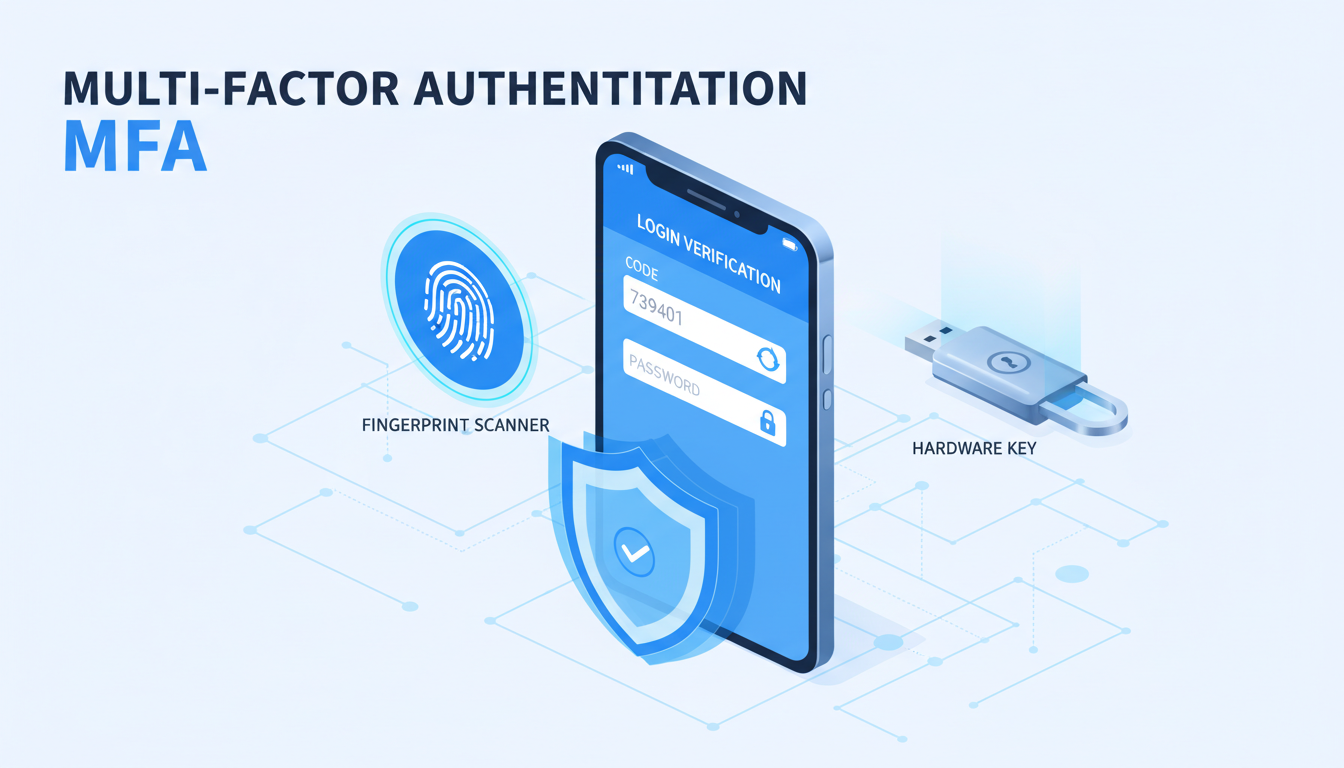
Multi-factor authentication has become one of the most critical requirements in the Cyber Essentials Plus scheme. The NCSC's updated requirements place MFA at the centre of the user access control domain, reflecting the reality that passwords alone are no longer sufficient to protect organisational accounts from compromise. For organisations preparing for Cyber Essentials Plus certification, understanding exactly what MFA is required, where it must be applied, and which methods are acceptable is essential for passing the assessment.
This guide provides a comprehensive breakdown of the MFA requirements for Cyber Essentials Plus, including practical implementation guidance for the most common business platforms.
Why MFA Matters for Cyber Essentials Plus
Credential theft remains the single most common method attackers use to gain initial access to organisations. Phishing emails, credential stuffing attacks, and password database breaches provide attackers with username and password combinations that can be used to access cloud services, email accounts, and remote access systems. Without MFA, a compromised password gives an attacker unrestricted access to the associated account.
MFA adds an additional verification layer beyond the password. Even if an attacker obtains a user's password through phishing or a data breach, they cannot access the account without also possessing the second factor - typically a mobile device, hardware token, or biometric characteristic. This single control dramatically reduces the risk of account compromise.
The NCSC has recognised this by making MFA a central requirement of the Cyber Essentials scheme. The updated requirements specify where MFA must be deployed, what types of MFA are acceptable, and how it should be configured. For Cyber Essentials Plus assessments, the assessor will actively verify that MFA is not just available but is enforced across all applicable services.
Where MFA Must Be Applied
The Cyber Essentials scheme requires MFA for all cloud services and internet-facing services where it is available. This represents a broad requirement that covers the majority of modern business applications.
Cloud Services
Any cloud-based service that is accessible from the internet and supports MFA must have it enabled. This includes:
- Email platforms - Microsoft 365, Google Workspace, and any other cloud-hosted email service
- Collaboration tools - Microsoft Teams, Slack, Zoom, and similar platforms
- File storage and sharing - OneDrive, SharePoint, Google Drive, Dropbox
- CRM and business applications - Salesforce, HubSpot, and similar platforms
- Development and infrastructure - AWS, Azure, Google Cloud Platform, GitHub, GitLab
- Financial and accounting - Xero, QuickBooks Online, Sage cloud services
The key principle is straightforward: if a service is accessible from the internet and offers MFA as a feature, MFA must be turned on. The assessor will check a representative sample of your cloud services to verify compliance.
Administrator Accounts
MFA on administrative accounts is particularly critical. Any account with elevated privileges - global administrators, IT administrators, security administrators, and similar roles - must have MFA enforced without exception. The compromise of an administrative account gives an attacker control over the entire service, making MFA on these accounts the highest priority.
Administrator accounts without MFA represent one of the most common reasons organisations fail Cyber Essentials Plus assessments. Ensure that every account with administrative privileges has MFA enabled and enforced before your assessment. This includes break-glass accounts, service accounts with admin access, and any shared administrator credentials.
Remote Access Services
VPN gateways, remote desktop services, and any other mechanism that provides remote access to your internal network must be protected with MFA. With the widespread adoption of remote and hybrid working, these services are frequently targeted by attackers and represent a critical entry point into your organisation.
Social Media and Marketing Accounts
If your organisation manages social media accounts, marketing platforms, or other public-facing services, these should also have MFA enabled where supported. While these may not be the primary focus of the assessment, the assessor may ask about their protection, particularly if they represent a reputational risk.
Acceptable MFA Methods
Not all MFA methods provide the same level of security. The Cyber Essentials scheme accepts several methods, but the NCSC has expressed clear preferences for stronger approaches.
| MFA Method | Security Level | CE+ Acceptable | NCSC Recommended |
|---|---|---|---|
| FIDO2 / Hardware security keys | Highest | Yes | Yes - preferred |
| Authenticator app (TOTP) | High | Yes | Yes |
| Push notification (e.g., Microsoft Authenticator) | High | Yes | Yes (with number matching) |
| SMS one-time codes | Moderate | Yes | Acceptable but not preferred |
| Email one-time codes | Lower | Yes (with caveats) | Not preferred |
FIDO2 hardware security keys (such as YubiKeys) provide the strongest MFA protection. They are phishing-resistant because the cryptographic challenge-response is bound to the specific website domain, preventing man-in-the-middle attacks. The NCSC strongly recommends FIDO2 keys for high-value accounts, particularly administrator accounts.
Authenticator applications using time-based one-time passwords (TOTP) - such as Microsoft Authenticator, Google Authenticator, or Authy - are widely accepted and provide strong protection. They are the most common MFA method deployed in UK organisations and are straightforward to implement.
Push notifications from applications like Microsoft Authenticator offer convenience and good security. The NCSC recommends enabling number matching for push notifications, which requires the user to enter a number displayed on their screen rather than simply tapping approve. This prevents MFA fatigue attacks where attackers bombard users with push notifications hoping they will approve one accidentally.
SMS-based codes are accepted by the Cyber Essentials scheme but are considered less secure than app-based methods. SMS messages can be intercepted through SIM swapping attacks or mobile network vulnerabilities. The NCSC advises using SMS only as a fallback when stronger methods are not available.
When implementing MFA across your organisation, use authenticator apps as the default method and reserve SMS as a fallback for users who cannot use app-based authentication. For administrator accounts, consider deploying FIDO2 hardware keys for maximum protection against phishing attacks.
MFA Security Effectiveness by Method
Understanding the relative security strength of each MFA method helps organisations make informed decisions about which factors to deploy. The following assessment scores reflect each method's resistance to common attack vectors including phishing, SIM swapping, man-in-the-middle attacks, and social engineering. These scores are derived from NCSC guidance and independent security research conducted across UK organisations.
The disparity between methods is significant. FIDO2 hardware keys achieve near-perfect security scores because they are cryptographically bound to the legitimate service domain, making them immune to phishing attacks. Even sophisticated real-time phishing proxies - which can intercept TOTP codes and push notification approvals - cannot compromise FIDO2 authentication. SMS-based codes, whilst still providing meaningful protection against opportunistic attacks, are vulnerable to SIM swapping, SS7 network exploits, and social engineering of mobile provider support staff.
Implementation Guide for Common Platforms
Microsoft 365
Microsoft 365 is the most common platform we encounter during Cyber Essentials Plus preparations. MFA can be enforced through several mechanisms:
Security Defaults is the simplest approach - it enables MFA for all users using Microsoft Authenticator or the Authenticator app. Security Defaults is suitable for smaller organisations with simple requirements.
Conditional Access policies provide more granular control, allowing you to require MFA based on specific conditions such as user location, device compliance, application sensitivity, or sign-in risk level. Conditional Access requires Azure AD Premium P1 licensing (included in Microsoft 365 Business Premium and above).
Whichever method you choose, ensure that MFA is enforced, not merely enabled. There is a critical difference: enabled means users are prompted to set up MFA but can skip it; enforced means they must complete MFA setup before accessing services. The assessor will verify that MFA cannot be bypassed.
Google Workspace
Google Workspace supports MFA through the Google Admin console. Navigate to Security > Authentication > 2-Step Verification and enable enforcement for your organisation. Google supports authenticator apps, Google Prompts (push notifications), FIDO2 security keys, and phone-based verification.
For enhanced security, enable Advanced Protection Programme for administrator accounts, which requires FIDO2 security keys and provides the strongest available protection.
VPN and Remote Access
The approach to MFA for VPN depends on your specific technology. Most enterprise VPN solutions support integration with MFA providers through RADIUS or SAML. Common approaches include integrating with Azure AD for cloud-based MFA, using Duo Security or RSA SecurID as a dedicated MFA provider, or deploying RADIUS-based MFA through open-source solutions like FreeRADIUS with Google Authenticator integration.
MFA Adoption Across UK Industries
MFA adoption varies dramatically across UK industry sectors, and the gap between leading and lagging sectors continues to widen. Data from the UK Government Cyber Security Breaches Survey and industry-specific research reveals that whilst some sectors have achieved near-universal MFA coverage, others remain dangerously exposed. Understanding where your industry stands can help prioritise your implementation efforts and benchmark your organisation against peers.
Financial services leads the way, driven by stringent FCA regulations and the sector's long-standing investment in security infrastructure. Technology companies benefit from security-aware workforces and early adoption of modern authentication tools. Healthcare has made significant progress, particularly following the WannaCry incident that exposed critical vulnerabilities across NHS trusts, though adoption remains uneven between large trusts and smaller GP practices. The retail and hospitality sector lags behind, often citing cost and staff turnover as barriers, but the growing volume of customer data these businesses handle makes MFA adoption an urgent priority.
For organisations pursuing Cyber Essentials Plus certification, these sector benchmarks provide useful context. However, the certification requirements are absolute - MFA must be deployed regardless of industry sector. The question is not whether your peers have implemented MFA, but whether your own implementation meets the assessment criteria.
Common Implementation Challenges
Whilst the principle of MFA is straightforward, implementation can present practical challenges that organisations must address.
User resistance is the most common challenge. Some staff view MFA as an inconvenience and may resist its implementation. Clear communication about why MFA is necessary - framed in terms of protecting the organisation and their personal data - helps overcome resistance. Emphasise that MFA is a requirement, not an option.
Shared accounts present a specific difficulty. If multiple people share an account (which should be minimised), assigning MFA to an individual's device becomes problematic. The best solution is to eliminate shared accounts where possible, assigning individual accounts with appropriate access levels. Where shared accounts are unavoidable, consider FIDO2 hardware keys that can be physically shared.
Service accounts and API integrations often cannot support interactive MFA. For these accounts, use alternative security measures such as certificate-based authentication, IP address restrictions, or managed identities (in Azure/AWS environments). Document these exceptions clearly for the assessor.
Legacy applications that do not support modern authentication protocols may not be compatible with MFA. Where possible, upgrade or replace these applications. Where this is not feasible, implement compensating controls such as IP-based access restrictions and enhanced monitoring.
Modern vs Traditional MFA Deployment
The way organisations deploy and manage MFA has evolved significantly. Traditional MFA deployments relied on standalone hardware tokens and manual per-user configuration, whilst modern approaches leverage cloud-based identity platforms and policy-driven enforcement. For organisations preparing for Cyber Essentials Plus, understanding these differences helps inform a deployment strategy that is both effective and sustainable. The contrast between the two approaches is stark across virtually every dimension of deployment, management, and security.
Modern Cloud-Based MFA
Traditional Token-Based MFA
Modern cloud-based MFA - delivered through platforms such as Microsoft Entra ID, Google Workspace, or Duo Security - offers significant advantages for Cyber Essentials Plus compliance. Policy-based enforcement ensures that MFA cannot be bypassed or skipped by individual users. Conditional access integration allows intelligent decisions based on sign-in risk, device compliance, and network location. Self-service enrollment reduces the administrative burden on IT teams and accelerates rollout. And centralised audit logging provides the evidence trail that assessors expect to see during the Cyber Essentials Plus assessment.
Preparing for Assessment
Before your Cyber Essentials Plus assessment, verify the following:
- MFA is enforced (not just enabled) on all cloud services
- All administrator accounts have MFA active with no exceptions
- VPN and remote access services require MFA
- The MFA method used is acceptable under the scheme (app-based, hardware key, or SMS)
- Number matching is enabled for push notification methods
- Users cannot bypass or skip MFA enrollment
- Break-glass accounts have MFA or alternative strong controls
- Shared accounts are documented with clear justification
- Service account exceptions are documented with compensating controls
The assessor will typically ask to see the MFA configuration in your admin console, verify that a sample of user accounts have MFA active, and may test that MFA is required when logging in from an unrecognised device or location.
The Consequences of Failing the MFA Assessment
Failing the MFA component of a Cyber Essentials Plus assessment is not merely an inconvenience - it carries real business consequences that extend well beyond the cost of rebooking the assessment. Organisations that fail must address the identified deficiencies and schedule a reassessment, which typically adds four to eight weeks to the certification timeline and incurs additional assessment fees ranging from £500 to £2,000 depending on the scope of the retesting required.
For businesses bidding on government contracts, the delay can be particularly damaging. Central government departments and many local authorities require Cyber Essentials Plus certification as a prerequisite for contracts involving the handling of sensitive or personal information. A failed assessment means your organisation cannot bid on these contracts until certification is achieved, potentially costing you significant revenue opportunities. The Ministry of Defence, NHS Digital, and the Home Office are among the agencies that strictly enforce this requirement.
Beyond procurement, a failed assessment can also affect cyber insurance premiums. An increasing number of UK cyber insurers consider Cyber Essentials Plus certification as part of their risk assessment. Organisations that fail or delay certification may face higher premiums or reduced coverage, adding ongoing financial cost to the initial failure.
Beyond Compliance: MFA Best Practices
Achieving compliance with Cyber Essentials Plus MFA requirements is the minimum standard. Organisations serious about security should consider additional measures.
Phishing-resistant MFA using FIDO2 security keys eliminates the risk of real-time phishing attacks that can bypass TOTP and push-based MFA. Consider deploying FIDO2 keys for all users, not just administrators.
Conditional access policies add intelligence to MFA decisions. Rather than requiring MFA for every login, conditional access can increase MFA requirements for risky sign-ins while reducing friction for trusted scenarios - for example, requiring MFA from new locations but not from known office networks.
Regular MFA auditing ensures that new accounts are enrolled, that disabled methods are not re-enabled, and that the overall MFA posture remains strong. Schedule quarterly reviews of your MFA configuration.
How Cloudswitched Can Help
At Cloudswitched, we help organisations implement and manage MFA across their entire technology estate. From initial deployment to ongoing management, our team ensures that your MFA implementation meets Cyber Essentials Plus requirements and provides genuine security protection.
We provide MFA strategy and planning, platform configuration for Microsoft 365, Google Workspace, and other services, user communication and training to support smooth rollout, and pre-assessment verification to confirm compliance before the formal Cyber Essentials Plus assessment.
Get MFA Right for Cyber Essentials Plus
Cloudswitched provides expert MFA implementation and Cyber Essentials Plus preparation services. From policy design and platform configuration to pre-assessment audits, we ensure your organisation passes first time with a robust, future-proof authentication setup.
Frequently Asked Questions
Is MFA required for every single cloud service?
MFA is required for all cloud services that are accessible from the internet and support MFA as a feature. If a service offers MFA capability, it must be enabled. Services that do not support MFA should be documented and alternative security controls considered.
Can I use SMS-based MFA for Cyber Essentials Plus?
Yes, SMS-based MFA is currently accepted by the Cyber Essentials scheme. However, the NCSC recommends using authenticator apps or hardware security keys as stronger alternatives. SMS should be used as a fallback rather than the primary method.
What about biometric authentication?
Biometric authentication (fingerprint, facial recognition) on a device is considered a form of MFA when combined with a password. Windows Hello for Business and Apple Face ID/Touch ID are acceptable as part of an MFA implementation when properly configured.
Do service accounts need MFA?
Service accounts that cannot support interactive MFA should be secured with alternative controls such as certificate authentication, IP restrictions, or managed identities. Document these exceptions and their compensating controls for the assessor.
How do I handle MFA for contractors and temporary staff?
Contractors and temporary staff who access your cloud services must use MFA on the same basis as permanent employees. Ensure your onboarding process includes MFA enrollment and that accounts are promptly disabled when the engagement ends.
What happens if a user loses their MFA device?
Every organisation should have a documented process for MFA recovery. This typically involves identity verification by IT staff, temporary access codes, and re-enrollment of MFA on a replacement device. For Cyber Essentials Plus, the assessor may ask to see this recovery process documented. Ensure that recovery procedures themselves cannot be exploited by social engineering - verify the user's identity through a secondary channel before resetting MFA.
Does MFA protect against all types of account compromise?
MFA significantly reduces the risk of account compromise but is not a complete defence on its own. Sophisticated attackers may use real-time phishing proxies to intercept TOTP codes, or exploit MFA fatigue by sending repeated push notifications. This is why the NCSC recommends number matching for push notifications and FIDO2 keys for high-value accounts. MFA should be part of a layered security approach that includes strong passwords, conditional access policies, and monitoring for suspicious sign-in activity.

CloudSwitched
London-based managed IT services provider offering support, cloud solutions and cybersecurity for SMEs.


