Every pound spent on data backup solutions UK businesses invest in is a pound spent protecting their most valuable intangible asset: data. Yet despite the critical importance of reliable backup, pricing in the UK cloud backup market remains one of the most opaque, confusing, and frequently misunderstood areas of IT procurement. Per-gigabyte rates that look attractively low on a provider's website can balloon into eye-watering monthly invoices once egress fees, API call charges, restore costs, retention surcharges, and minimum commitment penalties are factored in. A small business owner comparing cloud backup pricing UK options might see headline rates ranging from 1p to 15p per gigabyte per month and reasonably assume that the cheapest option represents the best value - only to discover, after signing a twelve-month contract, that retrieving their data in an emergency costs more than storing it did all year.
This guide cuts through the complexity. Whether you are a five-person consultancy evaluating cloud backup for small business solutions for the first time, a growing mid-market firm running a cloud backup comparison UK exercise to replace an ageing on-premises system, or an IT director reviewing managed backup services UK providers to ensure your organisation is getting genuine value, the information here will equip you to make informed, confident purchasing decisions. We examine every element that contributes to the true cost of cloud backup in the UK - from raw storage pricing and bandwidth charges through to licensing models, retention policy costs, compliance overheads, and the hidden expenses that vendors rarely mention until the first invoice arrives.
Crucially, this is not a theoretical exercise. Every figure, range, and comparison in this guide is grounded in real-world UK market pricing as of early 2026, drawn from published rate cards, customer case studies, and direct experience managing cloud backup for small business and enterprise deployments across dozens of UK organisations. The goal is not to recommend a single provider, but to give you the knowledge and framework to evaluate any provider's pricing against your specific requirements - and to spot the traps that catch unprepared buyers.
Understanding Cloud Backup Pricing Models in the UK
Before diving into specific numbers, it is essential to understand the fundamentally different pricing models that UK cloud backup pricing UK providers use. The model a provider employs determines not just how much you pay today, but how predictably your costs will scale as your data grows and how exposed you are to unexpected charges during a disaster recovery event - precisely the moment when cost surprises are least welcome.
Per-Gigabyte Storage Pricing
The most common pricing model for raw cloud backup storage charges a rate per gigabyte (or per terabyte) of data stored per month. This is the headline figure that most providers advertise, and it varies enormously depending on the storage tier, provider, and volume commitment. In the UK market as of 2026, per-gigabyte monthly rates for data backup solutions UK range from approximately 1p per GB for cold/archive storage tiers (where data retrieval is slow and expensive) to 12-15p per GB for hot storage with instant access and unlimited restores. The median rate for standard business backup storage with reasonable restore speeds sits around 4-7p per GB per month.
The critical nuance with per-gigabyte pricing is what it does and does not include. Some providers quote a "front-end" price based on the source data volume (the amount of data on your servers before deduplication and compression), whilst others quote a "back-end" price based on the actual storage consumed after deduplication. A provider charging 5p per GB on front-end data might actually cost less than one charging 3p per GB on back-end data if the latter's deduplication ratio is poor. Always clarify whether quoted rates refer to source data volume or stored data volume, and what deduplication ratio the provider typically achieves for your data types.
Per-Device or Per-Server Licensing
Some cloud backup for small business solutions charge a flat monthly fee per protected device - typically £5-£25 per workstation and £30-£80 per server, with storage included up to a defined limit. This model offers cost predictability and simplicity, which appeals to small businesses that want a fixed monthly outlay without worrying about per-gigabyte calculations. The risk is that the included storage allowance may be insufficient for your needs, triggering overage charges at significantly higher per-gigabyte rates. A plan offering "unlimited backup" per server at £50 per month might define "unlimited" as covering up to 500 GB, with each additional gigabyte charged at 10p - turning an apparently cheap plan into an expensive one for data-heavy servers.
Per-User Licensing
Particularly common for Microsoft 365 and Google Workspace backup, per-user licensing charges a monthly fee per user account backed up - typically £2-£8 per user per month in the UK market. This covers backup of the user's mailbox, OneDrive/SharePoint files, and sometimes Teams data. For organisations with large mailboxes or extensive OneDrive usage, per-user pricing can represent excellent value. For organisations with many user accounts but minimal data per user, it may be less cost-effective than a per-gigabyte model.
Managed Service Pricing
Managed backup services UK providers charge a comprehensive monthly fee that includes not just the software and storage, but also the monitoring, management, testing, and support that ensures your backups actually work when needed. This model is typically 2-4 times more expensive than raw self-managed cloud backup storage, but it eliminates the need for in-house backup expertise and provides genuine peace of mind. A managed backup service for a UK small business with 1 TB of protected data might cost £180-£600 per month, compared to £40-£100 for self-managed storage alone. The premium covers 24/7 monitoring, daily backup verification, monthly test restores, dedicated support, and the expertise to configure, optimise, and troubleshoot the backup environment on an ongoing basis.
When comparing cloud backup pricing UK quotes, always request a Total Cost of Ownership (TCO) breakdown covering a 36-month period. Include storage, egress, restore fees, licensing, support, and any minimum commitments. A provider that looks 30% cheaper on per-GB rates might be 20% more expensive over three years once all ancillary charges are included. The cheapest per-gigabyte rate is rarely the cheapest overall solution.
UK Cloud Backup Provider Pricing Comparison: 2026
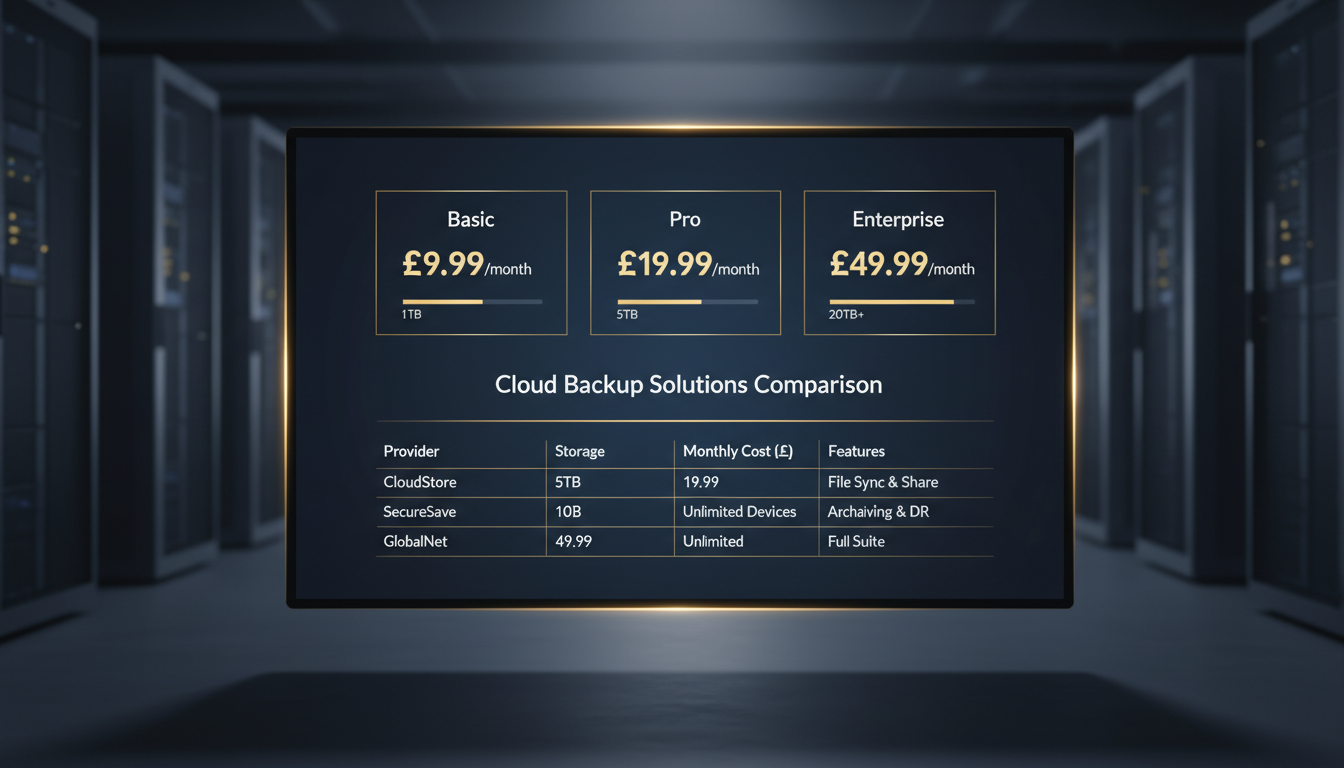
To give UK businesses a practical basis for cloud backup comparison UK decisions, the following table presents indicative pricing from the major provider categories active in the UK market as of early 2026. These figures represent typical rates for small-to-medium business workloads (1-10 TB of source data) and are drawn from published rate cards, partner pricing, and real customer deployments. Actual pricing will vary based on volume commitments, contract length, and negotiation.
| Provider Category | Storage (per GB/month) | Egress/Restore Fees | Minimum Commitment | UK Data Centres | Best For |
|---|---|---|---|---|---|
| Hyperscaler Archive (e.g., AWS Glacier, Azure Archive) | 1p-2p | High (5p-12p per GB retrieved) | None (pay-as-you-go) | Yes (London, Cardiff) | Long-term archival, compliance retention |
| Hyperscaler Standard (e.g., AWS S3, Azure Blob Hot) | 4p-7p | Moderate (2p-5p per GB) | None (pay-as-you-go) | Yes | Custom-built backup solutions, large enterprises |
| Specialist Backup SaaS (e.g., Veeam Cloud, Acronis) | 5p-10p | Often included or low | Annual licence typical | Varies by partner | Mid-market businesses, VMware/Hyper-V environments |
| UK MSP Managed Backup | 8p-15p (all-inclusive) | Included | 12-36 months typical | Yes (UK-only) | SMBs wanting fully managed, hands-off backup |
| M365/SaaS Backup Specialist | £2-£8 per user/month | Included | Annual typical | Varies | Microsoft 365, Google Workspace backup |
| Budget/Consumer-Grade | 1p-3p | Varies widely | None or monthly | Rarely UK-specific | Personal use, non-critical data |
Several patterns emerge from this comparison. First, there is a clear inverse relationship between per-gigabyte storage cost and the level of service, support, and ancillary features included. The cheapest storage (hyperscaler archive tiers at 1-2p per GB) offers the lowest unit cost but imposes significant egress fees and requires substantial in-house expertise to configure, manage, and monitor. At the other end of the spectrum, managed backup services UK providers charge a premium per-gigabyte rate but include everything - monitoring, management, testing, support, and typically free restores. For UK small businesses without dedicated IT staff, the all-inclusive managed model is almost always more cost-effective when the value of staff time, risk of misconfiguration, and cost of failed restores are factored in.
Second, egress and restore fees are the single largest source of unexpected costs in cloud backup pricing UK. A business storing 5 TB with a hyperscaler at 2p per GB pays just £100 per month in storage - but if they need to perform a full restore (retrieving all 5 TB), the egress charges alone could exceed £250-£600, depending on the storage tier and retrieval speed selected. This is not a hypothetical concern: it is a cost that materialises at precisely the moment when the business is already dealing with a data-loss crisis. Providers that include unlimited restores in their pricing eliminate this risk entirely.
Average per-GB monthly storage rates across UK cloud backup provider categories, 2026 (storage only, excluding egress and ancillary charges)
Small Business vs Enterprise: How Pricing Scales
The economics of cloud backup for small business are fundamentally different from those of enterprise deployments, and understanding these differences is essential for making the right purchasing decision at your organisation's scale. A pricing model that delivers excellent value for a 50-person company with 2 TB of data can be wildly inappropriate for a 500-person enterprise with 50 TB - and vice versa.
Small Business Pricing (1-50 Users, Up to 5 TB)
UK small businesses typically face a choice between three approaches to cloud backup pricing UK. The first is a self-managed solution using a backup tool like Veeam Community Edition, MSP360, or Duplicati with hyperscaler storage. This can achieve per-gigabyte costs as low as 2-4p per GB for storage, but requires in-house technical capability to configure, monitor, and test the backups - capability that most small businesses simply do not have. The second approach is a small-business-focused SaaS backup solution (CrashPlan, Carbonite, Backblaze B2 with a front-end tool) that charges per-device or per-user fees. These typically range from £5-£15 per device per month for workstations and £30-£60 per server per month, with storage included up to defined limits. The third option - and the one that our experience at Cloudswitched consistently shows delivers the best outcomes for UK SMBs - is a managed backup services UK package from a reputable MSP that bundles software, storage, monitoring, management, and support into a single predictable monthly fee.
For a typical UK small business with 10-25 users, 1-3 servers, and 500 GB to 2 TB of total data, monthly costs across these three approaches look roughly like this:
| Approach | Monthly Cost (1 TB) | Monthly Cost (2 TB) | Includes Monitoring | Includes Test Restores | Includes Support |
|---|---|---|---|---|---|
| Self-managed (hyperscaler storage) | £40-£70 | £80-£140 | No (DIY) | No (DIY) | Community/forums only |
| SaaS per-device (e.g., CrashPlan, Carbonite) | £80-£180 | £120-£250 | Basic dashboard | Manual (self-service) | Email/chat |
| UK MSP Managed Backup | £180-£400 | £300-£600 | 24/7 proactive | Monthly automated | Dedicated account manager |
The managed option costs 3-5 times more than the self-managed approach, but the comparison is misleading without considering the hidden costs of self-management. A UK small business owner or office manager spending 3-5 hours per month monitoring backups, troubleshooting failures, and testing restores is absorbing a real cost - and if they lack the expertise to spot a silently failing backup job, the true cost only becomes apparent when a restore fails during a genuine emergency. The question is not "can we afford managed backup?" but "can we afford the consequences of unmanaged backup?"
Enterprise Pricing (50-500+ Users, 5-100+ TB)
Enterprise cloud backup pricing UK involves larger data volumes, more complex architectures (multi-site, hybrid cloud, diverse workloads), and greater negotiating leverage. Enterprises typically negotiate custom pricing with volume discounts that can reduce per-gigabyte rates by 30-60 per cent compared to published list prices. A large enterprise storing 50 TB with a specialist backup provider might negotiate rates of 3-5p per GB (compared to 7-10p list price), resulting in monthly storage costs of £1,500-£2,500 - plus licensing costs for the backup software, which at enterprise scale can add £500-£2,000 per month depending on the platform and the number of protected workloads.
Enterprise deployments also benefit from economies of scale in deduplication. Larger and more homogeneous datasets (hundreds of similar Windows servers, thousands of identical virtual desktops) achieve higher deduplication ratios - often 10:1 to 20:1 - which dramatically reduces actual storage consumption and therefore cost. A 50 TB source environment with a 15:1 deduplication ratio consumes only 3.3 TB of backup storage, potentially reducing monthly storage costs from £2,500 to under £200 at hyperscaler rates.
Managed Backup Service
Self-Managed Backup
The Hidden Costs of Cloud Backup: What Vendors Do Not Tell You
The headline per-gigabyte storage rate that most cloud backup pricing UK providers advertise is, at best, a partial picture. At worst, it is deliberately misleading - designed to attract buyers with an artificially low sticker price whilst burying the charges that actually determine total cost in the fine print. The following hidden costs catch UK businesses repeatedly, and understanding them before you sign a contract can save thousands of pounds over the life of your backup agreement.
Egress and Data Retrieval Fees
This is the single most significant hidden cost in cloud backup. Egress fees are charges levied by cloud providers when data leaves their infrastructure - which is exactly what happens when you restore from backup. The major hyperscalers (AWS, Azure, Google Cloud) all charge egress fees, typically ranging from 2p to 9p per gigabyte depending on the destination and volume. For small restores (individual files or folders), egress costs are negligible. For full server or site-wide restores - the scenario that triggered your backup need in the first place - egress costs can be substantial. Restoring 5 TB from AWS S3 Standard at the current UK egress rate of approximately 7.3p per GB costs over £365 in egress fees alone, on top of whatever you have been paying monthly for storage.
Archive storage tiers compound this problem. Retrieving data from AWS Glacier Deep Archive or Azure Archive Storage is not just expensive - it is slow. Standard retrieval from Glacier Deep Archive takes 12 hours, and the retrieval fee is in addition to the egress fee. If you need your data urgently (which, during a disaster recovery, you almost certainly do), expedited retrieval can cost 10-20 times the standard rate. This creates a perverse incentive structure where the cheapest storage is paired with the most expensive and slowest retrieval - exactly the opposite of what businesses need during an emergency.
API Call Charges
Cloud backup operations generate API calls - PUT requests when writing backup data, GET requests when reading during restores, LIST requests when cataloguing existing backups, and DELETE requests when expiring old retention points. Whilst individual API call charges are tiny (fractions of a penny per request), incremental backup jobs that scan and update millions of small files can generate tens of millions of API calls per month. For businesses with large numbers of small files (creative agencies with millions of design assets, legal firms with millions of documents), API call charges can add 10-30 per cent to the base storage cost.
Minimum Storage Commitments
Some providers require minimum storage commitments, particularly at discounted pricing tiers. If you commit to 10 TB at a discounted rate and your actual usage is only 6 TB, you pay for 10 TB regardless. These commitments typically apply for the contract duration (12-36 months), creating a financial penalty for overestimating your storage needs. Conversely, exceeding your commitment often triggers standard (undiscounted) rates for the overage, punishing underestimation as well.
Early Termination and Data Extraction
Leaving a cloud backup provider before the end of your contract period typically incurs early termination fees - often the remaining months' charges at the committed rate. More insidiously, extracting your data from one provider to migrate to another triggers the same egress fees described above. A business storing 10 TB that wants to switch providers faces an extraction cost of £500-£900 in egress fees alone, creating a financial barrier to switching that amounts to vendor lock-in by pricing. Some providers charge additional "data migration" or "account closure" fees on top of standard egress rates.
Retention Policy Surcharges
Retaining backup data for longer periods costs more - this is obvious. What is less obvious is that some providers charge premium rates for extended retention, particularly for compliance-driven requirements. A provider might charge 5p per GB per month for data retained up to 30 days, but 8p per GB per month for data retained beyond 90 days, and 12p per GB per month for data retained beyond one year. For businesses in regulated industries (financial services under FCA rules, healthcare under NHS requirements) that must retain backup data for years, these retention surcharges can double or triple the effective storage cost.
Always ask potential providers for a "worst-case restore" cost estimate. Request a written quote for the total cost of restoring your entire protected dataset in an emergency - including storage, egress, retrieval fees, expedited access charges, and any support fees. If the provider cannot or will not provide this figure, treat it as a red flag. The cost of a full restore should be a known quantity, not a surprise you discover during a crisis.
Storage Tiers Explained: Hot, Cool, Cold, and Archive
One of the most impactful decisions in cloud backup pricing UK is choosing the right storage tier for each category of backup data. The major cloud platforms offer multiple storage tiers that trade off between access speed, retrieval cost, and monthly storage price. Selecting the wrong tier - or worse, using a single tier for all data - can either waste money (paying hot-tier rates for data that is rarely accessed) or create recovery bottlenecks (storing critical backup data on archive tiers with multi-hour retrieval times).
Hot Storage
Hot storage offers immediate access with low retrieval latency and minimal or no retrieval fees. This is the most expensive storage tier (4-7p per GB per month at hyperscaler rates), but it is essential for backup data that might need to be restored urgently - recent backup points of critical production systems, the last 7-14 days of incremental backups, and disaster recovery images that need to be available within minutes. For cloud backup for small business deployments where the total data volume is modest (under 2 TB), keeping all backup data on hot storage may be the simplest and most cost-effective approach, avoiding the complexity of multi-tier management for a marginal savings.
Cool/Infrequent Access Storage
Cool storage (AWS S3 Infrequent Access, Azure Cool, Google Nearline) offers a middle ground: storage rates 30-50 per cent lower than hot tier, with moderate retrieval fees and access latency measured in milliseconds rather than hours. This tier is well-suited for backup data that is older than 14-30 days but younger than 90 days - data that you probably will not need to restore but want available within minutes if you do. Cool storage typically has a minimum storage duration (30-90 days), meaning that data deleted before this period still incurs charges for the full minimum duration.
Cold Storage
Cold storage (AWS S3 Glacier Instant Retrieval, Azure Cold) provides storage rates 60-70 per cent lower than hot tier, with higher retrieval fees and minimum storage durations of 90-180 days. Data stored in cold tiers is accessible within milliseconds to minutes, making it suitable for monthly and quarterly backup retention points - data you are unlikely to need but must retain for compliance or operational reasons. The retrieval fees make cold storage unsuitable for data that might need frequent or large-scale restores.
Archive Storage
Archive storage (AWS Glacier Deep Archive, Azure Archive, Google Coldline/Archive) offers the lowest per-gigabyte rates (1-2p per GB per month) but imposes significant constraints on retrieval. Standard retrieval times range from 1 hour to 12 hours depending on the provider and retrieval class, and retrieval fees are the highest of any tier. Archive storage is designed for long-term retention of data that will rarely if ever be accessed - annual backup snapshots retained for regulatory compliance, legacy data from decommissioned systems, and historical records. It is emphatically not suitable for backup data that might need to be restored in a disaster recovery scenario, where hours of retrieval latency are unacceptable.
| Storage Tier | Typical UK Price (per GB/month) | Retrieval Latency | Retrieval Fee (per GB) | Min. Storage Duration | Best For |
|---|---|---|---|---|---|
| Hot | 4p-7p | Milliseconds | None or minimal | None | Recent backups, DR images, critical systems |
| Cool / Infrequent Access | 2p-4p | Milliseconds | 1p-3p per GB | 30-90 days | 14-90 day retention, monthly restore points |
| Cold | 1.5p-3p | Minutes to hours | 3p-5p per GB | 90-180 days | Quarterly retention, compliance archives |
| Archive | 0.5p-2p | 1-12 hours | 5p-15p per GB | 180-365 days | Long-term compliance, legacy data, yearly snapshots |
Retention Policies and Their Impact on Cost
Retention policy - how long backup data is kept before being automatically purged - is one of the most powerful levers for controlling cloud backup pricing UK costs, yet it is also one of the most frequently misunderstood. Many UK businesses default to retaining "everything forever" without considering the cost implications, whilst others set aggressively short retention periods that leave them unable to recover from incidents discovered weeks or months after they occurred.
Grandfather-Father-Son (GFS) Retention
The most widely used retention scheme for data backup solutions UK is the Grandfather-Father-Son (GFS) model. In its standard configuration, GFS retains daily backup points ("Sons") for a defined period (typically 7-30 days), weekly backup points ("Fathers") for a longer period (typically 4-12 weeks), and monthly backup points ("Grandfathers") for the longest period (typically 12-84 months). Optionally, annual backup points are retained for multi-year compliance periods.
A common GFS configuration for a UK business might retain 30 daily + 12 weekly + 12 monthly + 7 yearly backup points. The cost impact of this retention scheme depends on the daily change rate and deduplication ratio, but as a rough guide, a GFS policy with 30/12/12/7 retention on a 1 TB source dataset with a 5 per cent daily change rate typically results in 3-5 TB of total backup storage consumption after deduplication. At 5p per GB, that is £150-£250 per month in storage costs - compared to £50 per month if you retained only the most recent 7 daily backups (approximately 1 TB after deduplication).
Compliance-Driven Retention
UK businesses in regulated industries face retention requirements that significantly impact cloud backup pricing UK. Financial services firms regulated by the FCA must retain certain records for a minimum of 5-7 years. Healthcare organisations operating within the NHS must retain patient records for defined periods that vary by record type (often 8-30 years). Legal firms are subject to Solicitors Regulation Authority (SRA) requirements for record retention. These compliance-driven retention periods can result in substantial long-term storage costs, and they create a genuine need for archive storage tiers - because paying hot-tier rates on data retained for seven years would be prohibitively expensive.
The cost-effective approach to compliance retention is lifecycle management: storing recent backup data on hot or cool tiers for fast restore capability, automatically transitioning older data to cold or archive tiers as it ages, and setting minimum retention periods that match regulatory requirements without exceeding them unnecessarily. Many cloud backup for small business solutions and managed backup services UK include automated lifecycle policies that handle this tiering transparently.
Vendor Lock-In: The True Cost of Switching Providers
Vendor lock-in is a critically underappreciated factor in cloud backup pricing UK decisions. Once your data resides with a provider, migrating to an alternative involves direct financial costs (egress fees, migration tooling, parallel running costs), operational costs (staff time, testing, re-configuration), and risk costs (the period of reduced protection during migration). These switching costs create an economic moat around your current provider - and providers know it. Understanding lock-in dynamics before you commit is essential for making a decision you will not regret in two or three years' time.
Financial Lock-In: Egress as a Switching Tax
As discussed, egress fees function as a de facto switching tax. A business with 10 TB of backup data stored with a hyperscaler faces £500-£900 in egress fees just to extract the data - before any other migration costs. Some newer providers (notably Cloudflare R2, Backblaze B2, and Wasabi) have differentiated themselves by eliminating or significantly reducing egress fees, specifically to lower the barrier to switching. If you are evaluating cloud backup comparison UK options and vendor flexibility is a priority, zero-egress providers deserve serious consideration, even if their per-gigabyte storage rates are marginally higher than egress-charging alternatives.
Technical Lock-In: Proprietary Formats and APIs
Some backup providers store data in proprietary formats that can only be read and restored by their own software. If you stop paying for the software licence, you lose access to your backup data - even if the underlying storage remains available. Others use standard formats and open APIs that allow data to be read and restored independently of the provider's software. When conducting a cloud backup comparison UK, ask explicitly whether backup data is stored in an open or proprietary format and whether you can access raw backup data without the provider's software.
Contractual Lock-In: Terms That Trap
Multi-year contracts with auto-renewal clauses, extended notice periods, and escalating termination fees create contractual lock-in that can persist even when you have found a better or cheaper alternative. UK small businesses are particularly vulnerable to aggressive contract terms from providers that offer attractive initial pricing in exchange for extended commitments. Always review the contract exit terms before signing, and prefer providers that offer monthly or annual agreements with reasonable notice periods (30-90 days) over those that require multi-year commitments with punitive early-termination clauses.
When evaluating cloud backup comparison UK options, calculate the "exit cost" for each provider before you sign. Add up: egress fees for extracting all your data, early termination penalties (if applicable), the cost of re-configuring backup jobs on the new platform, and parallel running costs during migration. If the exit cost exceeds six months' backup spend, you are accepting significant lock-in. Negotiate egress fee caps or free data export clauses into your contract wherever possible.
Managed Backup Services UK: What You Get for the Premium
Managed backup services UK represent the premium end of the cloud backup market, and for good reason. A managed service is not simply cloud storage with a higher price tag - it is a fundamentally different proposition that shifts the responsibility for backup success from your organisation to a specialist partner. For UK businesses that lack dedicated backup expertise (which is the majority of SMBs and many mid-market firms), the managed model is not an optional luxury - it is the only approach that reliably delivers working backups and tested restores.
What Managed Backup Includes
A comprehensive managed backup services UK engagement typically includes the following elements, all of which contribute to the premium pricing but also to the dramatically higher success rate of managed versus self-managed backup:
Initial Design and Configuration: The provider designs your backup architecture - selecting the right tools, configuring backup jobs, setting retention policies, establishing schedules, and integrating with your existing infrastructure. This alone can represent 20-40 hours of specialist engineering time, worth £2,000-£6,000 at market rates, but is typically included in the managed service setup fee or absorbed into the monthly charge.
24/7 Monitoring: Automated systems monitor every backup job, alerting the provider's operations team to failures, warnings, missed schedules, or anomalies. A failed backup at 3 AM on a Saturday is investigated and resolved before your team arrives on Monday morning - not discovered three weeks later during a crisis. Industry data consistently shows that unmonitored backup environments have failure rates of 20-30 per cent (meaning one in four to one in three backup jobs silently fails), whilst monitored and managed environments maintain success rates above 98 per cent.
Regular Test Restores: The most critical element of any backup strategy is regular testing, and it is also the element most frequently neglected in self-managed environments. Managed backup services UK providers perform scheduled test restores - typically monthly - to verify that backup data is complete, consistent, and actually restorable. Many providers offer automated restore verification that spins up a virtual instance from the backup image and performs basic checks (does it boot? do services start? is the data accessible?) without manual intervention.
Patching and Maintenance: Backup software requires regular updates, security patches, and occasional reconfiguration as your IT environment evolves. Managed providers handle all of this, ensuring that your backup infrastructure remains current, secure, and compatible with changes to your production environment (new servers, upgraded operating systems, migrated applications).
Compliance Support: For UK businesses subject to regulatory requirements (GDPR, FCA, NHS DSPT, ISO 27001), managed providers typically offer compliance documentation - evidence of backup configurations, retention policy adherence, encryption standards, test restore logs, and incident reports - that simplifies audit preparation and demonstrates due diligence to regulators.
Month 1: Assessment and Design
The managed backup provider audits your current environment, classifies data by criticality, defines RPO/RTO targets, and designs the backup architecture. Migration plan created for existing data.
Month 1-2: Implementation and Migration
Backup agents deployed, jobs configured, retention policies set, monitoring enabled. Initial full backups seeded (potentially via physical shipment for large datasets). Existing backup data migrated.
Month 2: Verification and Handover
All backup jobs verified as running successfully. First test restore performed and documented. Monitoring dashboards and alerting configured. Runbook and escalation procedures established.
Ongoing: Proactive Management
24/7 monitoring, automatic failure remediation, monthly test restores, quarterly reviews, capacity planning, and continuous optimisation of backup configuration and costs.
Annual: Strategy Review
Annual backup and DR strategy review to account for infrastructure changes, new compliance requirements, evolving threats, and cost optimisation opportunities. Retention policies and RPO/RTO targets revisited.
Cloud Backup for Microsoft 365: A Special Case
Microsoft 365 backup deserves special attention in any cloud backup comparison UK discussion, because it is frequently misunderstood and because Microsoft's own retention and recovery capabilities are far more limited than most UK businesses assume. The default assumption - "Microsoft backs up our data, so we don't need to" - is dangerously wrong, and it catches businesses out with painful regularity.
Why You Need Third-Party M365 Backup
Microsoft's shared responsibility model explicitly states that whilst Microsoft is responsible for the availability and infrastructure resilience of the M365 platform, the customer is responsible for their data. Microsoft provides limited retention capabilities - deleted items are recoverable from the recycle bin for 93 days, and SharePoint files have a version history - but these are retention features, not backup features. They do not protect against malicious deletion (an angry employee or a compromised admin account purging data), long-term accidental deletion (discovered after the 93-day window), ransomware encryption of OneDrive and SharePoint files, tenant-level corruption or misconfiguration, or regulatory requirements to retain data for years beyond Microsoft's standard retention.
M365 Backup Pricing in the UK
Third-party M365 backup solutions in the UK market typically charge per-user-per-month, with prices ranging from £2 to £8 per user depending on the provider, the data sources covered (Exchange, OneDrive, SharePoint, Teams), and the storage allocation. For a 50-user organisation, this translates to £100-£400 per month - a modest investment for complete protection of what is, for many UK businesses, their primary data platform.
Some providers offer per-gigabyte pricing for M365 backup, which can be more economical for organisations with large user counts but small per-user data volumes. Conversely, organisations with a small number of users but very large mailboxes or extensive SharePoint sites may find per-user pricing more attractive. The key is to model both approaches against your actual data profile before committing.
| M365 Backup Provider Type | Price (per user/month) | Exchange | OneDrive | SharePoint | Teams | Unlimited Storage |
|---|---|---|---|---|---|---|
| Budget SaaS (e.g., Afi, CloudAlly) | £2-£3 | Yes | Yes | Yes | Limited | No (typically 50 GB/user) |
| Mid-Range (e.g., Veeam M365, Datto SaaS) | £3-£5 | Yes | Yes | Yes | Yes | Varies (often 1 TB/user) |
| Enterprise (e.g., Commvault, Rubrik) | £5-£8 | Yes | Yes | Yes | Yes | Yes (truly unlimited) |
| MSP Managed M365 Backup | £4-£8 | Yes | Yes | Yes | Yes | Varies |
Cost Optimisation Strategies for UK Businesses
Understanding the pricing landscape is only half the battle. Implementing practical cost optimisation strategies can reduce your cloud backup pricing UK spend by 20-50 per cent without compromising protection. These strategies apply whether you are managing backup in-house or working with a managed backup services UK provider.
Data Classification and Tiered Backup
Not all data is created equal, and not all data deserves the same level of backup protection. Classifying your data into tiers based on criticality and recovery requirements allows you to apply differentiated backup policies - protecting critical data aggressively (frequent backups, hot storage, long retention) whilst applying lighter-touch policies to less critical data (daily backups, archive storage, shorter retention). A UK legal firm, for example, might classify active case files as Tier 1 (hourly backups, 7-year retention), administrative documents as Tier 2 (daily backups, 2-year retention), and marketing materials as Tier 3 (weekly backups, 90-day retention). This tiered approach can reduce total backup storage costs by 30-50 per cent compared to a one-size-fits-all policy.
Deduplication Optimisation
If your backup solution supports global deduplication across all protected workloads (rather than per-job deduplication), enabling this feature can dramatically reduce storage consumption. Global deduplication is particularly effective in environments with many similar systems - if you back up 50 Windows workstations with identical operating systems and applications, global deduplication stores one copy of the common files and only the unique user data for each workstation, potentially achieving deduplication ratios of 20:1 or higher.
Compression and Bandwidth Scheduling
Modern cloud backup for small business agents support configurable compression levels. Higher compression reduces storage and bandwidth consumption at the cost of additional CPU usage during backup. For most workloads, medium-to-high compression provides a good balance, reducing stored data volume by 40-60 per cent. Scheduling large backup jobs during off-peak hours (typically overnight) allows you to use full bandwidth without impacting business operations, and some UK ISPs offer lower rates or higher caps during off-peak periods.
Lifecycle Storage Policies
Implementing automated lifecycle policies that transition backup data from hot to cool to cold to archive storage as it ages is one of the most impactful cost optimisation techniques. A well-designed lifecycle policy might keep the most recent 14 days of backups on hot storage, move 15-90 day old backups to cool storage, transition 90-365 day old backups to cold storage, and archive anything older than one year. This approach can reduce average storage costs by 40-60 per cent compared to keeping all backup data on hot storage, whilst maintaining fast restore capability for recent data.
Excluding Non-Essential Data
Review what you are backing up and exclude data that does not need to be protected. Temporary files, browser caches, operating system page files, application caches, and data that can be easily re-downloaded or regenerated should be excluded from backup jobs. For file servers, identify and exclude large media files, personal music/video collections, and duplicate copies of files that exist elsewhere. Even modest exclusions - removing 10-15 per cent of non-essential data from backup scope - can generate meaningful cost savings that compound over time as data grows.
Estimated cost reduction from each optimisation strategy, applied to a typical UK SMB cloud backup environment
GDPR, Compliance, and the Pricing Implications
UK data protection law - primarily the UK GDPR and the Data Protection Act 2018 - imposes specific requirements on how personal data is stored, protected, and managed within data backup solutions UK. These requirements have direct pricing implications that UK businesses must factor into their cloud backup pricing UK calculations.
Data Residency Requirements
Under UK GDPR, personal data transferred to countries outside the UK must be protected by adequate safeguards. Whilst the UK has adequacy agreements with the EU and several other jurisdictions, the simplest and safest approach is to ensure that backup data containing personal information is stored in UK-based data centres. This limits your provider options to those with UK data centre presence, which may exclude some of the cheapest international providers. The pricing premium for UK-resident storage varies but is typically 5-15 per cent above equivalent US or EU-based storage from the same provider.
Encryption Requirements
The ICO recommends encryption as a "state of the art" technical measure for protecting personal data, and in practice, any cloud backup for small business solution handling personal data should implement AES-256 encryption with customer-managed keys. Some budget backup solutions offer only provider-managed encryption (where the provider holds the key), which may not satisfy a strict interpretation of GDPR's data protection requirements and certainly does not provide the zero-knowledge assurance that regulated industries require. Solutions with customer-managed encryption and zero-knowledge architecture typically carry a 10-20 per cent pricing premium over those with provider-managed encryption, but the compliance benefit justifies the cost.
Right to Erasure and Backup
GDPR's right to erasure (Article 17) creates a practical challenge for backup: if a data subject requests deletion of their personal data, you must erase it from all systems - including backups. Selectively deleting individual records from backup sets is technically complex and sometimes impossible with traditional backup architectures. Modern data backup solutions UK that support granular item-level restore and deletion can accommodate erasure requests, but this capability adds complexity and cost. Some organisations address this through retention policy management - ensuring that backup data is purged within a defined period (e.g., 90 days) - and documenting an exception process for backup sets that cannot be selectively edited.
Breach Notification and Backup Integrity
Under UK GDPR, organisations must report personal data breaches to the ICO within 72 hours. Backup systems play a critical role in breach response - they provide the forensic evidence needed to understand the scope and impact of a breach, and they enable recovery to a pre-breach state. Backup integrity verification (ensuring that backup data has not been tampered with) is therefore a compliance requirement as much as a technical one. Managed backup services UK providers that include immutability, integrity verification, and detailed audit logs in their service support breach notification and investigation requirements out of the box.
Real-World Pricing Scenarios for UK Businesses
Abstract pricing discussions are useful for understanding the landscape, but UK businesses ultimately need to know: "what will this actually cost us?" The following scenarios model realistic cloud backup pricing UK for four common UK business profiles, using current market rates and typical data volumes.
Scenario 1: Micro Business (5 Users, 200 GB)
A five-person consultancy in Bristol with 2 workstations, 1 server (200 GB total data), and Microsoft 365 E3 licences. They need basic server and workstation backup plus M365 backup.
Self-managed approach: Backblaze B2 storage (£0.004/GB/month = £0.80/month for 200 GB) + MSP360 backup licence (£15/month for 1 server + 2 workstations) + M365 backup via Afi (£2/user = £10/month) = approximately £26 per month. No monitoring, no test restores, no support beyond community forums.
Managed approach: UK MSP managed backup covering server, workstations, and M365 at approximately £12/user/month = £60 per month. Includes 24/7 monitoring, quarterly test restores, UK-based phone support, and compliance documentation.
Scenario 2: Small Business (25 Users, 2 TB)
A 25-person law firm in Manchester with 3 servers (file server, practice management, email), 25 workstations (1.8 TB total server data, 200 GB workstation data), and Microsoft 365 Business Premium.
Self-managed approach: Veeam Backup + AWS S3 storage (approximately £100/month for 2 TB at blended hot/cool rates) + Veeam licensing (£80/month) + M365 backup (25 users x £3 = £75/month) = approximately £255 per month. Requires 4-6 hours/month of IT staff time for monitoring and management.
Managed approach: UK MSP managed backup covering servers, workstations, and M365 at approximately £350-£500 per month all-inclusive. For an FCA-regulated or SRA-regulated firm, the compliance documentation alone may justify the premium.
Scenario 3: Mid-Market Business (100 Users, 10 TB)
A 100-person financial services firm in London with 8 servers, a VMware cluster, 10 TB of production data, and Microsoft 365 E5 licences. Regulatory requirements demand 7-year retention and quarterly DR testing.
Self-managed approach: Veeam Enterprise + Azure Blob storage with lifecycle policies (approximately £350/month for 10 TB blended) + Veeam licensing (£400/month) + M365 backup (100 users x £5 = £500/month) + quarterly DR testing (£2,000/test = £667/month amortised) = approximately £1,917 per month. Requires a dedicated backup administrator (partial FTE, approximately £15,000/year = £1,250/month).
Managed approach: £2,500-£4,000 per month all-inclusive, covering servers, VMs, M365, compliance documentation, monthly test restores, quarterly DR drills, and 24/7 monitoring with SLA-backed response times. At this scale, the managed approach may actually be cheaper than self-management when the cost of a partial FTE backup administrator is included.
Scenario 4: Enterprise (500 Users, 50 TB)
A 500-person enterprise with multi-site operations, 50 TB of diverse data (databases, file servers, VMs, SaaS applications), complex compliance requirements, and sub-4-hour RTO demands.
Enterprise pricing: At this scale, pricing is heavily negotiated. Expect total monthly costs (backup software, cloud storage, DR infrastructure, managed services) of £8,000-£15,000, depending on the RTO requirements, number of protected workloads, and scope of managed services. Enterprise buyers typically achieve per-gigabyte rates 40-60 per cent below published list prices through volume commitments and multi-year contracts.
How to Evaluate Cloud Backup Providers: A UK Buyer's Checklist
Armed with an understanding of pricing models, hidden costs, and optimisation strategies, UK businesses can approach the cloud backup comparison UK process with confidence. The following checklist captures the critical evaluation criteria that separate genuinely good providers from those that look attractive on paper but disappoint in practice.
Pricing Transparency
Does the provider publish clear, complete pricing that includes storage, egress, API calls, licensing, support, and retention costs? Or do you need to request a custom quote for every scenario? Transparent pricing is a hallmark of confident providers. Opaque pricing often conceals unfavourable terms.
UK Data Residency
Does the provider operate data centres in the UK? Can you guarantee that your backup data will remain within UK jurisdiction? For GDPR compliance, this is not optional - it is a baseline requirement for any backup solution handling personal data.
Restore Testing
Does the provider perform regular automated restore testing? Can you access test restore logs and reports? A backup that has never been tested is not a backup - it is a hope. Providers that include regular test restores in their service demonstrate genuine commitment to backup reliability.
Immutability and Ransomware Protection
Does the solution support immutable backup storage (data that cannot be modified or deleted for a defined retention period, even by administrators)? In 2026, immutability is not a luxury feature - it is a fundamental requirement for any backup solution that claims to protect against ransomware.
Scalability and Flexibility
Can the solution scale up (and down) as your data volumes change? Are you locked into minimum commitments, or can you pay for what you actually use? For growing UK businesses, scalability without financial penalty is essential.
Support Quality
Where is the support team based? What are the response time SLAs? Is support included in the base price, or is it an additional charge? For cloud backup for small business buyers, UK-based support with phone access (not just email or chat) can be the difference between a 30-minute resolution and a 48-hour ordeal during a restore emergency.
The Business Case for Managed Cloud Backup
For UK businesses weighing the cost of managed backup services UK against self-management, the business case extends well beyond the raw price comparison. The true value of managed backup is measured not in pence per gigabyte, but in the confidence that your data is protected, your compliance obligations are met, and your business can recover from any data-loss scenario - without your team needing to become backup experts.
The Cost of Getting It Wrong
The average cost of a data breach for a UK mid-market business in 2025 was £3.4 million, including direct costs (investigation, remediation, regulatory fines), indirect costs (business interruption, lost revenue), and reputational costs (customer churn, brand damage). The average downtime following a ransomware attack on a UK business without tested backup was 21 days. For a business with annual revenue of £5 million, 21 days of downtime at even 50 per cent productivity loss represents over £140,000 in lost revenue - before remediation costs, regulatory penalties, and customer impact are considered.
Set against these potential costs, even the most expensive managed backup services UK package - perhaps £500-£600 per month for a 25-user business - represents a fraction of the financial exposure that inadequate backup creates. The managed service is not an IT cost. It is an insurance premium against the most likely and most damaging operational risks a UK business faces.
Time-to-Value and Operational Focus
Every hour a UK business owner, office manager, or IT generalist spends configuring backup software, investigating failed backup jobs, researching retention policies, or testing restores is an hour not spent on the activities that generate revenue and grow the business. Managed backup services UK free your team to focus on strategic priorities by delegating a complex, specialised, and frankly tedious operational function to people who do it every day for dozens of organisations and who have the tools, processes, and expertise to do it reliably.
At Cloudswitched, we manage cloud backup for businesses across London and the wider UK, and the most consistent feedback we receive from clients is not about the price - it is about the peace of mind. Knowing that a team of specialists is monitoring their backups 24/7, testing restores regularly, and maintaining compliance documentation on their behalf allows them to stop worrying about data loss and start focusing on running their business.
Invest in Managed Backup
Risk of Inadequate Backup
Bandwidth Considerations for UK Businesses
A frequently overlooked component of cloud backup pricing UK is the bandwidth required to upload backup data to the cloud - and the impact this has on both backup performance and your internet service costs. UK business broadband and leased-line speeds vary enormously by location, and your available upload bandwidth directly determines how quickly backup jobs complete and how much data you can realistically protect with cloud-based backup.
Upload Speed and Backup Windows
Most UK cloud backup jobs run overnight during a "backup window" when office systems are idle and full bandwidth is available. The critical question is whether your upload bandwidth is sufficient to complete the backup within this window. A standard UK business broadband connection with 20 Mbps upload can transfer approximately 9 GB per hour, or roughly 72 GB during an 8-hour overnight window. For a business with a 2 TB dataset and a 5 per cent daily change rate (100 GB of new/changed data per day), a 20 Mbps upload connection completes the nightly incremental backup in approximately 11 hours - uncomfortably tight for an overnight window and potentially impacting morning business operations.
Businesses with larger datasets or higher change rates may need dedicated backup bandwidth - either a separate broadband connection used exclusively for backup, a leased line with guaranteed symmetric bandwidth, or a provider that supports WAN acceleration and bandwidth optimisation. The cost of additional bandwidth (£50-£500+ per month for a dedicated backup connection, depending on speed and location) must be factored into total cloud backup pricing UK calculations.
Initial Seed and Large-Scale Restores
The initial full backup - seeding the cloud repository with your entire dataset - is the most bandwidth-intensive operation in the backup lifecycle. Seeding 5 TB over a 50 Mbps upload connection takes approximately 9 days of continuous transfer. For larger datasets, many providers offer physical seed options - shipping an encrypted hard drive or NAS device to the provider's data centre for local ingest - which can reduce the initial seed from weeks to days. Physical seed services typically cost £100-£500, but the time savings and reduced bandwidth strain make them worthwhile for datasets above 5 TB.
The same bandwidth constraint applies in reverse during large-scale restores. Downloading 5 TB over a 100 Mbps connection takes approximately 4.5 days - far longer than most businesses can tolerate during a disaster recovery scenario. Providers that offer physical restore media (shipping your data back on encrypted drives) or that maintain restore staging environments in UK data centres (where restored servers can run temporarily whilst data is transferred back to your site) address this constraint, but typically at additional cost.
Choosing the Right Solution: A Decision Framework
With all the pricing, technical, and operational factors considered, UK businesses need a practical framework for making their cloud backup comparison UK decision. The following approach structures the decision process to ensure that all relevant factors are weighted appropriately.
Step 1: Classify Your Data
Before evaluating any provider, classify your data by criticality, volume, and compliance requirements. Identify which systems need the fastest recovery (lowest RTO), which can tolerate the least data loss (lowest RPO), and which are subject to regulatory retention requirements. This classification directly informs your backup architecture and pricing model selection.
Step 2: Define Your Operating Model
Decide whether you will manage backup in-house (requiring dedicated expertise and tooling), use a SaaS self-service platform (requiring less expertise but still demanding regular attention), or engage a managed backup services UK provider (delegating all operational responsibility). This decision drives the pricing model more than any other factor.
Step 3: Model Three-Year TCO
For each shortlisted provider, model the total cost of ownership over 36 months. Include: monthly storage costs (with projected data growth of 20-30 per cent annually), licensing fees, egress/restore fees (model at least one full restore per year), support costs, staff time for management and testing (if self-managed), and any setup or migration fees. The three-year view reveals cost differences that are invisible in monthly rate comparisons.
Step 4: Test the Restore
Before committing to any provider, insist on a proof-of-concept that includes a full test restore. Back up a representative sample of your data, then restore it and verify completeness, integrity, and performance. A provider that cannot or will not support a pre-commitment test restore is not a provider you want protecting your data.
Step 5: Review the Contract
Pay particular attention to: minimum commitments and overage pricing, auto-renewal and notice period terms, early termination penalties and exit costs, data ownership and portability clauses, SLA terms (including what happens if the provider fails to meet them), and liability limitations. Have a solicitor review the contract if the annual value exceeds £5,000.
Week 1-2: Data Classification
Audit your environment, classify data by criticality and compliance requirements, define RPO/RTO targets for each tier, and document total data volumes and growth projections.
Week 2-3: Provider Shortlisting
Research providers against your requirements, request detailed pricing including all ancillary costs, shortlist 3-4 candidates, and request references from similar UK organisations.
Week 3-5: Proof of Concept
Run a proof-of-concept with your top 1-2 candidates. Test backup performance, restore speed, management interface, and support responsiveness with representative data.
Week 5-6: Contract Negotiation
Negotiate pricing, SLAs, exit terms, and data portability clauses. Ensure egress fees are capped or waived for contract-end data extraction. Review with legal counsel.
Week 6-8: Implementation
Deploy backup agents, configure jobs, seed initial data, establish monitoring, and perform the first verified test restore before declaring the solution operational.
Why Cloudswitched for Cloud Backup in the UK
At Cloudswitched, we have spent years helping London-based and UK-wide businesses navigate the complexities of cloud backup pricing UK, design cost-effective data backup solutions UK, and implement managed backup services UK that actually work when disaster strikes. Our approach is built on three principles that we believe every UK business deserves from their backup provider.
Transparent, All-Inclusive Pricing: We do not believe in hidden fees, egress charges, or surprise invoices. Our managed backup services UK packages include everything - storage, monitoring, management, test restores, support, and unlimited restores - in a single, predictable monthly fee. When we quote a price, that is the price you pay. No surprises, no asterisks, no small print.
UK-Based Everything: Your data is stored in UK data centres. Your backups are monitored by a UK-based team. Your support calls are answered by UK-based engineers who understand UK business requirements, UK compliance frameworks, and UK connectivity challenges. We are not a US company with a UK mailing address - we are a London-based MSP that serves UK businesses exclusively.
Proven, Tested Recovery: Every client environment we manage receives regular automated test restores. We do not just promise that your backups work - we prove it, every month, with documented evidence that you can present to auditors, regulators, and your board. Because a backup that has not been tested is not a backup. It is a risk you are choosing to take.
Whether you are a five-person start-up evaluating cloud backup for small business options for the first time, a mid-market firm running a cloud backup comparison UK exercise, or an enterprise seeking a managed backup services UK partner with genuine expertise and transparent pricing, we would welcome the opportunity to discuss your requirements. No sales pitch, no pressure - just an honest conversation about what your business needs and what it should realistically cost.
Get a Transparent Cloud Backup Quote for Your UK Business
No hidden fees. No egress charges. No surprises. Speak with our London-based team about managed cloud backup that protects your data, meets your compliance requirements, and fits your budget - with pricing you can understand and predict.

CloudSwitched
London-based managed IT services provider offering support, cloud solutions and cybersecurity for SMEs.


