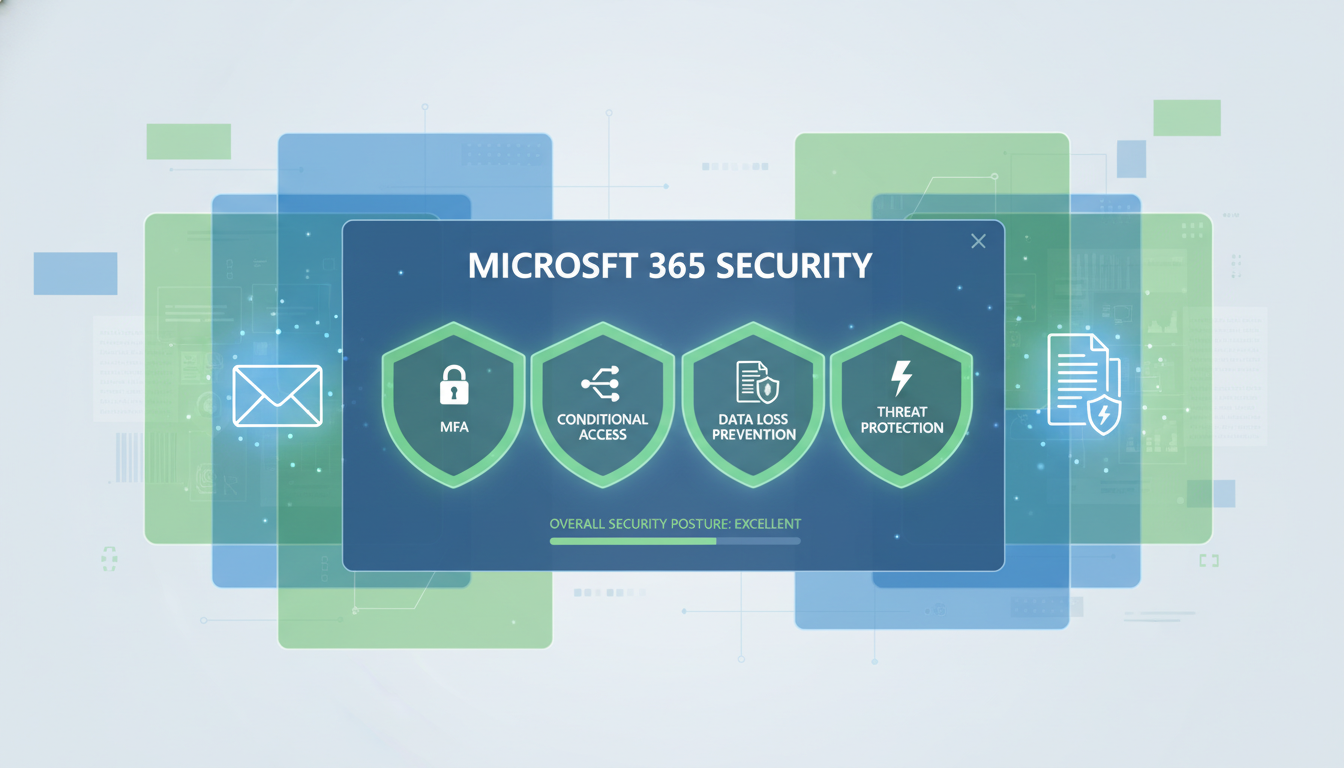
Microsoft 365 is the productivity backbone of hundreds of thousands of UK businesses. From email and calendar management in Outlook to file storage in OneDrive and SharePoint, team collaboration in Microsoft Teams, and document creation in Word, Excel, and PowerPoint, it is the single most important software platform for most SMEs. Yet despite this critical dependence, a staggering number of UK businesses are running Microsoft 365 with its default security settings - leaving significant vulnerabilities that could be closed with features they are already paying for.
This is not about purchasing additional security products. Microsoft 365 includes a remarkable array of security features within its standard business licences - features that many organisations simply never enable because they are not aware they exist, or because they assume Microsoft’s default configuration is sufficient. It is not. The default settings prioritise ease of use and compatibility, not security. Configuring Microsoft 365 for genuine security requires deliberate action.
This guide walks through the essential Microsoft 365 security features that every UK business should enable, explains what each feature does and why it matters, and provides practical guidance on implementation. Whether you are using Microsoft 365 Business Basic, Business Premium, or an Enterprise plan, there are security improvements you can make today that will significantly reduce your risk exposure.
1. Multi-Factor Authentication (MFA)
Multi-factor authentication is the single most impactful security measure you can implement in Microsoft 365. It requires users to verify their identity with a second factor - typically a code from an authenticator app on their phone - in addition to their password. If a password is compromised through phishing, a data breach, or brute-force attack, the attacker still cannot access the account without the second factor.
Microsoft’s own data shows that MFA prevents 99.9% of account compromise attacks. Despite this, surveys consistently show that around 40% of UK SMEs using Microsoft 365 have not enabled MFA for all users. This is the security equivalent of leaving the front door unlocked because it is easier than carrying a key.
Microsoft 365 includes MFA at no additional cost with every business licence. The recommended approach is to use Microsoft Entra ID (formerly Azure Active Directory) Security Defaults, which enforces MFA for all users. For businesses that need more granular control, Conditional Access policies (available in Business Premium and Enterprise plans) allow you to define specific conditions under which MFA is required.
The most common objection to MFA is that it is inconvenient for staff. In practice, most users adapt within a day or two. The key to a smooth rollout is communication and preparation. Inform staff in advance about the change and why it is necessary. Provide clear instructions for setting up the Microsoft Authenticator app on their phones. Schedule the rollout during a quiet period, not on the busiest day of the month. And ensure your IT support is available to help anyone who encounters difficulties. The minor inconvenience of an extra ten seconds at login is trivially small compared to the catastrophic impact of an account compromise.
2. Conditional Access Policies
Conditional Access is the next step beyond basic MFA. Available in Microsoft 365 Business Premium and Enterprise plans, Conditional Access policies allow you to define sophisticated rules that control who can access what, from where, on which devices, and under what conditions.
For example, you can create policies that require MFA for all access from outside the UK, block access from countries where your business does not operate, require compliant devices (devices that meet your security standards) for access to sensitive data, block legacy authentication protocols that do not support MFA, and require MFA for all administrative actions. These policies create a zero-trust security model where every access request is evaluated based on multiple signals - user identity, device health, location, and risk level - before being granted.
Identity Protection and Risk-Based Policies
Microsoft Entra ID Protection, available in Business Premium and Enterprise plans, extends Conditional Access with risk-based intelligence. It analyses sign-in behaviour in real time and assigns a risk level to each authentication attempt. A sign-in from a user's usual device in London at 9am is low risk; the same account attempting to sign in from an unfamiliar device in a foreign country at 3am is high risk. Risk-based policies can automatically require additional verification, force a password change, or block access entirely based on these signals.
For UK businesses, this capability is particularly valuable for protecting against credential stuffing attacks, where attackers use stolen username and password combinations from data breaches on other platforms. The UK National Cyber Security Centre reported that 75% of UK organisations experienced at least one credential stuffing incident in 2024, making automated risk detection essential rather than optional. Identity Protection also generates risk reports that help IT teams identify users whose credentials may have been compromised, enabling proactive remediation before an attack succeeds.
3. Email Security: Anti-Phishing and Safe Links
Email remains the primary attack vector for UK businesses. Phishing emails that impersonate trusted senders, contain malicious links, or carry infected attachments are the starting point for the majority of cyber attacks. Microsoft 365 includes several email security features that, when properly configured, provide robust protection.
Exchange Online Protection (EOP) is included in all Microsoft 365 plans and provides baseline anti-spam, anti-malware, and anti-phishing protection. However, EOP with its default settings is not sufficient for modern threats. Businesses should also configure anti-phishing policies to protect against impersonation attacks, Safe Links to scan URLs in emails and Office documents in real time, Safe Attachments to detonate suspicious attachments in a sandbox before delivery, and DMARC, DKIM, and SPF records to prevent domain spoofing.
| Security Feature | Available In | Default Status | Recommended Action | Impact |
|---|---|---|---|---|
| Multi-Factor Authentication | All Business plans | Off (Security Defaults may be on) | Enable for all users immediately | Critical |
| Conditional Access | Business Premium, E3, E5 | Not configured | Create baseline policies | High |
| Safe Links | Business Premium, E5, Defender P1 | Basic policy only | Enable for all users and Office apps | High |
| Safe Attachments | Business Premium, E5, Defender P1 | Off | Enable dynamic delivery mode | High |
| Anti-Phishing Policy | All plans (enhanced in Premium) | Default policy only | Configure impersonation protection | High |
| Data Loss Prevention | Business Premium, E3, E5 | Not configured | Enable policies for sensitive data types | Medium |
| Audit Logging | All Business plans | On (basic) | Verify enabled, configure retention | Medium |
| DMARC / DKIM / SPF | All plans (DNS configuration) | SPF only (partial) | Configure all three records | High |
4. Data Loss Prevention (DLP)
Data Loss Prevention policies help prevent sensitive information from being shared outside your organisation. DLP can detect and block emails, files, and chat messages that contain sensitive data types such as credit card numbers, National Insurance numbers, passport numbers, and other personal data covered by GDPR.
For UK businesses subject to GDPR, DLP is a valuable compliance tool. You can create policies that warn users when they are about to share sensitive information externally, require justification for the sharing, or block the action entirely. DLP policies can be applied across Exchange Online, SharePoint Online, OneDrive for Business, and Microsoft Teams, providing consistent protection regardless of how data is being shared.
5. Mobile Device Management with Intune
With hybrid and remote working now standard for UK businesses, company data inevitably ends up on mobile phones and personal devices. Microsoft Intune, included in Microsoft 365 Business Premium, allows you to manage and secure these devices without invading user privacy.
At a minimum, you should configure app protection policies that prevent corporate data from being copied to personal apps, require a PIN or biometric to access company data on mobile devices, and enable remote wipe of company data if a device is lost or an employee leaves. These policies can be applied to both company-owned and personal (BYOD) devices, protecting corporate data whilst respecting the user’s personal content.
6. Securing Microsoft Teams Communications
Microsoft Teams has become the default collaboration platform for UK businesses, handling everything from quick messages and video calls to file sharing and project coordination. Yet many organisations treat Teams as a casual communication channel and overlook the significant security implications. Sensitive business data, client information, financial figures, and strategic plans are routinely shared in Teams chats and channels, making it a high-value target for attackers.
External access and guest access settings deserve particular attention. By default, Teams allows users to communicate with external organisations and invite guest users to channels. Whilst this supports genuine collaboration needs, it also creates pathways for data exfiltration. Configure external access to allow communication only with specific trusted domains rather than all external organisations. For guest access, require approval workflows before external users can join teams, restrict guest permissions to prevent file downloading or screen sharing, and set expiration dates on guest access so it does not persist indefinitely.
Meeting security settings are equally important. Configure default meeting policies to use lobby controls (requiring the organiser to admit external participants), disable anonymous join for sensitive meetings, and enable meeting recording only in compliance-approved storage locations. For UK businesses handling client-confidential information - legal firms, financial advisors, healthcare providers - these controls are essential for maintaining professional obligations of confidentiality. According to the UK Cyber Security Breaches Survey, 28% of businesses that experienced a cyber incident in 2024 traced the initial compromise to information shared through collaboration platforms.
7. SharePoint and OneDrive Sharing Controls
By default, Microsoft 365 allows users to share files and folders externally with almost no restrictions. This is convenient but creates significant data leakage risks. A single user sharing a folder with “anyone with the link” can inadvertently expose sensitive business data to the entire internet.
You should configure external sharing policies to restrict who can share externally, what can be shared, and with whom. At minimum, disable “Anyone” links (which require no authentication), require external recipients to verify their identity, set expiration dates on sharing links, and audit external sharing activity regularly. These controls balance the genuine business need for external collaboration with the security requirement to protect sensitive data.
8. Audit Logging and Alerting
Microsoft 365 generates a wealth of audit data that can help you detect suspicious activity, investigate incidents, and demonstrate compliance. Unified audit logging captures events across Exchange Online, SharePoint, OneDrive, Teams, Azure AD, and other Microsoft 365 services.
Beyond passive logging, you should configure alert policies for high-risk events. Microsoft 365 includes built-in alert policies for events such as unusual volume of file deletion, creation of forwarding rules (a common indicator of compromise), elevation of privileges, and sign-in from unusual locations. These alerts should be directed to your IT team or managed service provider for prompt investigation.
Properly Secured Microsoft 365
- MFA enabled for every user account
- Conditional Access policies enforced
- Advanced anti-phishing protection active
- Safe Links and Safe Attachments enabled
- DLP policies protecting sensitive data
- Mobile devices managed and secured
- External sharing restricted and monitored
- Audit logging and alerts configured
Default Microsoft 365 Configuration
- Password-only authentication
- No access controls beyond basic login
- Basic spam filtering only
- No URL or attachment scanning
- No data loss prevention
- Unmanaged personal devices accessing data
- Unrestricted external sharing
- Default audit settings with no alerting
9. Microsoft Secure Score
Microsoft Secure Score is a built-in security posture assessment tool that analyses your Microsoft 365 configuration and provides a numerical score reflecting your security health. Available at no additional cost in the Microsoft 365 admin centre, Secure Score evaluates dozens of security controls across identity, data, devices, and applications, then provides prioritised recommendations for improvement.
For UK businesses, Secure Score serves as both a diagnostic tool and a progress tracker. When you first review your score, it reveals the gap between your current configuration and Microsoft's recommended security baseline. Each recommendation includes a description of the control, the risk it mitigates, the impact on your score, and step-by-step implementation guidance. This makes it possible for IT teams without deep security expertise to systematically improve their organisation's security posture.
The average Microsoft Secure Score for UK SMEs currently sits around 38 out of 100, indicating that most businesses are using barely a third of the security capabilities available to them. Organisations that work through the Secure Score recommendations typically reach 65 to 80 within three to six months, representing a dramatic reduction in their attack surface. Track your score over time to demonstrate continuous improvement to auditors, board members, and cyber insurance providers - many of whom now ask for Secure Score data as part of their assessment process.
10. Sensitivity Labels and Information Protection
Sensitivity labels, available in Microsoft 365 Business Premium and Enterprise plans, allow you to classify and protect documents and emails based on their content and business sensitivity. Labels such as “Public,” “Internal,” “Confidential,” and “Highly Confidential” can be applied manually by users or automatically by policy, and each label can enforce specific protection actions - encryption, watermarking, access restrictions, and header or footer markings.
For UK businesses handling client data, financial information, or personal data under GDPR, sensitivity labels provide a practical mechanism for enforcing data handling policies at the point of creation. A document labelled “Highly Confidential” can be automatically encrypted so that only named recipients can open it, even if the file is accidentally shared externally or saved to an unsecured location. Labels persist with the document throughout its lifecycle - from creation in Word through storage in SharePoint to sharing via email or Teams - providing consistent protection regardless of where the data travels.
Automatic labelling policies can scan documents and emails for sensitive content patterns - National Insurance numbers, financial account details, health records - and apply the appropriate sensitivity label without user intervention. This is particularly valuable for organisations where staff may not consistently remember to classify documents manually. A 2024 survey by the UK Department for Science, Innovation and Technology found that 67% of medium-sized UK businesses experienced data handling incidents that could have been prevented by automated classification and protection controls.
Getting Started: A Priority-Based Approach
Implementing all of these security features at once can be overwhelming, especially for businesses without dedicated IT staff. The good news is that you do not need to do everything on day one. A phased approach, starting with the highest-impact measures, is both practical and effective.
Week one should focus on MFA - enabling it for all users is the single most impactful action you can take. Week two should address email security - configuring anti-phishing policies, Safe Links, and Safe Attachments. Week three should tackle sharing controls and basic DLP. Weeks four and beyond can address Conditional Access, device management, and advanced monitoring.
Each of these measures reduces your risk exposure significantly. Combined, they transform Microsoft 365 from a potentially vulnerable platform into a genuinely secure one. And because all of these features are included in Microsoft 365 Business Premium (currently around £19.70 per user per month), there is no additional software cost - only the time and expertise required to configure them properly.
For businesses that lack the internal expertise to implement these security measures, a managed IT provider can configure everything on your behalf, typically within a few days. The investment is modest compared to the potential cost of a data breach, and it demonstrates the due diligence that GDPR and Cyber Essentials require.
Secure Your Microsoft 365 Environment
Cloudswitched provides comprehensive Microsoft 365 security configuration for UK businesses. Our security audit identifies gaps in your current setup, and our engineers implement best-practice security policies across your entire Microsoft 365 tenant - from MFA and Conditional Access to DLP, sensitivity labels, and advanced threat protection.

CloudSwitched
London-based managed IT services provider offering support, cloud solutions and cybersecurity for SMEs.


