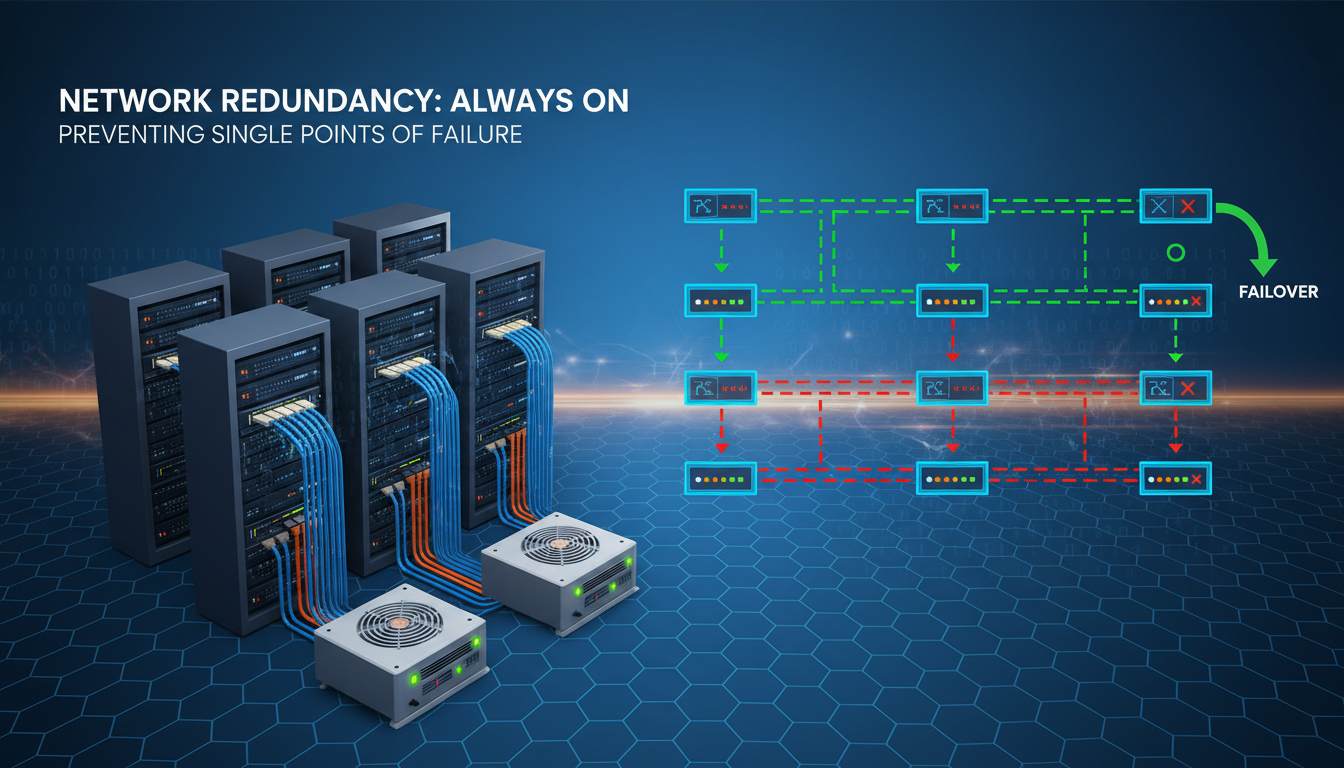
Every UK business depends on its network. Email, cloud applications, VoIP telephone systems, payment processing, and customer-facing websites all rely on network connectivity functioning reliably every minute of every working day. Yet a surprising number of businesses - including those that consider themselves technology-savvy - operate with critical single points of failure that could bring their entire operation to a halt with a single equipment failure or cable cut.
A single point of failure (SPOF) is any component in your IT infrastructure whose failure would cause the entire system, or a significant portion of it, to stop working. It could be a single internet connection, a lone firewall, an unprotected switch, or even a single power supply in a critical server. When that component fails - and all hardware fails eventually - everything downstream of it fails too.
This guide explains how to identify single points of failure in your network, understand the business risk they represent, and implement practical redundancy measures that keep your business running even when individual components fail.
The business case for redundancy is straightforward when you consider the mathematics of downtime. Most UK businesses experience at least two to three significant network incidents per year - ranging from brief internet outages to complete infrastructure failures. Without redundancy, each incident results in some combination of lost productivity, lost revenue, and reputational damage. With properly implemented redundancy, the same incidents are absorbed transparently, with users often unaware that a failure occurred at all.
Redundancy is not the same as having a disaster recovery plan, although the two are closely related. Redundancy is a proactive architectural approach that ensures continuity during a component failure without human intervention. Disaster recovery is a reactive process for restoring services after a catastrophic event that exceeds your redundancy capabilities. A well-designed network has both: redundancy to handle routine component failures automatically, and a disaster recovery plan for scenarios that redundancy alone cannot address, such as a complete site loss due to fire or flood.
Common Single Points of Failure in UK Business Networks
Before you can build redundancy, you need to identify where your vulnerabilities lie. Here are the most common single points of failure we encounter when auditing UK business networks.
Internet Connection
The single most common SPOF in UK business networks is the internet connection itself. The vast majority of UK SMEs rely on a single broadband or leased line connection. If that connection goes down - whether due to a provider outage, a damaged cable in the street, or a fault at the exchange - the entire business loses access to email, cloud applications, VoIP phones, and any web-based services. In an era where most business applications are cloud-hosted, losing your internet connection is effectively the same as losing your entire IT system.
Firewall
Your firewall sits between your internal network and the internet, inspecting and controlling all traffic. If it fails, you lose all internet connectivity even if the underlying broadband or leased line is working perfectly. Most SMEs have a single firewall with no failover partner, making it a critical SPOF.
Core Network Switch
The core switch is the central hub that connects all parts of your internal network. If a business has a single core switch and it fails, every wired device in the office loses connectivity. Computers cannot reach servers, printers stop responding, and IP phones go silent.
Server Hardware
If your business still runs on-premises servers (file servers, application servers, domain controllers), each server without redundancy is a potential SPOF. A single hard drive failure in a server without RAID, a single power supply failure in a server without dual PSUs, or a single server hosting a critical application without a failover partner can all bring business operations to a standstill.
DNS and Network Services
Domain Name System (DNS) is often overlooked as a single point of failure, yet it underpins virtually every network transaction. If your DNS servers become unavailable, users cannot resolve domain names to IP addresses, which means web browsing, email, cloud applications, and even internal services that rely on DNS all cease to function. Businesses that host their own DNS servers on a single machine, or that rely exclusively on their ISP's DNS servers, have a critical SPOF that is easily remedied by configuring multiple independent DNS providers.
Cabling and Physical Infrastructure
Physical infrastructure - the cables, patch panels, and cable routes that connect your devices - is another frequently neglected source of single points of failure. A single fibre optic cable run between two buildings, a lone uplink cable between floors, or a single patch panel serving an entire office wing can each represent a SPOF. Physical cable damage from building works, rodent activity, or accidental disconnection is more common than many businesses realise, particularly in older buildings where cable routes are not well documented or protected.
For businesses operating across multiple floors or buildings, diverse cable routes - where critical connections follow physically separate paths - provide resilience against physical damage affecting a single route. This principle extends to the external connections entering your building: ideally, your primary and backup internet connections should enter through different ducts or risers to avoid a single point of physical vulnerability at the building entrance.
Business impact severity of common single points of failure in UK SME networks
Building Internet Redundancy
The most impactful redundancy measure any UK business can implement is a secondary internet connection from a different provider, ideally delivered over a different physical medium. This is known as diverse-path redundancy, and it protects against both provider outages and physical cable damage.
The ideal configuration is a primary leased line for day-to-day use, paired with a secondary connection from a completely different provider using a different access technology. For example, if your primary connection is a fibre leased line from BT Wholesale, your secondary might be an FTTP broadband connection from Virgin Media (which uses its own cable network) or a 4G/5G business broadband service from Three or EE. The key is ensuring that a single event - such as a contractor cutting through a duct in the street - cannot take out both connections simultaneously.
Software-Defined Wide Area Networking (SD-WAN) takes internet redundancy to the next level. Rather than simply switching to a backup connection when the primary fails, SD-WAN continuously monitors both connections and intelligently routes traffic across them based on performance metrics. If your leased line develops packet loss or latency, SD-WAN can automatically route critical traffic (such as VoIP calls or video conferencing) over the backup connection before the primary link fails completely. Solutions from vendors like Cisco Meraki, Fortinet, and Cradlepoint make SD-WAN accessible to UK SMEs at reasonable cost.
Configuring Automatic Failover
Having a secondary internet connection is only useful if your network can detect a primary connection failure and switch to the backup automatically. This requires a firewall or router capable of WAN failover - a feature available on most business-grade equipment from vendors such as Cisco Meraki, Fortinet, SonicWall, and DrayTek. The failover configuration defines how the device monitors the primary connection (typically through ping tests or HTTP probes to reliable external hosts) and the conditions under which it triggers a switch to the secondary connection.
The failover configuration deserves careful attention. Overly sensitive monitoring can cause unnecessary failovers during brief latency spikes, whilst insufficiently sensitive monitoring can leave users without connectivity for several minutes before the backup activates. Most enterprise firewalls allow you to configure multiple monitoring targets, failover thresholds (such as three consecutive failed probes), and probe intervals to achieve the right balance. You should also configure failback behaviour - whether the network automatically returns to the primary connection when it recovers, or waits for manual intervention - based on your operational preferences.
For businesses with voice-over-IP telephone systems, failover configuration is particularly critical. VoIP calls in progress will typically drop during a connection failover, so minimising failover frequency whilst maintaining rapid detection of genuine outages is essential. SD-WAN solutions handle this more gracefully than simple failover configurations because they can route VoIP traffic to the backup connection proactively when they detect degradation on the primary link, often before the degradation is severe enough to affect call quality.
Firewall and Network Equipment Redundancy
Enterprise-grade firewalls from vendors such as Cisco Meraki, Fortinet FortiGate, SonicWall, and WatchGuard all support high-availability (HA) configurations where two identical firewalls operate as a pair. The primary firewall handles all traffic under normal conditions, whilst the secondary monitors the primary and is ready to take over within seconds if a failure is detected. This failover happens automatically, with no user intervention required and typically no noticeable disruption to network services.
The same principle applies to core network switches. Enterprise switches from Cisco, Meraki, and HPE Aruba support stacking configurations where multiple switches operate as a single logical unit. If one switch in the stack fails, the others continue to serve connected devices without interruption.
Wireless Access Point Redundancy
Wireless networks present their own redundancy challenges. A single access point serving a critical area - such as a warehouse using wireless barcode scanners or a trading floor dependent on Wi-Fi for mobile devices - is a SPOF that can disrupt operations if it fails. The solution is to design wireless coverage with overlapping cells, where adjacent access points provide sufficient coverage to maintain connectivity even if one access point fails. This approach, sometimes called N+1 wireless redundancy, ensures that no single access point failure creates a complete coverage gap.
Cloud-managed wireless platforms like Cisco Meraki and Aruba Central make this easier by automatically adjusting the transmit power and channel assignments of surrounding access points when they detect a failed unit, expanding their coverage to compensate for the gap. This self-healing wireless capability is one of the significant operational advantages of modern cloud-managed networking and should be a standard requirement for any business-critical wireless deployment.
Network Monitoring and Alerting
Redundancy hardware is only part of the solution - you also need monitoring systems that alert you when a redundant component has failed, even though services remain operational. Without monitoring, you can operate for weeks with a failed component and not realise your redundancy has been compromised until the second failure occurs and services actually go down. This scenario - where an undetected first failure is followed by a second failure that causes an outage - is one of the most common causes of extended downtime in businesses that have invested in redundancy.
Configure your monitoring platform to generate immediate alerts when any redundant component fails or enters a degraded state. This includes firewall HA status, switch stack member health, UPS battery condition, and secondary internet connection availability. Every alert should trigger a defined response process with clear ownership and timescales for resolution, ensuring that your redundancy is restored before a second failure can cause an outage.
| Component | Redundancy Method | Failover Time | Typical Cost (UK) | Complexity |
|---|---|---|---|---|
| Internet connection | Dual ISP with SD-WAN | Under 30 seconds | £200–£500/month | Low |
| Firewall | HA pair (active/passive) | Under 10 seconds | £1,500–£5,000 (one-off) | Medium |
| Core switch | Switch stacking | Sub-second | £1,000–£3,000 (one-off) | Medium |
| Server | Failover cluster or cloud | 1–5 minutes | £200–£800/month | High |
| Power | UPS + dual PSU | Instant | £500–£2,000 (one-off) | Low |
| DNS | Multiple DNS providers | Automatic | £0–£50/month | Low |
Server and Application Redundancy
For businesses that maintain on-premises servers, redundancy can be achieved through several approaches. The most common are server clustering, where two or more servers share a workload and can take over from each other; virtualisation with live migration, where virtual machines can be moved between physical hosts without downtime; and cloud failover, where critical workloads are replicated to Microsoft Azure or Amazon Web Services and can be activated if on-premises hardware fails.
For many UK SMEs, the most practical path to server redundancy is to migrate critical workloads to the cloud entirely. Services like Microsoft Azure, Microsoft 365, and Google Workspace are built on massively redundant infrastructure with multiple data centres and automatic failover. By moving your file storage to SharePoint or OneDrive, your email to Exchange Online, and your line-of-business applications to cloud-hosted versions, you effectively outsource the redundancy problem to providers who invest billions of pounds in ensuring uptime.
Database and Application-Level Redundancy
For businesses running database-driven applications - whether customer relationship management systems, enterprise resource planning platforms, or bespoke line-of-business applications - database redundancy requires special attention. Database replication, where changes are continuously synchronised from a primary database to one or more replicas, ensures that a current copy of your data is always available on standby. Most enterprise database platforms, including Microsoft SQL Server, PostgreSQL, and MySQL, support native replication features that can be configured for automatic failover.
Application-level redundancy goes beyond simply duplicating servers. It requires ensuring that all application dependencies - configuration files, SSL certificates, licence keys, integration credentials, and external service connections - are available and correctly configured on the failover instance. A common failure scenario is a server failover that succeeds technically but results in a non-functional application because a licence file is tied to the original server's hardware identity or an API key has not been replicated. Thorough documentation and regular testing of application-level failover are essential to avoid these pitfalls.
Cloud-Based Redundancy
- Built-in redundancy across multiple data centres
- Automatic failover with no user intervention
- 99.9%+ uptime SLAs from major providers
- No capital expenditure on redundant hardware
- Scales automatically with demand
- Managed by specialist engineers 24/7
On-Premises Redundancy
- Requires purchasing duplicate hardware
- Needs specialist configuration and testing
- Ongoing maintenance of redundant systems
- Higher upfront capital expenditure
- Limited by physical space and power
- Requires skilled internal or external support
Power Redundancy
Network equipment, servers, and workstations all depend on electrical power. A power cut - whether from a grid failure, a tripped breaker, or planned maintenance - will bring your entire IT infrastructure down unless you have power redundancy in place.
The first line of defence is an Uninterruptible Power Supply (UPS) for all critical equipment. A UPS provides battery backup that keeps equipment running through brief power interruptions and gives you enough time to shut systems down gracefully during extended outages. At minimum, your servers, core switch, firewall, and main internet router should be on UPS-protected power. For businesses where even brief downtime is unacceptable, a generator provides extended backup power that can keep the office running for hours or days.
Server-grade equipment should also have redundant power supplies - two PSUs per server, each connected to a separate power circuit. This protects against both PSU failure and circuit failure, ensuring the server continues to operate even if one power feed is lost.
Environmental and Facility Resilience
Power redundancy is part of a broader category of environmental resilience that also includes cooling, fire suppression, and physical security. Server rooms and network equipment generate significant heat, and if the air conditioning system fails, equipment can overheat and shut down within minutes - particularly during summer months. Redundant cooling units, temperature monitoring with automated alerts, and emergency ventilation procedures should all be part of your environmental resilience planning for any space housing critical network infrastructure.
Water damage is another environmental risk that is frequently underestimated. Server rooms located in basements are vulnerable to flooding, and even rooms on upper floors can be affected by burst pipes, roof leaks, or fire suppression system discharges. Where possible, critical equipment should be elevated from the floor, water detection sensors should be installed beneath raised floors, and equipment should never be located directly beneath water pipes or roof drainage points. These simple measures cost very little but can prevent catastrophic equipment damage.
Designing a Redundancy Strategy for Your Business
Not every business needs the same level of redundancy. A sole trader working from home has very different requirements from a 200-person financial services firm in the City of London. The key is to match your redundancy investment to the actual cost of downtime for your specific business.
Start by calculating your cost of downtime. Consider lost revenue (can staff generate revenue if systems are down?), lost productivity (what is the hourly cost of your entire workforce being idle?), contractual penalties (do your SLAs with clients specify uptime?), reputational damage (will clients lose confidence?), and regulatory exposure (could downtime cause a compliance breach?).
Once you understand the true cost of an hour of downtime, you can make rational investment decisions about redundancy. If an hour of downtime costs your business £5,000 and a dual-ISP setup costs £300 per month, the failover connection pays for itself if it prevents just one hour of internet-related downtime per year.
A Tiered Approach to Redundancy
A practical way to approach redundancy investment is to think in tiers, with each tier addressing progressively less likely but higher-impact scenarios. The first tier - which every business should implement regardless of size - covers basic power protection (UPS for critical equipment) and a secondary internet connection. These measures address the two most common causes of business network downtime at relatively modest cost.
The second tier adds equipment redundancy: high-availability firewall pairs, stacked core switches, and redundant server components (dual power supplies, RAID storage). This tier is appropriate for businesses where an hour of downtime costs more than a few thousand pounds, or where regulatory requirements mandate high availability.
The third tier introduces full infrastructure redundancy: diverse physical cable routes, generator backup power, cloud-based disaster recovery, and geographically distributed systems. This level of investment is typically justified for businesses in financial services, healthcare, e-commerce, or any sector where extended downtime could result in regulatory penalties, significant revenue loss, or risk to safety.
Documenting Your Redundancy Architecture
Whatever level of redundancy you implement, thorough documentation is essential. Your network documentation should include clear diagrams showing all redundant paths and failover relationships, a table of all redundant components with their monitoring status and last test date, documented procedures for each failover scenario (including manual failover steps if automatic failover is not available), and contact details for all service providers, equipment vendors, and support contracts. This documentation should be stored in a location that is itself resilient - not solely on a server that would be unavailable during the outage you are trying to recover from. A cloud-based documentation platform or a printed copy stored securely off-site ensures access when it is needed most.
Testing Your Redundancy
Redundancy is only valuable if it actually works when needed. Too many businesses invest in failover systems and then never test them, only to discover during a real incident that the failover does not function as expected. Schedule regular failover tests - at least quarterly - where you deliberately simulate the failure of each redundant component and verify that the backup takes over correctly.
Document your test results and address any issues identified. Common problems discovered during failover testing include backup internet connections that are active but have incorrect routing, UPS batteries that have degraded and no longer provide adequate runtime, firewall HA pairs that have fallen out of sync due to firmware mismatches, and DNS failover records that point to expired IP addresses.
Structured Testing Methodologies
Effective redundancy testing follows a structured methodology that goes beyond simply pulling a cable and seeing what happens. A comprehensive test plan should cover four dimensions: detection (does the monitoring system correctly identify the failure?), failover (does the backup component take over within the expected timeframe?), operation (do all services function correctly on the backup component?), and failback (does the system return to normal operation cleanly when the original component is restored?).
Tabletop exercises - where your team walks through failure scenarios without actually triggering them - are a valuable complement to live failover tests. They help identify gaps in procedures, unclear responsibilities, and dependencies that may not be obvious from network diagrams alone. For example, a tabletop exercise might reveal that your documented failover procedure assumes a specific team member is available, but that person is the only one with the necessary access credentials or knowledge. These gaps are far better discovered during a controlled exercise than during a genuine outage at three in the morning.
Consider scheduling an annual resilience day where your IT team (or external support provider) conducts a comprehensive test of all redundancy measures in sequence. This provides an opportunity to verify that all components function correctly, update documentation where procedures have changed, and train staff who may not have experienced a real failover event. The cost of a dedicated testing day is trivial compared to the cost of discovering during a real incident that your redundancy does not work as expected.
The National Cyber Security Centre (NCSC), part of GCHQ, explicitly recommends that UK businesses regularly test their resilience measures, including network redundancy and disaster recovery plans. The NCSC's 10 Steps to Cyber Security framework includes asset management and resilience as core components. Businesses pursuing Cyber Essentials certification should ensure their redundancy measures are documented and tested as part of their overall security posture.
Eliminate Single Points of Failure in Your Network
Cloudswitched designs, implements, and manages redundant network infrastructure for UK businesses. From dual-ISP internet with SD-WAN to high-availability firewalls and cloud disaster recovery, we ensure your business stays connected even when components fail. Contact us for a network redundancy assessment.
REQUEST A NETWORK ASSESSMENT
CloudSwitched
London-based managed IT services provider offering support, cloud solutions and cybersecurity for SMEs.


