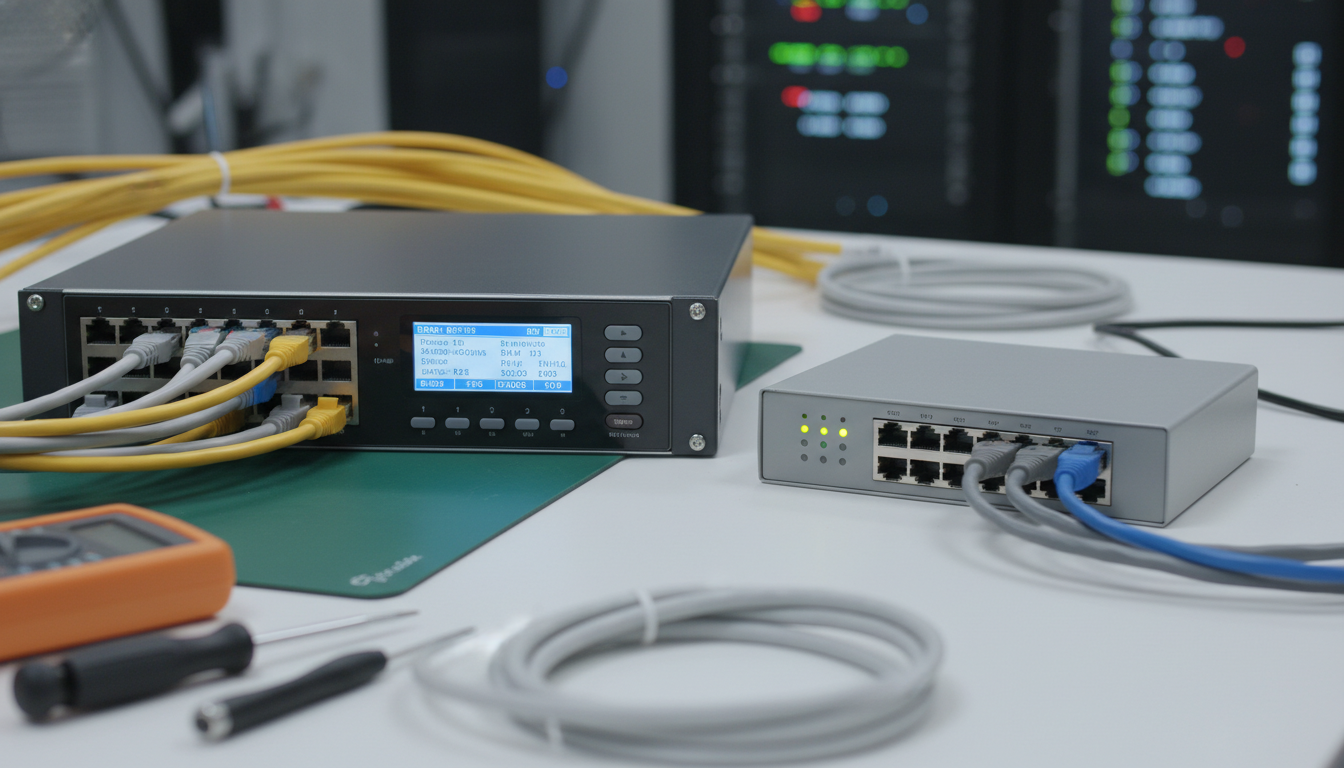
Network switches are the unsung workhorses of every business network. They sit quietly in server rooms and comms cupboards, directing traffic between devices, and most people never think about them - until something goes wrong. Yet the type of switch you choose has a profound impact on your network's performance, security, and manageability.
The fundamental choice when purchasing network switches is between managed and unmanaged models. At first glance, the decision seems straightforward: unmanaged switches are cheaper and simpler, while managed switches offer more features and control. But the reality is more nuanced than that, and choosing the wrong type can leave your business either overpaying for features you do not need or - more dangerously - running a network that lacks the controls necessary to keep it secure and performing well.
This guide explains how network switches work, the differences between managed and unmanaged models, and how to determine which type is right for your business.
What Does a Network Switch Actually Do?
A network switch is a device that connects multiple devices on a local area network (LAN) and directs data between them. When your computer sends data to the office printer, it does not broadcast that data to every device on the network - the switch reads the destination address in the data packet and forwards it only to the correct port where the printer is connected. This is what makes switches more efficient than older networking technologies like hubs, which simply broadcast everything everywhere.
Every modern business network relies on switches. They connect computers, printers, phones, wireless access points, servers, and other devices. Even if your business is primarily cloud-based, your local network still depends on switches to connect devices to the internet and to each other.
Switches operate primarily at Layer 2 (the data link layer) of the OSI model, using MAC addresses to forward frames to the correct destination. Some advanced managed switches also operate at Layer 3 (the network layer), adding routing capabilities that allow them to direct traffic between different network segments - known as VLANs - without needing a separate router.
Network Switch Architecture and Forwarding
Inside every network switch is a MAC address table - sometimes called a CAM (Content Addressable Memory) table - that maps each connected device's MAC address to the physical port where that device is connected. When the switch is first powered on, this table is empty. As devices begin sending data, the switch examines the source MAC address of each incoming frame and records which port it arrived on. Within seconds, the switch builds a complete map of which device is connected to which port, enabling efficient and targeted data delivery across the network.
When a frame arrives destined for a known MAC address, the switch forwards it only to the correct port - this is called unicast forwarding. When a frame arrives destined for a MAC address the switch has not yet learned, it floods the frame out of all ports except the one it arrived on - this is called unknown unicast flooding. As the destination device responds, the switch learns its port and subsequent frames are forwarded efficiently. This learning and forwarding process is automatic and continuous, with MAC address entries typically expiring after 300 seconds of inactivity to accommodate devices that move between ports or are disconnected.
Switch Specifications That Matter
When evaluating switches, several technical specifications determine how well the device will perform in your network. The switching capacity (measured in gigabits per second) indicates the total throughput the switch can handle simultaneously across all ports. A 24-port gigabit switch should have a switching capacity of at least 48 Gbps to support full wire-speed traffic on all ports simultaneously in both directions (full duplex). If the switching capacity is lower than this, the switch may become a bottleneck under heavy load - a condition known as oversubscription, which can degrade performance during peak usage periods.
The forwarding rate (measured in million packets per second, or Mpps) indicates how many individual data packets the switch can process per second. For a 24-port gigabit switch, the theoretical maximum forwarding rate at full wire speed is approximately 35.7 Mpps. Switches that advertise lower forwarding rates may introduce latency under heavy traffic conditions, particularly with the small packets that are common in voice and video applications. When comparing switches, always verify that both the switching capacity and the forwarding rate support non-blocking, wire-speed performance across all ports.
Unmanaged Switches: Simplicity at a Cost
An unmanaged switch is a plug-and-play device. You take it out of the box, connect the power cable, plug in your network cables, and it works. There is no configuration interface, no management software, no settings to adjust. It simply forwards traffic between connected devices automatically.
This simplicity is the primary advantage of unmanaged switches. They require no technical knowledge to deploy, no ongoing management, and no specialist skills. For very small networks - a handful of devices in a home office or a small retail shop - this simplicity is genuinely appealing.
However, simplicity comes at the cost of control. An unmanaged switch treats all traffic equally. It cannot prioritise voice traffic over file downloads, cannot segment the network into separate zones for security, cannot monitor traffic patterns for anomalies, and cannot be remotely managed or updated. If something goes wrong - a broadcast storm, a rogue device, a network loop - you have no visibility into the problem and no tools to diagnose or fix it beyond physically unplugging cables until you find the culprit.
Real-World Limitations of Unmanaged Switches
The limitations of unmanaged switches become painfully apparent as networks grow beyond a handful of devices. Consider a common scenario: a growing business adds a second unmanaged switch because the first has run out of ports. An employee accidentally connects a cable from the new switch back to the original switch, creating a network loop. On a managed switch, Spanning Tree Protocol (STP) would detect the loop and automatically disable one of the redundant links. On an unmanaged switch, the loop causes a broadcast storm - packets circulate endlessly between the two switches, consuming all available bandwidth and effectively bringing the entire network to a halt. The only remedy is to physically identify and remove the offending cable, which can take considerable time in a busy office with dozens of cables running through trunking and ceiling voids.
Another frequent issue occurs when businesses deploy VoIP telephone systems alongside unmanaged switches. VoIP traffic is extremely sensitive to latency, jitter, and packet loss. When a user on the same network initiates a large file transfer - downloading a software update, backing up files to the cloud, or transferring video files - the unmanaged switch treats the file transfer traffic and the voice traffic identically. The voice calls degrade, with symptoms ranging from choppy audio and delays to dropped calls entirely. Without Quality of Service controls, there is no mechanism to ensure that voice traffic receives priority, and the only workaround is to physically separate the voice and data networks using entirely separate switches and cabling - doubling the infrastructure cost and complexity.
The Hidden Costs of Cheap Switches
The upfront saving from choosing unmanaged switches can be illusory when you account for the total cost of ownership over the switch's lifespan. Businesses frequently discover that the lack of visibility and control leads to increased troubleshooting time, longer network outages, and higher support costs. An IT technician diagnosing a problem on a network of unmanaged switches has no tools available other than physically inspecting cables and ports. There are no traffic statistics, no error counters, no log files, and no way to remotely test a connection. What might take five minutes to diagnose and resolve on a managed switch - by checking port statistics and traffic graphs through a web interface - can take hours of trial and error on an unmanaged switch, with the business losing productivity throughout the process.
Furthermore, unmanaged switches offer no path to compliance with security frameworks such as Cyber Essentials, which is increasingly required for businesses working with government contracts or handling sensitive data. Discovering that your network infrastructure needs a complete replacement at the point when you are pursuing certification is both disruptive and costly - far more so than investing in managed switches from the outset. The price difference between an unmanaged and a managed switch is typically recouped many times over through reduced downtime, faster troubleshooting, and the ability to meet compliance requirements without a forklift upgrade.
Managed Switches: Control and Visibility
A managed switch provides a web interface, command line, or cloud management portal that allows you to configure, monitor, and control every aspect of the switch's behaviour. This includes VLAN configuration, quality of service (QoS) settings, port mirroring, access control lists, SNMP monitoring, firmware updates, and much more.
Key Features of Managed Switches
VLANs (Virtual Local Area Networks): VLANs allow you to segment your physical network into multiple logical networks. For example, you might place your office computers on one VLAN, your guest Wi-Fi on another, your VoIP phones on a third, and your CCTV cameras on a fourth. Each VLAN is isolated from the others, improving both security and performance. This is particularly important for Cyber Essentials certification, which requires network segmentation as a core control.
Quality of Service (QoS): QoS allows you to prioritise certain types of traffic over others. The most common use case is prioritising voice and video traffic to ensure clear, uninterrupted calls even when the network is busy with file transfers or software updates. Without QoS, a large file download can cause voice calls to break up and video meetings to freeze.
Port Security: Managed switches allow you to control which devices can connect to each port. You can lock a port to a specific MAC address, limit the number of devices per port, or disable unused ports entirely. This prevents unauthorised devices - such as a rogue wireless access point or an attacker's device - from connecting to your network.
SNMP Monitoring: Simple Network Management Protocol (SNMP) allows your managed switches to be monitored by network management tools. This gives you real-time visibility into traffic volumes, error rates, port utilisation, and device health - enabling you to identify and resolve problems before they impact users.
Link Aggregation: Managed switches support link aggregation (also known as port bonding or EtherChannel), which combines multiple physical connections into a single logical connection with higher bandwidth and redundancy. This is commonly used for connections between switches or between a switch and a server.
Managed Switches
- Full VLAN support for network segmentation
- QoS for voice and video prioritisation
- Port security and access control
- SNMP monitoring and alerting
- Remote management and firmware updates
- Link aggregation for higher bandwidth
- Spanning Tree Protocol to prevent loops
- Required for Cyber Essentials compliance
Unmanaged Switches
- No VLAN support - flat network only
- No traffic prioritisation
- No port security or access control
- No monitoring or alerting
- No remote management capability
- No link aggregation
- No loop prevention
- Not suitable for compliance requirements
Smart Managed Switches: The Middle Ground
Between fully unmanaged and fully managed switches sits a category often called "smart managed" or "easy managed" switches. These devices offer a subset of managed switch features - typically VLANs, basic QoS, port mirroring, and a web management interface - at a price point closer to unmanaged switches.
Smart managed switches are a reasonable choice for small businesses that need basic network segmentation and traffic prioritisation but do not require the full feature set of an enterprise-grade managed switch. However, they typically lack advanced security features, comprehensive SNMP support, and the depth of configuration options available on fully managed models.
When Smart Managed Switches Are the Right Fit
Smart managed switches occupy an important niche for businesses that have outgrown unmanaged switches but do not yet need the full capabilities - or the complexity - of enterprise-grade managed switches. A typical scenario is a professional services firm with 15 to 30 employees who need their guest Wi-Fi separated from the corporate network, their VoIP phones running reliably alongside data traffic, and some basic visibility into network performance. A smart managed switch provides all of this through a simplified web interface that an IT-literate office manager can configure, without requiring specialist networking knowledge or expensive consultancy.
The cloud-managed variants of smart managed switches - such as the Ubiquiti UniFi range and the HPE Aruba Instant On series - add remote management capabilities that are particularly valuable for businesses with multiple sites or for managed service providers overseeing many client networks. The administrator can monitor switch health, configure VLANs, and update firmware from a central cloud dashboard without needing to be physically present at each location. However, it is worth noting that cloud-managed switches depend on an internet connection for their management interface; if the internet connection is lost, you cannot make configuration changes until connectivity is restored, though the switch continues to forward traffic normally using its existing configuration.
| Feature | Unmanaged | Smart Managed | Fully Managed |
|---|---|---|---|
| Typical price (24-port GbE) | £60 - £120 | £150 - £280 | £300 - £800+ |
| VLANs | No | Basic (up to 32-64) | Full (up to 4096) |
| QoS | No | Basic (4 queues) | Advanced (8 queues, DSCP) |
| Port security | No | Basic MAC filtering | 802.1X, RADIUS, MAC auth |
| SNMP monitoring | No | SNMPv1/v2c | SNMPv3 with encryption |
| Stacking | No | No | Yes (vendor dependent) |
| Layer 3 routing | No | No | Available on L3 models |
| Configuration complexity | None | Low | Medium to high |
Power over Ethernet (PoE): An Important Consideration
Regardless of whether you choose managed or unmanaged, you should consider whether you need Power over Ethernet (PoE) capability. PoE switches deliver electrical power over the same Ethernet cable that carries data, eliminating the need for separate power supplies for connected devices.
PoE is essential for powering wireless access points, VoIP phones, IP security cameras, and some IoT devices. Without PoE, each of these devices needs its own power socket and power adapter - adding cost, complexity, and cable clutter.
PoE switches are available in both managed and unmanaged variants. The key specification to check is the total PoE power budget - the total wattage the switch can deliver across all its ports simultaneously. A wireless access point typically draws 15 to 25 watts, a VoIP phone around 7 to 13 watts, and a PTZ security camera up to 30 watts. Ensure your switch's total PoE budget can accommodate all the devices you plan to connect.
PoE Standards and Planning Considerations
Power over Ethernet has evolved through several IEEE standards, each increasing the available power per port. The original 802.3af (PoE) standard delivers up to 15.4 watts per port, which is sufficient for VoIP phones and basic wireless access points. The 802.3at (PoE+) standard increases this to 30 watts per port, accommodating modern wireless access points, pan-tilt-zoom cameras, and video conferencing endpoints. The newer 802.3bt (PoE++) standard delivers up to 60 watts (Type 3) or 90 watts (Type 4) per port, enabling power-hungry devices such as large displays, point-of-sale terminals, and even some laptop docking stations to be powered entirely over the Ethernet cable.
When planning a PoE deployment, the total power budget is often more constraining than the per-port limit. A 24-port PoE+ switch might advertise 30 watts per port but have a total power budget of only 370 watts - meaning you can power approximately twelve fully loaded PoE+ devices before exhausting the budget. If you plan to power devices on every port, you need a switch with a total budget equal to the number of ports multiplied by the per-device power draw. It is wise to include at least a 20 per cent margin above your calculated requirement to accommodate future devices and power draw variations that occur as equipment ages or ambient temperatures fluctuate.
PoE also introduces considerations for your electrical infrastructure. The switch itself draws significantly more power from the mains when PoE is active - a fully loaded 24-port PoE+ switch may draw 400 to 500 watts from the wall socket, compared to approximately 30 watts for a non-PoE switch. Ensure your server room or comms cupboard has adequate power capacity and ventilation, as the additional heat generated by PoE switches can be substantial in enclosed spaces. An uninterruptible power supply (UPS) protecting PoE switches also needs to be appropriately sized for the higher power draw, which is a detail that is frequently overlooked during deployment planning.
Which Switch Type Does Your Business Need?
The right choice depends on the size and complexity of your network, your security and compliance requirements, and your budget. Here are some general guidelines.
Choose unmanaged switches if: You have a very small network (fewer than 10 devices), you have no compliance requirements, you do not use VoIP or video conferencing heavily, you have no need for network segmentation, and you have no in-house or outsourced IT support to manage the switches.
Choose smart managed switches if: You have a small to medium network (10 to 50 devices), you need basic VLANs to separate guest Wi-Fi or VoIP traffic, you want some visibility into network performance, you have limited IT expertise available, and your budget is constrained but you need more than plug-and-play.
Choose fully managed switches if: You have a medium to large network (50 or more devices), you need to comply with Cyber Essentials or other security frameworks, you use VoIP and need reliable call quality, you need detailed network monitoring and diagnostics, you have in-house IT staff or a managed service provider, and you require features like 802.1X authentication, advanced QoS, or Layer 3 routing.
Future-Proofing Your Switch Investment
Network switches typically remain in service for five to eight years, so it is important to consider future requirements as well as current needs when making your purchasing decision. If your business is growing, choose switches with more ports than you currently need - running out of ports forces either an expensive mid-life upgrade or the addition of another switch, which adds complexity and potential failure points to your network topology. A common recommendation is to purchase switches with at least 25 to 30 per cent spare port capacity to accommodate growth without disruption.
Consider whether you will need 10-gigabit uplink ports in the near future. As wireless access points move to Wi-Fi 6E and Wi-Fi 7, they can deliver aggregate throughput exceeding one gigabit - meaning the uplink from the access point to the switch becomes a bottleneck if it is only a one-gigabit connection. Switches with 10-gigabit SFP+ uplink ports provide headroom for these high-bandwidth connections and for inter-switch links that carry aggregated traffic from many devices simultaneously.
Multi-gigabit Ethernet (2.5GBASE-T and 5GBASE-T) is also becoming increasingly relevant for businesses deploying Wi-Fi 6 or Wi-Fi 6E access points. These intermediate speeds - 2.5 Gbps and 5 Gbps - run over existing Cat 5e and Cat 6 cabling respectively, allowing you to increase bandwidth without the expense and disruption of recabling your premises. Switches with multi-gigabit ports are slightly more expensive than standard gigabit models but can significantly extend the useful life of your existing cable infrastructure, representing a sound long-term investment for businesses planning to upgrade their wireless networks.
If your business is pursuing Cyber Essentials certification - and all UK businesses handling government contracts are required to do so - you will need managed switches. The Cyber Essentials scheme requires that you can demonstrate network segmentation, control which devices connect to your network, and keep network equipment firmware up to date. None of these requirements can be met with unmanaged switches.
Recommended Switch Brands for UK Businesses
Several manufacturers produce reliable, well-supported network switches suitable for UK businesses. The most commonly deployed include Cisco, HPE Aruba, Juniper Networks, Ubiquiti, and Netgear.
Cisco: The market leader in enterprise networking, offering the widest range of managed switches from small business models (Cisco Business series) to enterprise-grade campus switches (Catalyst series). Cisco switches are robust and feature-rich but tend to be the most expensive option and require the most expertise to configure.
HPE Aruba: A strong alternative to Cisco, offering excellent managed switches with a reputation for reliability and good UK support. The Aruba Instant On range is particularly well-suited to SMEs, offering cloud-managed switches with an intuitive interface.
Ubiquiti: Popular among smaller businesses and IT service providers for its combination of managed switch features and competitive pricing. The UniFi range integrates switches, wireless access points, and gateways into a single management platform. However, Ubiquiti's support and documentation are less comprehensive than the enterprise vendors.
Choosing the Right Vendor for Your Business
The best switch vendor depends on your specific circumstances and existing infrastructure. For businesses that already have an IT support provider, ask which vendors they are most experienced with - a well-configured switch from a vendor your support team knows intimately will outperform a premium switch from an unfamiliar vendor that is poorly configured. Vendor consistency also simplifies management considerably; if all your switches are from the same manufacturer, you can manage them through a single interface, apply consistent firmware updates, and benefit from unified support contracts and spare parts availability.
For businesses without dedicated IT support, cloud-managed platforms offer the most accessible management experience. Ubiquiti UniFi and HPE Aruba Instant On both provide intuitive mobile and web applications that make basic network management accessible to non-specialists. Cisco's Meraki platform offers similar cloud management but at a significantly higher price point, with ongoing licensing fees that can exceed the initial hardware cost over the switch's lifetime - a factor that must be included in any total cost of ownership calculation.
Warranty and support terms vary considerably between vendors and are worth examining closely before making a purchasing decision. HPE Aruba offers a limited lifetime warranty on most of its switches, including next-business-day advance replacement - an exceptionally strong warranty for the price point. Cisco's warranty terms depend on the product line, with the small business range offering limited lifetime warranties and the enterprise Catalyst range offering more restrictive terms that may require a SmartNet support contract for timely hardware replacement. Ubiquiti offers a two-year warranty as standard, which is shorter than the enterprise vendors but reflects the lower price point. When evaluating total cost of ownership, the warranty and support terms can make a significant difference over the five-to-eight-year lifespan of a typical network switch deployment.
Installation and Ongoing Management
Once you have selected the right switches, proper installation and ongoing management are essential to get the best from your investment. Managed switches should be configured before deployment, with VLANs, QoS policies, port security, and monitoring all set up according to your network design. Firmware should be updated to the latest stable version, default passwords must be changed, and unused ports should be disabled.
Ongoing management includes regular firmware updates (at least quarterly), monitoring for unusual traffic patterns or errors, reviewing port utilisation to plan capacity, and periodically auditing VLAN and security configurations. If you use a managed IT service provider, switch management should be included in your support agreement.
Troubleshooting Common Network Switch Problems
Even well-configured managed switches occasionally require troubleshooting. The most common issues include ports that appear to be dead (usually caused by a cable fault, a speed or duplex mismatch, or an administratively disabled port), slow network performance (often caused by a duplex mismatch, excessive broadcast traffic, or a failing cable), and devices that cannot communicate across VLANs (typically a routing or VLAN trunk configuration issue). Managed switches provide diagnostic tools - port statistics, error counters, cable diagnostics, and traffic graphs - that make identifying the root cause vastly faster than the trial and error approach that unmanaged switches demand.
A structured approach to switch troubleshooting starts at the physical layer and works upwards. First, verify the physical connection: is the link light on? Is the cable securely seated in both the switch port and the device? Try a known-good cable to rule out cable faults. Second, check the port configuration: is the port enabled? Is it in the correct VLAN? Are the speed and duplex settings correct (auto-negotiation is usually the safest choice)? Third, check the switch logs for error messages related to the port - Spanning Tree topology changes, MAC address flapping, and CRC errors all point to specific root causes that can be resolved once identified, saving hours of guesswork.
For businesses that rely on managed IT service providers, ensure your support agreement includes proactive switch monitoring as a standard service. A good provider will monitor your switches continuously via SNMP, receive automated alerts when error thresholds are exceeded or ports go down, and resolve issues before users notice them. This proactive approach to switch management prevents small problems from escalating into network-wide outages and is one of the strongest arguments for investing in managed switches over unmanaged alternatives - the visibility they provide transforms network support from reactive firefighting into planned, predictable maintenance.
Need Help Choosing the Right Network Switches?
Cloudswitched designs, supplies, and manages network infrastructure for businesses across the UK. Whether you need a simple upgrade or a complete network redesign, our engineers will recommend the right switches for your needs and budget.
Explore Network Admin Services
CloudSwitched
London-based managed IT services provider offering support, cloud solutions and cybersecurity for SMEs.


